Our readers keep the lights on and my smoothie glass nicely filled. As an Amazon Associate, I earn from qualifying purchases.
A video dissolve that turns skin tones green, a print that looks nothing like the screen, a subtle shadow that vanishes into crushing blacks—this is the daily reality of color grading on a monitor too cheap to care about the truth. Grading is an art of confidence, and confidence comes from a panel that doesn’t lie. The panel must lock to a specific white point, hold its gamma curve steady, and cover a gamut wide enough to contain the vision you’re building.
I’m Mohammad Maruf — the founder and writer behind WellFizz. I’ve spent hundreds of hours analyzing monitor data sheets, independent panel reviews, and calibration reports to build this guide around the metrics that actually define grading fidelity.
Whether you are cutting in DaVinci Resolve or tweaking hues in Premiere Pro, picking the right panel is the single most important gear decision you will make. This guide breaks down the best options to help you find the best computer monitor for color grading.
How To Choose The Best Computer Monitor For Color Grading
A grading monitor is not a general-purpose screen. Every spec decision trades off refresh rate, contrast depth, sheer pixel count, and budget. You need to prioritize the metrics that reveal banding, clip highlights, and desaturate the image you intend for distribution.
Color Gamut Coverage
Look for a panel that covers at least 100% sRGB and 99% Rec. 709 as the baseline for video. For HDR grading and print work, DCI-P3 and Adobe RGB coverage above 95% is critical. Broad gamut ensures the monitor can display the colors your timeline or RAW file actually contains.
Delta E (Color Accuracy)
Delta E measures the difference between the intended color and what the screen shows. A ΔE ≤ 2 is the professional standard for grading—anything higher means visible deviation. Factory-calibrated monitors include a report guaranteeing this spec out of the box.
Panel Technology & Contrast Ratio
IPS panels dominate the grading world for wide viewing angles and consistent color. Nano IPS Black technology pushes contrast ratios to 2000:1, producing deeper blacks without OLED burn-in risk. Standard IPS sits around 1000:1, which is workable with controlled lighting.
Resolution and Pixel Density
4K UHD (3840×2160) is the sweet spot for 27- and 32-inch monitors, giving you room for scopes, timelines, and a full preview. 5K and 6K panels provide even denser pixels for pixel-peeping sharpness, especially useful when grading high-resolution footage or working with fine text in the UI.
Quick Comparison
On smaller screens, swipe sideways to see the full table.
| Model | Category | Best For | Key Spec | Amazon |
|---|---|---|---|---|
| ViewSonic VP3276T-4K | Premium | Thunderbolt 4 workflow with Adobe RGB | 100% Adobe RGB, 98% DCI-P3 | Amazon |
| Apple Studio Display | Premium | Seamless Mac integration at 5K | 5K Retina, P3 wide color | Amazon |
| LG 32U990A-S 6K | Premium | Extreme pixel density with 2000:1 contrast | 6K (6144×3456), 2000:1 contrast | Amazon |
| BenQ PD2705U | Mid-Range | Color-accurate 27″ for Mac and PC | ΔE ≤ 3, Pantone SkinTone validated | Amazon |
| ASUS ProArt PA329CV | Mid-Range | 32″ 4K with factory calibration report | ΔE < 2, 100% sRGB/Rec.709 | Amazon |
| Dell UltraSharp U3223QE | Mid-Range | Office, editing, and KVM hub | 31.5″ 4K, built-in KVM | Amazon |
| BenQ PD3205U | Mid-Range | Large 32″ canvas with HotKey Puck | 99% Rec.709, ΔE ≤ 3 | Amazon |
| ASUS ProArt PA279CV | Mid-Range | Entry-level critical color at 27″ | ΔE < 2, Calman Verified | Amazon |
| ViewSonic VP2756-4K | Mid-Range | Pantone-validated 4K with USB-C hub | ΔE < 2, Pantone Validated | Amazon |
| SOTSU FlipAction Elite 16″ | Portable | Mobile grading with 4K in a compact form | 16″ 4K (3840×2400), 100% DCI-P3 | Amazon |
| SOTSU FlipAction Pro 16″ | Portable | High-refresh portable for DCI-P3 work | 16″ 2560×1600, 100% DCI-P3 | Amazon |
In‑Depth Reviews
1. ViewSonic VP3276T-4K
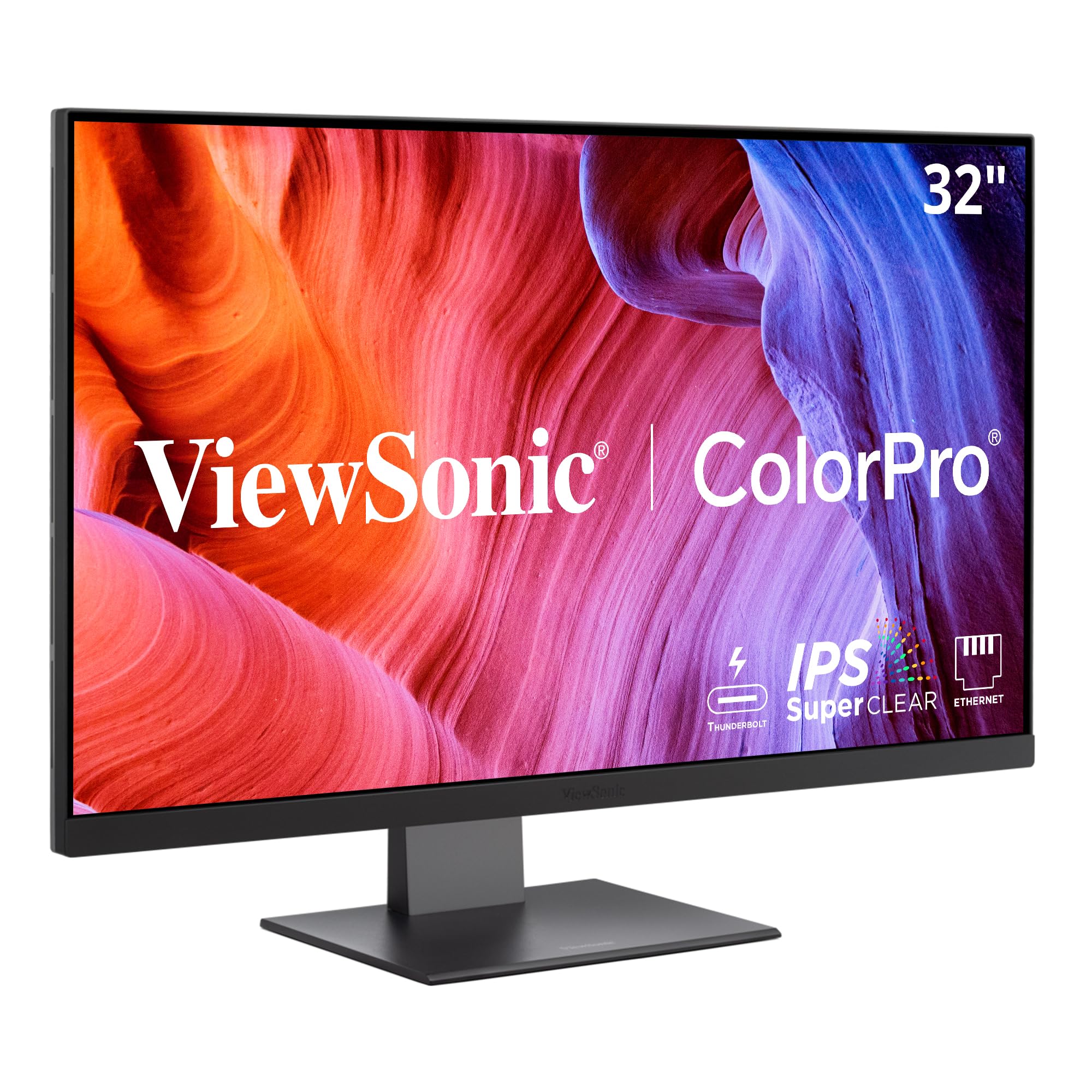
The ViewSonic VP3276T-4K brings a 32-inch 4K IPS panel with 100% Adobe RGB and 98% DCI-P3 coverage—gamut numbers that rival displays costing twice as much. Thunderbolt 4 connectivity provides up to 100W power delivery and 40 Gbps data transfer, turning this monitor into a true docking hub for a MacBook Pro or a PC workstation. The Pantone Validation ensures that the Pantone Matching System colors appear correctly, which matters directly when you are matching brand colors in a commercial grade.
HDR400 support adds a modest but useful dynamic range improvement for previewing HDR grades, though it stops short of true HDR mastering depths. The contrast ratio clocks in at 2000:1, noticeably deeper than the standard 1000:1 IPS panels, giving shadow detail more breathing room. The advanced ergonomic stand (tilt, swivel, rotate, height) makes long grading sessions far more comfortable.
Some users report that MacOS scaling at 4K on a 32-inch panel requires third-party software like BetterDisplay to enable HiDPI modes for sharp text. The on-screen menu navigation can feel tedious, especially when switching between sRGB and DCI-P3 presets. For a colorist who wants desktop docking, wide gamut, and Thunderbolt 4 in one package, this is a top contender.
Why it’s great
- Thunderbolt 4 with 100W PD acts as a full docking station
- 100% Adobe RGB and 98% DCI-P3 for wide-gamut grading
Good to know
- Menu navigation is clunky for quick preset changes
- MacOS 4K scaling may need BetterDisplay app
2. Apple Studio Display

The Apple Studio Display delivers a 27-inch 5K Retina panel with 600 nits of brightness and P3 wide color coverage. The pixel density at 218 PPI means text and UI elements render with a crispness that 4K panels cannot match at the same size—this matters when reading tiny waveform monitors and vectorscope readouts in DaVinci Resolve. The display supports one billion colors, providing smooth tonal transitions with minimal visible banding.
Integration with MacOS is seamless: brightness and volume are controlled directly from the keyboard, and the 12MP Ultra Wide camera with Center Stage works without any additional software. The six-speaker sound system with Spatial Audio sounds exceptional for client review sessions, and the studio-quality three-mic array handles voice notes clearly. The built-in 96W power delivery charges a MacBook Pro over a single Thunderbolt 3 cable.
The glossy screen produces stunning contrast in controlled lighting but reflects overhead lights and windows in bright rooms. The VESA mount version is recommended if you want an adjustable arm. The webcam performs adequately but not spectacularly compared to standalone models. For a colorist already deep in the Apple ecosystem, this monitor removes every friction point except the premium price.
Why it’s great
- 5K resolution provides extra UI real estate and sharp text
- Seamless MacOS integration with keyboard brightness control
Good to know
- Glossy screen reflects ambient light in bright rooms
- No HDMI input—only Thunderbolt 3 and USB-C
3. LG 32U990A-S 6K Ultrafine

The LG 32U990A-S is the world’s first 6K monitor with Thunderbolt 5, packing 6144 x 3456 resolution into a 32-inch Nano IPS Black panel. The 224 PPI pixel density surpasses every 4K monitor in this guide, allowing you to view full-resolution 6K footage with room for scopes and bins without scaling. The Nano IPS Black technology delivers a 2000:1 contrast ratio, which produces noticeably deeper blacks than standard IPS, reducing the need to crush shadows during grading.
Color coverage reaches 99.5% Adobe RGB and 98% DCI-P3 with real 10-bit color depth, providing smooth gradients and precise hue reproduction for high-end grading workflows. DisplayHDR 600 certification gives a meaningful highlight luminance boost for HDR previews. Thunderbolt 5 enables daisy chaining of a second 6K monitor over a single cable, reducing desk clutter in a multi-display edit suite.
Some users report unreliable wake-from-sleep behavior with MacBooks, requiring a power cycle to restore the signal. The plastic casing feels less premium than the price tag suggests, though the front-facing experience is excellent. Connectivity issues with certain USB-C audio interfaces have been noted. For a colorist who demands maximum pixel density and deep contrast in one panel, this is the current peak.
Why it’s great
- 6K resolution and 2000:1 contrast from Nano IPS Black
- Thunderbolt 5 daisy chain support and DisplayHDR 600
Good to know
- Wake-from-sleep issues reported with MacBooks
- Plastic casing does not match premium price
4. BenQ PD2705U

The BenQ PD2705U is a 27-inch 4K UHD IPS monitor built for professionals who need reliable color out of the box. It covers 100% sRGB and 99% Rec. 709 with an average Delta E ≤ 3, and it carries both CalMan and Pantone SkinTone validation—meaning skin tones look natural straight from the factory. The AQCOLOR technology is BenQ’s in-house calibration engine designed for consistent reproduction across the panel’s lifetime.
The USB-C port delivers 65W of power delivery, enough to charge most laptops while carrying a video signal. The HotKey Puck G2 is a wired controller that gives you physical buttons for switching between color modes, adjusting brightness, and toggling KVM inputs without digging through the on-screen menu. The KVM switch lets you control two computers with a single keyboard and mouse setup.
The built-in speakers are weak and tinny, fine for system sounds but not for client review. The maximum brightness of 350 nits is adequate for a controlled grading environment but struggles against direct window light. Some users calibrate further using a hardware puck to hit sub-1.0 Delta E. For a reliable 27-inch grading monitor with excellent factory color and a physical control puck, this is a strong mid-range choice.
Why it’s great
- Pantone SkinTone validation for accurate flesh tones
- HotKey Puck G2 for instant mode switching
Good to know
- Built-in speakers are poor quality
- 350 nits brightness dim in bright rooms
5. ASUS ProArt PA329CV

The ASUS ProArt PA329CV delivers a 32-inch 4K UHD IPS panel with 400 nits of brightness and a full 100% sRGB and 100% Rec. 709 color gamut coverage. Each unit ships with a factory calibration report guaranteeing a Delta E < 2, so you can trust the colors from the first power-on. The 32-inch size provides a generous preview area for timelines and reference images alongside the main program window.
USB-C connectivity supports 65W power delivery, and the built-in USB 3.1 hub gives you four downstream ports for peripherals. The ergonomic stand offers height, swivel, pivot, and tilt adjustments, with the included desk C-clamp for VESA mounting. The Calman Verified certification means the panel meets professional color accuracy standards verified by independent software.
Some users report a minor green tint that requires adjusting the tint setting by a few points to neutralize. The on-screen menu is not the most intuitive, though the physical joystick makes navigation manageable. The 3-month Adobe Creative Cloud subscription is a nice bonus for editors who do not already subscribe. For a 32-inch grading monitor with a pre-verified Delta E < 2, this is a compelling mid-range option.
Why it’s great
- Factory Calman Verified calibration report included
- 32-inch 4K with full 100% Rec. 709 coverage
Good to know
- Some units have a slight green tint out of box
- Menu navigation is not the most intuitive
6. Dell UltraSharp U3223QE

The Dell UltraSharp U3223QE is a 31.5-inch 4K UHD monitor with a 450-nit IPS Black panel that delivers a 2000:1 contrast ratio, matching the deeper blacks of high-end competitors. It covers 100% sRGB and offers solid Rec. 709 performance, making it a capable option for video editing and color grading in a professional office environment. The built-in KVM switch with Ethernet pass-through lets you control two computers and share peripherals over a single wired network connection.
The USB-C port provides 90W of power delivery, enough for most laptops, while the HDMI, DisplayPort, and USB hub connections keep your desk tidy. The picture-by-picture mode allows side-by-side viewing from two sources, which is useful for comparing a graded timeline on one input with a reference monitor on another. The anti-glare coating works well in rooms with overhead lighting.
Some users report that the USB-C power delivery is insufficient for high-power laptops like the Dell XPS 15, showing a slow charging warning. The stand is bulky and takes up significant desk depth. There are no built-in speakers. For a colorist who needs a robust KVM hub, Ethernet connectivity, and deep contrast, the U3223QE is a versatile choice.
Why it’s great
- 2000:1 contrast from IPS Black technology
- Built-in KVM with Ethernet for multi-computer setups
Good to know
- No built-in speakers
- USB-C PD may be too weak for high-power laptops
7. BenQ PD3205U

The BenQ PD3205U is a 32-inch 4K UHD IPS monitor that covers 99% sRGB and Rec. 709 with an average Delta E ≤ 3, backed by both CalMan and Pantone SkinTone validation. The larger 32-inch canvas gives a colorist more room to spread out the timeline, scopes, and a full-resolution preview without constant zooming. The matte, anti-reflective screen reduces glare in a room with overhead lights or windows.
USB-C connectivity provides 90W of power delivery, enough to charge a 16-inch MacBook Pro while carrying the video signal. The HotKey Puck G2 is a wired physical controller that lets you toggle between color modes, adjust brightness, and switch KVM profiles without navigating the OSD. The KVM switch supports controlling two computers with a single keyboard and mouse, simplifying a dual-system grading setup.
The built-in speakers are barely adequate for system sounds and will not satisfy for client review or music playback. The maximum brightness of 350 nits is suitable for a dim grading suite but not bright enough for a sunlit room. The regular stand does not support rotation; you need the more expensive version for pivot. For a 32-inch grading monitor with excellent factory color and physical controls, this is a well-rounded mid-range pick.
Why it’s great
- 32-inch 4K with 99% Rec. 709 and anti-glare screen
- 90W USB-C PD and HotKey Puck G2
Good to know
- Weak built-in speakers
- 350 nits brightness not for bright rooms
8. ASUS ProArt PA279CV

The ASUS ProArt PA279CV brings professional color accuracy to a 27-inch 4K UHD IPS panel at an entry-level mid-range price. It covers 100% sRGB and 100% Rec. 709 with a factory-calibrated Delta E < 2, verified by Calman certification. The set includes a color pre-calibration report, so you can verify the panel’s performance before starting a critical grade.
Connectivity is extensive for the tier: USB-C with 65W power delivery, DisplayPort, HDMI, and a four-port USB 3.2 hub. The ergonomic stand supports height, swivel, pivot, and tilt adjustments, including 90-degree portrait rotation for code or vertical timelines. The adaptive sync (FreeSync) support reduces tearing during preview playback.
Some users report a slight green tint out of the box that requires a manual tint adjustment of -7 to neutralize. The maximum brightness of 350 nits is fine for a controlled environment but not HDR-bright. A few users experienced occasional flicker in Adobe Illustrator after the monitor wakes from sleep. For a colorist on a tighter budget who still needs verified Delta E < 2 accuracy, this is an excellent entry point.
Why it’s great
- Factory Calman verified Delta E < 2 calibration
- USB-C with 65W PD and full ergonomic stand
Good to know
- Need to adjust tint to fix green cast
- 350 nits brightness only moderate
9. ViewSonic VP2756-4K

The ViewSonic VP2756-4K is a 27-inch 4K UHD IPS monitor that offers Pantone Validation and a factory-calibrated Delta E < 2 at a near-entry-level mid-range price. It covers 100% sRGB, EBU, and SMPTE-C gamuts, making it suitable for broadcast-standard color work. The 60W USB-C port provides power delivery and data in a single cable, reducing desk clutter.
The advanced ergonomic stand includes tilt, swivel, pivot, and height adjustment, so you can find a comfortable viewing position for long grading sessions. The flicker-free technology and blue light filter reduce eye strain during extended use. The thin bezels make it suitable for multi-monitor setups where visual consistency across screens is important.
The maximum brightness of 350 nits is adequate for a dark grading room but not for HDR previews. Some Mac users report that the 90-degree portrait rotation does not function properly with MacOS, despite the feature being advertised. The on-screen menu is clunky and best avoided by using ViewSonic’s software control instead. For a budget-friendly Pantone-validated 4K monitor with a USB-C hub, this is a solid choice for entry-level grading.
Why it’s great
- Pantone Validated with factory Delta E < 2
- USB-C hub with 60W PD in a 27-inch 4K panel
Good to know
- Portrait rotation may not work properly on Mac
- OSD menu is clunky to navigate
10. SOTSU FlipAction Elite 16″

The SOTSU FlipAction Elite 16″ is a portable monitor that packs a 4K UHD (3840×2400) resolution and 100% DCI-P3 color gamut into a half-inch-thick metal chassis. The 16:10 aspect ratio matches modern laptops nicely, and the 450-nit brightness ensures the screen remains visible in brighter environments. The full metal CNC construction with an anodized surface finish feels premium in the hand, and the stand magnetizes flat onto the back for travel.
The monitor supports USB-C and mini HDMI inputs, with pass-through charging so you can power both the monitor and your laptop from a single source. The adjustable hinges allow height and rotation from portrait to landscape, making it versatile for reviewing vertical video or coding alongside a grade. The integrated SD card slot in the kickstand eliminates the need for a separate card reader on location.
Some users note that the anti-reflective coating is less effective than a MacBook’s display, causing reflections in bright environments. The included carrying case is thin and offers limited protection, so a padded sleeve is recommended for daily travel. A few units have a high-pitched buzz when the screen is off and still plugged in. For a colorist who needs a 4K DCI-P3 monitor on location, this is a niche but powerful tool.
Why it’s great
- 4K UHD with 100% DCI-P3 in a portable metal build
- Integrated SD card slot and pass-through charging
Good to know
- Anti-reflective coating could be better
- Included case offers minimal protection
11. SOTSU FlipAction Pro 16″
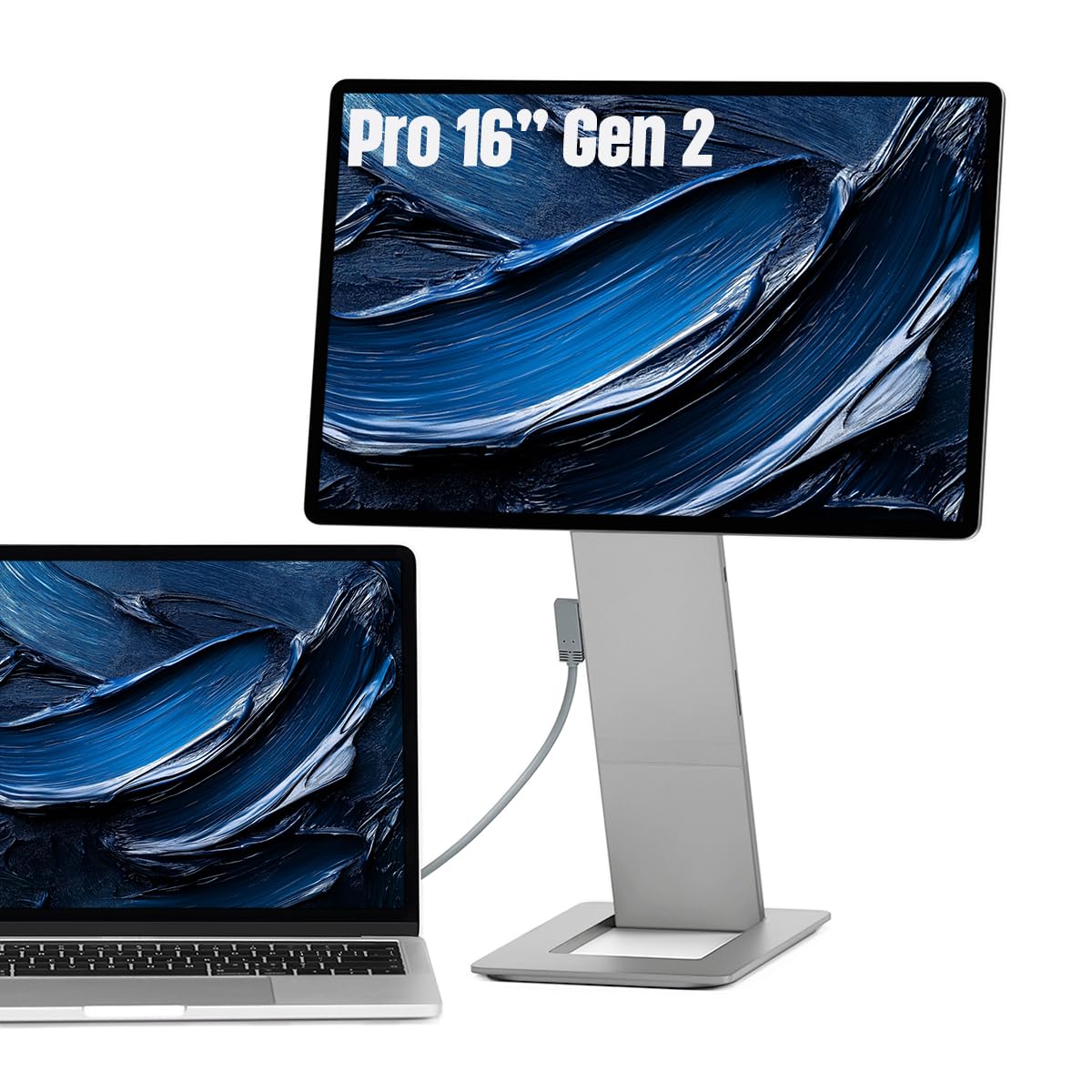
The SOTSU FlipAction Pro 16″ Gen2 is a portable monitor that offers a 2560×1600 QHD+ resolution at a 120Hz refresh rate, with 100% DCI-P3 color gamut coverage. The 120Hz refresh rate is unusual in the color grading space, but it makes this monitor usable for both critical color work and smooth preview during client playback. The full metal CNC construction and slim half-inch thickness make it easy to pack alongside a laptop.
The magnetic stand system collapses flat onto the back when not in use, and the adjustable hinges allow for height adjustments and rotation between portrait and landscape. The monitor supports MST daisy chaining for connecting an additional display, and the USB-C pass-through charging keeps your laptop powered from a single wall connection. The 400-nit brightness is decent for indoor mobile use.
Some users report that the auto-rotation feature does not work reliably, requiring manual rotation through the OSD. The control wheel is stiff, and the OSD menu can be confusing to navigate when first setting up. The IPS panel delivers typical black levels rather than deep OLED blacks. For a mobile colorist who wants high refresh and DCI-P3 coverage in a portable form, this is a versatile but niche companion.
Why it’s great
- 120Hz refresh rate with 100% DCI-P3 coverage
- Full metal CNC build with magnetic collapsing stand
Good to know
- Auto-rotation feature can be unreliable
- OSD menu and control wheel are stiff
FAQ
Is 4K resolution enough for pro color grading or do I need 5K or 6K?
Can I use a high-refresh gaming monitor for color grading?
Do I need to calibrate a factory-calibrated monitor with a hardware puck?
Is a glossy or matte screen better for color grading?
Final Thoughts: The Verdict
For most users, the best computer monitor for color grading winner is the ViewSonic VP3276T-4K because it combines wide Adobe RGB and DCI-P3 coverage with Thunderbolt 4 docking and a 2000:1 contrast ratio at a mid-premium price point. If you want seamless Mac integration and the sharpest text, grab the Apple Studio Display. And for maximum pixel density and deep contrast in a single 6K panel, nothing beats the LG 32U990A-S Ultrafine.

Mo Maruf
I created WellFizz to bridge the gap between vague wellness advice and actionable solutions. My mission is simple: to decode the research and give you practical tools you can actually use.
Beyond the data, I am a passionate traveler. I believe that stepping away from the screen to explore new environments is essential for mental clarity and physical vitality.