Our readers keep the lights on and my smoothie glass nicely filled. As an Amazon Associate, I earn from qualifying purchases.
A computer for traveling isn’t just a smaller laptop—it’s a carefully balanced tool where weight, battery endurance, build toughness, and screen quality must all perform flawlessly without compromise. The wrong choice means lugging a dead brick through security or squinting at a dim display in a bright airport lounge.
I’m Mohammad Maruf — the founder and writer behind WellFizz. I’ve spent hundreds of hours cross-referencing processor generations, chassis materials, battery chemistries, and real-world endurance tests to isolate the machines that genuinely earn their spot in a travel bag.
After combing through thirteen models spanning from featherlight ultraportables to dual-screen powerhouses, I’ve built this guide around measurable specs that matter on the road. Whether your priority is sub-1 kg carry weight, all-day runtime past 16 hours, or a vibrant OLED panel for creative work, this analysis will steer you toward the computer for traveling that fits your actual routine.
How To Choose The Best Computer For Traveling
Picking the right travel laptop means prioritizing the factors that directly impact your mobility and workflow. You’re balancing four core elements: weight, battery life, durability, and display quality. Ignore one, and your “portable” machine becomes a liability.
Weight and Chassis Material
Every gram you carry adds fatigue over a long travel day. Look for magnesium alloy, carbon fiber, or Ceraluminum builds—these shave off significant weight without sacrificing structural integrity. A sub-3-pound machine is the sweet spot for serious travelers; anything above 3.5 pounds should justify itself with a large screen or dedicated GPU.
Battery Capacity and Real-World Endurance
Ignore marketing claims that promise “up to 20 hours.” Focus on the watt-hour (Wh) rating of the battery. A 70Wh or larger cell combined with an efficient processor (like the Snapdragon X or Intel Core Ultra series) typically delivers 10–14 hours of actual mixed use. Fast charging (0–50% in 30 minutes) is a critical bonus for tight layovers.
Display Considerations for Travel
OLED panels offer exceptional contrast and color accuracy for creative work but can suffer from glare in bright sunlight. IPS panels with anti-glare coatings are more readable outdoors but lack deep blacks. A brightness spec of 400 nits or higher is the baseline for any travel machine used outside controlled indoor lighting.
Port Selection and Connectivity
A handful of dongles can become a tangled mess in a cramped hotel room. Prioritize laptops with at least one Thunderbolt 4 or USB4 port (for fast charging and data), one USB-A port (for legacy peripherals), and an HDMI output for hotel TV or external monitor connections. Wi-Fi 6E or 7 ensures reliable connections on congested airport or hotel networks.
Quick Comparison
On smaller screens, swipe sideways to see the full table.
| Model | Category | Best For | Key Spec | Amazon |
|---|---|---|---|---|
| ASUS Zenbook A14 | Copilot+ PC | Ultra-light travel | 980g weight, 32h battery | Amazon |
| GEEKOM GeekBook X14 Pro | Ultra-thin | Premium 2.8K OLED + port bundle | 2.2 lbs, 72Wh battery | Amazon |
| HP OmniBook 5 14 | AI PC | All-day battery + OLED | 34h battery, Snapdragon X | Amazon |
| Lenovo Slim 7i Aura Edition | Copilot+ PC | Creative work on the go | 2.82 lbs, 17h battery | Amazon |
| Dell Latitude 5350 | Business AI | Corporate travel + security | 2.72 lbs, Thunderbolt 4 | Amazon |
| Acer Swift 5 | Mid-range | Budget-friendly ultrabook | 16GB RAM, 512GB SSD | Amazon |
| HP 15 Laptop | Value | Budget-friendly large screen | 32GB RAM, 1TB SSD | Amazon |
| Samsung Galaxy Book5 Pro 360 | Convertible | Creative + S Pen workflow | 3K AMOLED, 120Hz | Amazon |
| LG gram 17 | Large-screen | Productivity on a 17″ canvas | 2.98 lbs, 80Wh battery | Amazon |
| Lenovo ThinkPad X1 Carbon Gen 12 | Business Flagship | Executive travel + keyboard | 2.41 lbs, vPro CPU | Amazon |
| LG gram 17 Pro (2025) | Performance | Travel + gaming/rendering | RTX 5050, 90Wh battery | Amazon |
| LG 2025 Gram 17 | Ultra-light 17″ | Large touchscreen + Wi-Fi 7 | 3.2 lbs, 2TB SSD | Amazon |
| ASUS Zenbook Duo | Dual-screen | Multitasking without external monitors | Dual 14″ 3K OLED, 120Hz | Amazon |
In‑Depth Reviews
1. ASUS Zenbook A14

The ASUS Zenbook A14 redefines what “ultraportable” means. At just 980 grams (2.16 pounds), it is the lightest 14‑inch Copilot+ PC on the market as of late 2024, using a Ceraluminum shell that is scratch‑resistant and smudge‑proof. That sub‑1 kg weight is the single most liberating spec for a frequent traveler — you forget you’re carrying it.
Battery life reaches up to 32 hours of offline video playback, backed by a 70Wh cell, and the 14‑inch WUXGA OLED panel delivers true blacks and vivid colors at 1920×1200 resolution. The Snapdragon X processor handles productivity and AI tasks with ease, though it is not designed for heavy gaming or GPU‑accelerated workflows.
Some units have arrived with cosmetic staining on the Ceraluminum finish, which buyers have flagged as inconsistent with the “new” condition. Port selection is adequate with two USB‑C, one USB‑A, and a headphone jack, but there is no HDMI out — you’ll need a dongle for external displays.
Why it’s great
- Lightest 14” laptop at 980g
- 32‑hour battery endurance
- OLED display with rich contrast
Good to know
- No HDMI port
- Potential cosmetic blemishes out of box
- Not built for gaming or rendering
2. GEEKOM GeekBook X14 Pro

The GEEKOM GeekBook X14 Pro punches above its weight class with a 14‑inch 2.8K OLED display running at 120Hz — a rare pairing at this tier. The magnesium‑alloy unibody weighs only 2.2 pounds and is 0.23 inches thin, making it genuinely pocketable in a backpack sleeve. Inside, the Intel Core Ultra 9 185H processor (16 cores, 22 threads) drives both productivity and light creative work, backed by 32GB of LPDDR5x 7500MHz RAM and a 1TB PCIe Gen4 SSD.
Battery life holds up to 16 hours on a single charge thanks to a 72Wh cell, and the included 65W GaN charger hits 80% in about an hour. The IceBlade 2.0 thermal system keeps fan noise extremely low during typical workloads. GEEKOM also bundles a USB‑C docking station, which adds critical port expansion beyond the two USB4 and one HDMI 2.1 ports.
Some early adopters have noted that the touchpad feels less smooth than premium competitors, and the bottom‑firing speakers lack depth. Additionally, the camera does not support Windows Hello facial recognition, relying instead on the fingerprint sensor for biometric unlock. Still, the combination of raw specs, weight, and bundled dock makes this a strong value for travelers who need power on the move.
Why it’s great
- 2.8K OLED 120Hz display
- 32GB RAM + 1TB SSD standard
- Includes USB‑C docking station
Good to know
- Touchpad texture could be better
- Speakers are underwhelming
- No Windows Hello IR camera
3. HP OmniBook 5 14

The HP OmniBook 5 14 is built around the Snapdragon X Plus processor, an ARM architecture that delivers extraordinary efficiency. HP claims up to 34 hours of battery life, and while real‑world mixed use typically lands closer to 14–18 hours, that still outlasts most Intel‑based competitors. The fanless design means it stays completely silent during routine tasks, a distinct advantage for working in quiet shared spaces.
The 14‑inch 2K OLED display (1920×1200) covers 100% DCI‑P3 and hits 300 nits of brightness. It supports Live Captions and the HP AI Companion app for productivity enhancements. The chassis incorporates ocean‑bound plastics and recycled metals, appealing to environmentally conscious travelers. Fast charging brings the battery from 0 to 50% in about 30 minutes.
This is not a machine for gaming or GPU‑accelerated work — the integrated Adreno GPU is modest. Port availability is limited to two USB‑C and one USB‑A, with no HDMI port. Users have noted the non‑haptic touchpad has a slight rattle, and OLED brightness, while adequate indoors, struggles in direct sunlight.
Why it’s great
- Industry‑leading battery efficiency
- Completely silent fanless operation
- Sustainable build materials
Good to know
- Limited port selection, no HDMI
- Not meant for gaming or heavy GPU tasks
- Touchpad has slight rattle
4. Lenovo Slim 7i Aura Edition

The Lenovo Slim 7i Aura Edition balances portability with creative performance. Weighing 2.82 pounds, it packs a 14‑inch WUXGA OLED display with 600 nits peak brightness and DisplayHDR True Black 500 certification. Colors are exceptionally accurate, making it a solid fit for photo editing and design work on the road.
Powered by an Intel Core Ultra 7 256V processor, it handles multitasking smoothly and offers 17 hours of rated battery life. The thermal system uses internal blowing technology with a 30W TDP to stay cool under load. Intel Unison app integration allows seamless file sharing and screen mirroring with Android and iOS devices.
Customer feedback indicates battery life under heavy load is closer to 8–10 hours, falling short of the 17‑hour claim. The touchscreen is not fingerprint‑resistant, and the dedicated Copilot key cannot easily be remapped. Users who prefer a silent trackpad will appreciate the haptic design, but some find the click feedback too audible.
Why it’s great
- Bright 600‑nit OLED with HDR
- Strong multitasking and creative performance
- Great keyboard and silent trackpad
Good to know
- Real‑world battery below marketing claim
- Touchscreen attracts fingerprints
- Copilot key is hard to remap
5. Dell Latitude 5350
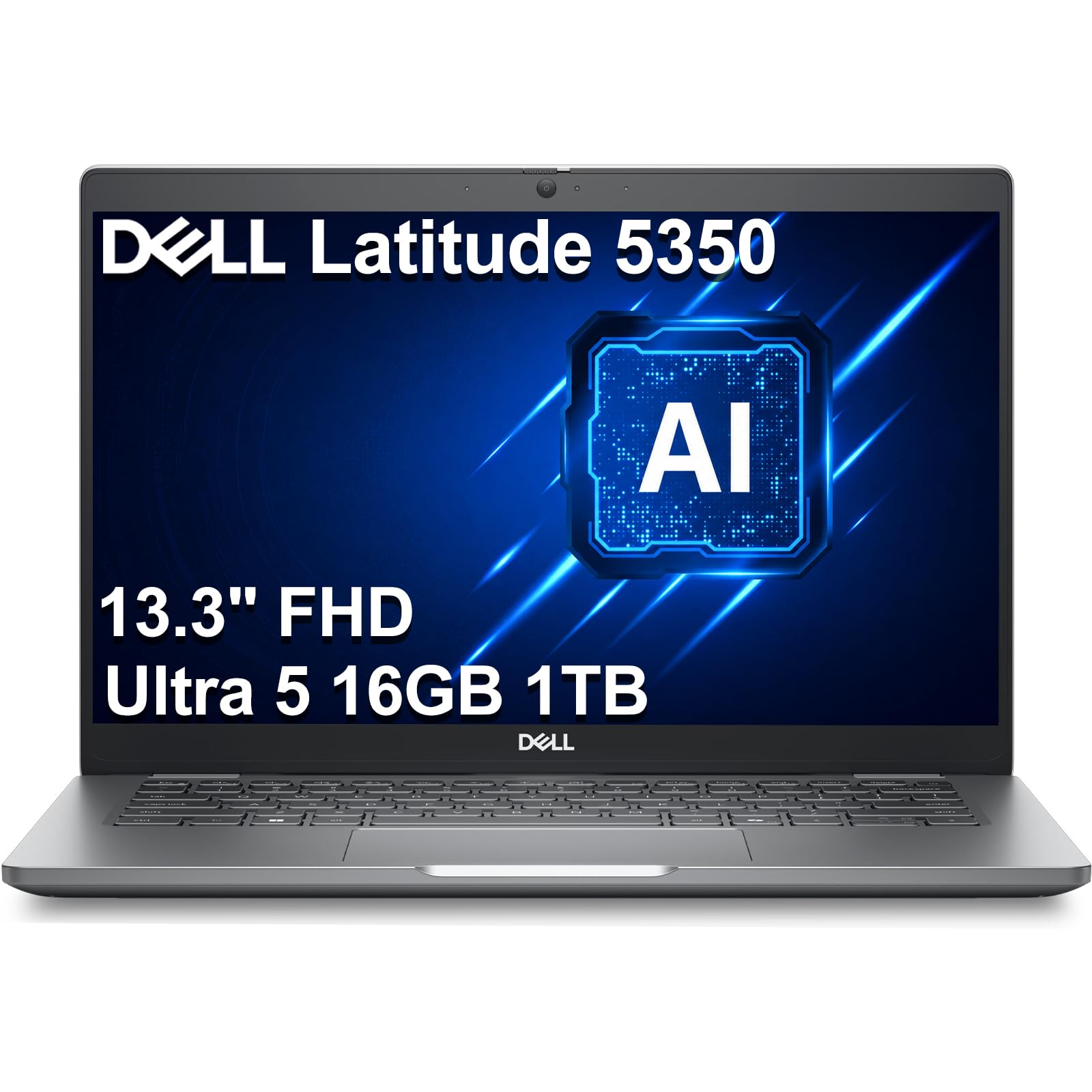
The Dell Latitude 5350 is a 13.3‑inch business laptop engineered for the hybrid professional. At 2.72 pounds, it features a 1080p anti‑glare display — less colorful than OLED but far more readable under airport or outdoor lighting. The Intel Core Ultra 5 125U processor (12 cores) with Intel AI Boost NPU enables Windows Studio Effects like automatic framing and background blur.
Port selection is outstanding for a compact chassis: two Thunderbolt 4 ports, two USB‑A ports, and HDMI 2.1 support up to three external 4K displays at 60Hz without a dock. The 1080p RGB webcam with dual microphones delivers sharp video calls. ExpressCharge technology claims an 8% battery life improvement over the prior generation, though real‑world runtime is around 8–10 hours.
Users praise the build quality and keyboard feel, but the 45% NTSC color gamut is a noticeable downgrade for creative professionals. The 250‑nit brightness is serviceable indoors but dim for outdoor use. Some units arrive with a resealed SSD upgrade, so verify warranty coverage details carefully.
Why it’s great
- Excellent port variety with dual Thunderbolt 4
- Anti‑glare screen good for travel
- AI‑enhanced webcam and audio
Good to know
- Limited 45% NTSC color gamut
- Dim 250‑nit display
- May be resealed for SSD upgrade
6. Acer Swift 5
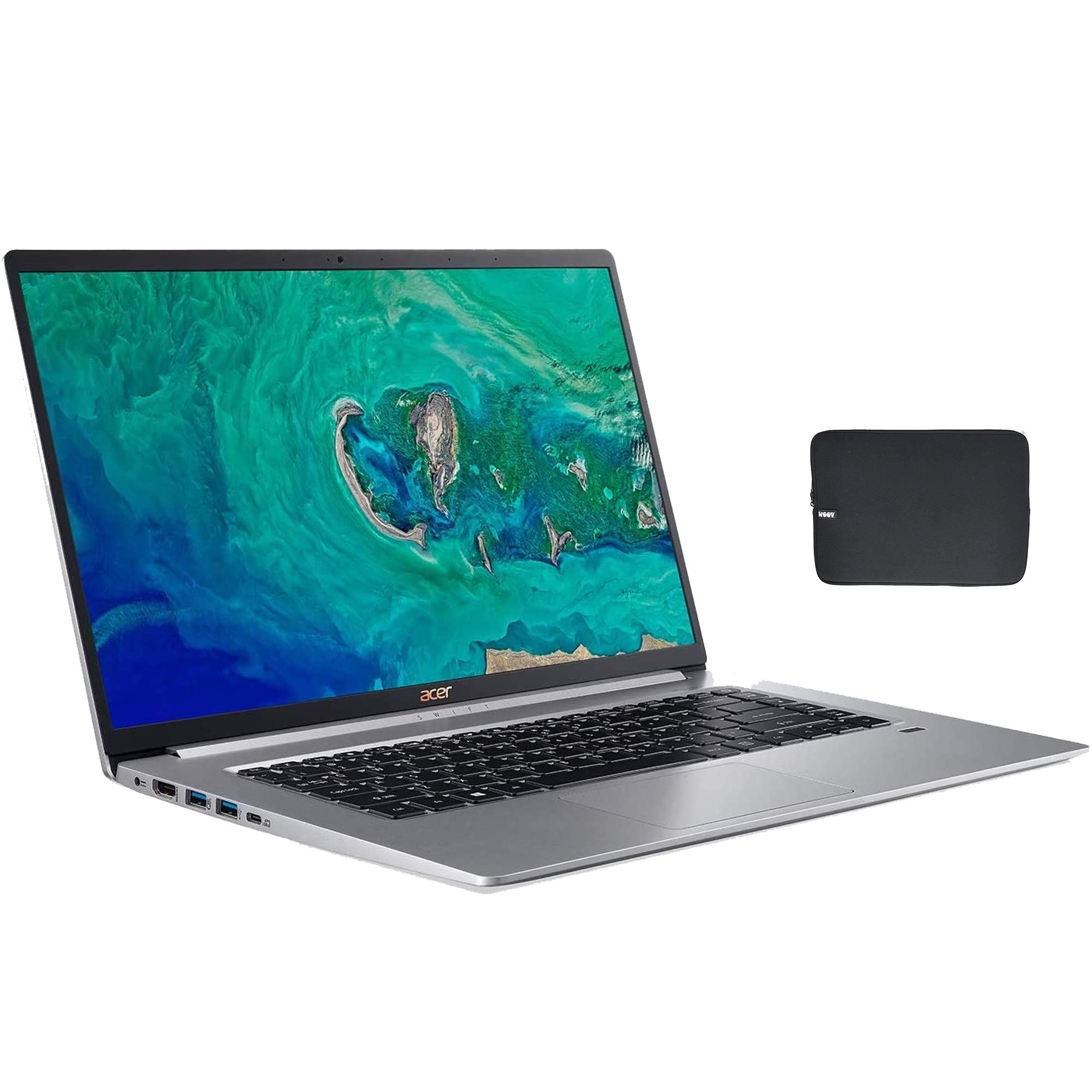
The Acer Swift 5 puts a premium‑tier feature set into a budget‑friendly package. Its 15.6‑inch Full HD IPS touchscreen with ultra‑thin bezels brings a large canvas for multitasking, while the chassis stays under 3 pounds thanks to a lightweight magnesium‑lithium construction. Equipped with an 8th‑gen Intel Core i7‑8565U and 16GB DDR4 RAM, it remains competent for office productivity, browsing, and media consumption.
The 512GB PCIe NVMe SSD offers swift boot times, and the backlit keyboard includes a fingerprint reader. Battery life reaches up to 10 hours, which is solid for its generation. Connectivity includes USB‑C (3.1 Gen 2 with DisplayPort support), two USB‑A ports, and an HDMI output — rare flexibility in a budget ultrabook.
Multiple user reports describe reliability issues: random freezing, touchpad and audio driver failures, and inconsistent fingerprint recognition. The fan, while rarely active, is noticeably loud when it does spin up. Given that this is an older model (8th‑gen CPU), it lacks modern features like Wi‑Fi 6E, Thunderbolt 4, and AI acceleration.
Why it’s great
- Very lightweight large‑screen budget option
- Full set of legacy ports
- Touchscreen display
Good to know
- Aging 8th‑gen CPU, no modern connectivity
- Reported reliability and driver issues
- Fan is loud when active
7. HP 15 Laptop

The HP 15 Laptop offers exceptional value for the price. It arrives with 32GB of DDR4 RAM and a 1TB PCIe NVMe SSD — configuration that rivals machines at double its price. The 15.6‑inch FHD touchscreen uses a micro‑edge bezel, keeping the footprint relatively compact for its screen size. Powered by a 13th‑gen Intel Core i5‑1334U with integrated Iris Xe graphics, it handles everyday productivity and streaming without complaint.
HP rates the battery at up to 10 hours with Fast Charge support, and the numeric keypad makes it practical for data entry on the go. Windows 11 Pro is pre‑installed, adding business‑grade security and remote desktop features. Ports include USB‑C Gen 2, USB‑A, HDMI 1.4b, and a headphone jack — sufficient for most travel setups.
The major caveat is build quality: the plastic chassis feels less substantial than magnesium or aluminum alternatives. The 250‑nit display is dim for outdoor use, and the storage/memory upgrade means the unit is resealed by a third party, potentially complicating warranty claims. This is not a laptop for creative professionals needing color accuracy.
Why it’s great
- Generous 32GB RAM + 1TB storage
- Full HD touchscreen with narrow bezels
- Numeric keypad for data entry
Good to know
- Plastic chassis feels less premium
- Dim display for outdoor use
- Resealed unit may complicate warranty
8. Samsung Galaxy Book5 Pro 360

The Samsung Galaxy Book5 Pro 360 is a 16‑inch convertible with a 3K AMOLED touchscreen and a 120Hz refresh rate. It is CNC‑machined from aluminum, measuring just 12.7mm thick and weighing 3.72 pounds. The included S Pen offers 4,096 levels of pressure sensitivity, making it a natural choice for artists, note‑takers, and presenters.
At its core is an Intel Core Ultra 7 258V processor with a 47 TOPS NPU — the highest AI performance in this roundup. The 32GB of RAM and 1TB SSD provide ample headroom for multitasking. Samsung’s Multi‑Control and Phone Link tightly integrate with Galaxy smartphones and tablets, letting you control your phone from the laptop’s touchpad.
Ports are limited to two Thunderbolt 4 and a headphone jack — no USB‑A or HDMI, so a dongle is necessary. Some users report average battery life for a 16‑inch OLED, and several critical reviews mention motherboard failure within months. The Samsung ecosystem is powerful if you’re already invested, but it may alienate users who rely on standard ports.
Why it’s great
- Stunning 3K AMOLED 120Hz touchscreen
- S Pen for drawing/note‑taking
- Deep Samsung ecosystem integration
Good to know
- No USB‑A or HDMI ports
- Reported motherboard reliability issues
- Battery life is average for the screen size
9. LG gram 17

The LG gram 17 defies physics: a 17‑inch laptop that weighs just 2.98 pounds. The magnesium alloy chassis passes seven MIL‑STD‑810H durability tests, including vibration and extreme temperature, making it surprisingly rugged for its featherlight build. The WQXGA (2560×1600) non‑reflective IPS display covers 99% DCI‑P3, delivering vivid colors without glare.
Inside, the 13th‑gen Intel Core i7‑1360P Evo processor and 16GB LPDDR5 RAM handle demanding workflows, while the 80Wh battery is rated for up to 23.5 hours of video playback. Port selection is generous: two Thunderbolt 4, two USB‑A, HDMI, a microSD slot, and a headphone jack. The redesigned compact power adapter is smaller than a typical laptop brick.
Some customers have encountered a known battery issue where the system remains stuck at 0% charge after several hours of charging — requiring a full replacement. The 250‑nit brightness is adequate indoors but insufficient for bright outdoor light. The base model includes only 16GB of non‑upgradeable RAM, which may feel limiting for power users in the long term.
Why it’s great
- Incredibly light for a 17″ laptop
- MIL‑STD‑810H durability certification
- Extensive port selection with dual Thunderbolt 4
Good to know
- Known rare battery/charging issue
- Dim 250‑nit display for outdoor use
- RAM is not upgradeable
10. Lenovo ThinkPad X1 Carbon Gen 12

The ThinkPad X1 Carbon Gen 12 is the gold standard for executive travel. At 2.41 pounds, the carbon‑fiber reinforced chassis feels both premium and durable, with recycled materials used throughout. The 14‑inch WUXGA (1920×1200) touchscreen hits 100% sRGB and includes an IR webcam for Windows Hello facial recognition. The keyboard remains best‑in‑class with textured keycaps and a 120mm glass touchpad with dedicated TrackPoint buttons.
Under the hood, the Intel Core Ultra 7 165U vPro processor brings enterprise‑grade manageability and security, paired with 32GB of LPDDR5x 6400MHz RAM and a 1TB Gen 4 SSD. Battery life is rated for a full workday, though not class‑leading. Ports include two Thunderbolt 4, two USB‑A, and HDMI — covering all standard travel peripherals without a dongle.
The primary drawback is price: this is a premium machine aimed at corporate budgets. Some users have noted that the Gen 12 revision removed the 3‑button mouse layout that Unix‑power users relied on. The touchscreen, while functional, does not reach OLED‑level vibrancy, and the 1080p resolution feels modest compared to 2K+ competitors.
Why it’s great
- Best‑in‑class keyboard and TrackPoint
- 2.41‑lb carbon‑fiber chassis
- Full port set with dual Thunderbolt 4
Good to know
- Premium price tag
- Display not OLED; moderate brightness
- TrackPoint buttons changed in Gen 12
11. LG gram Pro 17

The LG gram Pro 17 brings genuine desktop‑class performance to a travel chassis. It weighs 3.3 pounds — remarkably light for a 17‑inch machine — yet crams in an Intel Core Ultra 9 285H processor and an NVIDIA GeForce RTX 5050 GPU. This combination enables video editing, 3D rendering, and even gaming on the move.
The 2560×1600 IPS display runs at a variable 31‑144Hz refresh rate, and the 90Wh battery delivers up to 25 hours of video playback. The dual‑cooling system keeps temperatures manageable under load. LG gram Link connects up to 10 devices across iOS and Android for seamless file transfer. Ports include dual Thunderbolt 4, HDMI 2.1, USB‑A, and a headphone jack.
The RTX 5050 GPU is a significant upgrade for this category, but it commands a premium price that pushes this model into luxury territory. Users have reported that the cooling fans become audible under heavy load. The built‑in speakers are bottom‑firing and can sound muffled on soft surfaces. Despite military‑grade durability testing, the large screen introduces some flex in the lid.
Why it’s great
- Dedicated NVIDIA RTX 5050 GPU
- 90Wh massive battery
- Very light for a 17″ performance laptop
Good to know
- Premium price point
- Fans are audible under load
- Bottom speakers can sound muffled
12. LG 2025 Gram 17

The LG 2025 Gram 17 improves on its predecessor with the Intel Core Ultra 7 258V processor, Intel Arc Graphics, and Wi‑Fi 7 connectivity. Weighing 3.2 pounds, it retains the gram series’ signature ultra‑light formula while adding a 17‑inch WQXGA (2560×1600) touchscreen with anti‑glare coating. The 32GB LPDDR5X RAM and 2TB SSD storage provide serious capacity for large project files.
Battery life is strong, with multiple users reporting a full day of mixed use (10–14 hours). Port selection includes Thunderbolt 4, USB4, HDMI 2.1, and USB‑A — more than enough for a mobile workstation. The Copilot+ PC integration adds on‑device AI capabilities for background blur and noise suppression.
Some compromises exist: the screen brightness of 320 nits is fine indoors but not outstanding, and the lid flex is more pronounced than premium ultrathins. Early production units may have BIOS or driver quirks that require updates. The bottom‑firing speakers can sound muffled on soft surfaces.
Why it’s great
- Large 17″ touchscreen in a 3.2‑lb chassis
- Future‑proof with Wi‑Fi 7
- Generous 2TB storage and 32GB RAM
Good to know
- Screen brightness moderate indoors
- Noticeable lid flex
- Bottom speakers sound muffled
13. ASUS Zenbook Duo

The ASUS Zenbook Duo is the ultimate multitasking machine for travelers who refuse to compromise on screen real estate. It features two 14‑inch 3K OLED 120Hz displays, convertible into four modes: Dual Screen, Desktop (using the built‑in kickstand), Sharing, and standard Laptop mode. The detachable Bluetooth keyboard means you can place either screen at eye level while typing on a desk.
Inside, the Intel Core Ultra 9 285H processor with Intel Arc Graphics drives AI‑accelerated workflows, backed by 32GB of LPDDR5x RAM and a 1TB Gen4 SSD. Battery life is rated at 16 hours in laptop mode (9 hours in dual‑screen mode), and the device meets MIL‑STD‑810H military standards for durability. The bundle includes an ASUS Pen 2.0, a protective sleeve, and a 65W USB‑C charger.
The primary drawback is fan noise and heat: under sustained load (video editing, gaming), the chassis gets warm and the fans become audible. At 3.64 pounds and with the added complexity of the dual‑screen mechanism, it is noticeably thicker and heavier than a traditional ultrabook. The speakers lack depth, and the reflective OLED screens can be problematic in bright environments.
Why it’s great
- Dual 14″ 3K OLED 120Hz touchscreens
- Four versatile usage modes
- Includes ASUS Pen and sleeve
Good to know
- Runs warm and fans audible under load
- Heavier than standard ultrabooks (3.64 lbs)
- Reflective screens, shallow speakers
FAQ
How much RAM do I need in a travel laptop?
Is a 2‑in‑1 convertible worth it for travel?
Can I use a Snapdragon X laptop for my work software?
What is the ideal storage capacity for a travel computer?
Final Thoughts: The Verdict
For most users, the computer for traveling winner is the ASUS Zenbook A14 because it achieves the lowest weight (980g) in the entire roundup while delivering exceptional battery endurance and a vibrant OLED screen. If you want premium multitasking without an external monitor, grab the ASUS Zenbook Duo. And for creative professionals who need dedicated GPU power without sacrificing portability, nothing beats the LG gram Pro 17.

Mo Maruf
I created WellFizz to bridge the gap between vague wellness advice and actionable solutions. My mission is simple: to decode the research and give you practical tools you can actually use.
Beyond the data, I am a passionate traveler. I believe that stepping away from the screen to explore new environments is essential for mental clarity and physical vitality.