Our readers keep the lights on and my smoothie glass nicely filled. As an Amazon Associate, I earn from qualifying purchases.
Finding the perfect custom mechanical keyboard is a hunt for a very specific feel—the right switch weight, the acoustic pitch that doesn’t annoy your coworkers, and a layout that keeps your workflow tidy. The market is flooded with options, but the fine line between a creamy typing experience and a clattery mess comes down to gasket mount implementation, switch lubrication, and plate material choices that most shoppers gloss over.
I’m Mohammad Maruf — the founder and writer behind WellFizz. I spend hundreds of hours analyzing switch actuation forces, board acoustics, firmware capabilities, and hot-swap compatibility to identify which keyboards deliver on their promises.
Whether you need a compact 75% for a cramped desk or a full-size with a numpad for number crunching, this guide ranks the best custom mechanical keyboard options across every budget tier so you can match the board to your exact typing personality.
How To Choose The Best Custom Mechanical Keyboard
A custom mechanical keyboard isn’t just about aesthetics—every component from the case material to the stabilizer grease changes the typing experience. You need to understand the three critical pillars: switch type, mounting structure, and connectivity.
Switch Technology: Mechanical vs. Hall Effect
Standard mechanical switches use metal leaf contacts to register a press at a fixed actuation point. Hall Effect magnetic switches use magnets and sensors to detect depth, allowing you to adjust actuation from 0.2mm to 3.8mm per key. Hall Effect boards also support rapid trigger—re-registering the instant you change direction—giving gamers and fast typists a responsiveness edge that fixed-point switches cannot match.
Mounting Style and Acoustic Layers
A gasket mount suspends the PCB between silicone or foam strips, creating a softer bottom-out and a deeper, thockier sound. Tray mounts, common in budget boards, screw the PCB directly into the case, producing a harder, higher-pitched clack. Quality boards also include multiple layers of sound-dampening foam, switch-dampening pads, and plate foam to eliminate pinging and echo. These layers directly determine whether your keyboard sounds creamy or hollow.
Layout and Connectivity Priorities
Full-size (100%) boards include a numpad but take up significant desk space. 75% and 80% layouts remove the numpad while keeping function row and arrow keys, balancing space savings with functionality. For wireless, tri-mode connectivity (Bluetooth + 2.4 GHz + USB-C) offers flexibility: 2.4 GHz provides gaming-grade latency, Bluetooth connects multiple devices, and wired removes any battery concern. Battery capacity varies wildly—aim for at least 4000mAh if you plan to use RGB and wireless daily.
Quick Comparison
On smaller screens, swipe sideways to see the full table.
| Model | Category | Best For | Key Spec | Amazon |
|---|---|---|---|---|
| Keychron Q6 HE | Premium Full-Size | Gaming + Work All-Rounder | Hall Effect + 0.1mm sensitivity | Amazon |
| ASUS ROG Azoth | Premium 75% | Custom Enthusiasts | OLED + full lube kit included | Amazon |
| LEMOKEY P1 HE | Premium 75% | Competitive Gaming | Full aluminum + rapid trigger | Amazon |
| Keychron K10 HE | Mid-Range Full-Size | First Hall Effect Upgrade | Wood siding + triple-mode | Amazon |
| ASUS ROG Strix Scope II X | Mid-Range Wired | Wired Gaming Stability | 100% full-size + aluminum plate | Amazon |
| YUNZII C98 | Mid-Range Wireless | Aesthetic Desk Setup | 10000mAh battery + cake theme | Amazon |
| Logitech Alto Keys K98M | Mid-Range Office | Productivity Focus | UniCushion gasket + 12-month battery | Amazon |
| ZORNHER ZH870 | Value 80% | Themed Budget Build | IMD PBT Kanagawa keycaps | Amazon |
| Kinesis Advantage2 | Specialty Ergonomic | RSI / Wrist Pain Relief | Contoured split keywells | Amazon |
In‑Depth Reviews
1. Keychron Q6 HE
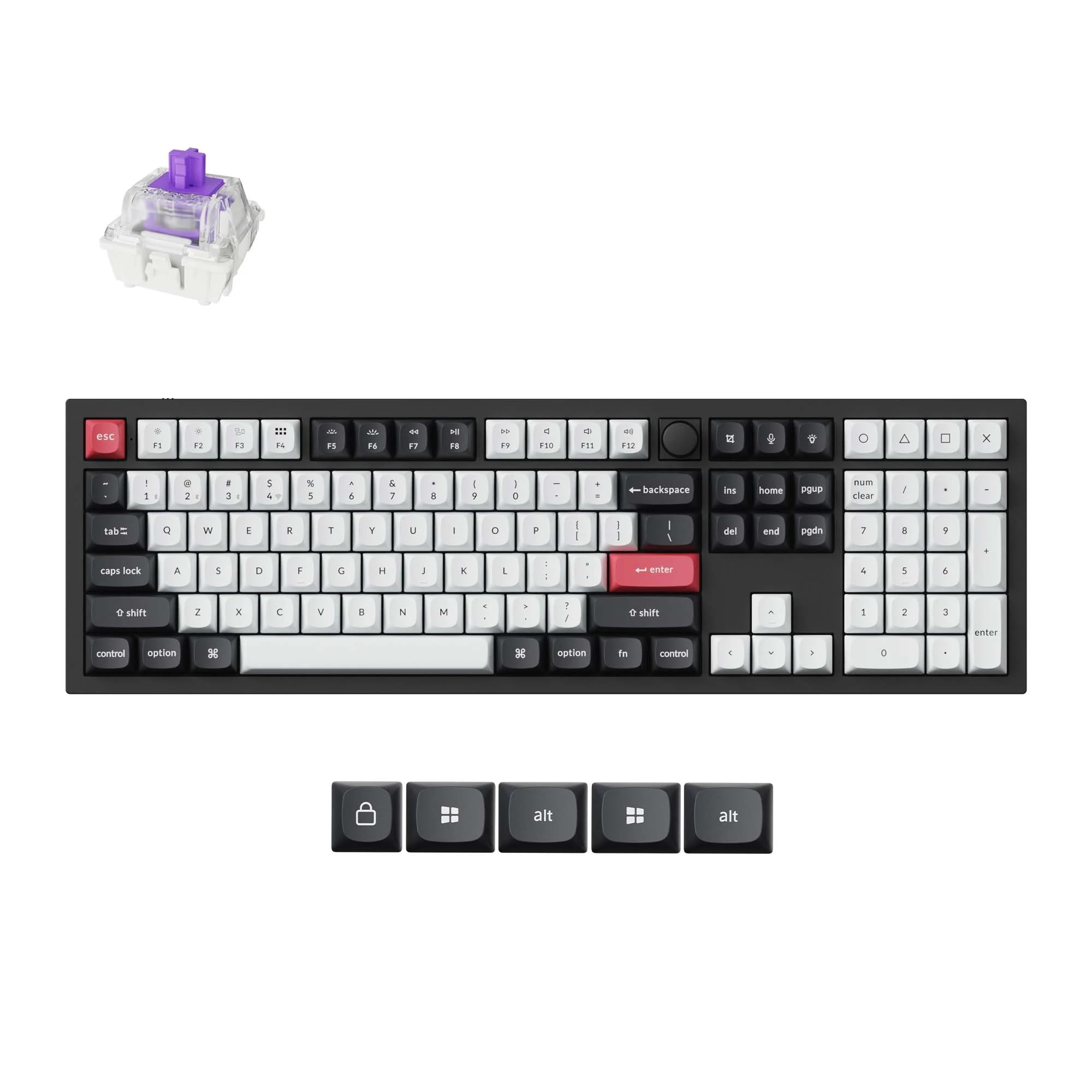
The Keychron Q6 HE is an all-aluminum full-size board that delivers Hall Effect performance without compromise. The Gateron double-rail magnetic switches feel creamy and quiet out of the box, and the double-gasket design eliminates the hollowness that plagues many metal cases. Rapid trigger and adjustable actuation from 0.2mm to 3.8mm make this equally viable for competitive gaming and daily productivity.
Tri-mode connectivity—2.4 GHz with 1000 Hz polling, Bluetooth 5.2, and USB-C—gives you wireless flexibility without sacrificing latency. The web-based Keychron Launcher lets you remap keys, create macros, and even assign four actions to a single key based on press depth. Build quality is exceptional; the board weighs roughly four pounds and feels completely solid on any desk surface.
Early users note the stabilizers are well-tuned, producing a deep thock with no rattle. The OSA-profile PBT keycaps resist shine over time. The only practical drawback is the learning curve for the web configurator and the fact that Bluetooth pairing requires holding Fn+1 for a few seconds.
Why it’s great
- Full aluminum chassis with double-gasket isolation
- Hall Effect switches with adjustable actuation and rapid trigger
- Tri-mode wireless with 1000 Hz polling on 2.4 GHz
- Web-based firmware with no bloatware
Good to know
- Heavy at roughly 4 pounds, not portable
- No dongle storage slot built into the case
- Keycap profile takes a brief adjustment period
2. ASUS ROG Azoth

The ROG Azoth is a 75% wireless keyboard that stands out for its included professional lubricating kit—Krytox GPL-205-GD0 grease, switch opener, pullers, lube station, and brush. This makes it the rare premium board that encourages you to open the switches immediately and dial in your preferred feel. The pre-lubed ROG NX Snow linear switches are smooth and thocky right from the factory, with a satisfying sound signature that benefits from three layers of dampening foam.
The 2-inch OLED display is not just a gimmick; it shows system stats, media playback info, and battery status, and the multi-function knob lets you adjust volume or lighting on the fly. Battery life exceeds 2000 hours with RGB and OLED off, and the 2.4 GHz SpeedNova wireless delivers lag-free performance. The gasket mount provides a consistent flex-free typing feel that avoids the stiffness of traditional tray mounts.
Some users note that the Armoury Crate software can be buggy, and the OLED is most useful in wired mode for PC performance monitoring. The plastic bottom panel slightly detracts from the all-metal top plate, but the overall build remains excellent.
Why it’s great
- Comes with full switch-lubing kit for hands-on modding
- Integrated OLED screen with system monitoring
- Three-layer dampening produces a clean, deep sound
- 2000+ hour battery life with wireless
Good to know
- Plastic bottom panel feels less premium than full metal
- Armoury Crate software sometimes glitches
- No Hall Effect switch option available
3. LEMOKEY P1 HE
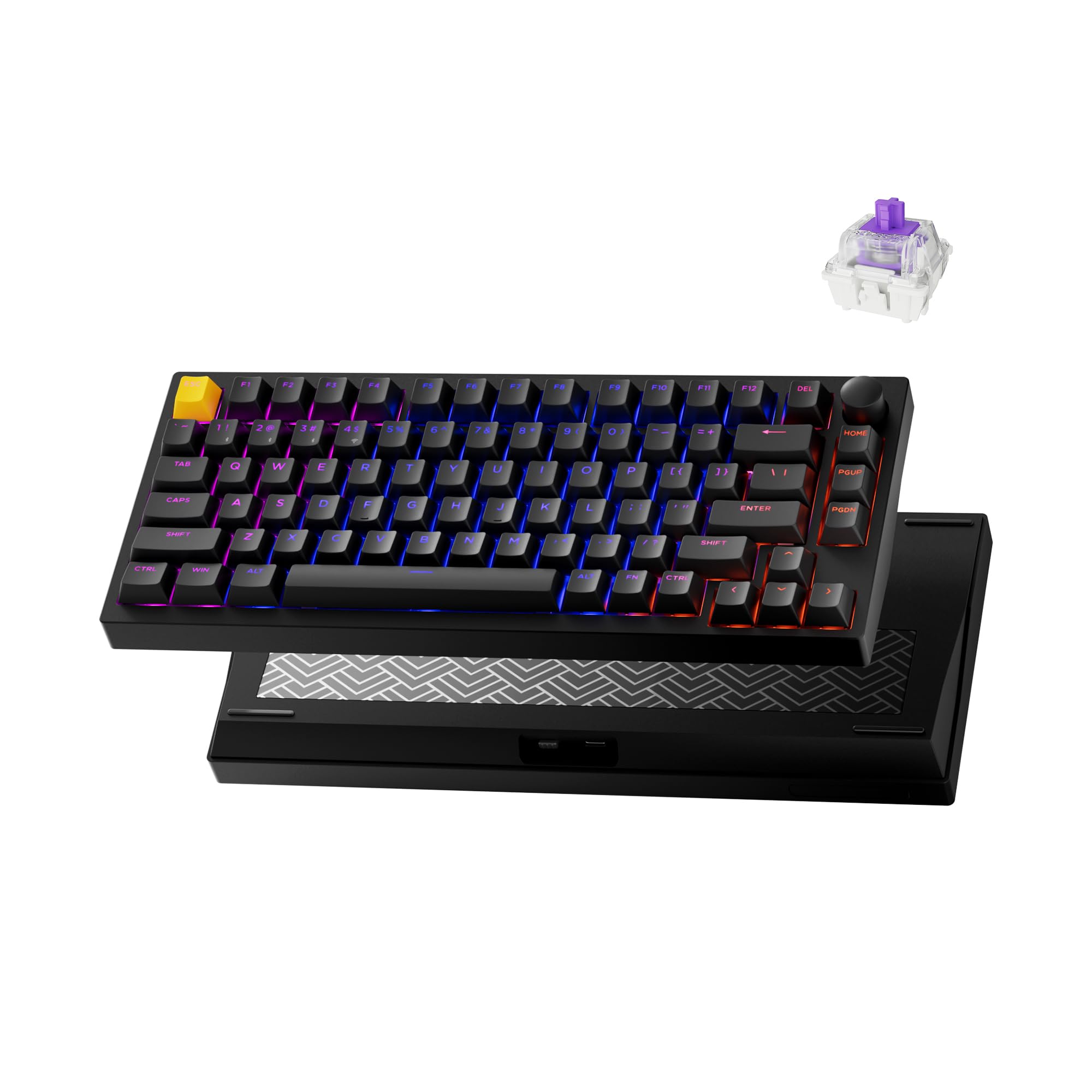
The LEMOKEY P1 HE delivers Hall Effect performance in a compact 75% form factor with a full metal body that weighs enough to stay planted during intense gaming sessions. The Gateron double-rail magnetic switches support adjustable actuation from 0.2mm to 3.8mm, rapid triggering, and snap action—all configurable through the web-based Launcher without installing any software. The multifunction knob adds tactile volume and lighting control that feels natural under the fingers.
Triple-mode connectivity includes Bluetooth 5.2 for up to three devices, a 2.4 GHz dongle for low-latency gaming, and USB-C for wired use. Battery life is strong with RGB off, and the shine-through PBT keycaps make the per-key RGB bright and consistent. The gasket mount and acoustic foams produce a marble-like thock with minimal pinging, even on the larger stabilized keys.
A small number of units have reported firmware instability after 30 days, with random key repeats or missed inputs. Most users find the board flawless, but the QC inconsistency is something to watch. For the price, the combination of a full metal case, Hall Effect switches, and tri-mode wireless is hard to beat.
Why it’s great
- Full aluminum chassis at a mid-premium price point
- Gateron Double-Rail Hall Effect switches with rapid trigger
- Shine-through PBT keycaps with excellent RGB diffusion
- Web configurator with no driver installation needed
Good to know
- Only accepts Keychron Double-Rail switches for hot-swap
- Small risk of firmware issues after extended use
- Setup instructions could be clearer for beginners
4. Keychron K10 HE

The Keychron K10 HE is the most accessible full-size Hall Effect keyboard on the market, combining an aluminum frame with real rosewood side accents that give it a warm, organic look. The Gateron double-rail Nebula magnetic switches are smooth and springy, with adjustable actuation that lets you tune each key’s sensitivity. The sound signature is deep and thocky, thanks to the gasket mount and multiple foam layers, without the metallic ping common in cheaper metal boards.
Tri-mode connectivity covers Bluetooth 5.2 for up to three devices, 2.4 GHz wireless for gaming, and USB-C. The web-based Keychron Launcher handles all customization—remapping, macros, rapid trigger, and snap action—with no installation. The OSA-profile double-shot PBT keycaps resist shine and provide a consistent feel across the board.
Battery life is the main compromise; users report needing to charge daily with 8 hours of use and RGB enabled. There is no built-in dongle storage, and the RGB brightness is average even at maximum. For the price, this is a strong entry point into Hall Effect boards if you can live with shorter battery runtimes.
Why it’s great
- Real wood side panels add premium aesthetic
- Full Hall Effect customization with adjustable actuation
- Tri-mode connectivity includes 2.4 GHz gaming mode
- Web-based software, no installation required
Good to know
- Battery drains quickly with daily use and RGB on
- No dongle storage slot on the chassis
- RGB brightness is mid-tier compared to competitors
5. ASUS ROG Strix Scope II X

The ROG Strix Scope II X is a wired full-size keyboard that cuts wireless complexity to focus on build quality and gaming performance. The aluminum top plate and doubleshot PBT keycaps give it a rigid, weighty feel with no deck flex. The hot-swappable PCB accepts both 3-pin and 5-pin switches, and the included pre-lubed ROG NX Snow V2 linear switches are smooth with a quiet, thocky bottom-out that avoids the high-pitched clack of cheaper switches.
Integrated sound-dampening foam and switch-dampening pads absorb pinging, making this one of the quieter full-size options for shared spaces. The detachable wrist rest positions your hands at a comfortable angle, and the three tilt adjustments let you fine-tune the typing slope. Dedicated hotkeys for Xbox Game Bar and a media control wheel add practical convenience for streamers and multitaskers.
A few units have sticky space bars or left shift keys straight out of the box, though most users report these issues resolve after normal use. The lack of wireless may be a dealbreaker for some, but for pure wired gaming stability at a mid-range price, this board delivers.
Why it’s great
- Solid aluminum top plate with zero deck flex
- Hot-swappable PCB supports 3-pin and 5-pin switches
- Sound-dampening foam for quiet operation
- Detachable wrist rest and three tilt angles
Good to know
- Wired-only connectivity limits desk flexibility
- Occasional sticky stabilizers out of the box
- Lighting control requires ASUS software for full customization
6. YUNZII C98
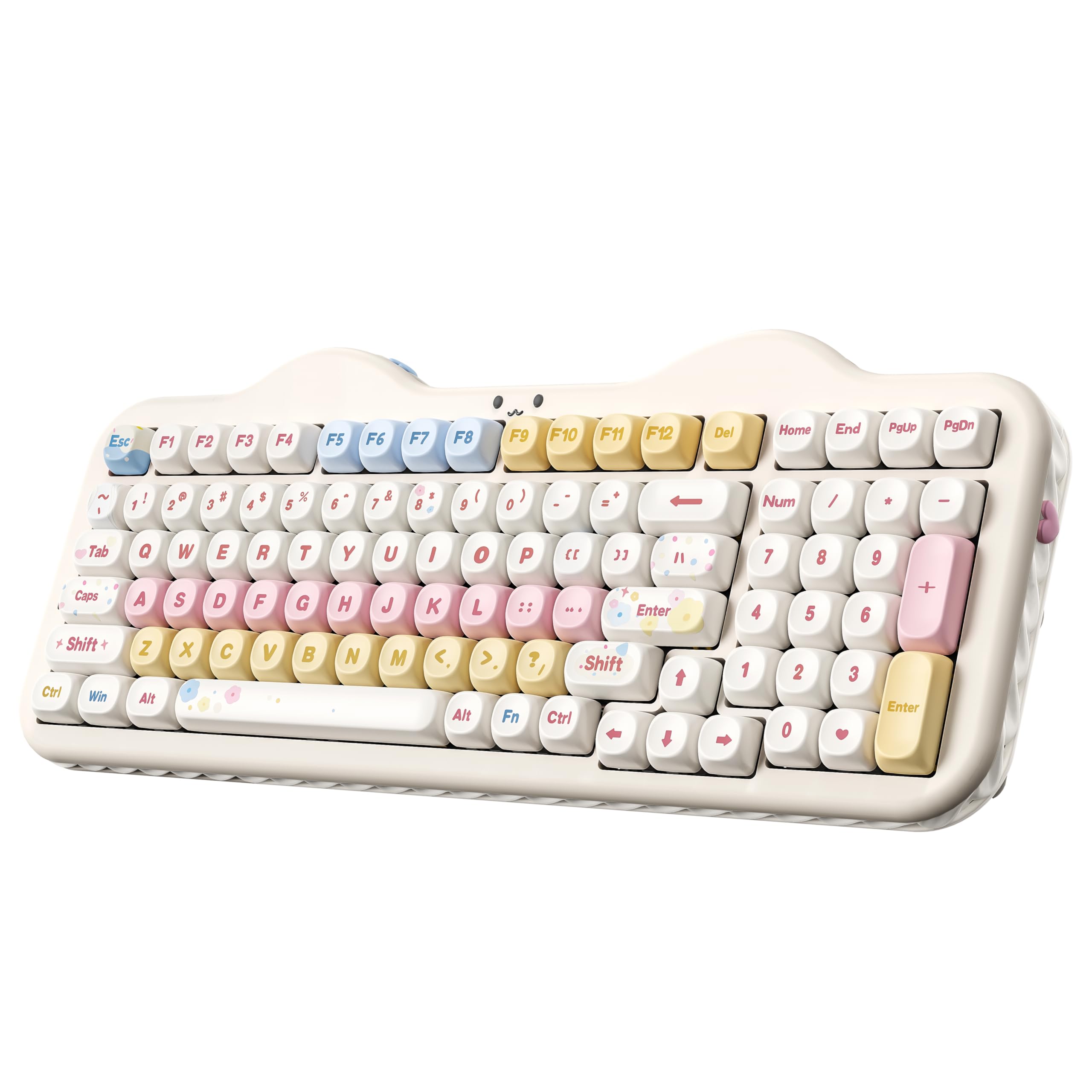
The YUNZII C98 blends a playful cake-themed aesthetic with genuinely capable hardware. The 96% layout squeezes a numpad into a compact frame, saving desk space without sacrificing number entry. The dye-sub PBT MOA keycaps feature a smooth, ergonomic profile that feels different from standard OEM designs—your fingers glide across the spherical surface rather than striking a flat top. The Candy linear switches are factory-lubed and produce a creamy, thocky sound with no sharp click.
The 10000mAh battery is the standout spec here—it outlasts virtually every other wireless keyboard in this roundup, often going weeks between charges even with RGB enabled. Tri-mode connectivity (Bluetooth 5.0, 2.4 GHz, USB-C) allows up to five paired devices. The gasket mount and multiple sound-absorbing layers eliminate most hollow noise, delivering a consistent acoustic profile across all keys.
The web-based software is functional but basic compared to QMK or Keychron Launcher. The hot-swap PCB supports both 3-pin and 5-pin switches, giving you upgrade freedom. The included dust cover, extra keycaps, and decorative stickers make this a strong out-of-box experience for customization beginners.
Why it’s great
- Massive 10000mAh battery with exceptional runtime
- Adorable cake-themed aesthetic with premium dye-sub PBT keycaps
- Gasket mount with creamy acoustic profile
- Hot-swappable PCB for future switch upgrades
Good to know
- Web-based software lacks advanced macro capabilities
- Bluetooth connection can be slightly unreliable at distance
- Spherical MOA keycaps may feel odd to touch typists
7. Logitech Alto Keys K98M
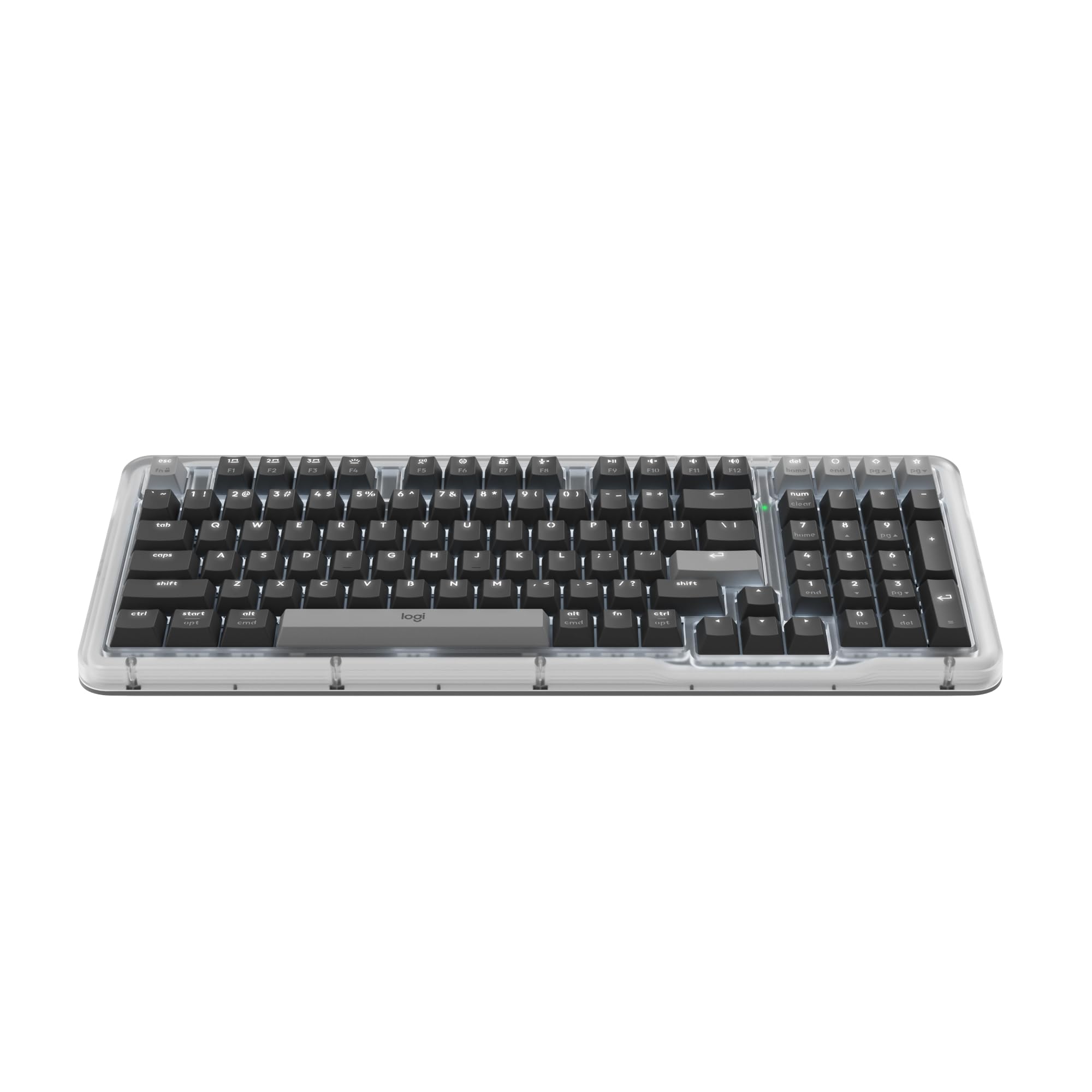
The Logitech Alto Keys K98M takes a different approach from the gaming-focused competition—it prioritizes office productivity with a transparent top case, white backlighting instead of RGB, and Logitech’s UniCushion gasket mount that absorbs vibrations for fatigueless keystrokes. The Marble switches are smooth and surprisingly quiet for clicky switches, making this board suitable for open-plan offices where noise is a concern.
Battery life is the headline: up to 12 months of wireless use with Bluetooth Low Energy, freeing you from the charging cable that most competitors require weekly. The Logi Options+ App lets you program Action Keys and access AI-enhanced features, though this requires software installation. The 98-key compact 1800-style layout keeps the numpad while shaving inches off the width compared to a traditional 104-key board.
The space bar has a slightly hollow sound that stands out against the otherwise quiet typing experience. Some users note the need for a wrist rest due to the board’s height. For macOS and Windows users who want a reliable, long-lasting wireless typing tool without flashy RGB, this is a refined option.
Why it’s great
- 12-month battery life with Bluetooth Low Energy
- UniCushion gasket mount for quiet, vibration-free typing
- Compact 98-key layout with full numpad
- Compatible with Logitech’s productivity software ecosystem
Good to know
- Space bar has a noticeable hollow resonance
- Non-RGB white backlighting only
- Requires wrist rest for comfortable long-term use
8. ZORNHER ZH870
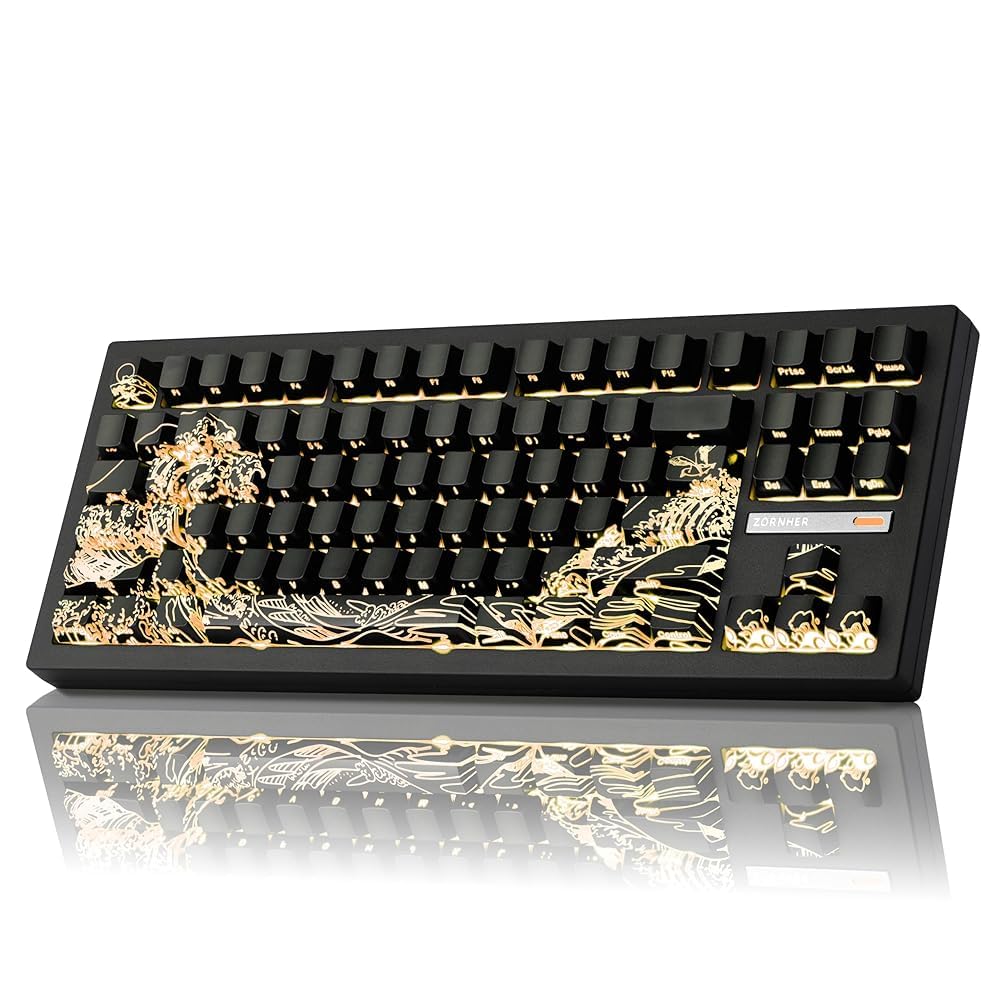
The ZORNHER ZH870 is a value-priced 80% keyboard that punches above its weight with IMD PBT keycaps featuring a Wave of Kanagawa design and shine-through legends that glow cleanly under RGB. The side-printed legends are molded directly into the plastic rather than pad-printed, so they won’t fade or wear off over time. The factory-lubed creamy linear switches and gasket mount produce a surprisingly satisfying thock for the price tier.
Triple connectivity (2.4 GHz, Bluetooth 5.0, USB-C) and a 4000mAh battery provide solid wireless flexibility. The board supports 3-pin and 5-pin hot-swappable switches, so you can upgrade to your preferred switches later. The 22 RGB modes, including side glow, give you lighting options without software configuration.
A small number of units have experienced battery charging issues—some users report the keyboard shows 100% battery but drops immediately after unplugging. ZORNHER’s customer service appears responsive to these defects. The build feels solid at 2.54 pounds, and the large-key stabilizers are well-tuned with minimal rattle. For the price, this is a visually striking entry point into custom mechanical keyboards.
Why it’s great
- IMD PBT keycaps with durable molded legends
- Gasket mount and creamy linear switches for satisfying sound
- Hot-swappable PCB supports 3-pin and 5-pin switches
- Themed Kanagawa design with vibrant RGB
Good to know
- Battery defect reported in some units
- No dedicated software for advanced customization
- Side-printed legends may look unusual at certain angles
9. Kinesis Advantage2

The Kinesis Advantage2 is a radically different approach to the custom keyboard market—its contoured split keywells place keys in a concave bucket shape that follows the natural curl of your fingers. Thumb clusters offload the most common modifiers (Backspace, Delete, Enter, Space, Control, and Alt) to your strongest digits, reducing hand and wrist strain dramatically. The Cherry MX Brown tactile switches provide a distinct bump at actuation, giving clear feedback without the noise of clicky switches.
Full onboard programmability via the Smart Set engine means you can remap any key, create macros on the fly, and save your layout to the 4MB onboard flash memory—no software required. This is a wired-only board, but the plug-and-play compatibility extends to Windows, macOS, Linux, and Chrome without any driver installation. The 20-degree tenting angle encourages a more natural wrist position.
The adaptation period is significant—most users need at least a month to rebuild muscle memory. The thumb clusters have a learning curve, and switching back to a standard keyboard can be disorienting. The plastic construction feels less premium than metal alternatives at this price point, and the keycaps are known to fade over extended use. For users with carpal tunnel or chronic wrist pain, this board is often described as life-changing.
Why it’s great
- Patented contoured keywells proven to reduce hand strain
- Full onboard programmability with no software required
- Cherry MX Brown switches with tactile feedback
- Thumb clusters offload common modifier keys
Good to know
- Steep learning curve requiring a month of adaptation
- Plastic chassis feels less premium at this price point
- Keycaps are prone to fading over time
- No wireless connectivity or hot-swappable switches
FAQ
What is the difference between gasket mount and tray mount for typing sound?
Can I use any Cherry MX compatible switch in a hot-swappable keyboard?
Why does my mechanical keyboard sound hollow or pingy?
What does rapid trigger do and why would I need it?
How important is the battery capacity in a wireless mechanical keyboard?
Final Thoughts: The Verdict
For most users, the custom mechanical keyboard winner is the Keychron Q6 HE because it delivers full aluminum build quality, Hall Effect switches with rapid trigger, and tri-mode wireless without forcing you into an inconvenient layout. If you want an OLED screen and a complete switch-lubing kit for hands-on modding, grab the ASUS ROG Azoth. And for chronic wrist pain or ergonomic needs that a flat keyboard cannot solve, nothing beats the Kinesis Advantage2.

Mo Maruf
I created WellFizz to bridge the gap between vague wellness advice and actionable solutions. My mission is simple: to decode the research and give you practical tools you can actually use.
Beyond the data, I am a passionate traveler. I believe that stepping away from the screen to explore new environments is essential for mental clarity and physical vitality.