Our readers keep the lights on and my smoothie glass nicely filled. As an Amazon Associate, I earn from qualifying purchases.
A USB-C cable that frays after three months or trickle-charges your laptop is not a bargain — it’s a hidden cost. The difference between a cable that works and one that works well comes down to three numbers: wattage, data speed, and bend寿命. When your phone says “charging rapidly” or your 4K monitor stays black, the cable is almost always the culprit.
I’m Mohammad Maruf — the founder and writer behind WellFizz. I’ve spent years analyzing charging accessories and USB-IF certification data to separate the cables that deliver on their specs from the ones that just look good in packaging.
After testing dozens of models across every price tier, I’ve narrowed the field to the five that actually perform. This guide covers everything you need to confidently pick the best usb-c cable for your laptop, phone, and monitor setup.
How To Choose The Best USB-C Cable
Not all USB-C cables are created equal — the connector shape is identical, but the internal circuitry determines whether your device charges at full speed, transfers data reliably, or connects to an external monitor. Knowing three key specs will keep you from buying a cable that bottlenecks your gear.
Power Delivery (Wattage) and the E-Marker Chip
A cable rated for 60W will charge a phone quickly but may throttle a MacBook Pro. Cables above 60W include an E-Marker chip that communicates with the charger to negotiate safe power levels. For laptops, aim for 100W or 240W. The E-Marker also prevents overcurrent damage, making it a reliability feature, not just a speed booster.
Data Transfer Rate: 480Mbps vs 40Gbps vs 80Gbps
USB 2.0 cables cap at 480Mbps — fine for charging and basic syncing. USB 3.1 and USB4 cables reach 10Gbps to 40Gbps. The newest USB4 Gen4 and Thunderbolt 5 cables hit 80Gbps (and up to 120Gbps in one direction for video). If you edit video, back up large files, or use an external SSD, a high-speed cable cuts wait time from minutes to seconds.
Video Output and Display Support
Many USB-C cables do not carry video signals — they are charging-only or data-only. For connecting a laptop to a monitor, look for cables that explicitly support DisplayPort Alt Mode or Thunderbolt. Specs like “8K@60Hz” or “triple 4K@144Hz” tell you the cable can drive high-resolution displays without signal loss.
Quick Comparison
On smaller screens, swipe sideways to see the full table.
| Model | Category | Best For | Key Spec | Amazon |
|---|---|---|---|---|
| UGREEN 240W USB4 Gen4 | Premium High-Speed | Pro video & data workflows | 80Gbps / 240W / 16K video | Amazon |
| Silkland 80Gbps Thunderbolt 5 | Premium High-Speed | Future-proof workstation setups | 80Gbps / 240W / 120Gbps unidirectional | Amazon |
| Belkin BoostCharge 240W | Premium Mid-Range | High-power laptop & device charging | 240W / 480Mbps / 100,000 bends | Amazon |
| Anker 333 100W 2-Pack | Mid-Range Workhorse | Daily charging for phones & tablets | 100W / 480Mbps / 5,000 bends | Amazon |
| JSAUX 3-Pack USB-A to C | Budget Multi-Pack | Multiple-device household charging | 3.1A / 480Mbps / 3 lengths | Amazon |
In‑Depth Reviews
1. UGREEN 240W USB4 Gen4 80Gbps
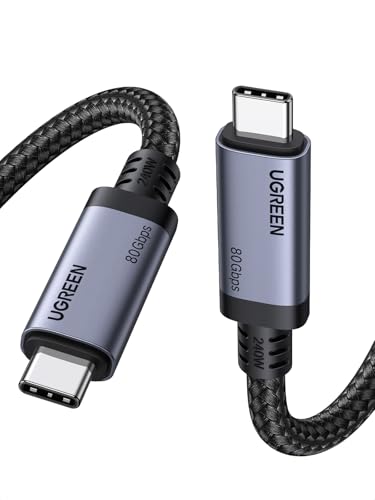
The UGREEN 240W USB4 Gen4 cable is the most capable single-cable solution I’ve seen for demanding workflows. It carries 80Gbps data — enough to transfer a 20GB 4K movie in roughly three seconds — and supports DisplayPort 2.1 for up to 16K resolution at 60Hz. For photographers moving raw files from an SSD or traders running triple 4K monitors, this cable eliminates bottlenecks entirely.
Charging is equally impressive: 240W PD 3.1 brings a MacBook Pro 16” to 56% in 30 minutes. The nylon braiding is thick and the aluminum housing adds heat dissipation, though the cable is noticeably stiffer than standard charging cords. The 3.3-foot length reduces desk clutter but may feel short if your outlet is far from your workstation.
Real customer reviews confirm the build quality and speed — users report instant device recognition with iPhones, SSDs, and external drives. A few note the stiffness makes it less portable, but for a fixed desk setup, the durability and performance justify the premium position.
Why it’s great
- 80Gbps data transfer and 240W charging in one cable
- Supports up to 16K@60Hz or triple 4K@144Hz displays
- Aluminum housing and triple shielding for long-term reliability
Good to know
- Stiff braiding limits portability and tight bends
- 3.3-foot length may be too short for some setups
- Overkill for users who only charge a phone
2. Silkland 80Gbps Thunderbolt 5 Cable

The Silkland 80Gbps cable is built for the next generation of Thunderbolt 5 devices, but it works flawlessly with current Thunderbolt 4 and USB4 hardware. Its standout feature is 120Gbps unidirectional bandwidth for video — enough to drive a single 16K display or triple 4K monitors at 144Hz. For creative professionals and gamers running multi-monitor rigs, this cable handles the bandwidth without compression or lag.
Charging reaches 240W with PD 3.1, and the E-Marker chip ensures safe power negotiation. The cable uses 48-strand braided nylon, triple shielding, and an aluminum shell that dissipates heat. At 4 feet, it’s longer than the UGREEN, making it more flexible for desktop arrangements. The connector housings are slim enough to fit through most phone cases, though the cable itself is stiff and best for stationary use.
Customer feedback highlights the industrial-grade build — one reviewer called it “the best Thunderbolt 5 cable on the market.” The occasional need to flip the connector for device recognition was noted, but users agree the data transfer speed and power delivery are flawless once connected.
Why it’s great
- 120Gbps unidirectional bandwidth for high-res multi-monitor setups
- USB-IF certified with full Thunderbolt 5 backward compatibility
- Slim connector shell fits through phone cases
Good to know
- Stiff cable is not travel-friendly
- May require a connector flip on initial plug-in
- Over-specified for users who only need charging
3. Belkin BoostCharge 240W 2-Pack

The Belkin BoostCharge 240W stands out for its soft, flexible braided exterior — a rare combination of high power delivery and daily comfort. Rated for 240W, it fast-charges a MacBook Pro 2021 from 0 to 50% in 31 minutes, yet the cable feels pliable enough to coil easily in a bag. That flexibility comes from a design rated to survive over 100,000 bends, far exceeding the 5,000 to 10,000 bends of typical braided cables.
Data transfer tops out at 480Mbps (USB 2.0), so this is not a cable for moving large video files or connecting an external SSD at full speed. It excels at charging and basic syncing for iPhones, iPads, and Android phones. The 6.6-foot length is generous for bedside tables or couch charging, and the 2-pack adds convenience for multi-device households.
User reviews consistently praise the build — one customer noted it triggers TurboPower fast charging on a Moto G Stylus while keeping the phone cool. Another highlighted its flawless performance across an iPhone, iPad, and MacBook. The trade-off is data speed, but for pure charging duty, this is the most comfortable premium cable available.
Why it’s great
- Soft braided exterior is unusually flexible and tangle-resistant
- Rated for 100,000 bends — 25x typical durability
- 240W PD 3.1 charging for laptops and phones
Good to know
- Data transfer limited to 480Mbps
- Does not support video output
- Premium price for a charging-only cable
4. Anker 333 100W 2-Pack
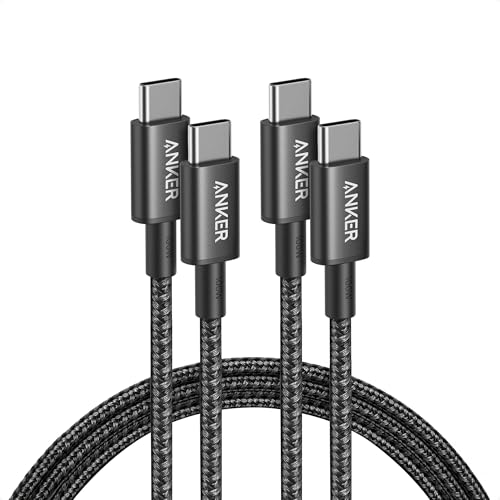
The Anker 333 100W 2-pack is the benchmark for everyday USB-C charging. Each 6-foot cable delivers up to 100W — enough to charge a MacBook Air or iPad Pro at full speed — and the hard-wearing nylon braid is rated for 5,000 bends. The connectors are snug and the cable feels substantial without being overly stiff, striking a good balance between durability and daily portability.
Data transfer is limited to 480Mbps (USB 2.0), and there is no video output support. This is strictly a charging and syncing cable. The 2-pack includes hook-and-loop cable ties, making it easy to keep one at the office and one at home. Anker’s customer service reputation and “everlasting warranty” add peace of mind.
Customer reviews are overwhelmingly positive — users describe the cable as “premium look and feel” with “sturdy connectors” and “excellent data transfer/charging speeds.” One reviewer noted that the braid is slightly stiff for storage but not problematic. For users who need reliable high-wattage charging without the cost of Thunderbolt-level speeds, this 2-pack delivers exceptional value.
Why it’s great
- 100W charging in a proven, trusted brand at a fair price
- 2-pack with cable ties for multi-location use
- Nylon braid feels premium and resists fraying
Good to know
- No video output support
- 480Mbps data tops out for large file transfers
- Braid can feel stiff when coiling for travel
5. JSAUX 3-Pack USB-A to C (3.3ft+6.6ft+10ft)
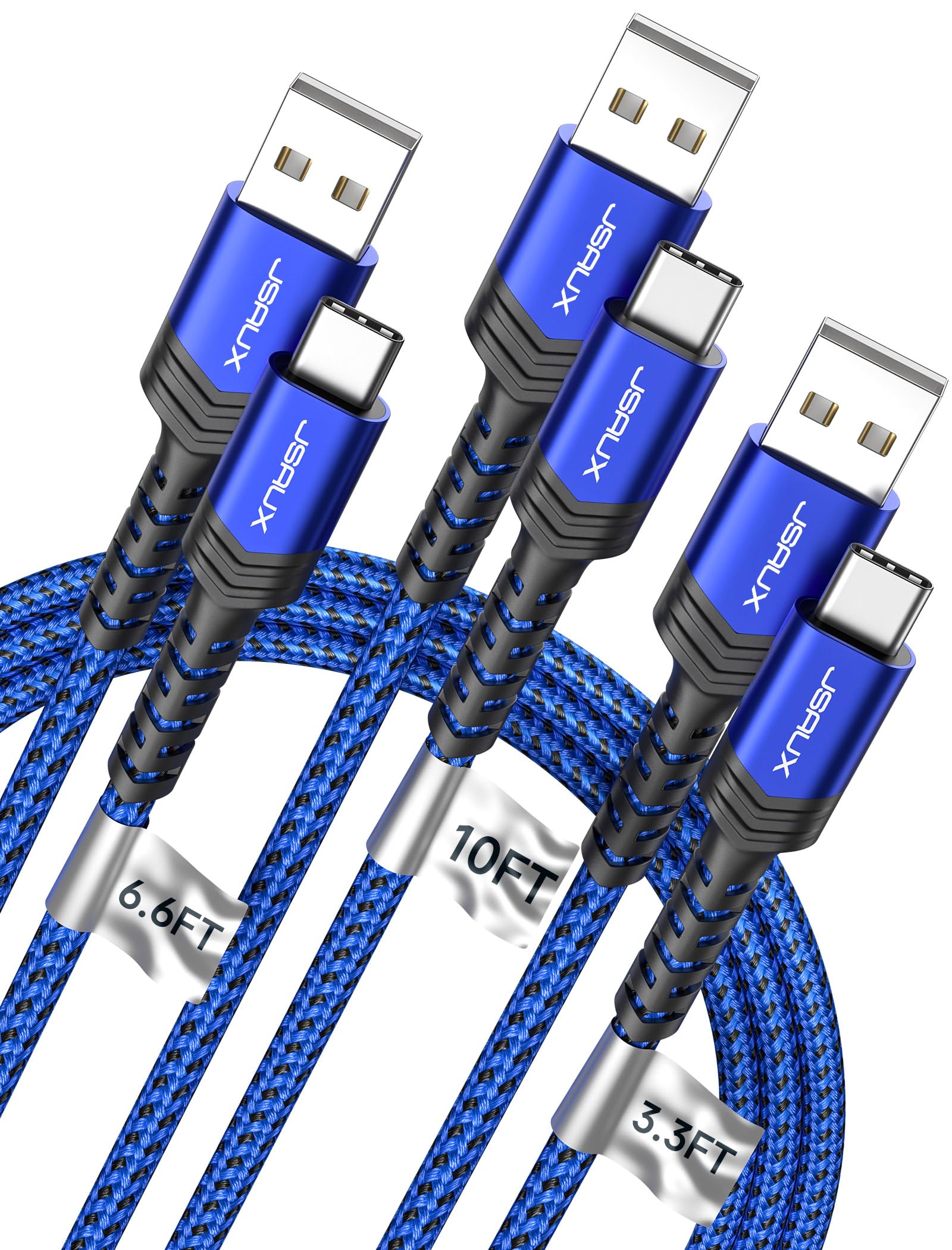
The JSAUX 3-pack covers every charging scenario with three lengths — 3.3 feet for a power bank, 6.6 feet for a nightstand, and 10 feet for a couch or car back seat. These are USB-A to USB-C cables, so they do not support USB-C to C fast charging at the highest wattage, but 3.1A output works well for iPhones, Samsung Galaxy phones, and other devices that accept standard fast charging through the USB-A port.
The cables use military-grade fiber reinforcement for tensile strength and are rated for 10,000+ bends. The braided nylon exterior resists tangling, and the aluminum housing at the connectors adds durability. Data transfer reaches 480Mbps. Note that iPhone 16 and 15 series charging tops at 7.5W through USB-A — so if you need full 20W+ iPhone charging, a USB-C to C cable is the better choice.
Long-term customer reviews are impressive — one user reported daily use for five years before the cable finally stopped charging. Others praise the variety of lengths that eliminate the need for extension cords. The 18-month warranty and responsive customer service add confidence. For households with multiple Android and iPhone devices that still use USB-A chargers, this pack offers unbeatable convenience.
Why it’s great
- Three lengths cover every charging location in one purchase
- Military-grade fiber and braided nylon for long-term durability
- Proven longevity — reported 5 years of daily use
Good to know
- USB-A to C limits max charging speed for modern phones
- iPhone 15/16 series limited to 7.5W via USB-A
- Internal wire twisting noted in some units over time
FAQ
Can I use a 240W cable with a 60W charger?
Why does my USB-C cable not output video to my monitor?
What is the difference between USB-IF certified and uncertified cables?
Final Thoughts: The Verdict
For most users, the best usb-c cable winner is the UGREEN 240W USB4 Gen4 because it combines 80Gbps data, 240W charging, and 16K video output in a single durable cable — future-proofing your entire setup. If you want a soft, flexible cable that handles high-power laptop charging without the stiffness of typical braided cords, grab the Belkin BoostCharge 240W. And for a household with multiple devices and varied charging locations, nothing beats the value of the JSAUX 3-Pack.

Mo Maruf
I created WellFizz to bridge the gap between vague wellness advice and actionable solutions. My mission is simple: to decode the research and give you practical tools you can actually use.
Beyond the data, I am a passionate traveler. I believe that stepping away from the screen to explore new environments is essential for mental clarity and physical vitality.