Our readers keep the lights on and my smoothie glass nicely filled. As an Amazon Associate, I earn from qualifying purchases.
A wall-mounted digital photo frame transforms a blank wall into a living gallery that updates itself—no printing, no frames to swap, no cluttered surfaces. The right choice hinges on screen size, resolution, mounting versatility, and how easily family members can send new photos from across the country. These frames stay powered and connected, showing a fresh slideshow of your best memories without you lifting a finger.
I’m Mohammad Maruf — the founder and writer behind WellFizz. I spent dozens of hours researching display panels, mounting hardware, app ecosystems, and storage specs across the leading wall-mountable digital frames to find the models that actually deliver on their promises.
Whether you want a large statement piece for the living room or a modest frame for a hallway, understanding resolution, storage capacity, and app compatibility will guide you to the best digital photo frame wall mounted for your space and loved ones.
How To Choose The Best Digital Photo Frame Wall Mounted
Wall-mounted frames differ from desktop models in several key ways—the screen must be viewable from across a room, the mounting bracket must be secure and adjustable, and the power cord must be manageable behind the unit. The most important factors to weigh are display quality, storage capacity, app ecosystem, and physical installation options.
Screen Size and Resolution
A wall-mounted frame is typically viewed from farther away than a desk frame, so a larger diagonal (15.6 inches and up) with at least 1080p Full HD resolution ensures the image remains sharp from across the room. IPS panels retain color and contrast when viewed from an angle, which is critical when the frame is mounted on a wall where you might walk past at an angle multiple times a day.
Mounting Hardware and Orientation
Look for frames that include a wall-mount bracket or VESA pattern in the box. Some premium models offer a swivel mount that lets you rotate the screen between portrait and landscape orientation without re-drilling holes. The cable exit point matters too—frames with a recessed or side-mounted power input make a cleaner wall installation compared to models where the cord sticks straight out the back.
Storage and Expandability
Internal storage ranges from 8GB to 64GB. For a frame that will receive continuous uploads from multiple family members, 32GB or more is recommended. Many frames also accept SD cards or USB drives for loading large existing libraries during setup. The Frameo and Skylight ecosystems offer cloud-free storage, but check whether the frame supports external media if you want to avoid cloud dependency altogether.
App Ecosystem and Multi-User Sharing
The Frameo app is the most widely adopted across brands like BIGASUO, Flyruit, and Arktronic, allowing unlimited contributors to send photos and videos from anywhere. Skylight uses its own app and email-based upload system, and VPhoto powers several larger commercial-grade frames. Verify that your chosen frame’s app supports the operating systems used by everyone who will be sending photos—iOS and Android coverage is standard, but some frames also accept email uploads or Google Photos integration.
Quick Comparison
On smaller screens, swipe sideways to see the full table.
| Model | Category | Best For | Key Spec | Amazon |
|---|---|---|---|---|
| NexFoto 27” Touchscreen | Premium | Gallery-scale wall display | 27-inch, 64GB, touchscreen | Amazon |
| Arktronic 24” | Premium | Home gallery or commercial display | 24-inch, anti-glare, remote | Amazon |
| Arktronic 21.5” | Premium | Large family frame with wall mount | 21.5-inch, 32GB, Frameo app | Amazon |
| Pexar by Lexar 11” | Mid-Range | High-resolution compact display | 11-inch, 2K anti-glare | Amazon |
| Skylight Frame 10” | Mid-Range | Easiest setup for seniors | 10-inch, cloud-free, email upload | Amazon |
| BIGASUO 15.6” | Mid-Range | Large storage value | 15.6-inch, 64GB, Frameo app | Amazon |
| Flyruit 15.6” | Mid-Range | Feature-packed mid-size frame | 15.6-inch, 32GB, calendar sync | Amazon |
In‑Depth Reviews
1. NexFoto 27” Touchscreen Digital Picture Frame

At 27 inches, this is the largest touch-enabled frame in the lineup, making it a true statement piece for any wall. The glossy 1920×1080 IPS panel with 64GB internal storage handles up to 80,000 photos, and the swivel wall mount allows you to rotate between portrait and landscape without re-anchoring. Support for both 2.4GHz and 5GHz Wi-Fi gives you flexibility in crowded networks, and the NexFoto app permits uploads directly from Google Photos—a rare feature among wall-mounted frames.
The touch interface is responsive for slideshow control, playlist creation, and adjusting brightness or sleep schedules directly on the screen. Real users report that batch uploads work seamlessly and that the frame displays both photos and videos with strong color accuracy. The wooden walnut frame finish adds a furniture-grade look that blends into living rooms and home offices without looking like a piece of electronics.
One drawback is that the 16:9 aspect ratio crops 4:3 photos, so upload square or widescreen images for the best fit. A few units have had reliability issues after extended use, so ensure you register the one-year warranty. For buyers who want the largest possible canvas and don’t mind the premium price, this frame is the most immersive wall display available.
Why it’s great
- 27-inch touchscreen is the largest wall-mountable option
- 64GB internal storage holds huge libraries
- Google Photos integration via app
- Swivel wall mount for easy orientation changes
Good to know
- 16:9 crop may not suit 4:3 photos
- Touchscreen delay reported by some users
- Premium price point
2. Arktronic 24” Large Digital Picture Frame
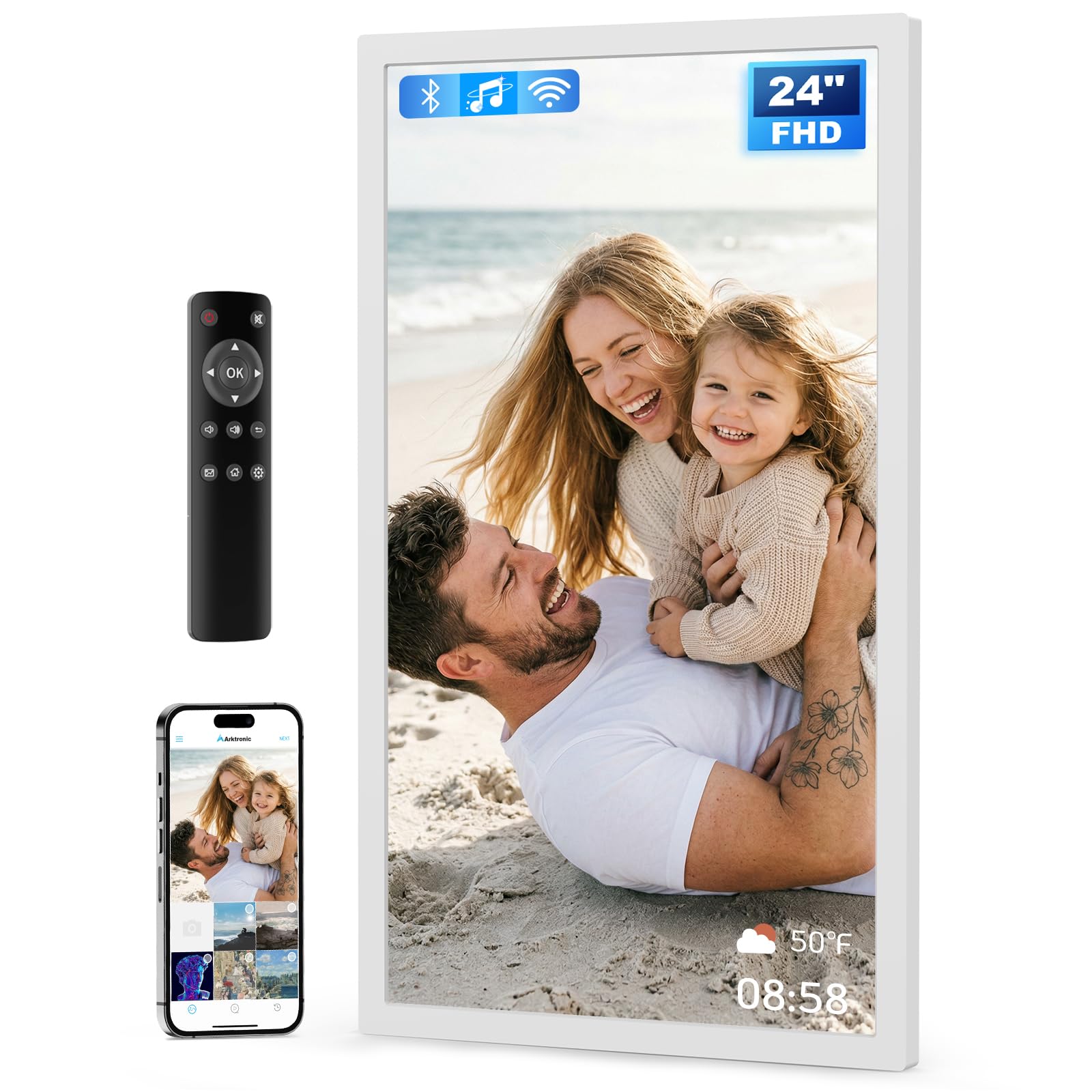
The 24-inch Arktronic frame differentiates itself with an anti-glare IPS screen that minimizes reflections in bright rooms—a critical advantage when the frame is mounted opposite a window or under direct ceiling lights. It runs on the VPhoto app ecosystem and also accepts uploads via email, making it accessible for guests and family members who don’t want to install another app. The included remote control is a welcome addition for users who prefer a traditional clicker over touching a wall-mounted screen.
With 32GB of built-in storage and expansion via USB or microSD, this frame can hold roughly 40,000 photos before needing external media. The dual-orientation wall mount lets you install it vertically or horizontally, and the power cord exits the back cleanly to sit flush against the wall. Business owners have also repurposed it for menu boards and promotional slideshows because of the anti-glare surface and remote operation.
Some users have reported random freezing that requires a power cycle, though most reviews praise the image quality and ease of setup. The 30-day money-back guarantee and one-year warranty offer peace of mind for a wall-mounted investment. If you want a very large display that handles bright rooms well, this frame is the most practical choice in the premium segment.
Why it’s great
- Large 24-inch anti-glare display
- Remote control for easy navigation
- Accepts email uploads without app
- Dual-orientation wall mount included
Good to know
- Occasional freezing reported by some users
- Non-touch screen (remote-only control)
- Short power cord may limit placement height
3. Arktronic 21.5” Frameo Digital Picture Frame
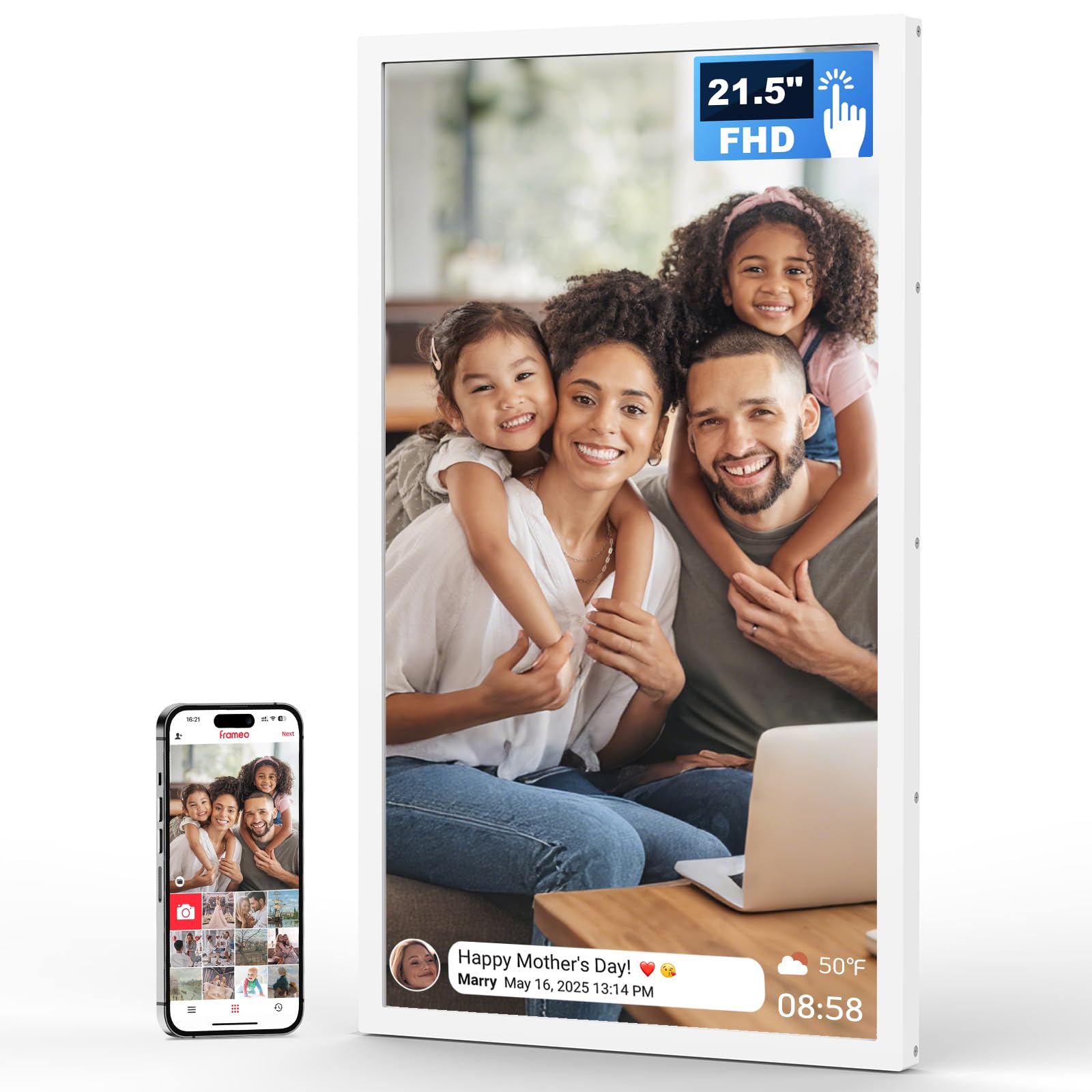
This 21.5-inch frame strikes the ideal balance between screen real estate and everyday practicality. It runs the Frameo app, which is widely recognized for its simplicity and reliability—over a dozen brands use it, meaning existing Frameo users can send photos without downloading a new app. The 1920×1080 IPS display delivers vibrant color at wide viewing angles, and the two-way wall mount lets you switch between portrait and landscape by simply rotating the frame on its bracket.
Built-in 32GB storage holds roughly 40,000 photos, and you can expand via microSD if needed. Real-world owners consistently call it the best of multiple frames they have tested, praising the crystal-clear pictures and how easy it is for the whole extended family to send photos. The Frameo app supports captions, reactions, and notifications, which keeps the experience interactive without being intrusive.
The touch interface is on the frame itself, but because it’s wall-mounted at eye level, reaching up to swipe works fine for occasional adjustments. The white plastic frame looks clean and modern, though the power cord is visible unless you route it through the wall. For most families looking for a large, easy-to-use wall-mounted frame, this model offers the best combination of size, app maturity, and value.
Why it’s great
- Frameo app is intuitive and widely trusted
- 21.5-inch screen is large without overwhelming a wall
- Two-way wall mount for portrait/landscape switching
- Excellent color and viewing angles from IPS panel
Good to know
- Touchscreen uses buttons, not full touch
- Visible power cord if not recessed
- White frame may show dust more than darker finishes
4. Pexar by Lexar 11” Digital Picture Frame

At 11 inches, the Pexar frame is compact enough for a hallway, kitchen wall, or office nook, but its 2000×1200 resolution is significantly sharper than the 1080p panels found on larger models. The anti-glare matte finish is a standout feature—it virtually eliminates reflections, making photos look like printed art rather than a glowing screen. The 1.67:1 aspect ratio (roughly 5:3) fits a wider range of photo compositions compared to strict 16:9 frames.
Built-in 32GB storage provides room for up to 40,000 photos, and the Pexar app allows unlimited family members to upload photos and videos securely. Users report excellent color accuracy, quick touch response, and the ability to play MP4 movies directly from internal or external storage. The frame does not require any subscription or cloud service, which reviewers appreciate compared to competitor frames that push monthly fees after the first year.
The only consistent complaint is that the frame displays a daily “offline” error message if it loses Wi-Fi, though notifications can be turned off through the settings menu. The mounting bracket is VESA-compatible, making it easy to attach to standard wall arms. If resolution purity and anti-glare performance matter more than raw size, this frame delivers the sharpest image in the lineup at a mid-range price.
Why it’s great
- 2K resolution provides exceptional sharpness
- Anti-glare matte screen works in bright rooms
- No subscription or cloud required
- VESA-compatible mounting
Good to know
- Smaller 11-inch size limits wall impact
- Daily offline notification unless disabled
- Not ideal for large living rooms viewed from far away
5. Skylight Frame 10” Black

Skylight’s 10-inch frame is built entirely around simplicity—it creates a unique email address for each frame, so anyone can send photos without downloading an app or creating an account. The 1280×800 display is adequate for a frame this size, and the black bezel gives it a clean, understated look. Setup is genuinely plug-and-play: connect to Wi-Fi, follow the on-screen prompts, and start emailing photos within minutes.
The 8GB internal storage holds roughly 8,000 photos, and the frame works offline once photos are loaded, so it still shows pictures even if the Wi-Fi drops. Users can activate Gift Mode to preload photos before gifting the frame, which makes it a popular choice for parents and grandparents who may not be tech-savvy. The cloud-based infrastructure means no SD card management, though you can also load photos via USB if needed.
The trade-off is a smaller screen and lower resolution compared to similarly priced 15.6-inch models that run the Frameo app. Some users wish the frame offered more advanced features like calendar integration or collage modes without a subscription. For buyers who prioritize absolute ease of use and a frame that works the second it’s plugged in, the Skylight 10-inch remains a reliable choice.
Why it’s great
- Email-based upload requires no app for senders
- Plug-and-play setup in minutes
- Offline mode shows preloaded content without Wi-Fi
- Gift Mode for preloading photos before gifting
Good to know
- Only 10-inch display with 1280×800 resolution
- 8GB storage fills faster than larger-capacity models
- No built-in wall mount bracket (sold separately)
6. BIGASUO 15.6” Digital Picture Frame

The BIGASUO frame delivers the best storage-per-dollar value in the mid-range segment with 64GB of internal memory—enough for over 100,000 photos at typical file sizes. The 15.6-inch 1920×1080 IPS display is bright and sharp, with a near-borderless design that maximizes the viewing area. It runs the Frameo app, making it instantly compatible with anyone who already has the app on their phone.
Users consistently praise the frame for its ease of use, with several buyers noting they purchased a second unit after being impressed by the first. The touchscreen allows intuitive gesture control for zooming, swiping, and adjusting settings. The wall-mount capability is straightforward, though the power cord is standard black and may require cable management for a clean install.
One limitation is that the frame recommends using 32GB SD cards or USB drives for external storage, as larger capacity drives (64GB or 128GB) may not work reliably. Some reviewers also mentioned that the instruction manual could be clearer about the formatting requirements for external media. If you intend to load a massive family archive and want ample built-in storage without paying a premium, this frame offers the highest capacity at a competitive price.
Why it’s great
- 64GB internal storage is the most in this mid-range tier
- Near-borderless design maximizes display area
- Frameo app is reliable and multi-user friendly
- Vivid 1920×1080 IPS panel
Good to know
- Large external drives may not work reliably
- Manual could be clearer on formatting requirements
- Wall mount kit is basic, cable routing is exposed
7. Flyruit 15.6” Digital Picture Frame

The Flyruit frame is the most feature-dense 15.6-inch option available, packing the Frameo app with a major bonus: Apple calendar sync that turns the frame into a functional family schedule board. This feature alone has made it a popular alternative to subscription-based smart calendars like Skylight Calendar, since the Flyruit frame offers the same utility without ongoing fees. The 1920×1080 IPS touch display delivers crisp photos and videos with the same wide viewing angles as competing frames.
Storage sits at 32GB, expandable via full-sized SD card or USB drive. The frame supports both JPG/JPEG/BMP/PNG images and MP4 videos, and it can operate without Wi-Fi by loading media directly via USB-C cable, SD card, or USB drive. The “Greeting” and “React” functions within the Frameo app let senders attach themed birthday messages or react with emojis, making the experience more interactive for families with young children or distant relatives.
Some users have noted that the power cord is too short for higher wall placements, and the visible cord detracts from the clean aesthetic. A few reviewers also mentioned that the 10-photo-per-upload limit in the app is slightly restrictive if you want to load hundreds of photos at once. For buyers who want the calendar sync capability and a feature-rich Frameo experience at a mid-range price, the Flyruit frame is the most versatile option in its class.
Why it’s great
- Apple calendar sync replaces subscription-based smart calendars
- Frameo app with Greeting and React features
- Operates offline via USB-C, SD, or USB drive
- Competitive mid-range price for feature set
Good to know
- Short power cord limits wall placement height
- 10-photo-per-upload limit through the app
- Calendar sync is Apple only (no Android equivalent)
FAQ
Can I mount these frames on drywall without studs?
Do any of these frames require a monthly subscription?
What is the best way to hide the power cord for a wall-mounted frame?
Can I upload photos to these frames from an Android phone?
How do I share a wall-mounted frame with multiple family members?
Final Thoughts: The Verdict
For most users, the digital photo frame wall mounted winner is the Arktronic 21.5-inch Frameo frame because it offers the best size-to-price ratio, a mature app ecosystem, and a two-way wall mount that makes orientation effortless. If you want the sharpest possible image in a compact package, grab the Pexar 11-inch 2K frame. And for a gallery-scale display that doubles as wall art, nothing beats the NexFoto 27-inch touchscreen frame.

Mo Maruf
I created WellFizz to bridge the gap between vague wellness advice and actionable solutions. My mission is simple: to decode the research and give you practical tools you can actually use.
Beyond the data, I am a passionate traveler. I believe that stepping away from the screen to explore new environments is essential for mental clarity and physical vitality.