Our readers keep the lights on and my smoothie glass nicely filled. As an Amazon Associate, I earn from qualifying purchases.
A digital photo album that sits silently on a shelf, only to surprise you with a fresh snapshot of a grandchild’s first step or a friend’s wedding smile, changes how families stay connected across miles. The right frame does more than display pixels—it delivers the exact moment someone thought of you, in crisp color, without a single tap. But choosing one means sifting through resolution specs, storage limits, app ecosystems, and hidden subscription traps that turn a thoughtful gift into a recurring headache.
I’m Mohammad Maruf — the founder and writer behind WellFizz. I’ve spent months dissecting Wi-Fi photo frame hardware, comparing app responsiveness, and cross-referencing display quality across seven models to separate the genuinely heartwarming from the merely functional.
This guide cuts through the marketing noise to help you find a digital photo album that your family will actually use every day without frustration, hidden fees, or blurry photos.
How To Choose The Best Digital Photo Album
The perfect digital photo album balances three things: a screen that makes your photos look vibrant, enough storage to hold years of memories, and a sharing system that doesn’t charge you a monthly fee to send a picture of your cat. Below are the core specs that matter most.
Screen Size, Resolution & Panel Type
Larger screens (15 to 17 inches) turn a frame into a centerpiece, while 10-inch models fit neatly on a nightstand or desk. Resolution matters more as the screen grows—1080p on a 10-inch panel looks sharp, but a 15-inch frame benefits from 2K or higher pixel density. IPS panels maintain color accuracy when viewed from the side, which matters when the frame sits on a table and family members walk past it from different angles.
Storage Capacity & File Limits
Built-in storage ranges from 16 GB to 64 GB, which holds anywhere from ten thousand to over a hundred thousand photos. But photo count alone doesn’t tell the story—some frames limit video length to 30 seconds, while others play full five-minute clips. For family members who want to share dance recitals or graduation speeches, long-video support is a silent dealbreaker.
Sharing Ecosystem & Subscription Traps
The best frames let anyone in the family send photos via a free app or email without a subscription. Some brands charge monthly fees for features like calendar sync or unlimited contributors. A true no-subscription frame gives every grandparent, aunt, and cousin equal access to send memories without hidden billing.
Quick Comparison
On smaller screens, swipe sideways to see the full table.
| Model | Category | Best For | Key Spec | Amazon |
|---|---|---|---|---|
| Pexar 11″ 2K | Premium | Sharpest image quality | 2000×1200 anti-glare display | Amazon |
| Cozyla 17″ | Premium | Largest display & unlimited storage | 17″ 4:3 touchscreen, 1TB cloud | Amazon |
| Divoom Times Frame | Mid-Range | Smart desk dashboard | Transparent panel, RGB glow, 64GB | Amazon |
| BIGASUO 15.6″ | Mid-Range | Large value display | 1920×1080 IPS, 64GB storage | Amazon |
| FLYRUIT 15.6″ | Mid-Range | Calendar sync & offline use | 1920×1080 IPS, 32GB + SD/USB | Amazon |
| PhotoSpring 10″ | Mid-Range | No-subscription family sharing | 32GB, email/app/web uploads | Amazon |
| Frameo 10.1″ (Dragon Touch) | Budget-Friendly | Entry-level Wi-Fi frame | 1280×800 touch, 32GB storage | Amazon |
In‑Depth Reviews
1. Pexar by Lexar 11″ 2K Digital Picture Frame

The Pexar frame earned the “Yahoo Tech Best Tested Frame” designation for a reason—its 2000×1200 2K resolution paired with an anti-glare touchscreen delivers the sharpest, most reflection-free image in this lineup. At 11 inches, it sits between a small desk frame and a large statement piece, offering a Goldilocks size that fits most shelves without dominating the room. The IPS panel ensures colors stay accurate even when family members view it from an angle.
Sharing is refreshingly simple: invite contributors via the free app, and they can send both photos and videos without any subscription. The built-in 32 GB holds roughly 40,000 photos at moderate file sizes, and the frame also accepts SD cards and USB drives for direct imports. Auto-rotation, sleep scheduling, and a responsive touch interface round out a polished software experience.
A minor trade-off is the lack of motion detection—the frame stays on based on your schedule rather than sensing when someone enters the room. And while the anti-glare coating works beautifully, those who prefer a glossy, saturated look might find it slightly muted in direct light. Overall, this is the frame that delivers the best balance of screen quality, ease of use, and no-strings-attached sharing.
Why it’s great
- 2K resolution with anti-glare IPS panel produces stunning clarity
- No cloud subscription required for photo sharing
- Accepts SD card and USB drive for offline use
Good to know
- No motion sensor for automatic on/off
- 11-inch size may feel small for wall mounting in large rooms
2. Cozyla 17″ WiFi Digital Picture Frame
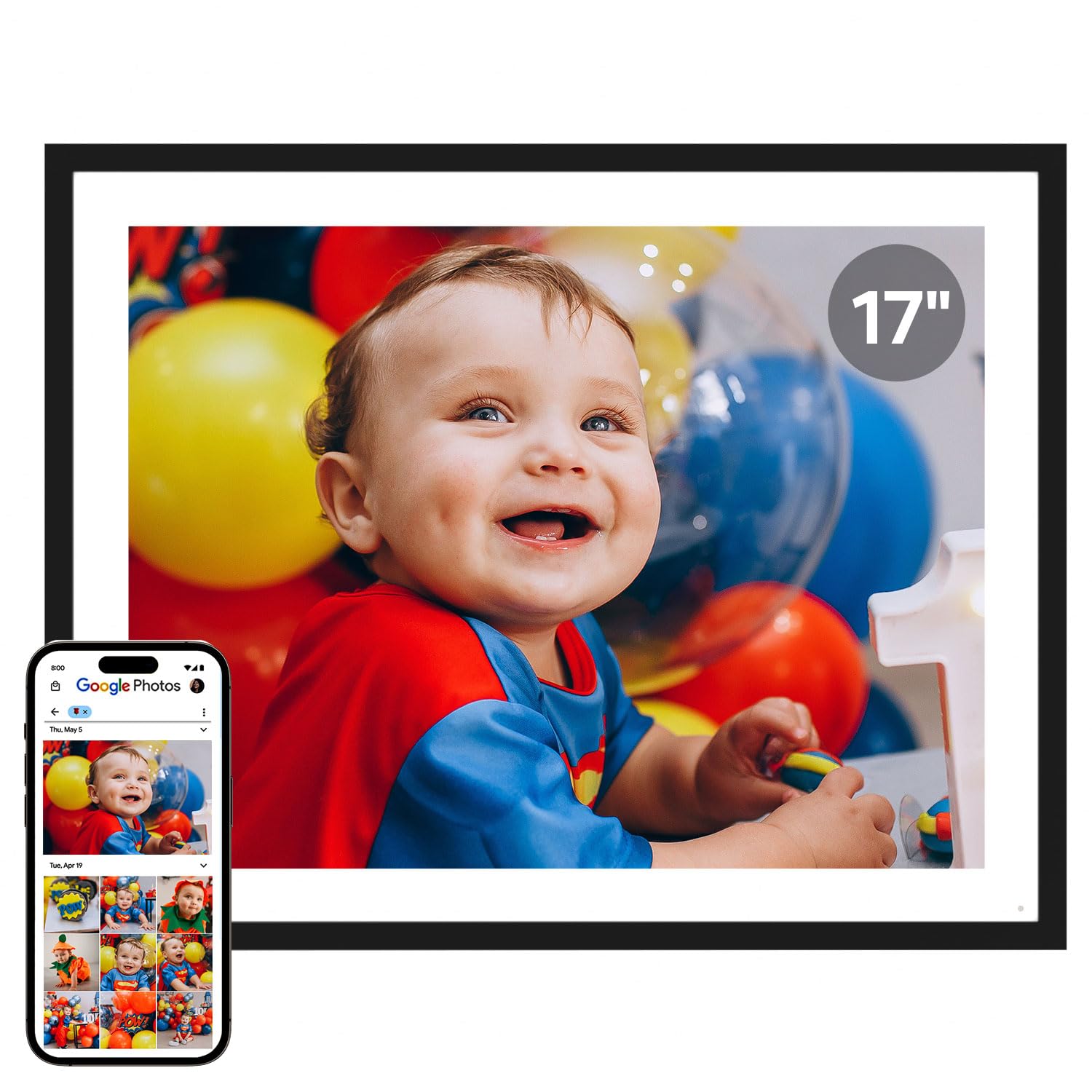
The Cozyla frame is the undisputed size champion at 17 inches, and its 4:3 aspect ratio means it displays photos without the letterbox bars that plague 16:9 frames. The QXGA resolution keeps images crisp even at this large size, and the IPS touchscreen delivers consistent color from every seat in the living room. The frame comes packed in an elegant gift box, and you can preload photos and a video greeting before giving it.
Storage is truly unlimited—Cozyla includes free cloud storage backed by AWS encryption, so you never have to delete a memory or buy an SD card. Sharing works through a dedicated app, email, or web interface, and the built-in AI restoration tool can salvage blurry or damaged old photos. You can even attach voice recordings to images, turning the frame into a storytelling device for grandparents.
The main drawback is that Google Photos integration was discontinued in spring 2025, so users now need to email photos individually or use the app, which can become tedious with large batches. The wooden stand, while attractive, feels slightly flimsy for a frame of this size and weight. For families who prioritize screen real estate and unlimited cloud backup, the Cozyla is a compelling centerpiece.
Why it’s great
- 17-inch 4:3 display shows photos without cropping
- Unlimited cloud storage with no subscription fees
- AI photo restoration and voice note features
Good to know
- Google Photos integration no longer supported
- Stand design could be sturdier for the large panel
3. Divoom Times Frame 10.1″
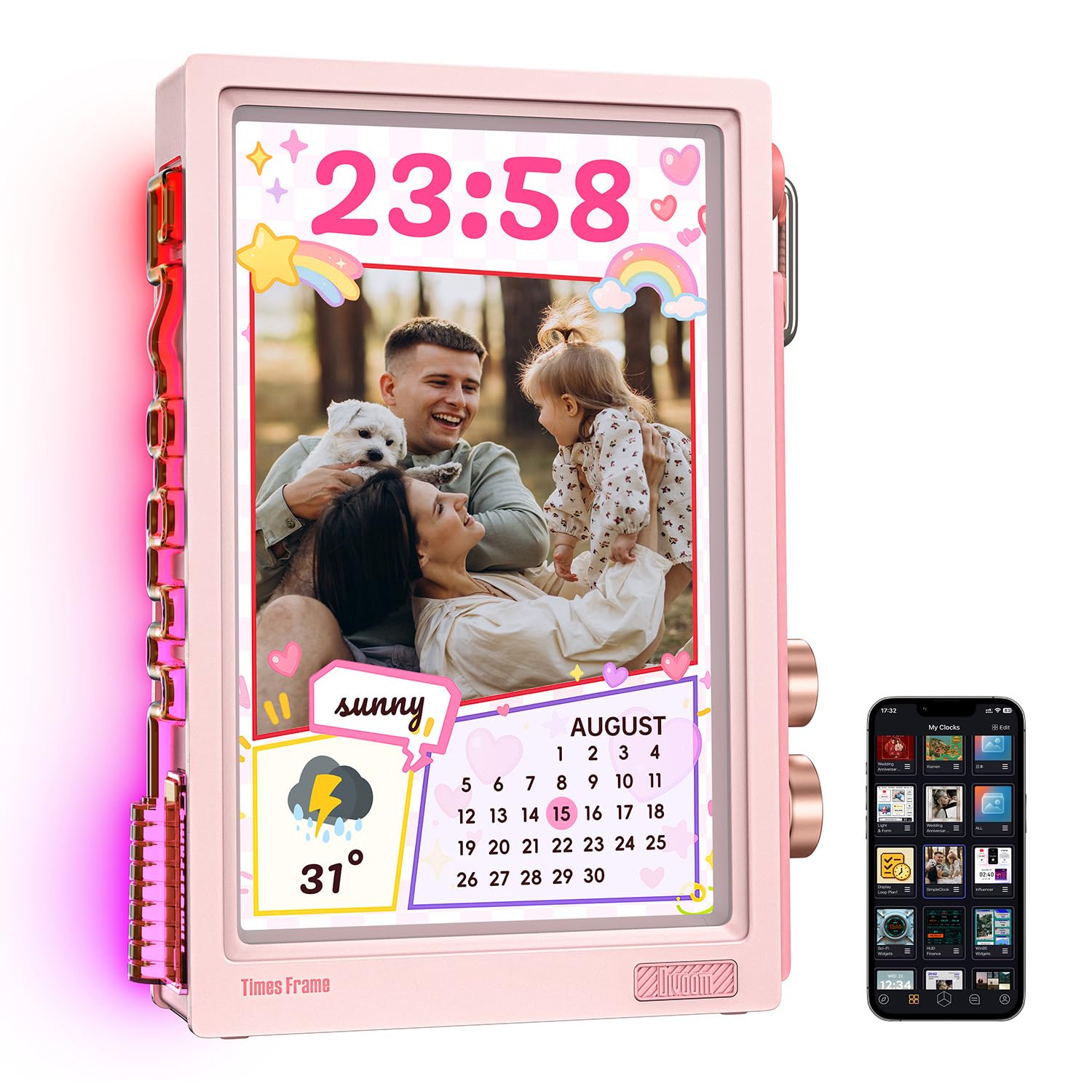
The Divoom Times Frame breaks the mold with a transparent IPS panel that creates layered depth, making photos appear to float rather than sit inside a thick bezel. The customizable RGB edge lighting adds a modern glow that transforms the frame into a desk dashboard or gaming accent piece. At 10.1 inches, it’s compact enough for a monitor stand but visually distinct enough to draw attention.
Beyond photos, the Divoom doubles as a smart display with over 400 clock faces, live widgets for weather, stock tickers, countdowns, and even AI-generated pixel art. The free Divoom app handles all uploads and includes a community gallery of user-created designs. Storage is generous at 64 GB, supporting roughly 700,000 photos or six thousand minutes of video, and encrypted transfers keep memories private.
Potential buyers should note that the screen is portrait-oriented only, so landscape photos will be cropped or need rotation. The backlight can overwhelm a dark room, and at higher brightness settings the image quality feels slightly dim compared to standard opaque panels. It also requires a 5V/2A power adapter—using a lower-rated charger will prevent the frame from powering on. For creative desk setups, it’s a unique conversation piece.
Why it’s great
- Stunning transparent design with customizable RGB lighting
- 64GB storage and free app with no subscription
- Smart widgets for weather, stocks, and clock faces
Good to know
- Portrait-only orientation crops landscape photos
- Requires a 5V/2A adapter; screen can feel dim in bright rooms
4. BIGASUO 15.6″ Digital Picture Frame

The BIGASUO 15.6-inch frame delivers the largest display you can get at its price tier without sacrificing image quality. The 1920×1080 IPS panel offers vivid colors and wide viewing angles, and users consistently praise its full-screen presentation—the bezel is so thin that photos appear to stretch edge to edge. With 64 GB of internal storage, it holds over 100,000 photos, making it a worry-free option for families with decades of digital archives.
Powered by the Frameo app platform, the sharing experience is identical to millions of other Frameo frames worldwide—simple, private, and subscription-free. You can invite unlimited family members to send photos and videos remotely, and the frame auto-rotates between portrait and landscape. The sleep timer is a thoughtful touch, automatically dimming or turning off at night without manual intervention.
One limitation is that the SD card and USB drive compatibility works best with 32 GB storage devices formatted to FAT32—larger cards may not be recognized. Some users note that the included power cord is shorter than ideal for wall mounting, so placement near an outlet is important. For anyone wanting a large, clear display at a sensible price, the BIGASUO is a top contender.
Why it’s great
- Massive 64GB storage holds 100,000+ photos
- Edge-to-edge 15.6-inch IPS display at a value price
- Frameo app platform with unlimited sharers and no subscription
Good to know
- SD/USB support limited to 32GB FAT32 drives
- Power cord is relatively short for high wall mounting
5. FLYRUIT 15.6″ Digital Picture Frame

The FLYRUIT frame matches the BIGASUO in screen size and resolution (15.6 inches, 1920×1080 IPS) but adds a bonus feature that families with busy schedules will love: Apple calendar sync. A software update transformed this frame into a low-cost alternative to dedicated calendar displays, showing daily events and appointments alongside photo slideshows. It’s a persuasive option for parents who want a family schedule hub without a subscription.
The Frameo app handles photo and video sharing with the same ease as other Frameo-based frames, and FLYRUIT offers additional offline flexibility—you can plug in a USB-C cable to transfer photos from a computer, or use a full-sized SD card. The frame accepts JPG, BMP, PNG images, and MP4 videos, and the auto-rotation sensor correctly orients both portrait and landscape shots. The sleep timer and brightness scheduling are convenient for placement in a bedroom or nursery.
Some users report a 10-photo limit per upload batch through the app, which slows down mass importing compared to frames that allow larger batches. The power cord is also on the short side, and the glossy black bezel shows fingerprints quickly. If calendar sync matters to you, this frame punches above its price point.
Why it’s great
- Apple calendar sync for family scheduling
- Offline transfer via USB-C cable, SD card, or USB drive
- Frameo app with unlimited free contributors
Good to know
- 10-photo limit per upload batch in the app
- Glossy bezel shows fingerprints and dust easily
6. PhotoSpring 10″ WiFi Digital Picture Frame

PhotoSpring positions itself as the brand that hates subscriptions as much as you do—every feature is included without a monthly fee, and the frame supports sending photos via email, app, or web interface. That flexibility means even the least tech-savvy relative can email a picture from their phone and have it appear on the frame within seconds. The 10-inch wooden frame has a classic, furniture-like aesthetic that blends into home decor more naturally than plastic alternatives.
Storage sits at 32 GB, and the frame supports videos up to five minutes long at HD quality—a rare generosity among 10-inch frames. You can organize photos into albums, shuffle or sort playback order, and adjust slideshow timing. The touchscreen interface is intuitive enough for first-time users, and customer support is widely praised for going above and beyond when issues arise.
The main compromises are screen resolution and ambient brightness—at 10 inches with standard HD, the image is good but not stunning compared to 2K competitors. The speakers face the back of the frame, making video audio quieter than ideal unless the frame is placed against a wall. The slideshow random feature sometimes repeats the same group of photos rather than shuffling the full library. For a no-fuss family frame, it’s reliable and refreshingly honest about its pricing.
Why it’s great
- Truly subscription-free with email, app, and web uploads
- Classic wood frame design blends into home decor
- Supports videos up to five minutes long
Good to know
- HD resolution is good but not comparable to 2K panels
- Rear-facing speakers reduce video audio clarity
7. Frameo 10.1″ (Dragon Touch) Digital Picture Frame
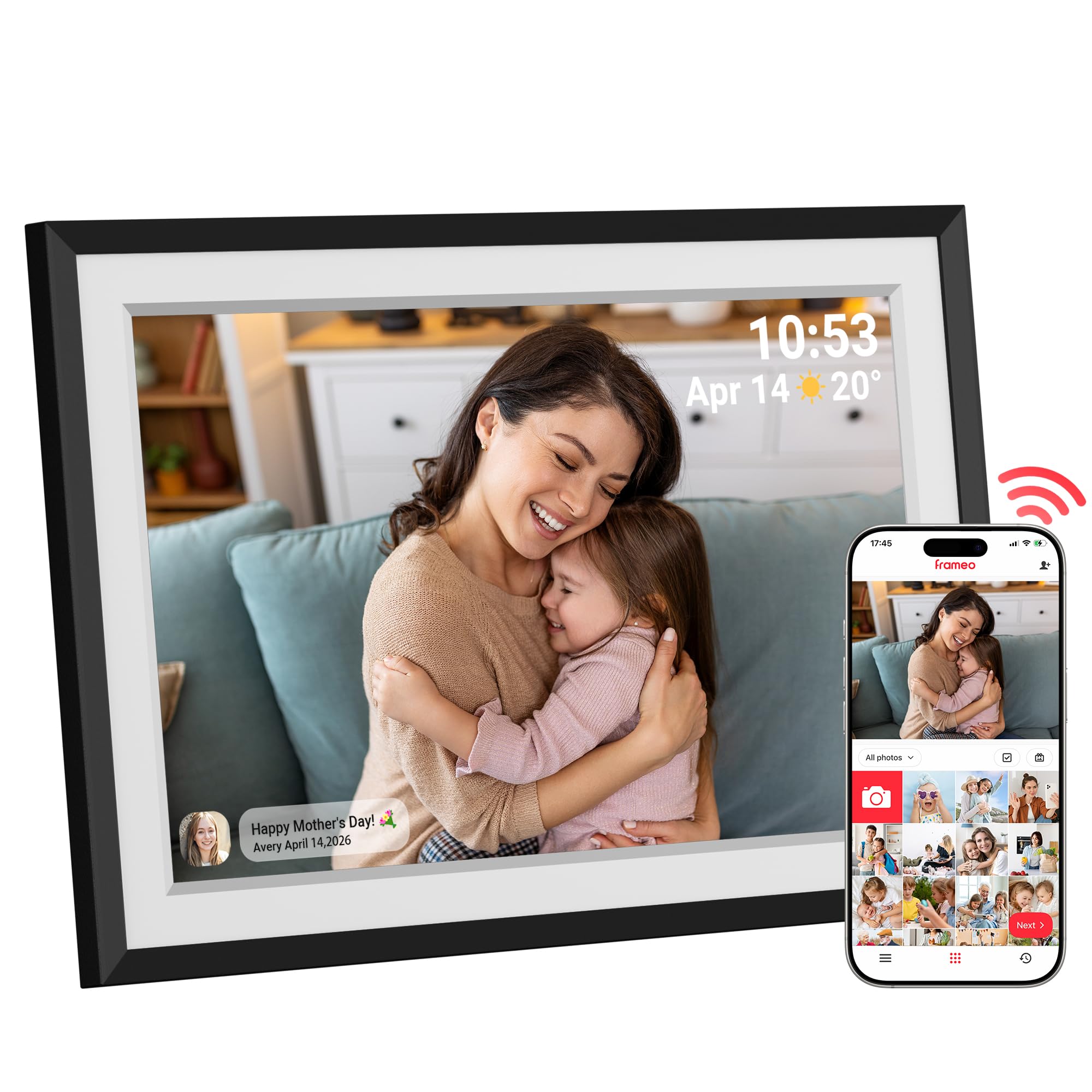
The Dragon Touch Frameo frame is the entry-level champion for a reason—it packs a 10.1-inch 1280×800 HD touchscreen, Wi-Fi connectivity, and the trusted Frameo app platform at a price that makes it an easy impulse gift. Setup takes minutes: plug it in, connect to 2.4 GHz Wi-Fi, and scan the QR code to start sending photos. The auto-rotate sensor correctly orients every shot, so mixed portrait-and-landscape slideshows look natural without manual adjustments.
The 16 GB internal storage is expandable to 32 GB via microSD, which holds tens of thousands of photos. Beyond slideshows, the frame displays weather, clock, and alarm functions, adding practical utility for a nightstand or kitchen counter. The built-in white mat gives the display a framed-photo look that feels more deliberate than a bare screen. Customer reviews consistently highlight the intuitive setup and responsive touchscreen as standout features.
The 1280×800 resolution is visibly softer than 1080p or 2K panels, especially when viewing detailed images like group portraits or text-heavy graphics. The frame does not support video playback from the app, so moving memories are limited to still images. For a first digital photo album or a gift for someone who values simplicity over premium specs, this frame delivers exactly what it promises without frustration.
Why it’s great
- Easiest setup and intuitive Frameo app
- Auto-rotate sensor for mixed orientation slideshows
- Expandable storage and practical clock/weather display
Good to know
- 1280×800 resolution lacks fine detail at close range
- No support for video playback via the app
FAQ
Can a digital photo album display photos without Wi-Fi?
How does the Frameo app compare to proprietary app ecosystems?
Final Thoughts: The Verdict
For most users, the digital photo album winner is the Pexar 11″ 2K frame because it delivers the sharpest anti-glare display, simple app-based sharing, and zero subscription fees in a polished package. If you want a massive screen with unlimited cloud storage, grab the Cozyla 17-inch frame. And for a budget-friendly introduction to Wi-Fi photo frames that still looks great on a nightstand, nothing beats the Frameo 10.1-inch Dragon Touch frame.

Mo Maruf
I created WellFizz to bridge the gap between vague wellness advice and actionable solutions. My mission is simple: to decode the research and give you practical tools you can actually use.
Beyond the data, I am a passionate traveler. I believe that stepping away from the screen to explore new environments is essential for mental clarity and physical vitality.