Our readers keep the lights on and my smoothie glass nicely filled. As an Amazon Associate, I earn from qualifying purchases.
A digital picture frame that only shows stills is only telling half the story. The real magic happens when the screen captures the laughter of a birthday toast, the first wobbly steps of a toddler, or the crashing waves of a family vacation — in full motion. This guide cuts through the marketing noise to find the digital frames that play video without buffering, stuttering, or forcing you into a costly subscription.
I’m Mohammad Maruf — the founder and writer behind WellFizz. I’ve spent countless hours combing through technical spec sheets, customer feedback patterns, and real-world performance data to isolate exactly which frames deliver smooth, high-resolution video playback alongside solid photo-sharing features.
Whether you’re gifting one to a grandparent or filling a wall in your own home, your search ends with this decisive analysis of the best digital frames that play video on the market right now.
How To Choose The Best Digital Frames That Play Video
The convenience of a connected frame can vanish fast if the video stutters, the file format isn’t supported, or the app pushes you toward a monthly fee just to share a 30-second clip. Before you buy, focus on the three specs that separate a smooth video frame from a frustrating one.
Video Codec & Length Restrictions
Most budget frames cap video clips at 15 or 30 seconds. If you want to replay a full wedding toast or your child’s entire school performance, look for a frame that explicitly supports longer MP4 files via USB or internal storage — not just through the app. Some premium models now allow unlimited video length when loaded directly onto the device.
Screen Resolution & Anti-Glare Coating
A 1080p panel is the baseline, but many entry-level units stretch lower-res content to fit. True 1080p native resolution with an IPS panel ensures consistent color at wide angles. If the frame will sit near a window, an anti-glare matte finish matters more than a higher pixel count because reflections kill visibility on glossy screens.
Subscription Requirements vs. Local Storage
The “no subscription” claim is popular, but verify it. Some frames require a paid plan for video sharing, extended cloud storage, or advanced playlist features. A frame with built-in storage (32GB or 64GB) plus an SD card slot gives you a true offline option, so you control your media without recurring fees.
Quick Comparison
On smaller screens, swipe sideways to see the full table.
| Model | Category | Best For | Key Spec | Amazon |
|---|---|---|---|---|
| Cozyla 17″ | Premium | Unlimited long video & no subscription | 17″ 4:3 / 1000GB cloud | Amazon |
| Pexar by Lexar 11″ | Premium | Anti-glare 2K clarity | 2000×1200 / 32GB | Amazon |
| ApoloSign (Nixplay) 15.6″ | Mid-Range | Motion sensor & app ecosystem | 1080p IPS / 32GB | Amazon |
| BIGASUO Frameo 15.6″ | Mid-Range | Generous 64GB built-in storage | 64GB / 1080p IPS | Amazon |
| Dragon Touch 15.6″ | Mid-Range | Touchscreen with calendar features | 1080p touch / 32GB | Amazon |
| Flyruit Frameo 15.6″ | Mid-Range | USB-C / SD card offline transfer | 1080p IPS / 32GB | Amazon |
| akimart Frameo 15.6″ | Budget-Friendly | Solid basics at a low entry cost | 1080p IPS / 32GB | Amazon |
In‑Depth Reviews
1. Cozyla Frame 17″
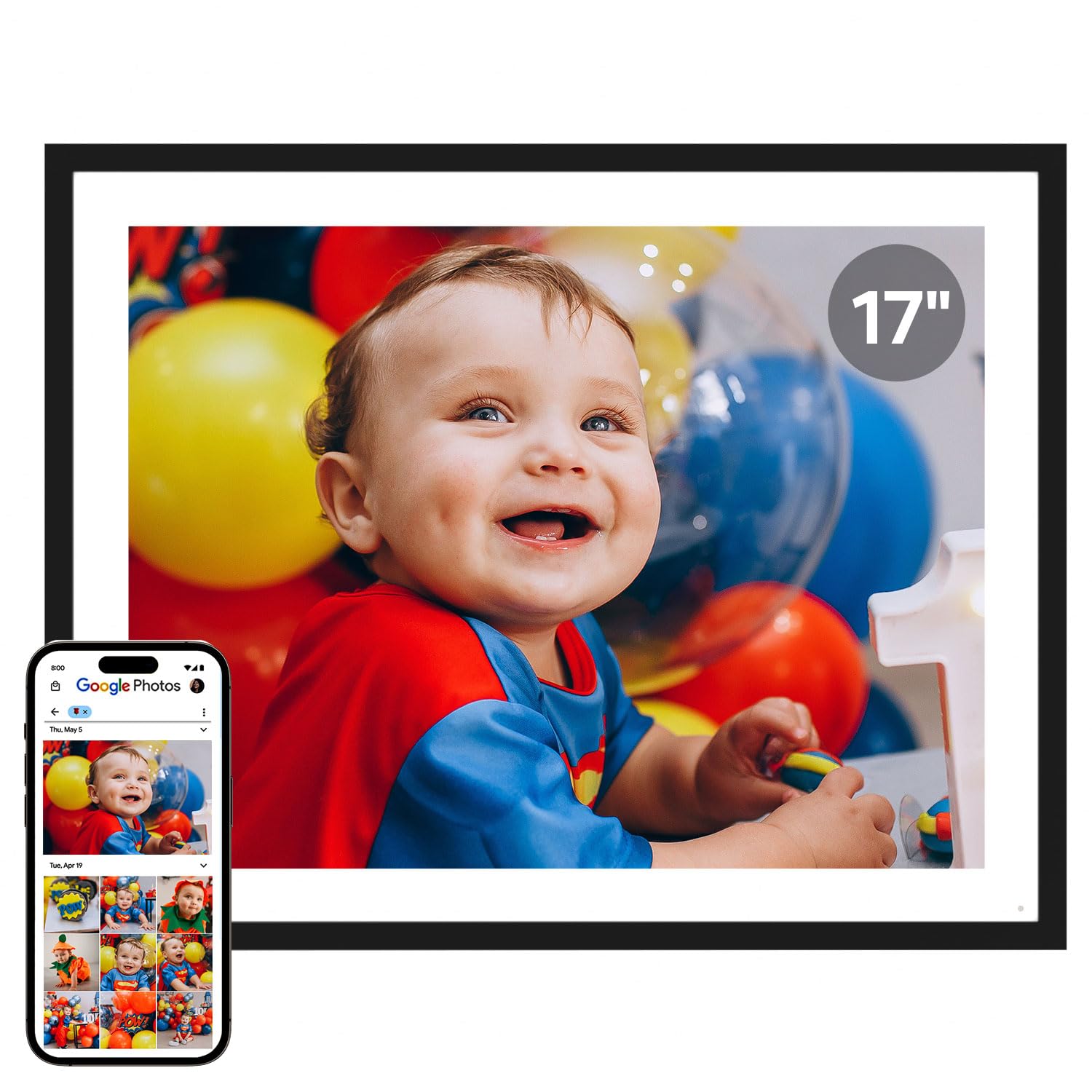
The Cozyla 17-inch frame sits at the top of this list because it solves the two biggest pain points of video frames: subscription fees and video length limits. With true unlimited cloud storage backed by AWS encryption and no recurring charge, it allows you to share full-length videos — graduation speeches, baby’s first steps, anniversary montages — without cropping them to 15 seconds. The 4:3 aspect ratio also means classic photographs display without ugly letterboxing, a rare benefit in a landscape-dominated market.
The panel delivers a bright, sharp QXGA resolution with an anti-glare coating that keeps reflections manageable even in sunlit rooms. Setup is genuinely fast: the Cozyla companion app, Google Photos integration, and email sharing all work out of the box. The built-in AI restoration feature is a thoughtful addition for older family photos, and the voice-memo function adds a layer of personalization most frames ignore entirely.
One trade-off is the stand stability — some users report it feels top-heavy in portrait orientation, making wall-mounting the safer option for vertical display. Also, while the frame supports video via the app and email, native Google Photos video uploads are no longer supported, so you will need to use the app or email route for moving clips. Customer support, however, receives consistent praise for responsiveness and warranty handling.
Why it’s great
- No subscription for full features or storage
- Supports long-form video without length restriction
- AI photo restoration and voice-memo capability
Good to know
- Stand is unstable in portrait orientation
- Google Photos direct video upload is not supported
2. Pexar by Lexar 11″

The Pexar 11-inch frame, from the Lexar family, earned Yahoo Tech’s top-tested award for good reason: the 2000×1200 resolution on a matte, anti-glare IPS panel is noticeably sharper than typical 1080p frames, and the lack of reflection makes it a natural fit for bright kitchens or sunlit living rooms. It plays MP4 video files without an enforced length limit when loaded via USB or SD card, giving you real flexibility for longer clips.
The Pexar app handles photo and video sharing smoothly, and you can invite multiple family members to contribute. One of its strongest selling points is that it does not require a cloud subscription — local storage via the built-in 32GB, SD card, or USB-A drive works independently of any paid plan. The auto-rotation and sleep scheduling features are well-implemented, and the touchscreen is responsive without lag.
On the downside, the 11-inch screen is smaller than the 15.6-inch average in this roundup, so it won’t dominate a wall the way larger frames do. Also, the frame displays a daily “offline” notification if it loses WiFi, which some users find annoying — though customer support can walk you through disabling the alerts. For pure image and video quality in a compact footprint, however, the Pexar is hard to beat.
Why it’s great
- True 2K resolution with excellent matte anti-glare coating
- No forced cloud subscription required
- Supports full-length MP4 video via USB/SD
Good to know
- 11-inch screen is smaller than most competitors
- Repeated offline notification if WiFi drops
3. ApoloSign 15.6″ (Powered by Nixplay)

This 15.6-inch frame runs on the Nixplay platform, one of the most mature and polished ecosystems in the digital frame space. The SenseMe motion sensor automatically wakes the display when someone enters the room and puts it to sleep when the room empties — a small feature that saves energy and prevents screen burn-in over time. The 1080p IPS touchscreen delivers solid color accuracy and wide viewing angles, and the Nixplay app offers playlist organization called FamilyCircles that multiple users can contribute to.
Video playback is handled through the app, and the frame supports both 2.4GHz and 5GHz WiFi for faster uploads. Free cloud storage is included with a GDPR/CCPA-compliant privacy policy, but advanced features like extended cloud history or 4K video support require a Nixplay subscription. The auto-rotate function works seamlessly between landscape and portrait orientations, and the frame can be wall-mounted or desk-placed without hassle.
The main drawback is that the internal storage is limited to the cloud — there is no SD card slot, so offline playback is not straightforward. Users who want to load video directly from a USB drive will be disappointed. The motion sensor also has a narrow detection angle, so it may not activate if you approach from the side. For those who prefer app-based sharing rather than local file management, the Nixplay experience is smooth and reliable.
Why it’s great
- Motion sensor saves power and extends screen life
- Polished Nixplay app with multi-user playlists
- Supports 5GHz WiFi for faster transfers
Good to know
- No SD card slot for offline video loading
- Some features require paid Nixplay subscription
4. BIGASUO 15.6″ Frameo

The BIGASUO frame stands out in the mid-range category by offering 64GB of built-in storage — double the 32GB standard — which translates to roughly 100,000 photos or hours of video clips without ever touching a cloud service. It runs on the Frameo platform, which is globally trusted, privacy-focused, and supports unlimited family contributors. Video clips are limited to 15 seconds through the app, but longer MP4 files can be played directly from an SD card or USB drive formatted to FAT32.
The 15.6-inch 1920×1080 IPS touchscreen delivers bright, natural colors with minimal color shift at off-angles. The “bezel-less” design means the image fills nearly the entire front surface, giving it a modern, gallery-like appearance. Setup takes under five minutes: plug in, connect to 2.4GHz WiFi, and scan the QR code with the Frameo app. The auto-rotate and sleep-schedule features are all adjustable from the touch interface.
One quirk is that SD cards larger than 32GB may not be recognized reliably, so you’ll need to stick to smaller cards for expansion. The frame also lacks a 5GHz WiFi option, which means slower uploads if your network is crowded on the 2.4GHz band. For buyers who want massive onboard storage without a subscription, the BIGASUO delivers exceptional value per gigabyte.
Why it’s great
- 64GB internal storage — double the typical capacity
- Edge-to-edge glass for a modern look
- Frameo app is free with no subscription required
Good to know
- Only 2.4GHz WiFi, no 5GHz band support
- SD cards over 32GB may not be compatible
5. Dragon Touch 15.6″

The Dragon Touch 15.6-inch frame earns the Best Overall label because it combines a full-HD touchscreen, 32GB of storage, and a robust feature set — including calendar, alarm, weather display, and background music via USB — at a mid-range price that undercuts many competitors with fewer features. The VPhoto app handles photo and video sharing with up to 20 invited members, delivering uploads in under two seconds. Video playback is clear and smooth at 1080p, and the built-in speaker is adequate for casual viewing.
Setup is genuinely simple: connect to 2.4GHz WiFi, create a frame code, and start sending media. The touch interface is intuitive even for non-tech-savvy users, with swipe gestures for browsing and pinch-to-zoom on photos. The dual/three/four photo collage mode is a nice touch for displaying multiple moments at once, and the auto on/off scheduling prevents light pollution at night.
The biggest ergonomic flaw is the power button placement — it sits on the back of the frame, making it awkward to reach when the frame is wall-mounted. There is also no app-based power toggle, so you must rely on the sleep schedule to turn the screen off. For tabletop use, this is a minor annoyance; for wall mounting, it is a design oversight worth noting. Overall, the value proposition here is hard to argue with.
Why it’s great
- Excellent feature set including calendar, weather, and alarm
- Fast photo upload speed through VPhoto app
- Collage and multi-photo display modes
Good to know
- Power button on the back is inconvenient for wall mounts
- No app-based power control, only scheduled sleep
6. Flyruit 15.6″ Frameo

Flyruit’s 15.6-inch Frameo frame differentiates itself with versatile connectivity: it supports WiFi, USB-C, a full-sized SD card slot, and a USB-A port. This means you can transfer video and photos entirely offline — no WiFi or app required — which is a lifesaver for elderly recipients or vacation homes with spotty internet. The 1080p IPS touchscreen provides sharp, accurate colors, and the Frameo app integration is smooth for those who do want remote sharing.
Unique software touches include a “Greeting” feature that lets you send themed birthday or holiday messages to the frame, and a “React” function where recipients can tap emoji reactions on received photos. The 32GB internal storage holds thousands of images and hours of MP4 video, and the frame supports both portrait and landscape auto-rotation. The sleep timer and adjustable brightness round out a well-configured settings menu.
One point to consider: the free version of Frameo limits uploads to 10 photos at a time and caps video clips at 15 seconds. The Frameo+ subscription (around per year) removes those limits, allowing batch uploads of 100 photos and 2-minute videos. The visible power cord is also a minor aesthetic complaint. For users who prioritize offline flexibility and USB-C convenience, the Flyruit is a strong contender.
Why it’s great
- USB-C, SD card, and USB-A for complete offline use
- Unique Greeting and React features for engagement
- Sharp 1080p IPS panel with wide viewing angles
Good to know
- Frameo+ subscription needed for batch uploads and longer video
- Power cord is visible and may clash with decor
7. akimart 15.6″ Frameo
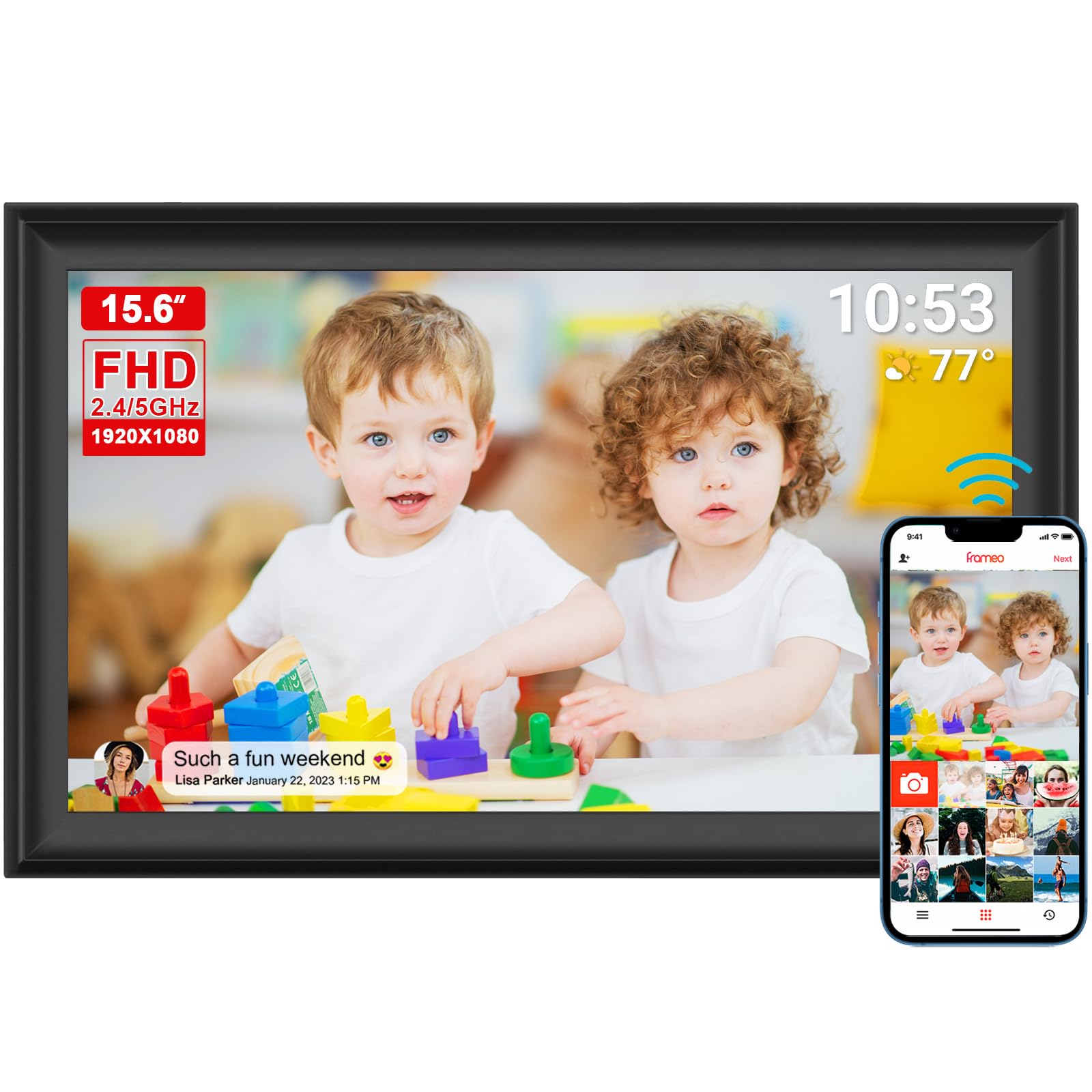
For buyers on a tighter budget, the akimart 15.6-inch Frameo frame delivers the core essentials — 1080p IPS touchscreen, 32GB storage, and WiFi sharing — at an entry-level price. It is one of the few budget-friendly models to include dual-band WiFi (2.4GHz and 5GHz), which makes a real difference in upload speed and connection stability in congested home networks. The Frameo app works reliably, and the family-sharing feature allows unlimited contributors to send photos and 15-second video clips.
The display quality is surprisingly good for the price: colors are punchy, and the IPS panel maintains consistency at off-angles. The detachable stand allows both landscape and portrait orientation, and the auto-rotate function works without manual switching. Setup is straightforward — plug in, connect to WiFi, and pair with the app via QR code. The included 32GB storage is sufficient for thousands of photos and a healthy collection of short video clips.
The trade-offs are predictable at this tier: the plastic build feels light and somewhat hollow, and the bezels are thicker than premium alternatives. Video is capped at 15 seconds through the app, and longer clips must be loaded via SD card or USB. A small number of user reports mention the frame failing within a year, so the warranty and return policy are worth checking before purchase. For a secondary frame or a gift where budget is the primary constraint, the akimart gets the job done.
Why it’s great
- Dual-band WiFi (2.4 + 5GHz) at a low price point
- Reliable Frameo app with unlimited family sharing
- Good image quality and auto-rotate for the cost
Good to know
- Plastic build feels less premium
- Some durability concerns reported after extended use
FAQ
Can I play any video format on a digital frame?
Do I need a subscription to share videos to the frame?
How long does a typical video clip need to be for a digital frame?
Final Thoughts: The Verdict
For most users, the best digital frames that play video winner is the Cozyla 17″ because it offers unlimited storage, no subscription fees, and unrestricted video length in a large, bright panel. If you want the sharpest anti-glare display in a smaller footprint, grab the Pexar by Lexar 11″. And for a budget-friendly entry that still handles video reliably via the Frameo app, the akimart 15.6″ is a solid value pick.

Mo Maruf
I created WellFizz to bridge the gap between vague wellness advice and actionable solutions. My mission is simple: to decode the research and give you practical tools you can actually use.
Beyond the data, I am a passionate traveler. I believe that stepping away from the screen to explore new environments is essential for mental clarity and physical vitality.