Our readers keep the lights on and my smoothie glass nicely filled. As an Amazon Associate, I earn from qualifying purchases.
Your desk drawer is overflowing with half-filled notebooks, sticky notes you can’t read, and meeting minutes you’ll never see again. The promise of a device for note taking is simple: capture everything in one place, find it instantly, and never lose a single thought. But picking the right one is harder than it looks—screen size, pen latency, software ecosystem, and battery life all pull you in different directions.
I’m Mohammad Maruf — the founder and writer behind WellFizz. I’ve spent dozens of hours comparing screen technology, pen response, and note-taking software across the full spectrum of digital notebooks, from paper-replica e-ink tablets to full Android slates with active styluses.
Whether you need a distraction-free writing slate for deep work or a color-capable tablet for meeting notes and diagrams, the best device for note taking comes down to matching your specific workflow with the right hardware.
How To Choose The Best Device For Note Taking
Not all note-taking hardware serves the same purpose. A device built for sketching in meetings will frustrate you if you need battery life measured in weeks, and a pure e-ink writer will feel sluggish if you want to run Android apps. Break down your choice by screen type, pen input, and software support.
Screen Technology: E-Ink vs. LCD
E-ink displays mimic paper with zero glare and battery life measured in days or weeks, but they are slower to refresh and limited in color (Kaleido 3 tops out at 150 PPI for color). LCD and OLED screens deliver vibrant colors, high refresh rates for scrolling, and full app compatibility, but they drain batteries faster and create more eye strain over long writing sessions. Choose e-ink for focused, long-form writing and LCD for mixed note-taking and app use.
Pen Input: Latency, Pressure, and Feel
The pen is the most important interface on a note-taking device. Look for battery-free styluses (EMR or proprietary like Wacom’s) that never need charging and offer 4,096 to 16,384 pressure levels. Measurable latency under 30ms feels instantaneous—anything above 40ms introduces a noticeable drag. Surface texture also matters: etched glass simulates paper friction, while smooth glass feels slippery and can make handwriting look sloppy.
Software and Ecosystem
Android-based devices give you access to the full Google Play Store, letting you install OneNote, Notability, or Evernote natively. Proprietary operating systems (Kindle’s OS, reMarkable’s OS) offer a distraction-free interface but lock you into their own note apps and limited cloud integration. If you need cross-platform sync with Google Drive or OneDrive, verify connectivity before buying—some budget e-ink notebooks only sync via USB cable.
Quick Comparison
On smaller screens, swipe sideways to see the full table.
| Model | Category | Best For | Key Spec | Amazon |
|---|---|---|---|---|
| Amazon Kindle Scribe Colorsoft 64GB | Premium | Color reading & writing | 11″ Colorsoft, 300 ppi | Amazon |
| Penstar eNote Pro | Premium | Color e-ink + AI voice notes | 10.3″ Kaleido 3, 128GB | Amazon |
| Penstar eNote 2 | Premium | Pure pen-on-paper feel | 10.3″ 300 PPI, 128GB | Amazon |
| iFLYTEK AINOTE Air 2 | Premium | Voice transcription & meetings | 8.2″ E Ink, 4096 levels | Amazon |
| Amazon Kindle Scribe 16GB | Mid-Range | eReader + notebook hybrid | 10.2″ 300 PPI, weeks battery | Amazon |
| Wacom MovinkPad 11 | Mid-Range | Drawing + note-taking Android tablet | 11.45″ anti-glare, 8192 levels | Amazon |
| XPPen Magic Note Pad | Mid-Range | Color LCD with paper-like screen | 10.95″ AG glass, 16K pressure | Amazon |
| BOOX Go Color 7 Gen II | Mid-Range | Color e-reader + notes on Android | 7″ Kaleido 3, 4GB RAM | Amazon |
| Huion Note | Budget | Digitizing real paper notes | A5 pad, Bluetooth 5.0 | Amazon |
In‑Depth Reviews
1. Amazon Kindle Scribe Colorsoft 64GB (newest model)

The Kindle Scribe Colorsoft is Amazon’s most refined note-taking device yet. Its 11-inch oxide-based color display delivers high-contrast text and muted but readable colors, all without the flashing interference typical of earlier e-ink screens. The textured surface and ultra-fast pen response make handwriting feel genuinely close to pen on paper—no charging needed for the Premium Pen, and the eraser on the back works naturally.
AI tools are baked into the notebook: you can search across handwritten notes without remembering exact keywords, generate summaries, and convert messy scrawl into clean text. Active Canvas automatically creates space for notes inside books, and you can expand or collapse margins after writing. The device stays thin at 5.4mm and light at 400g, so it slips into any bag.
Battery life delivers weeks of mixed reading and writing, though heavy color use clips closer to a week. Google Drive and Microsoft OneDrive integration lets you import and annotate documents directly. The only downside is the price, which sits at the top of the Kindle lineup, but the combination of color, pen feel, and distraction-free software makes this the most complete note-taking package available.
Why it’s great
- Exceptional pen-on-paper feel with textured surface and low latency
- AI notebook tools: search, summarize, and clean up handwriting
- Cloud integration with Google Drive and OneDrive for document markup
Good to know
- Color is muted compared to LCD screens—designed for reading, not vibrant graphics
- No support for third-party note apps beyond the Kindle ecosystem
2. Penstar eNote Pro

The Penstar eNote Pro is a full-color e-ink writing tablet built for professionals who need to annotate charts, diagrams, and documents without eye fatigue. Its 10.3-inch Kaleido 3 screen delivers 300 PPI in black and white and 150 PPI in color, with adjustable front lighting for reading in any environment. The aluminum-alloy B6 stylus uses EMR technology—no battery required—and the pen-only sidebar prevents accidental touch inputs.
MyScript handwriting conversion works in real time, and the AI voice-to-text supports over 52 languages for meeting transcription and automatic summary generation. Five physical shortcut buttons are fully customizable, and cloud sync runs through Google Drive, OneDrive, or Dropbox. The 2.2 GHz octa-core processor and 4GB RAM keep note and document navigation snappy.
Battery life lasts days on a single charge, and the 128GB internal storage holds thousands of notebooks and PDFs. The writing surface feels slightly slicker than true paper, and the lack of Google Play certification limits third-party app installation. For pure note-taking, annotation, and color document reading, this is the most capable color e-ink device at this price tier.
Why it’s great
- Real color e-ink display with 300 PPI for crisp text and diagrams
- MyScript handwriting conversion and AI voice-to-text with 52 languages
- Customizable shortcut buttons and pen-only sidebar for distraction-free workflow
Good to know
- No Google Play Store installed—limited to built-in apps and sideloading
- Writing surface is smoother than real paper, less friction than some competitors
3. Penstar eNote 2

The Penstar eNote 2 is the closest thing to a paper notebook that still gives you digital searchability. The 10.3-inch PureView display is a pen-only e-ink screen with no touch layer, eliminating accidental marks from palm contact. The 300 PPI resolution makes text and handwritten notes razor-sharp, and the 8192 levels of pressure sensitivity on the B5 stylus capture every nuance of your handwriting.
Nine physical shortcut keys are fully reprogrammable, letting you assign tools like undo, highlighter, or next page without navigating menus. MyScript converts your handwriting to editable text, and AI-powered voice-to-text supports 52 languages offline. Cloud sync works with Google Drive, OneDrive, and Dropbox, and the pen operates entirely offline for secure environments—no sign-in needed.
The bundle includes two B5 pens (each with four built-in nibs plus a 10-nib spare kit) and a magnetic folio cover. Battery life stretches to two weeks of regular writing. The non-touch screen takes a short adjustment period if you’re used to tapping and swiping, but for focused, long-form writing and meeting notes, the paper-first feel is unmatched at this price point.
Why it’s great
- Pen-only screen eliminates accidental touch interference while writing
- Two B5 styluses included with 18 total spare nibs for long-term use
- Offline operation with no required sign-in appeals to privacy-conscious users
Good to know
- No touch navigation means you rely entirely on shortcut keys for menus
- Device is thin and requires a padded case for travel protection
4. iFLYTEK AINOTE Air 2

The iFLYTEK AINOTE Air 2 is purpose-built for professionals who attend frequent meetings and need accurate voice transcription linked to handwritten notes. Its 8.2-inch E Ink screen supports 4,096 pressure levels with four pen shapes, and the writing surface delivers strong tactile feedback and low latency. Real-time voice-to-text handles 17 languages, and you can convert handwritten notes to text in 83 languages.
AI meeting summaries are generated automatically, and you can mark handwritten notes with star, triangle, or circle symbols to create to-do items and attention points. The dual-color front light has 24 brightness levels for comfortable reading in low light. The device is slim at 5mm, lightweight for one-handed use, and offers battery life measured in days rather than hours.
The locked-down Android 11 system limits app installation—you won’t get Google Play Store access, and sideloading is restricted. Voice transcription and handwriting conversion cannot run simultaneously, so you must wait for one to finish before starting the other. For users who prioritize voice-to-text accuracy and meeting management over full tablet flexibility, the AINOTE Air 2 is a focused and capable tool.
Why it’s great
- Accurate voice-to-text in 17 languages with automatic meeting summaries
- Symbol-based markup creates to-dos directly from handwritten notes
- Extremely light and slim design for portable daily carry
Good to know
- Android 11 is locked down with no Play Store or sideloading
- Cannot use voice transcription and handwriting conversion at the same time
5. Amazon Kindle Scribe (16GB)
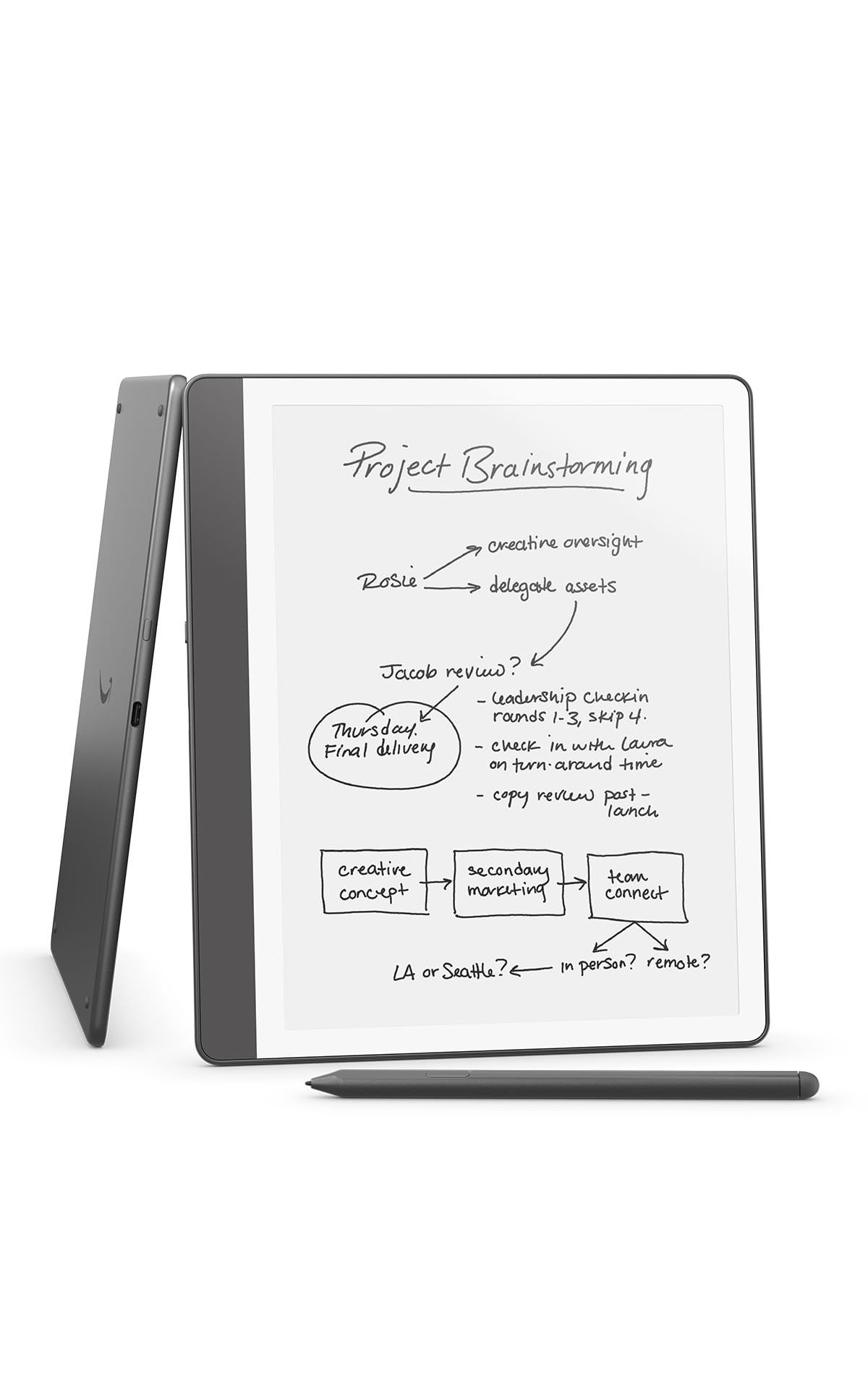
The standard Kindle Scribe remains a strong entry point for anyone already invested in Amazon’s book ecosystem. Its 10.2-inch 300 PPI front-lit display is glare-free and purpose-built for reading and writing in any lighting condition. The Premium Pen requires no charging, and Active Canvas creates writing space inside books without obscuring the original page—expandable margins let you add as many notes as you need.
AI notebook tools convert messy handwriting to clear text, generate summaries, and adjust tone and length. Send to Kindle lets you import documents and PDFs for annotation, and battery life is genuinely measured in months for reading and weeks for regular writing. The 16GB storage holds thousands of books and notebooks.
Pen tips wear faster than expected with heavy use, and the note system lacks color options and advanced drawing tools. The notebook organization is simpler than dedicated e-ink notebooks from Penstar or reMarkable. As a combined e-reader and digital notebook at a mid-range price, the Kindle Scribe delivers a polished, distraction-free experience backed by Amazon’s massive library.
Why it’s great
- Excellent battery life measured in weeks of writing, months of reading
- Active Canvas integrates handwritten notes directly inside Kindle books
- Glare-free display readable in direct sunlight without backlight boost
Good to know
- Pen nibs wear down relatively fast with regular writing sessions
- No color options and limited drawing capabilities compared to Android tablets
6. Wacom MovinkPad 11

Wacom’s MovinkPad 11 is an Android all-in-one drawing and note-taking tablet that leverages decades of professional pen technology. The 11.45-inch anti-glare etched glass screen mimics paper texture while reducing reflections, and the slim Pro Pen 3 delivers 8,192 levels of pressure sensitivity with three customizable buttons and replacement nibs stored inside the pen barrel. The Quick Draw feature launches Wacom Canvas instantly by tapping the pen to the screen.
The device runs Android 14 with 8GB RAM and 128GB storage, giving you access to the full Google Play Store for apps like OneNote, Notability, and Clip Studio Paint. Two years of Clip Studio Paint Debut are included, along with Wacom Canvas for sketching. The tablet supports popular third-party styluses from Dr. Grip and LAMY. At 1.3 pounds, it is lighter than most laptops and fits easily into a backpack.
The processor is not built for heavy multitasking or effects-heavy apps—real-time liquefy filters may show lag. There is no 3.5mm audio jack, and the touchscreen is occasionally finicky with gestures. For students and creative professionals who want a single device for sketchnotes, document annotation, and digital art, the MovinkPad 11 is the most capable Android-based note-taking tablet in its class.
Why it’s great
- Wacom Pro Pen 3 with 8192 levels and battery-free operation sets the industry standard
- Full Android 14 with Google Play Store for unrestricted app selection
- Anti-glare etched glass reduces reflections while providing paper-like writing feedback
Good to know
- Processor struggles with heavy multitasking and complex drawing effects
- No headphone jack and touchscreen gesture detection can be inconsistent
7. XPPen Magic Note Pad

The XPPen Magic Note Pad uses AG nano-etched glass on a standard LCD to simulate a paper-like display without resorting to e-ink. The 10.95-inch TCL NXTpaper screen reduces 95% of ambient light interference and cuts harmful blue light by 75%, earning TÜV SÜD certification for eye comfort. The 90Hz refresh rate eliminates page-turn lag and ghosting, making scrolling and app switching smooth. The X3 Pro Pencil 2 provides 16,384 levels of pressure sensitivity with a soft nib for natural stroke variation in thickness and color depth.
The native XPPen Notes app includes handwriting-to-text conversion, audio recording synced to notes, PDF import and editing, and an AI assistant for summarizing and flashcard generation. The Android 14 operating system and 128GB storage let you install Google Play apps for education, office, and entertainment. The 8,000mAh battery charges quickly via 20W USB-C.
The etched glass creates a narrow optimal viewing angle—colors shift and contrast drops when viewed from the side, which can be distracting when sharing content. Battery life sits around four hours of continuous use, much shorter than any e-ink alternative. For students who need a color screen, smooth scrolling, and top-tier pressure sensitivity in one device, the Magic Note Pad offers a strong LCD alternative at a mid-range price.
Why it’s great
- AG nano-etched glass eliminates glare and reduces blue light by 75%
- 16K pressure sensitivity from the X3 Pro Pencil 2 captures the lightest touch
- 90Hz refresh rate ensures smooth scrolling and no page-turn delay
Good to know
- Narrow viewing angle on the etched screen limits sharing from off-center positions
- Battery life is approximately 4 hours, far shorter than e-ink note-taking devices
8. BOOX Go Color 7 Gen II

The BOOX Go Color 7 Gen II is a compact Android e-reader with note-taking capability built around a 7-inch Kaleido 3 color display. The screen delivers 300 PPI in black and white and 150 PPI in color, with adjustable warm and cold front lighting. The octa-core processor and 4GB of RAM keep the Android 13 interface responsive, and the 64GB ROM provides ample space for books and notebooks. Physical page-turn buttons on the bezel make one-handed reading comfortable.
The device supports active stylus input via InkSense technology (stylus not included), and the refresh modes let you optimize for static reading, fast web browsing, or video playback. MicroSD expansion adds up to 1TB of external storage. The 2,300mAh battery provides days of mixed use, and the built-in speaker and microphone support 3rd-party audio apps.
Color accuracy is muted compared to LCD screens—yellow and orange differentiation can be difficult. Ghosting is more noticeable than on monochrome e-ink displays, though gesture-based refresh alleviates it. The 7-inch form factor is perfect for pocket portability but small for extended note-taking sessions. As a color e-reader that can handle light note-taking, the Boox Go Color 7 is a niche but well-executed device for mobile readers.
Why it’s great
- Compact 7-inch color e-ink display fits easily in a jacket pocket or small bag
- Android 13 provides access to Kindle, Libby, and other reading apps
- Physical page-turn buttons improve one-handed reading comfort and control
Good to know
- Color quality is muted with limited differentiation between similar hues
- Active stylus for note-taking is sold separately, adding to the total cost
9. Huion Note

The Huion Note is a hybrid approach to digital note-taking: you write on real A5 paper while the included digital pen captures vector strokes and synced audio in real time via Bluetooth 5.0. The device works with any standard A5 notepad in the included magnetic case, and the free Huion Note app organizes notebooks, merges pages, and exports as images, PDFs, or MP4 files. The pen uses battery-free EMR technology and includes three ballpoint refills for ink-on-paper writing.
Audio recording syncs to your handwritten strokes, so tapping a written word replays the audio from that moment. The 18-hour battery lasts through full days of meetings, and the 30-day standby makes it reliable for occasional use. The inner panel can be removed and the device connected via USB to act as a drawing tablet for PC, adding versatility.
The paper writing surface is affected by humidity—curling can shift the writing area slightly. Replacement pen tips are rated for about 400 meters of writing and can be expensive when out of stock. Only the included pen works with the system. For users who refuse to give up real paper but want digital searchability and backup, the Huion Note is the most practical bridge between analog and digital note-taking.
Why it’s great
- Writes on real A5 paper with ballpoint ink while digitizing in the background
- Audio syncs to handwritten strokes for meeting playback
- Convertible to a PC drawing tablet via USB connection
Good to know
- Paper can curl in humid environments, shifting the active writing zone
- Replacement pen tips have a limited lifespan of about 400 meters and can be hard to find
FAQ
Do I need an e-ink screen for note-taking or is LCD fine?
What does pressure sensitivity matter for handwritten notes?
Can I install apps like OneNote or Evernote on these devices?
Final Thoughts: The Verdict
For most users, the best device for note taking winner is the Amazon Kindle Scribe Colorsoft 64GB because it combines the best pen-on-paper feel with color display, long battery life, and AI-powered note organization in a distraction-free package. If you want premium handwriting feel with privacy-focused offline operation, grab the Penstar eNote 2. And for accurate voice transcription synced to handwritten meeting notes, nothing beats the iFLYTEK AINOTE Air 2.

Mo Maruf
I created WellFizz to bridge the gap between vague wellness advice and actionable solutions. My mission is simple: to decode the research and give you practical tools you can actually use.
Beyond the data, I am a passionate traveler. I believe that stepping away from the screen to explore new environments is essential for mental clarity and physical vitality.