Our readers keep the lights on and my smoothie glass nicely filled. As an Amazon Associate, I earn from qualifying purchases.
The difference between a home server that sips power and one that burns a hole in your electricity bill comes down to one decision: the CPU. A desktop gaming chip will idle high, run hot, and waste watts, while a properly chosen processor handles Plex transcodes, file shares, Docker containers, and even a virtual firewall without breaking a sweat—or your monthly budget. Most builders pick a CPU based on peak benchmark numbers, then wonder why their server room feels like a sauna.
I’m Mohammad Maruf — the founder and writer behind WellFizz. My buying guides are built on hundreds of hours comparing hardware specifications, thermal profiles, core counts, and platform longevity to find the real workhorses for demanding 24/7 environments.
After sorting through raw performance data, power draw figures, and real-world homelab scenarios, these nine processors earned their spots in this guide to the best cpu for home server builds ranging from ultra-efficient firewalls to high-core virtualization hosts.
How To Choose The Best CPU For Home Server
Selecting the right processor for a home server involves prioritizing efficiency and multi-threaded throughput over raw single-core speed. Unlike a gaming rig, your server will run 24/7, so idle power draw, platform features like ECC memory support, and PCIe lane count for storage controllers or network cards are the real differentiators.
Core Count and Thread Count for Virtual Machines
If you plan to run multiple VMs or containers (Proxmox, ESXi, Docker), more cores and threads let you allocate dedicated resources to each service without contention. A 16-core/32-thread chip like the AMD Ryzen 9 5900XT provides plenty of headroom for a Plex server, a few Linux VMs, and a firewall instance running simultaneously without choking on context switching.
Power Efficiency and Thermal Design
Idle power consumption is often overlooked. A desktop CPU idling at 40-60 watts can cost over a year more to run than an efficient chip that idles under 15 watts. CPUs with a lower TDP, such as the Intel N150 (6W TDP) in firewall appliances, or the AMD 7800X3D (75W gaming typical), allow fanless or near-silent cooling—a major plus for a living-room server rack.
Platform Longevity and Memory Support
An AM4 chip like the Ryzen 9 5900XT lets you reuse DDR4 memory, which is cheaper and widely available, while LGA 1851 boards from Intel require new DDR5 RAM. If you plan to upgrade in a few years, consider a platform with a long socket lifecycle. For dedicated firewall or low-power builds, a pre-built mini PC with integrated CPU (GEEKOM, Glovary) can be more cost-effective than a full custom build.
Quick Comparison
On smaller screens, swipe sideways to see the full table.
| Model | Category | Best For | Key Spec | Amazon |
|---|---|---|---|---|
| AMD Ryzen 9 5900XT | Mid-Range | High-core virtualization on AM4 | 16 cores, 32 threads, 4.8 GHz boost | Amazon |
| Intel Core Ultra 7 270K Plus | Premium | High-performance mixed workload | 24 cores (8P+16E), 5.5 GHz boost | Amazon |
| Intel Core Ultra 9 285K | Premium | Maximum multi-core server tasks | 24 cores (8P+16E), 5.7 GHz boost | Amazon |
| AMD Ryzen 7 7800X3D | Premium | Low-power, high-I/O server | 8 cores, 16 threads, 3D V-Cache | Amazon |
| Intel Core Ultra 5 250K Plus | Mid-Range | Unlocked mid-range virtualization | 18 cores (6P+12E), 5.5 GHz boost | Amazon |
| Intel Core Ultra 5 225 | Mid-Range | Budget all-rounder home server | 10 cores (6P+4E), 4.9 GHz boost | Amazon |
| GEEKOM iX12 Mini PC | Budget | All-in-one silent firewall/VPN | Intel N95, 4x 2.5GbE, fanless | Amazon |
| VNOPN Fanless Firewall (J3710) | Budget | Ultra-low power dedicated firewall | Intel J3710, 4x i226 LAN, 6W TDP | Amazon |
| Glovary N150 Firewall | Budget | 6-port 2.5GbE router/firewall | N150, 6x i226V 2.5GbE, DDR5 | Amazon |
In‑Depth Reviews
1. AMD Ryzen 9 5900XT

Sixteen cores and 32 threads on the Zen 3 architecture make the 5900XT a beast for server virtualization on a budget. Its 72 MB cache helps with file caching and compression workloads, and the 130W TDP is reasonable for the core count. Unlike the higher-clocked 5950X, this chip runs cooler under sustained loads—ideal for a home server that may not have industrial cooling.
Real-world reviews confirm the all-core boost lands around 4.1 GHz on standard workloads and up to 3.6 GHz under AVX2, which is more than adequate for transcoding or compiling. The chip pairs beautifully with affordable DDR4-3200 RAM, keeping your build cost low while still offering PCIe 4.0 lanes for high-speed NVMe storage.
The primary trade-off is that it lacks the raw gaming performance of X3D variants due to split CCDs, but that’s irrelevant for a server. Some users note the processor never hits the advertised 4.8 GHz boost unless lightly threaded. Still, for container hosting, media serving, and multi-VM homelabs, this is the best value high-core option on the AM4 platform.
Why it’s great
- 16 cores and 32 threads with solid multi-threaded performance
- Runs cooler under load than the 5950X
- Works with affordable DDR4 and AM4 boards
Good to know
- Boost clocks are lower than advertised under multi-core loads
- No integrated graphics – a discrete GPU is required
- Can run hot with stock cooling under sustained load
2. Intel Core Ultra 7 270K Plus

The Intel Core Ultra 7 270K Plus offers 24 cores (8 Performance + 16 Efficiency) and a 5.5 GHz boost clock, making it a top contender for mixed workloads that need both high single-threaded responsiveness and multi-threaded throughput. The 40 MB cache and support for DDR5-7200 memory ensure fast data access for databases and virtual machine storage.
Users upgrading from 13th/14th generation Intel chips report significant stability improvements—no voltage issues or overheating problems seen in the earlier degraded silicon batches. The unlocked multiplier lets you fine-tune performance for your specific server load, and the integrated graphics mean you can run the server headless without needing a separate GPU.
The trade-off is that the 250W max turbo power draw demands a robust cooling solution, preferably a 360mm AIO or a high-end air cooler. If you’re building a compact server, the thermal output may be harder to manage. However, at idle the E-cores keep consumption modest, making this a strong choice for a home server that occasionally needs to flex.
Why it’s great
- 24-core hybrid architecture handles mixed server loads efficiently
- Stable platform with no degradation issues reported
- Unlocked for overclocking and performance tuning
Good to know
- High turbo power requires a beefy cooler
- Requires LGA 1851 motherboard and DDR5 RAM
- No thermal solution included in the box
3. Intel Core Ultra 9 285K

Intel’s Core Ultra 9 285K sits at the top of the desktop lineup with 24 cores (8 P-cores + 16 E-cores) and a blistering 5.7 GHz boost clock. For a home server that doubles as a workstation—running SolidWorks, compiling code, or hosting multiple VMs—this chip delivers uncompromised performance. The 40 MB L3 cache and PCIe 5.0 support allow for the fastest storage and network cards.
User reviews from professional environments confirm the chip runs stable after 24-hour burn-in tests with a 360mm AIO, staying under 82°C at 205W draw. The memory controller handles high-speed DDR5 without issues, and the integrated graphics are sufficient for basic display output. The platform (LGA 1851) supports discrete graphics options for GPU passthrough.
The main downside is the cost—the 285K commands a premium over the Core Ultra 7, and the requirement for CUDIMM RAM for top speeds increases the total platform cost. For a home server that doesn’t need the absolute peak throughput, the Ultra 7 offers better value. But for a high-end homelab or a server that also runs heavy workstation tasks, this is the one.
Why it’s great
- Highest boost clock among home server CPUs at 5.7 GHz
- Stable platform with no overheating or degradation
- PCIe 5.0 for bleeding-edge storage and networking
Good to know
- High platform cost with LGA 1851 and DDR5
- No cooler included
- Overkill for basic firewall or file server duties
4. AMD Ryzen 7 7800X3D

The Ryzen 7 7800X3D is famous for gaming, but its 3D V-Cache and efficient 8-core/16-thread design make it a surprisingly strong candidate for a low-power home server. The massive 104 MB cache accelerates database queries, compression, and file-serving tasks, while the chip sips only 75W during typical operation. It runs cool even with a budget air cooler.
User reviews note that the chip idles comfortably under 40°C and peaks around 70-80°C under load with a decent cooler. The integrated Radeon Graphics eliminate the need for a discrete GPU in a headless server, and the AM5 platform supports DDR5 memory for future upgrades. For a home server that also does occasional light gaming, this is the perfect dual-purpose chip.
The main limitation is the 8-core ceiling—if you need more than 16 threads for heavy virtualization, you’ll want to look at the 5900XT or beyond. Also, the AM5 platform cost is higher than AM4. But for efficiency per watt and sheer snappiness in single-threaded server tasks, the 7800X3D is tough to beat.
Why it’s great
- Extremely power-efficient at 75W typical load
- Massive 104 MB cache for fast data access
- Runs cool and quiet even with budget coolers
Good to know
- Only 8 cores – limited for heavy multi-VM setups
- Higher platform cost than AM4
- Overkill for a pure firewall or NAS
5. Intel Core Ultra 5 250K Plus
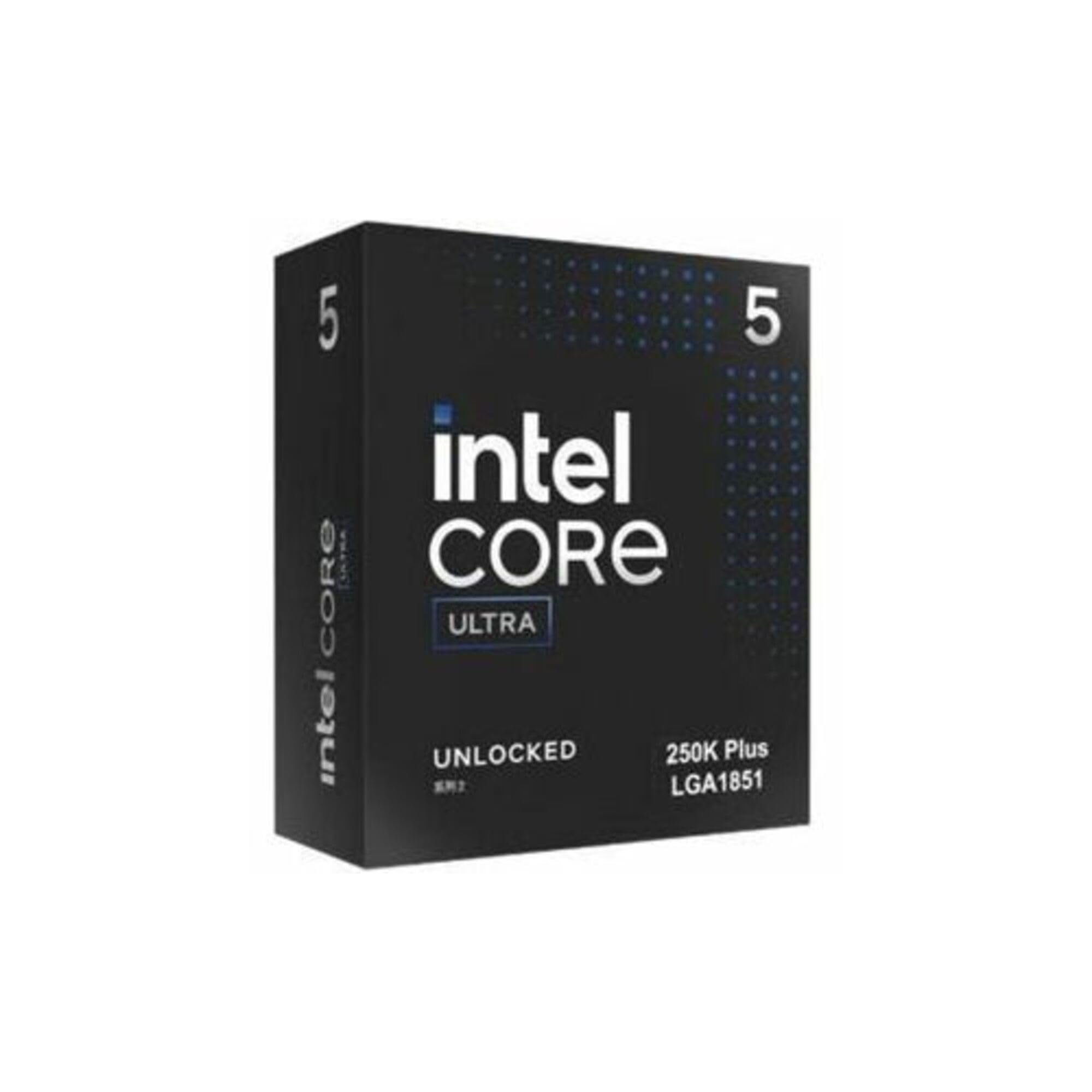
The Core Ultra 5 250K Plus delivers 18 cores (6 P-cores + 12 E-cores) with a 5.5 GHz boost clock, offering a compelling middle ground between core count and clock speed. With 30 MB of cache and compatibility with DDR5-7200, this chip is well-suited for a home server that also serves as a daily driver for productivity tasks. The unlocked multiplier allows overclocking.
Buyers report around a 28% multi-core improvement over the Core Ultra 5 245K, making it a noticeable step up for compilation or encoding workloads. The 125W base power scales up to 250W turbo, so a good cooler is a must, but users with Z890 boards have achieved stable overclocks approaching 6.0 GHz at reasonable temperatures with liquid cooling.
The main drawback is the integrated graphics—while functional for display output, it’s weak compared to a discrete GPU. For a headless server, this doesn’t matter. And while the socket (LGA 1851) may have a short lifecycle, the sheer performance per dollar here is strong for a homelab that needs decent multi-threading without breaking the bank.
Why it’s great
- Excellent multi-core performance for the price
- Unlocked for overclocking up to 6 GHz
- Supports fast DDR5-7200 memory
Good to know
- High turbo power requires strong cooling
- Integrated GPU is weak
- Socket LGA 1851 may have limited upgrade path
6. Intel Core Ultra 5 225

The Intel Core Ultra 5 225 is a 10-core (6 P-cores + 4 E-cores) processor that reaches 4.9 GHz, making it a solid entry-level chip for a home server handling basic tasks like file sharing, a single Docker host, or a media server with limited transcoding. The 22 MB cache and integrated Intel Graphics reduce the need for additional components, keeping the build simple and low-cost.
User reviews highlight the strong thermal profile—the included cooler keeps temperatures around 50°C under normal load, and the chip runs quietly. The performance hybrid architecture efficiently handles background tasks on the E-cores while dedicating P-cores to bursty workloads. PCIe 5.0 support means you can add a fast NVMe drive or 10GbE card down the line.
The main limitation is the core count: 10 cores and 14 threads will be tight if you run multiple VMs or heavy container loads. It’s best suited for a dedicated server role (NAS, Plex without heavy transcoding, basic web server). If your needs grow beyond that, plan for a platform upgrade later.
Why it’s great
- Low cost with strong single-threaded performance
- Runs cool even with the included cooler
- PCIe 5.0 for future expansion
Good to know
- 10 cores are limited for heavy virtualization
- No overclocking support
- Requires LGA 1851 motherboard
7. GEEKOM iX12 Mini PC
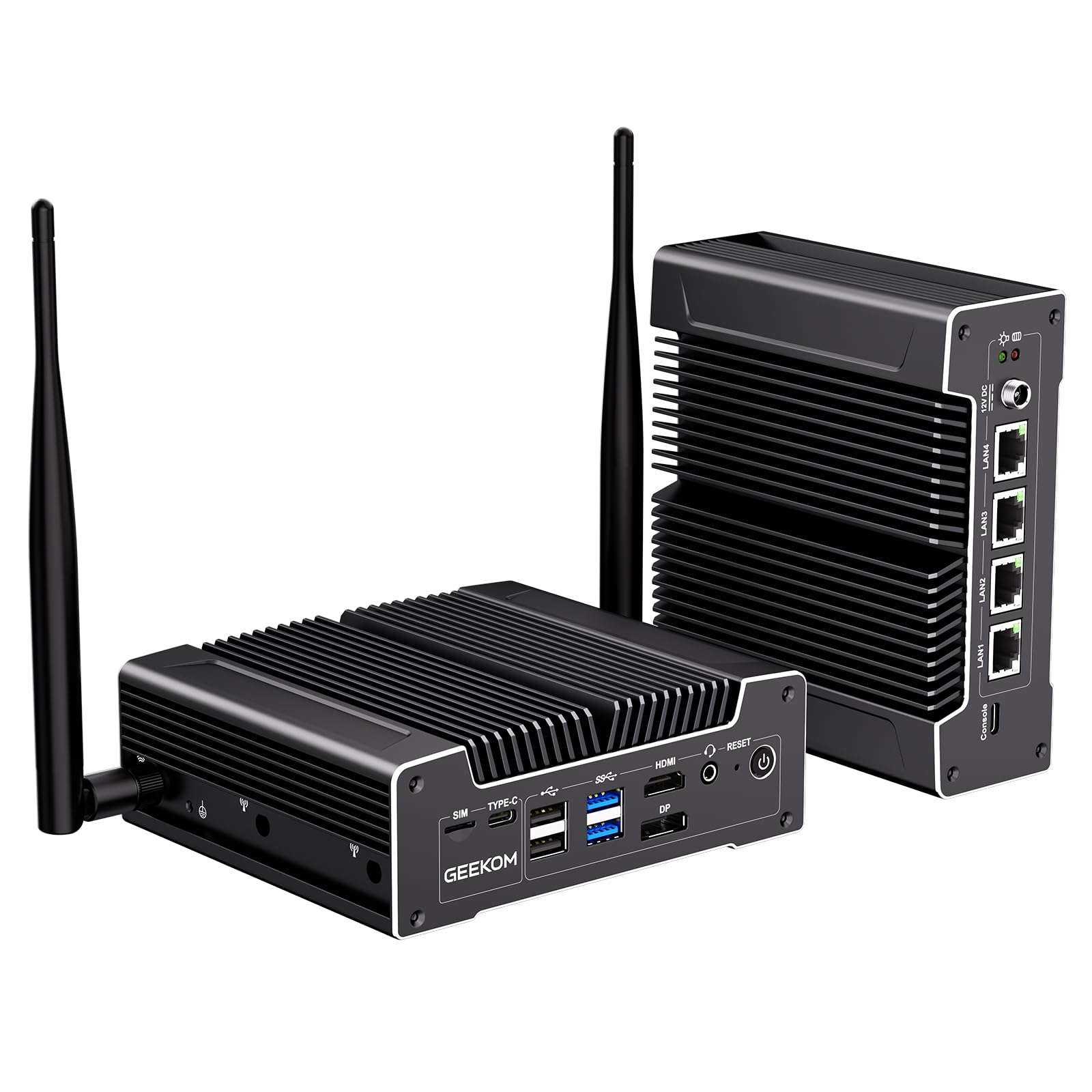
The GEEKOM iX12 is a complete fanless mini PC powered by the Intel N95 processor (AES-NI support), designed specifically for 24/7 firewall, VPN, and edge computing use. It comes with 8GB of DDR5 RAM and a 256GB SSD pre-installed, plus Windows 11 Pro—so you can deploy it immediately for OPNsense, pfSense, or Proxmox. The fanless aluminum chassis runs silent and dust-proof.
With four Intel 2.5GbE ports and support for a 5G SIM failover, this is a robust networking appliance. Users report stable operation for camera servers and desktop replacement duties, with the 15W CPU drawing only around 30W max under load. The build quality is excellent, with a compact metal chassis that can mount behind a monitor using the included VESA bracket.
The main caveat is performance: the N95 is a low-power chip best suited for networking and lightweight server tasks. It won’t handle heavy Plex transcoding or multiple VMs. Also, the included Windows 11 has bloatware that some users prefer to strip out or replace with Linux. But for a dedicated silent firewall, this is a ready-to-go solution.
Why it’s great
- Zero noise, zero dust fanless design with efficient cooling
- Four 2.5GbE ports with 5G failover option
- Pre-installed RAM, SSD, and Windows 11 Pro
Good to know
- Low-power CPU limits server workload capacity
- Not suitable for heavy transcoding or multi-VM
- Windows 11 includes some bloatware
8. VNOPN Fanless Firewall (Intel J3710)
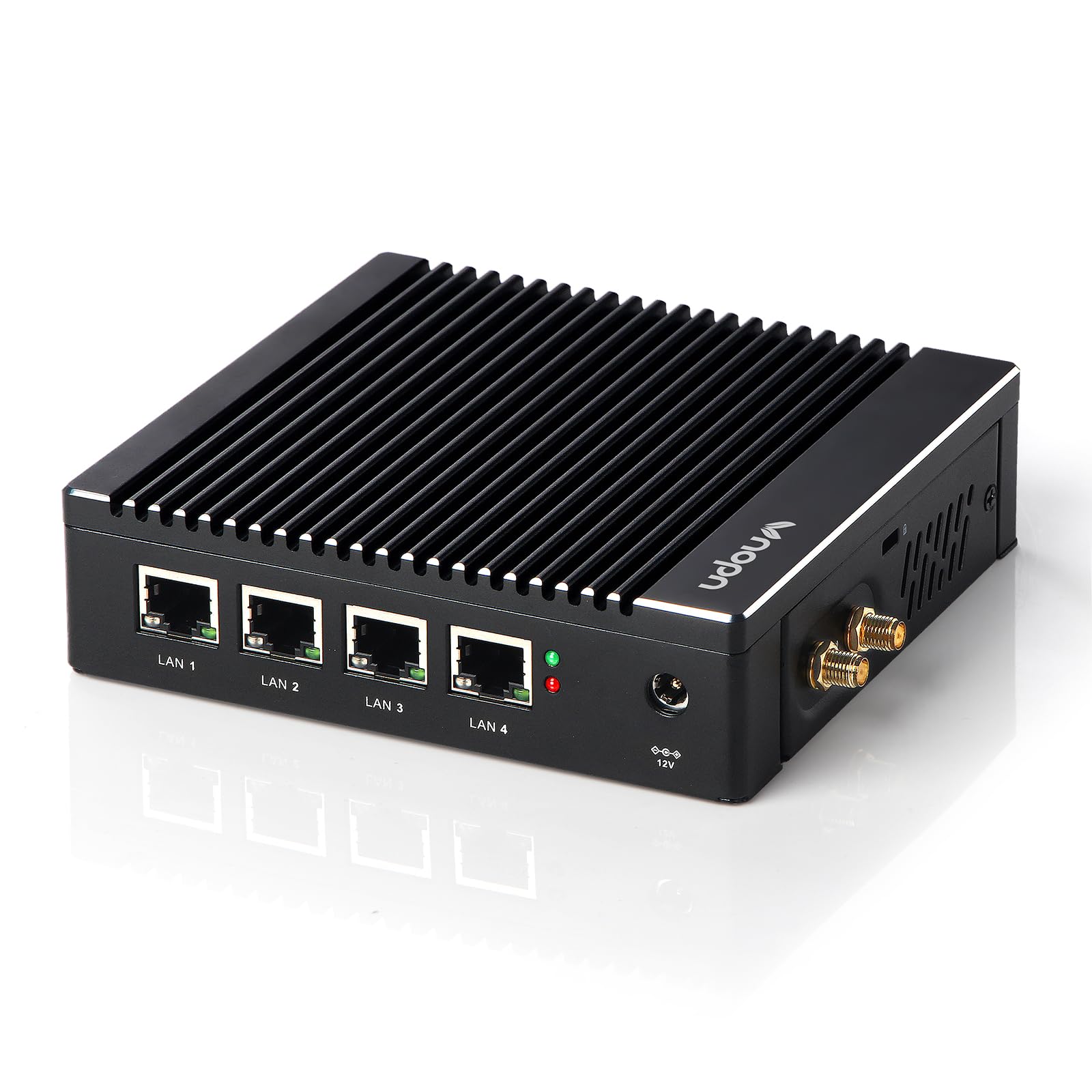
The VNOPN Fanless Firewall uses the Intel Pentium J3710 (4 cores, 2.64 GHz, 6W TDP) and comes pre-loaded with 8GB DDR3 RAM and a 128GB mSATA SSD. This is a purpose-built appliance for running pfSense or OPNsense, consuming minimal power while providing four Intel i226 2.5GbE ports. The fanless aluminum shell dissipates heat passively up to 60°C ambient.
Users report solid performance with full IDS/IPS enabled on OPNsense, and the compact size (about 5 x 5 inches) makes it easy to stash in a network closet. The 6W TDP means it can run 24/7 for pennies a day. The included VESA mount lets you attach it behind a monitor or to a wall.
The biggest concern is reliability—several users have reported units dying after a few days or months, and support contact can be difficult. The BIOS access requires a specific USB keyboard, and the unit needs a manual power button press after a power loss. For the price, it’s a gamble, but when it works, it’s an excellent low-power firewall.
Why it’s great
- Ultra-low 6W TDP for ultra-low electricity costs
- Four Intel 2.5GbE ports with AES-NI support
- Small footprint with VESA mount
Good to know
- Reliability concerns with some units failing
- Needs manual power button press after outage
- Limited to firewall/light server duties
9. Glovary N150 Firewall (6 LAN)

The Glovary N150 Firewall is a barebones appliance with six Intel i226V 2.5GbE ports, powered by the Twin Lake N150 processor (4 cores, 3.6 GHz, 6W TDP). The fanless aluminum chassis dissipates heat efficiently, making it ideal for silent 24/7 operation. It supports DDR5 RAM and dual M.2 NVMe slots, offering more storage flexibility than typical firewall appliances.
Users report stable operation with OPNsense and Proxmox, handling full IDS/IPS and multiple VLANs without breaking a sweat. The six 2.5GbE ports allow for complex network segmentation—perfect for a homelab with multiple subnets. The DDR5 memory bandwidth is a nice upgrade for future software workloads.
The downsides: it’s a barebones unit, so you need to source your own DDR5 SO-DIMM and NVMe SSD. Some users report memory sensitivity—certain DDR5 speeds (5600MHz) can cause system freezes while 4800MHz works flawlessly. Also, a few units have failed after a few months, which is a concern. But for the port count and processing power at this size, it’s a capable choice.
Why it’s great
- Six 2.5GbE ports for complex network setups
- DDR5 with dual NVMe for fast storage
- Fanless and power-efficient at 6W TDP
Good to know
- Barebones – no RAM or SSD included
- Can be memory-sensitive with certain DDR5 speeds
- Some reliability concerns reported
FAQ
Should I choose an Intel or AMD processor for my home server?
Is ECC RAM important for a home server?
Can I use a standard desktop CPU in a home server long-term?
How many cores do I need for a Plex server?
Can I run a firewall appliance as my only server?
Final Thoughts: The Verdict
For most users looking for the best cpu for home server that balances core count, efficiency, and value, the clear winner is the AMD Ryzen 9 5900XT. Its 16 cores and 32 threads on the affordable AM4 platform give you virtualization headroom without breaking the bank on DDR5. If you need bleeding-edge single-threaded performance for a workstation/server hybrid, grab the Intel Core Ultra 9 285K. And for a dedicated silent firewall that sips power and runs 24/7 with no noise, nothing beats the GEEKOM iX12 Mini PC.

Mo Maruf
I created WellFizz to bridge the gap between vague wellness advice and actionable solutions. My mission is simple: to decode the research and give you practical tools you can actually use.
Beyond the data, I am a passionate traveler. I believe that stepping away from the screen to explore new environments is essential for mental clarity and physical vitality.