Our readers keep the lights on and my smoothie glass nicely filled. As an Amazon Associate, I earn from qualifying purchases.
The single biggest frustration in hybrid meetings isn’t bad internet—it’s a camera that can’t see the far end of the table and a microphone that turns the person across the room into a muffled ghost. A conference room camera and microphone system solves that by integrating high-resolution video with beamforming audio, so every participant looks and sounds present. Whether your room seats four or forty, the right bundle turns a clunky setup into a single, reliable device that remote colleagues can actually hear and see.
I’m Mohammad Maruf — the founder and writer behind WellFizz. I have spent hundreds of hours analyzing conference room camera and microphone systems, parsing technical specs like optical zoom range, microphone pickup radius, AI tracking behavior, and platform certification to separate genuine office-ready hardware from consumer-grade compromises.
This guide compares nine dedicated systems, from all-in-one 360° hubs to modular PTZ bundles, to help you find the best conference room camera and microphone for your meeting space without overspending on features you don’t need.
How To Choose The Best Conference Room Camera And Microphone
The right system depends on room size, table layout, and whether your team needs to capture a whiteboard or track a single speaker. Start by matching the pickup radius to your room’s square footage, then evaluate the camera’s field of view and tracking intelligence.
Camera Type: PTZ vs. 360° Panoramic
PTZ (pan-tilt-zoom) cameras with optical zoom are ideal for large rooms where a presenter stands at the front. They can zoom in on a speaker without losing resolution. 360° panoramic cameras, like the Meeting Owl or Coolpo, sit in the center of a table and capture every face, making them better for huddle rooms and circular layouts where no single person is the focus.
Microphone Pickup Range and Beamforming
Look for a microphone array that reaches at least 15 to 20 feet. Beamforming technology focuses on active speakers and rejects ambient noise, which matters in open-plan offices or rooms with HVAC hum. A system with multiple mics (four to eight) generally offers wider, more accurate pickup than a single built-in mic.
AI Speaker Tracking and Auto-Framing
AI-driven tracking keeps remote participants engaged by automatically framing the current speaker. On PTZ cameras, this means the camera pans and zooms to follow movement. On 360° cameras, tracking switches the view between participants. The responsiveness and smoothness of this transition vary considerably between models; read user reviews about tracking lag before committing.
Quick Comparison
On smaller screens, swipe sideways to see the full table.
| Model | Category | Best For | Key Spec | Amazon |
|---|---|---|---|---|
| Meeting Owl 4+ | Premium 360° | Seamless hybrid huddles | 4K 360° video, 18ft audio pickup | Amazon |
| NexiGo Meeting 360 Ultra | 8K Capture | Large U-shaped rooms | 8K capture, multi-camera support | Amazon |
| COOLPO AI Huddle Pana | 4K 360° | Immersive huddles | 360° view, 8 mics, 15ft pickup | Amazon |
| Jabra PanaCast | 180° Panoramic | Wide table coverage | 180° FOV, 3x13MP cameras | Amazon |
| Logitech MeetUp | Small Room All-in-One | Huddle rooms (5-7 seats) | 120° FOV, beamforming mics | Amazon |
| TONGVEO 20X Bundle | PTZ Bundle | Medium to large rooms | 20X optical zoom, 20ft mic pickup | Amazon |
| TONGVEO 4K AI Bundle | 4K PTZ System | Churches and large spaces | 4K, 20X optical zoom, 16.4ft pickup | Amazon |
| TONGVEO 12X Zoom Bundle | PTZ Bundle | Mid-size rooms (20-30 people) | 12X optical zoom, 16.4ft pickup | Amazon |
| Meeting Owl 3 | 1080p 360° | Budget 360° hybrid | 1080p, 18ft mic pickup | Amazon |
In‑Depth Reviews
1. Meeting Owl 4+

The Meeting Owl 4+ upgrades the beloved Owl platform to 4K resolution while keeping the same intuitive 360° design that made its predecessor a staple in conference rooms. It captures every person around the table in crisp UHD video, and the Owl Intelligence System uses visual and audio cues to automatically zoom in on whoever is speaking, which makes remote participants feel like they are in the room.
Microphone pickup reaches 18 feet with 360° coverage, and the beamforming array filters out background noise like HVAC hum or side conversations. The onboard four-speaker system delivers clear audio output, and noise equalizing adjusts volume levels so soft talkers are not lost. Setup remains plug-and-play with a single USB-C cable, and enterprise features like Wi-Fi connectivity, a Kensington lock slot, and Power over Ethernet support make IT deployment straightforward.
Certification for Microsoft Teams and broad compatibility with Zoom, Google Meet, and Webex ensure it works in any software ecosystem. The trade-off for this seamlessness is a premium investment, but for organizations that prioritize reliability and user experience in hybrid meetings, the Owl 4+ justifies its cost with consistent performance and a strong ecosystem of accessories, including Expansion Mics and the Whiteboard Owl.
Why it’s great
- True 4K resolution provides sharper detail than the 1080p Owl 3
- AI speaker tracking is fast and smooth, reducing the lag seen in earlier models
- Enterprise networking features simplify fleet management across multiple rooms
Good to know
- Premium cost places it above many competing systems with similar specs
- Camera tracking can occasionally lag a second when switching speakers quickly
2. NexiGo Meeting 360 Ultra (Gen 3)

The NexiGo Meeting 360 Ultra (Gen 3) takes a different approach from single-unit 360° cameras by allowing you to link up to four cameras for complete coverage of long or U-shaped conference tables. Its dual 195-degree lenses capture a full 360-degree panoramic view at 8K resolution, which then outputs at 1080p, giving you oversampled clarity that beats native 1080p sensors. This makes it uniquely suited for rooms where participants sit in multiple rows or at extended tables.
Audio is handled by eight omnidirectional microphones that pick up voices from up to 18 feet away while filtering out background noise and echo. Built-in Hi-Fi speakers provide clear bi-directional sound that fills the room without distortion at moderate volume. The built-in operating system is a standout feature — you can connect the camera directly to a TV via HDMI and start a video call without a computer, and the App Store lets you install Zoom, Teams, Google Meet, and Skype right on the device.
AI-powered framing automatically recognizes active speakers and provides focused shots, ensuring everyone remains visible. Setup is flexible: you can connect via USB to a PC, HDMI to a TV, or directly to a router. For organizations with odd-shaped or very large rooms, the ability to daisy-chain multiple cameras sets this system apart from anything else in this guide.
Why it’s great
- Multi-camera expandability covers long tables that single 360° cameras miss
- Built-in OS eliminates the need for a dedicated PC in the conference room
- 8K capture provides superior oversampled image quality
Good to know
- Software setup for multi-camera configurations requires initial configuration time
- Microphone quality may not match dedicated speakerphones in very noisy rooms
3. COOLPO AI Huddle Pana

The COOLPO AI Huddle Pana delivers a true 360° field of view using a single camera with no stitching artifacts, meaning participants see the entire room in one smooth panorama. The 4K UHD sensor ensures everyone’s face is sharp, even when the camera is in the center of a table. AI-driven voice tracking automatically focuses on the active speaker, and intelligent zoom adjusts the frame based on who is talking, which creates a natural conversation flow for remote attendees.
Eight high-quality microphones placed around the unit capture clear voices up to 15 feet away, with beamforming that suppresses background chatter. Audio output comes from built-in speakers that handle small to medium rooms effectively, though pushing volume above 70% can introduce some distortion, so larger spaces may need a paired speaker system. The all-in-one design prioritizes security by processing all AI data locally on the device (edge computing), so no audio or video is sent to external servers.
Setup is strictly plug-and-play via USB-A — no drivers, no software installation. It works immediately with Zoom, Teams, Google Meet, and other platforms on Windows and macOS. The 360° panoramic view eliminates the need for multiple cameras in huddle rooms and small conference spaces, though users should note the reliance on micro-USB for power, which feels a generation behind.
Why it’s great
- True 360° video without stitching creates a natural, seamless room view
- Local edge computing ensures data privacy for sensitive meetings
- Eight-mic array provides wide, clear pickup ideal for round tables
Good to know
- Speaker quality degrades noticeably above 70% volume
- Relies on micro-USB for power, which feels outdated for a premium device
4. Jabra PanaCast

The Jabra PanaCast solves the common problem of participants at the edges of the table being cut off by using three 13-megapixel cameras that stitch together a real-time 180° panoramic view. This fixed wide-angle coverage is ideal for boardrooms and training rooms where everyone sits in a long line facing a screen or podium. The intelligent video technology automatically adjusts exposure for varying lighting conditions and digitally zooms to frame all participants.
Setup is genuinely plug-and-play via USB-C, and the camera is certified for Microsoft Teams and compatible with Zoom, Google Meet, and other major platforms. The compact form factor sits discreetly on a monitor, tripod, or shelf. The built-in microphone works as a basic pickup, but most users report that relying on the PanaCast for audio is insufficient — pairing it with a dedicated speakerphone like the Jabra Speak series yields far better results, especially in rooms over 10 feet long.
The 180° panoramic approach has a trade-off: because it is a fixed wide-angle system without optical zoom, digital zoom on a single section reduces resolution. For rooms where the camera sits more than 15 feet from the farthest participant, the Jabra’s 3x digital zoom may not provide close-up clarity. The PanaCast excels in scenarios where full-room visibility matters more than close-up speaker detail.
Why it’s great
- Three-camera stitching provides true 180° coverage without moving parts
- Compact, plug-and-play design with minimal desk footprint
- Intelligent auto-zoom adjusts to keep all participants in frame
Good to know
- Built-in microphone is weak; a dedicated speakerphone is recommended
- Digital zoom reduces resolution, making close-ups less sharp
5. Logitech MeetUp

The Logitech MeetUp remains a benchmark for small huddle rooms and spaces seating five to seven people. Its 120° wide-angle lens captures the entire table without the distortion common in cheaper wide-angle lenses, and the 4K sensor provides lossless HD zoom so you can digitally zoom without introducing pixelation. The integrated beamforming microphone array picks up voices up to 13 feet away, and the adjustable speaker delivers clear audio that fills a small room.
A motorized pan and tilt mechanism expands the field of view up to 170°, which is useful for panning to a whiteboard or adjusting the frame without physically moving the camera. The included RF remote supports volume, zoom, and mute controls. The MeetUp can be mounted on a wall, credenza, or TV mount, and when paired with a Logitech RoomMate and Tap controller, it becomes part of a certified Teams Rooms or Zoom Rooms solution.
Where the MeetUp falls short is in larger spaces — beyond 13 feet, voices start to drop off, and the digital zoom, while lossless from 4K, cannot replace optical zoom for very distant speakers. Some users also note that extreme wide-angle compression can make a 4×6 foot whiteboard look distorted unless the camera is perfectly positioned. For its intended niche of sub-ten-person huddle rooms, the MeetUp is a proven workhorse.
Why it’s great
- 120° wide-angle lens captures small tables with minimal barrel distortion
- Motorized pan/tilt extends reach to whiteboards and alternate room views
- 4K sensor enables lossless digital zoom for clean close-ups
Good to know
- Not suitable for rooms over 13 feet due to microphone drop-off
- Wide-angle compression can warp close-up whiteboard text
6. TONGVEO 20X Zoom Bundle
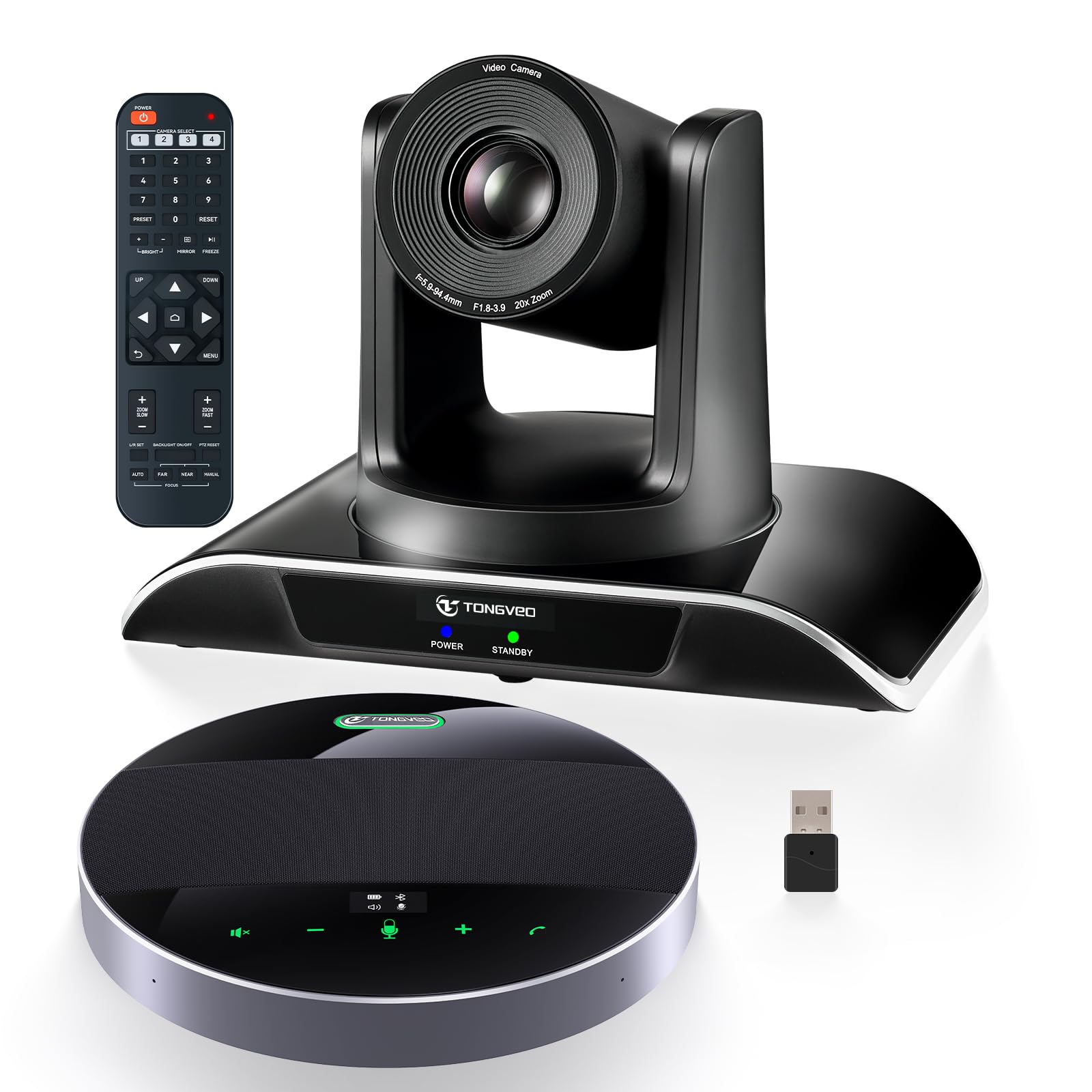
The TONGVEO 20X Zoom Bundle pairs a professional-grade PTZ camera with a Bluetooth conference speakerphone, creating a modular system designed for medium to large meeting rooms up to 60 square meters. The camera features 20x optical zoom — the highest zoom ratio in this lineup — which makes it the clear choice for rooms where the camera sits at the back of the room and needs to capture a presenter at the front in crisp 1080p 60fps detail. The 1/2.8 inch CMOS sensor delivers bright, well-exposed video even in mixed lighting.
The bundled Bluetooth speakerphone uses a 360° omnidirectional microphone array with full-duplex echo cancellation, picking up voices from up to 20 feet away. A built-in 8000mAh battery provides up to 17 hours of continuous operation, and an LED indicator shows battery level and identifies who is speaking by lighting up in their direction. The speakerphone connects via USB, Bluetooth 5.0, or a wireless dongle, offering flexibility for different room setups.
Camera control is handled through an IR remote for pan, tilt, and zoom, with 10 preset positions that can be programmed to focus on the whiteboard, the presenter, or the full room. Both HDMI and USB 3.0 outputs allow simultaneous connection to a TV and laptop. Users should note that the camera is wired (power and video) while the speaker is wireless, which simplifies cable management but means the camera still needs a nearby outlet. The system works with Zoom, Teams, OBS, WebEx, and major video apps.
Why it’s great
- 20x optical zoom captures sharp close-ups from across large rooms
- 17-hour battery life on the speakerphone supports all-day meetings without charging
- 360° omnidirectional mic with 20ft range catches distant participants
Good to know
- Camera is wired, requiring a power outlet and careful cable routing
- Initial setup instructions are sparse; some trial and error required
7. TONGVEO 4K AI Auto Tracking Bundle
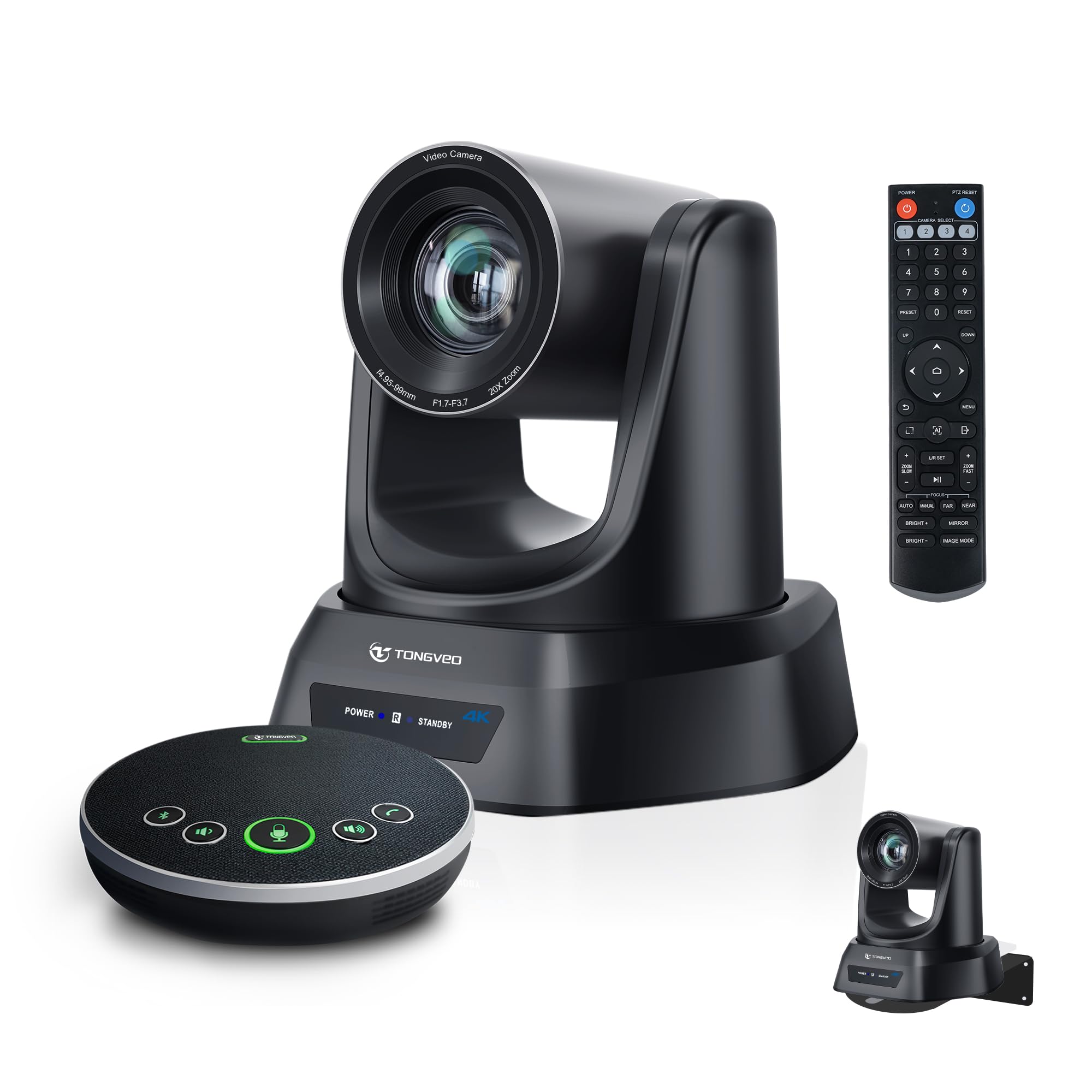
The TONGVEO 4K AI Auto Tracking Bundle upgrades the PTZ formula with 4K resolution and AI-powered tracking that automatically follows a presenter as they move across the stage or room. The 20x optical zoom maintains clarity at full telephoto, and the AI tracking uses humanoid and face recognition to lock onto the speaker, making it a strong choice for church services, lecture halls, and conference rooms where a single presenter moves around. The anti-shake feature smooths out micro-movements during panning and tilting.
The bundled Bluetooth speakerphone includes four ultra-sensitive microphones with noise reduction and 16.4 feet of pickup range. Full-duplex audio allows simultaneous speaking and listening without echoes. The speakerphone connects via USB, Bluetooth, or a wireless dongle and has a built-in battery rated for six to eight hours of continuous use. The overall system supports output via USB 3.0, HDMI, and LAN/PoE, giving integrators flexible connectivity options for permanent installations.
Setup is plug-and-play, and compatibility extends to Zoom, Teams, OBS, YouTube, Facebook Live, and WebEx on both Windows and macOS. The IR remote provides basic camera control, but the AI auto-tracking mode can be left on for hands-free operation. Some users have reported occasional charging issues with the speakerphone, but customer service has been responsive in addressing them. For worship spaces and meeting rooms that need professional-grade tracking without a human camera operator, this system delivers a lot of capability at a mid-range price.
Why it’s great
- 4K sensor with 20x optical zoom provides detailed close-ups without pixelation
- AI auto-tracking follows speakers smoothly, perfect for churches and lectures
- PoE support simplifies cabling for permanent installations
Good to know
- Some units have experienced speakerphone charging malfunctions
- Battery life of the speakerphone is shorter than the 20X bundle (6-8 hours)
8. TONGVEO 12X Zoom Bundle
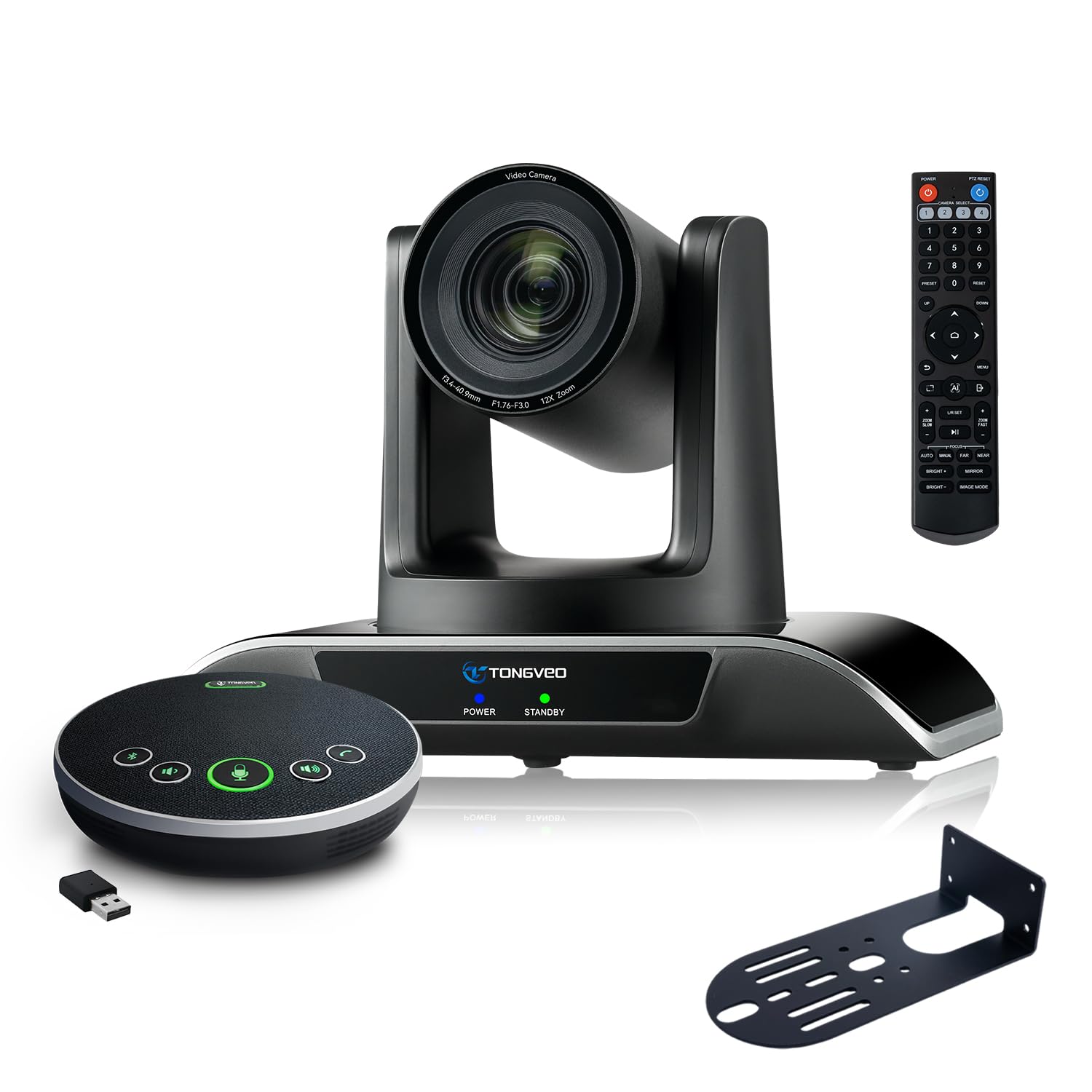
The TONGVEO 12X Zoom Bundle is the entry-level PTZ combo in this guide, pairing a 12x optical zoom camera with a Bluetooth speakerphone for medium rooms holding 20 to 30 people. The 1080p 60fps video is smooth and crisp, and the 75° diagonal field of view is intentionally narrower than typical wide-angle lenses — TONGVEO calls it the “golden standard” for professional framing because it reduces peripheral distortion and keeps focus on the presenter. The AI auto-tracking uses humanoid detection to follow the speaker, and the 350° horizontal and 180° vertical rotation covers nearly every angle.
The bundled speakerphone features full-duplex microphones with echo cancellation and a pickup radius of 16.4 feet. It connects via USB, Bluetooth 5.0, or a wireless dongle, and the built-in 2400mAh battery provides six to eight hours of use. The camera supports simultaneous output via USB 3.0 and HDMI, allowing you to send video to both a laptop for conferencing and a TV for room display. Ten preset positions can be programmed for quick switching between the whiteboard, the presenter, and the full room.
Installation is flexible with desk, wall, tripod, and ceiling mount options included. The system works with Zoom, Teams, OBS, YouTube, and other major platforms. Some users report that the bundled instruction manual is sparse, and the speakerphone’s USB-C compatibility can be finicky with certain chargers, but overall reliability and image quality have earned strong customer satisfaction. For teams needing optical zoom at the most accessible price point, this bundle delivers solid performance without the premium cost of 20x models.
Why it’s great
- 12x optical zoom provides genuine zoom capability at a low price
- 75° FOV reduces edge distortion for cleaner professional framing
- AI tracking works reliably for single-presenter meetings
Good to know
- Installation guide is thin; expect some setup trial and error
- Speakerphone USB-C charging can be picky about power adapters
9. Meeting Owl 3

The Meeting Owl 3 is the device that popularized the 360° all-in-one conference camera category, and it remains a strong choice for organizations that want the Owl ecosystem experience at a lower entry point than the 4+ model. It captures 360° video in 1080p HD and 360° audio up to 18 feet away, with the Owl Intelligence System automatically focusing on whoever is speaking. The panoramic view gives remote participants the full room context, reducing the “talking to a blank screen” feeling common in fixed-camera setups.
Setup is famously simple — plug the USB cable into a laptop and you are in a meeting within six minutes. The device is universally compatible with Zoom, Teams, Google Meet, Webex, and other platforms. For larger rooms, you can pair two Meeting Owls together or add an Expansion Mic to extend audio pickup. The rugged build has survived drops and heavy use over extended periods, as noted by multiple long-term reviewers. The Owl Labs ecosystem also includes the Whiteboard Owl, which captures whiteboard content for remote participants.
The biggest limitation of the Owl 3 is the 1080p resolution, which can look soft when displayed on larger 4K TVs in rooms over 15 feet across. The cost is also notable for a 1080p system, especially when compared to the similarly-priced 4K COOLPO or the PTZ bundles from TONGVEO. If your primary need is a dead-simple, proven 360° camera with reliable speaker tracking and an ecosystem for expansion, the Owl 3 still deserves strong consideration, but the 4+ model’s 4K upgrade is worth the premium if your budget allows.
Why it’s great
- Proven reliability with years of positive reviews and rugged build quality
- Six-minute setup time is genuinely faster than any PTZ bundle
- Owl ecosystem supports expansion mics and Whiteboard Owl for full room coverage
Good to know
- 1080p video looks dated on large 4K displays
- Premium cost for a 1080p system when 4K alternatives are available at similar prices
FAQ
Can a 360° camera replace a PTZ camera in a large room?
Do I need a separate microphone if the camera has one built in?
What is the difference between 1080p and 4K in a conference camera?
How do I mount a PTZ conference camera in my room?
Final Thoughts: The Verdict
For most users, the conference room camera and microphone winner is the Meeting Owl 4+ because it combines 4K 360° video with reliable AI tracking and 18-foot audio pickup in a single, easy-to-deploy package. If you want optical zoom to cover a large room with a front presenter, grab the TONGVEO 4K AI Auto Tracking Bundle. And for a budget-friendly 360° option that still delivers excellent hybrid meeting performance, nothing beats the Meeting Owl 3.

Mo Maruf
I created WellFizz to bridge the gap between vague wellness advice and actionable solutions. My mission is simple: to decode the research and give you practical tools you can actually use.
Beyond the data, I am a passionate traveler. I believe that stepping away from the screen to explore new environments is essential for mental clarity and physical vitality.