Our readers keep the lights on and my smoothie glass nicely filled. As an Amazon Associate, I earn from qualifying purchases.
A monitor arm that sags or wobbles undermines the entire ergonomic investment of a standing desk. Finding one that holds a heavy ultrawide screen rigidly while gliding through height adjustments is the single real challenge buyers face. The wrong choice introduces a constant fight against gravity, turning a productivity tool into a daily frustration.
I’m Mohammad Maruf — the founder and writer behind WellFizz. I spend my time analyzing market trends, reading hundreds of buyer experiences, and comparing hardware specifications like gas spring cycle counts and VESA head thickness to separate arms that genuinely hold from those that just advertise it.
This guide ranks the market contenders by real-world performance, from ultrawide-capable gas spring models to premium precision arms. After reading, you’ll know exactly which best computer monitor arm fits your screen weight, desk type, and budget without guesswork.
How To Choose The Best Computer Monitor Arm
Selecting a monitor arm goes beyond picking one that fits your screen’s diagonal size. The real decision points are weight capacity, mounting compatibility, build materials, and the type of motion mechanism. A mismatch in any of these areas results in sagging, limited movement range, or installation frustration.
Weight Capacity and Gas Spring Tension
Every gas spring arm has a supported weight range printed in the specs. The critical factor is whether your monitor sits inside that window — not just below the maximum. An 8-pound ultra-thin monitor on an arm rated for 7 to 25 pounds will likely struggle to stay raised; the gas spring can’t detension enough. Conversely, a 20-pound monitor near the 22-pound max of a weaker arm will eventually sag as the spring wears. Look for arms that offer at least a 10-pound buffer above your monitor’s actual weight for long-term stability.
Mounting Style and Desk Compatibility
Two mounting methods dominate: the C-clamp and the grommet mount. The C-clamp grips the back edge of the desk and is simpler to install, but it requires a flat desk edge with no obstructions below and a desktop thickness that matches the clamp’s range (typically 0.4 to 3.5 inches). The grommet mount passes through a pre-drilled hole in the desk surface and is more stable on hollow-core or thin desktops. Some buyers also need a reinforcement plate if the desk is glass or particleboard to prevent cracking under the clamp’s pressure.
Build Materials and Cycle Ratings
Aluminum alloy arms offer a superior strength-to-weight ratio compared to steel-only designs, but the quality of the gas spring and the tilt joint mechanism determines long-term reliability. Cycle ratings — 20,000, 25,000, or 50,000 cycles — indicate how many adjustments the gas spring can survive before losing tension. A higher cycle rating matters for sit-stand desks where you adjust monitor height multiple times per day. The VESA head thickness also matters: a thicker head resists twisting under heavy ultrawide monitors better than a thin stamped-metal bracket.
Quick Comparison
On smaller screens, swipe sideways to see the full table.
| Model | Category | Best For | Key Spec | Amazon |
|---|---|---|---|---|
| HUANUO TitanLift | Single Arm | Heavy ultrawide, zero wobble | 22.5″ reach, 50k cycles | Amazon |
| BenQ BSH01 | Single Arm | Sturdy build, desk protection | 45-inch max, 25k cycles | Amazon |
| Ergotron LX | Single Arm | Smooth motion, best warranty | 17.3″ lift, 10-year warranty | Amazon |
| monTEK Heavy-Duty | Single Arm | Massive 57-inch screens | 59.4 lb capacity, 20k cycles | Amazon |
| FlexiSpot Ultrawide | Single Arm | Versatile motion range | 24.5″ reach, 20k cycles | Amazon |
| VIVO STAND-V101BB | Single Arm | Ultrawide value pick | 26.4 lb flat, 9.6″ lift | Amazon |
| VIVO STAND-V001Q | Single Arm | Budget-friendly entry | 32-inch max, 20 lb limit | Amazon |
In‑Depth Reviews
1. HUANUO TitanLift Heavy Duty Monitor Arm
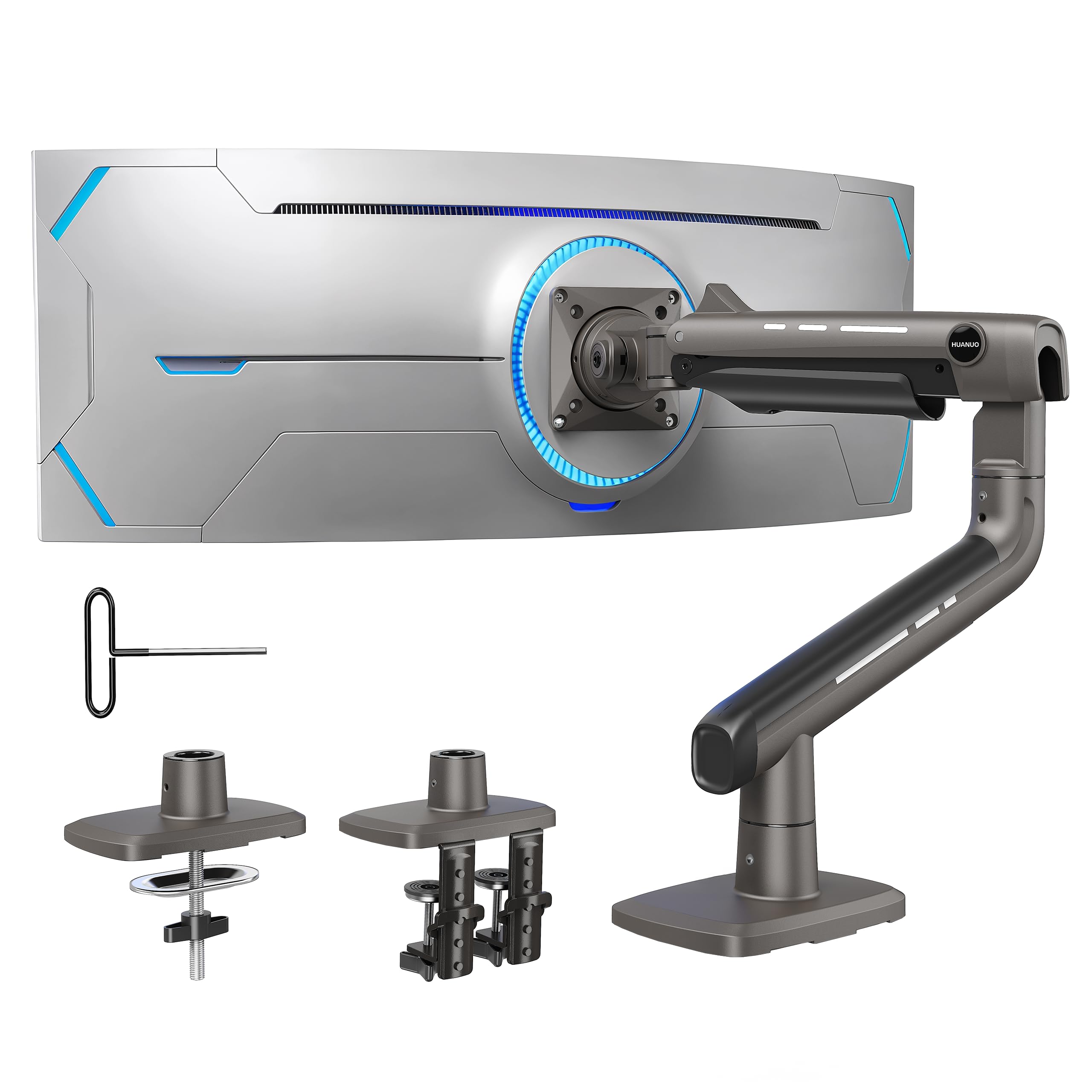
The TitanLift is built for buyers who prioritize rock-solid stability above all else. Its VESA head is 20% thicker than typical arms, and the base is 30% wider, which practically eliminates wobble even when supporting a 49-inch ultrawide. The 50,000-cycle gas spring test outpaces most competitors by a factor of two, making this a serious choice for sit-stand desk users who adjust their screen multiple times daily.
Assembly involves a quick 3-step process thanks to a tool-free VESA head, and the tension adjustment uses a side Allen key that’s accessible even after mounting. The arm extends up to 22.5 inches with 19.6 inches of height adjustment, covering a wide ergonomic zone. Users consistently report zero sag after several months, even with monitors near the 44-pound maximum.
The one constraint is desk compatibility: HUANUO explicitly recommends wooden desktops only and prohibits glass or plastic surfaces. The included dual C-clamp and grommet mount accommodate desks from 0.8 to 3.5 inches thick. Some early units showed minor pit holes in the metal finish, but structural integrity remained unaffected in long-term testing.
Why it’s great
- 50,000-cycle gas spring is the most durable in this price tier
- Thickened VESA head and wider base eliminate wobble on heavy ultrawides
- Tool-free VESA head speeds up installation
Good to know
- Only recommended for wooden desktops
- Occasional minor finish imperfections reported
- Requires checking desk bottom for cross beams before purchase
2. BenQ BSH01 Ergo Monitor Arm
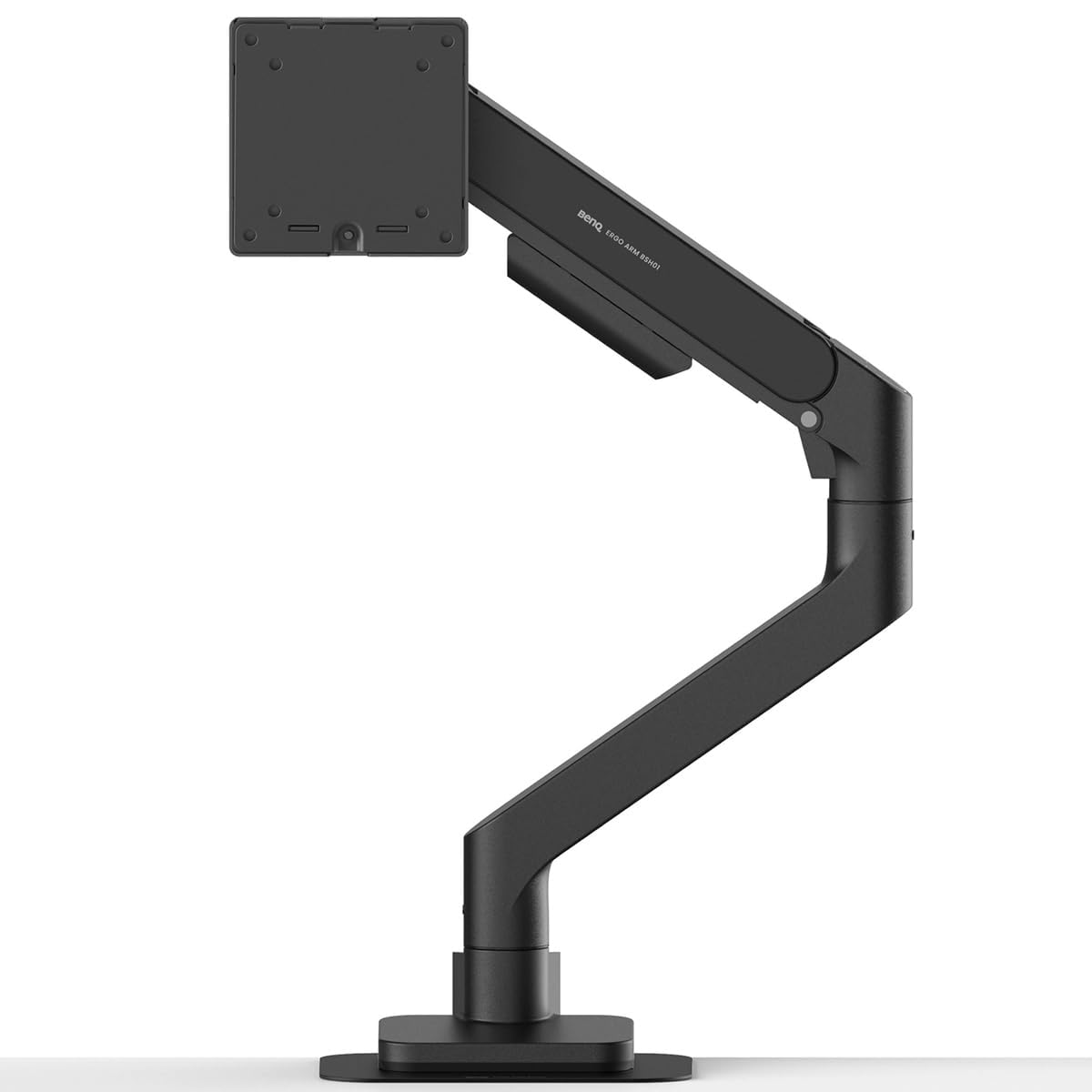
The BenQ BSH01 is engineered for users who value desk preservation alongside monitor stability. It includes a steel reinforcement plate that distributes clamp pressure across a wider surface area, preventing deformation on thin wood or glass desktops. The gas spring is tested to 25,000 cycles, matching the FlexiSpot while exceeding the monTEK and VIVO options.
This arm supports screens up to 45 inches and 44 pounds, with an extension reach of 22.4 inches. The tilt range (+50° to -20°) is slightly more restrictive on the downward side than some competitors, but the 360° rotation and 180° swivel provide ample positioning freedom. Buyers note that the arm holds its position without any drift, even after months of daily use.
One common observation is a persistent slight upward tilt that some owners couldn’t dial out completely, despite adjusting the hinge tension to its limit. This seems to affect a minority of units and may be a manufacturing tolerance issue. On the positive side, the included quick-release VESA plate and factory-preset tension make first-time installation noticeably faster than arms requiring full tension calibration.
Why it’s great
- Steel reinforcement plate protects fragile desktops from clamp damage
- 25,000-cycle gas spring provides reliable long-term tension
- Quick-release VESA plate simplifies single-person installation
Good to know
- Some units exhibit a slight upward tilt that can’t be fully adjusted out
- Downward tilt range limited to -20 degrees
- Premium price point compared to mid-range arms
3. Ergotron LX Monitor Arm

The Ergotron LX is the benchmark that other monitor arms are measured against, and for good reason. Its gas spring mechanism delivers the smoothest motion of any arm in this guide — height adjustments feel frictionless, with a consistent resistance that inspires confidence. The 10-year warranty reflects a level of build quality that justifies the higher entry price.
This arm fits screens up to 34 inches and 25 pounds, with a lift range of 13 inches above the worksurface. The total vertical adjustment is 17.3 inches from the desk surface to the top of the travel, accommodating both tall users and sit-stand desk transitions. The metal construction has no plastic components in the load path, and the deskmount clamp is compatible with desks 0.4 to 2.4 inches thick.
The main sacrifice is screen size capacity: the LX stops at 34 inches and 25 pounds, which rules out the larger ultrawide monitors that cheaper arms support. Shorter users may find that the arm’s minimum height is still too high, requiring an extension piece (sold separately) to reach eye level. These are deliberate design trade-offs for fluid motion rather than raw weight handling.
Why it’s great
- Smooth, near-frictionless height adjustment with no tension screws to manage
- 10-year warranty sets the industry standard for longevity
- All-metal construction with no plastic in the load path
Good to know
- Limited to 34-inch screens and 25 pounds — not for large ultrawides
- Minimum height may be too tall for shorter users without an accessory extension
- Premium pricing, especially when adding the extension kit
4. monTEK Heavy-Duty Monitor Arm
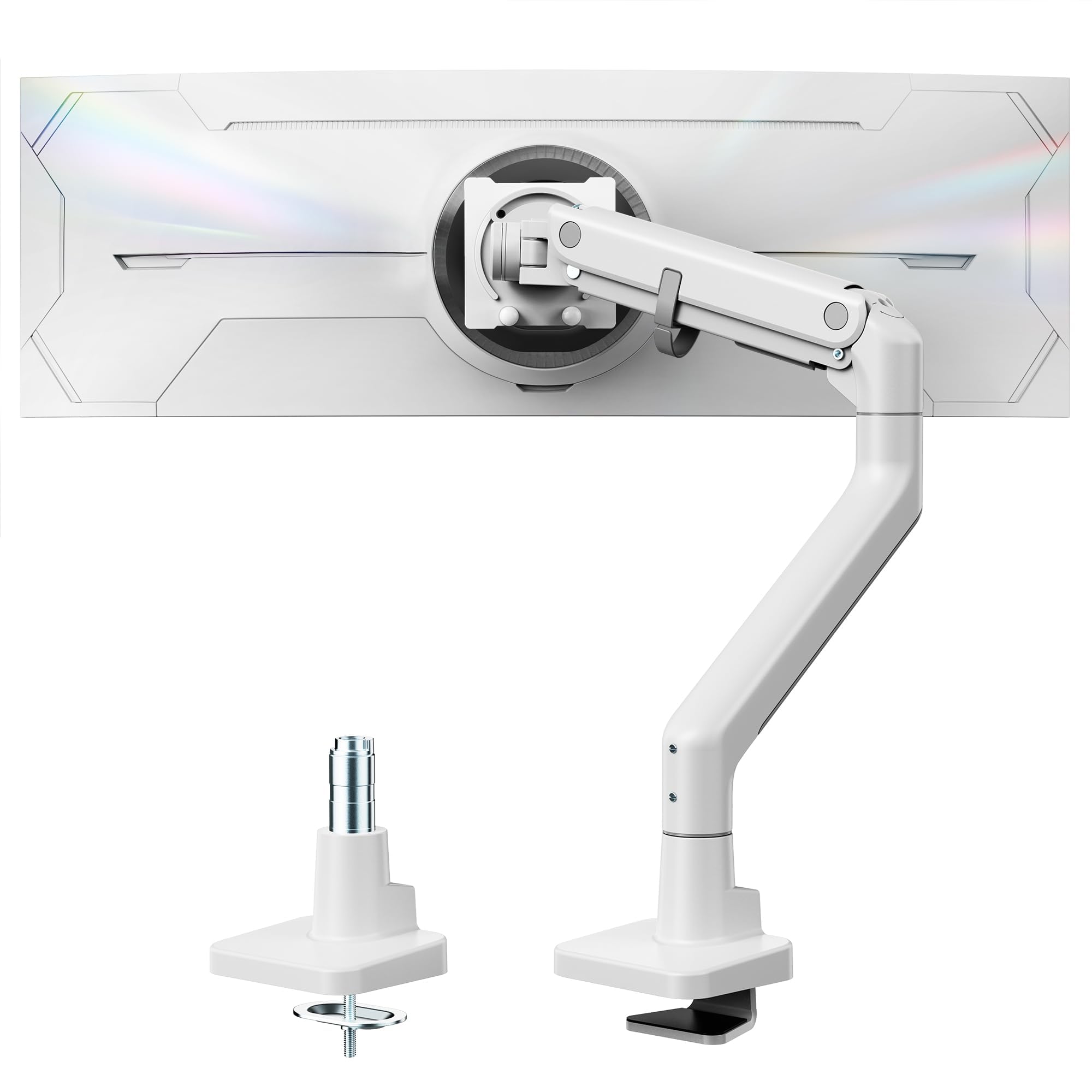
The monTEK Heavy-Duty arm exists for the niche that other arms ignore: monitors between 49 and 57 inches. With a maximum weight capacity of 59.4 pounds, it comfortably holds the Samsung Odyssey Neo G9 and comparable super-ultrawide screens that would overwhelm typical gas spring arms. The steel and aluminum construction and 20,000-cycle gas spring test provide adequate durability for the price tier.
Installation follows the standard C-clamp or grommet approach, but the quick-release VESA plate and clearly labeled components make assembly notably straightforward. The arm offers +75° to -75° tilt, 180° swivel, and 19.7 inches of extension, which is sufficient range for most desk configurations. Buyers report that the arm holds even the heaviest monitors without noticeable sag after proper tension adjustment.
The monTEK’s footprint has a minor quirk: the base attaches slightly to the right of center, which causes the monitor to arc right when pulled fully forward. This is a design compromise to fit the heavier gas spring. The white color option is a rarity in this segment and appeals to users with lighter desk aesthetics, but the lack of a black variant limits matching options.
Why it’s great
- Highest weight capacity in this guide at 59.4 pounds
- Works with 57-inch ultrawide monitors that other arms can’t support
- Quick-release VESA plate and labeled components simplify installation
Good to know
- Arm arcs slightly to the right when fully extended due to offset base
- Only available in white, limiting desk aesthetic options
- Cable management covers are tight — leave slack for arm movement
5. FlexiSpot Ultrawide Monitor Arm
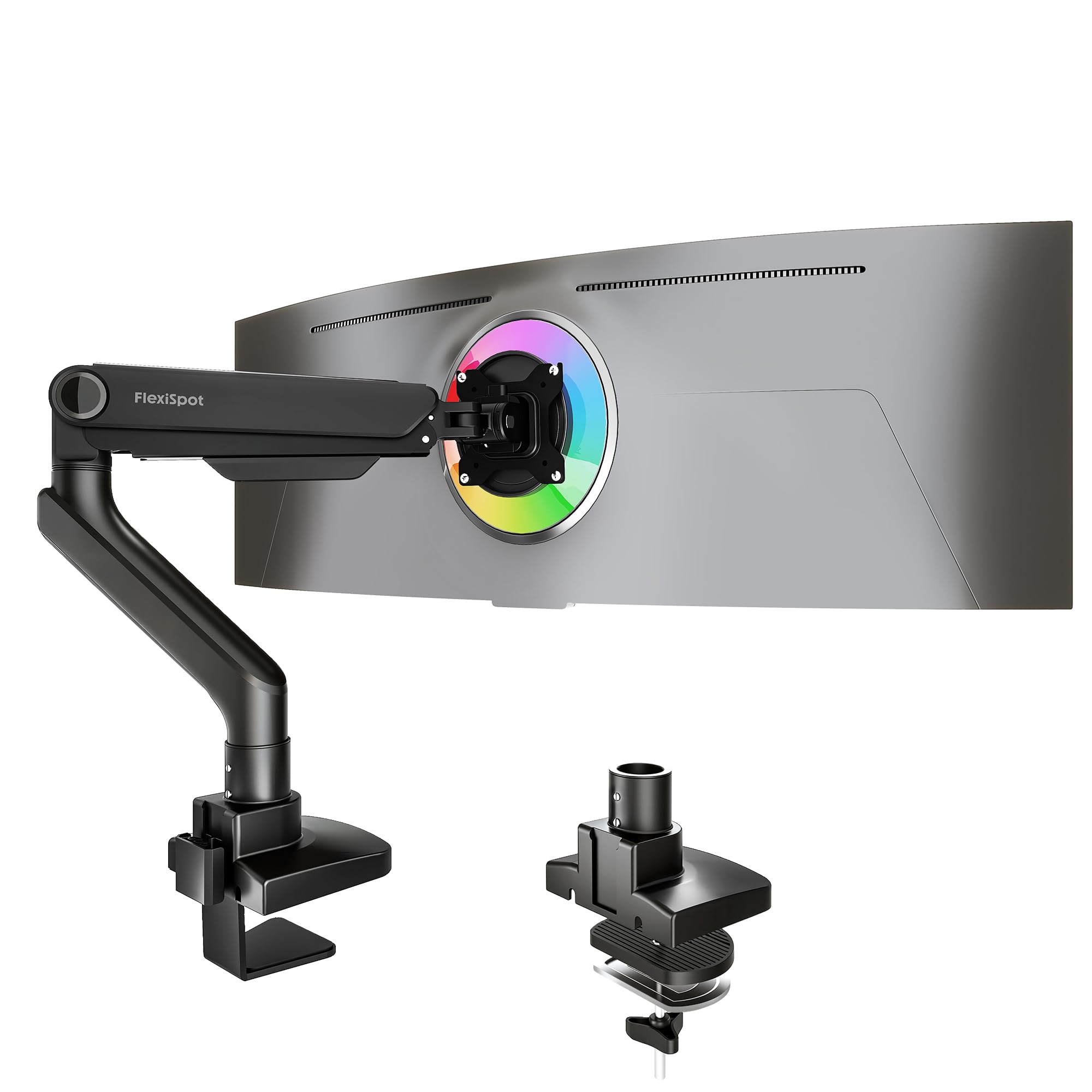
The FlexiSpot Ultrawide arm balances motion range with weight capacity. Its 24.5-inch extension reach is the longest in this guide, which makes it ideal for deep desks where you want the monitor to float far forward for immersive gaming or pull back for productivity. The support range covers monitors up to 49 inches and 44 pounds, placing it in the same weight class as the BenQ and HUANUO options.
The gas spring is tested for 20,000 cycles and carries a 5-year warranty from FlexiSpot, which is a solid commitment for a mid-range price point. The keyhole VESA panel allows one-person installation by letting you hook the monitor onto the arm before tightening. Tilt adjustment spans -90° to +15°, which is a wider downward range than the BenQ BSH01 and useful for portrait-mode setups.
Some users with monitors near the 44-pound maximum have observed a slight bend in the lower arm section. This appears to be cosmetic rather than structural, but it raises questions about the composite enclosure material’s rigidity at the top of the weight range. The included C-clamp and grommet base work with desks up to 2.17 inches thick, and the integrated cable management slots keep wires tidy during transitions.
Why it’s great
- Longest extension reach in this comparison at 24.5 inches
- Keyhole VESA panel enables single-person monitor installation
- Wide -90° to +15° tilt range supports portrait mode use
Good to know
- Lower arm may show slight cosmetic bending under near-maximum loads
- Composite enclosure material may not match aluminum arms in rigidity
- Requires VESA adapter for some monitors like Alienware
6. VIVO STAND-V101BB Ultrawide Monitor Arm

The VIVO STAND-V101BB delivers genuine ultrawide support at a price that undercuts most competitors. It fits flat screens up to 26.4 pounds and curved screens up to 24.2 pounds, with compatibility for monitors up to 40 inches. The aluminum construction provides a sturdy feel, and the built-in elbow spring gauge simplifies weight adjustment without guesswork.
The motion range is generous for the price: +90° to -90° tilt, 180° swivel, 180° rotation, and 9.6 inches of smooth height adjustment via counterbalance lift. The included cable management covers keep cords organized during movement, and the quick-release VESA plate attaches to both 75x75mm and 100x100mm patterns. Buyers consistently note that the arm holds a 34-inch ultrawide without sagging, which is impressive at this price level.
The VESA plate has a slight amount of play that some users find noticeable with lighter monitors. The built-in USB ports at the base are a divisive feature — they add functionality for some, but others find them aesthetically distracting or worry about data transfer speeds. The maximum desk thickness of 2 inches may exclude thicker hardwood workbenches without using the grommet mount instead.
Why it’s great
- Aluminum construction at a budget-friendly price point
- Elbow spring gauge makes weight adjustment straightforward
- Compatible with 40-inch ultrawide screens
Good to know
- VESA plate has minor play that may be noticeable on lighter monitors
- Built-in USB ports may not appeal to everyone
- Clamp max thickness of 2 inches may not fit thicker desks
7. VIVO STAND-V001Q Premium Aluminum Monitor Arm

The VIVO STAND-V001Q is the entry-level option that proves you don’t need to spend heavily for a functional gas spring arm. It supports screens up to 32 inches and 20 pounds, which covers the vast majority of standard office monitors and small ultrawides. The aluminum build and detachable VESA face plate provide a premium feel that belies the budget-friendly positioning.
Assembly is straightforward: the C-clamp fits desk thicknesses from 0.5 to 3 inches, and the quick-release VESA plate can be pre-attached to the monitor before mounting. The arm offers 90° tilt and 90° swivel with portrait and landscape rotation, covering the essential ergonomic adjustments. Many buyers report using this arm for screens slightly above the 32-inch specification, such as 34-inch ultrawides, with no issues.
The tilt joint is the most common point of failure on this model. Several users have reported needing to disassemble and clean the friction cone pieces to restore tension after the joint loosened over time. The base clamp feet can leave permanent indentations on softer desk surfaces, so a desk pad or reinforcement plate is recommended. These are acceptable trade-offs for the lowest entry price in this guide.
Why it’s great
- Lowest cost of entry into gas spring monitor arms
- Aluminum build feels more premium than the price suggests
- Detachable VESA face plate speeds up installation
Good to know
- Tilt joint may require periodic maintenance to prevent sagging
- Clamp feet can leave permanent marks on soft desktops
- Maximum 20-pound capacity limits use with heavy ultrawide monitors
FAQ
Can a monitor arm hold a curved ultrawide monitor?
What desk thickness works with a C-clamp mount?
Why does my monitor arm sag after a few months?
Final Thoughts: The Verdict
For most users, the best computer monitor arm winner is the HUANUO TitanLift because its 50,000-cycle gas spring, thickened VESA head, and ultrawide support up to 49 inches provide pro-grade stability at a mid-range price. If you want the smoothest motion and longest warranty, grab the Ergotron LX despite its smaller size limit. And for a massive 57-inch ultrawide monitor, nothing beats the monTEK Heavy-Duty with its 59.4-pound capacity.

Mo Maruf
I created WellFizz to bridge the gap between vague wellness advice and actionable solutions. My mission is simple: to decode the research and give you practical tools you can actually use.
Beyond the data, I am a passionate traveler. I believe that stepping away from the screen to explore new environments is essential for mental clarity and physical vitality.