Our readers keep the lights on and my smoothie glass nicely filled. As an Amazon Associate, I earn from qualifying purchases.
Specs are compiled from manufacturer listings and verified buyer reviews and can change over time — please confirm the key details on the product page before buying.
Your home office computer should make video calls, spreadsheets, and multitasking feel easy — not turn every task into a battle against lag and glitches. You need a machine that handles all-day work without making noise or demanding constant restarts, but the spec sheet alone rarely tells you which one actually delivers that in real life. This guide breaks down ten models across desktops and laptops, focusing on the specs that matter for steady, all-day productivity at your desk.
I’m Mohammad Maruf — the founder and writer behind WellFizz. This guide is built by comparing the manufacturers’ published specifications and the patterns across verified customer reviews, so you get each pick’s real strengths and trade-offs instead of marketing spin.
if you need a compact all-in-one or a powerful laptop that can drive multiple monitors, this roundup of what makes a reliable computer for working from home focuses on RAM capacity to keep apps open, storage speed for instant file access, and processor muscle to run your daily software without stuttering.
Quick Picks
- Dell Precision 3490 Mobile Workstation — Best Overall
- ASUS Vivobook S16 OLED — Premium Pick
- Lenovo ThinkBook 16 Gen 8 — Business Grade
- Dell Tower Desktop ECT1250 — Top Performer
- HP 17.3 inch Laptop (Intel Core i5-1334U) — Large Screen
- HP 17.3 inch Laptop (AMD Ryzen 5) — Best Value
- MECHAZER All-in-One Desktop Computer — Compact Desktop
- Lenovo IdeaCentre All-in-One Desktop — Budget Champion
- HP 15.6″ Business Laptop — Entry Level
- Dell 15 Laptop DC15250 — Budget Pick
How To Choose The Best Computer For Working From Home
Your home-office computer is a daily tool, not a weekend toy. The specs that matter most are the ones that keep you productive during a video call with fifteen browser tabs open and a spreadsheet running in the background. Here is what to look for.
RAM and Multitasking
Think of RAM as your computer’s short-term memory. When you have your email client, Slack, a few Chrome tabs, and a video call all running at once, that memory fills up fast. For a home office machine, 16 GB of RAM is a solid baseline that lets you keep everything open without slowdowns; 8 GB can feel cramped, while 32 GB is for heavy data work or running virtual machines.
Storage: Speed Over Space
An SSD (Solid State Drive) makes your computer boot in seconds and load files nearly instantly, while an older hard drive or a slower eMMC will leave you staring at loading screens. Look for at least 256 GB of SSD storage — 512 GB gives you comfortable room for documents, photos, and software without needing an external drive right away.
Processor and Daily Tasks
You do not need a top-tier gaming CPU for word processing and web browsing. A modern Intel Core i5, Core 3, or AMD Ryzen 5 is more than enough for everyday office software. The key is the generation and the boost clock speed — a newer chip handles multiple tasks with less lag and uses less power, which is especially important in a laptop where battery life matters.
Quick Comparison
| Model | Best For | RAM | Storage | Display Resolution | Amazon |
|---|---|---|---|---|---|
| Dell Precision 3490 | Engineering & Heavy Workflows | 64 GB DDR5 | 2 TB SSD | 1920×1080 | Amazon |
| Lenovo ThinkBook 16 Gen 8 | AI-Powered Business Tasks | 64 GB DDR5 | 2 TB SSD | 1920×1200 | Amazon |
| ASUS Vivobook S16 | Creative Professionals | 32 GB | 4 TB SSD | 2880×1800 OLED | Amazon |
| Dell Tower Desktop ECT1250 | Multi-Monitor Trading & Data | 32 GB | 1 TB SSD | — | Amazon |
| HP 17.3″ (i5-1334U) | Large-Screen Productivity | 16 GB DDR4 | 512 GB SSD | 1920×1080 | Amazon |
| HP 17.3″ (Ryzen 5) | Everyday Value with Large Display | 16 GB | 512 GB SSD | 1600×900 | Amazon |
| Lenovo IdeaCentre AIO | Clean Desk All-in-One | 8 GB | 256 GB SSD | 1920×1080 | Amazon |
| MECHAZER All-in-One | Budget All-in-One with Curved Screen | 16 GB | 512 GB SSD | 1920×1080 | Amazon |
| HP 15.6″ Business Laptop | Entry-Level Work with Office 365 | 16 GB | 128 GB | 1366×768 | Amazon |
| Dell 15 Laptop DC15250 | Low-Cost Laptop for Light Tasks | 8 GB | 512 GB | 1920×1080 | Amazon |
In‑Depth Reviews
1. Dell Precision 3490 Mobile Workstation

A professional-grade mobile workstation built for heavy multitasking and demanding engineering software.
You never have to close anything on this machine. The 64 GB of DDR5 RAM — a 2.0x gap compared to the 16 GB in many business laptops — means you can keep dozens of browser tabs, complex databases, and resource-heavy applications open at once without feeling any drag. The 2 TB SSD works silently, so your CAD or rendering files load instantly. Buyers report that it runs a high-performance production line application smoothly using its Thunderbolt ports, and it passed MIL-STD 810H military standards for durability.
Unlike the Lenovo ThinkBook 16 below, which also packs 64 GB of RAM, the Precision 3490 weighs 3.09 lbs and is tested to military standards, making it the more portable and rugged option for on-site professionals. One reviewer noted a minor glitch where Windows wasn’t licensed from the start due to an SSD upgrade, but the seller was responsive in offering a fix.
Powerhouse portability: 64 GB DDR5 RAM and a 2 TB SSD in a 3.09 lb chassis that clears even the toughest data workflows.
Memory card reader: A built-in 3.0 SD Card reader is included, which is useful for photographers and field engineers who need to offload files quickly; this is an extra not found on every laptop here.
Reach for this if: your job demands running professional software like CAD, data analysis tools, or multiple virtual environments on a laptop that is light enough to carry between sites.
Look elsewhere if: your work is limited to email, web browsing, and word processing — this has far more power than you need, and a mid-range model would save you money.
2. ASUS Vivobook S16 OLED

An ultra-portable laptop with a stunning OLED display for creative professionals who need color accuracy.
Colors pop and blacks look truly deep on the 16-inch 2.8K OLED screen (2880×1800 resolution). The 120Hz refresh rate makes scrolling feel smooth, and the 600 nits peak brightness means you can use it near a window without glare. With a 100% DCI-P3 color gamut, the colors you see are accurate for print and web work. It packs 32 GB of RAM and a massive 4 TB SSD — enough storage to hold your entire project archive without external drives. The Intel Core Ultra 9 285H processor can boost up to 5.4 GHz, which makes heavy multitasking and content creation feel fast. Owners mention that the picture quality is “amazing” and that performance for both gaming and professional use is excellent.
Note that the keyboard is a mixed bag: one buyer mentioned the keys are “hard to read,” and another said the RGB backlighting makes the keycaps “invisible” in dark rooms, so if you work in low light, test the keyboard first. It also has Wi-Fi 7 and Bluetooth 5.4 for the latest wireless speeds.
Creators will love
- Stunning 2.8K OLED display with wide color gamut and HDR brightness
- 4 TB storage leaves almost no need for external drives
- Thunderbolt 4 ports for fast data transfer and external monitor support
One real flaw
- RGB keyboard keycaps are hard to read when lit, especially in a dark room
Perfect for: a graphic designer, video editor, or developer who wants a vivid OLED screen and vast SSD storage in a lightweight chassis. skip it if you prefer a subtle, easy-to-read keyboard without flashy backlighting.
3. Lenovo ThinkBook 16 Gen 8
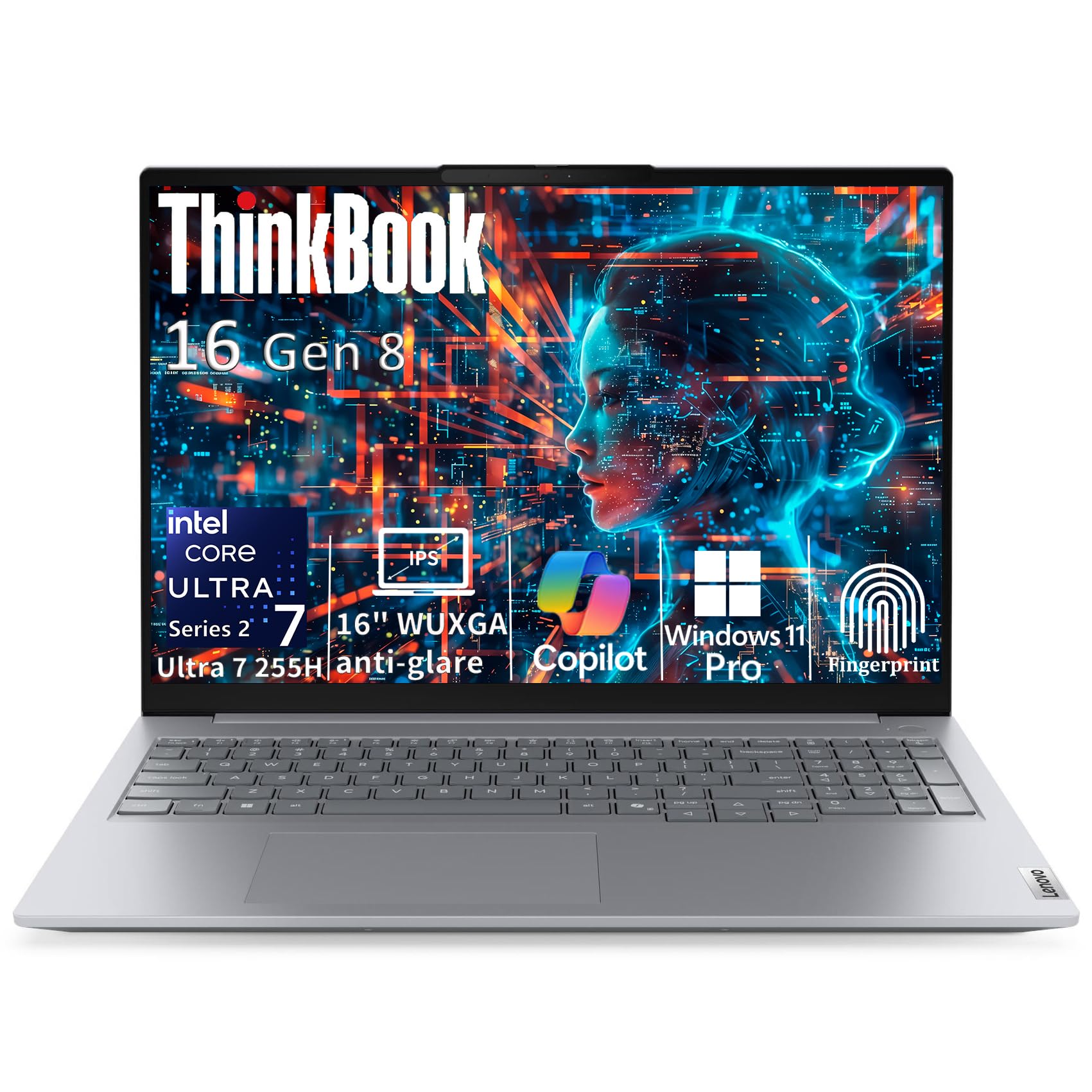
An AI-powered business machine with 64 GB RAM that handles giant datasets and demanding office apps.
The 64 GB of DDR5 RAM handles large spreadsheets, virtual machines, and heavy databases without slowdown. The Intel Core Ultra 7 255H processor has a 16-core hybrid architecture with a boost speed up to 5.1 GHz, plus an integrated AI Boost NPU that helps tune battery life and workload distribution. The 16-inch WUXGA display (1920×1200) has a 16:10 aspect ratio that gives you 11% more vertical workspace than a standard 1080p screen — useful for reading long documents or code without scrolling as much. One buyer called it “better than my Dell by far,” though another noted the battery drains fast and the laptop runs hot under load.
The ThinkBook also includes Thunderbolt 4, WiFi 6E, and an HDMI 2.1 port for connecting up to two 4K monitors at 60Hz. However, adding a 2.5-inch drive is nearly impossible because Lenovo discontinued the required parts, so consider that if you need to expand storage with a secondary internal drive.
64 GB memory advantage: Matches the Dell Precision 3490 on RAM and storage, but the ThinkBook offers a larger 16-inch screen and a higher-resolution display (1920×1200 vs 1920×1080) for better vertical workspace.
Windows 11 Pro with Copilot: Pre-loaded with Windows 11 Professional, which includes BitLocker encryption and remote desktop features that are valuable for business users.
Reach for this if: you need 64 GB of RAM for data-heavy work and want a large, taller-than-usual display. Look elsewhere if battery life is your top priority — some users report it drains faster than expected.
4. Dell Tower Desktop ECT1250

A desktop tower with 32 GB RAM and a fast processor that drives up to four monitors without breaking a sweat.
You can see every stock ticker, chat window, and spreadsheet at once on up to four monitors. The Intel Core Ultra 7-265 processor with a boost speed up to 5.3 GHz, combined with 32 GB of RAM, makes it fast for office tasks, coding, and even running virtual machines. The tower supports up to four FHD monitors using DisplayPort daisy chaining or two 4K displays via HDMI 2.1 and DisplayPort. One reviewer uses it for trading stocks with three monitors and says it boots in under 30 seconds, handling charts and scanning software without lag. The tool-less side panel makes upgrading internal components easy.
Unlike a laptop, this is a fixed desktop, so you cannot move it from room to room. The 180W power supply limits major GPU upgrades, and there is only one USB-C port, so you may need adapters for older peripherals. It also has no internal 2.5-inch drive mounts, so expanding storage requires an external SSD or M.2 drive.
Multi-monitor champ
- Connects up to four FHD monitors or two 4K displays for a huge workspace
- Tool-less entry for easy upgrades and maintenance
- Quiet and fast boot — customers note under 30 seconds
Desktop limitations
- 180W PSU limits high-end GPU upgrades for gaming or 3D rendering
- Only one USB-C port, no internal 2.5-inch drive bays
Best for: a finance professional, developer, or power user who needs a stationary desktop with multiple monitors and easy access to internal parts. pass on it if you ever need to take your work to another room — you want a laptop.
5. HP 17.3 inch Laptop (Intel Core i5-1334U)

A 17.3-inch laptop with a crisp FHD screen, built for people who do not want to squint at a small display.
If a 15.6-inch screen feels cramped for your spreadsheets or side-by-side windows, this HP gives you a large, bright FHD IPS display with 178-degree wide viewing angles. The 13th Generation Intel Core i5-1334U processor handles everyday multitasking like Office apps, web browsing, and video calls without any hiccup. It has 16 GB of DDR4 RAM and a 512 GB SSD, so you can keep your applications and files ready to go. Buyers describe it as “blindingly fast” and love the big screen for HDR content and efficient multitasking. The physical webcam shutter gives you confidence during video calls.
The battery life is an area to note: one reviewer reports it lasts about 2.5 hours, which is shorter than expected, possibly due to the larger 17-inch screen drawing more power. The power button is also placed among the other keys, which some users found hard to locate. Unlike the HP 17.3 Ryzen 5 model, this one has a higher-resolution FHD screen (1920×1080 versus 1600×900), so text and images look sharper.
Crisper display than the Ryzen 5 version: The FHD resolution here (1920×1080) delivers sharper text than the HD+ (1600×900) display on the HP 17.3 Ryzen 5 model, so it is better for reading documents.
Physical camera shutter: A simple slide cover on the webcam provides privacy without needing a sticker or a separate cover.
Reach for this if: you want a large, sharp screen for desktop-replacement home use and do not mind keeping the charger nearby. Look elsewhere if you need all-day battery life away from an outlet.
6. HP 17.3 inch Laptop (AMD Ryzen 5)

A large-screen laptop with strong everyday performance and a budget-friendly price tag for home office users.
You get snappy performance for Office, web browsing, and streaming without spending a lot. This HP pairs an AMD Ryzen 5 7520U processor with 16 GB of RAM and a 512 GB SSD, giving you the speed to run Office, browse the web, and watch videos without slowdowns. The 17.3-inch HD+ display has an anti-glare finish, which helps when you are sitting near a window and dealing with reflections. It also includes a lift-hinge design that tilts the keyboard for a more comfortable typing angle. Buyers love the large screen, describing it as “the best laptop I have ever owned” and praising its quiet operation and powerful performance. The AI noise reduction filters out background noise during calls, which is useful if you share your space with family or pets.
The main trade-off is the display resolution: at 1600×900, it is not as sharp as the FHD screen on the Intel Core i5 version of this HP. Multiple reviewers mention the plastic casing feels “plasticky” and not as premium as an aluminum laptop. Battery life comes in around 5.5 to 7.15 hours depending on usage, which is decent for a large screen but not all-day.
Everyday powerhouse
- 16 GB RAM and a fast SSD for responsive multitasking
- Anti-glare display helps with reflections in bright rooms
- AI noise reduction for clearer video calls
Resolution and build
- HD+ display (1600×900) is less sharp than FHD options for reading small text
- Plastic chassis feels less durable than metal laptops
Best for: a budget-conscious buyer who wants a big screen, solid RAM, and fast storage without the premium price of a higher-resolution display. it’s not for you if sharp text for reading documents is your priority — the Intel Core i5 HP above has a sharper screen.
7. MECHAZER All-in-One Desktop Computer

A curved-screen all-in-one that saves desk space and handles daily tasks with enough power for a home office.
You can keep multiple windows open and boot the system in seconds with the MECHAZER AIO. It pairs a 23.8-inch curved display with an Intel Core i7 7700HQ processor, 16 GB of RAM, and a 512 GB SSD. The curved screen wraps slightly around your view, which can make long spreadsheet sessions feel a bit more rich. Reviewers point out it has a “fast startup, no bloatware” and a bright, clear monitor with plenty of ports, including four USB 3.0 ports, HDMI, and VGA for adding a second screen. One reviewer uses it for running Fishbowl HTML smoothly and recommends it after a week of use.
Unlike the Lenovo IdeaCentre AIO below, this one has 16 GB of RAM (double the 8 GB in the Lenovo), so it handles multitasking better. The processor is from an older generation (7700HQ), but for office work like word processing, web browsing, and video calls, it still performs well. The included wired keyboard and mouse mean you can set it up right from the start without buying extras.
Curved screen advantage: The 23.8-inch curved display gives a slightly more enveloping view than flat-screen all-in-ones, which some users find less straining on the eyes during long work sessions.
Port selection is strong: With 4 USB 3.0 ports, 2 USB 2.0 ports, HDMI, and VGA, you can connect multiple external drives and a second monitor without a hub.
Reach for this if: you want a tidy, space-saving all-in-one with 16 GB of RAM and a curved screen for daily office tasks. Look elsewhere if you need a laptop for portability or a more powerful CPU for video editing.
8. Lenovo IdeaCentre All-in-One Desktop
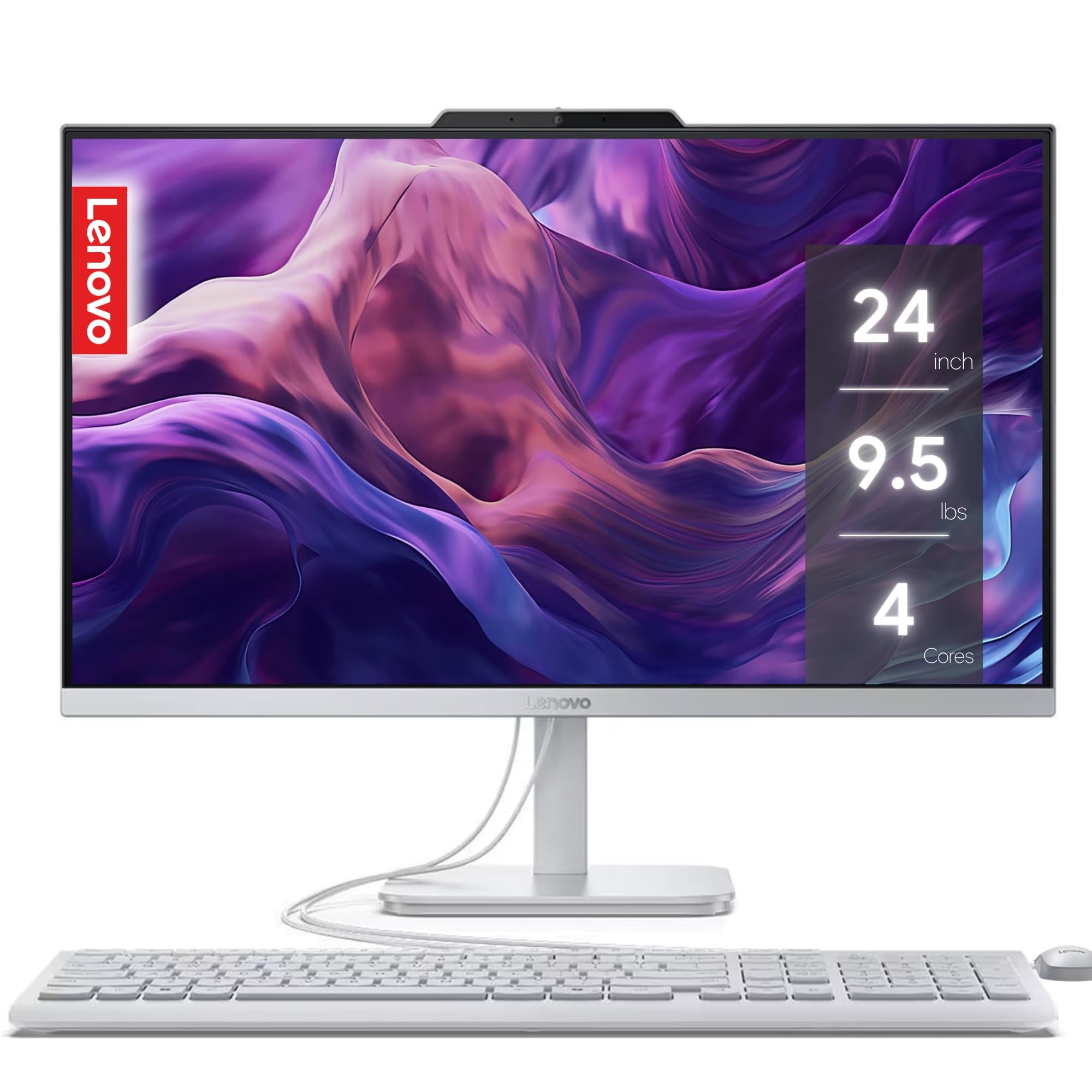
A clean, simple all-in-one with a 24-inch FHD screen that is ideal for basic home office tasks.
This Lenovo IdeaCentre AIO hides the computer inside the monitor stand, keeping your desk tidy. It comes with an Intel N100 processor, 8 GB of RAM, and a 256 GB SSD — enough for email, web browsing, word processing, and video calls. The 24-inch Full HD display has low blue light technology to reduce eye strain during long workdays, and the Harman audio-enhanced speakers provide clear sound for meetings or music. It also includes a 5MP webcam with a privacy shutter and AI noise suppression for better video calls. One buyer called it “very user friendly” and said setup was easy.
The catch with this model is the 8 GB of RAM, which is half of what you get in the MECHAZER all-in-one. If you tend to have many browser tabs, Slack, and a document open at the same time, you may notice the system slowing down. There is also a warning from one buyer who said the unit stopped turning on after a short period, which raises a reliability concern. The integrated Intel UHD Graphics are fine for office work but not for gaming or heavy design software.
Desk-friendly and capable
- Space-saving all-in-one design with a sharp 24-inch FHD screen
- 5MP webcam with privacy shutter and AI noise suppression for clear calls
- Low blue light technology for reduced eye strain
Limitations to know
- 8 GB RAM is on the lower side for heavy multitaskers
- Some reliability concerns reported — one owner reported it stopped turning on
Best for: a light user who does not run many applications at once and wants a clutter-free desktop. look elsewhere if you need 16 GB of RAM for multitasking or if long-term reliability is your biggest concern.
9. HP 15.6″ Business Laptop
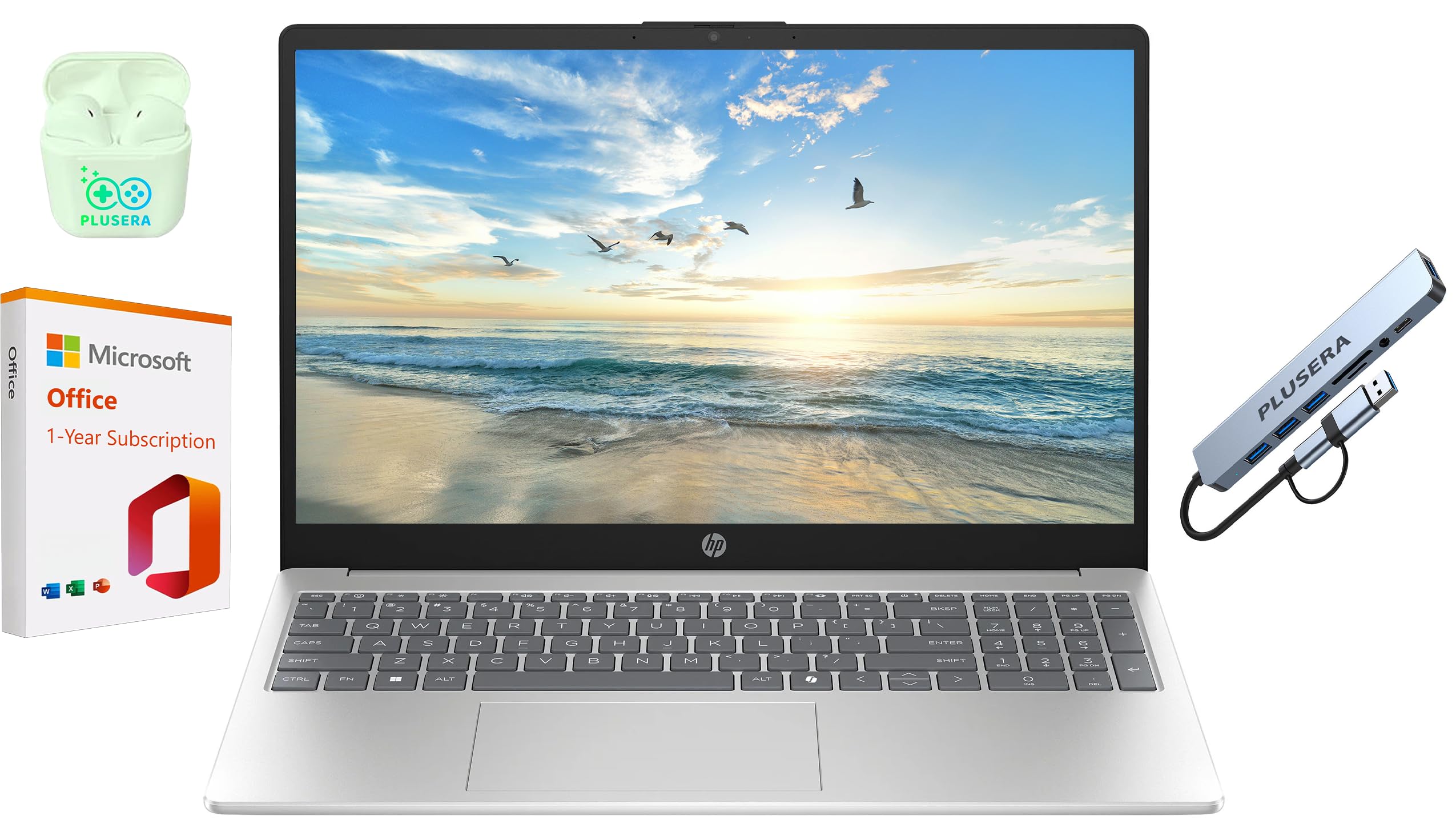
A laptop that focuses on RAM for multitasking but makes a hard trade-off on storage capacity.
You can keep more applications open at once without slowdowns thanks to 16 GB of RAM — a 2.0x gap over the Dell 15 Laptop’s 8 GB. The HP 15.6-inch Business Laptop also includes a 1-year Microsoft Office 365 subscription and comes with a set of PLUSERA earphones and an 8-in-1 hub in the box. The N200 processor runs at up to 3.7 GHz, which is adequate for web work, Office tasks, and video calls. One buyer found it worked well for Solidworks initially but later felt it was inadequate for heavier tasks, adding that it supports dual external monitors via a USB-C dock. Another described it as “tremendous value” for everyday work.
However, this HP has the smallest storage in our lineup — 128 GB — which is a 4.0x gap compared to the 512 GB storage in the Dell 15 Laptop. That means you will fill it up quickly with software and files, and you will likely need cloud storage or an external drive. The display resolution is 1366×768, which is a 41% less compared to the Dell 15’s 1920×1080 display, so text and images will not look as sharp. One reviewer experienced driver and system issues after updates.
RAM for multitasking
- 16 GB RAM keeps multiple apps running smoothly
- Includes Microsoft Office 365 for a year and a useful 8-in-1 hub
- Minimal bloatware and a clean Windows 11 Pro install
Storage and screen
- 128 GB storage is very limited — expect to use external drives or the cloud
- 1366×768 screen is noticeably less sharp than the 1920×1080 on the Dell 15
Reach for this if: you primarily work in the cloud, do not store large files locally, and need the RAM for multitasking with Office apps. Look elsewhere if you need to install many programs or want a sharp, modern display.
10. Dell 15 Laptop DC15250

A budget laptop with a fast FHD display and generous storage, but the RAM and performance have limits.
Text looks noticeably sharper than on the HP 15.6 Business Laptop because the Dell has a 15.6-inch FHD display (1920×1080) with a 120Hz refresh rate — a 41% higher resolution than the HP’s 1366×768 panel. The Intel Core 3 processor (100U) can boost up to 4.7 GHz, which is a 27% faster peak speed than the HP’s 3.7 GHz N200 processor. The 512 GB SSD gives you 4.0x the storage of the HP 15.6 Business Laptop, so you can store more files and software locally. The battery supports Express Charge, and the lifted hinges create an ergonomic typing angle for comfort during long sessions. Some shoppers say it is “plenty fast for most tasks” with a generous amount of storage that can be upgraded.
The catch is the 8 GB of RAM — half of what many other laptops here offer (like the HP 15.6 Business Laptop, which has 16 GB). One customer observed that the laptop “freezes, lags, and glitches after ~20 min of basic use” with just a document and a few browser tabs open. The screen is also described as “too dark even at max brightness” by another reviewer, and the plastic touchpad is less precise than a metal one. If you need to run multiple browser tabs and Office apps simultaneously, this machine may struggle.
Display and storage strengths
- Sharp 1920×1080 display with a smooth 120Hz refresh rate
- 512 GB SSD offers plenty of local storage for documents and media
- Ergonomic lifted hinge design for comfortable typing
Performance and build
- 8 GB RAM can cause freezing and lag when multitasking
- Screen is dim even at max brightness, making it hard to use in bright rooms
- Some buyers report unreliability after 20 minutes of basic use
Best for: a user on a tight budget who values a sharp screen and large storage for light tasks like watching media or running old games. steer clear if you need to multitask with several applications — the 8 GB RAM is a bottleneck.
Understanding the Specs
RAM (Memory)
Random Access Memory is your computer’s short-term workspace for active applications. When you have multiple browser tabs, a word processor, and a video call running, the RAM holds all that data so you can switch between them instantly. For a home office computer, 16 GB is the balance — it lets you keep around twenty browser tabs plus office apps open without slowdowns. 8 GB can handle basic tasks but will feel cramped if you multitask heavily, while 32 GB or 64 GB is for professionals running virtual machines, databases, or large design applications.
Storage Drive Type and Capacity
The type of storage drive affects how quickly your computer boots, opens files, and launches programs. An SSD (Solid State Drive) uses flash memory with no moving parts, so it loads data almost instantly — a computer with an SSD will boot in seconds. An older hard drive or an eMMC drive is noticeably slower and can make even simple tasks feel sluggish. For storage capacity, 256 GB is the bare minimum for a work computer with a few applications; 512 GB gives you comfortable room for documents, photos, and software; 1 TB or more is for people who work with large media files or need to keep extensive project archives locally.
Processor (CPU)
The processor is the brain of your computer, handling instructions from your software. For office work, you need a modern processor that handles multiple tasks efficiently. Look for an Intel Core i5, Core 3, or AMD Ryzen 5 from a recent generation — these have enough cores and threads to run your browser, email, and Office apps smoothly. The clock speed (measured in GHz) tells you how fast each core can process instructions, and higher speeds (like 4.0 GHz or above) help with demanding tasks like video rendering or compiling code, but for basic office tasks, a mid-range 3.0 GHz chip is perfectly adequate.
Display Resolution and Size
The display resolution determines how sharp text and images look on your screen. Full HD (1920×1080) is the standard for comfortable reading and clear visuals — it shows crisp text without needing to squint. Lower resolutions like 1366×768 or 1600×900 are less sharp, so small fonts can appear fuzzy, which can cause eye strain during an eight-hour workday. For screen size, a 15.6-inch laptop is a good balance of portability and workspace, while a 17.3-inch screen or a 24-inch all-in-one gives you more room for side-by-side windows. A 16:10 aspect ratio (like 1920×1200) adds extra vertical space, which is useful for reading long documents or web pages without scrolling as much.
FAQ
How much RAM do I really need for working from home?
Should I get a laptop or a desktop for home office work?
Is an SSD necessary for a work computer, or is a hard drive okay?
Do I need a dedicated graphics card for office work?
What is the difference between the Dell 15 Laptop and the Dell Precision 3490?
What display resolution should I look for to avoid eye strain?
Can I use a home office computer for video editing or gaming?
What does a 1-Year Onsite Service warranty mean for a Dell computer?
Which all-in-one is better, the MECHAZER or the Lenovo IdeaCentre?
Will the Dell Tower Desktop ECT1250 support three monitors?
Final Thoughts: The Verdict
For most people, the computer for working from home winner is the Dell Precision 3490 because it packs 64 GB of DDR5 RAM and a 2 TB SSD into a durable, portable chassis that handlesprofessional workloads without compromise. If you want a large-screen laptop for comfortable daily multitasking, grab the {“@context”: “https://schema.org”, “@graph”: [{“@type”: “BreadcrumbList”, “itemListElement”: [{“@type”: “ListItem”, “position”: 1, “name”: “Home”, “item”: “https://wellfizz.com/”}, {“@type”: “ListItem”, “position”: 2, “name”: “10 Best Computer For Working From Home”, “item”: “https://wellfizz.com/best-computer-for-working-from-home/”}]}, {“@type”: “Article”, “headline”: “10 Best Computer For Working From Home”, “about”: “Best Computer For Working From Home”, “datePublished”: “2026-07-05”, “dateModified”: “2026-07-05”, “mainEntityOfPage”: {“@type”: “WebPage”, “@id”: “https://wellfizz.com/best-computer-for-working-from-home/”}, “inLanguage”: “en-US”, “speakable”: {“@type”: “SpeakableSpecification”, “cssSelector”: [“section#faq summary”, “.wf-faq-answer”, “section#how-to-choose”]}, “author”: {“@type”: “Person”, “name”: “Mohammad Maruf”, “description”: “This guide is built by comparing the manufacturers’ published specifications and the patterns across verified customer reviews, so you get each pick’s real strengths and trade-offs instead of marketing spin.”, “jobTitle”: “Writer & Editor”}, “publisher”: {“@type”: “Organization”, “name”: “WellFizz”, “url”: “https://wellfizz.com/”}}, {“@type”: “ItemList”, “name”: “10 Best Computer For Working From Home”, “url”: “https://wellfizz.com/best-computer-for-working-from-home/”, “numberOfItems”: 10, “itemListElement”: [{“@type”: “ListItem”, “position”: 1, “name”: “Dell Precision 3490 Mobile Workstation”, “url”: “https://wellfizz.com/best-computer-for-working-from-home/#product-1”}, {“@type”: “ListItem”, “position”: 2, “name”: “ASUS Vivobook S16 OLED”, “url”: “https://wellfizz.com/best-computer-for-working-from-home/#product-2”}, {“@type”: “ListItem”, “position”: 3, “name”: “Lenovo ThinkBook 16 Gen 8”, “url”: “https://wellfizz.com/best-computer-for-working-from-home/#product-3”}, {“@type”: “ListItem”, “position”: 4, “name”: “Dell Tower Desktop ECT1250”, “url”: “https://wellfizz.com/best-computer-for-working-from-home/#product-4”}, {“@type”: “ListItem”, “position”: 5, “name”: “HP 17.3 inch Laptop (Intel Core i5-1334U)”, “url”: “https://wellfizz.com/best-computer-for-working-from-home/#product-5”}, {“@type”: “ListItem”, “position”: 6, “name”: “HP 17.3 inch Laptop (AMD Ryzen 5)”, “url”: “https://wellfizz.com/best-computer-for-working-from-home/#product-6”}, {“@type”: “ListItem”, “position”: 7, “name”: “MECHAZER All-in-One Desktop Computer”, “url”: “https://wellfizz.com/best-computer-for-working-from-home/#product-7”}, {“@type”: “ListItem”, “position”: 8, “name”: “Lenovo IdeaCentre All-in-One Desktop”, “url”: “https://wellfizz.com/best-computer-for-working-from-home/#product-8”}, {“@type”: “ListItem”, “position”: 9, “name”: “HP 15.6\” Business Laptop”, “url”: “https://wellfizz.com/best-computer-for-working-from-home/#product-9”}, {“@type”: “ListItem”, “position”: 10, “name”: “Dell 15 Laptop DC15250”, “url”: “https://wellfizz.com/best-computer-for-working-from-home/#product-10”}]}, {“@type”: “Product”, “position”: 1, “name”: “Dell Precision 3490 Mobile Workstation”, “image”: “https://m.media-amazon.com/images/I/71zP1WsOOHL.jpg”, “brand”: {“@type”: “Brand”, “name”: “Dell”}, “url”: “https://www.amazon.com/dp/B0D22SN8CB/?tag=wellfizzmo-20”}, {“@type”: “Product”, “position”: 2, “name”: “ASUS Vivobook S16 OLED”, “image”: “https://m.media-amazon.com/images/I/81ZT7gh8DNL.jpg”, “brand”: {“@type”: “Brand”, “name”: “ASUS”}, “url”: “https://www.amazon.com/dp/B0FMXXMFP5/?tag=wellfizzmo-20”}, {“@type”: “Product”, “position”: 3, “name”: “Lenovo ThinkBook 16 Gen 8”, “image”: “https://m.media-amazon.com/images/I/81n-5oSQWvL.jpg”, “brand”: {“@type”: “Brand”, “name”: “Lenovo”}, “url”: “https://www.amazon.com/dp/B0H1MW8HW8/?tag=wellfizzmo-20”}, {“@type”: “Product”, “position”: 4, “name”: “Dell Tower Desktop ECT1250”, “image”: “https://m.media-amazon.com/images/I/71M7tXAPK7L.jpg”, “brand”: {“@type”: “Brand”, “name”: “Dell”}, “url”: “https://www.amazon.com/dp/B0F3P5NF56/?tag=wellfizzmo-20”}, {“@type”: “Product”, “position”: 5, “name”: “HP 17.3 inch Laptop (Intel Core i5-1334U)”, “image”: “https://m.media-amazon.com/images/I/71oUB3-hrLL.jpg”, “brand”: {“@type”: “Brand”, “name”: “HP”}, “url”: “https://www.amazon.com/dp/B0DWMMJS33/?tag=wellfizzmo-20”}, {“@type”: “Product”, “position”: 6, “name”: “HP 17.3 inch Laptop (AMD Ryzen 5)”, “image”: “https://m.media-amazon.com/images/I/71vhwzOkcvL.jpg”, “brand”: {“@type”: “Brand”, “name”: “HP”}, “url”: “https://www.amazon.com/dp/B0DWPQDLM5/?tag=wellfizzmo-20”}, {“@type”: “Product”, “position”: 7, “name”: “MECHAZER All-in-One Desktop Computer”, “image”: “https://m.media-amazon.com/images/I/713DAWjPWhL.jpg”, “brand”: {“@type”: “Brand”, “name”: “MECHAZER”}, “url”: “https://www.amazon.com/dp/B0FPQ7VV41/?tag=wellfizzmo-20”}, {“@type”: “Product”, “position”: 8, “name”: “Lenovo IdeaCentre All-in-One Desktop”, “image”: “https://m.media-amazon.com/images/I/71+wmd-7O4L.jpg”, “brand”: {“@type”: “Brand”, “name”: “Lenovo”}, “url”: “https://www.amazon.com/dp/B0FSGQS2SS/?tag=wellfizzmo-20”}, {“@type”: “Product”, “position”: 9, “name”: “HP 15.6\” Business Laptop”, “image”: “https://m.media-amazon.com/images/I/81CK300WNxL.jpg”, “brand”: {“@type”: “Brand”, “name”: “HP”}, “url”: “https://www.amazon.com/dp/B0GGCSD7F3/?tag=wellfizzmo-20”}, {“@type”: “Product”, “position”: 10, “name”: “Dell 15 Laptop DC15250”, “image”: “https://m.media-amazon.com/images/I/71d6CcN8Q5L.jpg”, “brand”: {“@type”: “Brand”, “name”: “Dell”}, “url”: “https://www.amazon.com/dp/B09R6FNNS1/?tag=wellfizzmo-20”}, {“@type”: “FAQPage”, “mainEntity”: [{“@type”: “Question”, “name”: “How much RAM do I really need for working from home?”, “acceptedAnswer”: {“@type”: “Answer”, “text”: “For most home office workers, 16 GB of RAM is the balance. It lets you keep a dozen browser tabs, Slack, email, and a word processor open at the same time without slowdowns. 8 GB is enough for very light use with one or two apps, but you will notice lag if you try to multitask. If your work involves virtual machines, large databases, or heavy data analysis, 32 GB or more is worth the money.”}}, {“@type”: “Question”, “name”: “Should I get a laptop or a desktop for home office work?”, “acceptedAnswer”: {“@type”: “Answer”, “text”: “This depends on if you need mobility. A laptop lets you move from your desk to a coffee shop or another room, and includes a battery and built-in webcam. A desktop (including all-in-one computers) typically offers more performance for the same price, supports multiple monitors more easily, and is easier to upgrade. If you have a dedicated home office and never need to move your computer, a desktop or all-in-one is usually better value for pure power per dollar.”}}, {“@type”: “Question”, “name”: “Is an SSD necessary for a work computer, or is a hard drive okay?”, “acceptedAnswer”: {“@type”: “Answer”, “text”: “An SSD is strongly recommended for a work computer. A Solid State Drive makes your computer boot in seconds, open files nearly instantly, and keep the system responsive even when it is busy. A traditional hard drive or eMMC storage is much slower — it can take two or three minutes to fully boot, and programs will feel sluggish. For a smooth daily experience, make sure your computer has an SSD of at least 256 GB.”}}, {“@type”: “Question”, “name”: “Do I need a dedicated graphics card for office work?”, “acceptedAnswer”: {“@type”: “Answer”, “text”: “No, most home office tasks like web browsing, word processing, spreadsheets, and video calls are handled perfectly by the integrated graphics built into modern processors. Intel UHD Graphics or Intel Iris Xe Graphics are more than sufficient. A dedicated graphics card is only necessary if you do video editing, 3D modeling, CAD work, or heavy design work. The Lenovo IdeaCentre and Dell 15 Laptop both use integrated graphics and work fine for standard office applications.”}}, {“@type”: “Question”, “name”: “What is the difference between the Dell 15 Laptop and the Dell Precision 3490?”, “acceptedAnswer”: {“@type”: “Answer”, “text”: “The Dell 15 Laptop is an entry-level consumer laptop with 8 GB of RAM, a 120Hz FHD display, and a Core 3 processor, designed for basic tasks like browsing and word processing. The Dell Precision 3490 is a professional mobile workstation with 64 GB of DDR5 RAM, a 2 TB SSD, and an Intel Core Ultra 5 135H processor, built for demanding workflows like CAD, 3D rendering, and data analysis. The Precision 3490 also has military-grade durability, Thunderbolt 4 ports, and ISV certifications for professional software compatibility.”}}, {“@type”: “Question”, “name”: “What display resolution should I look for to avoid eye strain?”, “acceptedAnswer”: {“@type”: “Answer”, “text”: “A Full HD (1920×1080) resolution is the minimum for comfortable reading during a full workday. Lower resolutions like 1366×768 make text appear fuzzy and can cause eye strain over time because your eyes have to work harder to focus. A higher resolution like 1920×1200 or 2880×1800 gives you even sharper text and more screen space for documents. The HP 15.6 Business Laptop has a 1366×768 display, while the Dell 15 Laptop has a sharper 1920×1080 display — the difference is noticeable when reading small fonts.”}}, {“@type”: “Question”, “name”: “Can I use a home office computer for video editing or gaming?”, “acceptedAnswer”: {“@type”: “Answer”, “text”: “Most home office computers are designed for productivity tasks, not gaming or video editing. For video editing or 3D design, you need a dedicated graphics card and a higher-performance processor — the Dell Precision 3490 or ASUS Vivobook S16 are better choices for those tasks. For gaming, look for a laptop with a dedicated GPU. The HP 15.6 Business Laptop and Dell 15 Laptop are not designed for games, though one user highlighted the Dell 15 can run older games like Fallout New Vegas at 60 FPS on high quality.”}}, {“@type”: “Question”, “name”: “What does a 1-Year Onsite Service warranty mean for a Dell computer?”, “acceptedAnswer”: {“@type”: “Answer”, “text”: “A 1-Year Onsite Service warranty means that if your Dell computer has a hardware issue covered by the Limited Hardware Warranty that cannot be resolved remotely, Dell will send a technician to your home, office, or location of your choice to repair it. Both the Dell 15 Laptop and the Dell Tower Desktop ECT1250 include this service. This is a valuable benefit for a work computer because it minimizes downtime — you do not have to ship the computer away for weeks.”}}, {“@type”: “Question”, “name”: “Which all-in-one is better, the MECHAZER or the Lenovo IdeaCentre?”, “acceptedAnswer”: {“@type”: “Answer”, “text”: “The MECHAZER has more RAM (16 GB vs 8 GB) and a larger SSD (512 GB vs 256 GB), so it handles multitasking better and boots faster. It also has a unique curved 23.8-inch display that some users find more rich. The Lenovo IdeaCentre has a higher-quality 5MP webcam with AI noise suppression and a privacy e-shutter, making it better for video calls. If you multitask heavily, the MECHAZER is the better choice; if video call quality is your priority, the Lenovo is stronger.”}}, {“@type”: “Question”, “name”: “Will the Dell Tower Desktop ECT1250 support three monitors?”, “acceptedAnswer”: {“@type”: “Answer”, “text”: “Yes, the Dell Tower Desktop ECT1250 can support up to four FHD monitors using DisplayPort daisy chaining, or two 4K displays using HDMI 2.1 and DisplayPort. This makes it an excellent choice for stock traders, data analysts, or anyone who needs multiple screens for their workflow. One reviewer uses it with three monitors for trading stocks and reports it handles charts, scanning software, and large trading applications easily.”}}]}]}

Mo Maruf
I created WellFizz to bridge the gap between vague wellness advice and actionable solutions. My mission is simple: to decode the research and give you practical tools you can actually use.
Beyond the data, I am a passionate traveler. I believe that stepping away from the screen to explore new environments is essential for mental clarity and physical vitality.