Our readers keep the lights on and my smoothie glass nicely filled. As an Amazon Associate, I earn from qualifying purchases.
Specs are compiled from manufacturer listings and verified buyer reviews and can change over time — please confirm the key details on the product page before buying.
Audio recording puts a unique kind of pressure on a computer — low latency at all costs, zero fan noise when the red light is on, and enough headroom to run a dozen plugin instances without a stutter. The right machine saves hours of editing; the wrong one introduces clicks, pops, and buffer underruns that ruin takes. This guide walks through nine computers that handle audio work without fighting you.
I’m Mohammad Maruf — the founder and writer behind WellFizz. This guide is built by comparing the manufacturers’ published specifications and the patterns across verified customer reviews, so you get each pick’s real strengths and trade-offs instead of marketing spin.
The computer for audio recording you choose decides how clean your tracks land and how much you fight with latency during a session, whether you are building a home studio or upgrading a production rig.
Quick Picks
- Dell Pro Tower Business Desktop, 14th Gen Intel Core i5-14500 vPro — Top Performer
- GEEKOM A6 Mini PC with AMD Ryzen 7 6800H — Best Overall
- GMKtec Mini PC Workstation, Intel Core i9 13900HK — Premium Pick
- HP OmniDesk Desktop Computer PC, AMD Ryzen 7 8700G — Best Value
- Dell Pro Tower Plus Tower Desktop Computer, Intel Core Ultra 5 235, 32 GB RAM — Workhorse
- Dell Pro Tower Plus Tower Desktop Computer, Intel Core Ultra 5 235, 64 GB RAM — Pro Studio
- CyberPowerPC Gaming PC, Intel Core i5-14400F, GeForce RTX 5060 — Budget Pick
- iBUYPOWER Element Gaming PC Desktop Computer AMD Ryzen 9 7900X — Pro Power
- HP Pro Tower 290 G9 Business Desktop Computer, Intel i5-12500 — Entry Level
How To Choose The Best Computer For Audio Recording
Picking a machine for audio recording depends on a few specs that directly affect your workflow. The CPU’s single-thread speed determines how low you can set your buffer without crackles. RAM size decides how many virtual instruments you can load before your session chokes. Storage speed impacts how fast sample libraries load and how many tracks you can play back simultaneously. A dedicated GPU matters less here than in gaming or video editing, but a quiet cooling system matters a lot — fan noise picked up by a condenser microphone ruins takes.
CPU Single-Core Performance
Audio processing happens in real time — one core handles the audio stream while others manage plugins and background tasks. A CPU with a high single-core turbo speed (above 4.5 GHz) keeps buffer sizes low, which means you hit record and hear yourself without a distracting delay. Multi-core count helps when you bounce large projects or render stems, but single-core speed is the priority during tracking.
RAM Capacity and Speed
16 GB of RAM is the baseline for a project with a handful of tracks and plugins. If you work with orchestral sample libraries, multiple virtual instruments, or dense mixing sessions, 32 GB or 64 GB prevents your computer from swapping data to disk mid-performance — which is exactly when a glitch happens. DDR5 RAM at higher speeds (5200 MT/s or above) also helps with sample streaming.
Storage Type and Size
A fast NVMe SSD (PCIe Gen 3 or Gen 4) loads your DAW and sample libraries in seconds. A 512 GB drive fills quickly when you record multitrack sessions at 24-bit/96 kHz. 1 TB is the practical starting point, with room for a second internal drive for project files and backups. Avoid hard drives for active projects — their seek time introduces lag when seeking across long recordings.
Connectivity for Audio Interfaces
Your audio interface connects via USB, Thunderbolt, or USB4. USB 3.0 ports (at least 5 Gbps) handle most interfaces without bottleneck. For interfaces that support Thunderbolt, look for a USB4 or Thunderbolt 4 port to get the lowest round-trip latency. The machine should also have enough rear USB ports to keep your interface, MIDI controller, and external drives plugged in permanently.
Cooling and Noise
Desktop towers with large slow-spinning fans and good heatsinks stay quieter under load than small form-factor PCs that ramp up fans aggressively. A mini PC with a 45 W TDP processor and good thermal design can stay near-silent during recording sessions. Avoid any machine that uses aggressive fan curves or has a reputation for coil whine — that noise travels straight into your microphone.
Quick Comparison
| Model | Best For | CPU Speed | RAM | Storage | Amazon |
|---|---|---|---|---|---|
| GEEKOM A6 Mini PC | Compact studio with quiet operation | Ryzen 7 6800H — 4.7 GHz | 16 GB DDR5 (up to 64 GB) | 1 TB PCIe Gen 4 SSD | Amazon |
| HP Pro Tower 290 G9 | Budget-friendly tracking | i5-12500 — 4.6 GHz | 16 GB DDR4 | 512 GB PCIe SSD | Amazon |
| Dell Pro Tower (i5-14500) | Reliable pro workstation | i5-14500 vPro — 5.0 GHz | 16 GB DDR5 | 512 GB PCIe SSD | Amazon |
| HP OmniDesk (Ryzen 7 8700G) | All-in-one studio hub | Ryzen 7 8700G — 5.1 GHz | 32 GB DDR5 | 1 TB NVMe SSD | Amazon |
| GMKtec K10 Mini PC | Heavy plugin and instrument loads | i9-13900HK — 5.4 GHz | 32 GB DDR5 | 1 TB SSD (expandable to 12 TB) | Amazon |
| Dell Pro Tower Plus (Ultra 5, 32 GB) | Multi-monitor mixing and editing | Core Ultra 5 235 — 5.0 GHz | 32 GB DDR5 | 1 TB PCIe SSD | Amazon |
| CyberPowerPC Gamer Xtreme | Audio production + light gaming | i5-14400F — 2.5 GHz (base) | 16 GB DDR5 | 1 TB PCIe 4.0 SSD | Amazon |
| Dell Pro Tower Plus (Ultra 5, 64 GB) | Massive sample library workflows | Core Ultra 5 235 — 5.0 GHz | 64 GB DDR5 | 2 TB PCIe SSD | Amazon |
| iBUYPOWER Element (Ryzen 9) | High-end production + virtualization | Ryzen 9 7900X — 5.6 GHz | 32 GB DDR5 | 1 TB NVMe SSD | Amazon |
In‑Depth Reviews
1. Dell Pro Tower Business Desktop, 14th Gen Intel Core i5-14500 vPro
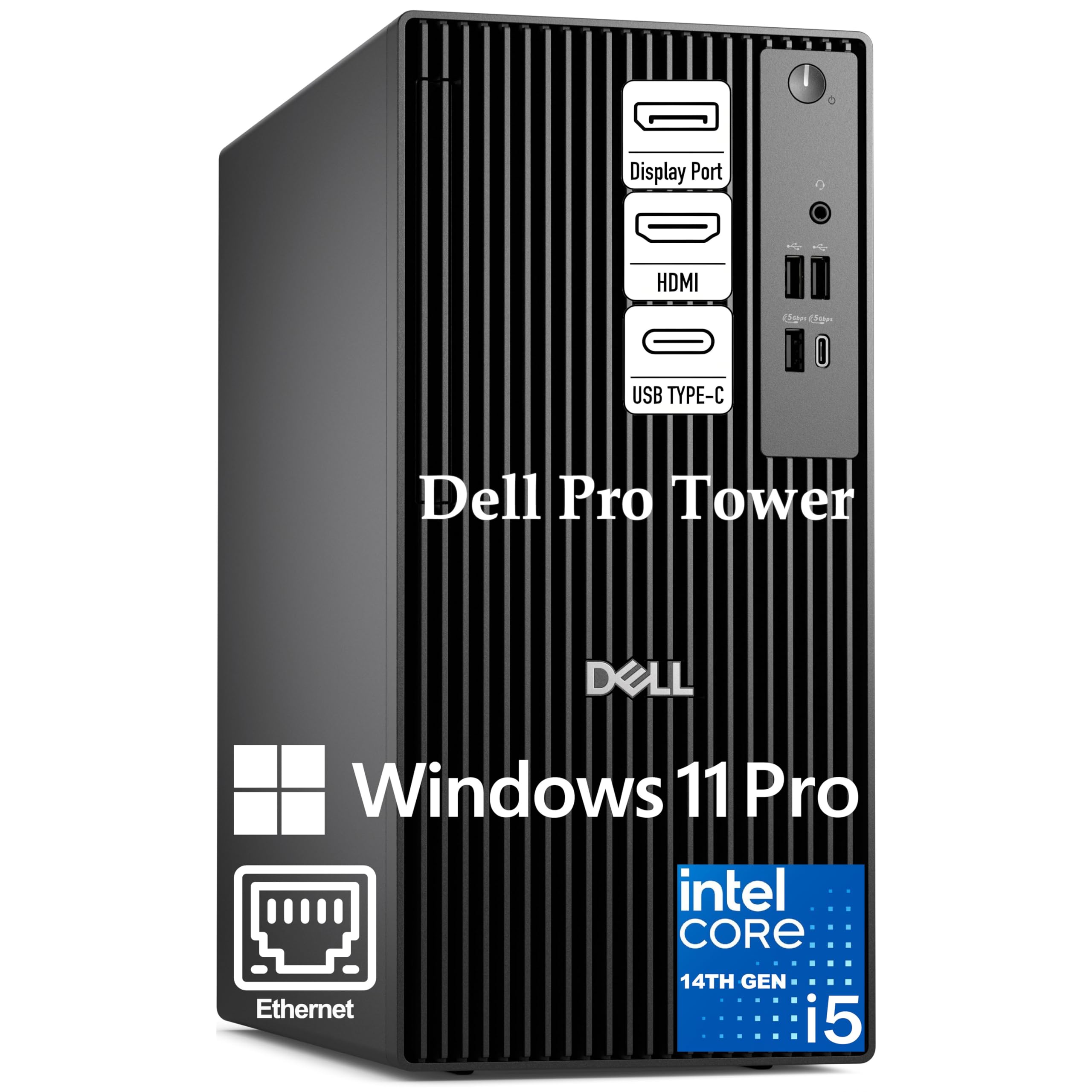
Pro-grade tower delivering 5.0 GHz single-core speed so you track with low latency.
The i5-14500 vPro runs 14 cores with Performance cores hitting 5.0 GHz — exactly the kind of single-thread headroom that keeps your DAW buffer low during recording. With 24 MB of cache versus 18 MB on the HP Pro Tower 290 G9, this Dell handles plugin chains and virtual instrument streaming more efficiently before hitting CPU limits. The 16 GB of DDR5 RAM gets you started, and the 512 GB PCIe SSD loads your DAW and sample libraries fast, though you will want a secondary drive for project files.
Buyers report the system is a “solid performer” and a “big upgrade from my old system.” The compact 11.5-inch chassis fits on a desk without dominating the space, and it runs quiet enough for a home studio. The catch is storage — 512 GB fills fast if you record long sessions at high sample rates, so factor in an external SSD or a second internal drive. Integrated Intel UHD 770 graphics drive two 4K displays via HDMI 2.1 and DisplayPort 1.4a, useful for a large edit window plus a mixer view.
Studio-Ready Core: The 5.0 GHz turbo and 24 MB cache give this Dell a clear edge over the HP Pro Tower 290 G9 for handling complex plugin chains without hitches.
Storage Gap: 512 GB works for light projects, but you will need to add a second drive for multitrack sessions at 24-bit/96 kHz.
Best for: Engineers who want a quiet, expandable tower with a fast single-core CPU for tracking and mixing without latency issues.
Look elsewhere if: You need a full 1 TB or more of storage from the start or require a dedicated GPU for video editing alongside audio.
2. GEEKOM A6 Mini PC with AMD Ryzen 7 6800H

Quiet mini PC with a 45 W CPU — owners mention it runs without audible fan noise in a studio.
The Ryzen 7 6800H inside the A6 runs at a stable 45 W TDP, compared with 15 W U-series chips like the 7730U. That sustained power means your DAW gets consistent performance across a long session without thermal throttling. The 16 GB of DDR5 RAM is upgradable to 64 GB, and the 1 TB PCIe Gen 4 SSD gives you plenty of room for your sample libraries and project files. Fan noise stays under 35 dB, which is quiet enough to keep a condenser mic happy in the same room.
Reviewers point out the dual fans and copper heatsink prevent heat failure, and the aluminum alloy chassis looks more premium than plastic competitors. The USB4 port supports fast data transfer to an external audio interface, and the quad 4K display support via HDMI and USB4 means you can run a multi-monitor setup for your DAW and editing software. The one trade-off: the BIOS is limited for advanced tweaking, and some users noticed minor radio interference on rear USB-A ports, easily fixed by switching dongles to the front ports.
Why It Works for Audio
- Ryzen 7 6800H with 45 W TDP delivers desktop-level performance without fan noise spikes
- Upgradable to 64 GB DDR5 for large orchestral templates
- 1 TB PCIe Gen 4 SSD loads Kontakt libraries fast
- USB4 port supports low-latency audio interfaces
Minor Hiccups
- Rear USB-A port can cause radio interference with some wireless peripherals
- Limited BIOS options for power tuning
Reach for this if: You want a quiet, compact machine that fits on a small desk and runs a full-power CPU without thermal throttling during long recording sessions.
skip it if: You need multiple internal drive bays for massive sample libraries or require native Thunderbolt 4 for your interface.
3. GMKtec Mini PC Workstation, Intel Core i9 13900HK

A 5.4 GHz i9 chip with 32 GB DDR5 that makes plugin-heavy mixing feel easy.
The i9-13900HK tops out at 5.4 GHz with 14 cores and 20 threads, making it one of the fastest mini PCs for single-core audio tasks. With 32 GB of DDR5 5600 MHz RAM (though the CPU maxes at 5200 MHz) and a 1 TB PCIe X4 NVMe SSD, this machine loads massive sample libraries and complex project files without hesitation. The 24 MB Smart Cache helps with real-time plugin processing — you can stack multiple instances of reverbs, EQs, and compressors without hitting a wall.
Shoppers say excellent performance for development and AI workloads, and the GMKtec runs “very quiet” with no overheating even under sustained load. The i9-13900HK beats the i5-14500 vPro on raw single-core speed, which translates to lower buffer sizes during tracking. The COM port is an odd addition for most audio setups, but the 2.5 Gbps Ethernet and Wi-Fi 6E ensure fast network transfers for cloud collaboration. The 1-year warranty is shorter than some competitors, so factor that into your decision.
Raw Speed Advantage: At 5.4 GHz, this Intel i9 core outpaces most desktop CPUs in single-thread performance, giving you the lowest possible buffer sizes for real-time monitoring.
Warranty Note: GMKtec offers a 1-year limited warranty compared to the 3-year coverage on the GEEKOM, so consider extended protection if you rely on this as your primary studio machine.
Ideal for: Producers running heavy plugin chains, large Kontakt templates, and multiple virtual instruments who need maximum CPU headroom in a small form factor.
Consider other options if: You prefer a longer warranty or need native Thunderbolt connectivity for your audio interface.
4. HP OmniDesk Desktop Computer PC, AMD Ryzen 7 8700G

32 GB of DDR5 and a 1 TB SSD at a price that undercuts most mid-range towers.
The Ryzen 7 8700G runs at 5.1 GHz with AMD Radeon 780M graphics — the integrated GPU is powerful enough to drive a 4K monitor for your DAW while handling light video editing if your workflow includes video content. The 32 GB of DDR5-5200 MT/s memory gives you more headroom than 16 GB entry-level configurations, so you can run large projects with multiple instrument tracks without hitting a swap. The 1 TB PCIe Gen 4 NVMe SSD gives you plenty of room for sample libraries and project archives.
Buyers report this is a “solid value for the money” and works well as a media PC. The HP OmniDesk dimensions (12.40″ x 6.10″ x 13.27″) fit on a standard desk without crowding. It includes a keyboard and mouse, though owners mention the keyboard quality is not up to HP’s usual standard. The Radeon 780M handles casual gaming, meaning this one machine can double as a light gaming rig when you are not producing.
Studio-Friendly Specs
- 32 GB DDR5 from the start handles large orchestral templates
- 1 TB NVMe SSD loads libraries in seconds
- Radeon 780M supports 4K display for wide DAW layouts
- Quiet air cooling suitable for recording spaces
Minor Drawbacks
- Included keyboard and mouse feel cheap — plan to replace them
- Only two RAM slots limit future upgrades
Grab this if: You want 32 GB RAM and a 1 TB SSD as standard, plus enough GPU power to run a 4K monitor and light games alongside your DAW.
Not for you if: You need dual internal drive bays or prefer a dedicated GPU for video editing alongside audio production.
5. Dell Pro Tower Plus Tower Desktop Computer, Intel Core Ultra 5 235, 32 GB RAM
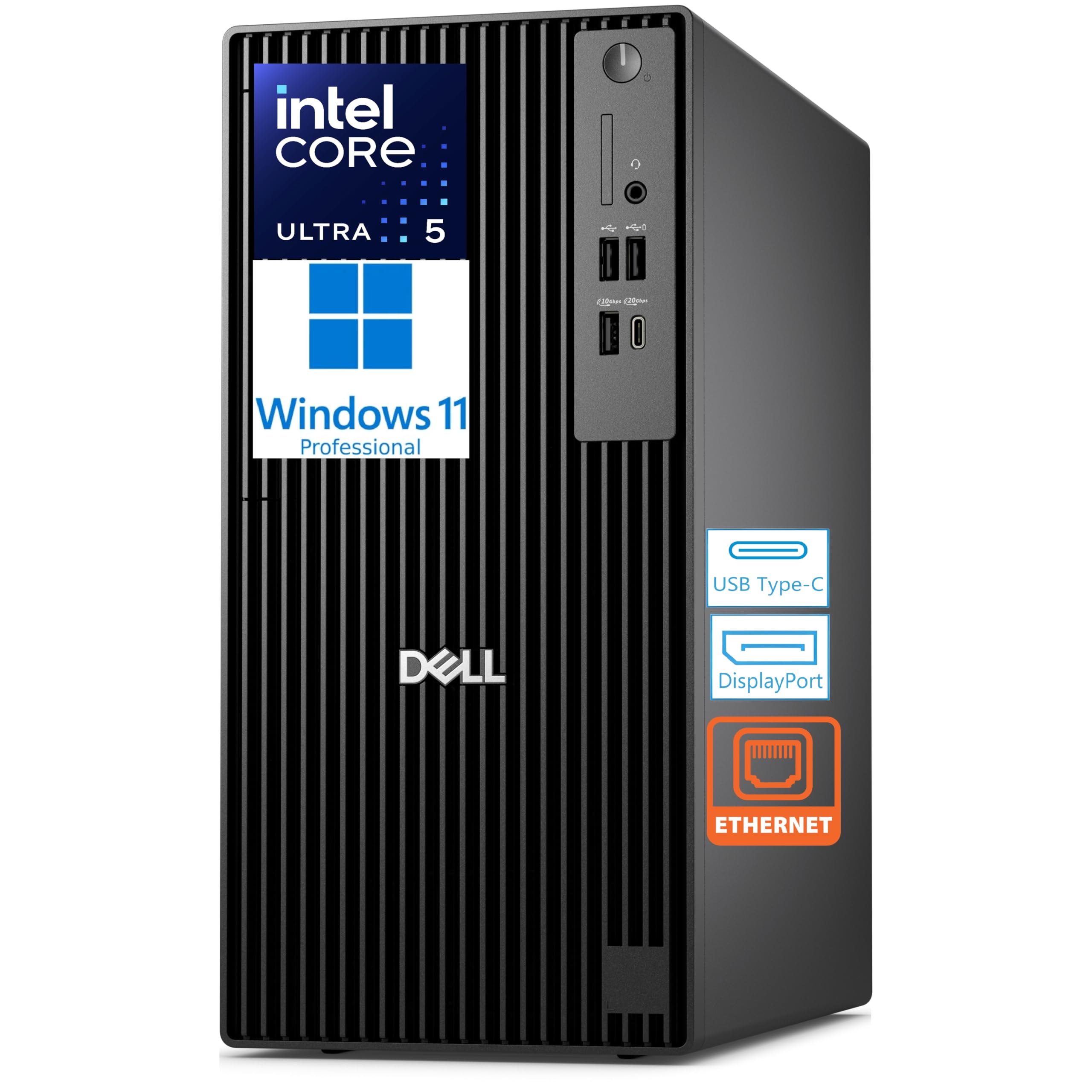
32 GB DDR5 and four 4K monitor support for a sprawling DAW workspace.
The Intel Core Ultra 5 235 runs at 5.0 GHz with 14 cores and a 13 TOPS NPU (Neural Processing Unit, a dedicated chip for AI tasks that handles up to 13 trillion operations per second) for AI acceleration — useful if your DAW supports AI-assisted mixing or stem separation tools. The 32 GB DDR5 memory and 1 TB PCIe SSD give you the headroom to run dense projects without slowdown. Integrated graphics drive up to four 4K displays through three DisplayPort connections and one rear USB-C display output, so you can have your arrangement view, mixer, plugin window, and video reference all visible at once.
Customers note this Dell makes “a great hypervisor” and runs Windows Server with VMWare smoothly, confirming the machine handles heavy multitasking without breaking a sweat. It runs quiet and boots fast. The major omission: no Wi-Fi or Bluetooth, so you need a wired Ethernet connection. The rear port selection includes USB 3.2 Gen 2×2 Type-C, which supports fast audio interface connections. The DVD+/-RW optical drive is a bonus for anyone still using CD-based media.
Multi-Monitor Workflow: With three DisplayPort and one USB-C display output, you can set up a four-screen DAW workspace that keeps your mixer, timeline, plugins, and reference video all visible at once.
Connectivity Catch: No built-in Wi-Fi or Bluetooth means you need a wired network connection or a USB adapter for wireless peripherals.
Perfect for: Engineers who rely on a multi-monitor DAW layout and want a reliable, quiet tower with 32 GB RAM and a fast 1 TB SSD from the start.
Skip if: You need wireless connectivity built in or prefer a small form factor that tucks away on a desk.
6. Dell Pro Tower Plus Tower Desktop Computer, Intel Core Ultra 5 235, 64 GB RAM
64 GB of RAM and a 2 TB SSD for sample library collectors and heavy mixers.
This is the Pro Tower Plus with the same Intel Core Ultra 5 235 processor but 64 GB of RAM and 2 TB of storage instead of 32 GB and 1 TB on the other model. The 64 GB of DDR5 at 5600 MT/s means you can load massive orchestral templates with every articulation mapped without hitting memory limits. The 2 TB PCIe SSD holds your entire sample library plus years of project files without needing an external drive. The 13 TOPS NPU handles AI-assisted mixing tools if your DAW supports them.
Reviewers point out this machine “yields top Wolfram score running Linux” and handles 4+ loaded VMs without lag, indicating the raw multitasking power carries over to dense audio sessions. The same connectivity suite applies — three DisplayPort and one USB-C display output for four 4K monitors. No Wi-Fi or Bluetooth comes built in, so plan for a wired network. The internal speaker and DVD drive are useful for reference checks and legacy media.
Large Session Ready
- 64 GB DDR5 handles massive orchestral templates without swap
- 2 TB PCIe SSD stores full sample libraries and project archives
- Four 4K display support for expansive DAW layouts
- Quiet tower design suitable for recording spaces
Trade-Offs
- No built-in Wi-Fi or Bluetooth
- No dedicated GPU for video work alongside audio
Ideal for: Producers who work with huge orchestral sample libraries, run dense mixing sessions, or need 64 GB of RAM for virtual instruments that preload into memory.
Look elsewhere if: You need built-in wireless connectivity or plan to do GPU-intensive video editing alongside your audio work.
7. CyberPowerPC Gaming PC, Intel Core i5-14400F, GeForce RTX 5060
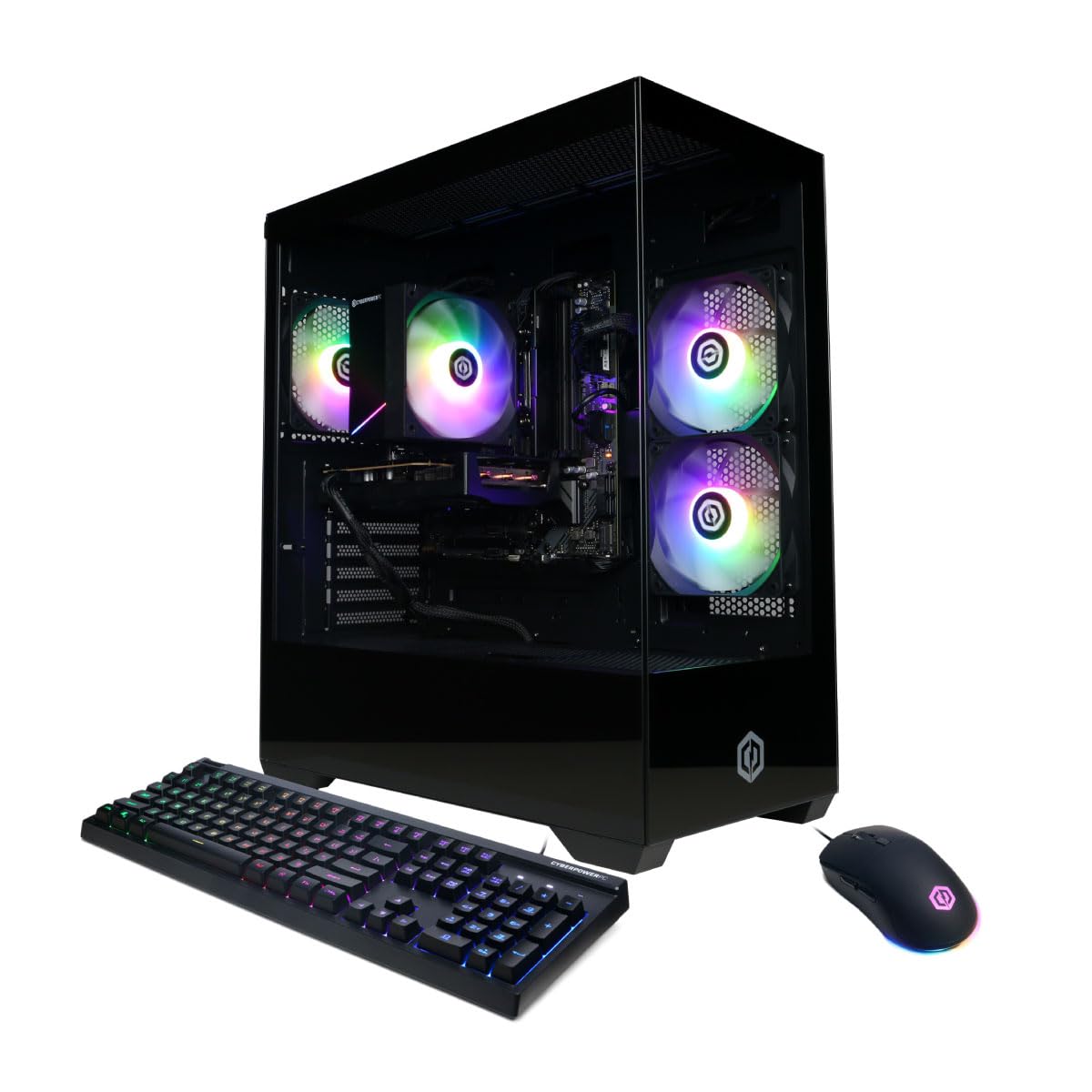
A gaming tower with an RTX 5060 for audio production plus light video editing on a budget.
The i5-14400F delivers 10 cores with a solid single-core speed, though the base clock sits at 2.5 GHz — less aggressive than the i5-14500 vPro’s 5.0 GHz boost, so expect to run slightly higher buffer sizes during tracking. The NVIDIA GeForce RTX 5060 with 8 GB of GDDR7 memory handles video editing and 4K display output easily, making this a good choice if your audio work includes video content. The 16 GB DDR5 is the minimum for audio production, but you will want to upgrade to 32 GB for larger projects.
Shoppers say this PC handles streaming and gaming “decently,” and it runs “very quiet.” The 1 TB PCIe 4.0 NVMe SSD loads your DAW and samples quickly. The tempered glass side panel and RGB lighting look flashy for a studio setting, but the machine itself performs well for the price. The 1-year parts and labor warranty with free lifetime tech support gives some confidence for a budget buy.
Dual-Use Value: The RTX 5060 makes this a strong option if you edit video alongside audio, but the 16 GB RAM and lower base clock mean you will hit limits faster than with a dedicated workstation.
RAM First Upgrade: Plan to add another 16 GB stick to reach 32 GB — 16 GB fills quickly with a full DAW session, browser tabs, and minor background apps running simultaneously.
Best for: Producers on a budget who also game or edit video, and who are comfortable with a light RAM upgrade to get the most out of their DAW.
Not ideal if: You need maximum single-core turbo speed for ultra-low buffer tracking or prefer a more subdued studio aesthetic without RGB lighting.
8. iBUYPOWER Element Gaming PC Desktop Computer AMD Ryzen 9 7900X

Ryzen 9 7900X at 5.6 GHz gives you the highest single-core speed here for ultra-low buffer tracking.
The AMD Ryzen 9 7900X runs at up to 5.6 GHz, giving you the highest single-core speed in this lineup — ideal for real-time audio processing at very low buffer sizes. With 32 GB of DDR5 RGB 5200 MHz RAM and a 1 TB NVMe SSD, you get solid headroom for most audio production tasks. The NVIDIA GeForce RTX 5070 with 12 GB of GDDR7 memory means this machine also handles 4K video editing and 3D rendering without breaking a sweat, so it fits a hybrid audio/video workflow.
Buyers describe it as a “great PC” for gaming and streaming, and it handles simulations at high settings without issues. The water cooling keeps temperatures low and fan noise minimal during long sessions. The tempered glass RGB case is flashy — not ideal for a control room aesthetic, but the performance speaks for itself. The RTX 5070 also supports AI-assisted audio tools that run on CUDA cores, giving you an edge if you use noise reduction or stem separation software that leverages GPU acceleration.
High-End Performance
- 5.6 GHz single-core turbo ideal for ultra-low buffer tracking
- 12 GB RTX 5070 supports video editing and GPU-accelerated audio tools
- Water cooling keeps noise low during long sessions
- 32 GB DDR5 handles large templates
Studio Concerns
- RGB lighting and gaming case look out of place in a professional studio
- Premium price may exceed budgets for pure audio producers
Reach for this if: You need the fastest possible single-core CPU for tracking, plus a powerful GPU for video content creation and AI-assisted audio processing.
pass on it if: You prefer a quiet, professional-looking tower for a treated studio room and do not need the GPU for video work.
9. HP Pro Tower 290 G9 Business Desktop Computer, Intel i5-12500

A dependable budget tower for beginners — 4.6 GHz CPU and 16 GB RAM for basic tracking.
The Intel Core i5-12500 runs at up to 4.6 GHz with 18 MB of cache — a capable CPU for tracking a moderate number of tracks and applying basic plugin chains. The 16 GB DDR4 RAM handles small to medium projects, but buyers report “it does struggle when you have too many things open, I would suggest getting something a little bit stronger if you’re doing more intensive work.” The 512 GB PCIe SSD boots your DAW quickly, but fills up fast if you record multitrack sessions at high sample rates. The compact tower (11.92″ x 6.1″ x 13.27″) fits easily on a desk.
Buyers praise HP’s reliability, calling it “a brand name I trust” and noting it is “fast, affordable.” The front USB 3.0 ports make it easy to connect an audio interface, and the dual monitor support via HDMI and VGA works for a basic DAW setup. The catch is the 512 GB storage and 16 GB RAM — you will hit limits as your project complexity grows. This is a solid starting point for podcasting, voiceover work, or light music production where you are not running dozens of virtual instruments.
Starter Studio: With a 4.6 GHz CPU and 16 GB RAM, this HP handles basic tracking and mixing for podcasting, voiceover, or small music projects, but it is not built for large orchestral templates.
Know the Limit: Buyers confirm this machine struggles with heavy multitasking — expect to close background apps when running a dense DAW session.
Ideal for: Beginners entering audio production, podcasters, or voiceover artists who need a reliable, affordable machine for basic tracking and editing without heavy plugin usage.
Pass on this if: You plan to run large virtual instrument libraries, dozens of plugin instances, or multitrack sessions at 24-bit/96 kHz with long project files.
Understanding the Specs
CPU Single-Core Turbo Frequency
This is the most important spec for audio recording. A higher turbo frequency (measured in GHz) lets your computer process audio in real time with a smaller buffer, which means less delay between when you play a note and when you hear it through your headphones. Look for CPUs that hit at least 4.5 GHz — chips like the i5-14500 hitting 5.0 GHz or the Ryzen 7 8700G hitting 5.1 GHz give you the lowest possible latency during tracking sessions.
RAM Capacity and Type
RAM determines how many virtual instruments, plugins, and audio tracks you can load before your computer starts swapping data to disk, which causes glitches. 16 GB is the minimum for a small project. 32 GB handles medium sessions with several instrument tracks and effects. 64 GB is for massive orchestral templates where every articulation is pre-loaded into memory. DDR5 RAM is faster than DDR4, which helps with sample streaming from disk.
FAQ
What CPU speed do I need for audio recording with low latency?
Is 16 GB of RAM enough for music production?
Do I need a dedicated graphics card for audio recording?
How much storage do I need for a home recording studio?
Will a mini PC be powerful enough for audio recording?
What is buffer size and why does it matter?
Should I get a desktop or laptop for audio recording?
What connectivity do I need for my audio interface?
Can I use a gaming PC for audio recording?
How important is quiet operation in a studio computer?
Final Thoughts: The Verdict
For the majority of shoppers, the computer for audio recording winner is the GEEKOM A6 Mini PC because it combines a fast 45 W CPU, upgradable RAM, quiet cooling, and a compact footprint at a sensible price. If you want raw single-core performance for ultra-low latency tracking, grab the GMKtec K10 Mini PC with its i9-13900HK at 5.4 GHz. And for a dependable tower with 64 GB of RAM and a 2 TB SSD for massive sample libraries, the Dell Pro Tower Plus is the one to pick.
How We Picked
We do not accept paid placement. Every pick is matched to a real buyer and a real use-case; we do not hands-on test units.
Sources & Methodology
Specifications: manufacturer listings and product documentation. Review insights: verified customer reviews, as of July 2026. Pricing: not shown on this page (it changes often); check the current price via the retailer link.
As an Amazon Associate, WellFizz earns from qualifying purchases. This does not affect which products we feature.

Mo Maruf
I created WellFizz to bridge the gap between vague wellness advice and actionable solutions. My mission is simple: to decode the research and give you practical tools you can actually use.
Beyond the data, I am a passionate traveler. I believe that stepping away from the screen to explore new environments is essential for mental clarity and physical vitality.