Our readers keep the lights on and my smoothie glass nicely filled. As an Amazon Associate, I earn from qualifying purchases.
Building a gaming PC isn’t about buying the most expensive parts—it’s about buying the ones that actually work together. A mismatched motherboard and CPU can cap your frame rates, and a weak power supply can turn your rig into a random reboot machine. The goal is a balanced build where nothing holds anything else back.
I’m Mohammad Maruf — the founder and writer behind WellFizz. I spend my time digging into hardware datasheets, comparing VRM phase counts, thermal pad ratings, power efficiency curves, and real-world benchmark deltas so you don’t have to sift through the noise.
These seven components span the critical roles inside a modern gaming tower—from the GPU and motherboard to the PSU and monitor—each carefully selected to deliver specific strengths. This guide to the components for gaming pc breaks down what each part does best so you can match them to your own build priorities.
How To Choose The Best Components For Gaming PC
Choosing parts for a gaming PC comes down to three interlocking decisions: the platform (socket and chipset), the graphics horsepower (GPU generation and VRAM), and the power delivery (PSU rating and connector compatibility). Each part below delivers a different piece of that puzzle.
Platform Lock-In Matters More Than Price
Your motherboard’s socket defines your CPU upgrade path. AM5 boards like the ASUS ROG Strix X870-A support Ryzen 7000, 8000, and 9000 series processors, giving you a multi-year upgrade runway. AM4 boards such as the GIGABYTE B550 Eagle or MSI MPG B550 Gaming Plus are more budget-friendly but cap your future at the Ryzen 5000 series. For Intel, the LGA 1700 socket on the MSI B760 Gaming Plus covers 12th, 13th, and 14th Gen processors.
GPU VRAM and Memory Type Define Resolution Ceiling
For 1440p high-refresh gaming, 16GB of VRAM on the GIGABYTE Radeon RX 9070 XT is the current sweet spot—it won’t choke on texture-heavy titles or ray tracing workloads. Pair that with DDR5 memory if your motherboard supports it (the MSI B760 and ASUS X870 both do), since DDR5 at 6000MHz+ offers measurable frame-time improvements over DDR4 in CPU-bound scenarios.
PSU Specification is Not Optional
The be quiet! Pure Power 13 M 850W checks three critical boxes: 80 PLUS Gold efficiency (up to 94.4% under load), ATX 3.1 compliance with a native 12V-2×6 connector for modern GPUs, and semi-passive fan operation that keeps noise near zero during light use. A PSU without these specs can introduce coil whine, random shutdowns, or insufficient headroom for transient spikes common in RTX 4000 and RX 7000 cards.
Quick Comparison
On smaller screens, swipe sideways to see the full table.
| Model | Category | Best For | Key Spec | Amazon |
|---|---|---|---|---|
| ASUS ROG Strix X870-A Gaming WiFi | Motherboard | High-end AM5 build with AI tuning | 16+2+2 power stages, 90A per phase | Amazon |
| GIGABYTE Radeon RX 9070 XT Gaming OC | Graphics Card | 1440p max settings + ray tracing | 16GB GDDR6, 3060 MHz boost clock | Amazon |
| Alienware 34 QD-OLED AW3425DW | Monitor | Ultrawide immersion, 240Hz gaming | 3440×1440, 240Hz, 0.03ms response | Amazon |
| be quiet! Pure Power 13 M 850W | PSU | Quiet mid/high-end system power | 850W, 80 PLUS Gold, ATX 3.1 | Amazon |
| MSI B760 Gaming Plus WiFi | Motherboard | DDR5 Intel build on LGA 1700 | DDR5 6800+ MHz (OC), Wi-Fi 6E | Amazon |
| MSI MPG B550 Gaming Plus V1 | Motherboard | DDR4 AM4 build with PCIe 4.0 | DDR4 4400 MHz, extended heatsink | Amazon |
| GIGABYTE B550 Eagle WIFI6 | Motherboard | Budget-friendly Ryzen entry point | 10+3 phase VRM, Wi-Fi 6 | Amazon |
In‑Depth Reviews
1. ASUS ROG Strix X870-A Gaming WiFi

This is the flagship foundation for a high-end AM5 gaming PC. It features 16+2+2 power stages rated at 90A each, which means even a Ryzen 9 9950X under heavy all-core load stays stable without VRM thermal throttling. The Dynamic OC Switcher and Core Flex utilities let you push single-core boost clocks higher while keeping multi-core workloads within safe limits—something mid-range B-series boards simply cannot do.
The connectivity suite is built for longevity: two PCIe 5.0 M.2 slots for future SSDs, USB4 with up to 40Gbps transfer speeds, and integrated Wi-Fi 7 that saturates gigabit home connections with sub-2ms latency. The Q-Release Slim mechanism on the PCIe slot makes GPU swaps tool-free, which matters when you upgrade every two generations.
AI Overclocking and AI Cooling II automatically tune voltage curves and fan profiles based on your specific CPU sample and ambient temperature. For builders who want maximum performance without spending hours stress-testing manual offsets, this board delivers a near-automated high-performance baseline.
Why it’s great
- Overbuilt VRM handles any AM5 CPU with thermal headroom to spare
- Wi-Fi 7 and USB4 make this genuinely future-proof
- Tool-free GPU and M.2 latches simplify maintenance
Good to know
- Populating the fourth M.2 slot disables the bottom PCIe x16 slot
- Premium price tier requires DDR5 and a new AM5 CPU investment
2. GIGABYTE Radeon RX 9070 XT Gaming OC 16G

The RX 9070 XT hits the 1440p high-refresh sweet spot with authority. In Cyberpunk 2077 at max settings with ray tracing enabled, it pushes well over 100fps, while competitive shooters like Call of Duty and Valorant exceed 300fps when paired with a fast CPU. The 16GB VRAM buffer also handles texture-heavy modded titles and 4K downsampling without stutter.
GIGABYTE’s WINDFORCE cooling system uses three Hawk fans with alternating blade curves for higher static pressure at lower noise levels. Under sustained load, core temperatures stay below 65°C, and the fans remain quiet enough that the case fans become the louder component. The server-grade thermal gel between the GPU die and heatsink improves heat transfer versus standard thermal paste over extended use.
FSR 4.1 upscaling provides a meaningful frame rate boost in supported titles, and the card supports PCIe 5.0 for bandwidth headroom on newer platforms. At this tier, it competes directly with the RTX 5070 on raw rasterization performance while often costing less—making it the value king for AMD-based builds.
Why it’s great
- Exceptional 1440p rasterization with solid ray tracing performance
- Quiet, effective WINDFORCE cooler keeps temps under 65°C
- 16GB VRAM provides headroom for high-res textures and mods
Good to know
- Runs slightly hotter than some competing 9070 XT models
- Requires a quality 750W+ PSU with two PCIe 8-pin connectors
3. Alienware 34 QD-OLED Curved Gaming Monitor AW3425DW

This 34-inch ultrawide monitor uses a QD-OLED panel that produces true blacks, vibrant colors, and an infinite contrast ratio. The 1800R curve wraps the image around your peripheral vision, which makes immersion in racing sims, RPGs, and FPS titles significantly better than a flat 16:9 panel. The 240Hz refresh rate with 0.03ms gray-to-gray response eliminates motion blur even during fast camera sweeps.
Color accuracy is rated at Delta E less than 2, and it covers 99.3% of the DCI-P3 gamut. That means it doubles as a solid monitor for photo editing or content consumption. VESA DisplayHDR TrueBlack 400 certification ensures HDR content retains shadow detail without washed-out blacks—something standard IPS HDR monitors still struggle with.
Adaptive sync support includes AMD FreeSync Premium Pro, NVIDIA G-SYNC Compatible, and VESA AdaptiveSync, so it works seamlessly with both GPU ecosystems. The only trade-off: the glossy QD-OLED coating reflects ambient light more than matte panels, so it performs best in a room with controlled lighting. Text clarity may also require ClearType tuning if you use it for productivity.
Why it’s great
- QD-OLED delivers true blacks and infinite contrast unmatched by LCD monitors
- 240Hz at 0.03ms response makes motion perfectly fluid
- Works with both FreeSync and G-Sync without compatibility headaches
Good to know
- Glossy screen produces reflections in bright rooms
- Text clarity may appear fuzzy without Windows ClearType calibration
4. be quiet! Pure Power 13 M 850W
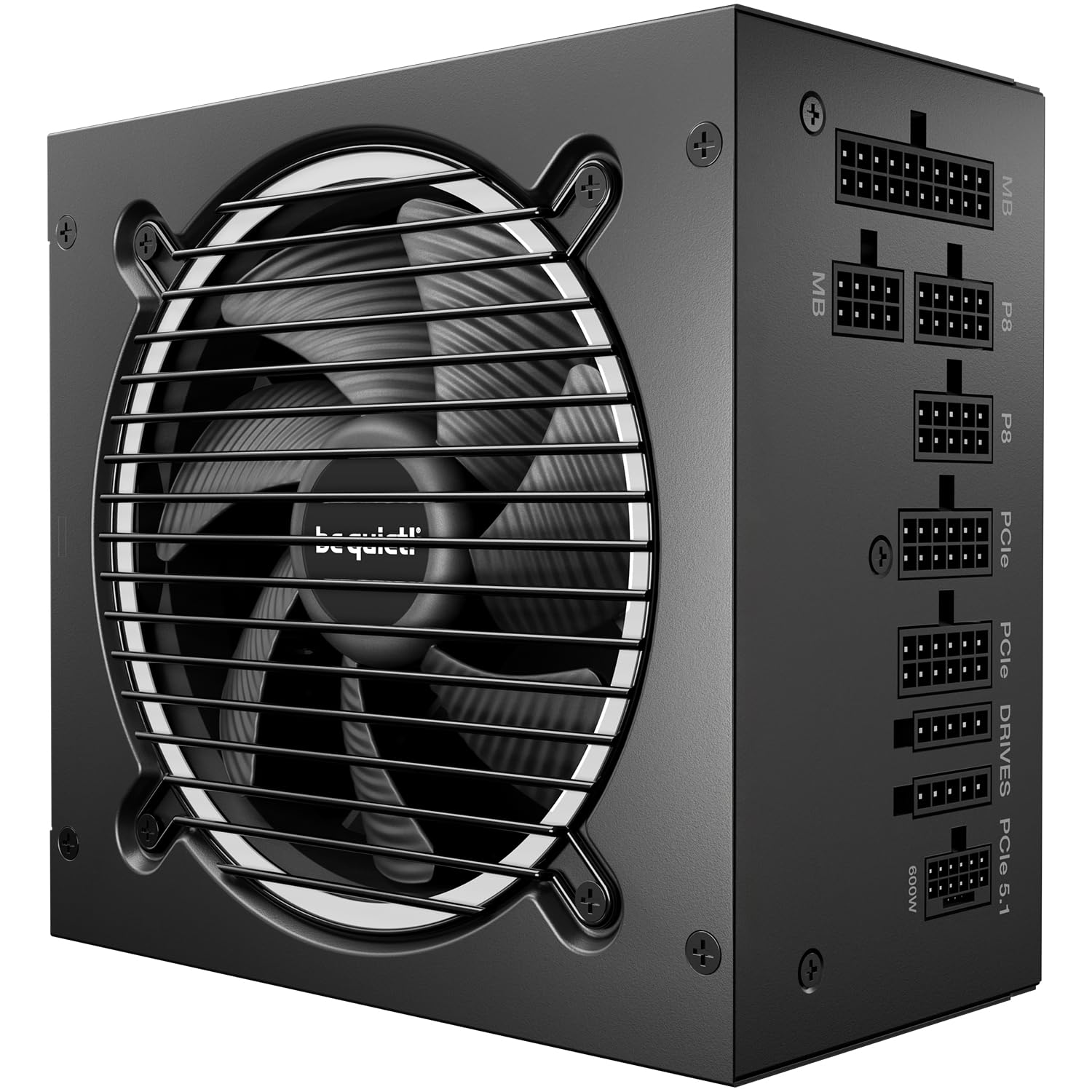
The Pure Power 13 M delivers 850W of continuous power with LLC topology for rock-solid voltage regulation under transient loads. Its 80 PLUS Gold rating (up to 94.4% efficiency) means less heat generation and lower electricity waste compared to Bronze-rated units—especially important when powering a high-end GPU that can draw over 300W during spikes.
ATX 3.1 compliance with a native 12V-2×6 connector is the headline feature. This connector handles the instantaneous power excursions that modern graphics cards demand, and it’s backward-compatible with older GPUs via standard PCIe 6+2-pin cables. The semi-passive fan operation turns the 120mm be quiet! fan completely off below roughly 40% load—most desktop, web browsing, and light gaming scenarios produce zero PSU noise.
Modular cables simplify routing inside the case, reducing clutter and improving airflow. With 850W, this unit comfortably powers a Ryzen 7 or Core i7 paired with an RX 9070 XT or RTX 4070 Super, with enough headroom for moderate overclocking on both CPU and GPU.
Why it’s great
- ATX 3.1 support ensures compatibility with today’s and tomorrow’s GPUs
- LLC topology eliminates voltage ripple for stable overclocks
- Semi-passive fan makes the PSU effectively silent at low loads
Good to know
- 850W may be tight for an RTX 4090 or dual-GPU setups
- Cable stiffness is moderate; custom cables may be needed for tight cases
5. MSI B760 Gaming Plus WiFi

For builders committed to Intel, this B760 board supports 12th, 13th, and 14th Gen Core processors on the LGA 1700 socket with DDR5 memory overclocking up to 6800MHz+. The dual-channel memory configuration significantly improves frame pacing in CPU-bound games compared to DDR4, especially at high refresh rates like 240Hz.
The extended VRM heatsink uses MOSFET thermal pads rated at 7W/mK, which keeps temperatures stable even with a Core i7-13700K pulling 180W during all-core loads. The board includes two M.2 slots with PCIe 4.0 x4 bandwidth, both with M.2 Shield Frozr heatsinks to prevent NVMe thermal throttling during large file transfers.
Built-in Wi-Fi 6E and Bluetooth 5.3 provide low-latency wireless connectivity, and the 2.5G LAN port is ideal for local game streaming or network transfer. The BIOS interface is clean and intuitive—MSI’s Click BIOS 5 makes enabling XMP profiles and adjusting fan curves straightforward even for less experienced builders.
Why it’s great
- DDR5 support with high-frequency OC headroom for memory-sensitive games
- Effective VRM thermal solution handles Core i7 and i9 without throttling
- Wi-Fi 6E and 2.5G LAN included at a entry-level mid-range price
Good to know
- No CPU overclocking support (locked to B760 chipset)
- Bottom cable-routing holes are tight for custom cable sleeves
6. MSI MPG B550 Gaming Plus V1

This board is the sweet spot for AM4 builders who want PCIe 4.0 support without jumping to the AM5 platform. It supports Ryzen 5000 series processors with dual-channel DDR4 memory up to 4400MHz, making it an ideal match for a Ryzen 5 5600X or Ryzen 7 5800X3D. The extended heatsink with 7W/mK choke thermal pads keeps voltage regulation stable during extended gaming sessions.
The Lightning Gen 4 M.2 slot with M.2 Shield Frozr prevents thermal throttling on fast NVMe drives. Two M.2 slots and six SATA ports give ample storage expansion. The board includes a built-in I/O shield and clear CMOS button, which simplifies installation and troubleshooting. Mystic Light RGB syncs compatible fans and strips through the header without extra controllers.
USB-C and seven USB 3.2 Gen 2 ports provide modern peripheral connectivity, and the AMD Turbo USB 3.2 Gen 2 feature optimizes transfer speeds for external SSDs. The BIOS update requirement for Ryzen 5000 series is a one-time step—MSI’s BIOS Flashback feature lets you update without a CPU installed if needed.
Why it’s great
- Combines PCIe 4.0 with affordable DDR4 memory
- Strong 7W/mK thermal pad solution prevents VRM overheating
- Ample USB ports including USB-C for modern peripherals
Good to know
- Requires BIOS update for Ryzen 5000 series out of the box
- No integrated Wi-Fi; Ethernet cable or adapter required
7. GIGABYTE B550 Eagle WIFI6
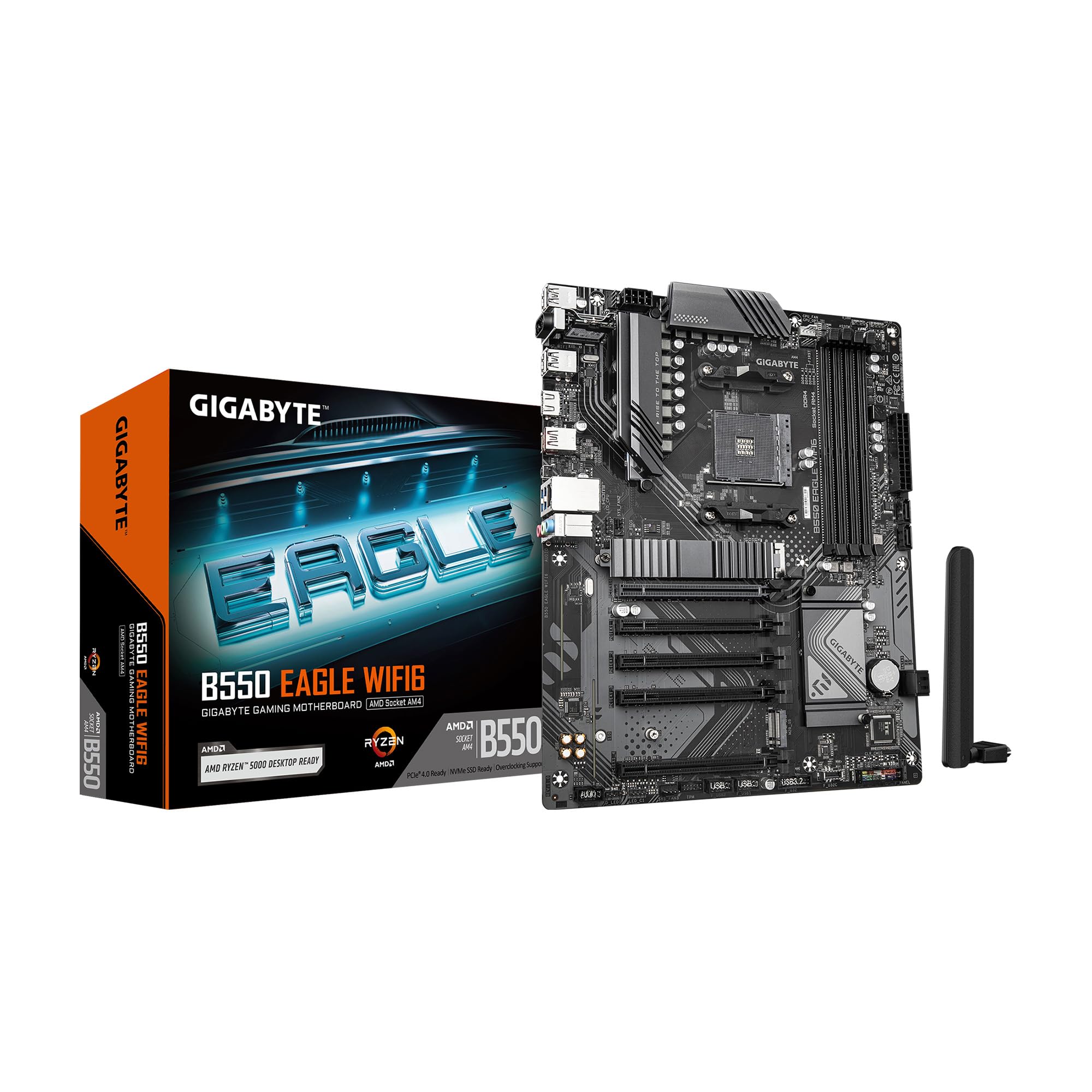
This board strips away unnecessary frills to deliver a solid AM4 foundation at a leaner price point. The digital 10+3 phase VRM with premium chokes and capacitors is sufficient for Ryzen 5 and Ryzen 7 processors under sustained gaming loads, and the enlarged VRM heatsinks with 5W/mk thermal pads handle heat dissipation well for the class.
Built-in Wi-Fi 6 eliminates the need for a separate wireless adapter, and the 1GbE LAN provides a wired fallback. The board supports PCIe 4.0 for both GPU and one M.2 slot, so storage bottlenecks won’t hold back load times. The USB-C header on the front panel connector and USB 3.2 Gen 2 ports offer modern peripheral speeds.
The pre-installed I/O armor speeds up case installation, and RGB Fusion allows lighting control through GIGABYTE’s software ecosystem. While it lacks the power delivery headroom for heavy overclocking on a Ryzen 9, it matches perfectly with a Ryzen 5 5600 or Ryzen 7 5700X for a cost-conscious 1440p gaming rig.
Why it’s great
- Built-in Wi-Fi 6 adds value without the cost of a separate card
- 10+3 phase VRM is stable for Ryzen 5 and 7 under gaming loads
- Pre-installed I/O shield simplifies motherboard installation
Good to know
- Single PCIe 4.0 M.2 slot; second slot runs at PCIe 3.0
- VRM may throttle a Ryzen 9 under sustained all-core work
FAQ
Can I use a DDR4 motherboard with a DDR5 graphics card?
Does PCIe 5.0 on a motherboard improve gaming FPS right now?
Is 850W enough for a Ryzen 9 7950X and RX 9070 XT?
Which motherboard chipset supports Wi-Fi 7 and USB4?
Does a QD-OLED monitor risk permanent burn-in from gaming HUDs?
Final Thoughts: The Verdict
For most users, the components for gaming pc winner is the GIGABYTE Radeon RX 9070 XT Gaming OC because it delivers the most impactful frame rate uplift for the investment—the GPU is always the bottleneck in gaming, and this card handles 1440p with headroom to spare. If you want a rock-solid platform to build around, grab the ASUS ROG Strix X870-A Gaming WiFi. And for a complete visual overhaul that makes every game look dramatically better, nothing beats the Alienware 34 QD-OLED AW3425DW.

Mo Maruf
I created WellFizz to bridge the gap between vague wellness advice and actionable solutions. My mission is simple: to decode the research and give you practical tools you can actually use.
Beyond the data, I am a passionate traveler. I believe that stepping away from the screen to explore new environments is essential for mental clarity and physical vitality.