Our readers keep the lights on and my smoothie glass nicely filled. As an Amazon Associate, I earn from qualifying purchases.
Color e-readers have finally bridged the gap between the paper-like focus of an e-ink display and the visual richness of a full-color screen, but not all color e-ink technology delivers the same experience. The Kaleido 3 panels used in most current models produce deliberately muted, pastel-like colors that are easy on the eyes for hours of reading, but look nothing like the punchy vibrancy of a phone or tablet LCD. Understanding that trade-off is the single most important factor before choosing which device to buy.
I’m Mohammad Maruf — the founder and writer behind WellFizz. I’ve spent countless hours cross-referencing display specifications, battery benchmarks, and real-world user feedback across the entire color e-reader market to build this guide around real reading habits rather than marketing claims.
Whether you read graphic novels, highlight academic texts, or want your book covers to finally appear in color, finding the right device comes down to display size, storage capacity, and ecosystem flexibility. This review of the best color ereader options breaks down the specs that actually matter for comfortable, long-form reading.
How To Choose The Best Color Ereader
Color e-readers use a subtractive color filter array layered over a monochrome e-ink display, which inherently reduces contrast and makes the background slightly darker than black-and-white models. Every choice you make — from screen size to operating system — directly impacts how readable color content will be in your typical lighting conditions.
Display Size and Resolution Trade-offs
A 6-inch color e-reader is highly portable and fits in a small bag, but the 150 ppi color resolution means comics and graphic novels require frequent zooming and panning. Seven-inch models strike a better balance for panel-view comic pages, while 7.8-inch and 10.3-inch screens deliver a true full-page experience at the cost of portability and a higher price tag.
Ecosystem Lock-In Versus Open Android
Kindle and Kobo devices offer tight integration with their respective stores and library lending services but restrict you to their app ecosystems. PocketBook and BOOX run Android-based systems that let you install Kindle, Kobo, Libby, Hoopla, and Google Play Books simultaneously, though they require more setup and typically consume battery faster due to background app activity.
Front Lighting and Warmth Adjustment
All color e-readers need front lighting to compensate for the darker color layer, especially in dim environments. Look for models with adjustable warm-to-cool color temperature ranges — SMARTlight on PocketBook and CTM on BOOX let you shift the screen from bright white to amber, reducing eye strain during evening reading sessions.
Quick Comparison
On smaller screens, swipe sideways to see the full table.
| Model | Category | Best For | Key Spec | Amazon |
|---|---|---|---|---|
| Amazon Kindle Colorsoft 16GB | Premium | Kindle ecosystem readers | 7″ custom color display | Amazon |
| Amazon Kindle Colorsoft Signature Edition Bundle | Premium | Wireless charging and extras | 32 GB + wireless dock | Amazon |
| Kobo Libra Colour | Premium | OverDrive library users | 7″ Kaleido 3, 32 GB | Amazon |
| BOOX Go Color 7 Gen II | Premium | Android app flexibility | 7″ Kaleido 3, Android 13 | Amazon |
| PocketBook InkPad Color 3 | Premium | Largest compact color screen | 7.8″ Kaleido 3, 32 GB | Amazon |
| BOOX Note Air 5 C | Premium | Note-taking and large-format | 10.3″ Kaleido 3, 64 GB | Amazon |
| Amazon Kindle Colorsoft Kids 16GB | Mid-Range | Family-friendly color reading | 7″ display + Kids+ sub | Amazon |
| TCL NXTPAPER 11 Gen 2 | Mid-Range | Multi-function tablet use | 11″ LCD, 128 GB | Amazon |
| PocketBook Verse Pro Color | Mid-Range | Ultra-portable open system | 6″ Kaleido 3, 16 GB | Amazon |
In‑Depth Reviews
1. Amazon Kindle Colorsoft 16 GB
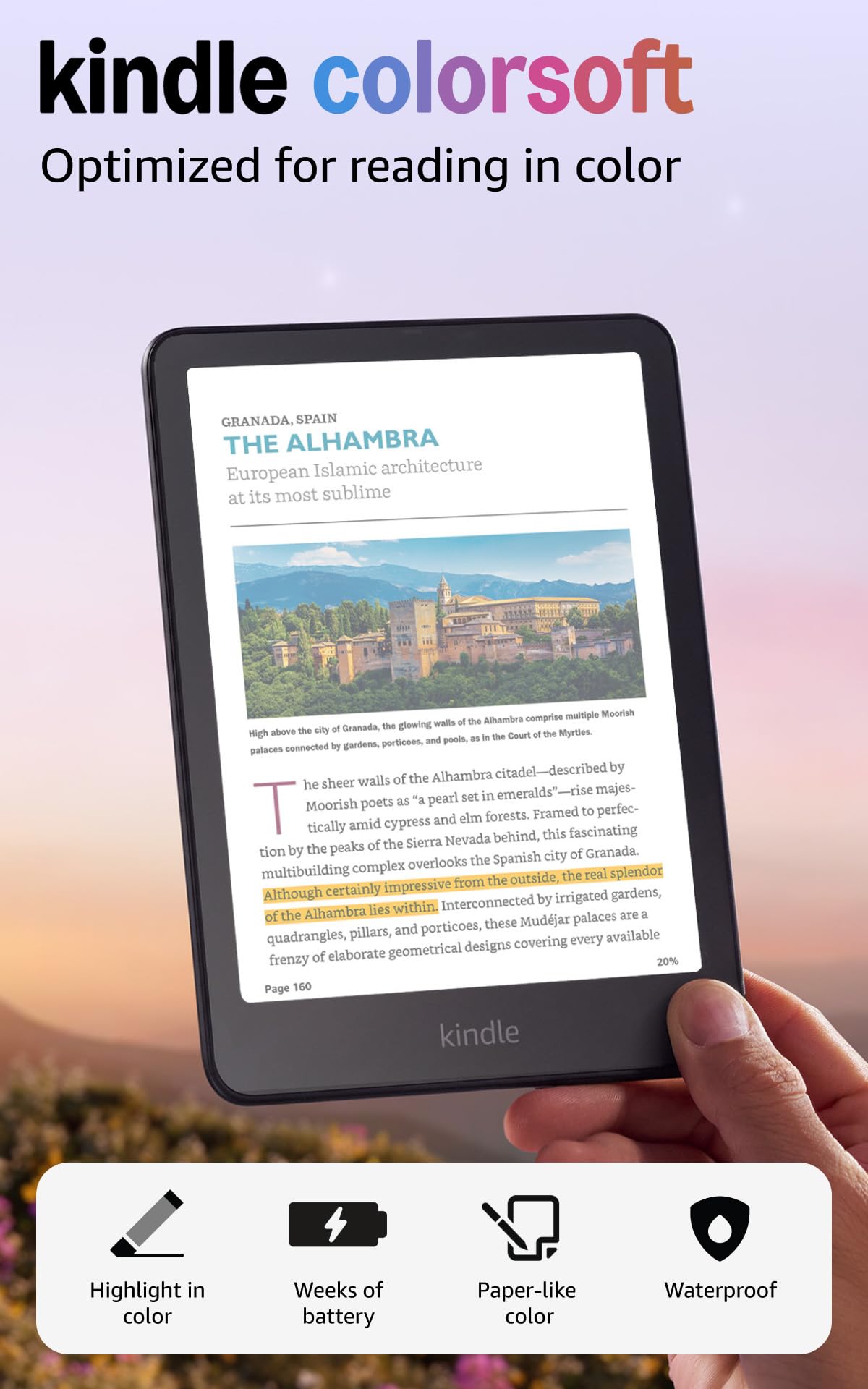
The Kindle Colorsoft uses a custom 7-inch display that Amazon tuned specifically for reading in color, and it shows — the color layer feels intentionally soft and paper-like rather than artificially saturated. Users consistently report that text sharpness is slightly lower than the Paperwhite, but the trade-off is negligible for anyone reading graphic novels, illustrated cookbooks, or color-coded highlights. The device runs the familiar Kindle interface with no learning curve, and the adjustable warm light makes evening reading comfortable without washing out colors.
Battery life is the standout feature here: a single USB-C charge lasts up to eight weeks under normal use, and reviewers noted the device held 90% charge after two weeks of daily reading. The 16 GB storage holds thousands of books, and the waterproof IPX8 rating means you can take it poolside or into the bath without worry. The color highlighting feature supports four hues — yellow, orange, blue, and pink — which is a genuine productivity boost for students and researchers.
The biggest catch is that the color display requires a higher brightness setting — around step 16 versus step 10 on a Paperwhite — which impacts battery life slightly if you read in dark rooms. Some early units had a yellow band at the bottom edge, but recent batches appear to have resolved that issue. If you primarily read black-and-white novels, the Paperwhite remains sharper and cheaper, but for color content this is the most polished Kindle experience available.
Why it’s great
- Excellent battery life for a color device
- Seamless integration with Kindle Store and Kindle Unlimited
- Waterproof and lightweight for on-the-go reading
Good to know
- Text is less sharp than the Paperwhite
- Requires higher front light brightness in dark settings
- Color is deliberately muted, not vibrant like a tablet
2. Amazon Kindle Colorsoft Signature Edition Bundle

The Signature Edition takes the same 7-inch Colorsoft display and doubles the storage to 32 GB, adds auto-adjusting front light, and includes a wireless charging dock plus a plant-based leather cover in the bundle. The auto-brightness sensor is the real upgrade — it smoothly adjusts the front light from bright sunlight reading to dim nighttime viewing without manual intervention, which is especially useful for color content that needs consistent illumination.
Wireless charging through the included dock eliminates the wear and tear on the USB-C port, and the battery life extends to roughly ten weeks per charge thanks to optimized power management. The plant-based leather cover is slim and magnetically attaches without adding bulk, and the jade color option looks far more premium than standard fabric covers. Reviewers consistently note that the build quality feels identical to the Paperwhite Signature Edition, with the same solid button feedback and smooth page turns.
At this tier, you are paying for convenience and extras rather than a fundamentally different reading experience. The color rendering is identical to the standard Colorsoft, so if you do not need 32 GB or wireless charging, the base model delivers the same core quality. The bundle value is strong when purchased during Amazon sales events, and the included cover saves you the hassle of shopping for a third-party case that fits properly.
Why it’s great
- Auto-adjusting front light for effortless reading
- Wireless dock reduces USB-C port wear
- Bundle includes premium cover and charger
Good to know
- Price premium over base Colorsoft is significant
- Same color quality as the standard model
- Auto light can be too dim in very dark rooms
3. Kobo Libra Colour

The Kobo Libra Colour stands out for its ergonomic asymmetrical design with physical page-turn buttons and full left/right screen rotation, making one-handed reading genuinely comfortable for long sessions. The 7-inch Kaleido 3 display delivers comparable color saturation to the Kindle Colorsoft but with a slightly whiter default background, which helps color illustrations pop a bit more. OverDrive integration is native and seamless — you can borrow library books directly from the device without a phone or computer.
Storage is generous at 32 GB, and the device supports side-loading DRM-free EPUBs via Mac or PC with zero friction. The Kobo Stylus 2 is sold separately but adds color note-taking and highlighting capabilities directly on the screen, which is a feature the Kindle Colorsoft lacks entirely. Battery life is rated at approximately four weeks, and real-world users confirm it holds up well even with Wi-Fi and front light enabled for a few hours daily.
The main drawbacks are the lack of a headphone jack — audio books require Bluetooth headphones — and the screen graininess inherent to the color layer, which some users find more noticeable on the Libra than on competing models. The Kobo Plus subscription service is thinner on content compared to Kindle Unlimited, especially in genre fiction. For library users and those who want a button-first reading experience, this is the strongest color option outside the Amazon ecosystem.
Why it’s great
- Physical page-turn buttons for comfortable one-handed use
- Native OverDrive library borrowing
- 32 GB storage and stylus support
Good to know
- Screen has visible grain from color filter
- Stylus sold separately and expensive
- Kobo Plus catalog smaller than Kindle Unlimited
4. BOOX Go Color 7 Gen II

The BOOX Go Color 7 Gen II is a 7-inch Android 13 e-reader that runs Kindle, Kobo, Libby, Hoopla, Google Play Books, and any other reading app you can sideload. This flexibility is the device’s single strongest argument: instead of choosing one ecosystem, you get them all on one device with a color e-ink screen. The 4 GB of RAM and octa-core processor handle app switching reasonably well, though heavy multitasking will reveal the limitations of e-ink refresh speeds.
The Kaleido 3 display offers 300 ppi in black-and-white mode and 150 ppi in color, matching industry standard specs. BOOX includes a front light with both warm and cold temperature adjustment (CTM), and the G-sensor enables auto-rotation when you flip the device. The physical page-turn buttons are mapped to volume keys and work in most reading apps, though configuration requires digging into the Android settings panel. MicroSD expansion is a welcome addition for users with large comic libraries.
The major trade-off is battery life: running Android apps in the background drains the 2,300 mAh battery significantly faster than a dedicated Kindle or Kobo. Users report one to three weeks of mixed use compared to the eight weeks of a Colorsoft. The screen also exhibits noticeable ghosting in third-party apps, requiring manual full refreshes. This device rewards tinkerers who value app diversity over simplicity and battery longevity.
Why it’s great
- Access to all major reading ecosystems on one device
- MicroSD card slot for storage expansion
- Page-turn buttons and auto-rotation
Good to know
- Significantly shorter battery life than dedicated e-readers
- Ghosting requires manual screen refreshes
- Setup involves Android configuration, not plug-and-play
5. PocketBook InkPad Color 3
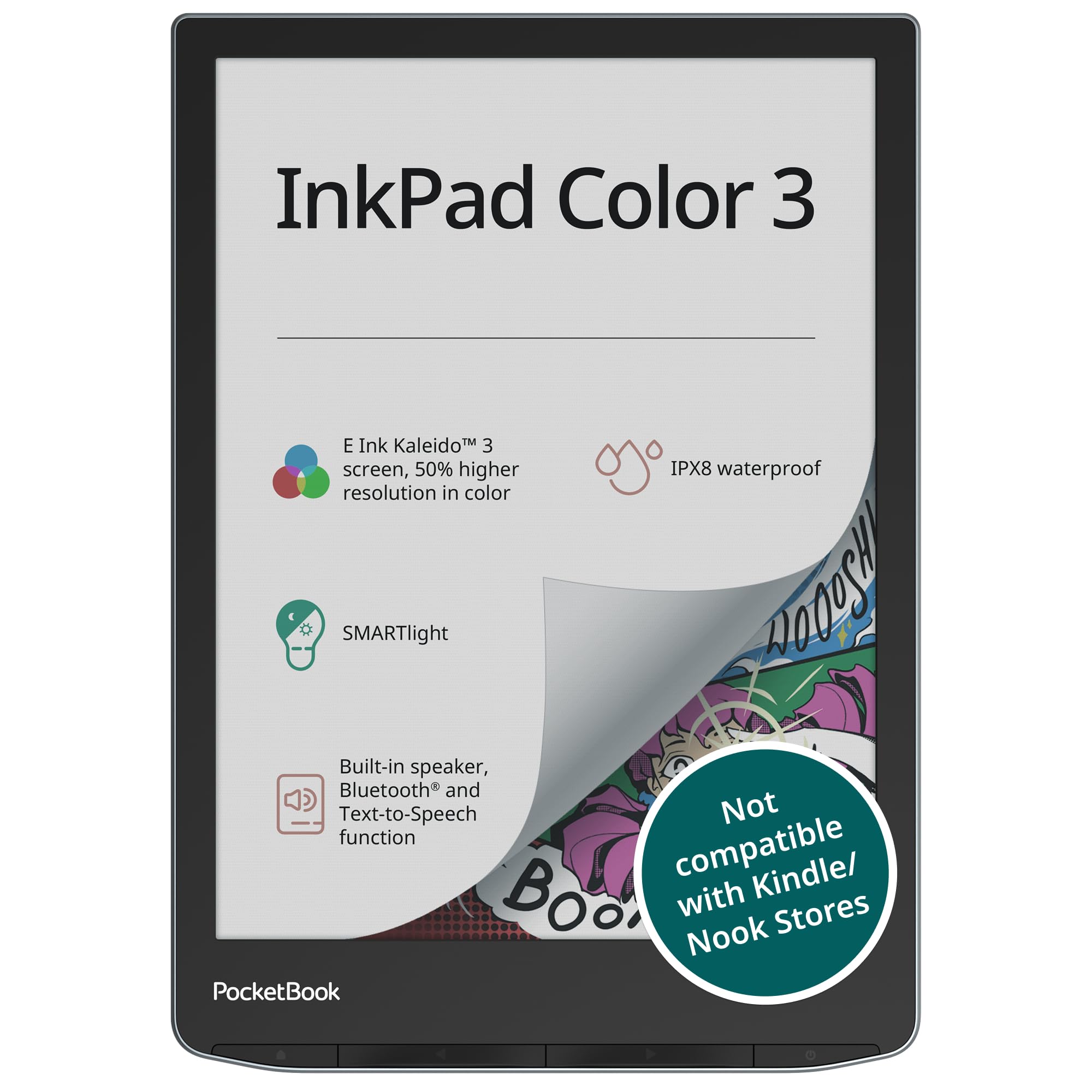
The PocketBook InkPad Color 3 is a 7.8-inch color e-reader that delivers the sharpest, most vibrant Kaleido 3 screen currently available — users consistently report a whiter background and better color contrast than 6-inch or 7-inch competitors. The larger screen size makes magazine layouts and comic pages readable without zooming, while the SMARTlight system lets you fine-tune the front light color temperature from warm amber to cool white. The quad-core processor drives a responsive UI with fast page turns that rival dedicated Kindle hardware.
Storage starts at 32 GB and expands via microSD, which is essential for high-resolution comic files and audiobook collections. The device supports Text-to-Speech in multiple languages through the built-in speaker or Bluetooth headphones, making it a strong option for users who switch between reading and listening. IPX8 waterproofing is rated for up to 60 minutes in two meters of water, so poolside reading is worry-free.
The software runs PocketBook’s proprietary Linux-based OS rather than Android, which means no direct access to Kindle or Kobo apps. Sideloading via USB or cloud services (Dropbox, FTP) is straightforward, and the native bookstore supports Adobe DRM, but users committed to Amazon’s ecosystem will miss whisper sync. Quality control has also been a mixed bag — a small number of units exhibit light gradient issues or dead pixels, so purchasing from a retailer with a good return policy is advisable.
Why it’s great
- Largest color screen at 7.8 inches for comfortable comic reading
- Best-in-class Kaleido 3 clarity and contrast
- Expandable storage and Text-to-Speech
Good to know
- No Kindle or Kobo app access
- Quality control inconsistency reported by some users
- Screen size can be awkward for one-handed use
6. BOOX Note Air 5 C

The BOOX Note Air 5 C is a 10.3-inch color e-ink tablet that doubles as a note-taking device with 4,096 levels of pressure sensitivity via the included stylus. The large Kaleido 3 screen displays color documents, sheet music, and full-page comic spreads at native size without zooming, and the 6 GB of RAM keep Android 15 apps running smoother than the smaller Go Color 7. The fingerprint power button adds security, and the dual speakers handle audiobooks and TTS without Bluetooth headphones.
The writing experience is genuinely paper-like, with the stylus producing a scratchy pencil-on-paper texture that many users prefer over the slippery glass feel of an iPad. The native note-taking app has negligible latency, and color highlighting works across both reading and note-taking modes. The 3,700 mAh battery provides reasonably long session times, though continuous writing with the front light on will drain it noticeably faster than passive reading.
The device’s primary weakness is the darker-than-expected screen, a trait shared by all color e-ink panels. The front light must be on in anything other than bright sunlight, which reduces the battery advantage over an LCD tablet. The price point competes directly with entry-level iPads, and for users who do not need color note-taking, an iPad offers superior speed and app compatibility. This is a specialized tool for users who prioritize eye comfort and digital handwriting over raw performance.
Why it’s great
- Large color screen for full-page document reading
- Low-latency stylus with paper-like feel
- Android 15 with access to all reading apps
Good to know
- Screen requires front light in most indoor conditions
- Battery drains faster during active note-taking
- Price rivals entry-level LCD tablets
7. Amazon Kindle Colorsoft Kids 16GB
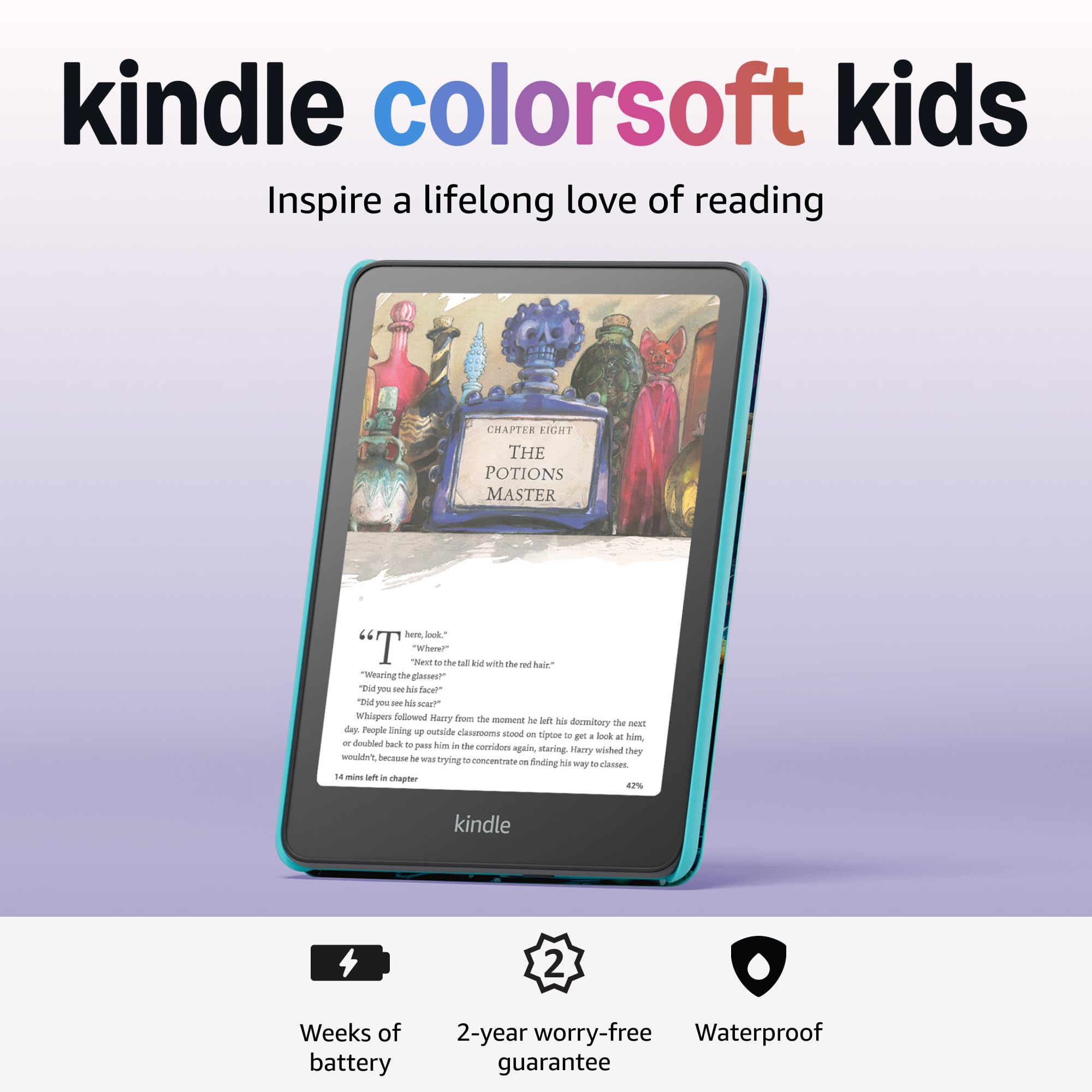
The Kindle Colorsoft Kids is the same hardware as the standard Colorsoft but packaged with a kid-proof cover, one year of Amazon Kids+, and a two-year worry-free guarantee that replaces any damaged unit. The color screen is a major draw for children’s illustrated books, graphic novels, and non-fiction titles where color diagrams and photographs enhance understanding. The parental dashboard lets you set age filters, manage reading time, and add books from your own library to the child’s account.
The Kids+ subscription provides thousands of age-appropriate books from series like Diary of a Wimpy Kid, Percy Jackson, and Big Nate, with color illustrations that display beautifully on the Colorsoft screen. The device has no games, videos, or notifications — just books — which makes it a genuinely focused alternative to handing a child a tablet. The included cover is durable and adds minimal weight, and the waterproof rating means accidental pool or bathtub drops are not catastrophic.
The main limitation is that the Kids+ subscription automatically renews at per month after the first year, and the content library skews younger — it is excellent for ages 3 through 12 but less useful for teenagers who want mature YA novels. The two-year warranty is generous, but the replacement is a refurbished unit rather than a brand-new device. For families with multiple children, each child needs their own device or you must manually switch profiles through the Parent Dashboard.
Why it’s great
- Color display makes illustrated books and comics engaging
- Two-year worry-free guarantee covers accidental damage
- No games or videos keeps kids focused on reading
Good to know
- Kids+ subscription auto-renews after first year
- Content library best for younger children
- Warranty replacement is a refurbished unit
8. TCL NXTPAPER 11 Gen 2

The TCL NXTPAPER 11 Gen 2 is not an e-ink device — it uses a proprietary matte LCD panel with TÜV-certified low blue light and DC dimming to simulate a paper-like reading experience while retaining full color vibrancy and video capability. The 11-inch 2K display in Color Paper Mode reduces saturation to create soft, eye-friendly colors that look closer to a printed magazine than a typical tablet screen. The included T-PEN stylus with 4,096 pressure levels makes this a functional digital notebook and drawing pad as well.
The 8,000 mAh battery easily lasts a full day of mixed use, and reverse charging lets you top up your phone or earbuds in a pinch. The MediaTek Helio G80 processor handles reading apps, streaming, and light multitasking smoothly, and the 128 GB storage (expandable to 1 TB) is generous for downloading comics, manga, and audiobook files. The three display modes — Regular, Ink Paper, and Color Paper — let you optimize the screen for reading, drawing, or video without digging into deep settings menus.
The trade-off is that this is fundamentally an Android tablet with an eye-care display, not a dedicated e-reader. The LCD screen, even with the matte coating and low blue light, still emits light directly into your eyes and can cause fatigue during hours-long reading sessions that e-ink handles effortlessly. The boot-up time is slower than premium tablets, and the speakers lack bass and clarity. For users who want one device that handles reading, note-taking, and streaming, this is a strong value proposition, but purists should stick with true e-ink.
Why it’s great
- Vibrant color for comics without sacrificing eye comfort mode
- Includes stylus and flip case in the box
- Long battery life with reverse charging
Good to know
- LCD screen still causes more eye strain than e-ink
- Slower boot-up and app loading times
- Mediocre speakers and no headphone jack
9. PocketBook Verse Pro Color

The PocketBook Verse Pro Color is a 6-inch color e-reader that prioritizes portability and ecosystem freedom over screen real estate. Weighing 349 grams and measuring just 6.14 inches tall, it slips into a small purse or jacket pocket easily, making it the most travel-friendly color e-reader on this list. The Kaleido 3 display performs well for book covers, color highlights, and simple illustrations, though comic readers will find the 150 ppi color resolution forces frequent zooming on dense panels.
The open Linux-based system supports EPUB, MOBI, PDF, FB2, and CBZ files natively, and sideloading via USB drag-and-drop is as simple as copying files to a flash drive. A recent software update added native Libby integration, which is a huge win for library users. The device also features Text-to-Speech with multiple voice options, Bluetooth 5.4 for audiobooks and wireless page-turning remotes, and a music player that works through USB-C earphones. The SMARTlight system lets you adjust both brightness and color temperature independently.
The compact size is both the device’s strength and its limitation. The 6-inch screen is perfectly fine for text-heavy reading but cramped for any color content that benefits from larger layouts. The color layer also dims the screen more noticeably on smaller displays, requiring the front light to be on even in moderately bright rooms. Battery life is good but not exceptional due to the smaller battery capacity. This is an excellent choice for readers who want a color e-reader for text with occasional color highlights and value portability above all else.
Why it’s great
- Ultra-compact and lightweight for maximum portability
- Open file format support with easy USB sideloading
- Libby integration and Text-to-Speech
Good to know
- 6-inch screen is too small for comfortable comic reading
- Color layer makes screen noticeably darker
- Smaller battery than larger competitors
FAQ
Is the color on a Kaleido 3 e-reader as vibrant as a tablet screen?
Can I read Kindle books on a Kobo or PocketBook color e-reader?
Does color e-ink cause ghosting or screen artifacts?
Final Thoughts: The Verdict
For most users, the best color ereader winner is the Amazon Kindle Colorsoft 16GB because it combines the most polished color e-ink experience with Amazon’s vast library ecosystem, strong battery life, and straightforward setup. If you want library integration without subscription lock-in, grab the Kobo Libra Colour for its native OverDrive borrowing and physical page-turn buttons. And for full app flexibility and the ability to run Kindle, Kobo, and Libby on one device, nothing beats the BOOX Go Color 7 Gen II.

Mo Maruf
I created WellFizz to bridge the gap between vague wellness advice and actionable solutions. My mission is simple: to decode the research and give you practical tools you can actually use.
Beyond the data, I am a passionate traveler. I believe that stepping away from the screen to explore new environments is essential for mental clarity and physical vitality.