Our readers keep the lights on and my smoothie glass nicely filled. As an Amazon Associate, I earn from qualifying purchases.
Specs are compiled from manufacturer listings and verified buyer reviews and can change over time — please confirm the key details on the product page before buying.
Picking a children’s e-reader is not about the most pixels — it is about how your child actually uses it. A tablet loaded with apps, games, and videos can yank them away from books as fast as it pulls them in. A pure E Ink (paper-like screen) reader has zero distractions but can feel too basic for a kid used to bright, colorful content. The real question is: do you want a device that also reads books, or a dedicated book machine that does nothing else? This guide breaks down the five best options and the honest trade-offs behind each one.
I’m Mohammad Maruf — the founder and writer behind WellFizz. This guide is built by comparing the manufacturers’ published specifications and the patterns across verified customer reviews, so you get each pick’s real strengths and trade-offs instead of marketing spin.
Across every model here, the single feature that determines whether your child actually reads on it is the screen technology — and that is exactly the distinction that makes finding the best children’s e-reader a matter of knowing your child’s age, attention span, and tolerance for plain black-and-white pages.
Our Picks at a Glance


How To Choose The Best Children’s E-Reader
Your first decision is the screen type. An LCD (Liquid Crystal Display) tablet — like the Amazon Fire HD models — is bright and colorful and runs apps, but it drains the battery faster and can cause eye fatigue during long reading sessions. An E Ink (electronic ink) reader — like the Kindle Kids models — mimics real paper, has no backlight glare outdoors, and lasts weeks on a single charge. But it shows no color (on basic models) and cannot run games or video. You are choosing between a reading device that also plays and a pure reading tool that simply does not distract.
Know the age rating on every model
The Fire HD 8 Kids Pro is designed for ages 6-12, while the standard Fire 7 Kids targets ages 3-7. Kindle Kids models span ages 3-12. Pick the wrong age range and your child gets content that feels too babyish or advanced parental controls they might try to bypass.
Storage matters when downloads grow
Kids who download lots of games, videos, and audiobooks will fill 16 GB (gigabytes) fast. A 32 GB or 64 GB tablet, or one with expandable storage up to 1 TB (terabyte), gives you breathing room. Pure E Ink readers hold thousands of books even at 16 GB, so storage is less critical there.
The subscription trap — Amazon Kids+
Every Amazon children’s device includes a free trial of Amazon Kids+ (6 to 12 months). After that, it costs per month. That subscription open up thousands of ad-free books, apps, and videos. Without it, the device still works — you just buy or borrow content through your own Amazon account. Decide early if you want the subscription to be the main source of content.
Quick Comparison
| Model | Best For | Screen | Storage | Battery Life | Amazon |
|---|---|---|---|---|---|
| Fire HD 8 Kids Pro★ Best Overall | Older kids who want apps + reading | 8″ HD | 64 GB | 13 hours | Amazon |
| Kindle Kids 16GBDistraction-Free | Dedicated reading (no distractions) | 6″ E Ink glare-free | 16 GB | Up to 6 weeks | Amazon |
| Fire HD 10 Kids | Big-screen movie and reading lovers | 10.1″ 1080p Full HD | 32 GB | 13 hours | Amazon |
| Kindle Colorsoft Kids | Color comics and graphic novels | 7″ color E Ink | 16 GB | Weeks | Amazon |
In‑Depth Reviews
1. Amazon Fire HD 8 Kids Pro tablet (newest model)
Our pick — over 4.5★ from 5,000+ verified ratings; the strongest balance of quality and price.
The full-feature tablet that older kids can actually grow into, not out of.
This is the tablet that hits the balance for ages 6-12. It gives you bright, crisp visuals on an 8″ HD (high-definition) screen — perfect for both reading and streaming — and the 13-hour battery means you genuinely get through a full day of heavy use. As one parent puts it, the battery life is impressive enough for heavy daily use. The 64 GB of internal storage alone is four times the 16 GB on the smaller Fire 7 Kids, and you can add up to 1 TB more via microSD (a tiny memory card slot), so downloading games, videos, and books is never a space problem.
The real value here is the 2-year low-maintenance guarantee. If it breaks, Amazon replaces it free — no questions asked. The slim Kid-Friendly Case is less bulky than the toddler-targeted cases, which older kids appreciate. The hexa-core processor (six processing cores) and up to 4 GB RAM (random access memory — double the previous generation) mean apps load quickly and the interface rarely stutters. The web browser includes built-in filters, and you can approve or deny every download request from your phone.
Parents find the parental controls excellent, especially the ability to set age-specific settings for different kids. The 1-year Amazon Kids+ subscription open up thousands of ad-free books, apps, and games, though it auto-renews at per month after year one. That is the only recurring cost to plan for.
Why it pulls ahead
- 64 GB internal equals 4x the space of the 16 GB Fire 7 Kids, plus microSD expansion to 1 TB.
- 13-hour battery outlasts the 10-hour Fire 7 Kids by 30% — a real difference on long days.
- 2-year low-maintenance guarantee means one broken screen does not ruin your budget.
The honest limit
- The LCD screen can cause eye strain after hours of reading — it is not E Ink.
- The 1-year Kids+ subscription auto-renews; cancel manually if you do not want the per month fee.
Reach for this if: your child wants both reading and apps, you need lots of storage, and you want a device that lasts through school years 1 through 6.
Look elsewhere if: you want a pure reading tool with a paper-like screen and zero game distractions.
2. Amazon Kindle Kids 16GB (newest model)
A pure book machine that replaces screen time with page time — no apps, no videos, no games.
This is the dedicated E Ink (electronic ink) reader, and it solves the problem every tablet creates: distraction. The 6″ glare-free display looks and reads like real paper, even in direct sunlight, and the 25% brighter front light means bedtime reading is comfortable without a harsh blue glow. The battery lasts up to six weeks on a single USB-C charge — a stark contrast to the 13-hour tablets. That means you charge it once every month and a half, not every day or two.
The trade-off is visible: the screen is black and white. Kids who love graphic novels and comics will miss color, and the lack of apps means this device does nothing but books. That is the point. The compact, lightweight design fits small hands naturally, and the included protective cover prevents scratches and drops. The 16 GB storage holds thousands of books, so storage anxiety disappears.
The 6-month Amazon Kids+ subscription gives access to thousands of age-appropriate books. The 2-year low-maintenance guarantee covers breakage. The touch response can feel slow compared to a tablet — it is E Ink, not an LCD — and the parental controls are less intuitive than the Fire tablets. But for households that want reading, not scrolling, this is the honest answer.
Why it works
- Six-week battery means near-zero charging — always ready when your child picks it up.
- Glare-free screen works perfectly on the beach, in the car, and under a tree.
- Zero apps or games means every distraction is removed by design.
The honest hurdle
- No color on the screen — graphic novel fans will miss the full-color art.
- Slower page turns and touch response compared to any tablet on this list.
Reach for this if: your child already loves chapter books or you want to build a reading habit without screen distractions.
Look elsewhere if: your child refuses to read without color illustrations or demands games and videos alongside their books.
3. Amazon Fire HD 10 Kids tablet (newest model)

The largest display in the lineup — ideal for kids who watch as much as they read.
The 10.1″ 1080p Full HD screen is this tablet’s defining feature. It is 33% larger than the 8″ Fire HD 8 Kids Pro, and parents report that movies and games look crisp and engaging on the bigger panel. The 3 GB RAM (random access memory) and 25% faster performance than the previous generation keep everything running smoothly even when kids switch between apps. Quality is the single most-praised aspect across hundreds of owners — build, screen clarity, and overall feel all score well.
The included 1-year Amazon Kids+ subscription opens a huge library of age-filtered content from Disney, Nickelodeon, and PBS Kids. The 13-hour battery keeps up with travel days, and the 32 GB internal storage can be expanded via microSD up to 1 TB. The sturdy parental controls let you set screen-time limits, pause the device, and approve app downloads from your phone.
The main downside is that a bigger screen means a bigger overall device. The textured case back is sturdy but prevents stickers from sticking — a small but real complaint from kids and parents. A few owners wish the battery lasted longer under heavy game and streaming use — the 13-hour rating assumes mixed usage, not non-stop video.
What stands out
- 10.1″ 1080p display makes movies, graphic novels, and educational apps look fantastic.
- 3 GB RAM handles multitasking better than any other Fire Kids tablet.
- 1-year Amazon Kids+ subscription gives the longest free trial on this list.
The trade-off
- Larger size and weight make it less portable than the 7″ or 8″ models.
- Battery dips faster under heavy video streaming — plan for daily charges during road trips.
Best for: younger kids (ages 3-7) who spend as much time watching shows and playing interactive games as they do reading.
Think twice if: portability is a priority — this is a lap device, not a pocket companion.
4. Amazon Kindle Colorsoft Kids 16 GB (newest model)
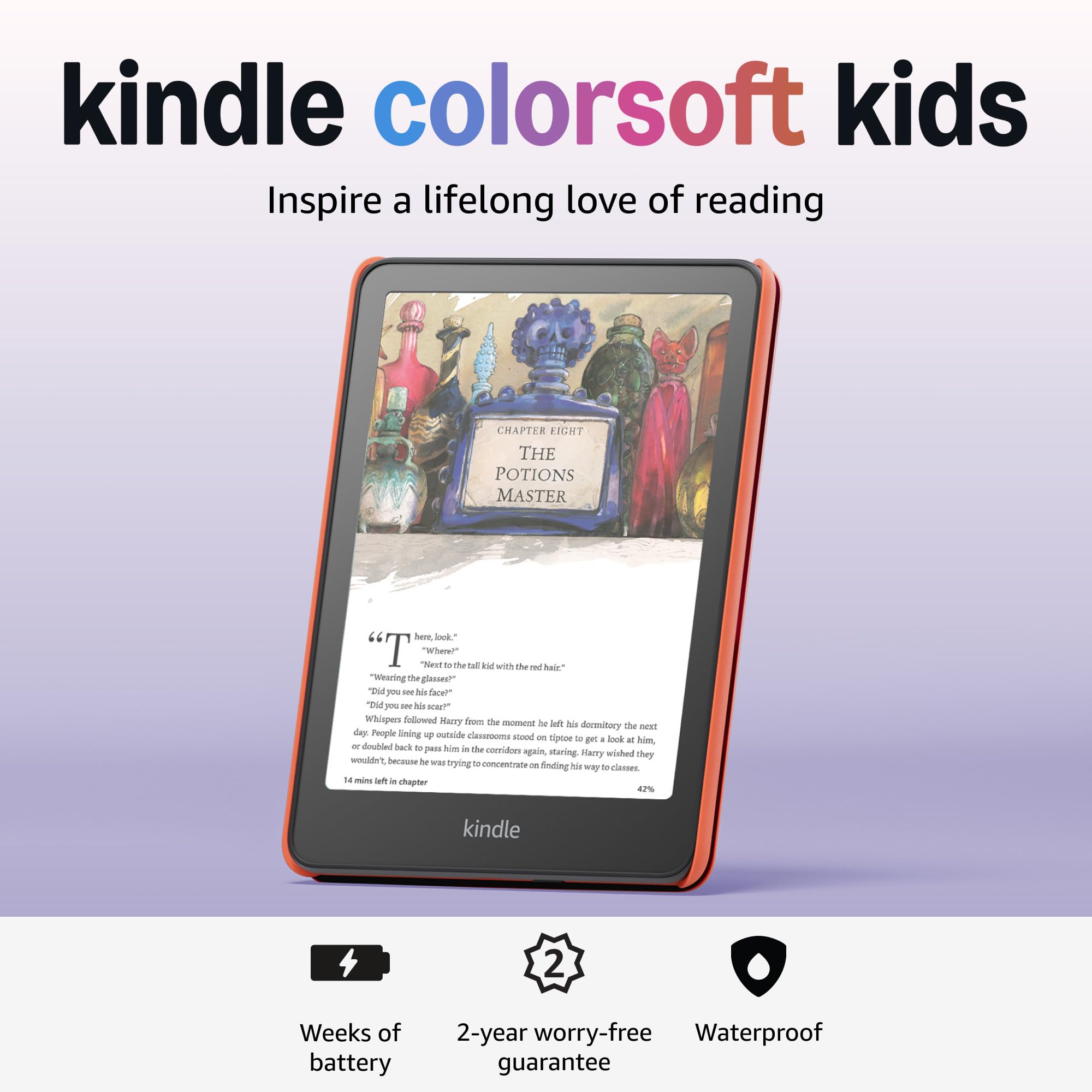
The first color E Ink Kindle for kids — paper-like reading that finally shows graphic novels in their full glory.
This is the big innovation: a color E Ink (electronic ink) display that brings comic pages, book covers, and illustrated chapter books to life without the glare, blue light, or battery drain of an LCD (Liquid Crystal Display). The screen is a soft, creamy white that one parent says looks “like a paperback book, not a tablet.” It is waterproof, so kids can read by the pool or at the beach without worry. The adjustable warm light lets them read comfortably indoors and out, day or night.
Color is the most-praised feature across 73 owners — graphic novels and comics finally look amazing on an E Ink screen. The battery lasts for weeks, not hours, and the 16 GB storage holds thousands of books. The 12-month Amazon Kids+ subscription is the longest free trial of any device here, giving access to titles like Artemis Fowl, Big Nate, and Percy Jackson. The Parent Dashboard allows you to add books from your own library, view reading progress, and set a bedtime.
The color screen comes with compromises. A few owners note a slight top-to-bottom color gradient on some units, and the resolution in color mode is lower than on an LCD tablet — text is sharp, but color images are not as vivid as the Fire HD 10. The price point is the highest on this list, and the device has fewer reviews (600+) than the Fire tablets (5,000+). It is also a pure reader — no apps, no games, no video — so children who want more than books will bounce off it hard.
What makes it special
- Color E Ink display is the only screen on this list that combines a paper-like reading experience with color graphics.
- Waterproof design allows reading at the beach, pool, or bath without damage.
- 12-month Amazon Kids+ subscription is the longest free trial of any model reviewed here.
The reality check
- Color resolution is not as punchy as an LCD tablet — comics look good but not dazzling.
- The price point is the highest on this list, and a few units show color gradient inconsistencies.
Reach for this if: your child devours graphic novels and comic series and you want a distraction-free reader with color that does not hurt their eyes.
Look elsewhere if: you need a cheaper, more versatile device that does apps and video alongside reading.
Understanding the Specs
E Ink vs LCD: The Real Difference
E Ink screens (on the Kindle Kids and Colorsoft Kids) use tiny charged particles to form text. They reflect light like paper, so there is no backlight glare — reading in direct sunlight is easier than on any LCD. They also use almost no power unless you turn the page, which is why battery life stretches to weeks instead of hours. The trade-off is they cannot show video, animations, or color on standard models. LCD screens (on the Fire HD tablets) are bright, fast, and colorful. They handle apps, games, and streaming beautifully. But they drain the battery in hours, and the constant backlight can fatigue young eyes after long reading sessions.
Storage and Expandability
Every Fire HD tablet supports microSD cards up to 1 TB, which is critical if your child downloads lots of games, videos, and audiobooks. The 64 GB Fire HD 8 Kids Pro gives you breathing room from day one — 4x the 16 GB on the Fire 7 Kids. The E Ink Kindle readers do not support expandable storage, but 16 GB holds thousands of books, so it is rarely an issue for pure reading. If your child reads mostly text-based chapter books, even 8 GB is plenty. If they consume illustrated guides or audiobooks, lean toward 32 GB or 64 GB.
FAQ
Can a child browse the internet on a Kindle Kids device?
What happens when the Amazon Kids+ subscription ends?
Which model is best for a child who loves graphic novels?
Are the Fire HD Kids tablets waterproof?
How do the parental controls differ between Fire tablets and Kindle readers?
Can I add my own books to my child’s Kindle Kids device?
How long does the 2-year low-maintenance guarantee actually last?
Which storage size should I choose for my child?
Final Thoughts: The Verdict
For most families, the best children’s e-reader is the Amazon Fire HD 8 Kids Pro because it offers the best balance of screen size, storage, performance, and battery life for ages 6-12. If your child is a voracious reader who needs zero distractions, grab the Amazon Kindle Kids 16GB. And for families who want beautiful color comics with a paper-like screen, the Kindle Colorsoft Kids is the one to reach for — though it asks a premium for that first-of-its-kind color E Ink display.
How We Picked
We do not accept paid placement. Every pick is matched to a real buyer and a real use-case; we do not hands-on test units.
Sources & Methodology
Specifications: manufacturer listings and product documentation. Review insights: verified customer reviews, as of July 2026. Pricing: not shown on this page (it changes often); check the current price via the retailer link.
As an Amazon Associate, WellFizz earns from qualifying purchases. This does not affect which products we feature.
Related Guides

Mo Maruf
I created WellFizz to bridge the gap between vague wellness advice and actionable solutions. My mission is simple: to decode the research and give you practical tools you can actually use.
Beyond the data, I am a passionate traveler. I believe that stepping away from the screen to explore new environments is essential for mental clarity and physical vitality.