Our readers keep the lights on and my smoothie glass nicely filled. As an Amazon Associate, I earn from qualifying purchases.
That corner of the house where video calls drop and streaming buffers is a solvable problem — and it doesn’t require a trip back to your internet provider for a pricier plan. In the market for affordable network gear, the key is separating the units that actually push a stable signal through walls from those that only look good on paper.
I’m Mohammad Maruf — the founder and writer behind WellFizz. I’ve spent dozens of hours digging into spec sheets, customer feedback, and real-world throughput data to identify which budget-friendly range extenders deliver on their promises and which ones just add frustration.
The goal is simple: help you find the best cheapest wi-fi extender without wasting money on a unit that chokes under load or drops connection mid-stream.
How To Choose The Cheapest Wi-Fi Extender That Actually Works
When you’re working with a tight budget, every dollar spent must translate to a tangible improvement in coverage. The cheapest units often cut corners on the radio chipset, antenna gain, or Ethernet port quality. Here’s what separates the winners from the waste.
Dual-Band vs. Single-Band at Entry-Level Pricing
A single-band extender (2.4 GHz only) is the cheapest possible option, but it forces the extender to use the same radio for both receiving from the router and sending to your devices — cutting your potential speed in half. A dual-band unit (2.4 GHz + 5 GHz) dedicates one band to the backhaul connection to the router and the other to your device’s connection. For a few dollars more, the dual-band jump is the single biggest performance upgrade available at this price point.
Realistic Coverage: What 10,000 Sq. Ft. Actually Means
Manufacturers test coverage in open, empty spaces with no interference. In a real home with drywall, furniture, appliances, and neighboring Wi-Fi networks, expect that number to drop by roughly half to two-thirds. A unit claiming 10,000 square feet will realistically cover a 2,000–3,000 sq. ft. home with moderate obstructions. Look for models with external antennas — they offer better beam steering and penetration through walls than internal antenna designs.
Ethernet Port: The Hidden Value Feature
Many cheap extenders strip out the Ethernet port to save pennies on manufacturing. That port, however, lets you connect a smart TV, game console, or desktop directly to the extender for a stable wired link in a far room. It also enables Access Point (AP) Mode, where the extender acts as a dedicated access point connected to your router via cable — giving you full wired speed without the wireless half-hop penalty. If your layout allows it, an Ethernet port turns a extender into a mini access point.
Quick Comparison
On smaller screens, swipe sideways to see the full table.
| Model | Category | Best For | Key Spec | Amazon |
|---|---|---|---|---|
| TP-Link RE315 | Mid-Range | Reliable all-around balance | Dual-band, 1.2 Gbps, EasyMesh | Amazon |
| ROQRL AC1200 | Premium | Dual-band speed with Ethernet flexibility | Dual-band, 1.2 Gbps, 5.8 GHz band | Amazon |
| Suirrsaze M-A30 | Mid-Range | Large coverage claims with four antennas | Dual-band, 1.2 Gbps, 4 antennas | Amazon |
| NEMAKIN WD-R611U | Budget | Fast WPS setup for dead zones | Dual-band, WPS, 10,000 sq ft claim | Amazon |
| JoyLantern M-97E | Budget | 2.4 GHz stability for IoT devices | Single-band, 300 Mbps, 85+ devices | Amazon |
In‑Depth Reviews
1. TP-Link AC1200 WiFi Extender (RE315)

The TP-Link RE315 is the reliable backbone of affordable Wi-Fi extension. Its dual-band AC1200 architecture delivers 867 Mbps on the 5 GHz band and 300 Mbps on 2.4 GHz — enough to stream 4K and handle video calls across a 1,500 sq. ft. area without bandwidth starvation. The two external adjustable antennas are a real advantage over cheaper internal-antenna units, letting you tilt them for best signal path.
Setup is genuinely painless through the TP-Link Tether app, which walks you through locating the optimal outlet via a signal indicator. The adaptive path selection automatically keeps devices connected to the strongest signal as you move around the house. An Ethernet port at the back provides wired connectivity for a console or smart TV when you need a drop-free link.
Best of all, the RE315 supports EasyMesh, meaning it can join a mesh network with compatible routers for seamless roaming. At this price point, that level of future-proofing is rare. Customer feedback consistently highlights its ability to solve intermittent signals for Ring cameras and basement TVs without introducing lag or dropouts.
Why it’s great
- EasyMesh compatible for seamless whole-home roaming
- Adaptive path selection prevents signal drops as you move
- Fast Ethernet port for wired devices
Good to know
- Coverage is realistic at ~1,500 sq. ft., not the max claims of some competitors
- Extender reduces overall speed by about half, typical for this class
2. ROQRL WiFi Extender AC1200Mbps

The ROQRL AC1200 extender packs dual-band performance with a twist — it uses the 5.8 GHz frequency band rather than the more common 5 GHz, which can help in congested urban areas where the standard 5 GHz band is crowded. With four high-gain antennas and a claimed coverage of 10,000 sq. ft., it’s built for users who need to push a signal through multiple walls or out to a detached garage.
Where this unit excels is flexibility: it supports Repeater Mode, Access Point Mode (via the Ethernet port), and direct Ethernet mode for wired-only backhaul. The RJ45 port gives you a hardline option for a PC or smart TV without buying a separate switch. Setup can be done through a web interface or via WPS, though some users found the QR code in the manual led to a product page instead of a setup guide — a minor annoyance that is easily bypassed by following the printed instructions.
Real-world reports confirm it can maintain a full signal from a router in the front of a house to the backyard or garage hundreds of feet away. While speed does drop compared to direct router connection, the loss is minimal enough for streaming and browsing. For its price, the combination of four adjustable antennas and triple-mode operation is exceptional.
Why it’s great
- Four external antennas provide excellent wall penetration
- Triple-mode operation: repeater, AP, and Ethernet-only
- 5.8 GHz band reduces interference in crowded airspace
Good to know
- Setup instructions contain a non-functional QR code
- Unit is slightly larger than plug-in mini extenders
3. Suirrsaze WiFi Extender Signal Booster M-A30
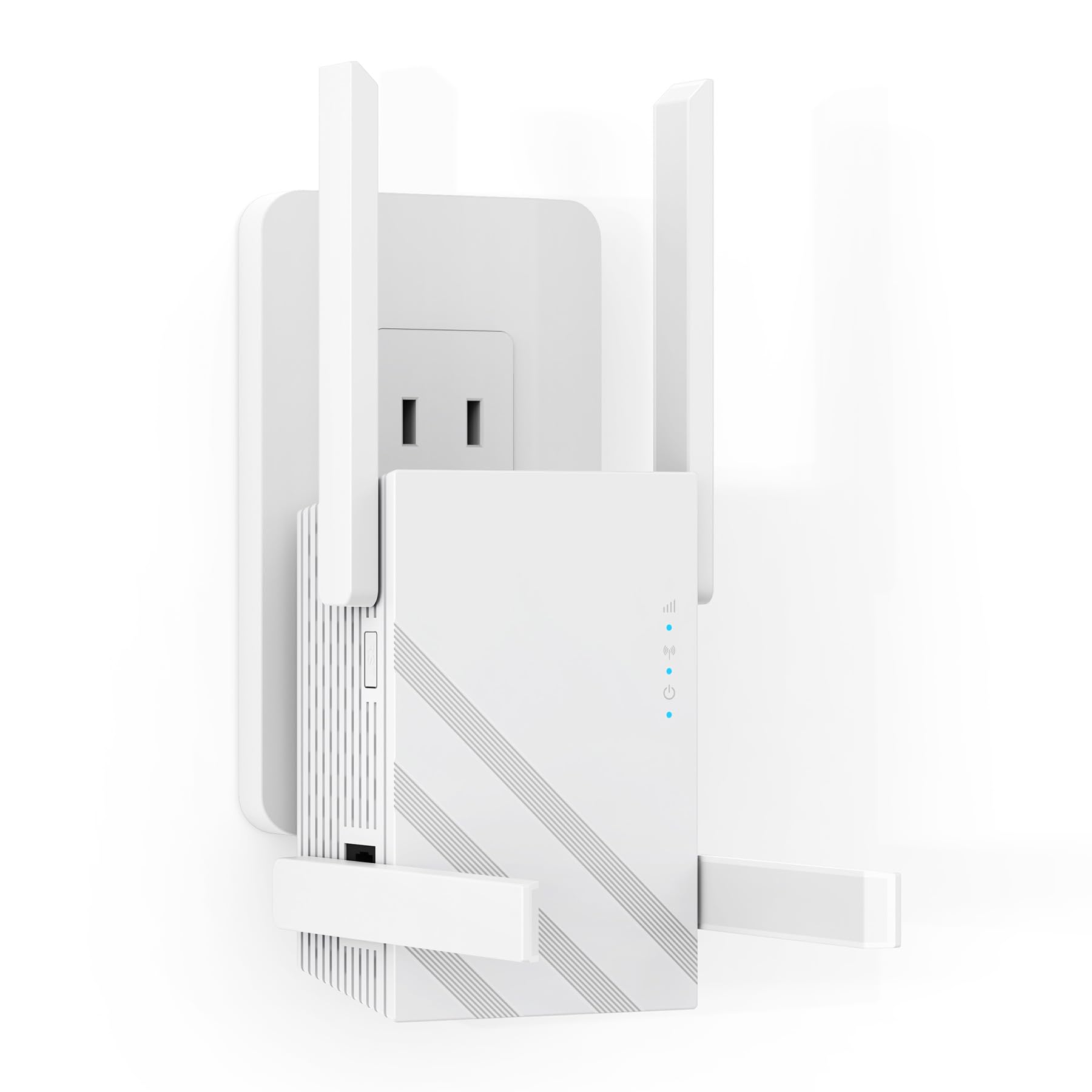
The Suirrsaze M-A30 goes big on coverage with four adjustable external antennas and beamforming technology that the manufacturer claims maintains 75% of original speed even after penetrating three load-bearing walls. It’s a dual-band unit delivering up to 867 Mbps on 5 GHz and 300 Mbps on 2.4 GHz — the standard AC1200 spec, but with an antenna count that typically belongs on pricier models.
Security is a notable focus here: the M-A30 touts triple-layer encryption, AI intrusion detection, and automatic device isolation features that are overkill for most home users but provide peace of mind for those with smart home devices. The compact form factor (4.3 x 2.5 x 3 inches) means it sits discreetly on a shelf or desk without blocking adjacent outlets.
User feedback is split between those who got a perfect connection after a quick setup and a minority who encountered setup failures at the final configuration step. Performance in real-world homes is generally strong for streaming and web browsing, though throughput is about half of a direct router connection. It’s best suited for users who want the widest possible range without stepping up to a mesh system.
Why it’s great
- Four external antennas with beamforming for better wall penetration
- Enterprise-level security features for smart home safety
- Compact, low-power design that blends into a room
Good to know
- Some units have setup failures at final configuration step
- Throughput significantly lower than direct router connection
4. NEMAKIN WiFi Extender WD-R611U
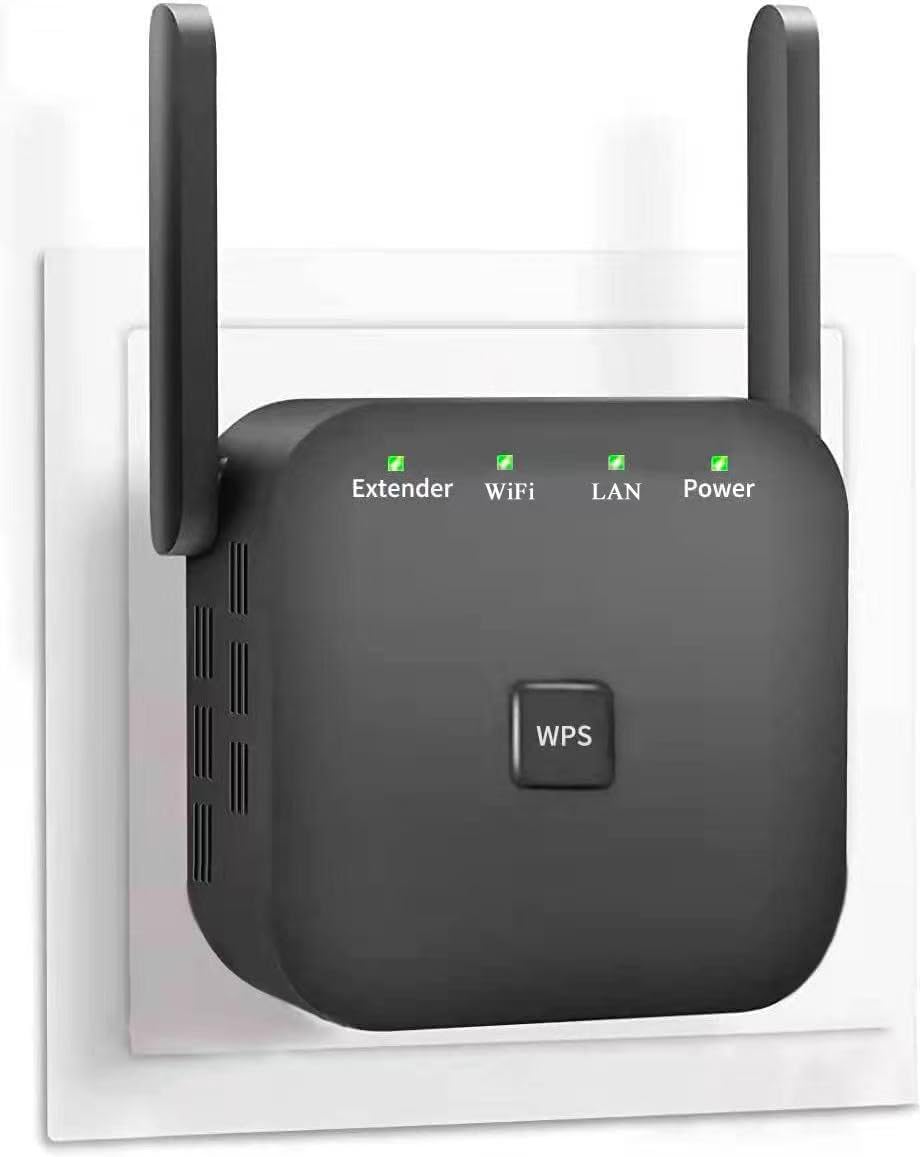
The NEMAKIN WD-R611U is the entry-level champion for quick-and-easy WPS setup. No app, no login — just press the WPS button on the extender and your router, and the connection establishes in about 8 seconds. It supports dual-band frequencies (2.4 GHz and 5.8 GHz) and claims coverage up to 10,000 sq. ft., though realistic range is closer to 2,000–3,000 sq. ft. through typical residential construction.
With two external antennas and support for up to 80 devices, it’s a solid choice for homes with multiple smart bulbs, speakers, and IoT gadgets. The extender is designed to maintain memory after a Wi-Fi cutout, so you don’t have to re-pair it after a power outage. Several user reports confirm it works reliably 75 feet from the router through multiple walls and into a detached garage.
Setup can take up to 20 minutes if you follow the manual step-by-step, but the process is straightforward: connect to the extender’s default network, enter the admin password, then reconnect to the new extended network. It’s not as polished as TP-Link’s app experience, but for the price, it solves dead zones for streaming and browsing without introducing noticeable lag.
Why it’s great
- Ultra-fast WPS setup without app or login
- Maintains memory after Wi-Fi outages or power cuts
- Proven performance through multiple walls into detached structures
Good to know
- No Ethernet port for wired device connections
- Setup process requires following manual steps carefully
5. JoyLantern WiFi Extender M-97E
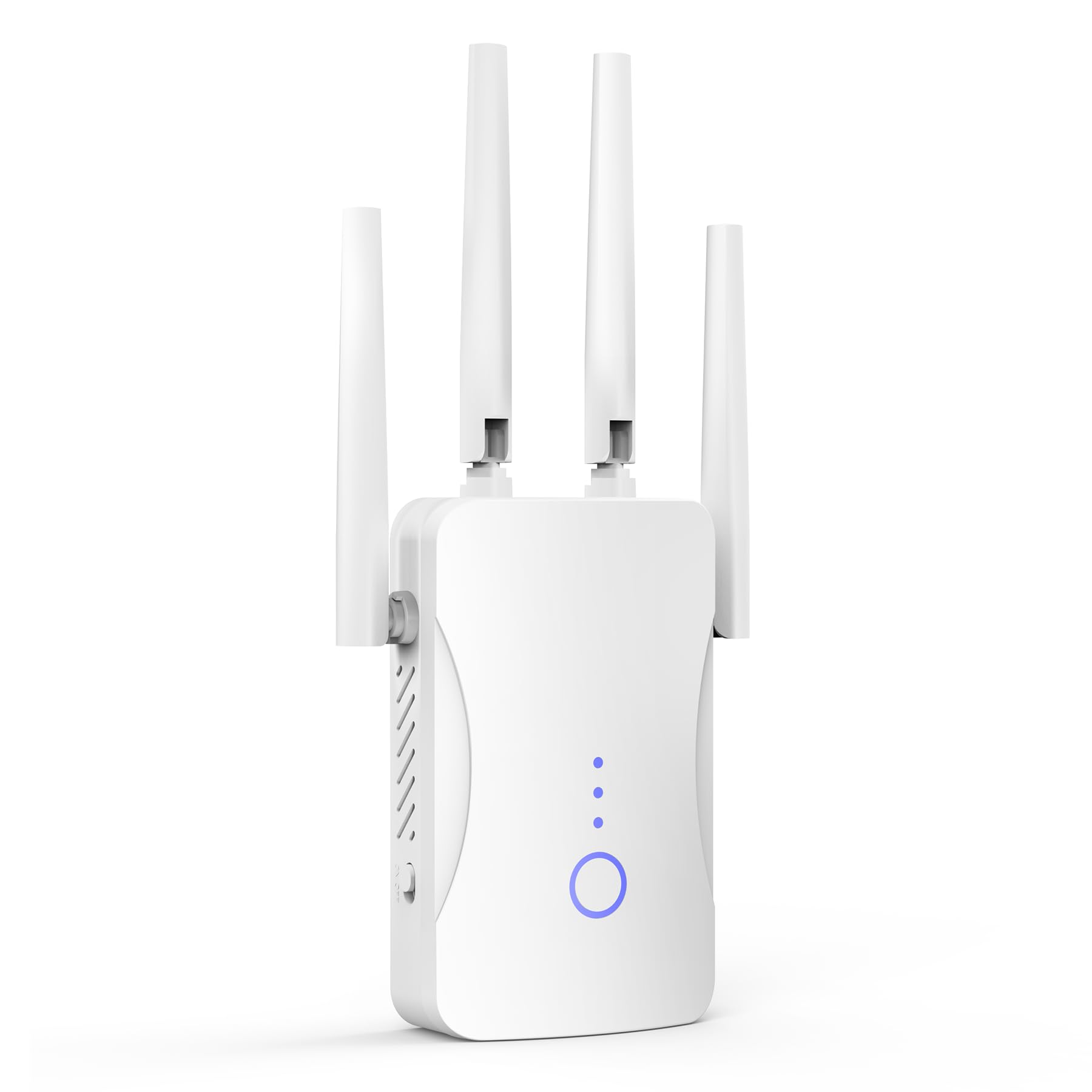
The JoyLantern M-97E is a single-band 2.4 GHz extender capped at 300 Mbps. That sounds limiting, but for homes where the primary need is extending coverage for smart home devices — security cameras, smart plugs, thermostats, and IoT sensors — the 2.4 GHz band offers superior range and wall penetration compared to 5 GHz. It’s the cheapest way to push a stable signal to far corners of the property.
Coverage is rated up to 10,999 sq. ft., and the unit supports over 85 connected devices simultaneously, making it suitable for heavily populated smart homes. The extender includes an Ethernet port that supports Access Point Mode, allowing you to convert it into a wired access point for a stable backhaul connection. Setup is plug-and-play with a one-tap process, and the smart LED indicator helps you find the best wall outlet for optimal coverage.
Customer feedback is overwhelmingly positive, with many users noting the rock-solid stability for video calls and browsing. The trade-off is speed: you won’t get gigabit-level performance, and 5 GHz devices won’t benefit from faster local transfers. But as a dedicated IoT signal booster or a coverage extender for older devices, the M-97E delivers maximum value for the lowest possible investment.
Why it’s great
- Best 2.4 GHz range for smart home and IoT devices
- Ethernet port with Access Point Mode for wired backhaul
- Supports 85+ devices, ideal for crowded smart homes
Good to know
- Single-band only — no 5 GHz throughput for fast streaming
- Max 300 Mbps limits large file transfers
FAQ
Will a cheap Wi-Fi extender reduce my internet speed?
Can I use a cheap extender with a mesh router system?
How do I find the best location for my extender?
What is Access Point Mode and when should I use it?
Final Thoughts: The Verdict
For most users, the best cheapest wi-fi extender winner is the TP-Link RE315 because it combines dual-band AC1200 performance, EasyMesh compatibility, and a fast Ethernet port at a price that undercuts most competitors. If you need maximum coverage through walls and a triple-mode operation including Access Point mode, grab the ROQRL AC1200. And for the tightest budget where you just need smart home devices online, the JoyLantern M-97E delivers reliable 2.4 GHz range at the absolute lowest cost.

Mo Maruf
I created WellFizz to bridge the gap between vague wellness advice and actionable solutions. My mission is simple: to decode the research and give you practical tools you can actually use.
Beyond the data, I am a passionate traveler. I believe that stepping away from the screen to explore new environments is essential for mental clarity and physical vitality.