You do not need to spend hundreds on a new TV to get Netflix, Hulu, or live sports in your living room. A cheap streaming device plugs into any HDMI port and turns an old or basic screen into a smart one — the real question is which one gives you smooth playback, simple controls, and all your apps without freezing or frustration.
I’m Mohammad Maruf — the co-founder and writer behind WellFizz. This guide is built by comparing the manufacturers’ published specifications and the patterns across verified customer reviews, so you get each pick’s real strengths and trade-offs instead of marketing spin.
After sorting through what matters most for a budget buyer, here is the short version: the device with the best balance of speed, picture quality, and app access wins, and you will find it in this roundup of the best cheap streaming device options available right now.
How To Choose The Best Cheap Streaming Device
Shopping for a streaming stick on a budget can feel like picking from a shelf of nearly identical black boxes. But a few key specs separate a device that loads apps instantly from one that leaves you staring at a spinner. Here is what to check before you click “buy.”
Resolution: HD vs 4K
If your TV is older or smaller than 50 inches, you likely will not see a difference between HD (1080p) and 4K (about 8 million pixels on screen). An HD device saves you money and still looks sharp. But if you have a 4K TV, getting a 4K streaming stick means you actually use your screen’s full clarity — number plates stay readable in fast action scenes.
Operating System and App Support
Your streaming device runs on one of three main systems: Amazon’s Fire OS, Roku’s own platform, or Google’s Android TV. All three give you Netflix, YouTube, and Hulu. But Android TV allows sideloading (installing apps from outside the official store) while Roku is known for a simpler, less cluttered interface. Pick the one whose app library matches what you actually watch.
Remote Control: Infrared vs Bluetooth
An infrared remote (IR) requires you to point it directly at the device. A Bluetooth remote works from anywhere in the room and often includes voice search. For a cheap streaming device, a Bluetooth voice remote is a big convenience upgrade — you can say “Open Netflix” instead of hunting through menus.
Wi-Fi and Connectivity
Dual-band Wi-Fi (2.4G and 5G) gives you a faster, more stable connection than 2.4G alone. If your router is in another room, a long-range Wi-Fi receiver (like the one in some Roku sticks) prevents buffering. Check whether the device uses micro-USB or USB-C for power — micro-USB on newer 4K models can limit power delivery for demanding streaming.
Quick Comparison
On smaller screens, swipe sideways to see the full table.
| Model | Category | Best For | Key Spec | Amazon |
|---|---|---|---|---|
| Amazon Fire TV Stick 4K Select | Best Overall | 4K streaming with Alexa+ voice search | 4K UHD / HDR10+ | Amazon |
| Roku Streaming Stick 4K | Premium Pick | Compact design with Dolby Vision | 4K HDR / Dolby Vision | Amazon |
| Roku Express 4K+ | Best Value | Simple 4K streaming with voice remote | 4K HDR / 1.6 oz | Amazon |
| Amazon Fire TV Stick HD | Budget Champion | First-time streaming on HD TVs | HD 1080p / Alexa Voice Remote | Amazon |
| BL Android TV Stick 4K | Top Performer | Android 10.0 OS with 2GB RAM | 4K HDR10 / 16GB storage | Amazon |
In‑Depth Reviews
1. Amazon Fire TV Stick 4K Select
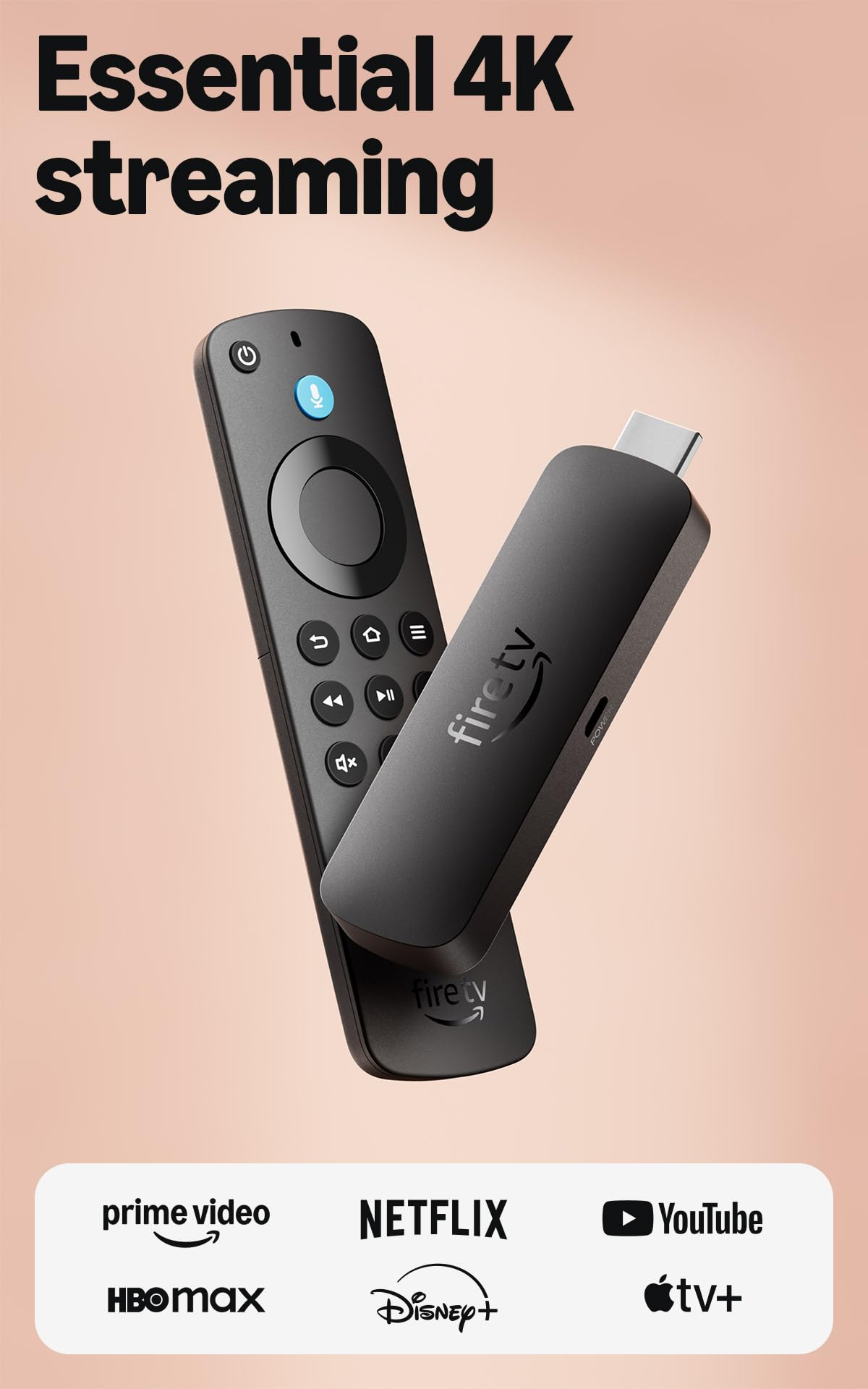
4K Ultra HD with HDR10+ support makes the Amazon Fire TV Stick 4K Select the top pick for anyone who wants premium picture quality without overspending on a streaming device.
The Alexa+ voice assistant lets you search naturally (“Find that action movie with the car chase”), manage your smart home, and even stream Xbox games through cloud gaming. At a compact size that hides behind your TV, this is the one that balances premium 4K picture, a fast modern OS, and a price that stays firmly in budget territory.
The catch is the operating system switch: the new Fire OS (called VegaOS in this model) removes the ability to sideload apps and has poor support for high-bitrate personal media formats like Dolby Vision or DTS-HD MA, so it is best for mainstream streaming services rather than a home media server. A solid, confident choice for most buyers.
Why it’s great
- Brilliant 4K HDR10+ picture quality that makes movies look lifelike
- New Fire TV OS (2026) with a cleaner, faster interface
- Alexa+ voice search that actually understands natural language
- Supports Xbox cloud gaming if you have a Game Pass subscription
Good to know
- No sideloading support — you get only what is in the official app store
- Limited codec support; Plex users with high-bitrate Blu-ray files may see macro-blocking
- Powers via micro-USB, which is an older standard
2. Roku Streaming Stick 4K

The Roku Streaming Stick 4K beats the Amazon Fire TV Stick 4K Select on one big spec: it supports Dolby Vision, a high-end HDR (High Dynamic Range) format that adjusts brightness and color scene-by-scene for a more cinematic picture. Plus its long-range Wi-Fi receiver keeps streams smooth even in rooms farther from your router, a real advantage if your TV is not near the modem.
Buyers report it is “so much faster and responsive” than older Roku sticks, and the voice remote includes TV power and volume controls — one less remote on your coffee table. At just 3.7 x 0.8 inches, it hides completely behind your TV.
Choose this over the Fire TV Stick 4K Select if you have a Dolby Vision-capable TV and want the best possible HDR picture, or if your Wi-Fi signal struggles in the living room. The Roku platform also stays simpler and less ad-heavy than Fire OS.
Where it shines
- Dolby Vision support for richer, scene-adaptive HDR colors
- Long-range Wi-Fi receiver for stable streaming far from the router
- Ultra-compact design — at 3.7″L x 0.8″W x 0.5″H, it hides behind the TV
- Voice remote controls TV power and volume too
Worth noting
- Not as fast as Roku’s top-tier “Ultimate” model
- Some users find the mute button on the remote easy to press accidentally
3. Roku Express 4K+

Imagine you have a 4K TV but the built-in smart platform is slow and laggy — that is exactly the buyer who needs the Roku Express 4K+. It adds sharp 4K and HDR (High Dynamic Range) picture quality to any TV with an HDMI port, and includes a voice remote that also controls your TV’s power and volume. Owners mention it is “easy to install” and “comparable to what is sold in stores,” with zero setup issues.
At 3 inches wide and weighing just 1.6 ounces, this little box sits near your TV rather than hiding behind it, and the adhesive strip keeps it in place. It connects via Wi-Fi and supports voice assistants including Siri, Alexa, and Hey Google. One reviewer who bought their fourth Roku Express said it “replaces the Roku Stick that never quite worked consistently.”
The standout spec here is the price-to-feature ratio: you get full 4K HDR, a voice remote with TV controls, and 16GB of storage (enough for dozens of apps) for a very budget-friendly cost — making it the smartest value pick for anyone who wants 4K without paying a premium.
What stands out
- Affordable 4K HDR streaming for any TV with an HDMI port
- Voice remote with TV power and volume controls
- Works with Siri, Alexa, or Hey Google
- 16GB storage and automatic OS updates
The trade-offs
- Box form factor sits near the TV, not hidden behind it
- Remote volume buttons are smooth plastic — easy to hit mute by accident
4. Amazon Fire TV Stick HD
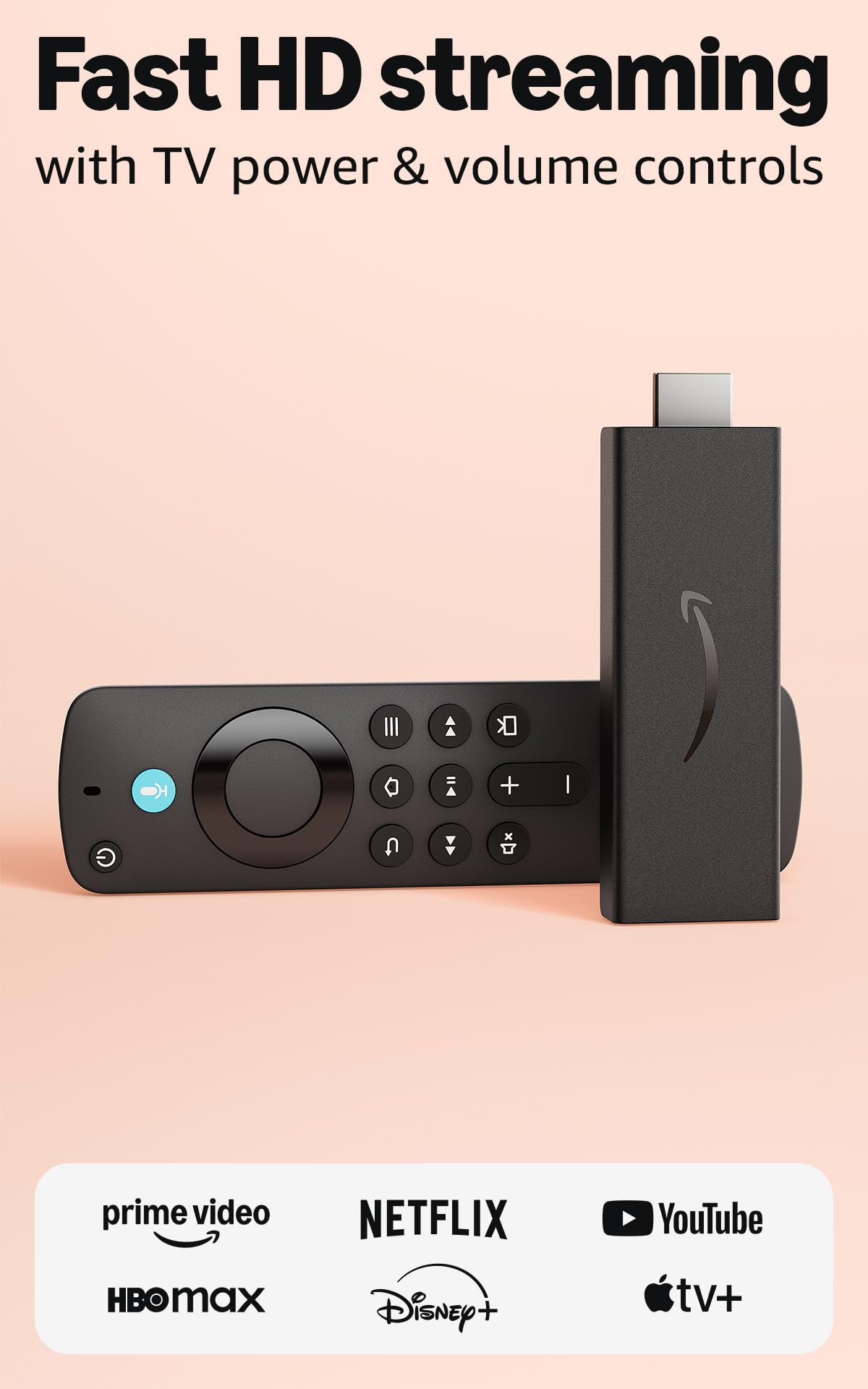
The single number that matters most in this category is resolution — and at 1080p HD, this Fire Stick delivers clear, smooth picture quality that looks great on any standard HDTV. It is designed for first-time streamers: the Alexa Voice Remote lets you press a button and say “Open Netflix” or “Show me action movies,” and it works immediately.
The downside you accept is that it is HD-only, not 4K. If you ever upgrade to a 4K TV, you would want to replace this stick. But for an older bedroom TV, a guest room, or an RV setup, this is all you need. Buyers rave that it is “so much better than dish and cheaper,” calling it the best money-saving switch they made.
For pure value on an HD screen, this is the cheapest way to get a fast, reliable, voice-controlled streaming experience with access to hundreds of thousands of free movies and live TV channels — and you can take it on trips by just unplugging it.
The upsides
- Streams in Full HD (1080p) with smooth performance
- Alexa Voice Remote for hands-free search and control
- Access to hundreds of thousands of free movies and live TV
- Ultra-portable — take it anywhere with an HDMI port
Keep in mind
- HD only — no 4K support if you upgrade your TV later
- Fire OS includes some ads on the home screen
5. BL Android TV Stick 4K
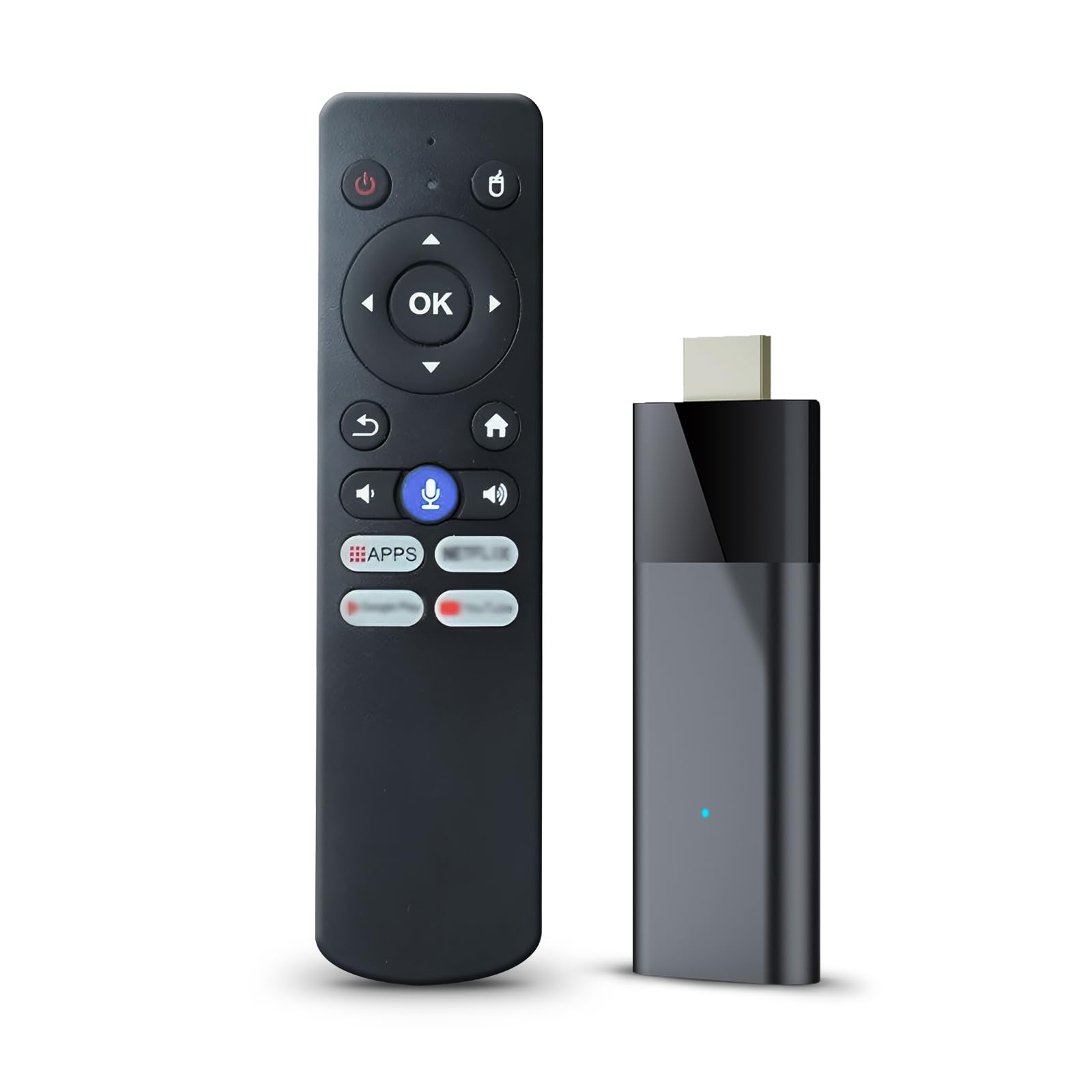
At its lower price point, the BL Android TV Stick 4K actually gives you 2GB of RAM and 16GB of storage — the same specs as many mid-range streaming sticks — plus Android 10.0 OS that lets you install apps from the Google Play store without restrictions. It supports 4K Ultra HD with HDR10 and dual-band 2.4G/5G Wi-Fi for smoother streaming.
What you give up is polish and reliability. Some customers note it is “extremely slow” and incompatible with Chrome browser, and the Bluetooth voice remote is described as “mediocre.” One reviewer noted the device runs Android 10 but lacks the latest WebView and security updates. So while the hardware looks good on paper, the real-world experience can be inconsistent.
This pick is perfect for the tinkerer or Android enthusiast who wants to sideload apps and does not mind fiddling with settings. If you value plug-and-play simplicity, the Roku or Amazon options above will serve you better — but if you want maximum flexibility at minimum cost, this stick delivers.
Why we’d pick it
- 2GB RAM and 16GB ROM for installing many apps
- Android 10.0 OS with no app restrictions — sideloading possible
- Supports 4K HDR10 and dual-band Wi-Fi (2.4G/5G)
- Bluetooth voice remote works without pointing at the device
A few caveats
- Performance can be slow — some reviewers point out lag and app incompatibility
- Lacks latest WebView and security updates; may not run some newer apps
- Remote quality is mediocre compared to Amazon or Roku remotes
Understanding the Specs
Resolution and HDR
Resolution refers to the number of pixels on screen — 1080p (HD) has about 2 million pixels, while 4K has about 8 million. HDR (High Dynamic Range) improves the contrast between bright and dark parts of an image, making colors more vivid. Dolby Vision is a premium HDR format that adjusts brightness scene-by-scene. For most budget buyers, standard HDR10 is plenty good, but if your TV supports Dolby Vision, a stick that supports it gives you noticeably better picture.
RAM and Processor
RAM (Random Access Memory) is your device’s short-term memory — it keeps apps ready to go so they do not reload every time you switch. 1GB of RAM is the minimum for smooth streaming; 2GB is noticeably faster. The processor (or chipset, like the Allwinner H313 in the BL stick) controls how quickly the device loads apps and navigates menus. A slower processor means more spinning circles and lag when pressing buttons on the remote.
FAQ
Do I need 4K if my TV is only 1080p?
Can I use a cheap streaming device without Wi-Fi?
Will a cheap streaming device work in a hotel or RV?
Final Thoughts: The Verdict
Across the board, the best cheap streaming device winner is the Amazon Fire TV Stick 4K Select because it delivers true 4K HDR10+ picture, a fast and modern interface, and Alexa+ voice search at a budget-friendly price. If you want Dolby Vision and a longer Wi-Fi range, grab the Roku Streaming Stick 4K. And for the absolute lowest cost on an HD TV, the standout is the Amazon Fire TV Stick HD.

Mo Maruf
I created WellFizz to bridge the gap between vague wellness advice and actionable solutions. My mission is simple: to decode the research and give you practical tools you can actually use.
Beyond the data, I am a passionate traveler. I believe that stepping away from the screen to explore new environments is essential for mental clarity and physical vitality.