Our readers keep the lights on and my smoothie glass nicely filled. As an Amazon Associate, I earn from qualifying purchases.
Building a smart home shouldn’t require a second mortgage. The barrier to entry for home automation has collapsed, but the market is flooded with gadgets that claim connectivity while delivering frustration. The real challenge isn’t finding a smart device—it’s finding one that actually works reliably without draining your wallet on hubs, subscriptions, or repeated replacements.
I’m Mohammad Maruf — the founder and writer behind WellFizz. I’ve spent hundreds of hours analyzing the technical specifications, user reliability reports, and ecosystem compatibility of budget-tier home automation hardware to separate the genuinely useful from the disposable.
Whether you want to control a lamp from bed or build a whole-home automation network, the right hardware makes all the difference. This guide breaks down the top contenders for the best cheap smart home devices that deliver real performance without the premium price tag.
How To Choose The Best Cheap Smart Home Devices
The budget smart home category is crowded with options that look identical on the shelf but behave very differently once installed. Price alone isn’t a reliable indicator of quality. Instead, focus on three core criteria: ecosystem compatibility, power handling, and the presence (or absence) of a required hub.
Ecosystem Fit and Matter Certification
A smart plug that only works with Alexa is a disappointment if your household runs on Google Home. The Matter protocol eliminates this problem by letting certified devices talk to any major platform. For budget buyers, Matter certification is the single most valuable feature because it future-proofs your purchase against platform changes. Without it, you risk buying a device that becomes obsolete if you switch voice assistants.
Electrical Load Capacity
Not all smart plugs are built alike. A 15-amp, 1800-watt rating is the standard for handling space heaters, window AC units, and other heavy loads. Many budget plugs cap out at 10 amps, which is fine for lamps and phone chargers but dangerous for high-draw appliances. Always verify the current rating before plugging in anything with a heating element.
Energy Monitoring vs. Basic On/Off
Energy monitoring adds a few dollars to the upfront cost but can save you money over time by identifying power-hungry devices and tracking usage patterns. Basic plugs handle simple scheduling and remote control without the tracking feature. If your goal is purely convenience, skip the monitoring. If you want to reduce your electric bill, invest in plugs that give you per-device consumption data.
Quick Comparison
On smaller screens, swipe sideways to see the full table.
| Model | Category | Best For | Key Spec | Amazon |
|---|---|---|---|---|
| Tapo P210M | In-Wall Plug | Energy monitoring + Matter | 15A / 1800W, Matter Certified | Amazon |
| Amazon Echo Dot | Smart Speaker | Voice assistant + music | eero mesh extender built-in | Amazon |
| Amazon Echo Spot | Smart Alarm Clock | Bedside display + Alexa | Customizable clock face | Amazon |
| WiZ Smart Plug 3-Pack | Plug-in Pack | Multi-room automation | 3-pack, SpaceSense motion | Amazon |
| Kasa Smart Plug HS103P4 | Plug-in Pack | Reliable 4-pack basics | 4-pack, UL certified | Amazon |
In‑Depth Reviews
1. Tapo Smart Plug P210M

The Tapo P210M is a rare entry-level device that doesn’t compromise on forward compatibility. It’s a Matter-certified in-wall outlet that replaces your existing receptacle and gives you two independently controlled outlets, each rated for 15 amps and 1800 watts. That double-gang design alone sets it apart from single-plug competitors, letting you control two devices from a single installation point. The Matter certification means it works natively with Alexa, Apple Home, Google Home, and SmartThings without needing a proprietary hub.
Energy monitoring is the standout feature at this price tier. The Tapo app shows real-time power consumption for each outlet, and the overcharge prevention mode automatically cuts power when connected devices reach full charge—extending battery life for phones and tablets. The local control feature keeps scheduling and on/off functions working even when your internet goes down, which is a reliability edge most budget plugs lack.
Setup requires a neutral wire and a 2.4GHz Wi-Fi network, which is standard for smart switches but rules out older homes without neutral wiring. Some users report that the physical button feedback feels slightly stiff compared to a standard toggle switch, but the build quality and ETL certification suggest this unit is built for long-term use rather than disposability.
Why it’s great
- Matter certified for all major platforms
- Dual independent 15A outlets in one gang
- Local control works without internet
Good to know
- Requires neutral wire in the wall box
- Not rated for unheated outdoor or garage installations
2. Amazon Echo Dot (newest model)
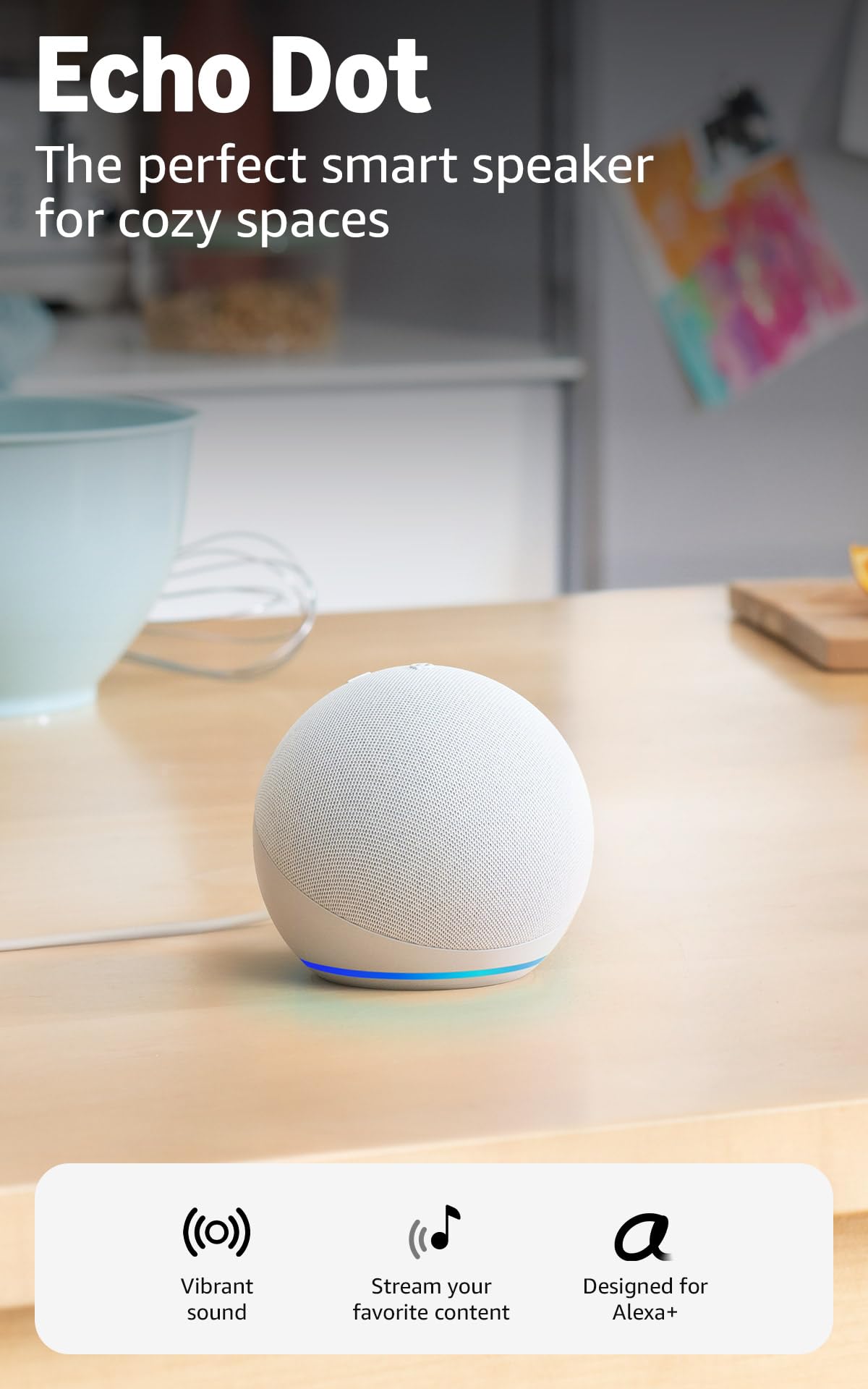
The Echo Dot is the logical starting point for anyone building a budget smart home because it serves as both the voice control hub and a surprisingly capable speaker. The newest generation delivers audio that rivals the HomePod mini at roughly half the cost, with clear mids and enough bass to fill a bedroom or small office. The built-in eero mesh extender is a practical bonus—it can add up to 1,000 square feet of Wi-Fi coverage to an existing eero network, making it more than just a voice assistant.
The motion and temperature sensors enable hands-free automation routines. You can program the Dot to trigger lights when you enter a room or start a fan when the indoor temperature rises above a set threshold. This sensor suite turns a simple speaker into a functional home automation controller, reducing the need for separate motion sensors elsewhere in the house.
Audio quality drops noticeably in open-concept spaces where the speaker competes with ambient noise. The Dot is best positioned as a bedroom or dedicated office device rather than a living room centerpiece. Some users also note that all wake words are two syllables or longer, which adds a slight delay compared to a hypothetical single-syllable option.
Why it’s great
- Built-in eero mesh extender improves Wi-Fi
- Motion and temperature sensors for routines
- Excellent sound quality for the size
Good to know
- Open-plan spaces expose volume limitations
- Wake words are multi-syllable, slowing commands
3. Amazon Echo Spot (newest model)

The Echo Spot takes the core Echo Dot functionality and adds a customizable display that makes it a natural fit for nightstands and kitchen counters. The screen shows the time, weather, song titles, and smart home device status at a glance, and you can choose from a library of clock faces with different color schemes. The audio performance is similar to the Dot—clear vocals with enough bass to sound full without being boomy.
What sets the Spot apart is its morning routine integration. You can set an Alexa routine that gradually increases the display brightness while starting music, replacing the jarring experience of a traditional alarm. The touchscreen also lets you dim lights or adjust the thermostat without speaking, which is useful when someone else is sleeping nearby. The eero mesh extender is included here too, doubling the Spot’s value as a network node.
The display is relatively small compared to the Echo Show 5, and some users wish for a larger screen for video calls or recipe display. However, the Spot deliberately avoids the ads that plague the Show series, making it a cleaner, more focused experience for bedside use. Setup is seamless if you already have an Alexa account, as the device auto-links to your existing profile.
Why it’s great
- Ad-free display with customizable clock faces
- Gradual sunrise alarm routine
- Eero mesh extender included
Good to know
- Screen size is smaller than Echo Show models
- Setup instructions omit touchscreen swipe gestures
4. WiZ Smart Plug 3-Pack
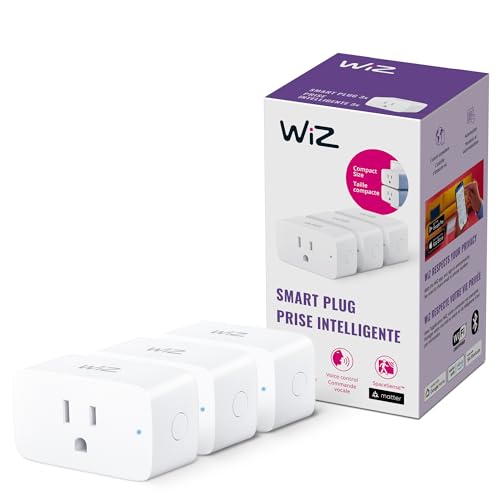
The WiZ Smart Plug 3-Pack is the best per-unit value in this lineup, offering three Matter-certified plugs at a price that undercuts most single units. Each plug has a slim profile that sits flush against the wall without blocking the adjacent outlet—a surprisingly rare design detail among budget plugs. Setup takes seconds through the WiZ app, and no hub is required, which keeps the barrier to entry as low as possible.
The SpaceSense automation feature is WiZ’s differentiator. It uses the Wi-Fi signals between multiple WiZ devices in the same room to detect motion, letting you trigger lights or other devices when someone enters without needing dedicated motion sensors. You need at least two WiZ devices in the room for SpaceSense to work, but the three-pack gives you exactly that for a single room or distributed coverage across multiple rooms.
Some users experienced a brief delay during initial app recognition, requiring a full power cycle before the plug appeared in the device list. Once paired, however, the connection was stable across multiple reviews. The plugs lack energy monitoring, so they’re best suited for simple scheduling and voice control rather than power tracking.
Why it’s great
- Three Matter-certified plugs at a low per-unit cost
- Slim profile doesn’t block adjacent outlets
- SpaceSense motion detection via Wi-Fi signals
Good to know
- No energy monitoring feature
- Initial pairing may require a power cycle
5. Kasa Smart Plug HS103P4
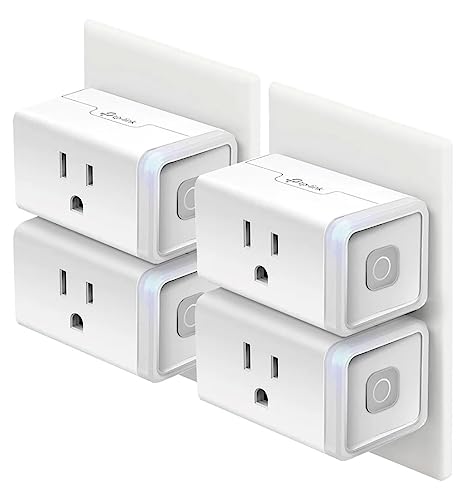
The Kasa HS103P4 has been a consistent top seller in the budget smart plug category for years, and for good reason. This 4-pack delivers reliable, no-fuss operation with a Kasa app that makes scheduling and timers straightforward even for first-time users. The plugs are UL certified and rated for 15 amps, matching the electrical specs of more expensive competitors. The physical button on each plug provides manual override, which is essential when the app is unreachable.
Kasa’s ecosystem has proven durability over time. Multiple reviewers have reported using these plugs for three to five years without failures, while competitors like Smart Life devices began dropping off the network after a year. The plugs retain their programming during power outages, so your schedules don’t reset every time the lights flicker. Setup requires a 2.4GHz Wi-Fi connection and the Kasa app, which includes a firmware update step that adds a few minutes per plug.
The HS103P4 lacks Matter certification and energy monitoring, which limits its compatibility and functionality compared to the Tapo P210M. It also doesn’t fit as tightly into the wall as the WiZ plugs, leaving a slightly larger gap around the faceplate. But for sheer reliability at the lowest per-plug cost, the Kasa 4-pack remains a benchmark that newer products are still trying to beat.
Why it’s great
- Proven long-term reliability over 3+ years
- UL certified with 15A rating
- Programming survives power outages
Good to know
- Not Matter certified; limited ecosystem flexibility
- No energy monitoring feature
FAQ
Do budget smart plugs work without an internet connection?
Can I use a cheap smart plug with a space heater?
Why do my smart plugs keep disconnecting from Wi-Fi?
Final Thoughts: The Verdict
For most users building a smart home on a budget, the best cheap smart home devices winner is the Tapo P210M because it combines Matter certification with dual-outlet control and energy monitoring at a price that undercuts single-outlet competitors. If you want a voice assistant hub that also extends your Wi-Fi coverage, grab the Amazon Echo Dot. And for the lowest per-device cost when outfitting an entire home, nothing beats the Kasa Smart Plug 4-Pack for sheer reliability over the long haul.

Mo Maruf
I created WellFizz to bridge the gap between vague wellness advice and actionable solutions. My mission is simple: to decode the research and give you practical tools you can actually use.
Beyond the data, I am a passionate traveler. I believe that stepping away from the screen to explore new environments is essential for mental clarity and physical vitality.