Our readers keep the lights on and my smoothie glass nicely filled. As an Amazon Associate, I earn from qualifying purchases.
The clutter of a bulky tower, the tangle of cables, the hunt for a dedicated desk — these are the everyday realities that a cheap all in one computer is designed to eliminate. For anyone seeking a clean, space-saving setup without sacrificing performance, a single-unit desktop combines a crisp display with capable internals, perfect for homework, office tasks, or streaming your favorite shows.
I’m Mohammad Maruf — the founder and writer behind WellFizz. I spent countless hours analyzing the hardware specifications, reading real-user feedback, and comparing the processor speeds, memory configurations, and display quality across every model in this guide to find the true value leaders in this crowded category.
This guide cuts through the marketing noise to deliver clear, spec-driven recommendations for the best cheap all in one computer that balances performance, screen quality, and long-term reliability without breaking the bank.
How To Choose The Best Cheap All In One Computer
Navigating the market for a budget-friendly all-in-one computer means understanding which components matter most for your typical workload. While the appeal of a single-box solution is strong, the internal specs must align with what you actually do — whether that’s running a home office, helping with remote learning, or managing everyday entertainment.
Processor: The Brain Behind the Screen
The processor is the single largest factor in long-term system responsiveness. In this price range, you will commonly see Intel N100 chips (quad-core, efficient for browsing and office apps), AMD Ryzen 5 processors (hexa-core, noticeably faster for multitasking), and the Apple M4 chip (octa-core, dramatically faster for creative and productivity software). For a cheap all in one computer, the Intel N100 handles basic tasks competently, but if your workflow includes multiple browser tabs or light photo editing, stepping up to a Ryzen 5 or a Core i5-series chip delivers a much smoother experience.
Memory and Storage: The Multitasking Duo
RAM and storage type directly determine how many apps you can run simultaneously and how fast the system feels at boot-up. 8GB of RAM is the bare minimum for a responsive Windows experience, while 16GB offers real headroom for heavy multitasking. Storage is equally critical: a 128GB solid-state drive (SSD) may feel tight if you store photos and documents locally, whereas 512GB or 1TB PCIe NVMe SSDs provide ample room and lightning-fast file access. Avoid older eMMC storage — it slows down noticeably with daily use.
Display Size and Quality
Screen size dictates how comfortably you can work. A 21.5-inch or 23.8-inch Full HD (1920 x 1080) display is standard at this price point. IPS panels offer superior color accuracy and viewing angles compared to VA or TN panels — a crucial distinction if you will share the screen or view it from an angle. For touchscreen models, responsiveness varies; higher-end units like the Dell 24 touchscreen provide a more fluid interaction. A 120Hz refresh rate, found on the Acer Aspire C24, makes scrolling and motion feel significantly smoother than a standard 60Hz panel.
Quick Comparison
On smaller screens, swipe sideways to see the full table.
| Model | Category | Best For | Key Spec | Amazon |
|---|---|---|---|---|
| Apple iMac M4 24″ | Premium | Creative pros & Apple ecosystem users | Apple M4 chip, 8-core CPU/GPU | Amazon |
| Dell 24 Touch (ec24250) | Mid-Range | Telehealth & user-facing kiosks | Intel Core 5 120U, 5 GHz boost | Amazon |
| Lenovo ThinkCentre 27″ | Mid-Range | Office multitasking & productivity | Intel i5-13420H, 8 Cores | Amazon |
| HP 27″ Touch (Ryzen 5) | Mid-Range | Touch-centric creative workflows | 1 TB PCIe SSD, 16 GB RAM | Amazon |
| HP 24 Touch (N100) | Mid-Range | Home & school touch interaction | 23.8″ FHD IPS Touchscreen | Amazon |
| Acer Aspire C24 | Mid-Range | Smooth motion & streaming | 120Hz FHD IPS display | Amazon |
| Dell 24 (ec24250) White | Mid-Range | General office & student work | Intel Core 3 100U, 512GB SSD | Amazon |
| Lenovo IdeaCentre 24″ | Mid-Range | Quiet office & video calls | 16GB DDR4, 512GB PCIe SSD | Amazon |
| HP 22″ Cashmere White | Budget | Value shopper & small desk spaces | 128GB UFS storage, Wi-Fi 6 | Amazon |
| HP 22″ Jet Black | Budget | Non-tech users & easy setup | DDR5 RAM, 128GB storage | Amazon |
| Lenovo IdeaCentre 24″ Base | Budget | Basic browsing & web apps | 256GB SSD, Intel N100 | Amazon |
In‑Depth Reviews
1. Apple iMac M4 24″

The Apple iMac with the M4 chip is the outlier in this guide — not just in price but in sheer performance-per-watt. It delivers a level of application launch speed and graphical fidelity that the Intel and AMD-based competitors cannot touch. The 24-inch 4.5K Retina display with 500 nits of brightness supports up to one billion colors, making it a genuine workstation for photo editing, design, or any color-critical task. The all-in-one chassis is impossibly slim, and the included peripherals (Magic Keyboard and Magic Mouse) are wireless, pairing instantly.
Under the hood, the M4 chip combines an 8-core CPU and 8-core GPU with 16GB of unified memory, which macOS manages far more efficiently than a typical Windows machine. Boot-up is near-instant, and apps like Logic Pro, Final Cut Pro, and Adobe Creative Suite fly. The 12MP Center Stage camera, studio-quality three-mic array, and six-speaker system with Spatial Audio make this the most capable video-conferencing machine on the list. For users deep in the Apple ecosystem, features like iPhone Mirroring and Universal Clipboard are transformative.
The limited 256GB SSD on this base model may feel restrictive for local file hoarders, and the price positions it far above any other system here. However, for those who value long-term reliability, premium build quality, and an operating system that just works, the iMac M4 justifies its premium over the budget-oriented competition. It is not a “cheap” computer, but it is the single best all-in-one experience available.
Why it’s great
- Blazing M4 chip performance for creative apps
- Stunning 4.5K Retina display with 500 nits brightness
- Excellent 12MP Center Stage camera and Spatial Audio speakers
Good to know
- Premium price point far above budget options
- Base model storage is only 256GB SSD
- Requires adapters for legacy USB-A peripherals
2. Dell 24 All-in-One Touch (ec24250)

Dell brings a compelling mid-range contender with the ec24250, a 23.8-inch Full HD touch display powered by the Intel Core 5 120U processor, capable of boosting up to 5 GHz. This is a genuine step up from the N100 chips found in entry-level systems. The 16GB of DDR5 RAM and 512GB SSD provide ample headroom for running multiple business applications simultaneously. Users consistently praise its responsive touchscreen and fast processing, noting its suitability for professional video calls and telehealth applications.
The 5MP IR camera with HDR technology captures excellent video quality, and the dual Bluetooth speakers with Dolby Atmos deliver loud, clear audio — a rare combination at this tier. The white chassis is sleek and professional, and the included Dell Pro keyboard and mouse are solid. Dell backs this unit with a one-year onsite service and six months of Dell Migrate for easy file transfer, adding significant peace of mind.
The lack of a dedicated memory card slot beyond the built-in reader and the slightly higher sticker price relative to entry-level models are the main trade-offs. Some users have noted the camera angle is not adjustable, which can be a minor inconvenience. For anyone who values a fluid touch interface and strong out-of-box support, this Dell delivers outstanding value in the mid-range segment.
Why it’s great
- Responsive touchscreen with fast Core 5 processor
- 5MP HDR camera with excellent video quality
- Dolby Atmos speakers and 1-year onsite service
Good to know
- Camera angle is not adjustable
- Higher price than base N100 systems
- Limited to a single USB-C port
3. Lenovo ThinkCentre 27″ All-in-One

The Lenovo ThinkCentre stands out with its 27-inch Full HD IPS display and a powerful Intel Core i5-13420H processor — an 8-core chip with 12 threads that reaches 4.6 GHz. This level of processing power, paired with 16GB of DDR5 RAM and a 512GB PCIe SSD, makes it a genuine productivity machine for spreadsheet-heavy work, data analysis, or software development. The 100Hz refresh rate on the anti-glare display is a noticeable step up from standard 60Hz panels, making scrolling and window management feel fluid.
The ThinkCentre also features HDMI-in and HDMI-out ports, a rare inclusion that allows this system to function both as a standalone computer and as a high-quality external monitor for a laptop. The included wired keyboard and mouse in Luna Grey are basic but functional. Users appreciate the fast boot-up and reliable performance for office environments. The Windows 11 Pro operating system adds business-grade security features like BitLocker and Remote Desktop.
The primary concern from buyers involves warranty activation by third-party sellers — a few users reported that the warranty was unknowingly registered by the seller, creating complications if the unit fails. Checking warranty status immediately after purchase is advised. The lack of included monitor cables for external displays was another minor complaint. For buyers who need a large, sharp screen and true multitasking power, the ThinkCentre is a top performer in its class.
Why it’s great
- Powerful 8-core i5-13420H processor
- 27-inch IPS display with 100Hz refresh rate
- HDMI-in port for use as external monitor
Good to know
- Potential warranty registration issues with third-party sellers
- No external monitor cables included
- Wired peripherals are basic
4. HP 27″ All-in-One Touch (Ryzen 5)

HP targets the creative and touch-centric user with this 27-inch model powered by an AMD Ryzen 5 7520U processor. The generously sized 27-inch FHD IPS touchscreen is the centerpiece — it is responsive, bright, and features a three-sided micro-edge bezel that maximizes screen real estate. The combination of 16GB of LPDDR5 RAM and a 1TB PCIe NVMe SSD means you can store thousands of photos, extensive documents, and large software installs without worrying about space. Boot-up and app loading are swift.
The HP True Vision 1080p IR camera with a privacy shutter and temporal noise reduction delivers clear video for meetings, and the integrated dual-array microphones pick up audio well. The wireless keyboard and mouse in white match the clean aesthetic. Users with visual impairments have particularly praised this model for its large, crisp display that reduces eye strain. The inclusion of Windows 11 Pro is another bonus for business users who need advanced networking and security features.
A notable concern from a verified purchaser was a motherboard failure within six months, though the seller resolved the issue promptly. The absence of a dedicated graphics card means it is not suited for heavy gaming or 3D rendering. The power cord is not included in the box according to some reports, so checking the package contents on arrival is wise. For a large touchscreen workspace with ample storage, this HP is a compelling mid-range option.
Why it’s great
- Large 27-inch FHD IPS touchscreen
- Spacious 1TB PCIe SSD with 16GB RAM
- Excellent 1080p IR camera with privacy shutter
Good to know
- Reports of motherboard failure in some units
- Power cord may not be included
- Integrated graphics, no GPU for gaming
5. HP 24 Touchscreen All-in-One (N100)

HP delivers a compelling touchscreen package at a more accessible price point with this 23.8-inch model. The IPS Full HD display with anti-glare technology is responsive to the touch, making navigation feel direct and intuitive — especially for younger users or those who prefer a tablet-like interaction. Powered by the Intel Processor N100, this is not a speed demon, but for browsing, email, Office applications, and light media consumption, it performs admirably. The 16GB of DDR4 RAM provides solid multitasking headroom, and the 1TB PCIe SSD is a standout feature at this level, offering generous local storage.
The HP True Vision 720p privacy camera includes temporal noise reduction and dual-array digital microphones, producing acceptable video call quality for school or work meetings. The white wired keyboard and mouse are basic but functional. Buyers consistently praise the setup simplicity and the immediate usability out of the box. The build quality feels sturdy, and the all-in-one form factor keeps the desk remarkably clean.
The N100 processor is the bottleneck — it will feel sluggish if you push it with heavy multitasking or complex spreadsheets. The wired peripherals are not wireless, which detracts slightly from the clean aesthetic. The 720p camera is adequate but not as sharp as the 1080p or 5MP cameras found on pricier models. For a family needing a touch-capable computer for homework and casual use, this HP represents excellent value.
Why it’s great
- Responsive 23.8″ FHD IPS touchscreen
- Generous 1TB PCIe SSD storage
- Easy setup and reliable performance for basic tasks
Good to know
- N100 processor is not suited for heavy multitasking
- Wired peripherals included, not wireless
- 720p webcam is entry-level quality
6. Acer Aspire C24 (C24-2G-UR15)

Acer breaks the budget mold with the Aspire C24 by including a 23.8-inch Full HD IPS display with a 120Hz refresh rate — a feature usually reserved for gaming monitors. This higher refresh rate makes everything from scrolling through documents to watching video feel dramatically smoother than the standard 60Hz panels found on most competitors. Paired with the hexa-core AMD Ryzen 5 7430U processor (up to 4.3 GHz) and 16GB of DDR4 RAM, this system handles multitasking with genuine agility. The 512GB PCIe NVMe SSD provides fast load times and ample space for applications.
The 2MP webcam includes a privacy shutter and dual microphones, covering the basics for video calls. Acer includes Acer VisionCare technology — flickerless, BluelightShield, and low dimming — to reduce eye strain during long sessions. The front I/O access with a USB-C port is a thoughtful design touch, making plugging in peripherals easy. The included USB keyboard and mouse are wired but serviceable.
The most common criticism from buyers is the fan noise — a few users describe it as loud out of the box, though adjusting the power settings can mitigate this. The webcam resolution at 2MP is merely adequate compared to the 5MP cameras on the Dell models. The display, while smooth and sharp, is not a touchscreen. For users who prioritize fluid screen motion for daily use, the Aspire C24 offers an uncommon value at its tier.
Why it’s great
- Buttery-smooth 120Hz FHD IPS display
- Fast hexa-core Ryzen 5 7430U processor
- 16GB RAM and 512GB PCIe SSD for solid multitasking
Good to know
- Fan can be loud out of the box
- 2MP webcam is only adequate
- Display is not a touchscreen
7. Dell 24 All-in-One (ec24250) White

This non-touch variant of Dell’s 24-inch all-in-one is a straightforward, reliable workhorse. Powered by the Intel Core 3 100U (up to 4.7 GHz) with 8GB of DDR5 RAM and a 512GB SSD, it handles office productivity, web research, and streaming with ease. The Full HD IPS display covers 99% sRGB with 50% higher contrast than the previous generation, producing vivid, true-to-life colors. Dell’s ComfortView Plus reduces harmful blue light emissions, making long workdays less taxing on the eyes.
The 5MP IR camera with HDR is a standout feature at this price — it delivers excellent video quality for professional Zoom calls or virtual meetings. The dual Bluetooth speakers with Dolby Atmos produce surprisingly full sound. The one-year onsite service is a meaningful warranty advantage over most competitors, providing in-home repair if an issue cannot be resolved remotely. Users consistently praise the fast, quiet operation and the clean white design.
The 8GB of RAM is sufficient for most tasks but offers less headroom for heavy multitasking than the 16GB models on this list. The wired keyboard included by some sellers may only have a single USB dongle, limiting wireless peripheral flexibility. For a solid, no-frills system backed by excellent support, this Dell is a reliable mid-range choice.
Why it’s great
- Excellent 5MP IR camera with HDR
- Dolby Atmos speakers sound great
- 1-year onsite service for peace of mind
Good to know
- 8GB RAM has limited multitasking headroom
- Non-touch display
- Wired keyboard may have single USB dongle
8. Lenovo IdeaCentre 24″ (16GB/512GB)

Lenovo’s IdeaCentre 24 offers one of the most balanced spec sheets in the mid-range segment. The 23.8-inch Full HD IPS anti-glare display with 250 nits brightness is clear and comfortable for all-day use. The combination of 16GB of DDR4 RAM and a 512GB PCIe NVMe SSD provides genuine multitasking capability — you can keep a dozen browser tabs open alongside Office and a music streaming app without slowdown. The Intel N100 processor keeps everything moving for standard workloads, and the system runs quietly.
Wi-Fi 6 and Bluetooth 5.2 are built in, providing fast wireless connectivity. The included wired keyboard and mouse are basic but functional. Buyers consistently highlight the easy setup and the clean, professional appearance of the ebony black chassis. The built-in speaker and camera work well for occasional video calls. The value proposition is strong for anyone who wants a simple, capable desktop without hunting for additional upgrades.
The Intel N100, while efficient, caps overall performance — this is not a machine for heavy video editing or gaming. It lacks a dedicated GPU, and the base model does not include a touchscreen. Some users noted the absence of pre-installed Microsoft Office requires a separate subscription for Word and Excel. For a balanced, ready-to-go workstation for home or office, the IdeaCentre 24 delivers consistent value.
Why it’s great
- 16GB RAM and 512GB SSD for solid multitasking
- 23.8″ FHD IPS display is clear and comfortable
- Quiet operation and easy setup
Good to know
- N100 processor limits performance ceiling
- No touchscreen or dedicated GPU
- Microsoft Office not pre-installed
9. HP 22″ Cashmere White
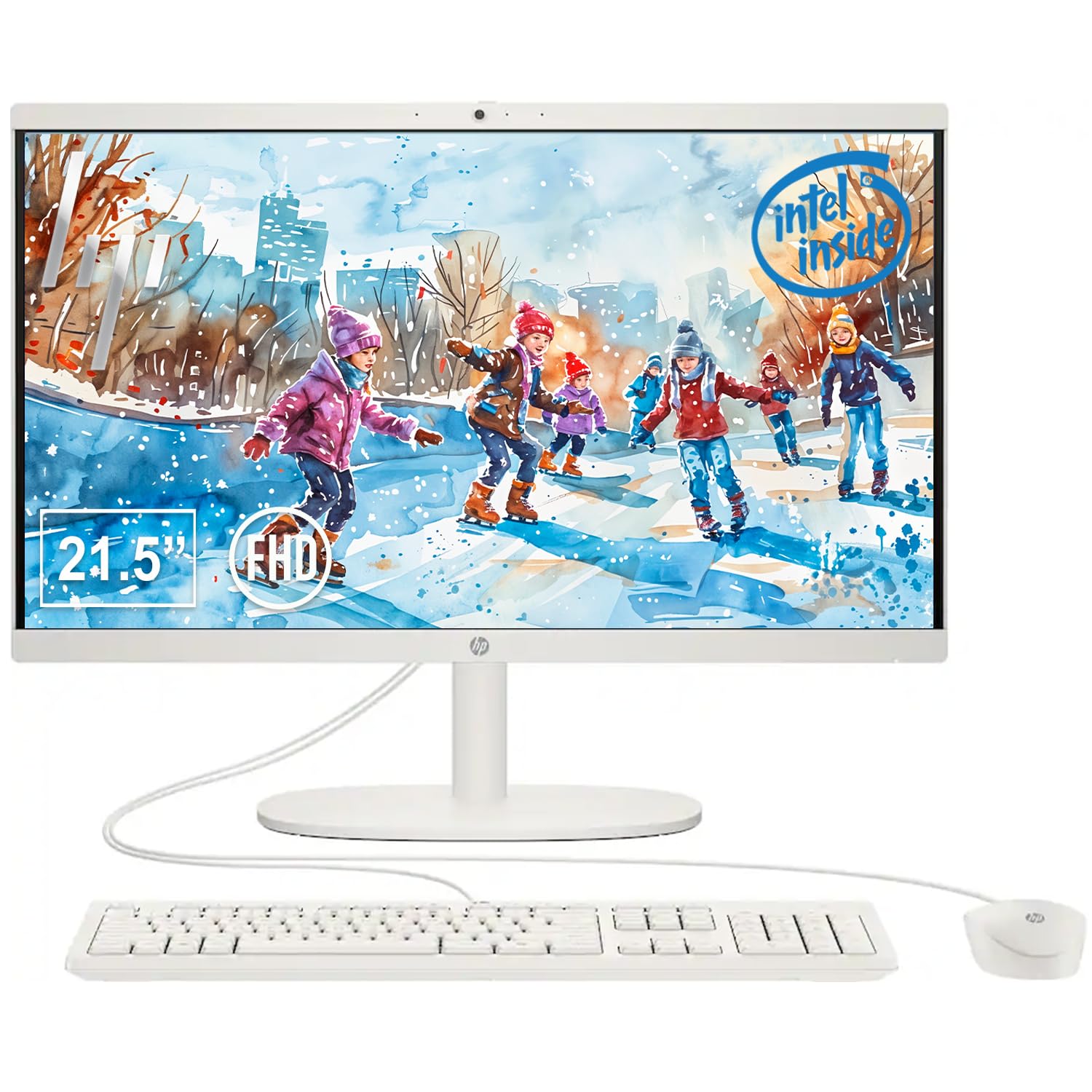
HP’s 22-inch Cashmere White model is designed for budget-conscious buyers who need a clean, space-saving setup for basic computing. The 21.5-inch Full HD VA anti-glare display offers wide viewing angles and decent color reproduction for the price. Powered by the Intel Processor N100 and 8GB of DDR5 RAM, it handles web browsing, email, word processing, and streaming video without issue. The 128GB of UFS storage is an improvement over older eMMC, providing faster boot times than traditional hard drives.
Connectivity is a strong point — this unit includes Wi-Fi 6, Bluetooth 5.3, USB-C (10Gbps), HDMI-out, and an RJ-45 Ethernet port, offering flexibility for both wired and wireless networking. The built-in 720p webcam with a privacy shutter covers the basics for video calls. Buyers appreciate the sturdy build — the heavy base keeps the system firmly planted on the desk — and the easy setup process. The HP brand adds a layer of reliability assurance.
The 128GB of storage is limited; users who download many apps or store large photo libraries locally will run out of space quickly. The VA display, while decent, does not match the color accuracy of IPS panels found on more expensive models. Some users reported difficulty downloading drivers for non-HP accessories. For a simple, affordable entry into the all-in-one world, this HP is a solid budget pick.
Why it’s great
- Low-cost entry into all-in-one computing
- Modern Wi-Fi 6 and Bluetooth 5.3 connectivity
- Sturdy build with a space-saving design
Good to know
- 128GB storage is tight for local files
- VA display not as color-accurate as IPS
- Limited performance for heavy multitasking
10. HP 22″ Jet Black

This Jet Black variant from HP is nearly identical to the Cashmere White model above, sharing the same 21.5-inch Full HD display, 13th Gen Intel N100 processor, 8GB of DDR5 RAM, and 128GB of UFS storage. The key difference is the color and the target audience — this model ships with Windows 11 Pro, which includes business-grade features like BitLocker encryption, Remote Desktop, and enhanced networking capabilities. For a small home office or a professional on a tight budget, this is a meaningful addition.
The setup is remarkably straightforward — one reviewer, self-identifying as a non-tech-savvy user, reported being up and running within minutes. The system includes HDMI-out, USB-C, and a full complement of ports, including Wi-Fi 6 and Bluetooth 5.3. The built-in HD webcam includes a privacy shutter. The performance is snappy for everyday tasks like email, web browsing, and streaming, and the integrated Intel UHD Graphics handle 4K video playback smoothly.
As with its white sibling, the 128GB storage is the primary limitation — you will need to rely on cloud storage or external drives for extensive file libraries. The display is a standard 60Hz VA panel, so it is not ideal for fast-moving content. The system lacks an optical disc drive, which some users noted. For a simple, business-ready desktop at a budget price point, this HP Jet Black model is a pragmatic choice.
Why it’s great
- Includes Windows 11 Pro for business features
- Very easy setup, even for non-tech users
- Modern connectivity with Wi-Fi 6 and USB-C
Good to know
- 128GB storage fills up quickly
- No optical disc drive
- Standard 60Hz VA panel
11. Lenovo IdeaCentre 24″ (8GB/256GB)

The base configuration of the Lenovo IdeaCentre 24 cuts costs by pairing an Intel N100 processor with 8GB of RAM and a 256GB SSD, making it the most accessible entry point into the Lenovo all-in-one lineup. The 23.8-inch Full HD display offers colorful visuals, and Harman audio-enhanced speakers provide surprisingly good sound for a budget system. The low blue light technology is a welcome feature for eye comfort during extended use. This model is designed specifically for basic browsing, email, and web-based Office tasks.
The 5MP AI camera with IR is a notable feature at this price — it delivers sharp video for calls and includes an AI-based noise cancellation algorithm for audio clarity. The webcam privacy e-shutter adds security. Buyers report that the system is very user-friendly, with one reviewer noting it was highly recommended by an IT professional. The large 24-inch screen is particularly appreciated by users with visual impairments, as the clear display and adjustable brightness make text easier to read.
The 8GB of RAM and 256GB SSD meet the minimum standard for modern computing but offer less room for growth than the 16GB models. The Intel N100 processor will struggle with demanding applications. Some buyers expressed disappointment with the limited pre-installed software and the need for a separate Office subscription. For the lightest computing needs — someone who primarily uses a browser — this Lenovo is a functional, affordable option.
Why it’s great
- Large 23.8″ FHD display with Harman speakers
- 5MP AI camera with noise cancellation
- Low blue light technology for eye comfort
Good to know
- 8GB RAM limits heavy multitasking
- 256GB SSD is modest for storage
- N100 processor not for demanding apps
FAQ
Is an Intel N100 processor fast enough for everyday tasks like web browsing and office work?
What is the difference between UFS storage and a PCIe NVMe SSD in an all-in-one?
Can I upgrade the RAM or storage on a cheap all-in-one computer later?
Are touchscreen all-in-one computers worth the extra cost?
Final Thoughts: The Verdict
For most users, the best cheap all in one computer winner is the Acer Aspire C24 because it delivers a rare 120Hz display and a hexa-core Ryzen 5 processor at a mid-range price. If you want a large touchscreen for creative or interactive use, grab the HP 27″ Touch (Ryzen 5). And for the absolute best performance and ecosystem integration, nothing beats the Apple iMac M4.

Mo Maruf
I created WellFizz to bridge the gap between vague wellness advice and actionable solutions. My mission is simple: to decode the research and give you practical tools you can actually use.
Beyond the data, I am a passionate traveler. I believe that stepping away from the screen to explore new environments is essential for mental clarity and physical vitality.