Our readers keep the lights on and my smoothie glass nicely filled. As an Amazon Associate, I earn from qualifying purchases.
Fast refresh rates and immersive curves used to demand a steep premium, but a new wave of VA panels has collapsed the price floor without sacrificing the fluid motion or deep contrast that make curved monitors so compelling. Whether you need a 100Hz panel for productivity or a 300Hz speed demon for competitive shooters, the current market delivers high-bandwidth DisplayPort inputs and 1500R wraps at prices that would have seemed impossible two years ago.
I’m Mohammad Maruf — the founder and writer behind WellFizz. My research focuses on real measured specifications like refresh rate ceilings, response time implementations, color gamut coverage, and adaptive sync compatibility to separate marketing claims from actual monitor performance in this price band.
After analyzing over thirty 1080p and QHD curved models across five major brands, the best budget curved monitor choice comes down to matching your refresh rate expectations and connectivity needs with a panel that truly delivers its rated specs without corner-cutting on contrast or build quality.
How To Choose The Best Budget Curved Monitor
Finding a curved monitor under a strict budget means you will always trade off between panel size, refresh rate ceiling, and resolution. Understanding which trade-off matters most for your specific use—competitive gaming, immersive single-player, or productivity—is the only way to avoid buyer’s remorse.
Curvature Radius: 1500R vs 1800R
A 1500R radius means the circle formed by the curve has a 1.5-meter diameter, producing a tighter wrap that pushes the screen edges closer to your peripheral vision. This works best on 27-inch and larger panels where the curvature actually reaches your side vision. An 1800R curve is gentler and works fine for 24-inch displays, but on a 27-inch or 31.5-inch panel, 1800R can feel almost flat. For the immersive promise of a curved monitor on a budget, 1500R is the sweet spot.
Refresh Rate and Adaptive Sync
Entry-level curved monitors often top out at 100Hz, while mid-range budget options reach 180Hz and premium budget picks push past 240Hz. Pair that with AMD FreeSync Premium—which enforces a low framerate compensation (LFC) floor—and you get stutter-free gameplay even when frames dip below the monitor’s minimum VRR window. Without FreeSync or G-Sync Compatible certification, you will notice tearing during fast camera pans regardless of the refresh rate number.
Panel Technology and Contrast
Almost every budget curved monitor uses a VA panel, which delivers native contrast ratios of 3000:1 to 4000:1. This is the primary advantage over flat IPS panels in the same price bracket—deeper blacks, better shadow detail, and more punch in HDR content. The trade-off is slightly slower pixel response transitions in dark shades, which can produce visible black-level smearing in high-contrast motion. Budget VA panels also typically cover 90-130% sRGB, which is adequate for gaming and office use but not for professional photo editing.
Connectivity and Port Bandwidth
A DisplayPort 1.2 connection is essential for reaching 180Hz or higher at 1080p. HDMI 1.4 ports on budget monitors often cap at 120Hz or 144Hz depending on the implementation. Check whether the monitor includes a DisplayPort cable in the box—many budget models ship only with HDMI, which could bottleneck your refresh rate. Also verify that HDMI ports support the full bandwidth needed for consoles (PS5 and Xbox Series X demand HDMI 2.0 for 120Hz output).
Quick Comparison
On smaller screens, swipe sideways to see the full table.
| Model | Category | Best For | Key Spec | Amazon |
|---|---|---|---|---|
| AOC C27G4ZH | Premium Mid-Range | High-refresh competitive gaming | 280Hz / 0.3ms MPRT / Height Adjust | Amazon |
| LG 27GS60QC-B | Premium Mid-Range | QHD immersion with 1000R curve | 180Hz / 2560×1440 / 1000R | Amazon |
| Deco Gear 34-inch | Premium Budget | Ultrawide productivity multitasking | 3440×1440 / 100Hz / PIP/PBP | Amazon |
| Acer Nitro EDA320Q | Mid-Range | Large-screen casual console gaming | 31.5-inch / 180Hz / FreeSync Premium | Amazon |
| Z-Edge UG27S | Mid-Range | E-sports at 300Hz | 300Hz / 4000:1 contrast / 2x DP | Amazon |
| Samsung S36GD | Entry-Level | Everyday productivity and light gaming | 100Hz / TÜV Eye Comfort / 1800R | Amazon |
| Sceptre C275B-FWT240 | Entry-Level | High-refresh value at 240Hz | 240Hz / 99% sRGB / Built-in speakers | Amazon |
| SANSUI 27-inch | Entry-Level | 200Hz all-rounder with speakers | 200Hz / 130% sRGB / 2x2W speakers | Amazon |
| ASUS VG24VQER | Entry-Level | Console 120fps at 24-inch | 180Hz / ELMB Sync / Shadow Boost | Amazon |
In‑Depth Reviews
1. AOC 27″ Curved Gaming Monitor C27G4ZH

With a 280Hz refresh rate over DisplayPort and a 0.3ms MPRT response time, the C27G4ZH punches far above its price tier. The 1500R VA panel delivers the deep 3000:1 contrast ratio you expect from a good curved monitor, and the ergonomic stand—tilt, swivel, and height adjustment—is almost unheard of in this bracket. FreeSync Premium with low framerate compensation keeps gameplay smooth even when your GPU struggles to maintain frame rates.
The 1080p resolution on a 27-inch panel yields a pixel density of roughly 81 PPI, which means text won’t look as razor-sharp as a 1440p panel, but the high 280Hz ceiling and sub-millisecond response make this a serious weapon for competitive FPS and racing titles. HDR readiness is present but limited by the peak brightness of 300 nits; the high contrast ratio partially compensates for the lack of luminance punch.
Out of the box, colors appear vibrant with the VA panel’s native saturation, though some users may want to dial down the contrast preset for office work. The included DisplayPort cable ensures you hit the full 280Hz immediately, and the two HDMI 2.0 ports cap at 240Hz, which is still excellent for console connections. This is the most complete package for anyone who wants a fast curved monitor without stepping up to QHD pricing.
Why it’s great
- 280Hz with 0.3ms MPRT for elite motion clarity
- Full ergonomic stand with height adjustment
- FreeSync Premium with LFC for tear-free gaming
Good to know
- 1080p at 27-inch limits pixel density for productivity
- HDR brightness capped at 300 nits
- No built-in speakers
2. LG 27GS60QC-B Ultragear

The LG 27GS60QC-B brings QHD resolution into the budget conversation with a 27-inch 2560×1440 VA panel and the tightest curve in this roundup at 1000R. That curvature wraps deeply around your peripheral vision, creating an effect that genuinely makes 1080p curved screens feel less enveloping by comparison. The 180Hz refresh rate with 1ms GtG response keeps motion smooth across demanding titles, and the 99% sRGB color gamut provides accurate, punchy visuals without oversaturation.
Black Stabilizer and Dynamic Action Sync are practical gaming enhancements—Black Stabilizer lifts shadow detail in dark scenes without blowing out bright areas, and Dynamic Action Sync reduces input lag by processing frames faster than standard modes. The three-side borderless design makes multi-monitor setups feel seamless, and the tilt-adjustable stand, while basic, is adequate for most desk configurations. The lack of height adjustment is a notable omission at this price point.
The VA panel’s native 3000:1 contrast ratio gives HDR10 content a level of depth that flat IPS monitors cannot match, though peak brightness remains at 300 nits. Some users report that the auto-brightness feature cannot be disabled, which can be distracting during color-critical work. For immersive single-player gaming and QHD productivity, this is the strongest value proposition for users willing to trade some refresh rate ceiling for resolution and curve intensity.
Why it’s great
- QHD 1440p resolution for sharper text and detail
- 1000R extreme curve for deep immersion
- 180Hz with 1ms GtG and FreeSync support
Good to know
- Stand offers tilt only, no height or swivel
- Auto brightness cannot be fully disabled
- HDMI bandwidth may require DisplayPort for full 180Hz
3. Deco Gear 34-Inch Super UltraWide
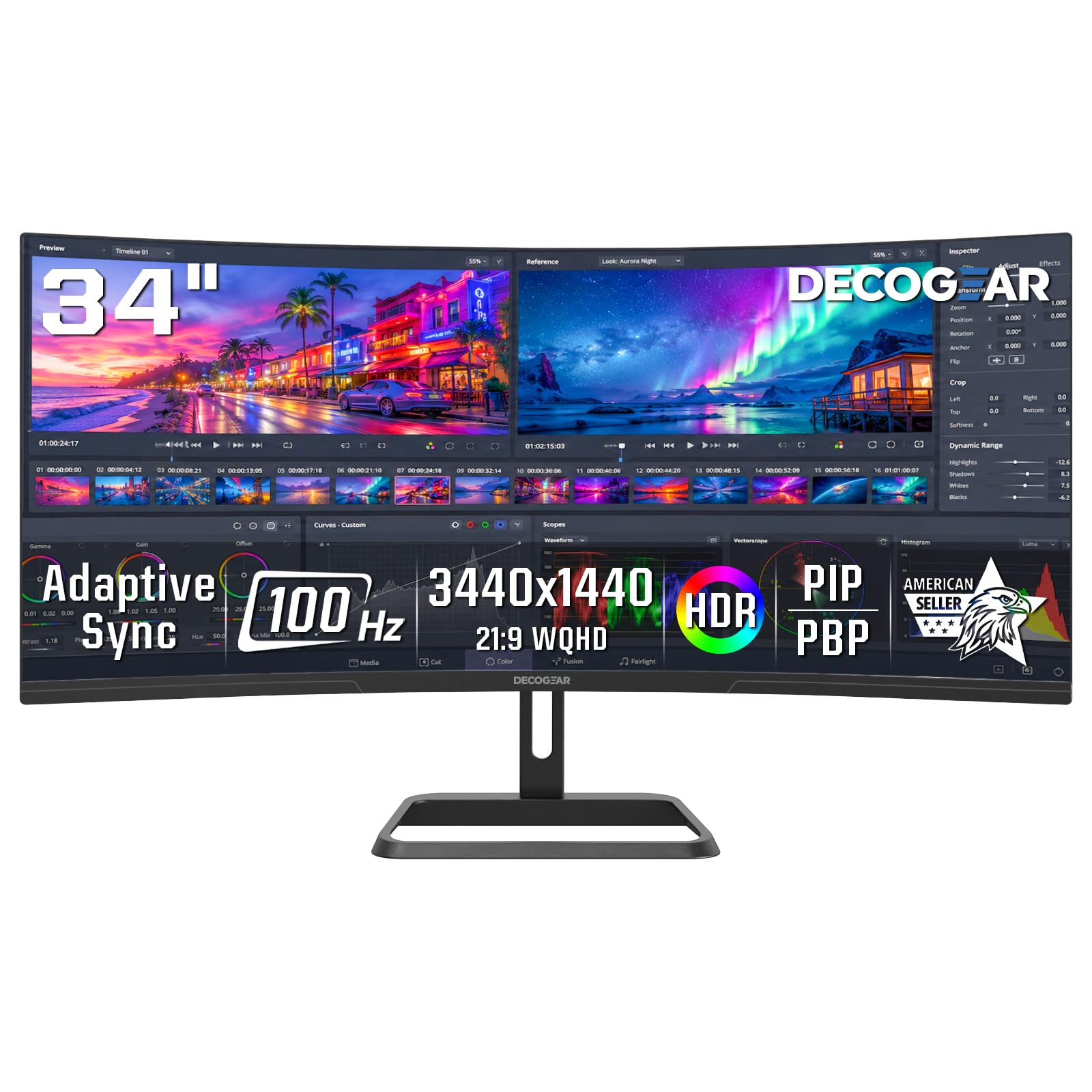
The Deco Gear 34-inch ultrawide delivers a 3440×1440 WQHD resolution on a 21:9 VA panel with a 1500R curve, effectively replacing a dual-monitor setup for productivity users. The 100Hz refresh rate and 1ms response time provide smooth cursor movement and video playback, while the 4000:1 contrast ratio ensures deep blacks for spreadsheet work and media consumption. PIP and PBP modes let you connect two separate sources and display them side by side on the same screen.
Color accuracy hits 100% sRGB coverage, making this a viable option for content creators who need consistent color without stepping into premium IPS territory. The adjustable stand offers -5° to 15° tilt, and the dual HDMI 2.0 plus dual DisplayPort 1.4 inputs provide flexible connectivity for laptops, docking stations, and desktops. The metal stand and VESA 100x100mm compatibility add mounting flexibility for multi-monitor arms.
At 34 inches, the 1080p-equivalent pixel density is roughly 110 PPI, which is noticeably sharper than a 27-inch 1080p panel and makes long reading sessions comfortable. The 100Hz ceiling is adequate for casual gaming but won’t satisfy competitive players used to 240Hz+. For professionals who need screen real estate without the complexity of multiple displays, the Deco Gear is a productivity-focused curved monitor that punches well above its weight.
Why it’s great
- Ultrawide 21:9 replaces dual monitor setups
- 100% sRGB with 4000:1 contrast ratio
- PIP/PBP multitasking with dual inputs
Good to know
- 100Hz refresh rate limits competitive gaming
- No speakers or USB hub built in
- Decorative rear ring does not light up
4. Acer Nitro EDA320Q

The Acer Nitro EDA320Q offers a massive 31.5-inch 1080p VA panel with a 1500R curve and 180Hz refresh rate, making it one of the largest budget curved monitors available. FreeSync Premium certification ensures tear-free gameplay with low framerate compensation, and the 1ms VRB response time (Visual Response Boost) reduces motion blur during fast action. The zero-frame bezel design keeps the screen-to-body ratio high for an immersive look despite the entry-level price.
The 100,000,000:1 dynamic contrast ratio is a marketing number—the static contrast ratio is the standard 3000:1 for VA—but in practice, blacks appear deep and ink-like in a dark room. At 31.5 inches, the 1080p resolution yields a lower pixel density of around 70 PPI, which means individual pixels become visible at normal desk distances. This is noticeable in text rendering and fine details, so this monitor is best suited for couch-based console gaming or media consumption rather than spreadsheet-heavy office work.
The stand offers tilt adjustment from -5° to 20°, but there is no height or swivel adjustment. VESA 100x100mm compatibility allows aftermarket arm mounting. The OSD joystick is responsive and intuitive, making it easy to switch between the built-in FPS, RTS, and racing presets. For users who prioritize screen real estate and smooth motion over pixel density, the EDA320Q delivers an immersive couch-gaming experience at a price that undercuts smaller 27-inch premium models.
Why it’s great
- 31.5-inch screen for maximum immersion
- 180Hz with FreeSync Premium and LFC
- Deep VA contrast for dark room viewing
Good to know
- 1080p at 31.5 inches has low pixel density
- No built-in speakers
- Stand lacks height and swivel adjustment
5. Z-Edge UG27S
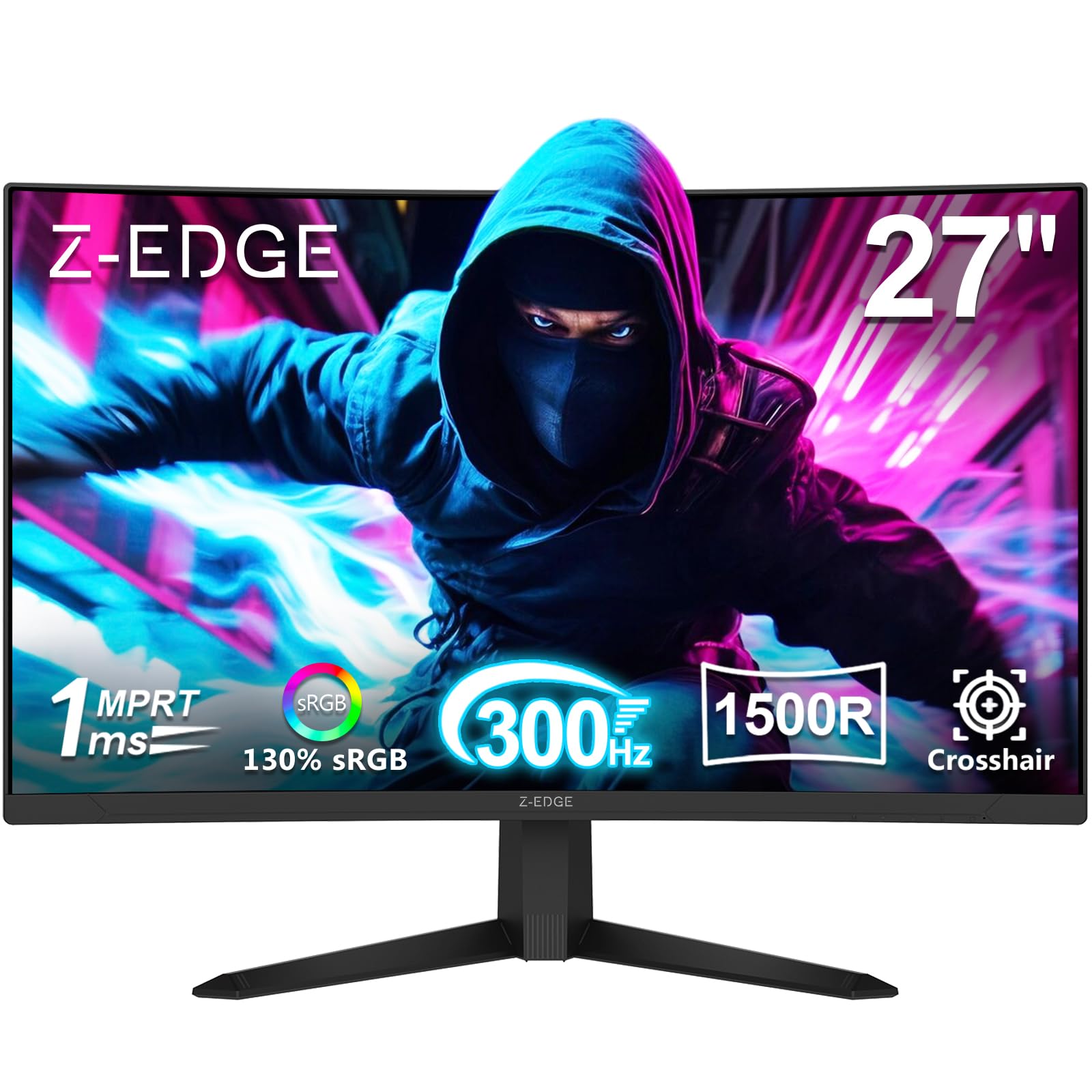
The Z-Edge UG27S pushes the refresh rate envelope to 300Hz on a 27-inch 1080p VA panel with a 1500R curve, targeting competitive e-sports players who demand the highest possible frame rate. The 4000:1 static contrast ratio is the highest in this roundup, delivering noticeably deeper blacks and richer shadow detail compared to typical 3000:1 VA monitors. With two DisplayPort 1.2 inputs both supporting the full 300Hz ceiling, you can connect a primary PC and a secondary gaming laptop without bandwidth bottlenecks.
The 1ms MPRT response time keeps ghosting minimal, and AMD FreeSync Premium ensures smooth frame pacing across a wide VRR window. Users have reported that the included DisplayPort cable can be finicky—some experienced boot-time black screens that were resolved by switching to a higher-quality aftermarket DP cable. The stand is the weakest point: it feels flimsy and can tip if bumped, so a VESA arm upgrade (100x100mm) is almost mandatory for a stable setup.
HDR support is present but limited by the 300-nit brightness ceiling; the high contrast ratio helps HDR content look punchier than typical budget IPS panels, but peak luminance is insufficient for true HDR highlights. The three-side borderless design looks clean on a desk, and the OSD provides CrossHair, Timer, and Shadow Booster modes for competitive tweaking. For pure speed at a price that undercuts most 240Hz monitors, the UG27S is a no-compromise pick for frame-rate chasers.
Why it’s great
- 300Hz refresh rate with dual DP support
- 4000:1 contrast for deep blacks
- FreeSync Premium with LFC
Good to know
- Stand is flimsy and tips easily
- Included DP cable may cause no-signal issues
- No built-in speakers
6. Samsung 24″ Essential S3 S36GD
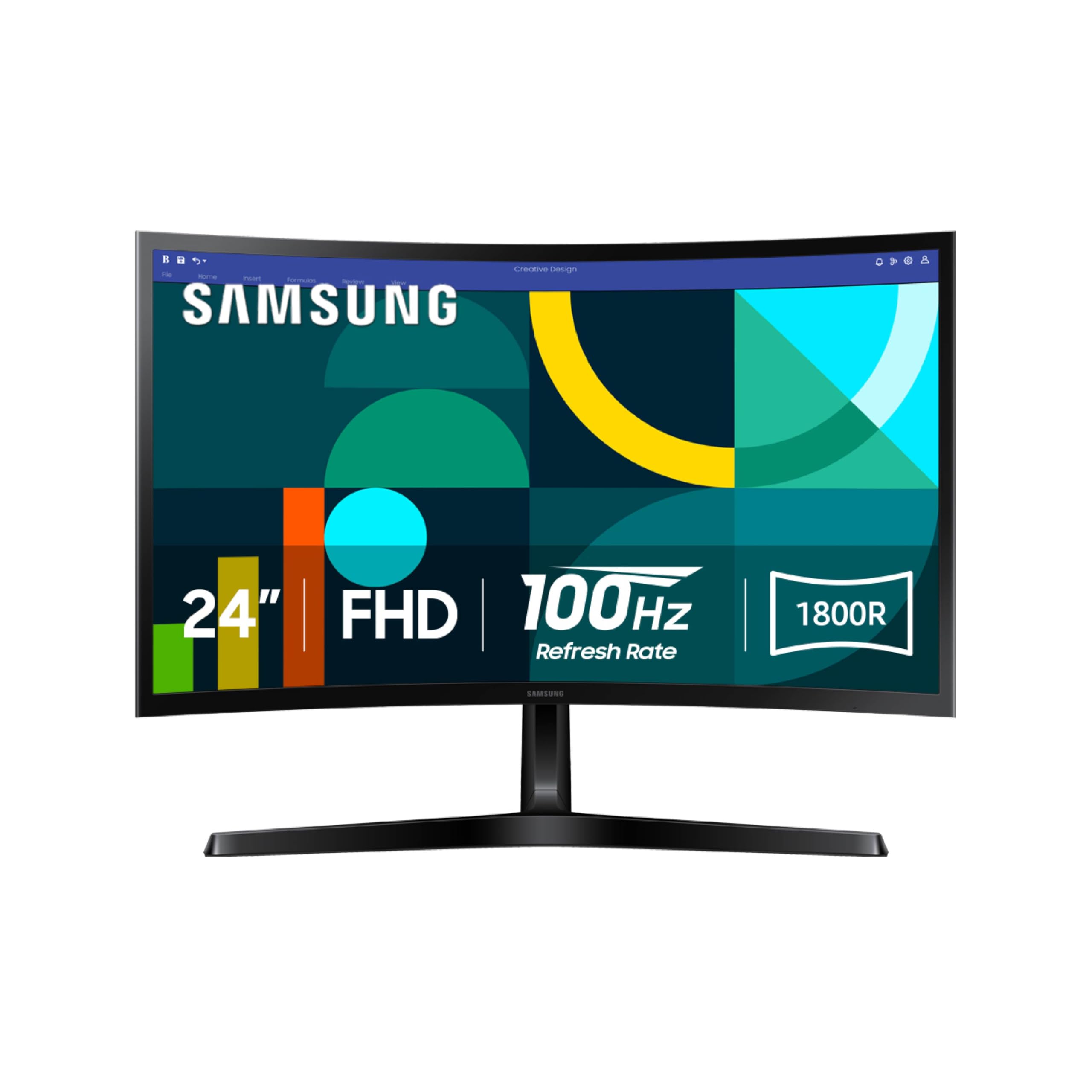
The Samsung S36GD is a 24-inch 1080p curved monitor with an 1800R radius and 100Hz refresh rate, designed primarily for productivity, schoolwork, and casual streaming rather than high-octane gaming. TÜV-certified Advanced Eye Comfort technology reduces blue light emissions and flicker, making this one of the most comfortable monitors for extended reading sessions. The VA panel delivers the expected 3000:1 contrast ratio, so documents and web pages have solid black backgrounds and good text legibility.
Game Mode optimizes image contrast and color to make scenes more vivid, and the 100Hz refresh rate is a noticeable upgrade from standard 60Hz office monitors—scrolling through spreadsheets and websites feels smoother without visible judder. Connectivity includes one HDMI port and a D-Sub (VGA) port, which is becoming rare on modern monitors but useful for older desktops or secondary machines. The stand is tilt-only with no height adjustment, and the 1800R curvature on a 24-inch panel is subtle enough that you may not notice the curve during productive tasks.
Samsung’s brand reliability and the inclusion of an HDMI cable in the box add peace of mind for non-gamers. Users upgrading from small flat panels consistently report reduced eye fatigue after long workdays. For users who need a curved monitor purely for office productivity, reading, and occasional YouTube or TV streaming, the S36GD is the most eye-friendly entry-level option available.
Why it’s great
- TÜV-certified blue light reduction for long sessions
- 100Hz smoothness without gaming price premium
- Reliable Samsung build and brand support
Good to know
- 1800R curve is subtle on a 24-inch panel
- Only HDMI and D-Sub—no DisplayPort
- Stand is tilt-only, no height or swivel
7. Sceptre 27-Inch C275B-FWT240
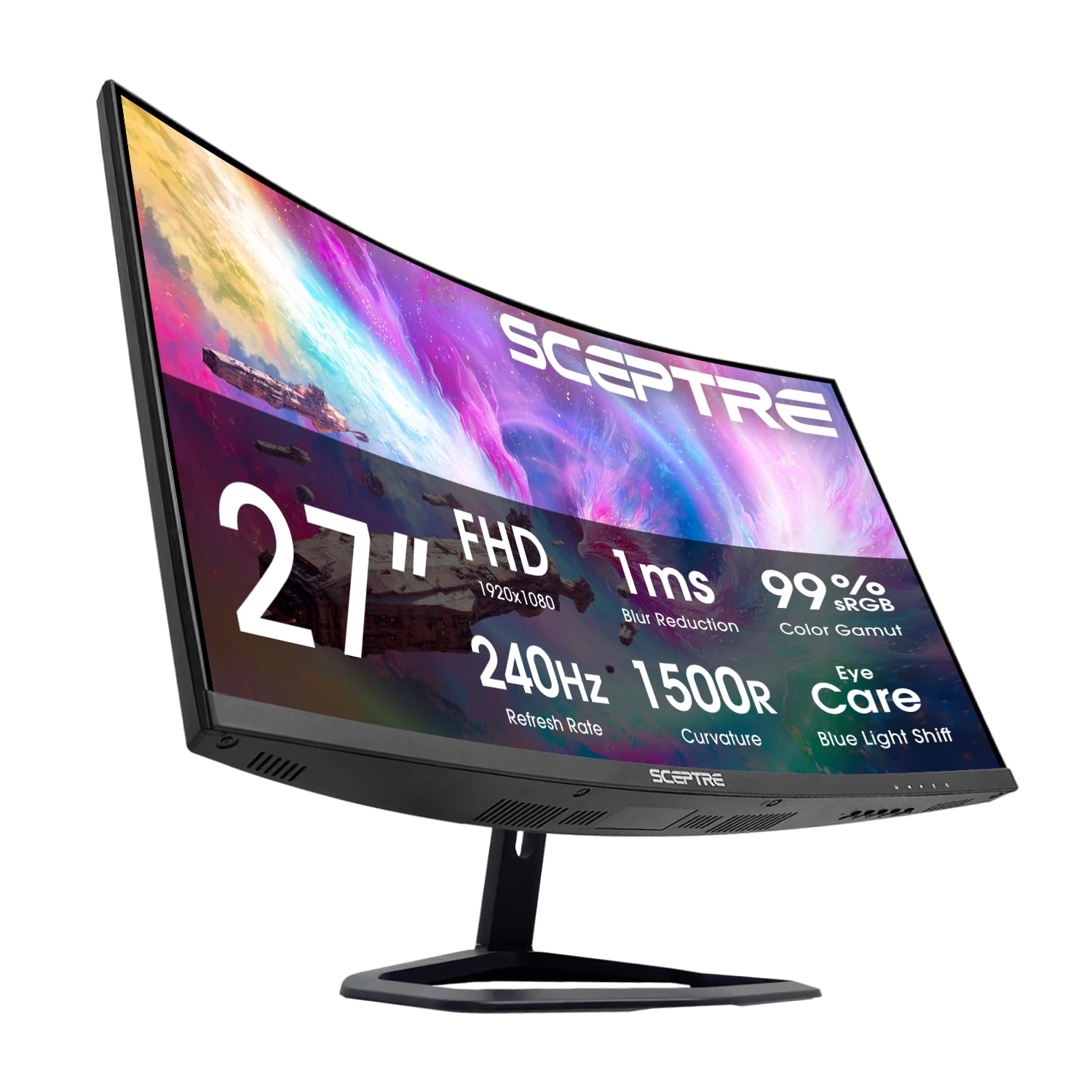
The Sceptre C275B-FWT240 brings a 240Hz refresh rate, 1ms response time, and FreeSync Premium to a 27-inch 1080p VA panel with a 1500R curve at one of the lowest price points in its class. The 99% sRGB color gamut ensures vibrant, accurate colors for both gaming and media consumption, and the 3000:1 contrast ratio delivers the deep blacks characteristic of good VA panels. Two HDMI ports and two DisplayPort inputs provide flexibility for multiple devices, and the 240Hz ceiling over DP is fully supported out of the box.
The built-in 2x2W speakers are a rare inclusion in this price range—useful for desktop audio without cluttering your desk, though volume maxes out at modest levels and lacks bass. Blue Light Shift technology helps reduce eye strain during extended sessions. The stand offers tilt adjustment but no height or swivel, and the OSD controls use rear buttons that take some getting used to—users report that adjusting volume and brightness without a joystick is less intuitive than competing models.
At this price, the 240Hz ceiling alone justifies consideration for budget-conscious competitive gamers who prioritize frame rate over resolution. The VA panel’s contrast advantage over flat IPS monitors is immediately noticeable in dark game scenes, and FreeSync Premium with LFC ensures smooth frame pacing even when your GPU dips below 48 fps. For users who want a high-refresh curved monitor without paying for AOC or ASUS branding, the Sceptre delivers impressive raw performance.
Why it’s great
- 240Hz at an entry-level price point
- 99% sRGB with 3000:1 VA contrast
- Built-in speakers with clutter-free audio
Good to know
- OSD buttons are awkward compared to joystick controls
- Speakers lack volume and bass
- Stand has tilt only, no height adjustment
8. SANSUI 27-Inch Curved Gaming Monitor
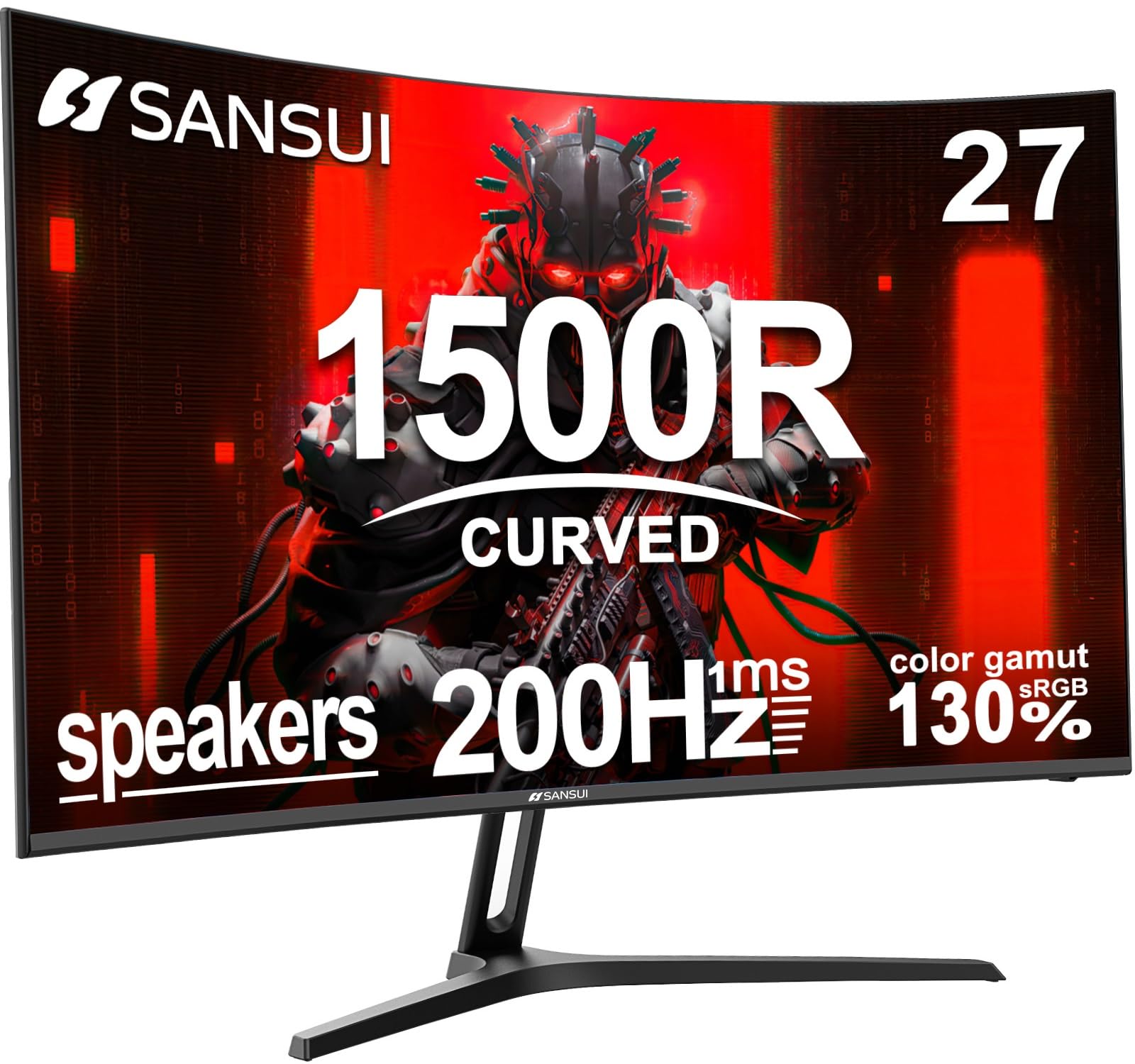
The SANSUI 27-inch curved monitor offers a 200Hz refresh rate, 1ms MPRT response time, and a 1500R VA panel that covers 130% sRGB color gamut—an unusually high color volume for the price range. The 3000:1 contrast ratio and 300-nit brightness provide solid HDR support with Delta E <2 factory calibration, ensuring colors appear accurate out of the box. Built-in 2x2W speakers add practicality for general desktop use without requiring external audio hardware.
Adaptive Sync with FreeSync compatibility eliminates screen tearing across the refresh window, and gaming-specific features including CrossHair, Timer, and Shadow Booster allow competitive fine-tuning directly from the OSD. The metal stand provides a stable base with -5° to 15° tilt, and VESA 100x100mm mounting allows for arm upgrades. Users report that the plug-and-play detection works seamlessly, automatically switching between DP and HDMI inputs without manual intervention.
Customer service is a standout for this brand—multiple verified reviews cite proactive communication and hassle-free replacement when initial units had issues like corner clouding. The 1-year warranty and lifetime technical support add confidence for first-time curved monitor buyers. For users who want a fast, color-rich 27-inch curved monitor with speakers and reliable support, the SANSUI delivers an impressive balance of features at a price that undercuts most name-brand competitors.
Why it’s great
- 130% sRGB gamut with Delta E <2 calibration
- 200Hz with FreeSync and 1ms MPRT
- Sturdy metal stand and responsive customer support
Good to know
- Some units may have corner clouding initially
- Built-in speakers are basic and low volume
- No height or swivel adjustment on stand
9. ASUS TUF Gaming VG24VQER

The ASUS TUF Gaming VG24VQER is a 23.6-inch 1080p curved gaming monitor with a 1500R VA panel, 180Hz refresh rate, and 1ms MPRT response time. It features ASUS’s Extreme Low Motion Blur (ELMB) Sync technology, which reduces motion blur and ghosting while allowing FreeSync variable refresh rate to remain active—a feature rarely found at this price level. Shadow Boost brightens dark areas without overexposing highlights, giving competitive players a visibility edge in shadow-heavy titles.
Console gamers will appreciate that the 24-inch 1080p panel runs PS5 Fortnite at a full 120fps with no compatibility headaches—multiple verified reviews confirm seamless performance. The 90% DCI-P3 color gamut provides noticeably richer reds and greens compared to standard sRGB panels, and the three customization presets let you fine-tune visibility for FPS, RTS, or racing genres. The stand offers only tilt adjustment, and the rear-facing buttons require memorization to navigate, but the included 3-month Adobe Creative Cloud subscription adds value for creative users.
The DisplayWidget Center software allows OSD adjustments via mouse and keyboard, which is a welcome convenience for users who prefer software control over physical buttons. The 3-year warranty from ASUS provides industry-leading coverage for an entry-level monitor. For console gamers upgrading from a flat 60Hz display or competitive PC players who want ELMB Sync and DCI-P3 color in a compact curved form factor, the VG24VQER is a polished, feature-dense choice.
Why it’s great
- ELMB Sync with simultaneous FreeSync support
- 90% DCI-P3 gamut for richer colors
- 3-year ASUS warranty with DisplayWidget Center
Good to know
- Rear buttons are unintuitive without practice
- Stand offers tilt only with low height
- 24-inch size feels small for immersive single-player games
FAQ
Will a 24-inch curved monitor feel immersive enough for gaming?
Can I run a 240Hz curved monitor with an HDMI cable from my console?
Do VA curved monitors suffer from black smearing in dark scenes?
What is the minimum recommended GPU for a 1440p 180Hz curved monitor?
Final Thoughts: The Verdict
For most users, the best budget curved monitor winner is the AOC C27G4ZH because it combines a 280Hz refresh rate, 0.3ms MPRT response time, and a full ergonomic stand with height adjustment at a price that undercuts every competitor with similar specs. If you want QHD resolution with the tightest 1000R curve, grab the LG 27GS60QC-B. And for ultrawide productivity that replaces dual monitors, nothing beats the Deco Gear 34-inch Super UltraWide.

Mo Maruf
I created WellFizz to bridge the gap between vague wellness advice and actionable solutions. My mission is simple: to decode the research and give you practical tools you can actually use.
Beyond the data, I am a passionate traveler. I believe that stepping away from the screen to explore new environments is essential for mental clarity and physical vitality.