Our readers keep the lights on and my smoothie glass nicely filled. As an Amazon Associate, I earn from qualifying purchases.
You are about to spend hours comparing clock speeds, core counts, and socket types, all while trying to squeeze every drop of performance out of a fixed budget. The wrong choice means a bottleneck that chokes your favorite games or a motherboard platform that locks you out of future upgrades. The right choice delivers smooth framerates and responsive multitasking for years without forcing you to eat instant noodles for a month.
I’m Mohammad Maruf — the founder and writer behind WellFizz. I’ve analyzed the thermal limits, IPC gains, and platform longevity of dozens of processors to determine which budget CPUs actually deliver real-world value, not just attractive spec sheets.
Whether you are building a first gaming rig or upgrading an aging office PC, this guide will help you identify the best budget cpu by comparing real benchmarks, platform costs, and upgrade paths.
How To Choose The Best Budget CPU
Picking a budget processor is more than just looking at the price tag. The cheapest chip can end up costing you more if it forces a dead-end motherboard or requires a dedicated graphics card you do not have. Here are the key factors to consider before clicking buy.
Core Count vs. Single-Core Performance
For gaming, raw single-core speed (IPC) matters more than having eight cores. A 4-core chip with strong IPC will outperform a 6-core chip from two generations ago in most titles. For video editing or streaming, more threads do help, but for a pure gaming build on a budget, prioritize higher clock speeds and newer architecture over core quantity.
Platform Cost and Upgrade Path
The CPU is only part of the equation. A chip that works on an older, cheaper motherboard (like AM4 or LGA1700) saves you significant cash compared to a processor requiring a brand-new board and DDR5 RAM. Check whether the socket has a future upgrade path — AM4’s long life made it legendary for budget builders who wanted to drop in a faster CPU later without replacing the entire motherboard.
Integrated Graphics vs. Discrete GPU Requirement
If you do not already own a graphics card, an APU with integrated Radeon graphics (like the Ryzen 5 5600G) can run esports titles at 1080p without a dedicated GPU. Many budget Intel chips (those with an “F” suffix) require a discrete graphics card and will not display anything on their own. Choose wisely based on what you already have in your parts bin.
Cooler Included vs. Aftermarket Cooling
Most budget CPUs come with a stock cooler. AMD’s Wraith Stealth and Intel’s RM1 coolers are adequate for non-overclocked, stock operation, but they can be audible under load. If you plan to overclock or want a quieter system, budget an extra -30 for an aftermarket tower cooler or a budget liquid cooler.
Quick Comparison
On smaller screens, swipe sideways to see the full table.
| Model | Category | Best For | Key Spec | Amazon |
|---|---|---|---|---|
| Intel Core i5-14400F | Mid-Range | Best Overall | 10 cores (6P+4E) 4.7 GHz | Amazon |
| Intel Core i3-12100F | Entry | Best Value Gaming | 4 cores 4.3 GHz Turbo | Amazon |
| AMD Ryzen 5 5600G | APU | Best with Integrated Graphics | 6 cores 4.6 GHz + Radeon | Amazon |
| AMD Ryzen 7 7700X | Premium | Future-Proof Performance | 8 cores 5.4 GHz Zen 4 | Amazon |
| Intel Core Ultra 7 265KF | High-End | Multi-Core Workloads | 20 cores (8P+12E) 5.5 GHz | Amazon |
| AMD Ryzen 5 5500 | Budget | Entry-Level Gaming | 6 cores 4.2 GHz Boost | Amazon |
| Intel Core i7-6700 | Legacy | Old Office Upgrades | 4 cores 4.0 GHz Turbo | Amazon |
| Intel Core i3-8100 | Value | Silent Basic PC | 4 cores 3.6 GHz 65W TDP | Amazon |
| AMD Ryzen 3 3200G | APU Value | Media Server / No GPU | 4 cores 4.0 GHz + Vega 8 | Amazon |
In‑Depth Reviews
1. Intel Core i5-14400F

The Core i5-14400F strikes the hardest balance between price and real-world performance in the mid-range space. Its hybrid architecture with 6 performance-cores and 4 efficiency-cores reaches 4.7 GHz, delivering framerates that rival older i7 models while sipping power at just 58W base draw. In gaming, it routinely keeps temperatures below 67°C with a budget air cooler, a testament to Intel’s refined process.
For content creation, the 16 threads chew through video encoding and streaming without stuttering. The chip supports both DDR4 and DDR5 memory, giving you the flexibility to save on RAM costs or invest in faster memory for future-proofing. PCIe 5.0 support means you can drop in a next-gen GPU or SSD without replacing the entire platform.
The included RM1 stock cooler keeps things quiet under light loads, though a tower cooler unlocks the full turbo sustain. This processor is the sweet spot for builders who want genuine productivity muscle without stepping into premium tier pricing.
Why it’s great
- Excellent single-core and multi-core blend
- Runs very cool under 70°C in gaming
- Supports both DDR4 and DDR5 RAM
Good to know
- Requires discrete GPU
- Stock cooler adequate but not silent under heavy loads
2. AMD Ryzen 7 7700X

The Ryzen 7 7700X takes the premium-tier spot in this budget guide because of its long-term value on the AM5 platform. With 8 Zen 4 cores boosting to 5.4 GHz and an 80 MB cache, it dances through sustained productivity tasks while maintaining high framerates in CPU-bound titles. Benchmarks show it trading blows with last-gen flagship processors in gaming, all while keeping power draw manageable under a proper liquid cooler.
The integrated Radeon graphics on this chip are surprisingly capable — running Fortnite at 90-120 fps at 1080p low settings — making it a lifesaver if your dedicated GPU fails. The support for PCIe 5.0 and DDR5-5200 ensures your memory and storage won’t bottleneck any workload for the next several years. The socket AM5 platform gives you an upgrade path to future Ryzen generations, protecting your motherboard investment.
Note that this chip runs hot under full load and does not include a cooler. Budget at least for a capable air cooler or for a 240mm AIO to let the 7700X stretch its legs without thermal throttling. The raw IPC and cache size make it a top choice for builders who want premium performance without jumping to the highest price tier.
Why it’s great
- Excellent single-core IPC for gaming
- Integrated GPU works as a backup
- AM5 platform offers future upgrades
Good to know
- Runs hot; aftermarket cooling required
- No cooler included in the box
3. Intel Core Ultra 7 265KF

The Intel Core Ultra 7 265KF is an architectural leap with 8 performance-cores, 12 efficiency-cores, and a staggering 36 MB cache that boosts to 5.5 GHz. This chip demolishes multi-threaded workloads like video encoding and 3D rendering while keeping responsiveness snappy for daily tasks. Its hybrid scheduler is mature enough that you never feel a delay between clicking and action, even with dozens of background processes.
For gaming, the 265KF is slightly behind AMD’s fastest chips in pure FPS, but in real-world scenarios like Call of Duty Black Ops 6 or Battlefield 4, it delivers smooth locked framerates with room to spare. The efficiency cores handle streaming and Discord in the background without taxing the performance cores, ensuring gaming remains smooth. The LGA1851 platform with Intel 800-series chipset offers PCIe 5.0 and fast memory support, though motherboard choice is critical to avoid early BIOS bugs.
Some early adopters reported stability issues with specific motherboards that required BIOS updates, but once set up correctly, the system is rock solid. The chip runs cool enough for a dual-tower air cooler like the Peerless Assassin, making it a viable option for quiet workstations. The 265KF is ideal for a builder who needs heavy multi-core grunt but wants to stay within a manageable budget.
Why it’s great
- Massive multi-core throughput for rendering
- High boost clock at 5.5 GHz
- Runs cool with good air cooling
Good to know
- Requires discrete GPU (no iGPU)
- Motherboard choice critical for stability
4. Intel Core i3-12100F

The Core i3-12100F is a revelation in the entry-level segment. Despite only having 4 cores and 8 threads, its Golden Cove architecture delivers single-core IPC that rivals the Ryzen 5 3600 and even the 5500 in gaming benchmarks. At 4.3 GHz turbo, it punches far above its core count in titles like Destiny 2 and Call of Duty, delivering smooth 60+ framerates without any CPU bottleneck.
What makes this chip extraordinary for budget builders is its platform features. The LGA1700 socket supports PCIe Gen4 and Gen5, Intel’s ReBAR, and both DDR4 and DDR5 memory — technologies usually reserved for much pricier processors. Power consumption during gaming hovers around 15-26W, meaning a cheap motherboard with weak VRMs can still run this chip at full boost indefinitely.
The stock cooler is perfectly adequate for stock operation, and the chip runs so cool that many users report fanless operation at idle. Multi-core performance does trail behind 6-core chips, so heavy streaming or video editing is not its strength. For a pure gaming rig at the lowest possible cost, this chip is the undisputed champion.
Why it’s great
- Best single-core IPC in its price range
- Very low power consumption
- Supports modern PCIe and memory standards
Good to know
- Only 4 cores limit heavy multitasking
- Requires discrete graphics card
5. AMD Ryzen 5 5600G

The Ryzen 5 5600G is the ultimate all-in-one APU for budget builders who cannot afford a dedicated GPU. With 6 Zen 3 cores boosting to 4.6 GHz and Radeon graphics on the same die, it can run esports titles at 1080p with playable framerates without any external card. The 20 MB cache and unlocked multiplier allow for overclocking both cores and the iGPU for a free performance bump.
For productivity, the 12 threads handle streaming, light video editing, and 15+ Chrome tabs simultaneously without slowdowns. The stock Wraith Stealth cooler keeps temps around 70°C under full load, which is adequate for stock operation. The AM4 platform is mature and cheap, with B450 and B550 boards available at very low prices.
To extract the best iGPU performance, you need fast RAM — 3600 MHz or higher dual-channel memory is strongly recommended. The integrated Radeon graphics are not going to run AAA titles at high settings, but for Fortnite, Valorant, or CS2 at low/medium settings, it delivers a genuinely enjoyable experience. This is the go-to chip for a no-GPU build or as a transitional processor until you can afford a high-end card.
Why it’s great
- Excellent integrated graphics for no-GPU builds
- 6 cores for multitasking
- Cheap AM4 motherboard ecosystem
Good to know
- Needs fast 3600 MHz RAM for best iGPU performance
- No PCIe 4.0 support
6. AMD Ryzen 5 5500

The Ryzen 5 5500 brings 6 cores and 12 threads to the very bottom of the budget bracket, offering a multi-threaded advantage that 4-core chips cannot match. With a 4.2 GHz max boost and 19 MB cache, it delivers consistent 100+ FPS in popular titles like Call of Duty and Fortnite when paired with a mid-range GPU. The included Wraith Stealth cooler keeps temperatures below 70°C in gaming loads, making it a value-packed drop-in upgrade for any AM4 system.
Installation is straightforward on B450, B550, and A520 boards, and the unlocked multiplier invites overclocking for users with decent cooling. Reviewers noted that the chip closely approaches the performance of the superior Ryzen 5 5600 at a significantly lower cost, making it one of the best price-to-performance ratios on the AM4 platform. Photo and video editing applications benefit from the extra threads without feeling sluggish.
The two main caveats are the lack of integrated graphics — you must have a discrete GPU — and the fact that the stock cooler, while adequate, lacks a copper core, so enthusiasts may want to upgrade it. The chip’s PCIe 3.0 limitation is not a bottleneck for current-gen GPUs but may matter if you plan to use future PCIe 4.0 SSDs at full speed.
Why it’s great
- Great 1080p gaming performance
- 6 cores for multitasking
- Very affordable on mature AM4 platform
Good to know
- No integrated graphics — needs discrete GPU
- Stock cooler lacks copper core
7. AMD Ryzen 3 3200G

The Ryzen 3 3200G remains a staple for ultra-budget builds where a dedicated GPU is not an option. Its integrated Radeon Vega 8 graphics can run esports titles at 1080p low settings and handle 4K video playback without a hiccup. The 4 cores boost to 4.0 GHz, and the unlocked multiplier allows overclocking to 4.1 GHz on the stock cooler, giving a noticeable lift in CPU-bound tasks.
This APU shines in office PCs, media servers, and Plex boxes where video transcoding is the primary load. Users report idle temps around 28°C and load temps of 40-50°C in a well-ventilated case, making it an excellent choice for a near-silent build. The small footprint fits easily into compact ITX cases with the stock cooler.
The 3200G’s limitation is its 4-core, 4-thread architecture — modern games and multitasking will push it to 100% utilization quickly. It is not suitable for heavy streaming or video editing. Additionally, the platform is capped at PCIe 3.0, which may limit future GPU upgrades. For a simple, cheap, and quiet build that does not need a graphics card, it remains a solid choice.
Why it’s great
- No GPU required for display
- Very low power draw and heat
- Compact fit for SFF builds
Good to know
- 4 cores limit heavy multitasking
- PCIe 3.0 only
8. Intel Core i7-6700

The Intel Core i7-6700 is a 6th-generation Skylake processor that still finds use in legacy system upgrades. With 4 cores and 8 threads turbo-boosting to 4.0 GHz, it outperforms newer low-end chips in single-core tasks and can handle daily productivity, music production with heavy effects, and 1080p gaming without throttling. The 8 MB L3 cache and support for both DDR4 and DDR3L memory give it flexibility with older motherboards.
Thermal performance is a standout feature — users report idle temps around 28-30°C and max loads around 40°C with a large aftermarket heatsink, allowing near-silent operation with the case fans turned off. The 65W TDP makes it easy to cool in compact cases. The integrated Intel HD Graphics 530 supports display resolutions up to 4096×2304, suitable for office and media tasks without a discrete GPU.
The main reason this chip appears in a budget guide is its low price on the used market and broad compatibility with affordable Z170 and Z270 boards. However, it is locked (no overclocking) and uses the older Skylake architecture, so its multi-threaded performance trails modern i3 chips. It is only a good value if you already have a compatible motherboard and need a cheap upgrade for a system running a Pentium or older i5.
Why it’s great
- Very cool and quiet operation
- Compatible with cheap LGA1151 boards
- Includes adequate stock cooler
Good to know
- Locked multiplier, no overclocking
- Architecture is two generations behind modern budget chips
9. Intel Core i3-8100
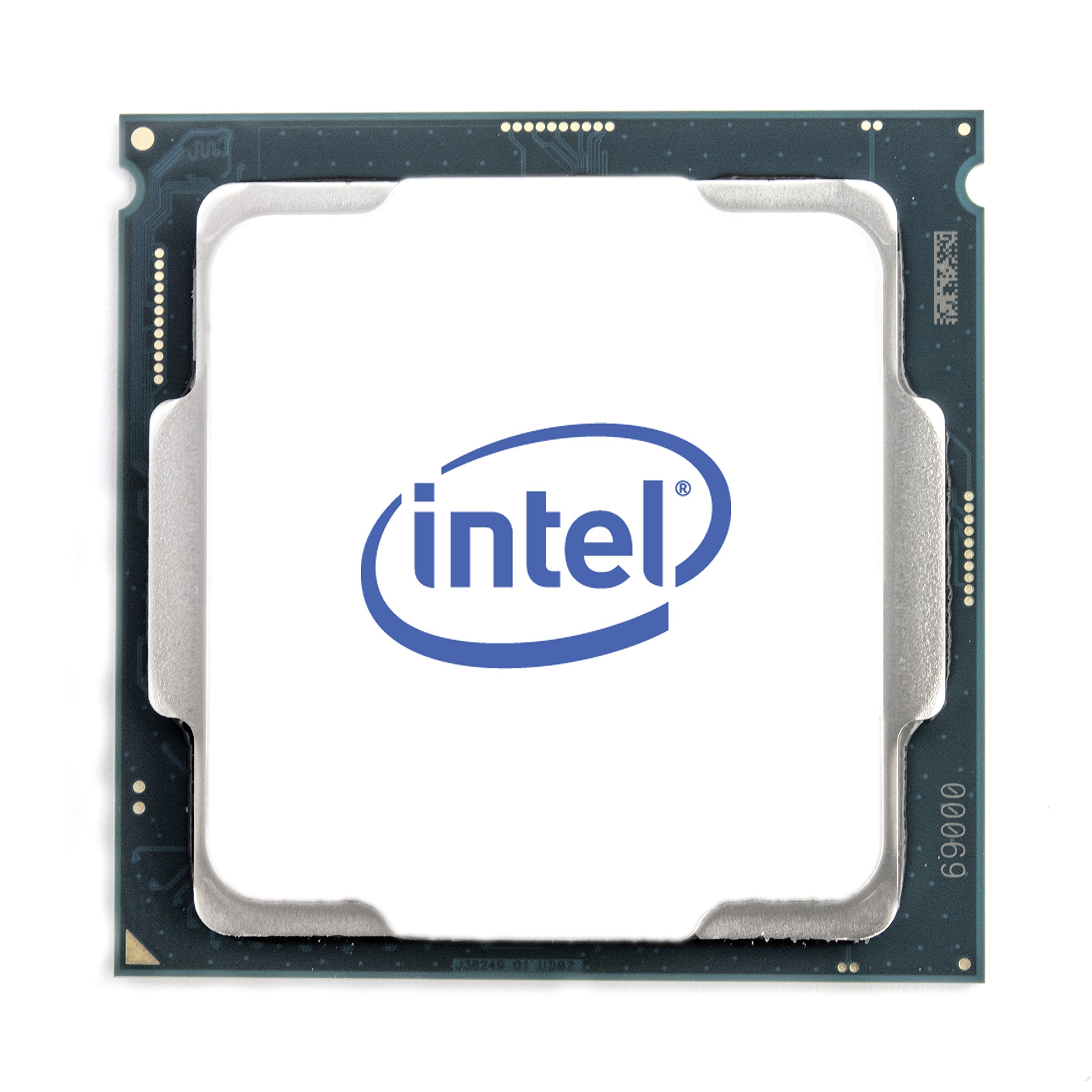
The Core i3-8100 is a Coffee Lake 4-core processor that hits a sweet spot for users who prioritize silence and low power draw. With a base clock of 3.6 GHz and a 65W TDP, it can run completely inaudibly at 21.1 dB with case fans at minimum speeds. Users have built near-silent systems by pairing it with a GTX 1050 Ti for total system draw under 100W, making it ideal for home theater PCs or quiet office environments.
For basic users, this quad-core chip is overkill for web browsing and word processing, but for budget gaming, it shines. Paired with a GTX 970, it runs older AAA titles at 60+ FPS at high settings at 1080p, and it does not bottleneck a GTX 1060 in most scenarios. The integrated UHD Graphics 630 handles 4K video playback and light gaming without a discrete card, which is a bonus for super-budget builds.
The main limitations are the lack of hyperthreading — 4 cores and 4 threads — which means it struggles with streaming or video editing where the Ryzen counterparts excel. It only works with Intel 300-series chipsets, so you need a dedicated Z370, H370, or B360 board. For a cheap, silent secondary PC or a dedicated gaming machine for older titles, the i3-8100 remains a viable candidate.
Why it’s great
- Near-silent operation at low fan speeds
- Very low 65W TDP
- Integrated UHD Graphics 630
Good to know
- No hyperthreading limits multitasking
- Requires Intel 300-series motherboard
FAQ
Should I buy an F-series Intel chip or a non-F chip for my budget build?
Can I use the stock cooler for overclocking on a budget CPU?
Does PCIe Gen4 matter on a budget CPU?
Final Thoughts: The Verdict
For most users, the best budget cpu winner is the Intel Core i5-14400F because it blends 10 cores of hybrid architecture with low power draw and platform flexibility at a mid-range price point. If you need integrated graphics and cannot afford a discrete GPU, grab the AMD Ryzen 5 5600G. And for pure gaming value at the lowest cost, nothing beats the Intel Core i3-12100F.

Mo Maruf
I created WellFizz to bridge the gap between vague wellness advice and actionable solutions. My mission is simple: to decode the research and give you practical tools you can actually use.
Beyond the data, I am a passionate traveler. I believe that stepping away from the screen to explore new environments is essential for mental clarity and physical vitality.