Our readers keep the lights on and my smoothie glass nicely filled. As an Amazon Associate, I earn from qualifying purchases.
The switch from inkjet to a color laser printer is often driven by one harsh reality: ink that dries up, clogs, or costs a fortune per page. Budget color laser printers promise a solution—faster speeds, sharper text, and toner that doesn’t evaporate between uses—but the market is filled with traps like expensive proprietary toner carts and frustrating setup processes that can turn a “budget” buy into a long-term penalty.
I’m Mohammad Maruf — the founder and writer behind WellFizz. I spend my days dissecting hardware specifications, analyzing long-term ownership costs, and mapping real user experiences to find the true value in the printer aisle, where the paper spec sheet rarely tells the whole story.
After weighing print speeds, duplex capabilities, connectivity options, and the real cost of replacement toner, I’ve narrowed down the options to find the true budget color laser printer that balances upfront cost with reliable, long-term performance.
How To Choose The Best Budget Color Laser Printer
Choosing a budget-friendly color laser printer is about more than just the initial purchase price. The real cost lives in the toner cartridges, and the convenience lives in the connectivity and paper handling features. Focus on these three areas to avoid a bad deal.
Toner Yield and Cost Per Page
The single biggest trap in budget color laser printers is the starter toner cartridge. These “setup” cartridges often contain only 500 to 700 pages of yield, meaning you’ll be buying replacements far sooner than expected. Always check the standard or high-yield cartridge page yield—this is the number that determines your true cost per page. A printer with cheap starter toner but expensive standard carts can cost you more in the long run than a slightly pricier model with economical high-yield options.
Connectivity and Ease of Setup
A printer that’s difficult to set up is a paperweight. Look for models with dual-band Wi-Fi (2.4GHz and 5GHz) for reliable connections, and support for Apple AirPrint, Mopria, and the brand’s own mobile app. Avoid units that force you into a cloud account or subscription service just to print from your phone. The best budget printers offer a simple, driverless setup on modern operating systems and a clear, easy-to-navigate control panel.
Duplex and Paper Handling
Automatic duplex printing (printing on both sides) is a must-have for saving paper, but not all budget models offer it as standard. Some units only offer manual duplex, where you have to flip pages yourself. Also, consider the paper tray capacity—a 250-sheet tray is the minimum for a home office, while a 150-sheet tray will have you refilling constantly. A single-sheet bypass tray for envelopes or cardstock is a useful bonus.
Quick Comparison
On smaller screens, swipe sideways to see the full table.
| Model | Category | Best For | Key Spec | Amazon |
|---|---|---|---|---|
| Brother HL-L3220CDW | Print Only | Home Office Durability | 19 ppm, Auto Duplex, 250-sheet tray | Amazon |
| Canon MF662Cdw | 3-in-1 | All-in-One with Warranty | 26 ppm, Scan/Copy, 3-Year Warranty | Amazon |
| Brother HL-L3280CDW | Print Only | Fast Speed & Value | 27 ppm, 2.7″ Touchscreen, Auto Duplex | Amazon |
| Canon LBP646Cdw | Print Only | Simple Reliable Printing | 26 ppm, 5-inch LCD, Auto Duplex | Amazon |
| HP Color LaserJet Pro 3201dw | Print Only | Fast Office Prints | 26 ppm, TerraJet Toner, Auto Duplex | Amazon |
| Lexmark CS331dw | Print Only | Security & Robust Build | 26 ppm, 1GHz Dual-Core, Auto Duplex | Amazon |
| Xerox C230dni | Print Only | Compact & Vibrant Output | 24 ppm, 500-page Starter Toner, Auto Duplex | Amazon |
| HP OfficeJet Pro 9125e | All-in-One Inkjet | All-in-One & Photo Quality | 22 ppm B&W, Fax, ADF, Touchscreen | Amazon |
| HP Color LaserJet CP2025n | Print Only | Entry-Level Laser | 21 ppm, Manual Duplex, Refurbished | Amazon |
In‑Depth Reviews
1. Brother HL-L3220CDW

The Brother HL-L3220CDW is the kind of printer that quietly earns its keep. It’s a print-only unit, but it delivers exactly what a home office needs: reliable, crisp color documents with automatic duplexing. Users consistently report that setup, while the machine is heavy at around 50 pounds, is straightforward once you navigate the initial LED prompts. The print quality for graphics and even photos on plain paper is notably detailed and color-accurate for a laser in this tier.
One of its strongest assets is the economical toner system. The HL-L3220CDW uses the Brother TN229 series, which includes high-yield and extra-high-yield options that dramatically lower the cost per page compared to starter carts. Many owners report still being on the original toner after months of regular use, which is a testament to its efficiency. The 250-sheet paper tray and manual feed slot cover most daily tasks without constant refills.
The trade-off is its weight and the fact that it is print-only—no scanning or copying. Setting it up on a Mac has been a known pain point, sometimes requiring manual certificate creation to work reliably. However, once configured, it is described as fast, quiet, and exceptionally reliable. For anyone who prints frequently and wants to avoid the ink-drying nightmare of inkjets, this Brother is a workhorse that justifies its position at the top of the list.
Why it’s great
- Excellent print quality with accurate, vibrant colors
- Economical high-yield toner keeps long-term costs low
- Reliable automatic duplex printing and 250-sheet paper tray
Good to know
- Heavy build (approx. 50 lbs) makes initial placement difficult
- Setup on Mac can be complex and require manual certificate configuration
- Print-only; no scan or copy functionality
2. Canon Color imageCLASS MF662Cdw
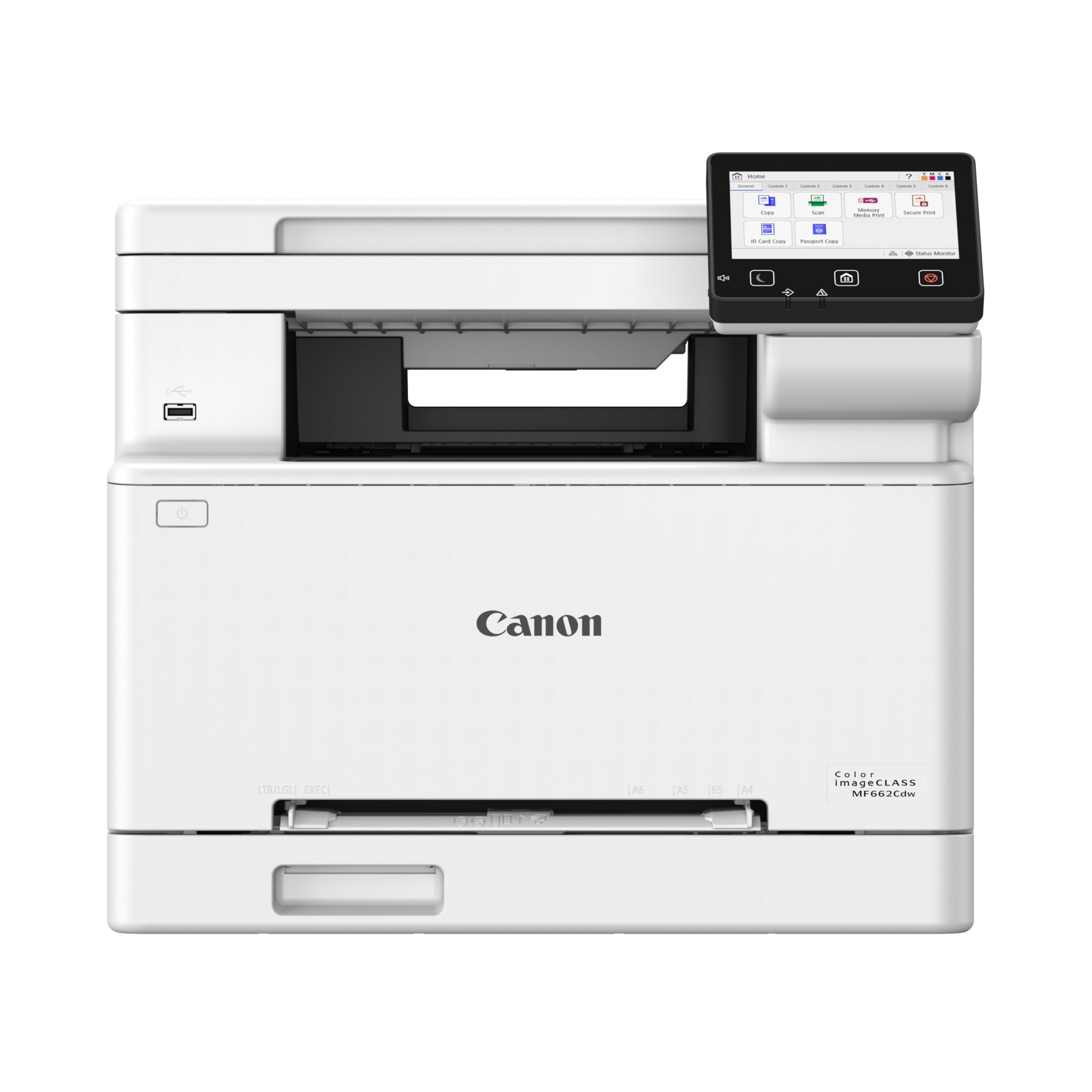
The Canon imageCLASS MF662Cdw is the full package for a small office that needs more than just prints. It’s a 3-in-1 unit offering print, scan, and copy functions, all wrapped in a sturdy chassis that prints at a brisk 26 pages per minute in both color and monochrome. The 5-inch color touchscreen is intuitive, and the Application Library lets you customize shortcuts to the features you use most, which is a nice productivity boost.
Canon backs this model with a 3-year limited warranty, which is a significant vote of confidence in a market where one-year warranties are standard. The starter toner yields are modest (500 pages for color, 700 for black), but the printer accepts Canon Genuine Toner 075 high-capacity carts, which offer better value. Users praise the print quality as crisp and vibrant, and the automatic duplex printing works seamlessly for double-sided documents.
Where the MF662Cdw stumbles is in the details. Several users report that the printer frequently drops into a deep sleep mode from which it doesn’t wake up when a print job is sent, requiring a manual restart. The Canon PRINT app is also criticized for lacking basic features like document access and image resizing. It’s a large, capable machine, but the sleep-mode glitch and expensive replacement toner are real considerations for a budget-conscious buyer.
Why it’s great
- Fast 26 ppm print speed in color and black
- Includes scan and copy functions with a 3-year warranty
- Large 5-inch color touchscreen for easy navigation
Good to know
- Frequent deep sleep mode issues can require manual restart
- Starter toner yields are low, and replacement carts are expensive
- Large footprint; not a compact desktop model
3. Brother HL-L3280CDW (Renewed Premium)

The Brother HL-L3280CDW is a speed-focused print-only color laser that punches well above its weight. With a rated speed of 27 pages per minute in both color and black, it’s one of the fastest options in this budget range. The 2.7-inch color touchscreen is a welcome upgrade over basic LED panels, making it easy to navigate cloud printing apps like Google Drive and Dropbox directly from the printer.
This unit comes as a “Renewed Premium,” meaning it has been tested and certified to work like new, often at a significant discount. Users consistently highlight the easy WiFi setup, the generous 250-sheet paper tray, and the excellent print quality for a laser. It also features automatic duplex printing and a range of connectivity options including dual-band wireless, Gigabit Ethernet, and Wi-Fi Direct.
The main risk with any renewed product is consistency. While many users report a flawless experience, one review describes a defective unit that Brother refused to cover under warranty, citing the drum unit as a consumable. For cardstock users, there are reports of jamming when using the automatic duplexer. For standard office paper and general home office use, the HL-L3280CDW delivers incredible speed and features for the price, but the lack of a brand-new warranty is a trade-off to consider.
Why it’s great
- Blazing 27 ppm print speed in color and black
- User-friendly 2.7-inch color touchscreen interface
- Low-cost entry point for a fast color laser printer
Good to know
- Renewed unit; warranty support can be inconsistent
- Cardstock may jam when using the automatic duplexer
- Print-only; no scanning or copying functions
4. Canon Color imageCLASS LBP646Cdw

The Canon imageCLASS LBP646Cdw is a no-nonsense single-function color laser that focuses on delivering reliable, high-quality prints without the complexity of scan and copy features. It prints at a fast 26 ppm in both color and monochrome, with a first page out in about 10.3 seconds. The 5-line LCD screen, while not a full-color touch panel, is clear and easy to navigate for managing print jobs and settings.
Setup is straightforward, especially for users on modern operating systems, with support for Apple AirPrint, Mopria, and the Canon PRINT app. Users report that it’s simple enough for an elderly family member to install and use, and it works seamlessly with Linux. The 250-sheet paper cassette and 1-sheet multipurpose tray cover standard office media, while the automatic duplex printing saves paper efficiently.
The primary downside is the cost of replacement toner. While the printer itself is priced competitively, the Canon Genuine Toner 075 carts are not cheap, and the starter yields are modest. Some early adopters have also reported units failing completely after a few weeks, leading them to return it for a different brand. For a user who wants a simple, fast, and reliable print-only machine and is prepared for the toner costs, the LBP646Cdw is a solid, straightforward choice.
Why it’s great
- Fast 26 ppm print speed with a quick 10.3 second first page
- Clear 5-line LCD screen for easy navigation
- Seamless compatibility with Linux and mobile printing platforms
Good to know
- Replacement toner is expensive, especially for high volume users
- Some reports of premature hardware failure after a few weeks
- No scanning, copying, or faxing – print only
5. HP Color LaserJet Pro 3201dw (Renewed)

The HP Color LaserJet Pro 3201dw is a business-focused print-only laser designed for small teams that need fast, professional-quality color documents. It prints at 26 ppm in both black and color, and it uses HP’s next-generation TerraJet toner, which is designed to deliver more vivid colors and reduce plastic waste. The unit also features HP Wolf Pro Security, a suite of customizable tools to protect your network from cyber threats.
As a renewed unit, it offers a significant discount compared to a brand-new model. Users who have had a positive experience praise its speed and the peace of mind that comes with toner that won’t dry up between uses. The automatic duplex printing and 250-sheet input tray are standard, and the dual-band Wi-Fi with self-reset helps maintain a stable connection.
The reliability of a renewed printer is a coin toss. One user reports constant critical error messages that make the printer unusable, while another loves the speed and quality. A specific complaint involves the unit arriving with an unknown admin password, blocking full functionality. This model also forces the use of HP-branded toner carts via firmware updates, which locks you into HP’s supply chain. For a risk-tolerant buyer, the potential savings are substantial, but the failure rate is higher than a new unit.
Why it’s great
- Fast 26 ppm print speed with vivid TerraJet toner colors
- Includes HP Wolf Pro Security for network protection
- Dual-band Wi-Fi with self-reset for reliable connectivity
Good to know
- Renewed unit; risk of critical errors or unknown admin passwords
- Firmware blocks non-HP toner cartridges
- Print-only; no scanning or copying functionality
6. Lexmark CS331dw

The Lexmark CS331dw is a compact yet powerful color laser printer built for a secure office environment. It features a 1GHz dual-core processor and 512 MB of memory, enabling it to handle complex print jobs and duplex printing at 26 ppm without slowing down. Lexmark’s full-spectrum security architecture is a standout feature, protecting data on the device, over the network, and at all points in between.
Users consistently praise the print quality, describing it as excellent with good color reproduction and a flawless duplexer that rarely jams. The printer is also noted for its ability to sit unused for months and then print perfectly on the first try—a huge advantage over inkjets. Setup is generally easy, though some users found the driver installation process to be outdated, requiring a manual download from the Lexmark website rather than a plug-and-play experience.
The most significant and recurring complaint is the cost of replacement toner. This is a critical factor for any budget-conscious buyer. If you can find affordable third-party toner or plan to print very low volumes, the CS331dw is a durable, high-quality machine, but the ongoing supply cost is a major hurdle.
Why it’s great
- Excellent print quality with robust duplex printing, no jams
- Strong security features with full-spectrum network protection
- Reliable after long periods of non-use, no ink drying issues
Good to know
- Replacement toner is very expensive, often costing more than the printer
- Driver setup can be outdated and require manual installation
- Print-only model; no scanning or copying functions
7. Xerox C230dni

The Xerox C230dni is a space-saving color laser printer that focuses on delivering vibrant, professional-looking documents without taking over your desk. It prints at 24 ppm in both color and monochrome, and it includes built-in Wi-Fi, Apple AirPrint, and Mopria support for easy mobile printing. The Xerox Easy Assist App is designed to simplify the setup process, guiding you through the installation without the need for complex manuals.
One of its notable features is the inclusion of starter toner with a 500-page yield, and the printer supports high-yield cartridges to reduce ongoing costs. Users who have positive experiences praise the crisp output and reliable performance on mesh Wi-Fi networks. The automatic duplex printing is a standard, well-implemented feature. The build quality feels robust, and many expect it to last for years in a home office environment.
The biggest downside, echoed by multiple users, is the hidden cost of replacement toner. The starter carts run out quickly—one user reported the black toner lasting only about 200 pages—and the official replacement cartridges are very expensive. Additionally, the printer has a memory limit that prevents it from printing large, full-page color images (an 8×10″ image failed, while a 6×8″ worked). Tech support is also reported to be unhelpful. Buyer beware: the upfront savings can be quickly eaten by toner costs.
Why it’s great
- Compact footprint saves valuable desk space
- Vibrant, professional-quality color output
- Easy smartphone setup with the Xerox Easy Assist App
Good to know
- Starter toner yield is very low; replacement carts are pricey
- Memory limit prevents printing large full-page color images
- Tech support is reported to be unresponsive
8. HP OfficeJet Pro 9125e
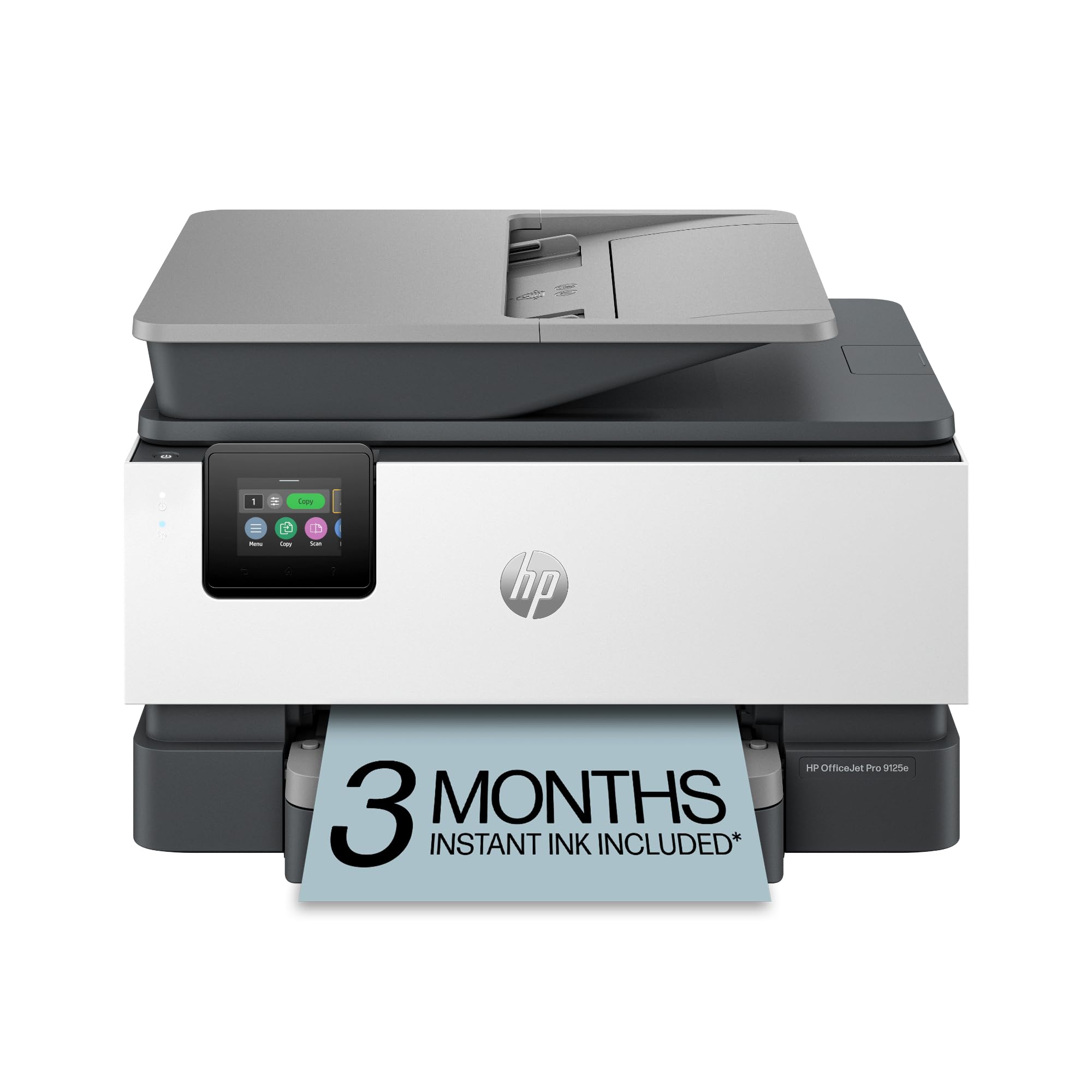
The HP OfficeJet Pro 9125e is an all-in-one inkjet that blurs the line with laser printers, offering fast print speeds (22 ppm black, 18 ppm color) and professional-quality color documents for a home office. It includes print, scan, copy, and fax functions, along with a 2.7-inch color touchscreen, a 250-sheet input tray, and an automatic document feeder. HP’s AI-powered software helps format web pages and emails perfectly, reducing wasted paper.
This unit comes with a 3-month trial of HP Instant Ink, which delivers cartridges before they run out. Users who get through the setup praise the fantastic print quality, especially for photos and graphics, and the speed is a major improvement over older inkjets. The dual-band Wi-Fi is generally reliable once configured, and the HP Smart app is functional for mobile printing.
The setup process is the primary pain point. Many users report a “horrendous” experience that forces an HP account, HP+ signup, and a commitment to using genuine HP ink only. The printer is also described as noisy and the control panel as tiny. If you can stomach the forced account creation and the subscription model for ink, it’s a capable all-in-one. But for those seeking a true “budget” experience without ongoing commitments, the setup friction is a major drawback.
Why it’s great
- Excellent all-in-one functionality with print, scan, copy, and fax
- High-quality photo and graphic output
- Fast print speeds and AI-powered formatting
Good to know
- Forced HP account and HP+ signup during setup
- Loud operation and small 2.7-inch touchscreen
- Requires genuine HP ink carts, no third-party options
9. HP Color LaserJet CP2025n (Renewed)

The HP Color LaserJet CP2025n is a refurbished, print-only laser printer that serves as a true entry-level option into color laser territory. It prints at speeds of up to 21 ppm for color and 20 ppm for black and white, which is respectable for a model of its generation. The unit supports manual duplex printing, meaning you have to flip the pages yourself for double-sided documents.
As a certified refurbished product, it is tested and cleaned with a minimum 90-day warranty. Users who have a positive experience report being “really surprised” at how well it works for a refurbished model, with some still running strong years later after printing thousands of pages. The print quality is described as fantastic, and for the price, it’s a viable way to get a color laser in your office.
The risk with any older refurbished printer is the condition of the internal parts. One user reported that the tray 1 paper pickup solenoid was faulty, meaning the seller’s “like new” claim was exaggerated. Another user had initial print quality issues that were resolved by tech support after identifying faulty toner carts. This printer is for the patient, hands-on user who is comfortable troubleshooting mechanical issues and doesn’t mind manual duplexing. It’s a gamble, but the payoff can be a very low-cost color laser.
Why it’s great
- Very low entry cost for a color laser printer
- Fantastic print quality when fully functional
- Can be a durable, long-lasting machine for thousands of pages
Good to know
- Refurbished unit; may have faulty mechanical parts (solenoids, pickups)
- Only manual duplex printing; no automatic two-sided option
- Old model; limited connectivity options and support
FAQ
Is a color laser printer cheaper to run than an inkjet printer?
What does “starter toner” mean and how many pages does it print?
Can I use third-party toner in a budget color laser printer?
Why does my printer lose its Wi-Fi connection so often?
Final Thoughts: The Verdict
For most users, the budget color laser printer winner is the Brother HL-L3220CDW because it combines reliable print quality, economical high-yield toner, and consistent automatic duplexing in a workhorse package that avoids the major pitfalls of cheaper models. If you need an all-in-one with a long warranty and don’t mind the sleep-mode glitch, grab the Canon MF662Cdw. And for absolute upfront savings and speed, the renewed Brother HL-L3280CDW is a fantastic value for a risk-tolerant buyer.

Mo Maruf
I created WellFizz to bridge the gap between vague wellness advice and actionable solutions. My mission is simple: to decode the research and give you practical tools you can actually use.
Beyond the data, I am a passionate traveler. I believe that stepping away from the screen to explore new environments is essential for mental clarity and physical vitality.