Our readers keep the lights on and my smoothie glass nicely filled. As an Amazon Associate, I earn from qualifying purchases.
Choosing a high-refresh gaming monitor without breaking the bank is a high-stakes balancing act. You need a panel that eliminates motion blur in fast-paced shooters, delivers accurate colors for immersive play, and doesn’t force you into a corner on resolution or connectivity.
I’m Mohammad Maruf — the founder and writer behind WellFizz. I’ve analyzed hundreds of spec sheets and customer reports within the budget gaming monitor segment to identify which models truly deliver on their refresh-rate promises without hidden compromises.
This guide focuses on the most dependable options available today, cutting through the marketing jargon to help you find the best budget 144hz gaming monitor that actually fits your setup and playing style.
How To Choose The Best Budget 144Hz Gaming Monitor
Not every monitor with a 144Hz sticker is ready for serious gaming. You need to look past the headline number and check the panel technology, connection ports, and adaptive sync support to ensure you get the silky-smooth frames you’re paying for.
Panel Type: IPS is the Safe Bet
In the budget category, you’ll find TN, VA, and IPS panels. TN panels offer the fastest response times but suffer from poor color reproduction and narrow viewing angles. VA panels deliver better contrast and deeper blacks but can introduce smearing in dark scenes. IPS panels hit the sweet spot with vibrant colors, wide viewing angles, and 1ms response times — a clear winner for budget gamers who also use their monitor for media or productivity.
Refresh Rate vs. Resolution Trade-Off
Many budget monitors force a choice between high resolution (1440p) and high refresh rate (144Hz+). A 27-inch 1080p monitor will appear blurrier than a 24-inch model at the same resolution. For competitive gamers, a 24-inch 1080p 144Hz setup offers the cleanest pixel density. For those who value sharper visuals in open-world games, a 27-inch 1440p 144Hz monitor provides a much richer experience — provided your graphics card can push the necessary frames.
Connectivity: DisplayPort is Essential
HDMI 2.0 connections are often limited to 144Hz at 1080p or capped at lower refresh rates at higher resolutions. To fully unlock 144Hz (and beyond) at 1440p, a DisplayPort 1.2 or newer connection is mandatory. Always verify that your PC or console can output over the port you plan to use, and confirm the included cables support the bandwidth. A monitor with a great panel but no DP cable in the box adds an unexpected cost to your setup.
Quick Comparison
On smaller screens, swipe sideways to see the full table.
| Model | Category | Best For | Key Spec | Amazon |
|---|---|---|---|---|
| KTC H27T22C-3 | Mid-Range | QHD Speed / Value Hunters | 210Hz / 1440p / Fast IPS | Amazon |
| Acer Nitro KG271U | Mid-Range | Console/PC Hybrid Users | 180Hz / 1440p / IPS | Amazon |
| Dell S2421HGF | Mid-Range | Ergonomic FPS Setup | 144Hz / 1080p / TN | Amazon |
| SANSUI ES-G25F6Q Pro | Mid-Range | High-Refreshrate 1440p Gaming | 300Hz / 1440p / Fast IPS | Amazon |
| ASUS TUF VG277Q1A | Mid-Range | Competitive FPS / Shadow Boost | 165Hz / 1080p / VA | Amazon |
| Alienware AW2725DM | Premium | All-Round Premium Build | 180Hz / 1440p / IPS | Amazon |
| Samsung Odyssey G4 25” | Premium | Competitive 1080p Esports | 240Hz / 1080p / IPS | Amazon |
| LG 27GL83A-B | Premium | Color-Accurate QHD Gaming | 144Hz / 1440p / IPS | Amazon |
| Samsung Odyssey G5 G50F | Premium | Immersive QHD / Adjustable Stand | 180Hz / 1440p / IPS | Amazon |
In‑Depth Reviews
1. KTC H27T22C-3
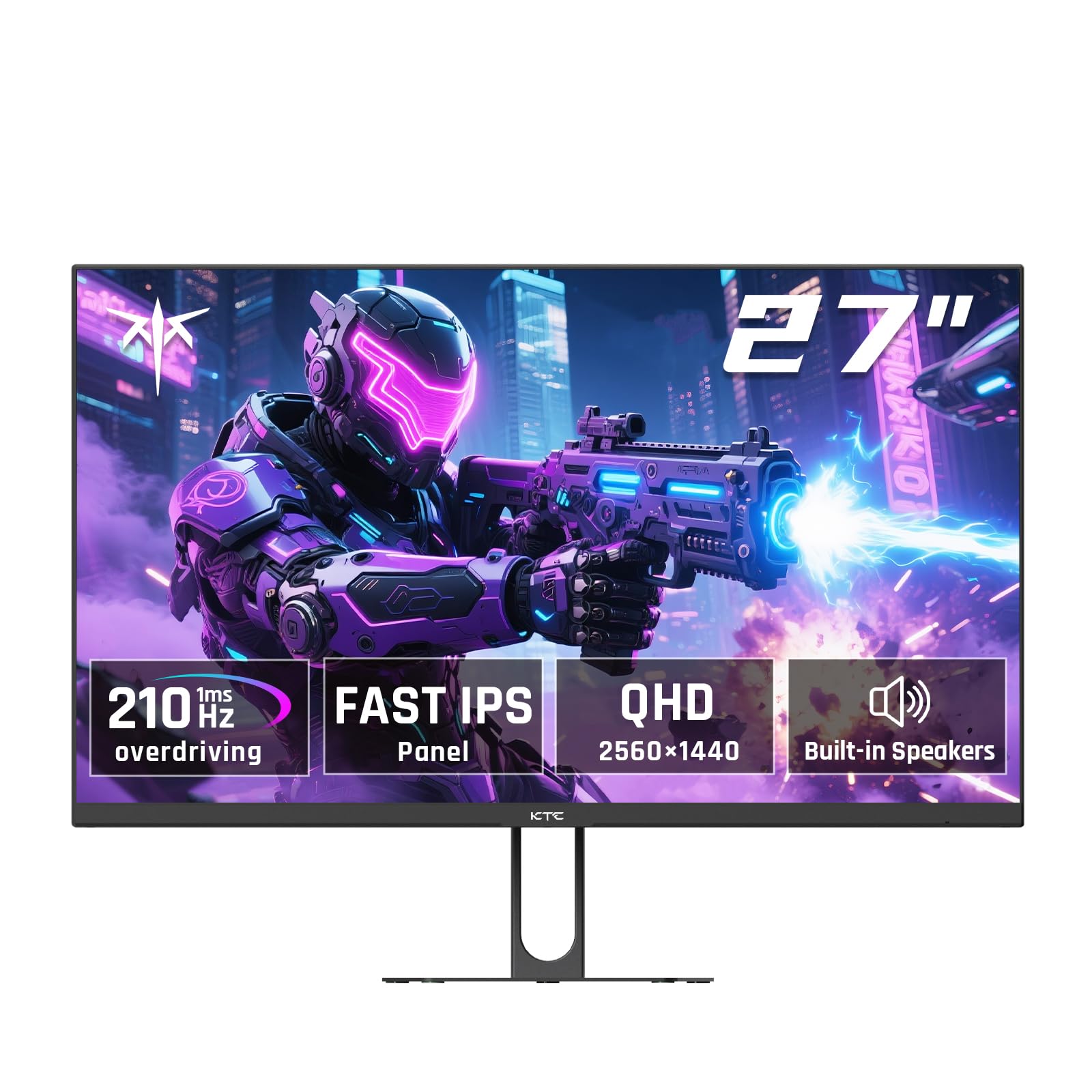
The KTC H27T22C-3 punches well above its weight by offering a QHD Fast IPS panel that can be pushed to a 210Hz refresh rate via DisplayPort. With a brightness of 450 cd/m² and HDR400 certification, this monitor delivers the kind of vibrancy and motion clarity you’d expect from a much pricier display. The 1ms response time effectively eliminates ghosting in fast-paced titles.
Connectivity is robust, featuring two HDMI 2.0 ports (limited to 144Hz) and two DP 1.4 ports (unlocking the full 210Hz). The inclusion of 2x2W built-in speakers is a welcome bonus for a budget monitor, though they lack volume and depth for serious audio use. The monitor supports both FreeSync and G-Sync Compatible modes for tear-free gameplay.
Some user reports highlight quality control issues — dead pixels and backlight bleed can appear on early units. The built-in speakers are notably quiet, and the stand only offers tilt adjustment. If you can secure a flawless panel, however, the combination of speed, resolution, and price makes this an exceptional value for the budget-conscious gamer chasing high-refresh 1440p performance.
Why it’s great
- Overclockable to 210Hz for even smoother motion
- QHD resolution with excellent brightness and color
- Two DP 1.4 ports for full bandwidth
Good to know
- Quality control can vary between units
- Built-in speakers are very quiet
- Stand only supports tilt adjustment
2. Acer Nitro KG271U

The Acer Nitro KG271U brings a 27-inch QHD IPS panel with a native 180Hz refresh rate and an impressive 0.5ms GTG response time. This makes it a strong contender for anyone wanting silky-smooth motion without stepping up to a premium price tier. The DCI-P3 95% color coverage is a standout feature for color-critical work and visually rich games.
AMD FreeSync support is standard, and the zero-frame design provides a near-borderless viewing experience. The inclusion of one DisplayPort 1.2 and two HDMI 2.0 ports gives flexibility for multi-device setups. The 250 cd/m² brightness is adequate for indoor use, though HDR performance is limited by the lack of a higher brightness peak.
The biggest weakness is the flimsy, non-adjustable stand that causes noticeable wobble. Many users recommend mounting the monitor on a VESA arm to get a stable and ergonomic setup. Cases of units failing with white lines exist, but Acer’s warranty service is reportedly swift and responsive. For the price, the raw gaming performance and color accuracy are hard to beat.
Why it’s great
- Exceptional DCI-P3 95% color coverage
- 0.5ms GTG response time for blur-free action
- 180Hz native refresh rate without overclocking
Good to know
- Stand is flimsy and non-adjustable
- Brightness is limited to 250 cd/m²
- Some units may have early failure issues
3. Dell S2421HGF

Dell’s S2421HGF is a 24-inch 1080p gaming monitor built with a TN panel, offering a native 144Hz refresh rate and a 1ms response time. While TN panels are known for weaker color reproduction and viewing angles, this specific Dell model has been praised for having better-than-average color output for its panel type. It is an ideal choice for competitive FPS gamers who prioritize pixel-perfect speed over visual flair.
A major advantage in this price bracket is the fully ergonomic stand, which offers height adjustment, swivel, and tilt. This is almost unheard of on budget monitors and makes a huge difference in long gaming sessions. AMD FreeSync Premium is supported, and the monitor includes a 3-year Advanced Exchange Service with Premium Panel Exchange for added peace of mind.
The main drawbacks are the TN panel’s narrow viewing angles and the lack of a DisplayPort cable in the box. Some users also report a faint electronic noise from the unit. The 1080p resolution on a 24-inch screen provides a sharp pixel density for competitive gaming, but it won’t match the detail of a QHD display. If ergonomics and durability are your priority, this Dell is a solid buy.
Why it’s great
- Fully adjustable ergonomic stand (height, swivel, tilt)
- AMD FreeSync Premium with 1ms response time
- 3-year Advanced Exchange warranty included
Good to know
- TN panel has narrow viewing angles
- No DisplayPort cable included
- Some units may produce electronic noise
4. SANSUI ES-G25F6Q Pro
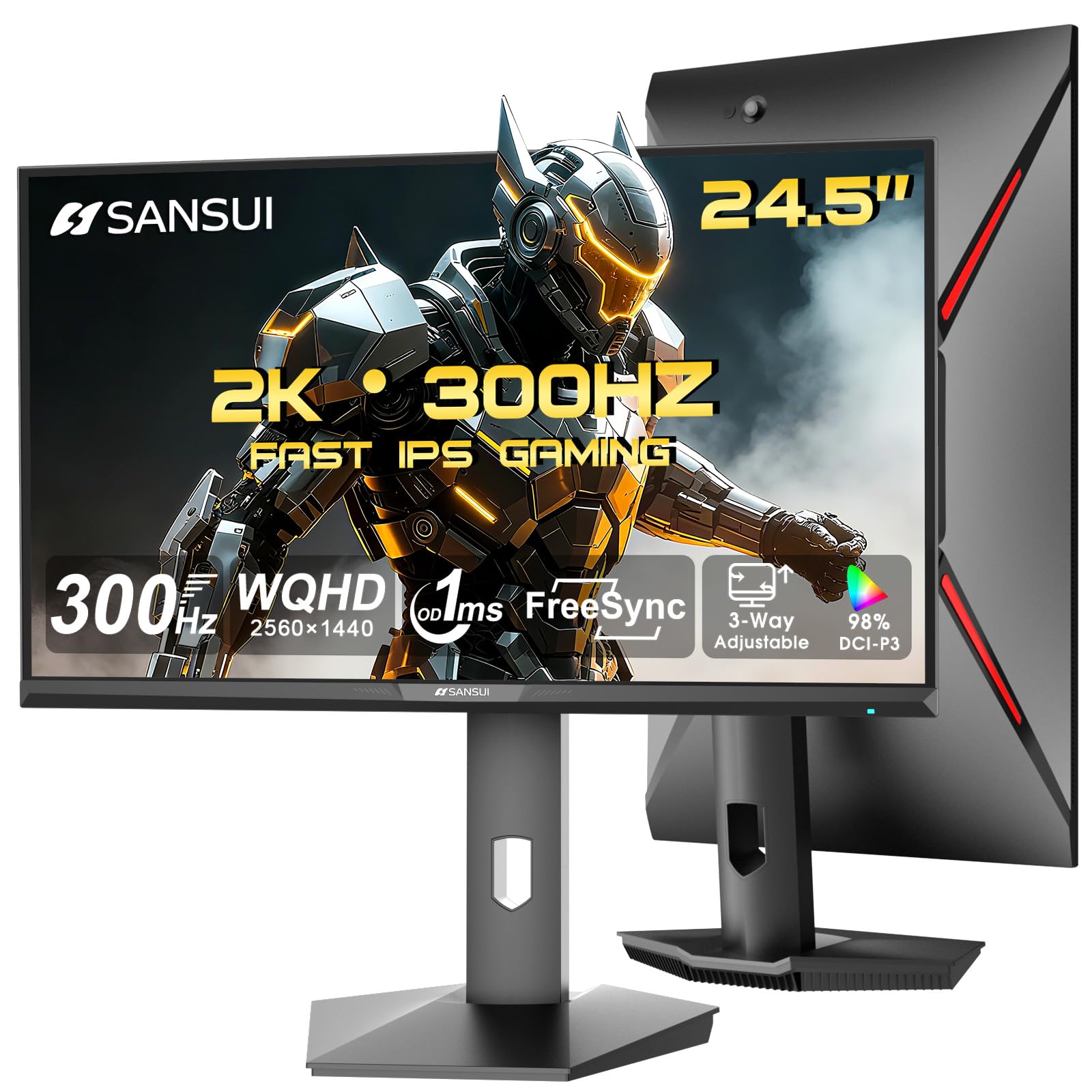
The SANSUI ES-G25F6Q Pro is a 24.5-inch QHD monitor that pushes a 300Hz refresh rate through a Fast IPS panel. This is an absurdly high speed for a budget-focused unit, making it a beast for competitive gamers who demand buttery-smooth motion at 1440p. The 130% sRGB color gamut ensures colors pop, and the 350 nits of peak brightness make HDR content more watchable.
Connectivity is a strong suit with two HDMI 2.1 ports and two DP 1.4 ports, all capable of driving the full 300Hz. The stand offers pivot, swivel, and height adjustments, which is rare at this price. The 1ms MPRT response time keeps ghosting under control, and FreeSync is standard for synchronization with AMD GPUs.
The main caveat is that SANSUI is a lesser-known brand compared to Dell or Acer, and warranty support may not be as established. There are no built-in speakers, so you’ll need external audio. Some users note that the advertised “300Hz” can be an overclock and the unit may run warmer than average. If you want the highest possible refresh rate at 1440p on a budget, this is the monitor to consider.
Why it’s great
- 300Hz refresh rate for extreme smoothness
- Full ergonomic stand (pivot, swivel, height)
- Dual HDMI 2.1 and DP 1.4 ports
Good to know
- No built-in speakers
- Less established brand warranty network
- May run warm during extended use
5. ASUS TUF Gaming VG277Q1A

The ASUS TUF VG277Q1A is a 27-inch 1080p monitor with a 165Hz refresh rate and a VA panel offering a 3000:1 contrast ratio. The high contrast delivers deeper blacks compared to typical IPS screens, which enhances horror games and dark cinematic scenes. The 1ms MPRT response time combined with ASUS’s Extreme Low Motion Blur (ELMB) provides solid motion handling.
FreeSync Premium is supported, and the monitor includes a useful Shadow Boost feature that brightens dark areas without washing out bright spots. Connectivity covers HDMI and DisplayPort, with both cables included in the box. The OSD is controlled via a five-way joystick, making menu navigation quick and intuitive.
The main downside is the 1080p resolution on a 27-inch screen, which results in lower pixel density and a slightly softer image compared to a 24-inch 1080p monitor. The stand only offers tilt adjustment, so you may need to purchase a VESA arm for ergonomic comfort. For focused competitive gaming where contrast matters most, this ASUS delivers excellent performance.
Why it’s great
- Excellent 3000:1 contrast ratio for deep blacks
- 165Hz with ELMB eliminates ghosting effectively
- Shadow Boost clarifies dark scenes without glare
Good to know
- 1080p on 27-inch screen is less sharp
- Stand is tilt-only
- VA panel may have slight smearing at very high speeds
6. Alienware AW2725DM

The Alienware AW2725DM is a 27-inch QHD IPS monitor built with a sleek design and a strong, fully adjustable stand. It offers a native 180Hz refresh rate with a 1ms response time, and supports both NVIDIA G-SYNC and AMD FreeSync Premium for universal tear-free gaming. The DCI-P3 95% color coverage and VESA DisplayHDR 400 certification ensure vibrant, lifelike visuals.
Build quality is exceptional for its category — the stand is sturdy with height, pivot, swivel, and tilt adjustments. The monitor also features a hardware-based low blue light solution that reduces eye fatigue without washing out colors. Port selection includes DisplayPort 1.4 and HDMI, along with a USB hub for convenience, though it lacks USB-C.
The only functional gaps are the absence of built-in speakers and a headphone jack, so you’ll need external audio or a DAC. The monitor reaches its full 180Hz only over DisplayPort, while HDMI tops out at 144Hz. For users willing to spend a bit more for a refined experience, the AW2725DM offers premium quality and a competitive spec sheet without jumping to OLED pricing.
Why it’s great
- Fully adjustable premium stand
- G-SYNC and FreeSync compatibility
- Hardware-based low blue light preserves colors
Good to know
- No built-in speakers or headphone jack
- HDMI limited to 144Hz
- No USB-C connection
7. Samsung Odyssey G4 25”

The Samsung Odyssey G4 is a 25-inch 1080p IPS monitor that pushes a 240Hz refresh rate with a 1ms GTG response time. This is the benchmark for competitive esports, offering extreme smoothness in fast-twitch shooters like Valorant or Counter-Strike. The IPS panel ensures accurate colors and wide 178-degree viewing angles, which is rare at this refresh rate.
NVIDIA G-SYNC Compatible and AMD FreeSync Premium support guarantee tear-free performance across a wide range of graphics cards. The ergonomic stand offers height, swivel, tilt, and pivot adjustments, and the monitor features Samsung’s Auto Source Switch+ for hassle-free input switching. The Ultrawide Game View feature simulates a 21:9 aspect ratio for a wider field of view in supported titles.
There are no built-in speakers, meaning you must rely on a headset or external speakers. At 25 inches, the screen size is slightly smaller than the standard 27-inch alternative, but the increased pixel density actually makes 1080p look sharper. For competitive gamers who want the highest frame rates without moving to 1440p, this Odyssey G4 is a top-tier choice.
Why it’s great
- 240Hz refresh rate for elite-level smoothness
- Fully ergonomic stand with pivot support
- G-SYNC Compatible and FreeSync Premium
Good to know
- No built-in speakers
- 25-inch screen is smaller than typical 27-inch options
- Wide stand base takes up desk space
8. LG 27GL83A-B

The LG 27GL83A-B is a long-standing favorite in the budget-to-mid-range category, offering a 27-inch QHD IPS panel with 144Hz refresh rate and 1ms GTG response time. It covers 99% of sRGB, delivering excellent color accuracy right out of the box. The monitor is NVIDIA G-SYNC Compatible and supports AMD FreeSync Premium, making it a flexible choice for any GPU setup.
The 3-side virtually borderless design is sleek, and the stand offers full ergonomic adjustments: height, tilt, pivot, and swivel. The Black Stabilizer feature enhances visibility in dark scenes without overexposing brighter areas. Connectivity includes DisplayPort and HDMI, and the OSD is controlled by a responsive joystick.
The contrast ratio is measured at around 700:1, which is below average for the category, resulting in black levels that appear more gray in dark rooms. HDR10 support is basic, and it doesn’t offer the peak brightness needed for true HDR. Despite this, the LG 27GL83A-B remains a benchmark for overall value and color fidelity in the 1440p 144Hz space.
Why it’s great
- Excellent 99% sRGB color accuracy
- Full ergonomic stand included
- Reliable G-SYNC Compatible performance
Good to know
- Contrast ratio is low (700:1)
- HDR performance is basic
- No built-in speakers
9. Samsung Odyssey G5 G50F 27”
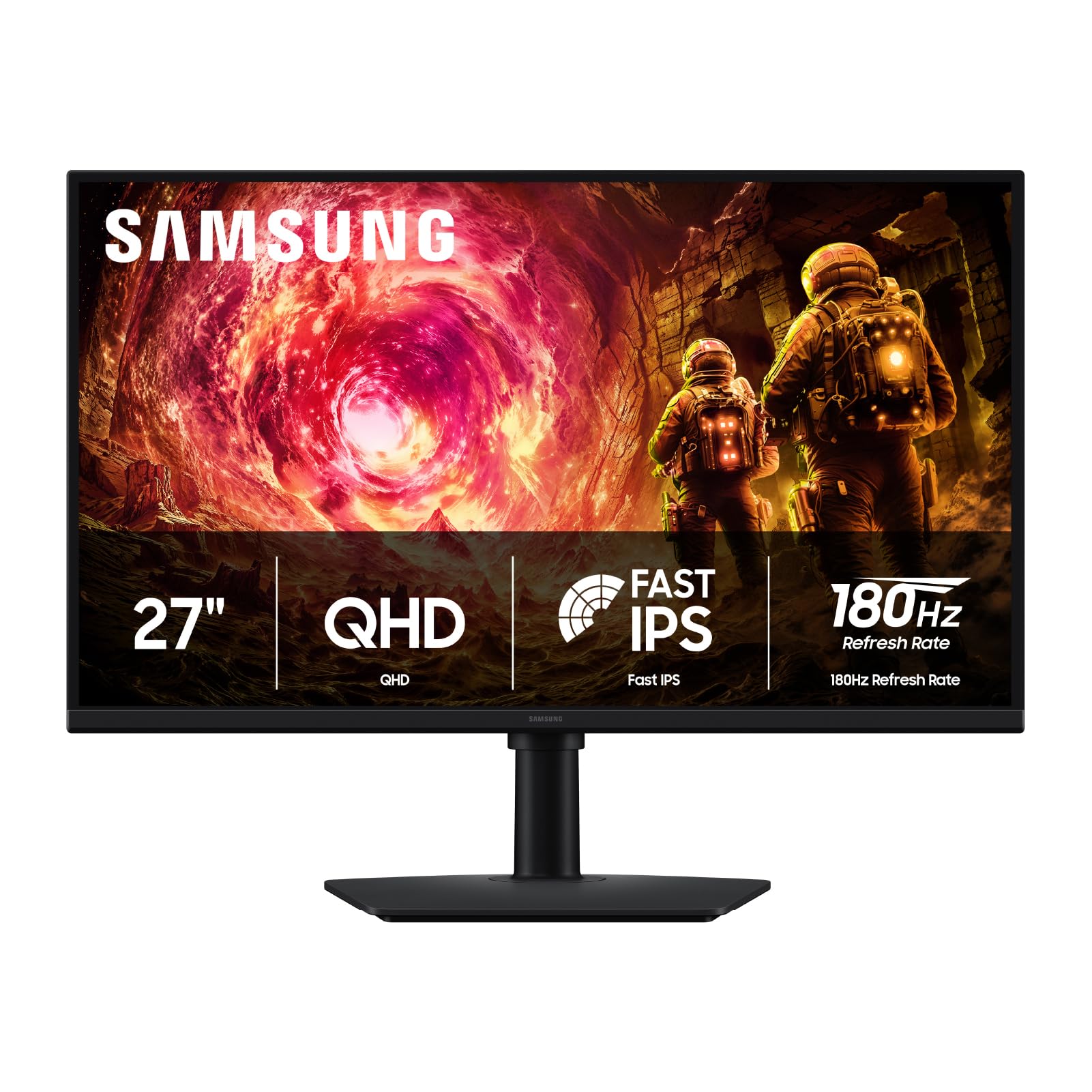
The Samsung Odyssey G5 G50F delivers a 27-inch QHD IPS panel with a 180Hz refresh rate and 1ms GTG response time. It’s a balanced option that pairs sharp resolution with a high frame rate, suitable for both competitive and single-player titles. The IPS panel provides excellent color consistency across wide viewing angles, and the 99% sRGB coverage means your games look vibrant and accurate.
G-Sync Compatible and AMD FreeSync support are both present, ensuring smooth synchronization with most modern GPUs. The ergonomic stand offers height, swivel, tilt, and pivot adjustments, allowing a perfectly customized viewing angle. HDR10 support adds a bit of extra visual depth, though the 300 cd/m² brightness is modest for true HDR impact.
The rear-mounted joystick can be awkward to reach, and the monitor only includes a single HDMI and DisplayPort. Some users found the virtual crosshair feature limited. However, the picture quality is praised for being notably brighter and more colorful than competing VA panels. If you want a quality, adjustable 1440p 180Hz monitor from a major brand, this Odyssey G5 is a compelling choice.
Why it’s great
- Sharp QHD resolution with 180Hz refresh rate
- Full ergonomic stand with height/pivot adjustment
- Bright IPS panel with vibrant colors
Good to know
- Only one HDMI and one DisplayPort
- Rear joystick is hard to reach
- Modest 300 cd/m² peak brightness
FAQ
Is 144Hz worth it for casual gaming?
Can my graphics card run a 1440p 144Hz monitor?
Do I need DisplayPort or HDMI for 144Hz?
Is a TN panel still good for budget gaming?
Final Thoughts: The Verdict
For most users, the best budget 144hz gaming monitor winner is the KTC H27T22C-3 because it delivers a QHD Fast IPS panel with an overclockable 210Hz refresh rate at a remarkable entry-level price. If you want a more established brand with excellent color accuracy and a proven track record, grab the Acer Nitro KG271U. And for competitive esports play where 240Hz motion clarity is non-negotiable, nothing beats the Samsung Odyssey G4 25”.

Mo Maruf
I created WellFizz to bridge the gap between vague wellness advice and actionable solutions. My mission is simple: to decode the research and give you practical tools you can actually use.
Beyond the data, I am a passionate traveler. I believe that stepping away from the screen to explore new environments is essential for mental clarity and physical vitality.