Our readers keep the lights on and my smoothie glass nicely filled. As an Amazon Associate, I earn from qualifying purchases.
Augmented reality headsets have moved from experimental tech to practical gear, but the market is flooded with specs that look good on paper and fall apart in real use. The difference between a headset you’ll use daily and one that collects dust comes down to three things: field of view, spatial tracking stability, and display quality under variable light. You need a device that locks a virtual screen in your physical space without causing eye strain or drift, and that’s where most models stumble.
I’m Mohammad Maruf — the founder and writer behind WellFizz. I’ve spent years analyzing the engineering trade-offs in wearable displays, from micro-OLED response times to lens distortion profiles, so you get a clear-eyed breakdown of what actually works.
After comparing eleven AR headsets across resolutions, tracking systems, and real-world compatibility, this guide delivers the clearest path to a purchase that won’t leave you frustrated. This is the definitive look at the best augmented reality headset for 2025 and beyond.
How To Choose The Best Augmented Reality Headset
Picking an AR headset isn’t about picking the highest number on a spec sheet. It’s about how the device behaves in the spaces you actually inhabit — moving from a dim living room to a bright coffee shop, or keeping a 171-inch virtual screen pinned to your wall while you grab a drink. Focus on four areas that define the experience, not the marketing bullet points.
Field of View and the Reality of Immersion
A 57-degree field of view sounds small on paper, but in practice it translates to a virtual screen that fills your peripheral vision without requiring you to move your head constantly. Anything under 45 degrees feels like watching a monitor through a letterbox — serviceable for reading, frustrating for gaming or cinema. Compare FOV numbers alongside screen size claims: a “500-inch” screen is meaningless if you can only see half of it without turning your neck.
Spatial Tracking: 3DoF vs. 6DoF vs. Native Anchor
3DoF tracks rotation only — your head swivels and the screen follows. That’s fine for a quick movie on a plane. 6DoF adds positional tracking so the screen stays locked to a point in the room, which is essential for multitasking or productivity. The real differentiator is whether the tracking is native (onboard chipset) or relies on a separate puck or phone. Native tracking avoids latency drops and keeps the image stable even when you lean forward.
Display Technology and Brightness for Real-World Use
Micro-OLED is the only display type that delivers the contrast and pixel density AR demands — look for panels with at least 1920×1080 per eye and refresh rates of 90Hz or higher. Brightness matters more than you think: 600 nits works indoors, but 1200 to 1500 nits is necessary for seeing virtual content clearly when sunlight washes through a window. Electrochromic dimming (tinting the lenses on demand) helps but doesn’t replace raw nits.
Eye Comfort and Prescription Accommodation
If you wear glasses, the biggest pain point is frame pressure and lens fogging. Look for headsets with built-in myopia adjustment (typically -4.0D or higher) so you don’t need bulky prescription inserts. IPD range matters too — a fixed 64mm average leaves out roughly 30% of users. Adjustable nose pads and flexible temples reduce pressure spots during sessions that stretch past an hour.
Quick Comparison
On smaller screens, swipe sideways to see the full table.
| Model | Category | Best For | Key Spec | Amazon |
|---|---|---|---|---|
| XREAL One Pro | Premium | Native 6DoF spatial computing | 57° FOV, X1 chip, 120Hz OLED | Amazon |
| VITURE Luma Ultra | Premium | High-brightness gaming & media | 1500 nits, 6DoF, Harman audio | Amazon |
| XREAL 1S | Mid-Range | Native 3DoF with optional 6DoF | 52° FOV, X1 chip, Bose audio | Amazon |
| VITURE Luma Pro | Mid-Range | Sharp 1200p display & 2D-to-3D | 52° FOV, 1200p, Harman audio | Amazon |
| Rokid Max2 + Station2 | Premium | 3-screen multitasking ecosystem | 3 DoF, 600 nits, 120Hz OLED | Amazon |
| TOZO VIZO Z1 | Mid-Range | Ultra-light travel companion | 63g, 47.5° FOV, 120Hz OLED | Amazon |
| Meta Oakley HSTN | Premium | Everyday smart glasses with AI | 8hr battery, 12MP camera, open-ear | Amazon |
| Meta Quest 3 512GB | Premium | Wireless VR with color passthrough | 4K+ display, 2hr battery, 512GB | Amazon |
| RayNeo Air 4 Pro Batman | Mid-Range | Collector AR with HDR10 cinema | 120Hz, 1200 nits, B&O audio | Amazon |
| Oculus Quest 2 256GB Set | Budget | Entry-level VR gaming bundle | 1832×1920 per eye, 90Hz | Amazon |
| HTC Vive Cosmos Elite | Premium | PC-tethered room-scale VR | 2880×1700, 97° FOV, Lighthouse | Amazon |
In‑Depth Reviews
1. XREAL One Pro AR Glasses

The XREAL One Pro is the first AR headset that feels like a finished product rather than a developer kit. Its X1 chip handles native 3DoF tracking with 3ms motion-to-photon latency, but the real breakthrough is the optional XREAL Eye that unlocks full 6DoF spatial anchoring — the virtual screen stays locked to your desk even as you stand up and walk around. The 57-degree field of view is the widest among the glasses-form-factor headsets tested, and the Sony 0.55-inch Micro-OLED panels deliver 1920×1080 per eye at 120Hz with no visible motion blur. Text on a spreadsheet remains crisp edge-to-edge, a feat that most competitors can’t match without visible chromatic aberration.
Audio is handled by a chamber tuned by Bose, and the open-ear design provides clear mids and highs without the tinny resonance common in this form factor. The electrochromic dimming is a single-tap toggle that darkens the lens for total focus, and at 700 nits peak brightness, the display remains visible even next to a sunlit window. The dual IPD sizing (M for 57-66mm, L for 66-75mm) and three-stage adjustable arms mean the fit pressure is evenly distributed across the temples and nose bridge, preventing the headache-inducing hotspots that the VITURE Luma Ultra can cause after an hour.
Early firmware reports mention occasional drift when the headset is connected to Windows via USB-C without the XREAL Eye, and the lack of a native volume control on the glasses is an oversight. For anyone who needs a stable, room-locked virtual display for productivity or gaming, the One Pro is the most capable device on this list — but it demands the ecosystem investment if you want full 6DoF.
Why it’s great
- Fastest native spatial lock with X1 chip
- 57° FOV delivers true large-screen immersion
- Bose-tuned open-ear audio with deep staging
Good to know
- No volume or media controls on the frame
- Full 6DoF requires the optional XREAL Eye accessory
2. VITURE Luma Ultra XR Glasses
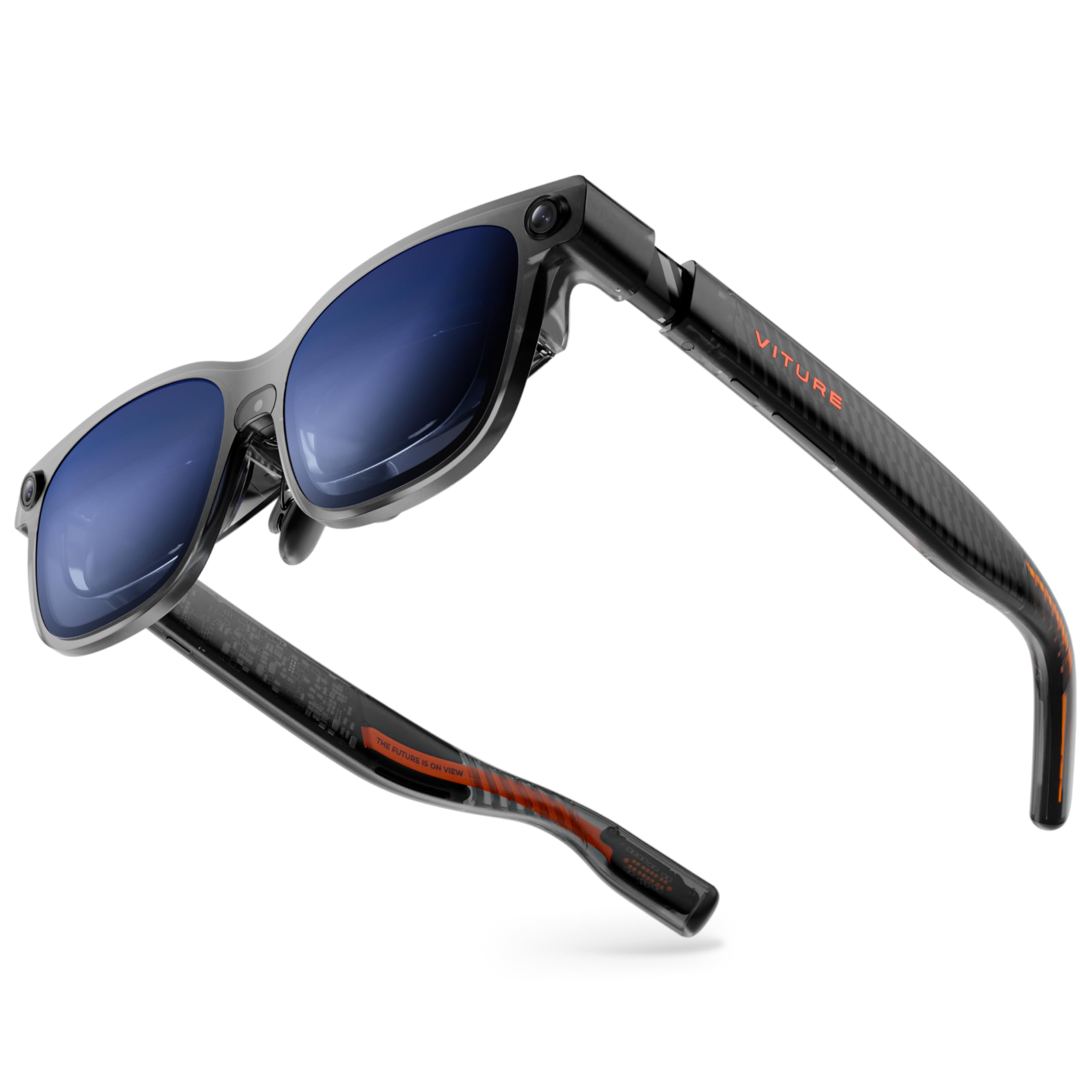
The Luma Ultra pushes display brightness to 1500 nits — the highest of any consumer AR headset we tested — and that extra headroom makes a practical difference. In a café with overhead fluorescents and a window to the left, the 152-inch virtual screen stays vivid and readable without needing to crank the electrochromic film to full opacity. The 1200p Micro-OLED panels (1920×1080 per eye at 120Hz) are sharp enough that 8-point text in a code editor is legible, and the DeltaE under 2 color accuracy means skin tones in movies look natural rather than oversaturated. Harman-tuned open-ear speakers deliver fuller bass than the XREAL One Pro, though the audio bleed is more noticeable at higher volumes.
The triple-camera setup (front RGB plus dual depth) enables the first serious 6DoF implementation on a glasses-style headset when paired with the VITURE Pro Neckband. Hand gesture recognition works for basic navigation — pinch to select, swipe to scroll — and the SpaceWalker app on macOS and Windows supports up to three virtual screens. The built-in myopia adjustment covers up to -4.0 diopters, and the IPD range of 58-70mm accommodates a broad user base. The main comfort trade-off is weight: at roughly 85 grams, the Ultra feels heavier on the bridge than the XREAL One Pro, and the included nose pads don’t provide enough grip for extended lean-forward sessions.
Early units have reported occasional disconnection glitches when the USB-C cable is jostled, and the 6DoF tracking relies heavily on the Neckband accessory — without it, you’re limited to 3DoF. If your priority is watching HDR movies outdoors or in bright rooms, the Luma Ultra is the winner by a wide margin.
Why it’s great
- 1500 nits peak brightness for outdoor clarity
- Full 6DoF with hand gesture support via Neckband
- Built-in myopia adjustment up to -4.0D
Good to know
- Heavier frame causes bridge pressure over time
- 6DoF requires the Pro Neckband accessory
3. XREAL 1S AR/XR Glasses

The XREAL 1S brings the same X1 chip and native 3DoF tracking as the One Pro but at a more accessible price point, making it the best entry into spatial computing without compromising on the core experience. The 52-degree FOV translates to a 500-inch virtual screen at a four-meter viewing distance, and the 1920×1080 per-eye OLED display runs at 120Hz in 3DoF mode or 90Hz in standard mode for flicker-free viewing. The color tuning is individually calibrated per unit, which results in a neutral white point that the TOZO VIZO Z1 can’t match — no greenish tint in the highlights. Bose-tuned open-ear speakers deliver the same spacious staging as the premium model, with clear vocal separation in podcasts and conference calls.
The 1S supports multiple spatial modes: 0DoF follow, 3DoF anchor, Ultrawide (up to 32:9), and side-view for multitasking. The anchor mode is particularly stable — the screen doesn’t drift even during rapid head turns, a problem that plagues the Rokid Max2 in similar scenarios. The IPD range of 59.5-70.5mm covers roughly 95% of users, and the TÜV Rheinland certification for low blue light and flicker-free viewing means you can wear these for a full workday without the eye fatigue that the Meta Quest 3 induces. The main compromise is that full 6DoF still requires the XREAL Eye, which adds cost and bulk.
Some users report that the nose pad can’t provide enough grip for vigorous head movement, and the tinted lens introduces a slight color wash in very bright environments. For day-to-day AR use — a floating monitor, portable cinema, or console gaming — the 1S delivers 90% of the One Pro experience at a significantly lower cost.
Why it’s great
- Native 3DoF with X1 chip, no external puck needed
- Excellent color accuracy from per-unit calibration
- Bose audio with clear vocal separation
Good to know
- Nose pad grip insufficient for active movement
- 6DoF upgrade requires the XREAL Eye accessory
4. VITURE Luma Pro XR Glasses

The Luma Pro sits directly below the Ultra in VITURE’s lineup, and the main difference is brightness — 1000 nits versus 1500 — rather than resolution or tracking capability. The 1200p Micro-OLED panel is the same 1920×1080 per-eye unit, and text clarity is genuinely sharper than the VITURE Pro that preceded it. The 52-degree FOV and 120Hz refresh rate deliver a cinematic experience that competes directly with the XREAL 1S, though the color accuracy (DeltaE under 2) leans slightly cooler in the default mode. Harman-tuned open-ear speakers provide punchy mids, and the RGB lighting on the frame is a gimmick that some users will love and others will disable permanently. The built-in myopia adjustment covers up to -4.0D, and the electrochromic film works with a single tap to dim the lens.
The real differentiator here is VITURE’s SpaceWalker software, which enables multi-screen productivity on macOS and Windows. You can pin up to three virtual monitors in your space, and the 2D-to-3D conversion works better than expected — depth mapping is accurate enough that Netflix streams feel genuinely immersive rather than artificially layered. The Luma Pro also includes the industry-first partnership with 8BitDo for XR gaming controllers, and it’s the only headset in this class that officially supports PSPlay and XBXPlay for console streaming on the go.
The main drawback is that the Luma Pro lacks the native spatial chip of the XREAL 1S. Without the Neckband accessory, you’re limited to 3DoF that feels less sticky — the screen drifts noticeably if you shift in your chair. It’s a capable media-first device that handles gaming and productivity as secondary use cases.
Why it’s great
- Ultra-sharp 1200p panel with exceptional clarity
- SpaceWalker multi-screen mode for productivity
- 2D-to-3D conversion works well with streaming
Good to know
- No native spatial chip leads to noticeable drift
- Audio bleed is more pronounced than XREAL
5. Rokid Max2 + Station2
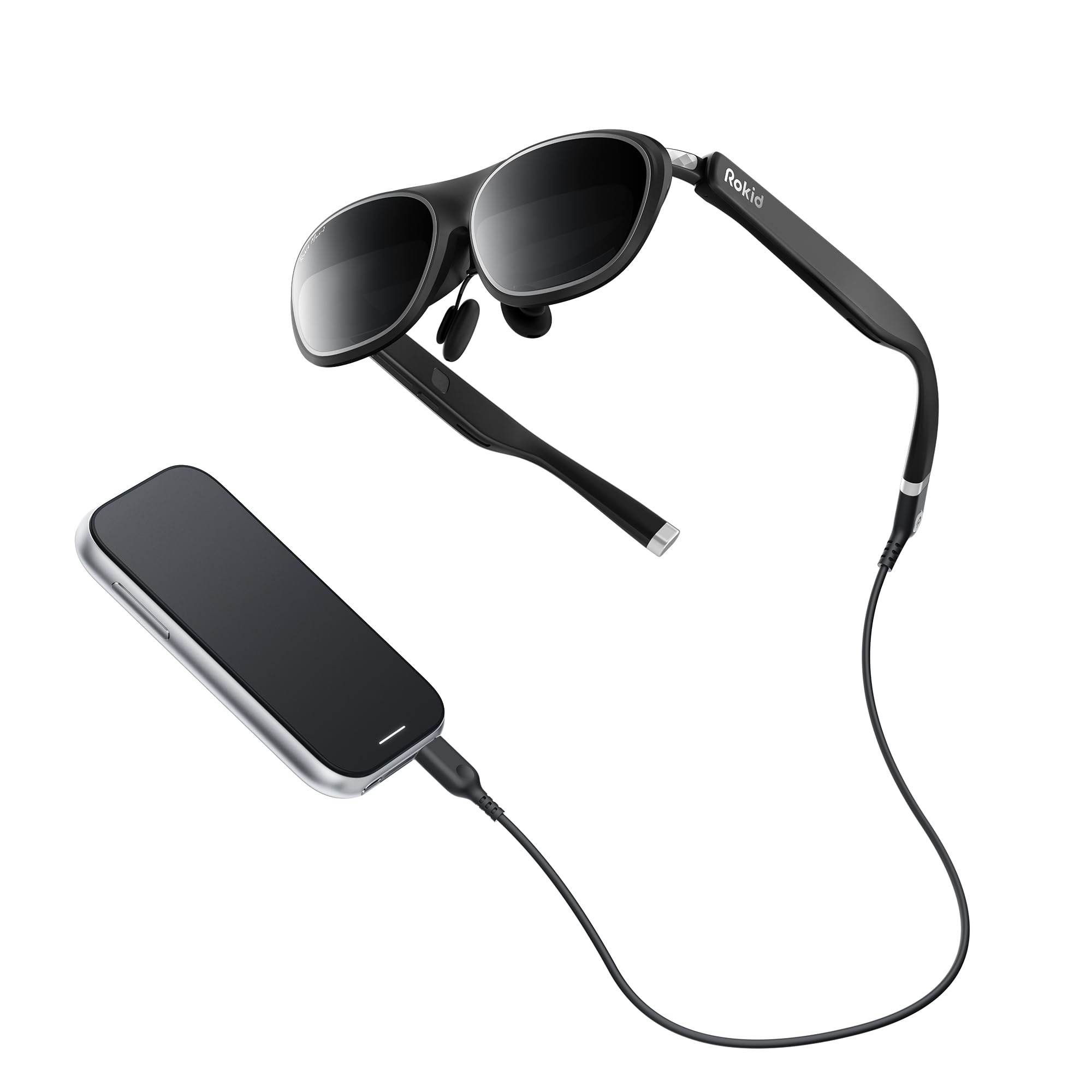
The Rokid Max2 bundles a pair of AR glasses with the Station2 spatial computer, creating an all-in-one ecosystem that doesn’t require a phone tether for basic use. The 1920×1200 Micro-OLED display runs at 120Hz with 600 nits of brightness, and the 3-screen multitasking mode lets you run Netflix, a web browser, and a note-taking app side by side — something no other headset in this roundup offers without a separate PC. The glasses weigh only 75 grams, making them lighter than the XREAL One Pro, and the airy cushioning on the nose pad reduces pressure fatigue during extended sessions. Myopia adjustment covers up to 600 degrees, and the automatic IPD range of 55-72mm adjusts when connected to the Station2.
The Station2 packs 8GB of RAM, 128GB of storage, a 5000mAh battery that lasts 3.5 hours, and Wi-Fi 6 for wireless screencasting. The YodaOS-Master software handles Netflix, YouTube, and Prime Video natively, and the 3DoF giant screen mode locks the virtual display in space without drifting — a significant improvement over the Rokid Max. The companion app adds spatial album support for viewing 3D photos and videos. The downside is that the 3-screen mode doesn’t work with iPhones, and the Station2’s app store is limited compared to the Android ecosystem.
Early firmware updates introduced a wireless screencast bug that required a factory reset to correct, and the navigation via the Station2’s touchpad feels less precise than the XREAL’s head-tracking shortcuts. The Rokid Max2 + Station2 is the best option if you need a self-contained spatial computer that doesn’t rely on a phone or laptop.
Why it’s great
- Self-contained computing with Station2, no phone needed
- 3-screen multitasking for productivity
- 75g frame with comfortable nose cushioning
Good to know
- 3-screen mode not compatible with iPhones
- Station2 software has occasional bugs
6. TOZO VIZO Z1 AR Glasses
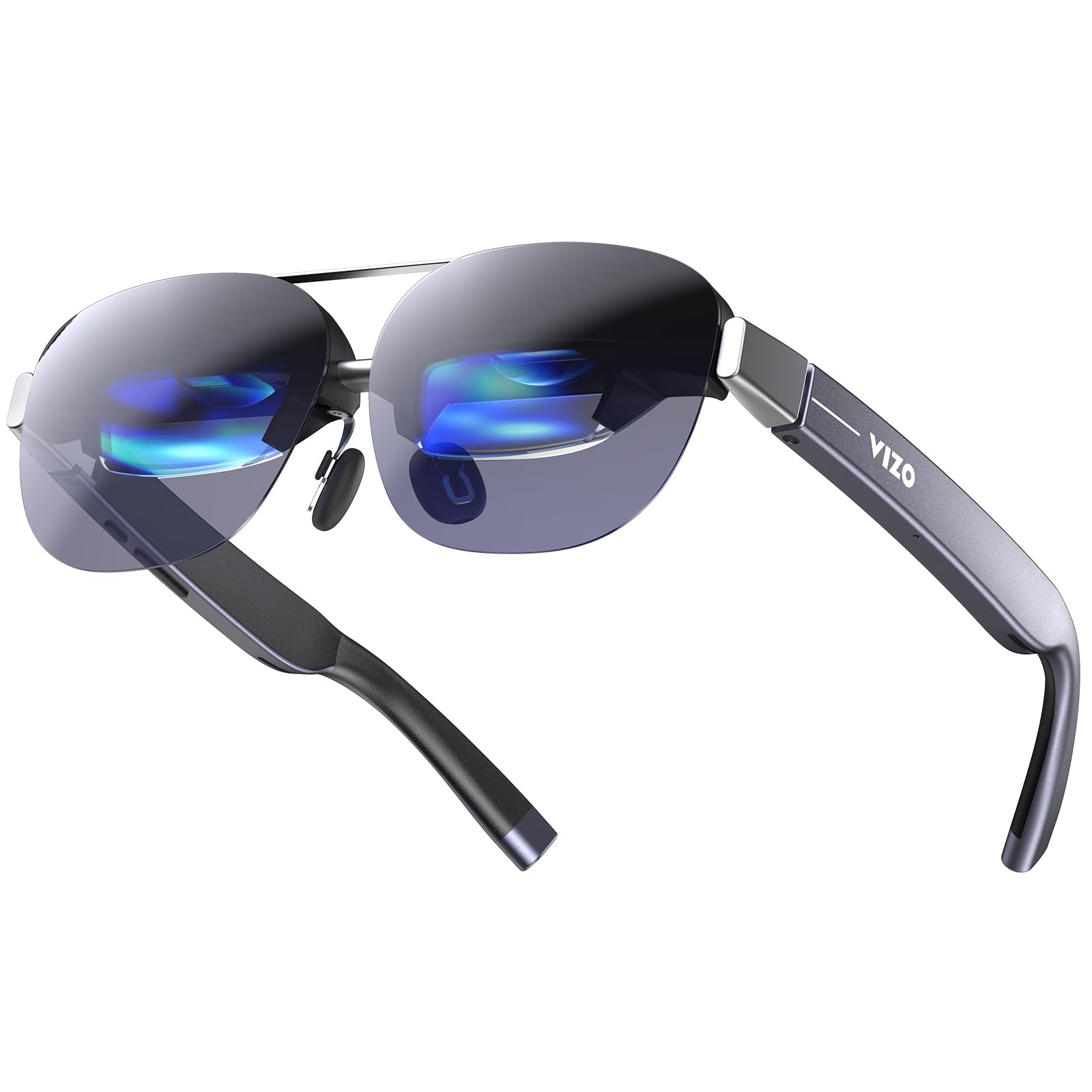
The TOZO VIZO Z1 is the lightest AR headset we tested at 63 grams, and that weight reduction is the defining feature — it collapses into a sunglasses-style foldable frame that slips into a jacket pocket easier than any competitor. The 160-inch virtual screen from a 47.5-degree FOV is serviceable for videos and light work, and the 1080p Micro-OLED panel with 120Hz refresh rate delivers smooth motion without the screen-door effect that plagues older Oculus models. The 6000-nit peak brightness (measured at the panel, not the lens output) translates to roughly 400-500 nits at the eye, which is adequate for indoor use but falters in direct sunlight. The detachable prescription lens frame is a thoughtful touch for users who need custom lenses.
The dual stereo speakers with 11-level volume control are adequate for podcasts and casual music, but the audio bleed is significant — everyone in a quiet room will hear your content. The 4-level adjustable nose pads and flexible temple arms help distribute the weight evenly, and the USB-C plug-and-play compatibility works with iPhones 15 and later, as well as most Android phones with DisplayPort output. The 2D-to-3D switchable mode expands the resolution to 3840×1080 for spatial depth, but the effect is more subtle than the VITURE’s Immersive 3D conversion.
The lack of lens cover, screen size adjustment, and depth-of-field control makes it feel basic compared to the XREAL 1S. The VIZO Z1 is for the frequent traveler who wants the lightest possible AR display for movies on a plane and doesn’t need spatial anchoring or multi-screen productivity.
Why it’s great
- 63g foldable frame, extremely portable
- 120Hz OLED with smooth motion handling
- Detachable prescription lens frame included
Good to know
- No screen size or distance adjustment
- Audio bleed is loud enough to disturb others
7. Meta Oakley HSTN Smart Glasses
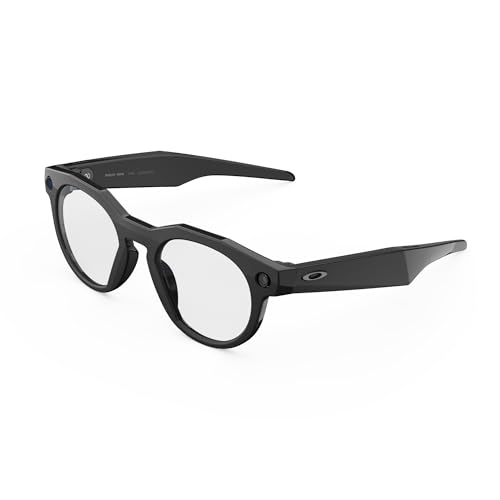
The Meta Oakley HSTN is a different category from the others — it’s not a virtual monitor, but a daily-wear smart glasses with a 12MP camera, open-ear audio, and voice-activated Meta AI. The design is genuinely discreet: the Oakley frame looks like a normal pair of sport sunglasses, and the only giveaway is the tiny camera housing on the bridge. The 32GB of onboard storage captures up to 4 hours of 3K Ultra HD video, and the hands-free “Hey Meta” activation means you can record a POV shot without touching your phone. The open-ear speakers deliver clear audio for calls and podcasts, and the 8-hour battery life with the charging case (which adds 48 more hours) means you don’t need to plug in daily.
The Prizm lenses provide excellent contrast for outdoor activities, and the Transitions option adapts to changing light conditions. Meta AI integration allows real-time queries — wind conditions on a golf course, translation, or sports scores — and the Garmin/Strava integration captures performance metrics alongside video. Privacy controls include a dedicated LED that lights up during recording and a voice disable function, though the blinking LED can be distracting in certain social settings.
The biggest limitation is that the HSTN doesn’t overlay digital content, so it’s not an AR headset in the spatial computing sense. The 53-gram frame is comfortable for all-day wear, but the sporty fit can be tight on wider faces. It’s the best choice for athletes and content creators who want camera and audio functionality without looking like a cyborg.
Why it’s great
- Discreet Oakley design with serious sports styling
- 8-hour battery plus 48-hour charging case
- Meta AI with Garmin/Strava performance integration
Good to know
- No virtual screen or AR overlay
- Sporty frame may be tight for wider faces
8. Meta Quest 3 512GB (Renewed Premium)

The Meta Quest 3 is the only true mixed-reality device on this list — it combines a fully enclosed VR headset with color passthrough cameras that let you see your room while interacting with virtual objects. The 4K+ Infinite Display delivers nearly 30% sharper resolution than the Quest 2, and the Snapdragon XR2 Gen 2 processor provides 2x the graphical performance for games like Asgard’s Wrath 2 and the upcoming Assassin’s Creed Nexus. The 512GB of storage is generous enough for a full game library, and the 8GB of RAM keeps multitasking smooth. The Touch Plus controllers ditch the tracking rings, making hand-to-hand combat in VR feel more natural.
The color passthrough is the best implementation in this price range — the dual RGB cameras produce a high-fidelity view of your room with minimal warping, allowing you to grab a drink while remaining immersed. The Quest 3 also works wirelessly with a PC via Air Link, making it a viable SteamVR headset for games that demand higher graphics.
The renewed premium unit from Amazon came in mint condition with a factory seal, but the lack of a warranty from Meta is a risk — some users report dead pixels or drifting controllers within the first month. If your primary use is gaming with some AR passthrough, the Quest 3 offers the widest library of any headset here.
Why it’s great
- Sharp 4K+ display with 2x processing power
- Color passthrough for true mixed-reality
- Massive game library with SteamVR compatibility
Good to know
- 2.2-hour battery life requires external pack
- Stock headband is uncomfortable for long sessions
9. RayNeo Air 4 Pro Batman Edition
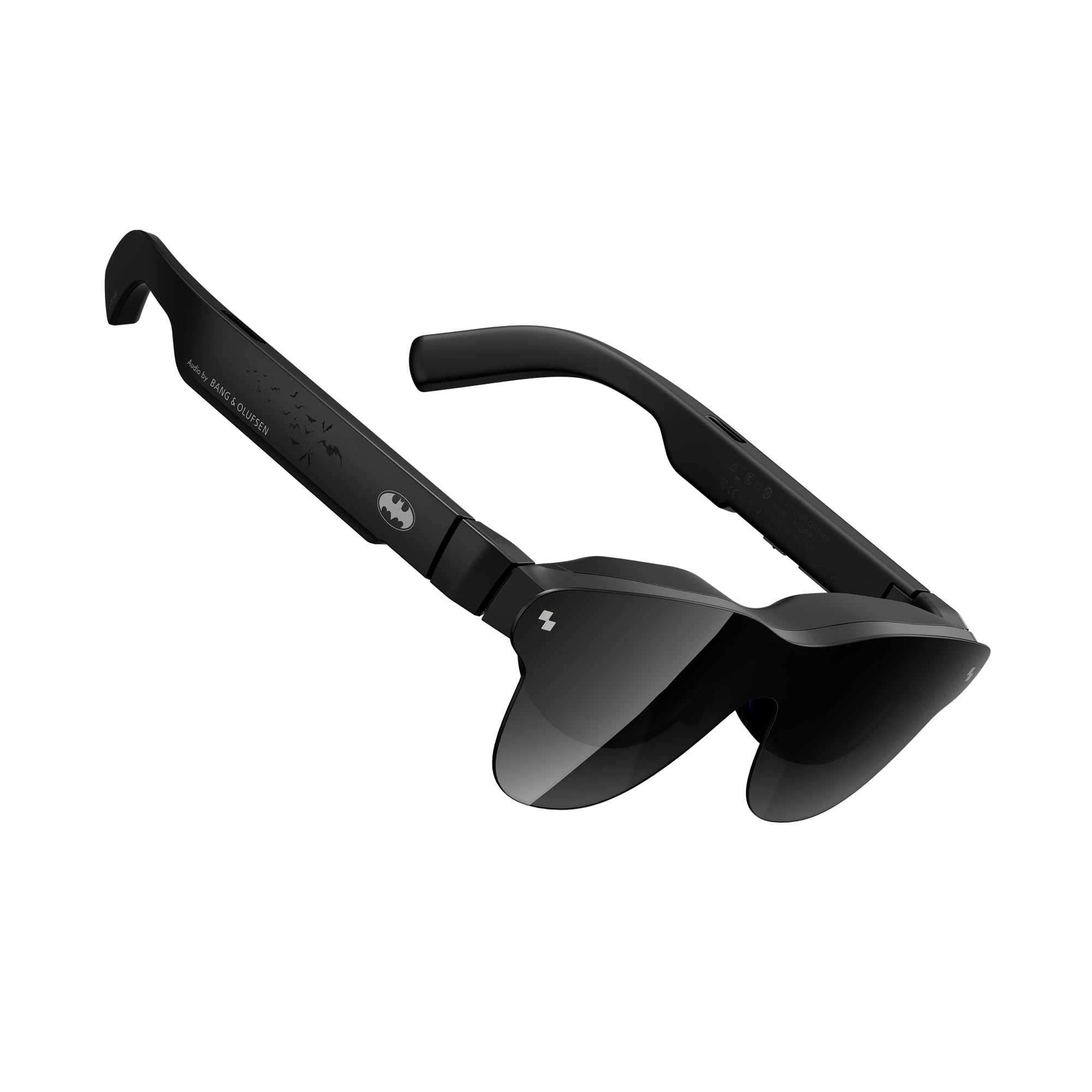
The RayNeo Air 4 Pro Batman Edition is a collector-grade AR headset that wraps a capable display in a limited-edition design with a premium vault and matte Bat Shade lens cover. Under the themed exterior, the hardware is the same as the standard RayNeo Air 4 Pro — a 120Hz LED display with 1200 nits of peak brightness and HDR10 support that makes it one of the few AR glasses capable of genuine high-dynamic-range playback. The Vision 4000 chip with AI SDR-to-HDR conversion enhances standard dynamic range content, and the 3D narrative depth feature transforms 2D movies into layered 3D experiences with better depth mapping than the TOZO VIZO Z1. The quad-speaker system co-tuned by Bang & Olufsen delivers a wide 360-degree soundstage with excellent clarity for dialogue and sound effects.
The display resolution is listed as 345×201, which is a confusing spec — the actual perceived resolution for video content is closer to 1080p per eye via the LED panel, but the formal pixel count is lower than the Micro-OLED competitors. In practice, the HDR10 performance is the standout feature: highlights in The Dark Knight punch through without blooming, and the black levels are deep enough for a convincing cinema experience. The USB-C connectivity works with iPhones, gaming consoles, and PCs, and the 120Hz refresh rate ensures smooth motion in fast-paced content.
The tinted lens creates reflections that are noticeable in bright environments, and the build quality feels slightly plasticky compared to the XREAL 1S. The lens covers are fragile and don’t snap on securely, and the included case is hard to close. This is a headset for Batman fans who also want an AR cinema device — the HDR10 capability is genuine, but the resolution and build compromise the value for non-collectors.
Why it’s great
- Genuine HDR10 with 1200 nits peak brightness
- Bang & Olufsen quad-speaker audio
- Limited-edition collector packaging and design
Good to know
- Display resolution is lower than Micro-OLED competitors
- Fragile lens covers and tinted lens reflections
10. Oculus Quest 2 256GB Set
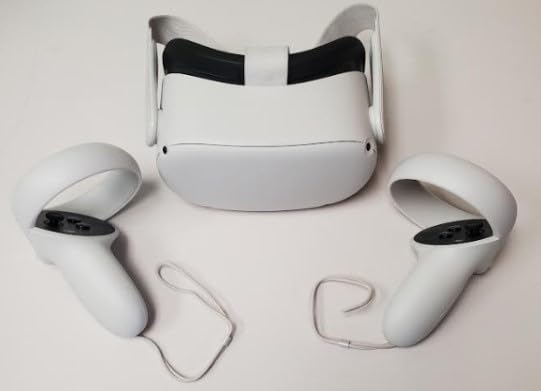
The Oculus Quest 2 remains a viable entry point into VR gaming for those who don’t need the latest graphics or mixed-reality passthrough. The 1832×1920 per-eye resolution is adequate for games like Beat Saber and Superhot, and the 90Hz refresh rate keeps motion comfortable for most users. The bundle includes anti-slip silicone controller grips and adjustable knuckle straps, which improve the feel during active gaming. The 256GB storage is generous for a game library of a dozen titles, and the Wi-Fi connectivity means you can stream from a PC via Air Link for higher-fidelity experiences.
However, the Quest 2 is a last-generation device — the single LCD panel lacks the contrast and deep blacks of the Quest 3’s OLED, and the 90Hz limit is noticeable when switching to 120Hz-capable headsets. The battery life remains around 2-3 hours, and the stock facial interface collects sweat quickly during exercise sessions. The renewed premium unit may arrive with a mix of original and third-party parts, as some customer reviews note mismatched serial numbers or non-functioning units.
For the price, the Quest 2 still provides a solid VR experience with access to Meta’s extensive app store, but the missing color passthrough and aging chipset make it a compromise. It’s best suited for a first-time VR buyer who wants to test the waters without a large investment and doesn’t plan to use AR overlays.
Why it’s great
- Budget-friendly entry to VR gaming
- 256GB storage for a sizable game library
- Wireless PC streaming via Air Link
Good to know
- LCD panel lacks OLED contrast and black levels
- Renewed units may have mismatched parts
11. HTC Vive Cosmos Elite

The HTC Vive Cosmos Elite is a PC-tethered VR system designed for players who demand the highest tracking precision. The Lighthouse 1.0 base stations cover up to 160 square feet of play space, and the dual 3.4-inch LCD panels deliver a combined 2880×1700 resolution with a 97-degree field of view — significantly wider than any glasses-style AR headset. The flip-up design lets you switch between reality and VR without removing the headset, which is convenient for demos or quick checks. The Viveport Infinity subscription provides access to hundreds of VR games, and the SteamVR compatibility means you can play the entire Steam library, including Half-Life: Alyx at full fidelity.
The LCD panels produce accurate colors with minimal screen-door effect, but the 60Hz refresh rate is a disappointment — motion in fast-paced games feels blurry compared to the 90Hz or 120Hz headsets. The weight of 12.85 pounds for the full system (including base stations) makes this a permanent setup rather than a portable device, and the front-heavy headset causes neck strain during sessions longer than an hour. The controllers feel dated compared to the Index’s knuckle design, and the IPD knob only goes down to 60mm, which excludes users with narrower faces.
The Vive Cosmos Elite is for the PC enthusiast who already has a powerful gaming rig and wants the most accurate room-scale tracking available. It’s not a headset for AR or mixed-reality — it’s a pure VR system that excels at one thing: immersive gaming with zero drift.
Why it’s great
- Lighthouse tracking is the most accurate room-scale system
- 97-degree FOV provides wide immersion
- Flip-up design for quick reality checks
Good to know
- 60Hz refresh rate causes motion blur
- Heavy setup causes neck strain over time
FAQ
Can I use AR glasses with my iPhone?
What is the difference between 3DoF and 6DoF for watching movies?
Can I wear AR glasses if I need prescription lenses?
Do AR glasses work with gaming consoles like the Nintendo Switch?
How important is brightness for AR glasses used indoors?
Final Thoughts: The Verdict
For most users, the best augmented reality headset winner is the XREAL One Pro because it combines the widest usable FOV, native 3DoF without an external puck, and the most stable spatial anchoring in a lightweight frame. If you want a headset that doubles as a bright room cinema and offers full 6DoF with hand gestures, grab the VITURE Luma Ultra. And for a self-contained ecosystem that doesn’t need a phone, nothing beats the Rokid Max2 + Station2.

Mo Maruf
I created WellFizz to bridge the gap between vague wellness advice and actionable solutions. My mission is simple: to decode the research and give you practical tools you can actually use.
Beyond the data, I am a passionate traveler. I believe that stepping away from the screen to explore new environments is essential for mental clarity and physical vitality.