Our readers keep the lights on and my smoothie glass nicely filled. As an Amazon Associate, I earn from qualifying purchases.
Apartment living means competing with a dozen other networks crammed into the same airspace, fighting for the same congested channels. A router designed for a sprawling suburban house often chokes in a 1,200-square-foot flat, dropping packets during Zoom calls and stuttering 4K streams when your neighbor fires up their own connection.
I’m Mohammad Maruf — the founder and writer behind WellFizz. My analysis of apartment-grade WiFi hardware focuses on real-world channel congestion management, mesh topology efficiency, and throughput retention at close range under multi-unit interference.
This guide cuts through the marketing noise to identify only the hardware that actually handles dense living with reliable signal and low latency. After evaluating seven top contenders against the realities of shared-wall networking, I’ve built this definitive ranking of the best apartment wifi router to match your specific space and device load.
How To Choose The Best Apartment WiFi Router
Choosing the right router for an apartment is fundamentally different from buying one for a detached house. The primary challenges are signal overlap from neighboring networks, physical barriers like concrete or steel studs, and the sheer density of connected devices in a small footprint. Here are the critical factors that matter most for apartment setups.
Coverage and Mesh vs. Single-Node Architecture
Most apartments range from 700 to 2,000 square feet. A single high-power router can often cover this area, but dense wall materials and interference from adjacent units create dead zones that a single node struggles to bridge. Mesh systems — multiple access points working as one network — solve this by placing nodes where signal naturally drops, creating seamless handoff as you move from room to room. If your apartment has a centralized layout with open doorways, a single strong router works fine. For L-shaped layouts, long hallways, or brick-and-concrete construction, a two-pack mesh is the smarter choice.
Channel Congestion and Band Management
In a multi-unit building, your router shares airspace with dozens of competing networks operating on the same 2.4 GHz and 5 GHz bands. A router with automatic channel selection and band-steering technology — such as those using Qualcomm or Broadcom chipsets — dynamically shifts your traffic to the least congested channel. Look for features like “network assist” or “auto channel optimization” in the spec sheet. Dual-band routers handle most needs, but tri-band models add a dedicated 5 GHz backhaul channel that prevents speed loss in mesh configurations.
Device Capacity and Throughput Requirements
The average apartment now holds 15 to 25 connected devices: smartphones, laptops, smart TVs, speakers, thermostats, security cameras, and gaming consoles. Each active device consumes a slice of your router’s bandwidth, and older Wi-Fi 5 routers struggle with concurrent streams. Wi-Fi 6 (802.11ax) introduces OFDMA, which splits a single channel into smaller sub-channels to handle multiple devices simultaneously without lag. If you own a single laptop and stream Netflix, AC1900 is sufficient. For 4K streaming, video calls, and gaming on multiple devices at once, invest in a Wi-Fi 6 system with at least 80-device capacity.
Port Options and Placement Flexibility
Ethernet backhaul — connecting mesh nodes via wired cable — delivers the fastest and most stable connection between nodes, but many apartments lack convenient Ethernet wiring. Look for routers with at least two gigabit Ethernet ports per node so you can hardwire a gaming console, desktop PC, or TV. Additionally, a USB port (USB 3.0 preferred) allows you to share a printer or external drive across the network. For renters who cannot mount hardware, consider the physical footprint and whether the unit sits unobtrusively on a shelf or desk.
Quick Comparison
On smaller screens, swipe sideways to see the full table.
| Model | Category | Best For | Key Spec | Amazon |
|---|---|---|---|---|
| TP-Link Deco S4 (2-Pack) | Mesh System | Coverage & Value | 3,800 sq. ft. coverage, AC1900 | Amazon |
| Amazon eero 6 (1-Pack) | Mesh System | Wi-Fi 6 & Alexa Hub | 900 Mbps, 1,500 sq. ft., Zigbee | Amazon |
| NETGEAR Nighthawk RS140 | Single Router | Raw Speed & Gaming | 5.0 Gbps, 2,250 sq. ft., Wi-Fi 7 | Amazon |
| TP-Link Archer A7 (AC1750) | Single Router | Budget & Simplicity | AC1750, 2,500 sq. ft., Qualcomm | Amazon |
| Google WiFi System (1-Pack) | Mesh System | Ease of Use & Reliability | 1,500 sq. ft., AC1200 mesh | Amazon |
| Davolink Minions Bob | Mesh Router | Wi-Fi 6 & PCVR Gaming | 1.8 Gbps, tri-band, WPA3 | Amazon |
| GL.iNet Beryl 7 (MT3600BE) | Travel Router | Portable VPN & Security | Wi-Fi 7, 2.5G Ethernet, VPN | Amazon |
In‑Depth Reviews
1. TP-Link Deco S4 Whole Home Mesh WiFi System (2-Pack)

The Deco S4 represents the sweet spot for apartment dwellers: a two-node mesh system rated for 3,800 square feet that typically covers even the most awkwardly shaped unit with zero dead zones. Each node packs three spatial streams (3×3) running AC1900 speeds, which is more than enough for 4K streaming, video conferencing, and online gaming across up to 75 simultaneous devices.
Setup takes about 12 minutes through the Deco app, and the system supports wired Ethernet backhaul if you can run a cable between nodes — ideal for fiber or cable plans above 500 Mbps. The seamless roaming means your phone stays connected to the same network name as you walk from the living room to the bedroom, without the drop-and-reconnect hiccup that plagues range extenders. Real-world user reports show consistent signal strength through brick walls and plaster, with speeds holding above 450 Mbps near a node and 220 Mbps at the far corner of a 1,700-square-foot unit.
Where the S4 compromises is the lack of a dedicated backhaul radio, which means your tri-band competitor units will eke out slightly faster speeds between nodes over wireless. The 2-pack also ships with only two gigabit ports per node — enough for the average desk, but you may need a small switch if you have multiple wired devices. For the price-to-coverage ratio in an apartment, though, this is the most reliable mesh on the list.
Why it’s great
- Exceptional 3,800 sq. ft. coverage from two small nodes
- Intuitive app with robust parental controls and guest WiFi
- Seamless roaming with no signal handoff delay
Good to know
- No dedicated wireless backhaul channel
- Only two Ethernet ports per node
2. Amazon eero 6 mesh wifi router (1-Pack)

The eero 6 brings Wi-Fi 6 technology to your apartment without the usual complexity. This single unit covers up to 1,500 square feet — perfect for a one-bedroom or studio — and supports wired speeds up to 900 Mbps, which covers most fiber and cable internet plans. The TrueMesh software intelligently routes traffic around interference, and it supports up to 75 devices simultaneously thanks to OFDMA and 1024-QAM modulation.
What sets the eero 6 apart from other mesh systems is the built-in Zigbee smart home hub, which eliminates the need for a separate hub to control Zigbee-compatible lights, sensors, and locks. If your apartment is already stocked with smart bulbs or a smart lock, this single device consolidates two boxes into one. The setup takes less than 10 minutes via the eero app, and the unit receives automatic firmware updates that improve performance over time.
The biggest limitation is coverage: that 1,500-square-foot rating is a bit optimistic for a single unit in a concrete-walled apartment. In practice, you might see 1,200 square feet of usable range, and if your apartment spans two floors or has a long hallway, you will want to add a second eero. It also lacks a USB port for printer or drive sharing, and the app-centric management may frustrate users who prefer a browser interface. For Alexa users and smart-home enthusiasts in a compact space, the eero 6 is the most integrated option.
Why it’s great
- Built-in Zigbee hub saves a separate device
- TrueMesh reduces buffering in congested buildings
- Wi-Fi 6 supports 75+ devices with OFDMA efficiency
Good to know
- Single unit coverage limited in dense construction
- No USB port for attached storage
3. NETGEAR Nighthawk Dual-Band WiFi 7 Router (RS140)

The RS140 is NETGEAR’s latest foray into Wi-Fi 7, delivering aggregate speeds up to 5.0 Gbps over dual-band BE5000. That raw throughput is overkill for most apartment internet plans, but it provides future-proofing for 2-gig fiber deployments and ensures zero bottleneck even during heavy simultaneous use — think 4K streaming on three TVs, a gaming console, and two video calls running at once.
Coverage is rated at 2,250 square feet, which comfortably handles a two-bedroom unit with some spillover. The high-performance internal antennas and beamforming technology help punch through shared walls, and the 2.5-gig WAN port accepts multi-gig internet from the latest cable and fiber modems. Setup is handled through the Nighthawk app, which walks you through network naming, password creation, and device management in under 5 minutes.
The trade-off is that the RS140 is a single-point router — no mesh expansion available within this model line. If your apartment has a dead zone in the back bedroom, you will need to buy a separate extender. It also lacks a built-in modem, so you need a separate cable modem if your ISP does not provide one. At 2,250 square feet, the coverage profile is generous, but for long, narrow apartment layouts, a mesh system might still serve you better.
Why it’s great
- Wi-Fi 7 with 5.0 Gbps throughput handles future ISP speeds
- 2.5-gig WAN port for multi-gig fiber connections
- Beamforming and high-gain antennas penetrate dense walls
Good to know
- Single-node only; no mesh expansion within series
- Requires separate modem for cable internet
4. TP-Link Archer AC1750 WiFi Router (A7)

The Archer A7 is proof that you do not need to spend a premium for reliable apartment coverage. Powered by a Qualcomm CPU and rated AC1750 (450 Mbps + 1,300 Mbps), this single router covers up to 2,500 square feet with decent signal penetration through standard drywall. It supports up to 15-20 simultaneous devices comfortably — perfect for a couple or small family with several smartphones, laptops, and a smart TV.
The web interface is clean and responsive, and the Tether app provides mobile management for guest networks, parental controls, and QoS prioritization. Users consistently report 350-380 Mbps down over WiFi in a 1,700-square-foot home, with speeds dropping only to 250-300 Mbps at the far end. The three external fixed antennas provide better spatial diversity than internal-antenna competitors in the same price tier, and the 2-year warranty from TP-Link adds peace of mind.
Where the A7 shows its age is the lack of Wi-Fi 6 compatibility — it runs Wi-Fi 5 (802.11ac), which means it lacks OFDMA for handling dozens of devices at once. If your apartment holds more than 20 active devices or you plan to upgrade to multi-gig fiber, you will hit the ceiling fairly quickly. The USB 2.0 port is also slow for file sharing. For a straightforward, affordable router that just works, the Archer A7 is the entry-level champion.
Why it’s great
- Excellent value-to-coverage ratio for small apartments
- Qualcomm processor delivers stable, consistent throughput
- Simple web and app interface with QoS controls
Good to know
- Wi-Fi 5 only; no OFDMA for heavy concurrent usage
- USB 2.0 port is too slow for modern file sharing
5. Google WiFi System, 1-Pack (NLS-1304-25)

Google WiFi remains one of the most user-friendly mesh systems on the market, even years after its initial release. The single point covers 1,500 square feet and supports up to 1.2 Gbps throughput (AC1200 dual-band), which is sufficient for most apartment internet plans up to 500 Mbps. The intelligent network assist technology automatically selects the least congested channel and band for each device, which is critical in multi-unit buildings where the 2.4 GHz band is cluttered with competing networks.
Setup takes less than 10 minutes using the Google Home app, and the system allows you to add additional points seamlessly if your coverage needs expand. Users in 1,200-square-foot apartments with thick walls report strong signal throughout, with speeds exceeding 70 Mbps on a 60 Mbps plan — no dead spots, no buffering during 4K streaming. The app provides simple device prioritization and the ability to pause WiFi for specific devices, making it a solid choice for families with kids.
The caveats are performance and configurability. The two internal antennas are adequate but not spectacular for long-range penetration, and the lack of dedicated backhaul means speeds can drop between nodes if you add a second point without Ethernet cabling. Advanced users will miss the ability to configure VLANs, firewall rules, or DMZ. If you want a set-and-forget system that prioritizes simplicity over tweakability, Google WiFi delivers exactly that.
Why it’s great
- Extremely simple app-based setup and management
- Network assist auto-selects clearest channels in congested buildings
- Expandable mesh with added points for larger units
Good to know
- Limited advanced configuration options
- No dedicated wireless backhaul channel
6. Davolink Minions Series WiFi 6 Router (Bob)

The Davolink Minions Bob is a Wi-Fi 6 router that disguises its serious hardware inside a whimsical Minion design — but do not let the cute yellow exterior fool you. It delivers dual-band speeds up to 1.8 Gbps (573 Mbps on 2.4 GHz + 1.2 Gbps on 5 GHz) and supports up to 100 connected devices simultaneously, thanks to 2×2 MIMO, OFDMA, and 1024-QAM. The WPA3 encryption provides enterprise-grade security that protects your network against brute-force attacks common in shared apartment environments.
One of the most surprising strengths is its performance as a dedicated wireless PCVR router. Users report approximately 35ms latency on a Quest 3 via Virtual Desktop over the 6GHz band on the Kevin model, with the Bob model performing similarly for standard gaming. The mesh functionality supports wireless bridging to eliminate dead zones without running Ethernet cables, and the tri-band architecture (on the Kevin model) includes a dedicated backhaul band that keeps node-to-node speeds high.
Setup is handled through the Davolink app, but the initial auto-update process has caused occasional reboot loops for some users — a frustrating experience that required customer service intervention to disable automatic firmware updates. The plastic build feels light, and the novelty design might not match every apartment aesthetic. If you want a conversation piece that doubles as a capable Wi-Fi 6 router for gaming and streaming, the Minions Bob is a unique performer.
Why it’s great
- Tri-band Wi-Fi 6 with dedicated backhaul for mesh performance
- Supports up to 100 devices with OFDMA and MIMO
- Excellent low-latency performance for wireless VR gaming
Good to know
- Auto-update can cause temporary reboot loops
- Novelty design may not suit every decor
7. GL.iNet GL-MT3600BE (Beryl 7) Travel Router
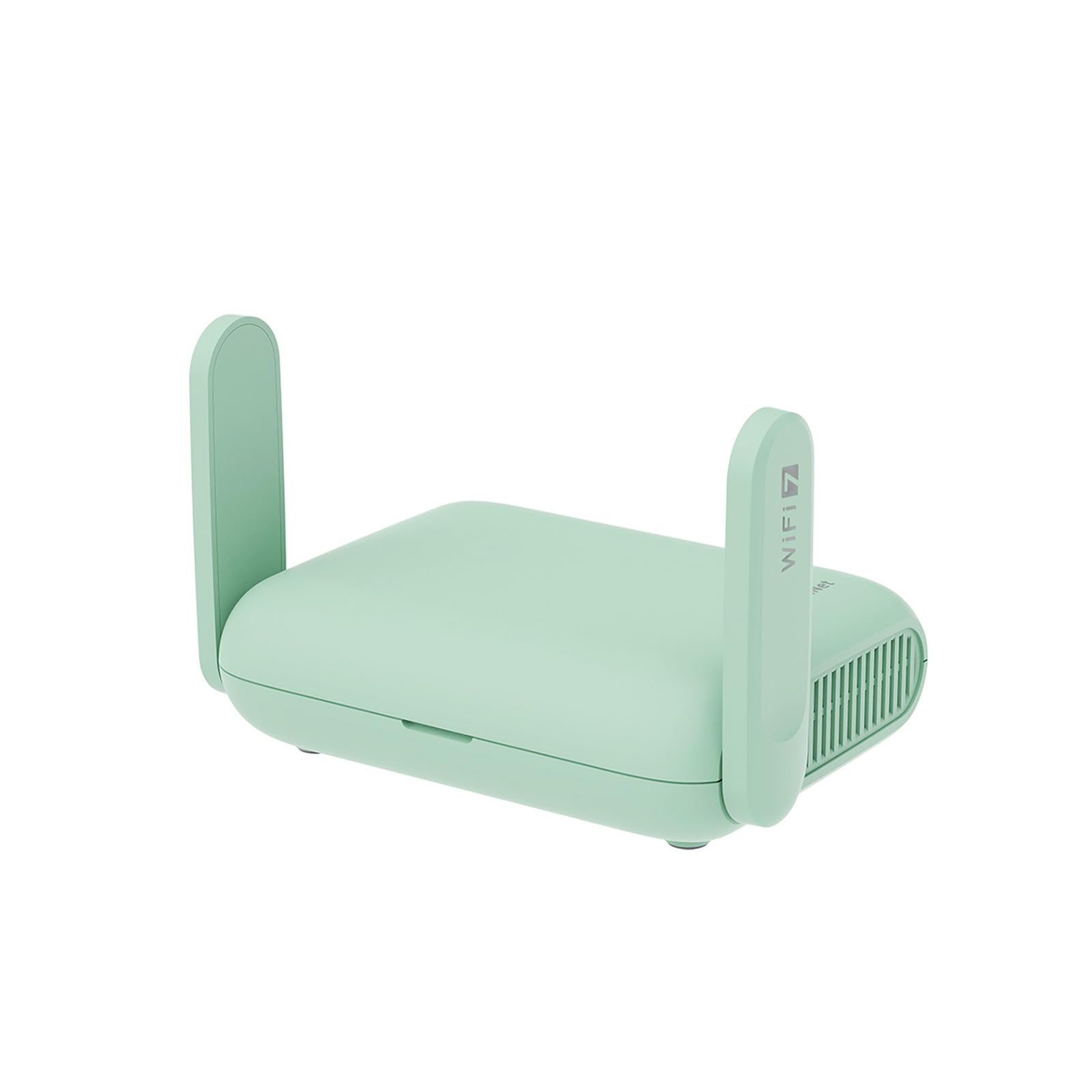
The GL.iNet Beryl 7 is a pocket-sized Wi-Fi 7 travel router that punches far above its physical dimensions. It delivers dual-band speeds of 688 Mbps (2.4 GHz) + 2,882 Mbps (5 GHz) for a total of 3.6 Gbps aggregate, supports up to 120 devices, and includes dual 2.5-gigabit Ethernet ports — a truly rare feature for a router this small. The OpenWrt 21.02 firmware gives you root-level control, letting you install custom plugins like AdGuard Home for whole-network ad blocking.
VPN performance is the headline feature: the Beryl 7 handles WireGuard at up to 1.1 Gbps and OpenVPN at up to 1 Gbps, which is significantly faster than most home routers that bottleneck at 200-400 Mbps over VPN. When you connect to public WiFi in your apartment building’s common area or a co-working space, the device encrypts all traffic from your connected phones and laptops through a single VPN session. The physical toggle switch lets you enable or disable the VPN client without logging into the admin panel.
The trade-offs are coverage — this is not a whole-home mesh system. You get perhaps 800-1,000 square feet of reliable range from its internal antennas, which is fine for a studio or small one-bedroom but insufficient for a 2,000-square-foot unit without adding a separate access point. It also lacks a built-in modem, so it must be connected to your existing modem or upstream router. If your primary need is secure, high-speed VPN access in a compact apartment, the Beryl 7 is uniquely capable.
Why it’s great
- Wi-Fi 7 with dual 2.5G Ethernet ports in a pocket form factor
- VPN speeds up to 1.1 Gbps WireGuard for encrypted traffic
- OpenWrt firmware allows advanced plugin customization
Good to know
- Limited wireless range compared to home mesh systems
- Requires existing modem or upstream router for internet
FAQ
Will a mesh system improve my WiFi if my apartment has thin walls?
How do I know if I need Wi-Fi 6 for my apartment?
Should I get a router with a separate modem or a combined gateway unit?
Final Thoughts: The Verdict
For most users, the best apartment wifi router winner is the TP-Link Deco S4 (2-Pack) because it delivers full-coverage mesh performance at a cost that undercuts most single-node routers. If you want Wi-Fi 6 with a built-in smart home hub, grab the Amazon eero 6. And for raw Wi-Fi 7 speed and future-proofing in a larger apartment, nothing beats the NETGEAR Nighthawk RS140.

Mo Maruf
I created WellFizz to bridge the gap between vague wellness advice and actionable solutions. My mission is simple: to decode the research and give you practical tools you can actually use.
Beyond the data, I am a passionate traveler. I believe that stepping away from the screen to explore new environments is essential for mental clarity and physical vitality.