Our readers keep the lights on and my smoothie glass nicely filled. As an Amazon Associate, I earn from qualifying purchases.
An air mouse claims to free your hand from the desk, but the real test is whether the cursor settles the instant you stop moving or continues to drift as if powered by its own restless intent. A gyroscope that fails to calibrate mid-sentence will turn a living room media session or a conference room pitch into a game of chase-the-pointer. The right unit locks in immediately, offering precise, latency-free cursor control that mimics the muscle memory of a traditional mouse without requiring a flat surface.
I’m Mohammad Maruf — the founder and writer behind WellFizz. I specialize in decoding the engineering that separates the hardware that merely functions from the hardware that truly performs, analyzing gyroscopic sensitivity, polling rates, and IR learning chipset compatibility across dozens of consumer input devices.
After comparing the top models based on gyroscopic stability, build materials, connectivity redundancy, and real-world input lag, I’ve assembled the definitive resource for choosing the best air mouse for home theater systems, professional presentations, and hybrid media environments.
How To Choose The Best Air Mouse
Not all gyroscopic sensors are tuned to the same sensitivity. A cheap air mouse may register hand tremor as cursor movement, making fine targeting on a 65-inch screen feel like you are fighting the pointer. Laggards in the sub- zone often use two-axis gyro modules that cannot distinguish between a deliberate slow pan and an accidental wrist drop, leading to unpredictable cursor drift.
Gyro Axis Count and Sensitivity Tuning
Six-axis gyro sensors (3 gyro + 3 accelerometer) are the minimum for usable cursor stabilization. The best units offer adjustable DPI or pointer speed settings that let you dial in the response curve. Without this, the cursor may overshoot small buttons or fail to register subtle movements needed for slide navigation.
Connectivity Redundancy: RF vs Bluetooth vs IR
Dual-connectivity (2.4GHz RF plus Bluetooth) gives you a fallback if the USB dongle is lost or if your device lacks a USB-A port. IR learning is a separate channel that lets the remote memorize TV power, volume, and input commands — essential if you want a single remote to control both your Android TV box and your television. A unit with only RF and no IR pass-through will leave you juggling two remotes.
Keyboard Layout and Backlight Behavior
A compact QWERTY keyboard is nearly mandatory for HTPC users who search for content by typing. Look for double-sided backlighting that illuminates only the active side, paired with an auto-off timer of 5 seconds to save battery. Splotchy backlight panels or single-side-only illumination reduce legibility in dark rooms.
Quick Comparison
On smaller screens, swipe sideways to see the full table.
| Model | Category | Best For | Key Spec | Amazon |
|---|---|---|---|---|
| Pepper Jobs W10 GYRO | Premium Remote | Win 10/11 HTPC power user | 6-axis gyro, double-sided backlit QWERTY | Amazon |
| GUVOHUT D13PRO-T | Premium Presenter | Professional presentations + media | Bluetooth/RF hybrid, touchpad, 0.78 oz | Amazon |
| TITIANCOOL RCRF-009 | USB-C Presenter | Modern laptops with only USB-C | Dual USB-A/C receiver, rechargeable, 56 ft | Amazon |
| Dupad story MX3 Pro | Voice Remote | Android TV box with voice search | 2.4GHz + IR learning, 38-key QWERTY | Amazon |
| ELISWEEN Air Mouse | Simple Clicker | Budget slide advancer with cursor | 2.4GHz RF, red laser, up to 165 ft range | Amazon |
In‑Depth Reviews
1. Pepper Jobs W10 GYRO

The Pepper Jobs W10 GYRO is the only air mouse on this list designed specifically around the hotkeys and navigation patterns of Windows 10 and 11. Its six-axis gyro delivers a stable cursor with no noticeable drift — multiple user reports confirm that once you stop moving the remote, the pointer freezes instantly, unlike cheaper units that continue to wander. The double-sided backlighting illuminates only the active side (keyboard or remote controls) and auto-turns off after five seconds, preserving battery life during extended home theater sessions.
The physical layout includes dedicated Windows keys, a task manager shortcut, and media transport controls. A mode switch toggles between Win and TV profiles, keeping key mappings independent so you don’t accidentally close a movie when you meant to raise the volume.
Some users report that the sensor-based auto-detection for side orientation can be annoying when using the remote from a lying-down position — the mouse may disengage if it thinks you’ve flipped the remote. Additionally, there is no scroll wheel or F-keys row, and a small number of units showed key double-click behavior after roughly six months of daily use. The AAA battery power source means no internal battery degradation over time, though the dongle cannot be stored inside the remote while batteries are installed.
Why it’s great
- Stable six-axis gyro with zero cursor drift on pause
- 34-key IR learning — the most extensive learning library in this class
- Double-sided backlight with smart sensor and auto-off timer
Good to know
- No scroll wheel or F1-F12 function keys
- Side-orientation sensor can misinterpret angles from a reclined position
- Some reports of key chattering after extended heavy use
2. GUVOHUT D13PRO-T
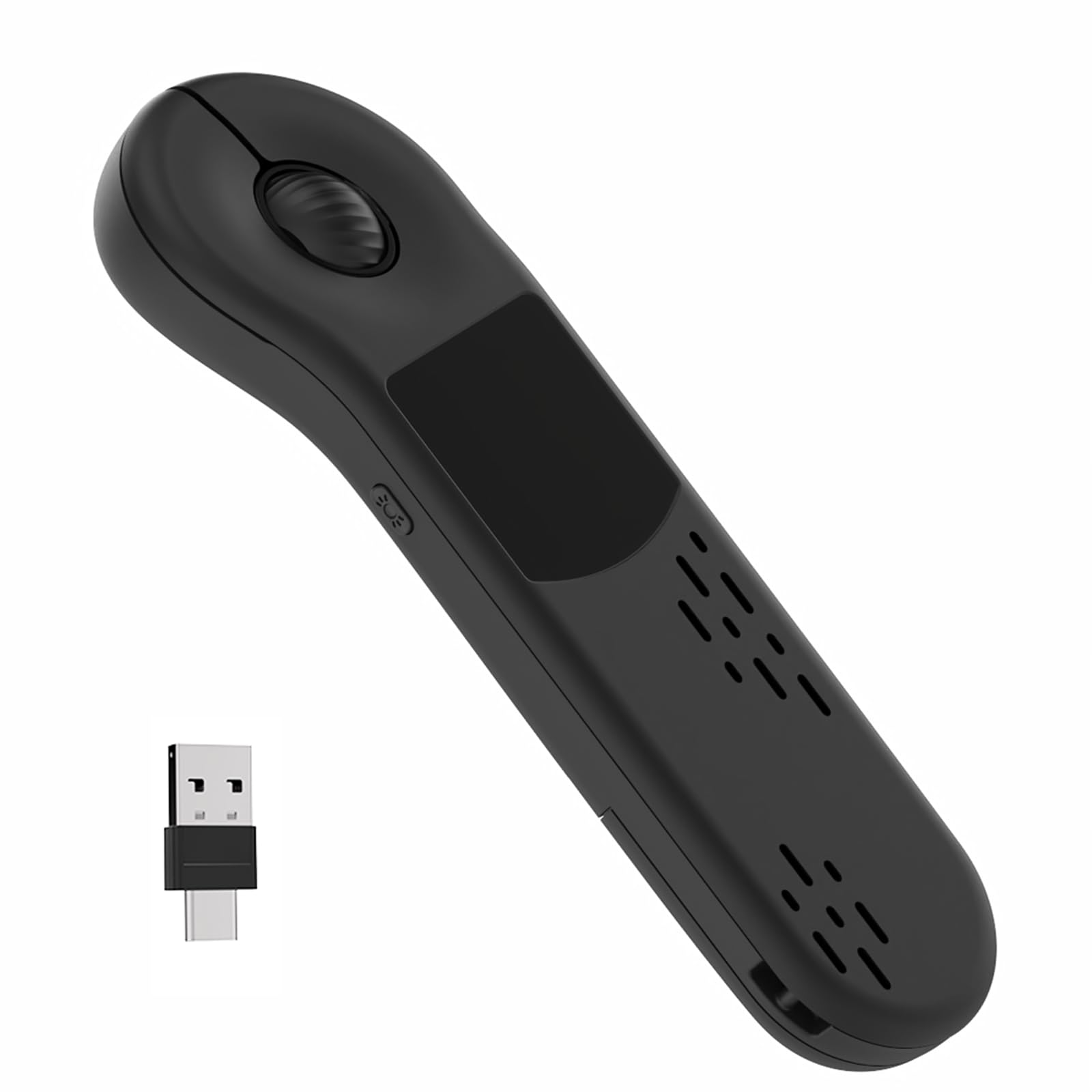
The GUVOHUT D13PRO-T is the lightest air mouse in this lineup at just 0.78 ounces, making it ideal for presenters who hold the remote for extended periods without forearm fatigue. It uses a dual Bluetooth and 2.4GHz RF connection, giving users a fallback if the USB dongle is misplaced — a rarity at this feature level. The built-in touchpad supports both cursor control and page scrolling, and the unit includes a bright laser pointer that remains visible on most backgrounds.
Compatibility extends beyond standard PC presentation software to include TikTok, Kindle, and camera shutter control via Bluetooth, making this a genuinely multi-scenario device. The rechargeable battery charges in about 90 minutes and is rated for more than 500 cycles. Teachers and lecturers specifically praised the instant plug-and-play setup with PowerPoint and Keynote, allowing them to walk the classroom while controlling slides.
The tradeoff is that the touchpad can feel slightly glitchy compared to dedicated gyro-only remotes, and some users reported the connection not being as smooth as they expected for high-precision tasks like fine text selection. The unit requires a USB dongle for the RF mode, which means it won’t pair with a phone over Bluetooth while the phone is tethered to XR glasses. Still, for the combination of weight, connectivity options, and broad app support, it stands out.
Why it’s great
- Under 1 ounce — the lightest air mouse in the roundup
- Bluetooth and 2.4GHz dual connectivity for maximum device flexibility
- Works with TikTok, Kindle, camera apps, and presentation software
Good to know
- Touchpad can feel glitchy during precise cursor targeting
- RF mode requires USB dongle, limiting phone use when peripherals are attached
- Four-button layout may feel limited for advanced media shortcuts
3. TITIANCOOL RCRF-009
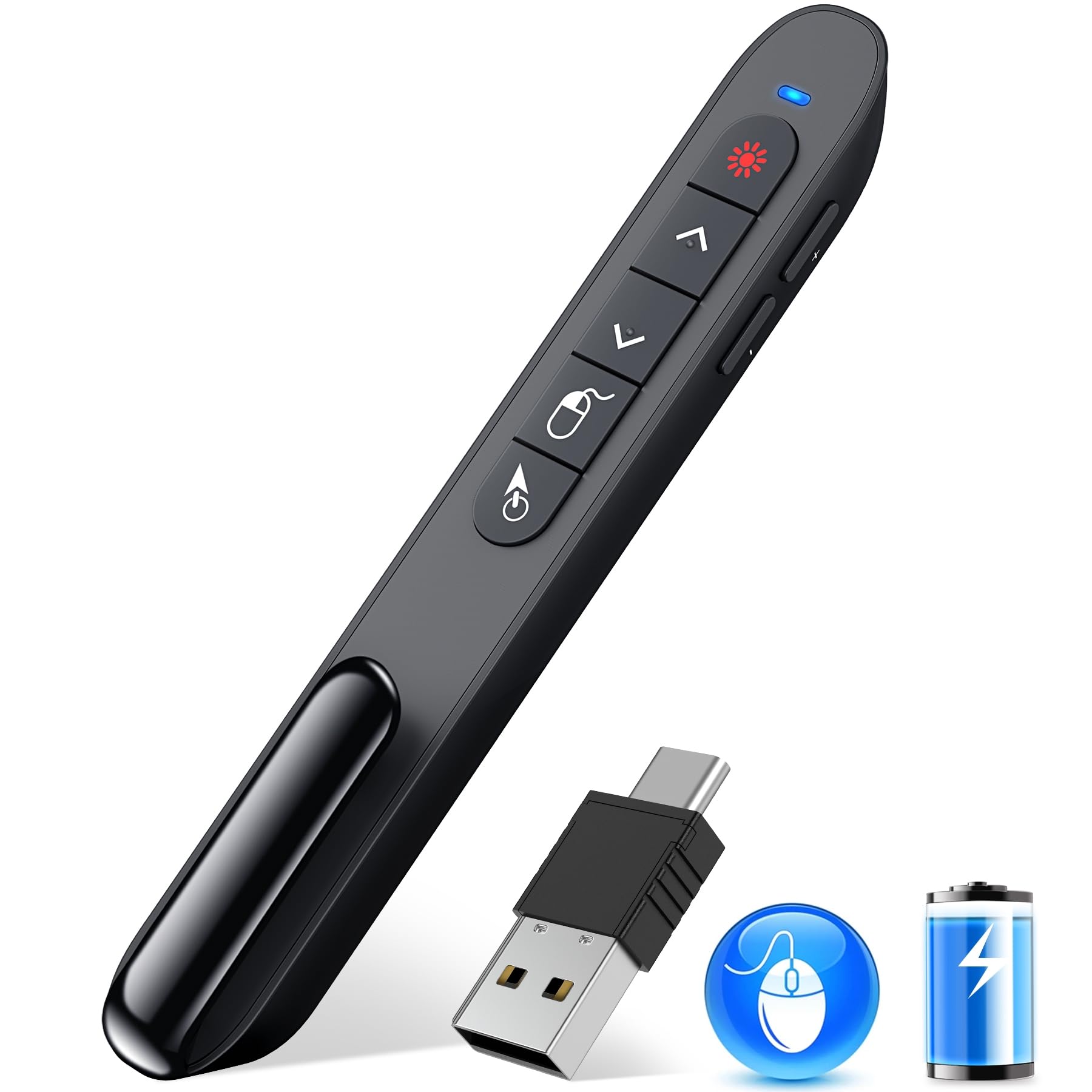
The TITIANCOOL RCRF-009 solves a specific frustration: modern ultrabooks that only have USB-C ports. Its receiver features a dual USB-A/USB-C head, so you can plug directly into a MacBook Air or Surface Pro without an adapter. The magnetic storage slot on the back of the remote holds the receiver securely — a small but critical detail that prevents dongle loss between meeting rooms. The air mouse range extends to 56 feet, and the red laser pointer reaches up to 656 feet, making this suitable for large auditoriums.
The 300 mAh rechargeable battery provides weeks of typical use on a two-hour charge, and the unit has a sleep mode that engages after a period of inactivity. Bumped button designs allow tactile navigation without looking down, which is helpful when you are mid-sentence in a presentation. Users also noted the quiet rubber buttons, which avoid the distracting click sound common in cheaper presenters.
Setup on Windows is truly plug-and-play, but Mac users may need to spend a few minutes in the Bluetooth or input settings to get the air mouse recognized. The air mouse cursor takes some practice to master, and a few users found it less intuitive than dedicated gyro remotes from higher price tiers. The included user manual could be clearer, especially for pairing the receiver with non-Windows systems.
Why it’s great
- Unique USB-A and USB-C dual receiver — no adapter needed for modern laptops
- Magnetic dongle storage integrated into the remote body
- Quiet rubber buttons with bumped profiles for eyes-free operation
Good to know
- Air mouse cursor requires practice to control smoothly
- Mac setup is not as seamless as Windows plug-and-play
- Manual is sparse on multi-platform pairing instructions
4. Dupad story MX3 Pro

The Dupad story MX3 Pro is the most feature-dense air mouse at its price point, packing a 38-key QWERTY keyboard, six-axis gyro, IR learning, and a built-in microphone for voice-to-text input. The voice search works within compatible apps — it is not a system-wide assistant like Alexa, but it handles text entry in search boxes effectively. The double-sided backlight design illuminates the keyboard or the remote controls depending on which side is facing up, and the LED is noticeably whiter and more legible than older MX3 revisions.
IR learning covers five programmable keys, enough to capture power, volume, input, and a couple of channel controls from most TVs. Users reported successful IR learning with LG and Sony TVs from the mid-2010s. The air mouse speed adjustment offers three clearly distinct levels, allowing you to slow the cursor for precise targeting or speed it up for rapid navigation. The remote ditches the annoying mode-toggling between IR and RF buttons — both types work simultaneously, a major usability upgrade over earlier MX3 versions.
Compatibility is the MX3 Pro’s Achilles heel. It is explicitly incompatible with most Samsung, Sony, LG, TCL, and Roku smart TVs — it is designed for Android TV boxes, HTPCs, and projectors. Some users with NVidia Shield units reported erratic cursor jumping and flimsy arrow keys that registered presses only 40-50% of the time. The keyboard uses multi-key combinations for numbers (ESC+Q for 1), which is not intuitive. Additionally, the keyboard itself is not backlit, only the top control panel side, making dark-room typing difficult.
Why it’s great
- Built-in voice search microphone for hands-free text entry
- Three-level air mouse speed adjustment for precise cursor control
- Simultaneous IR and RF operation without mode switching
Good to know
- Not compatible with branded smart TVs — designed for Android TV boxes only
- Keyboard uses ESC+Q style multi-key combos for numbers, not dedicated keys
- Keyboard side lacks backlighting, reducing usability in dark home theaters
5. ELISWEEN Air Mouse

The ELISWEEN Air Mouse strips the feature set down to essentials: slide forward/back, a red laser pointer, and a basic air mouse cursor for spontaneous on-screen pointing. It is designed as a presentation tool first, with an intuitive two-button layout that does not require you to look down. The claimed wireless range of 165 feet and laser range of 328 feet are generous for conference rooms, and the unit is genuinely plug-and-play across Windows, Mac, Linux, and Android — no drivers needed.
Initial user reports confirm that the remote works perfectly for slide advancement and basic cursor control after a quick five-minute setup. The ergonomic body is comfortable to hold for the duration of a standard lecture or meeting, and the build quality feels consistent with its price. For presenters who need only to advance slides and occasionally highlight a graph, this unit eliminates the complexity of multi-key remotes.
The major limitation is the air mouse lag. Multiple users report that the cursor has a noticeable delay, requiring excessive hand waving to move the pointer across the screen. The red laser is effectively invisible on LED screens and projector backgrounds, making its primary function useless in modern classrooms. The battery cover pops off easily if dropped, and there is no pocket clip or dongle storage. For any scenario requiring precise cursor targeting or frequent use, the lag makes the air mouse function more frustrating than helpful.
Why it’s great
- Simple two-button layout for distraction-free slide control
- Plug-and-play across Windows, Mac, Linux, and Android
- Long 165-foot RF range for large auditoriums
Good to know
- Air mouse has noticeable lag, making precise cursor targeting difficult
- Red laser is invisible on LED screens and most projection surfaces
- Battery cover pops off easily; no dongle storage or pocket clip included
FAQ
Why does my air mouse cursor drift when I stop moving my hand?
Can I use an air mouse with a Samsung or Sony smart TV directly?
What is the practical difference between 2.4GHz RF and Bluetooth for an air mouse?
Final Thoughts: The Verdict
For most users, the best air mouse winner is the Pepper Jobs W10 GYRO because its six-axis gyro delivers zero-drift cursor control, it has the deepest IR learning library in this class, and its double-sided backlight is purpose-built for dark home theater use. If you need a featherlight presenter for cross-platform slide control plus TikTok and Kindle navigation, grab the GUVOHUT D13PRO-T. And for modern laptop users who need a USB-C receiver and prefer a rechargeable battery over AAA cells, the TITIANCOOL RCRF-009 offers the best balance of portability and feature density.

Mo Maruf
I created WellFizz to bridge the gap between vague wellness advice and actionable solutions. My mission is simple: to decode the research and give you practical tools you can actually use.
Beyond the data, I am a passionate traveler. I believe that stepping away from the screen to explore new environments is essential for mental clarity and physical vitality.