Our readers keep the lights on and my smoothie glass nicely filled. As an Amazon Associate, I earn from qualifying purchases.
A TV wall mount is one of those rare upgrades that permanently improves your line of sight — but the wrong choice leaves your screen sagging, your studs mismatched, or your cables impossible to reach. The difference between a clean, stable install and a frustrating afternoon is almost always the mount’s arm design, tilt range, and how it handles your specific VESA pattern.
I’m Mohammad Maruf — the founder and writer behind WellFizz. I study engineering specs, real-world installation feedback, and material tolerances across hundreds of consumer-wall-mount models to separate the solid builds from the flimsy brackets.
The right mount hides behind a low profile and a few simple degrees of motion. Whether you are mounting a bedroom 55-inch or a living-room 75-inch, picking from the best affordable tv wall mount options means choosing a bracket that matches your stud spacing, screen weight, and desired flexibility without overpaying for features you will never use.
How To Choose The Best Affordable TV Wall Mount
Selecting a wall mount in this price range means balancing weight capacity, articulation, and installation simplicity. Most buyers focus on screen size first, but your wall’s stud spacing and your TV’s VESA pattern are the real gatekeepers — ignore them and even a premium mount becomes useless.
VESA Pattern & Weight Capacity
The mounting-hole pattern on the back of your TV, measured in millimeters (e.g., 200×200, 400×400), must match the mount’s VESA range. A mount rated for 400×400 but listed for 99 pounds will not safely hold a 70-inch TV if that TV weighs 105 pounds. Always check the weight column — not the screen-size range — because two 55-inch TVs can differ by 20 pounds.
Arm Type: Tilt, Full Motion, or Low Profile
Low-profile mounts (approximately 1.5 inches from the wall) save space but make rear ports hard to reach. Tilt mounts (8 to 15 degrees) reduce glare from overhead lights and are ideal for bedrooms. Full-motion mounts with articulating arms let you swivel the screen toward different seating areas and extend it for easier cable access — but they require more wall space and deeper clearance.
Quick Comparison
On smaller screens, swipe sideways to see the full table.
| Model | Category | Best For | Key Spec | Amazon |
|---|---|---|---|---|
| Mounting Dream MD2268-LK | Tilt | Low-profile glare reduction | 8° tilt, 1.5″ profile, 132 lbs | Amazon |
| USX MOUNT XMM908 | Full Motion | Dual-arm swivel & extension | 13.89″ extension, 99 lbs | Amazon |
| Pipishell PIMF7 | Full Motion | Single-stud corner mounting | 17″ extension, 77 lbs, 33% thicker arms | Amazon |
| Pipishell PILFK1 | Full Motion | Large screens up to 132 lbs | 14.84″ extension, 600×400 VESA | Amazon |
| Mounting Dream MD2380 | Full Motion | Six-arm stability for mid-size TVs | 17.5″ extension, 6 articulating arms | Amazon |
In‑Depth Reviews
1. Mounting Dream MD2268-LK
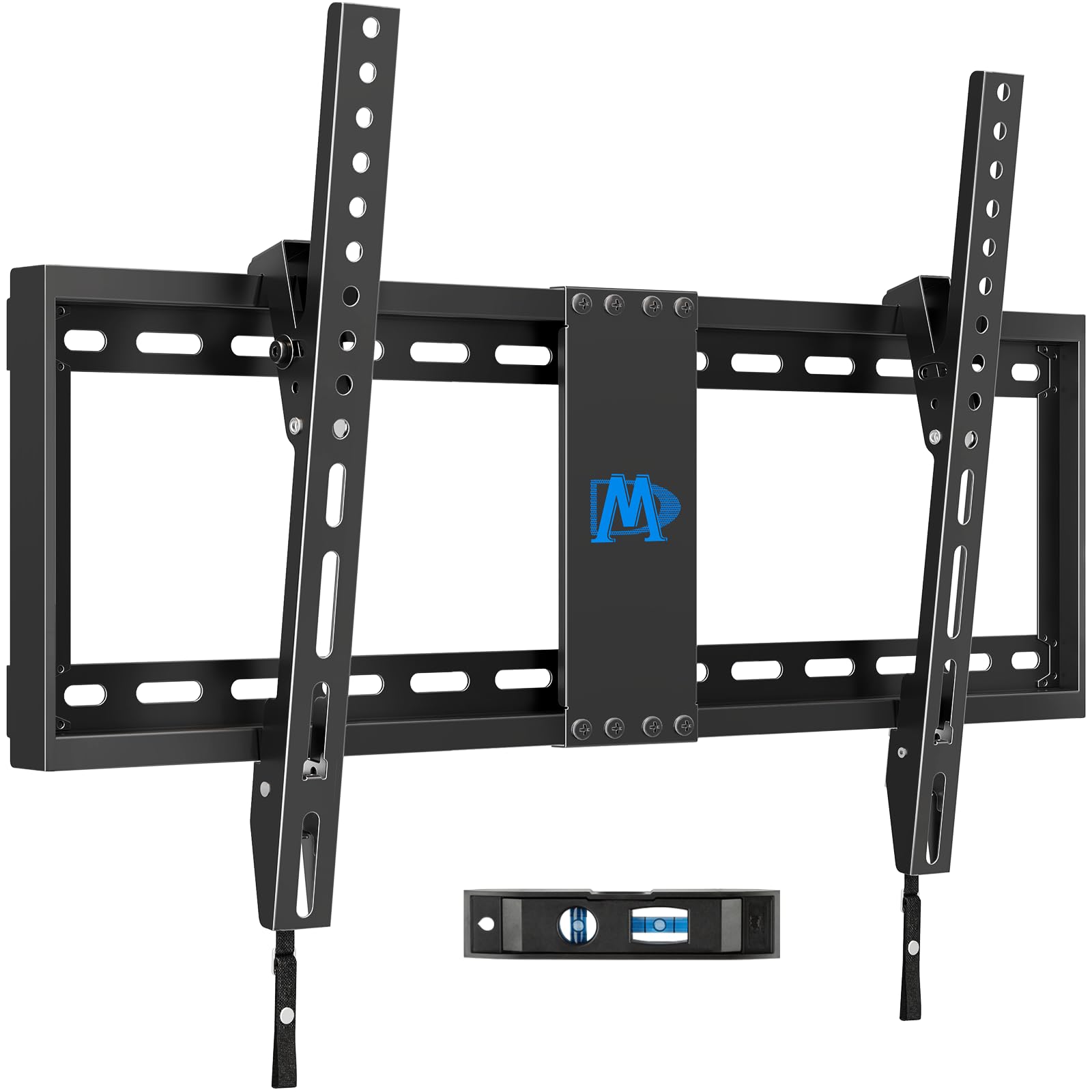
This low-profile tilt mount sits just 1.5 inches from the wall, making it one of the space-slimmest options in the affordable category. The 8-degree forward tilt is enough to kill overhead glare in a bedroom or living room without adding the bulk of a full-motion arm. It fits 37 to 75-inch TVs and supports up to 132 pounds, which covers nearly every mainstream screen under 75 inches.
The two-piece bracket design uses quick-release straps that make hanging the TV a one-person job. The package includes a bubble level, paper drilling template, and a full set of spacers to accommodate different TV back contours. Multiple customer reviews note that the included instructions are clear and that U.S.-based support responds quickly if a spacer combination is unclear.
Reviewers consistently call this mount “sturdy” and “no-frills” — the steel construction feels solid, and the locking straps prevent accidental lifts. A few users mentioned confusion when mixing thick and thin spacers for deeper TV backs, but the overall consensus is that the mount installs in three straightforward steps. If you want a clean, flush look without the need to swivel the screen regularly, this is the most reliable pick in the group.
Why it’s great
- Ultra-low 1.5-inch profile saves significant space
- 132-pound capacity covers large 75-inch TVs
- Simple three-step installation with included level and template
Good to know
- No swivel — tilt only, not ideal for corner setups
- Spacer selection can be confusing for deep TV backs
2. USX MOUNT XMM908

For the price of a tilt-only bracket, the USX MOUNT delivers true full-motion articulation with dual arms. It extends 13.89 inches from the wall, swivels left and right, and tilts from -12 to +5 degrees. That range lets you pull the TV forward for cable access or angle it toward a side seating area — a feature normally reserved for mounts costing significantly more.
The mount is built from cold-rolled steel and supports up to 99 pounds for screens between 32 and 70 inches. It fits VESA patterns from 75×75 up to 400×400 and mounts to 12 or 16-inch wood studs. Concrete and brick wall hardware is available on request from the U.S.-based support team, which reviewers report is responsive and quick to send missing parts.
Installation follows a standard three-step process, and the included paper template marks stud locations cleanly. Users highlight the smooth swivel action and the absence of wobble even at full extension with a 65-inch TV. The only trade-off is a slightly thicker retracted depth of 2.59 inches versus a low-profile mount, but the added flexibility makes it a strong value for anyone who needs to reposition the screen regularly.
Why it’s great
- Full dual-arm articulation at a tilt-mount price point
- Smooth swivel and tilt with no wobble at full extension
- Responsive U.S.-based support for missing parts or questions
Good to know
- Retracts to 2.59 inches, not as flush as low-profile mounts
- Limited to 99 pounds, unsuitable for ultra-large or heavy OLED panels
3. Pipishell PIMF7
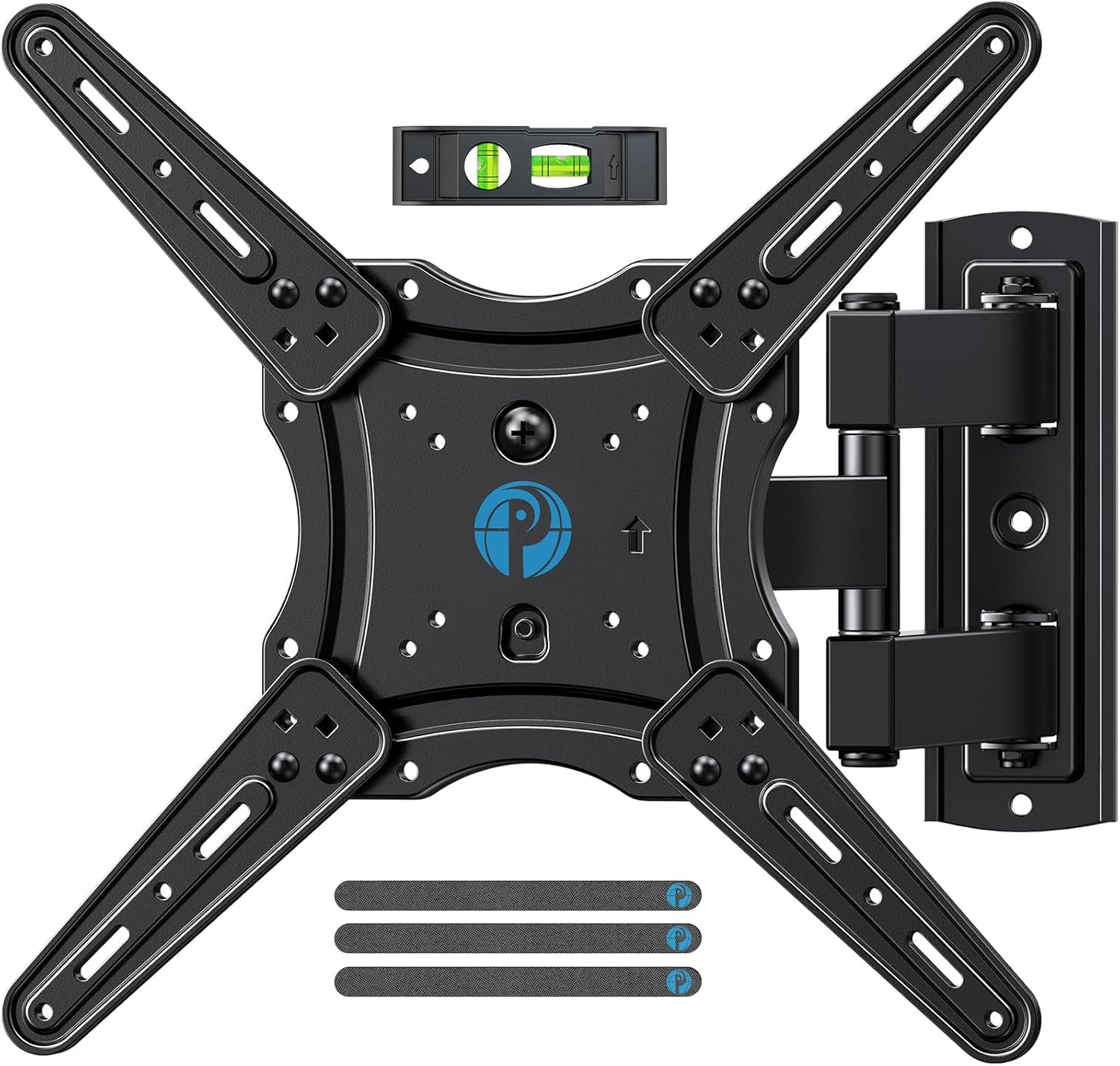
The Pipishell PIMF7 stands out for its single-stud design, which makes it the go-to mount when you only have one wood stud available or want to place the TV in a corner. Despite the single attachment point, the articulating arms are 33 percent thicker than typical budget mounts, giving it a 77-pound capacity that comfortably supports 55 to 65-inch TVs.
It extends 17 inches from the wall — the longest reach in this comparison — and tilts from -15 to +5 degrees with a +/-90-degree swivel. The post-installation leveling adjustment (+/-4 degrees) lets you fine-tune the screen without loosening the wall plate. The mount fits VESA patterns from 75×75 to 400×400 and works with wood stud, concrete, or brick walls.
Reviewers appreciate the small package size and the surprisingly sturdy feel once mounted. The range of motion is described as “smooth” and the security screws add peace of mind. A minor downside is the instruction sheet, which some users found less clear than competitor guides, but the included hardware is complete. If you need to mount to a single stud or in a tight corner, this mount offers the best extension and adjustment range at this tier.
Why it’s great
- Single-stud design ideal for corners and tight spaces
- 17-inch extension is the longest in this price range
- Thicker-than-average arms improve stability at full reach
Good to know
- Instructions could be clearer for first-time installers
- 77-pound limit may not cover larger 65-inch TVs with thick bezels
4. Pipishell PILFK1

The Pipishell PILFK1 is the heavy lifter of this lineup, supporting up to 132 pounds and accommodating VESA patterns up to 600x400mm. That makes it the only mount in the affordable group that can handle larger 70 to 84-inch TVs without exceeding its weight rating. The arm hinges are reinforced for smoother movement, extending 14.84 inches and retracting to a 3-inch low-profile position.
It offers +5/-15 degrees of tilt and +/-45 degrees of swivel, with easy +/-3-degree post-installation leveling. The mount is built from high-quality alloy steel with thicker arms than standard budget models, and it installs on 12 or 16-inch wood studs, concrete, or brick. The package includes a paper template, bubble level, and all necessary hardware — no trips to the hardware store for most installations.
User feedback highlights the “crazy easy” installation and the durable construction. A few reviewers noted that the pivot joints are quite stiff when new, making frequent repositioning slightly more effort than expected. Once set, however, the mount holds the TV securely with no sagging. For a large screen that will stay in one position most of the time, this mount offers the highest weight capacity and VESA compatibility at a mid-range cost.
Why it’s great
- Highest weight capacity (132 lbs) and largest VESA range (600×400) in the group
- Reinforced arm hinges provide smooth extension up to 14.84 inches
- Complete hardware kit with template and level for fast install
Good to know
- Pivot joints are stiff initially, not ideal for frequent repositioning
- Retracted depth of 3 inches is not as flush as tilt-only mounts
5. Mounting Dream MD2380

The Mounting Dream MD2380 uses six articulating arms — two more than typical dual-arm full-motion mounts — to distribute the TV’s weight more evenly across the bracket. This design reduces sag and keeps the screen level even when fully extended to 17.5 inches. It supports up to 99 pounds and fits VESA patterns up to 400×400, designed primarily for 16-inch stud spacing.
The tilt range spans +5 to -15 degrees, and the swivel is wide enough to access ports easily from the side. Post-installation leveling (+/-3 degrees) is built in, and the paper template makes stud marking straightforward. The hardware bags are pre-labeled, and the Allen key stores on the mount itself — a small detail that prevents lost tools during setup.
Returning buyers mention this is their third or fourth MD2380 purchase, citing the rock-solid build and smooth range of motion. The single-arm design on each side can introduce a slight sag after major arm movement, requiring occasional re-leveling, but the majority of users find it holds position well. If you want the longest reach in a traditional full-motion mount and value multi-arm stability, this is the strongest contender in the group.
Why it’s great
- Six articulating arms reduce sag and improve stability at full extension
- 17.5-inch reach is the longest among standard stud mounts
- Pre-labeled hardware bags and onboard Allen key storage simplify installation
Good to know
- May need re-leveling after major arm movement due to single-arm hinge design
- Rated for 16-inch studs only — not compatible with 24-inch spacing out of the box
FAQ
Can I mount a 75-inch TV on a tilt-only mount rated for 132 lbs?
What happens if my wall studs are 24 inches apart?
Why does my new TV need spacers on the mount?
Is full motion worth the extra depth compared to a low-profile mount?
Final Thoughts: The Verdict
For most users, the best affordable tv wall mount winner is the Mounting Dream MD2268-LK because it combines a space-saving 1.5-inch profile, 132-pound capacity, and proven installation simplicity at a price that beats local big-box stores. If you want full-motion flexibility for a living room with multiple seats, grab the USX MOUNT XMM908 — it delivers dual-arm articulation without the premium price tag. And for a large 70 to 84-inch screen that needs the highest weight tolerance, nothing beats the Pipishell PILFK1.

Mo Maruf
I created WellFizz to bridge the gap between vague wellness advice and actionable solutions. My mission is simple: to decode the research and give you practical tools you can actually use.
Beyond the data, I am a passionate traveler. I believe that stepping away from the screen to explore new environments is essential for mental clarity and physical vitality.