Our readers keep the lights on and my smoothie glass nicely filled. As an Amazon Associate, I earn from qualifying purchases.
Picking the wrong 4K editing monitor means hours of fighting color casts and crushed blacks in your timeline instead of grading your footage. A panel that looks vibrant at the store can betray you with uneven luminance, narrow viewing angles, or a Delta E drift that makes every export look different on another screen. The key is matching the panel technology, color gamut coverage, and connectivity to the specific demands of a non-linear editing workflow.
I’m Mohammad Maruf — the founder and writer behind WellFizz. I’ve spent years analyzing display hardware specifications, color accuracy certifications, and ergonomic designs to separate monitors built for content creation from those designed for casual desktop use.
This evaluation of the top contenders on the market helps you find the right 4k monitor for video editing by focusing on real-world color performance, usable connectivity, and the panel specs that actually matter on a timeline.
How To Choose The Best 4K Monitor For Video Editing
An editing monitor is a precision tool, not a general-purpose display. A 4K panel with a 60Hz refresh rate may be perfect for cutting and color work, while a high-refresh OLED unit introduces burn-in risks over years of static timeline layouts. You need a panel that prioritizes color fidelity and consistent grayscale tracking over gaming-centric specs.
Panel Technology: IPS vs. IPS Black vs. VA vs. OLED
IPS panels dominate video editing because of wide viewing angles and stable color at off-axis positions. IPS Black technology pushes contrast ratios higher than standard IPS, giving you deeper blacks without the color shift of VA panels. VA panels offer high contrast but can exhibit gamma shifts when viewed from slightly different angles — problematic for collaborative review. OLED monitors deliver perfect blacks and infinite contrast, but they carry a long-term burn-in risk if you leave the same timeline UI elements on screen for hours daily. For a pure editing workstation, a high-quality IPS or IPS Black panel strikes the best balance between color accuracy and durability.
Color Gamut and Delta E Accuracy
For video work, DCI-P3 color space coverage is more relevant than sRGB. Ask the spec sheet for 95% DCI-P3 or higher. Adobe RGB coverage matters if you also grade for print or broadcast standards. Factory calibration to Delta E < 2 ensures the monitor shows you an accurate starting point out of the box. A Calman Verification or a pre-shipment calibration report adds confidence that the unit you receive matches its certified accuracy.
Connectivity and Power Delivery for a Clean Desk
A single USB-C or Thunderbolt 4 cable that carries video signal, data, and power delivery simplifies your editing setup significantly. Look for at least 90W of power delivery over USB-C to keep a MacBook Pro charged during long sessions. Thunderbolt 4 offers 40 Gbps throughput, ideal for daisy-chaining a second 4K display and an external SSD without additional cables. HDMI 2.1 is beneficial for connecting to client monitors or reference displays.
Quick Comparison
On smaller screens, swipe sideways to see the full table.
| Model | Category | Best For | Key Spec | Amazon |
|---|---|---|---|---|
| Dell UltraSharp U2725QE | Mid-Range | Color-critical editing with smooth playback | IPS Black / 120Hz / Thunderbolt 4 | Amazon |
| ASUS ProArt PA279CRV | Mid-Range | Budget-conscious color-accurate grading | 99% DCI-P3 / Calman Verified | Amazon |
| BenQ MA270U | Mid-Range | MacBook users needing seamless integration | 90W USB-C / Mac Color Match | Amazon |
| ViewSonic VP3256-4K | Mid-Range | ColorPro accuracy at a 32-inch size | Pantone Validated / 65W USB-C | Amazon |
| ASUS ProArt PA329CV | Mid-Range | 32-inch ProArt color space coverage | 100% sRGB/Rec.709 / ΔE < 2 | Amazon |
| LG 32UP83AK-W | Mid-Range | Affordable 32-inch IPS workspace | 95% DCI-P3 / 60W USB-C | Amazon |
| Dell UltraSharp U3223QE | Premium | Office and photo editing with KVM | IPS Black / 90W USB-C | Amazon |
| LG UltraGear 32GX850A-B | Premium | Hybrid editing and gaming on glossy OLED | OLED / 165Hz / 0.03ms | Amazon |
| MSI MPG 321URXW | Premium | High-refresh QD-OLED for color and speed | QD-OLED / 240Hz / 99% DCI-P3 | Amazon |
| ViewSonic VP3276T-4K | Premium | Mac studio users needing Thunderbolt 4 | Thunderbolt 4 / 100W PD | Amazon |
| Samsung ViewFinity S7 S70D | Budget | Large 37-inch budget-friendly workspace | VA / 3000:1 contrast / HDR10 | Amazon |
In‑Depth Reviews
1. Dell UltraSharp U2725QE 27 Inch 4K IPS Black Monitor

The Dell U2725QE represents a leap forward for editing monitors by combining an IPS Black panel with a 120Hz refresh rate. The aggressive 2000:1 contrast ratio from IPS Black technology delivers noticeably deeper blacks than standard IPS panels, preserving shadow detail during HDR grading without color shift from wider viewing angles.
Factory calibration to Delta E less than 1.5 out of the box means you spend less time wrestling with a colorimeter on day one. The 99% DCI-P3 coverage covers the bulk of video color spaces, and the Thunderbolt 4 connectivity delivers video, data, and up to 140W of power delivery over a single cable — enough to charge a MacBook Pro at full speed while driving the display.
The 120Hz refresh rate makes timeline scrubbing and cursor movement noticeably smoother than a standard 60Hz panel, which is a genuine productivity benefit during long editing sessions. The built-in KVM functionality lets you share peripherals between a work PC and a Mac without extra hardware. Overall, this is the most complete editing monitor available at its price tier.
Why it’s great
- IPS Black contrast offers deep blacks without VA gamma shift
- Thunderbolt 4 with 140W PD keeps charging simple
- 120Hz refresh improves timeline responsiveness
Good to know
- Stand base is wide and takes up desk space
- Built-in speakers are passable but not reference quality
2. ASUS ProArt Display PA279CRV 27 Inch 4K HDR

The ASUS ProArt PA279CRV is laser-focused on color-critical work. It covers 99% of both DCI-P3 and Adobe RGB spaces, and it ships with a Calman Verification certificate and Delta E < 2 calibration. For editors who need wide gamut coverage for both web-delivery (DCI-P3) and broadcast or print (Adobe RGB), this monitor covers both bases without compromise.
The 96W USB-C Power Delivery is substantial enough to charge a 14-inch MacBook Pro, and the port selection includes DisplayPort daisy-chaining for multi-monitor setups. The 27-inch size means tighter pixel density than a 32-inch panel — text and UI elements appear sharper at native resolution, which helps with timeline precision.
One key advantage is the five-year warranty (three years plus two with online registration), signaling ASUS’s confidence in the panel’s long-term color stability. The downside is the 60Hz refresh rate; it’s sufficient for video editing but noticeably less fluid than the 120Hz Dell counterpart. The OSD navigation is controlled by a joystick, which is functional but less convenient than software control.
Why it’s great
- Wide color gamut covers DCI-P3 and Adobe RGB fully
- Factory Calman Verification reduces setup time
- 5-year warranty shows confidence in panel longevity
Good to know
- 60Hz refresh rate is standard, not smooth
- No Thunderbolt 4, only USB-C with DisplayPort
3. BenQ MA270U 27 Inch 4K Monitor for MacBook

The BenQ MA270U is purpose-built for the Mac ecosystem, and it shows in the details. The P3 wide color gamut is tuned to match MacBook displays, so your timeline colors on the external monitor look consistent with what you see on the built-in Retina screen. You can control brightness and volume using the MacBook keyboard, which eliminates the need to reach for physical buttons.
Connectivity is straightforward: a single USB-C cable delivers 4K video, 90W charging, and USB hub functionality. The dual USB-C ports also allow you to charge an iPad or iPhone at 15W. The IPS panel has a 2000:1 contrast ratio, which is better than standard IPS but not as deep as IPS Black or OLED technology.
One limitation is the 60Hz refresh rate, which is the norm for this category but less fluid than the 120Hz Dell. The built-in speakers are weak, so you should plan to use external monitors or headphones. The build quality is solid, and the stand offers full ergonomic adjustments (height, tilt, swivel, pivot).
Why it’s great
- Color-tuned to match MacBook displays accurately
- Single USB-C cable for video, charging, and data
- Keyboard-based brightness and volume control
Good to know
- 60Hz refresh rate limits timeline smoothness
- Built-in speakers are weak and tinny
4. ViewSonic VP3256-4K 32 Inch ColorPro Monitor

The ViewSonic VP3256-4K offers a 32-inch IPS panel with Pantone Validation and Delta E < 2 accuracy at a price that undercuts most competitors. The 100% sRGB, EBU, and SMPTE-C coverage makes it suitable for broadcast-standard editing, while the 65W USB-C power delivery can keep a MacBook Air or smaller Pro running during a session.
The advanced ergonomic stand provides tilt, swivel, pivot, and height adjustments, which is crucial for long editing sessions. The built-in USB hub simplifies connecting peripherals. The OSD menu is somewhat clunky to navigate, but the included ViewSonic software provides a more intuitive control interface from your desktop.
One area where this monitor falls short is the lack of full DCI-P3 coverage — it sticks to sRGB and Rec. 709 standards. For editors grading in wider color spaces, the ASUS ProArt or Dell options will be better suited. The 60Hz refresh rate is standard for this tier, and the 350 nits brightness is adequate but not impressive for HDR work.
Why it’s great
- Pantone Validation and Delta E < 2 accuracy
- Full ergonomic stand adjustments
- USB-C hub with 65W power delivery
Good to know
- No DCI-P3 color space coverage
- OSD menu is dated and clunky
5. ASUS ProArt Display PA329CV 32 Inch 4K HDR

The ASUS ProArt PA329CV brings the Calman Verified factory calibration to a 32-inch panel, making it a strong candidate for editors who want a larger workspace without sacrificing color accuracy. The 100% sRGB and 100% Rec. 709 coverage is perfect for broadcast and web-delivery editing, and the Delta E < 2 rating ensures consistent results.
The 32-inch size offers more screen real estate for a wider timeline view, which reduces the need to zoom in and out while cutting. The IPS panel with a 178-degree viewing angle means you can share the screen with a client or collaborator without color shift. The included C-clamp is a thoughtful addition for mounting the monitor on a standing desk or custom arm.
One catch is the lack of Adobe RGB or full DCI-P3 coverage — the PA329CV is designed for sRGB/Rec. 709 workflows. If you grade in P3 or Adobe RGB, the smaller PA279CRV model is a better match. The stand is very sturdy, but the bezels are slightly thicker than modern zero-bezel designs.
Why it’s great
- Factory calibration for accurate sRGB/Rec. 709 work
- 32-inch size provides generous timeline space
- Sturdy build and included C-clamp for mounting
Good to know
- No DCI-P3 or Adobe RGB coverage
- Bezels are thicker than modern competitors
6. LG 32UP83AK-W 32 Inch Ultrafine 4K IPS
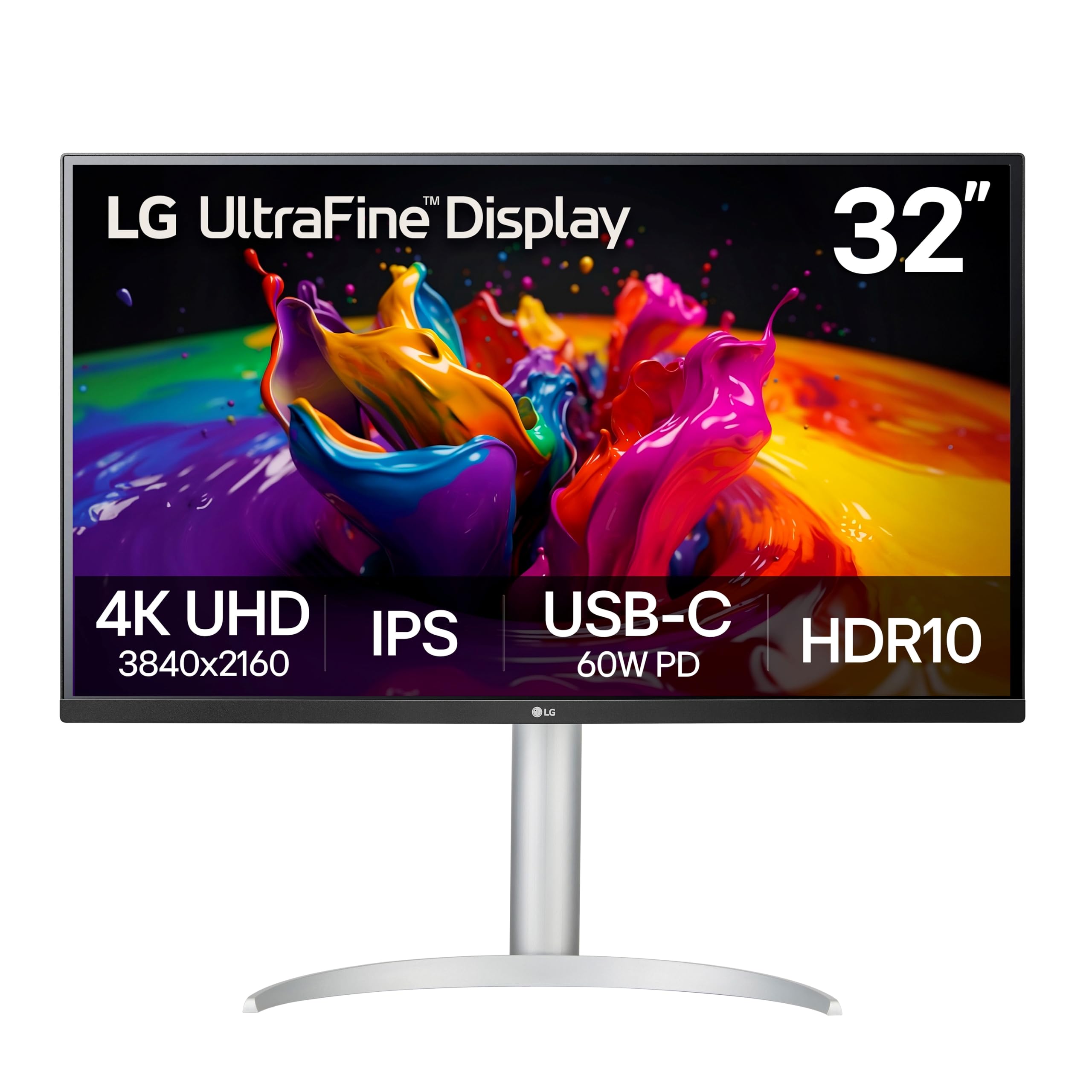
The LG 32UP83AK-W is a solid mid-range option that balances color performance with practical features. The 95% DCI-P3 coverage is sufficient for most video editing workflows, and the IPS panel maintains color consistency across wide viewing angles. The 60W USB-C Power Delivery is enough to charge an iPad or a smaller laptop, though a 14-inch MacBook Pro may charge slowly under load.
The built-in speakers are better than average for a monitor — they are adequate for casual playback but not accurate enough for critical audio work. The ergonomic stand offers height, tilt, and pivot adjustments, which is rare at this price point. The white color scheme stands out from the typical black monitors and fits modern studio aesthetics.
The 60Hz refresh rate is standard, and the HDR10 support is entry-level — it won’t deliver the brightness or local dimming needed for HDR grading, but it helps with HDR playback. The semicircular base design can feel awkward on a cluttered desk. For pure editing work, the Dell or ASUS ProArt options provide better color accuracy, but this LG offers excellent value for a 32-inch workspace.
Why it’s great
- 95% DCI-P3 coverage suits most video editing needs
- IPS panel with consistent off-axis color
- Height, tilt, and pivot adjustments included
Good to know
- 60W PD is marginal for larger MacBook Pros
- Base shape takes up more desk depth than expected
7. Dell UltraSharp U3223QE 31.5 Inch 4K IPS

The Dell UltraSharp U3223QE is a legendary productivity monitor that brings IPS Black technology to a 32-inch format. The enhanced contrast ratio means shadow details are more visible in dimly lit scenes, making it easier to spot noise or crush in your footage. The 90W USB-C power delivery is sufficient for most laptops, and the built-in Ethernet port is a welcome addition for stable network transfers during collaborative editing.
The Picture-by-Picture (PBP) mode is genuinely useful for editors who need to view a reference monitor alongside their main timeline. You can connect a Mac and a PC simultaneously and control both with a single keyboard and mouse using the KVM switch. The anti-glare coating is excellent and does not introduce graininess to the image.
The main drawback is the 60Hz refresh rate — at this price point, not having a 120Hz option (like the smaller Dell U2725QE) feels like a missed opportunity for editors who would benefit from smoother cursor movement. The stand is bulky, and the USB-C cable included in the box is too short for many desk setups. Overall, this is a reliable editing monitor if 60Hz is acceptable for your workflow.
Why it’s great
- IPS Black technology for excellent contrast
- Built-in KVM and Ethernet for multi-device setups
- PBP mode for comparing sources
Good to know
- 60Hz only, no high-refresh option
- Included USB-C cable is too short
8. LG UltraGear 32GX850A-B 32 Inch Glossy OLED

The LG 32GX850A-B is a glossy WOLED panel that delivers perfect blacks and infinite contrast — an incredible viewing experience for HDR video review. The 98.5% DCI-P3 coverage and VESA DisplayHDR True Black 400 certification mean HDR content looks punchy and accurate. The 165Hz refresh rate is a bonus for editors who also game, but the high refresh rate also makes timeline scrubbing feel exceptionally smooth.
The glossy finish makes colors pop and text appear sharp, but it is highly reflective in a bright room. For a dark editing suite, the glossy coating enhances contrast; for a bright office, it introduces distracting reflections. The panel supports Dual Mode, allowing you to switch to 1080p at 330Hz for gaming, though this is irrelevant for video editing.
Burn-in is a real concern with a static timeline UI. LG includes OLED Care features (pixel refresh, screen shift), but editors who leave the same elements on screen for 10 hours daily should consider a warranty that covers burn-in. The 0.03ms response time eliminates motion blur, but that benefit is more relevant for gaming than for editing. The built-in speakers are functional but not reference-quality.
Why it’s great
- True blacks and infinite contrast for HDR review
- High 165Hz refresh for smooth timeline scrubbing
- Excellent 98.5% DCI-P3 coverage
Good to know
- Glossy screen reflects bright room lighting
- Burn-in risk with static timeline elements
9. MSI MPG 321URXW QD-OLED 31.5 Inch 4K UHD

The MSI MPG 321URXW combines Quantum Dot OLED technology with a 240Hz refresh rate, making it one of the most technologically advanced monitors on this list. The 99% DCI-P3 coverage and Delta E ≤ 2 accuracy make it suitable for color-critical video work, while the infinite contrast ratio of OLED provides stunning HDR playback. The peak brightness of 1000 nits in small highlights gives HDR content impressive specular highlights.
The 240Hz refresh rate is overkill for video editing, but it makes the monitor incredibly responsive when switching between applications or scrolling through long timelines. The graphene heatsink is fanless and helps with thermal management, reducing the risk of burn-in over extended use. The KVM 1.0 and PiP/PbP support are useful for multi-source workflows.
The main drawback is the price — this is the most expensive monitor on the list, and it’s designed for a user who needs both top-tier gaming performance and professional color accuracy. The QD-OLED panel can exhibit a purple tint in reflections under direct light, which is a quirk of the Quantum Dot layer. The stand lacks height adjustment, which is a surprising omission at this price point.
Why it’s great
- QD-OLED with 99% DCI-P3 and high peak brightness
- 240Hz refresh for buttery-smooth UI response
- Fanless graphene heatsink improves longevity
Good to know
- QD-OLED can show purple tint in reflective light
- Stand lacks height adjustment
10. ViewSonic VP3276T-4K 32 Inch Thunderbolt 4 Monitor
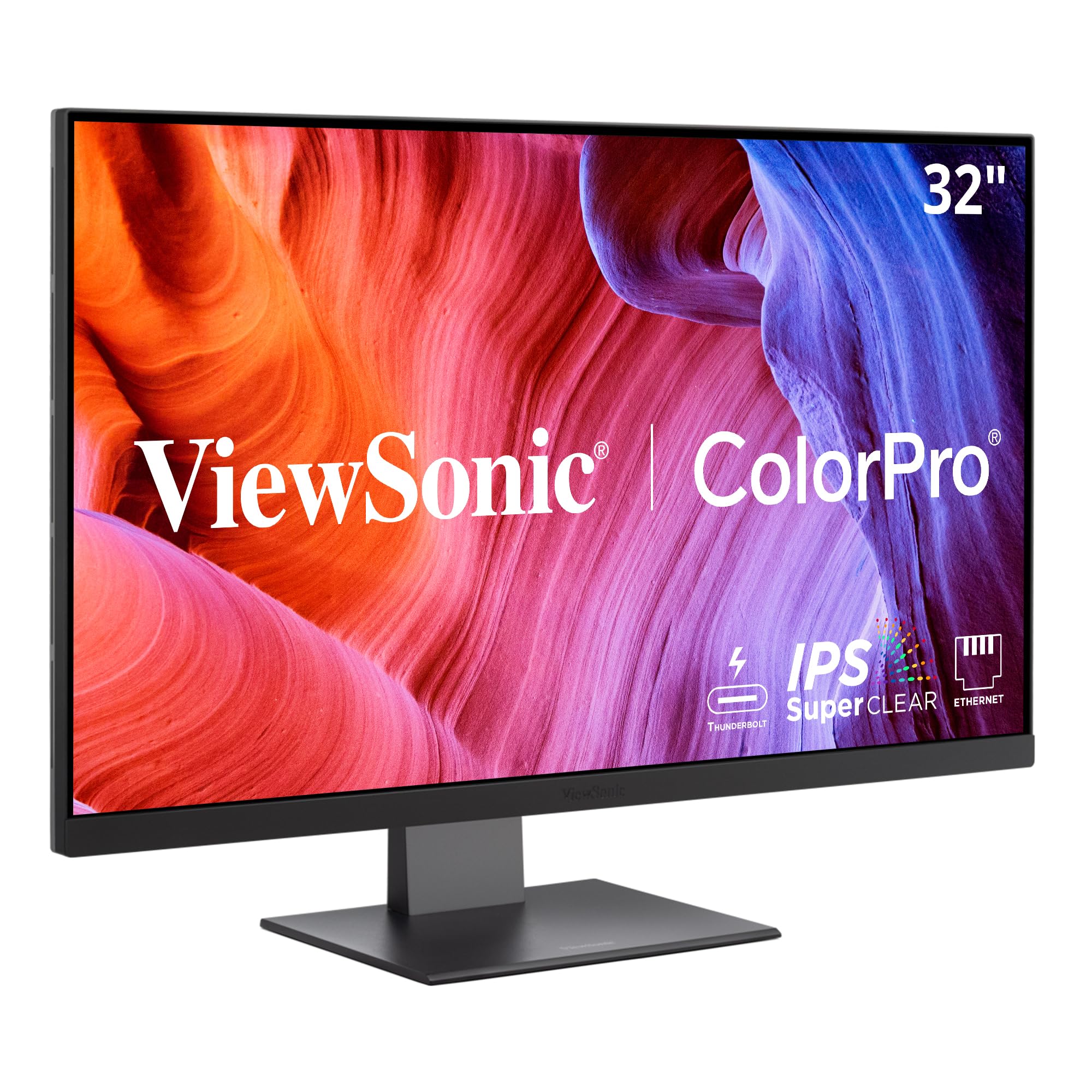
The ViewSonic VP3276T-4K is designed for Mac users who want Thunderbolt 4 connectivity with 100W power delivery. The single-cable solution simplifies your desk setup, providing 40 Gbps throughput for fast external SSD transfers while charging your laptop. The 100% Adobe RGB and 98% DCI-P3 coverage gives you wide color space support for professional grading.
The Pantone Validation ensures the monitor can reproduce Pantone Matching System colors, which is important if you work with branded content or color-critical deliverables. The advanced ergonomic stand provides full tilt, swivel, rotate, and height adjustments, making it comfortable for long editing sessions. The built-in USB hub includes multiple USB-A ports for peripherals.
The main complaint from users is the Mac compatibility — while the hardware supports Thunderbolt 4, some users report challenges with Mac scaling and lack of Mac-specific software support. The OSD navigation uses a rear joystick, which is cumbersome for adjusting settings frequently. The monitor is also on the pricier side for a 60Hz IPS panel, competing directly with higher-spec alternatives like the Dell U3223QE.
Why it’s great
- Thunderbolt 4 with 100W PD for fast charging
- 100% Adobe RGB and 98% DCI-P3 coverage
- Pantone Validated for color-critical work
Good to know
- Mac scaling can be tricky with this model
- Rear joystick OSD is not intuitive
11. Samsung ViewFinity S7 S70D 37 Inch 4K UHD
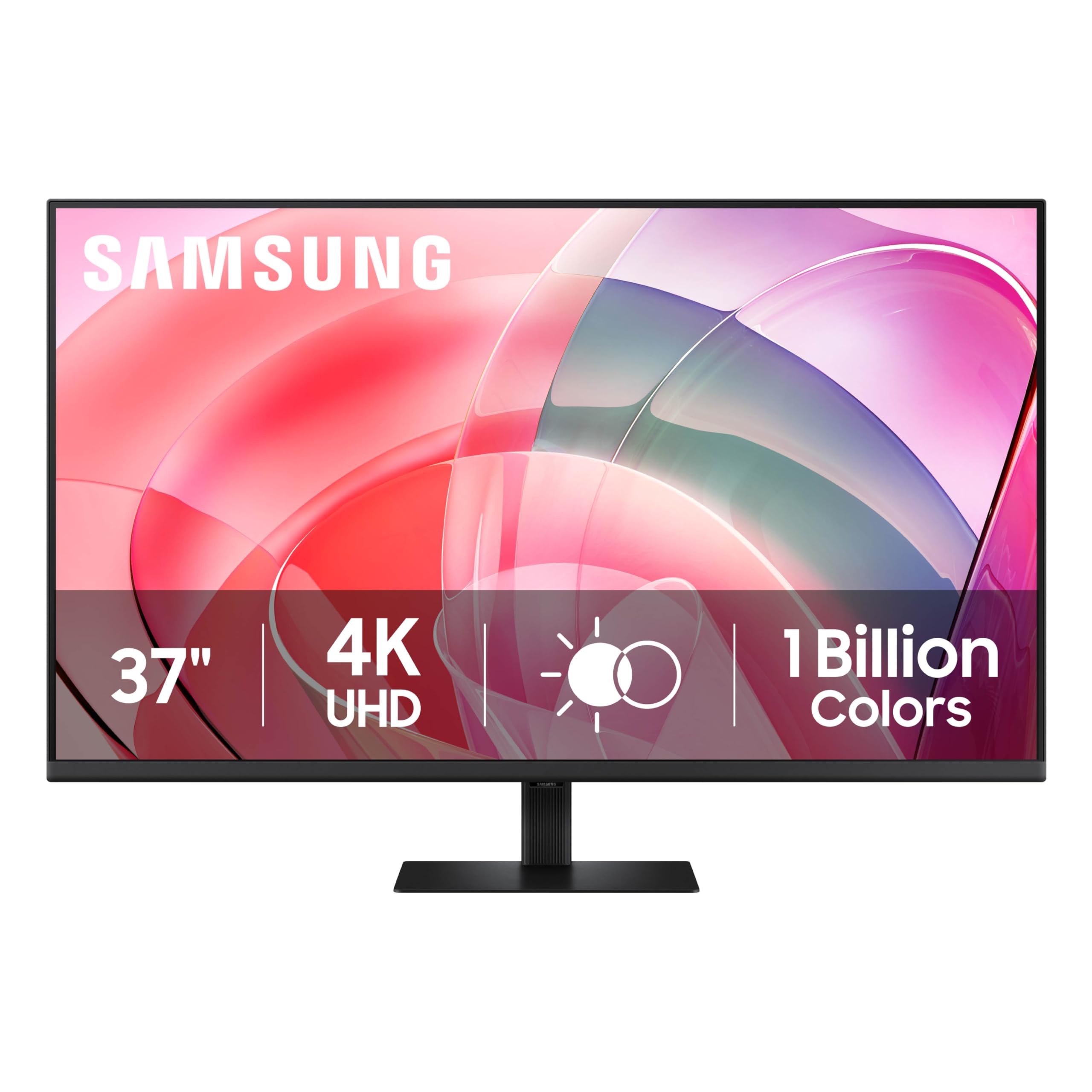
The Samsung ViewFinity S7 S70D is a budget-friendly option that prioritizes screen size over color accuracy. The 37-inch VA panel offers a 3000:1 contrast ratio, which is excellent for deep blacks and high contrast — useful for HDR playback, though the panel lacks the wide color gamut coverage needed for professional grading. The HDR10 support is basic and won’t satisfy color-critical editors.
The large 37-inch size is genuinely useful for video editing, as you can see a long timeline without zooming out. The tool-free stand setup is convenient, and the TUV-certified eye care reduces flicker and blue light, which helps during long editing sessions. The monitor contains over 14% recycled plastic and uses glue-free packaging, which appeals to environmentally conscious buyers.
The VA panel has noticeable gamma shift when viewed from off-center angles, which is problematic if you collaborate with clients or colleagues. The color accuracy out of the box is decent for casual use but will require calibration for any serious editing work. The single HDMI and single DisplayPort inputs are limited compared to IPS competitors that offer USB-C with power delivery. This monitor is best suited for editors on a tight budget who need a large screen for layout and timeline work, with the understanding that color grading will require a separate calibrated display.
Why it’s great
- 37-inch VA panel offers deep contrast and large workspace
- Tool-free stand setup is quick and easy
- TUV-certified eye care reduces strain
Good to know
- VA panel gamma shift at off-center viewing angles
- Limited connectivity without USB-C power delivery
FAQ
Is a 60Hz refresh rate enough for video editing?
Can I use an OLED monitor for video editing without burn-in?
What is the best screen size for 4K video editing?
Do I need HDR support on my editing monitor?
Final Thoughts: The Verdict
For most editors, the 4k monitor for video editing winner is the Dell UltraSharp U2725QE because it combines IPS Black contrast with a 120Hz refresh rate and Thunderbolt 4 connectivity — a rare combination that enhances both color accuracy and workflow fluidity. If you want a 32-inch panel with full ergonomic adjustments and Thunderbolt 4 connectivity, grab the Dell UltraSharp U3223QE. And for pure color-critical performance on a budget, nothing beats the ASUS ProArt PA279CRV with its Calman Verified certification and dual DCI-P3/Adobe RGB coverage.

Mo Maruf
I created WellFizz to bridge the gap between vague wellness advice and actionable solutions. My mission is simple: to decode the research and give you practical tools you can actually use.
Beyond the data, I am a passionate traveler. I believe that stepping away from the screen to explore new environments is essential for mental clarity and physical vitality.