Our readers keep the lights on and my smoothie glass nicely filled. As an Amazon Associate, I earn from qualifying purchases.
If your TV has run out of HDMI ports and you are tired of crawling behind the entertainment center to swap cables between a game console, streaming stick, and Blu-ray player, a dedicated switcher is the only sane solution. These small boxes consolidate multiple sources into a single display input, restoring order to your setup without sacrificing video quality.
I’m Mohammad Maruf — the founder and writer behind WellFizz. I have spent hundreds of hours cross-referencing manufacturer spec sheets, parsing user reports on handshake failures and refresh rate support, and analyzing the real-world bandwidth performance of dozens of HDMI switch models to separate the truly reliable units from the ones that introduce flicker or signal dropouts.
This guide focuses on the models that actually deliver on their promises, helping you find the most reliable 4k hdmi switch for your specific combination of consoles, streaming devices, and display hardware.
How To Choose The Best 4K HDMI Switch
Not every HDMI switch is built the same. The cheap models often strip HDCP, fail to pass HDR metadata, or introduce noticeable input lag. To avoid buyer’s remorse, focus on the three factors that matter most: bandwidth rating, HDCP compliance, and power delivery.
Bandwidth and Refresh Rate Support
The bandwidth rating — measured in Gbps — dictates the maximum resolution and refresh rate the switch can pass. An 18Gbps switch tops out at 4K@60Hz with HDR. A 48Gbps switch (HDMI 2.1) unlocks 4K@120Hz or 8K@60Hz, which is essential for PS5, Xbox Series X, and high-refresh PC gaming. If you own a 120Hz TV and a current-gen console, do not settle for an 18Gbps unit.
HDCP Version
HDCP (High-bandwidth Digital Content Protection) is the encryption standard used by streaming services and 4K Blu-ray discs. HDCP 2.2 is sufficient for most 4K content, but HDCP 2.3 adds stricter handshake requirements and is required by some newer apps. A switch that lacks the correct HDCP version will cause a black screen or an “unprotected content” error when you try to stream from Netflix or play a 4K disc.
Power Supply and Cable Length Limits
Active HDMI switches require external power to maintain signal integrity. Many budget-friendly models ship without a power adapter, relying on a USB cable that must be plugged into a 5V/1A source. Also, switches that support high bandwidth (4K@120Hz or 8K@60Hz) impose strict total cable length limits — often under 10 feet total across input and output. Ignoring these limits results in flickering or complete signal loss.
Quick Comparison
On smaller screens, swipe sideways to see the full table.
| Model | Category | Best For | Key Spec | Amazon |
|---|---|---|---|---|
| UGREEN 8K@60Hz 5-in-1 | Premium | Multi-console gaming rigs | 5 ports, 40Gbps, HDMI 2.1 | Amazon |
| Kinivo 550BN 5-in-1 | Premium | Reliable auto-switching setups | 5 ports, 18Gbps, aluminum shell | Amazon |
| JCHICI 4-in-1 8K | Premium | 8K-ready home theaters | 4 ports, 48Gbps, HDMI 2.1 | Amazon |
| ROOFULL 4-in-1 8K | Mid-Range | Value with full 48Gbps support | 4 ports, 48Gbps, HDMI 2.1 | Amazon |
| Arleedyn 5-in-1 8K | Mid-Range | High-refresh PC or console users | 5 ports, 48Gbps, HDMI 2.1 | Amazon |
| OREI 3-in-1 8K | Budget-Friendly | Compact 4K@120Hz gaming | 3 ports, 48Gbps, HDMI 2.1 | Amazon |
| Acer 5-in-1 4K | Budget-Friendly | Simple 4K@60Hz home setups | 5 ports, 18Gbps, HDMI 2.0 | Amazon |
In‑Depth Reviews
1. UGREEN 8K@60Hz HDMI Switch 5 in 1 Out

The UGREEN switch is the most well-rounded unit in this lineup. It offers five HDMI 2.1 inputs with a 40Gbps data path, supporting 4K@120Hz and 8K@60Hz for next-gen consoles and high-refresh monitors. The aluminum shell provides excellent heat dissipation, which matters when the switch is running hot consoles for hours at a time. It also ships with a dedicated power adapter — a notable advantage over budget units that force you to supply your own USB power source.
Signal stability is where this model shines. Users running PS5, Xbox Series X, and a Nintendo Switch 2 simultaneously report zero handshake drops and instant source switching via the IR remote. The switch supports VRR and HDR10+ pass-through, so you get the full visual benefit of your display without having to toggle settings. The 33-foot remote range means you can keep the box hidden behind the TV cabinet and still control it from the couch.
The only real concession is that the UGREEN does not support automatic switching — you must use the remote or the button on the chassis. And the cable length requirements are strict: input cables must stay under 1 meter and output under 2 meters to hit 8K@60Hz. For a premium five-port solution that covers the most common gaming and streaming scenarios without introducing lag or artifacts, this is the pick to beat.
Why it’s great
- Five HDMI 2.1 ports with 40Gbps bandwidth
- Aluminum body for passive cooling
- Includes power adapter and responsive IR remote
Good to know
- No automatic switching — manual or remote only
- Strict 1m input / 2m output cable limits for 8K
2. Kinivo 550BN HDMI Switch 5 in 1 Out
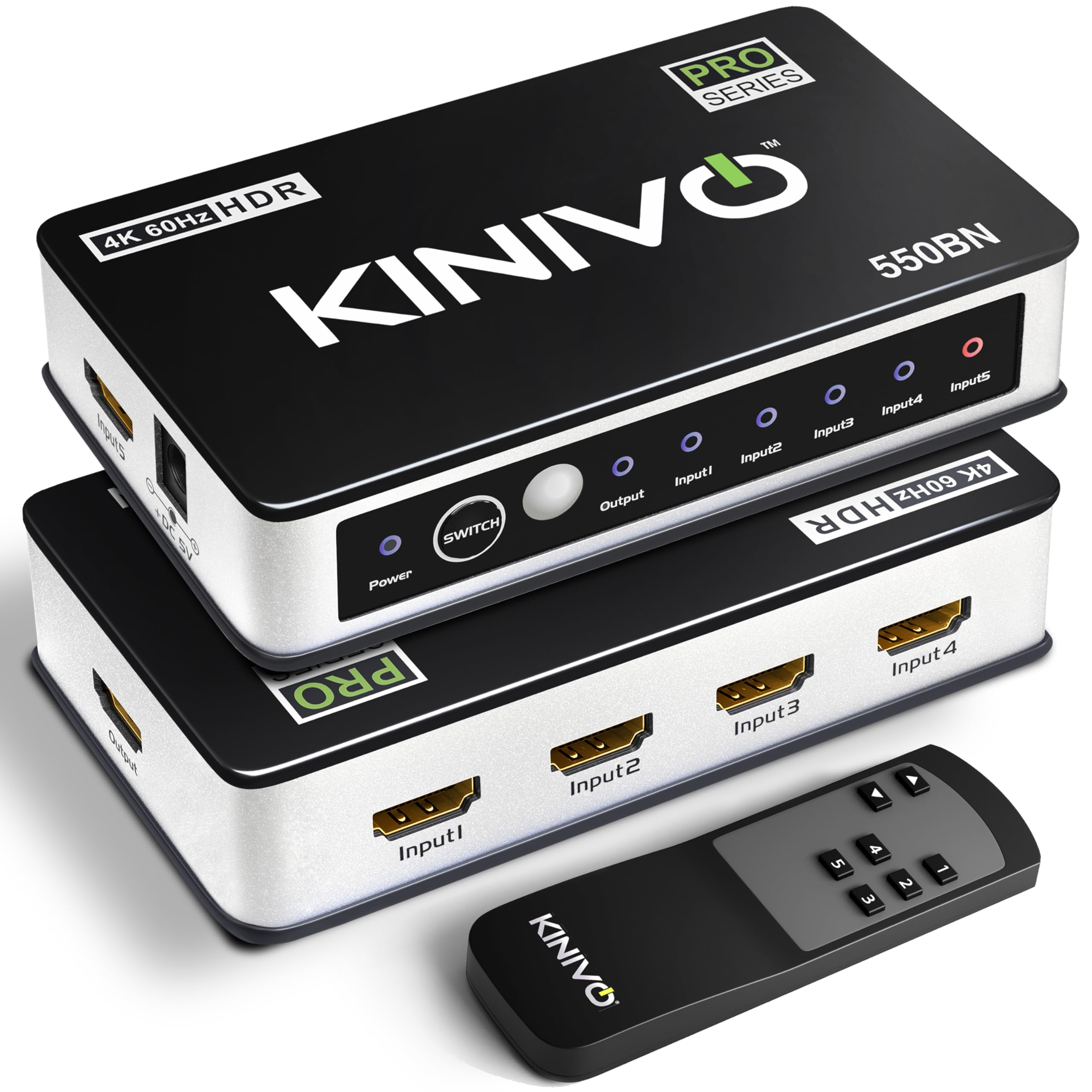
The Kinivo 550BN has been a consistent performer for years, and its long track record of reliability earns it a spot here. This is a 5-in-1 switch operating at 18Gbps, which means it tops out at 4K@60Hz with HDR10 and Dolby Vision — perfect for streaming, cable boxes, and last-gen consoles. The chassis is milled from aluminum alloy, with 24K gold-plated connectors that resist corrosion and maintain a clean signal path over time.
What sets the Kinivo apart is its three switching modes: IR remote, manual button, and automatic switching. The auto-switch feature works reliably with devices that fully power down, though Kinivo honestly warns that Apple TV, PS5, and Xbox One units may interfere because they keep a trickle voltage active in standby. Holding the button for eight seconds disables auto-switch, allowing you to control everything manually. Users running a mix of retro consoles and modern devices report the Kinivo handles the variety without signal degradation.
The remote itself is small — easy to lose between couch cushions — but it covers the essential functions. At 4K@60Hz the picture is pristine, with zero compression artifacts. Kinivo backs this unit with a two-year warranty and US-based customer support. If you do not need HDMI 2.1 speeds and just want a switch that works day one and still works years later, this is the safest bet in the group.
Why it’s great
- Proven long-term reliability with consistent signal pass-through
- Aluminum construction with gold-plated ports
- Auto-switching works well with most devices
Good to know
- Limited to 18Gbps — no 4K@120Hz support
- Auto-switch may conflict with Sony and Apple devices
3. JCHICI 4 in 1 Out 8K HDMI Switch
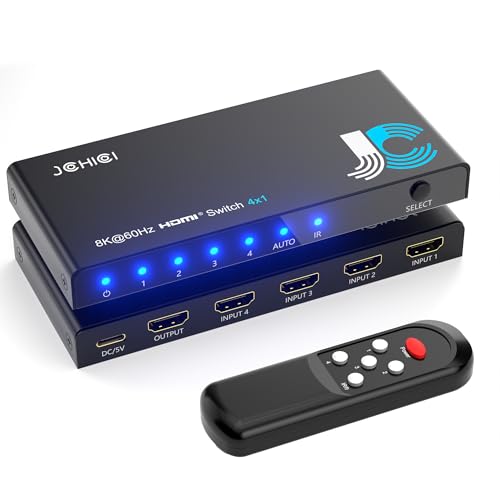
The JCHICI switch targets users who demand full HDMI 2.1 compliance with all the gaming extras: VRR, ALLM, and QFT. It delivers a full 48Gbps of bandwidth across four ports, supporting 8K@60Hz and 4K@120Hz without compromise. The unit accepts high-bitrate audio formats including Dolby TrueHD and DTS-HD Master Audio, making it a strong choice for home theater enthusiasts with AV receivers.
One of the most useful features is the ability to toggle auto-switching manually on or off. This solves the common headache of an Xbox or PS5 in standby mode confusing the detection logic. The included remote has a range of about 26 feet and offers discrete on/off buttons, so you never accidentally trigger a source swap. The power adapter is included, and the package even adds an anti-slip mat to keep the lightweight box from sliding on a glass shelf.
Build quality is solid, though the casing is plastic rather than metal. The 48Gbps bandwidth is available only with certified HDMI 2.1 cables and total cable lengths under 2 meters for high-refresh operation. For users building a dedicated 4K@120Hz gaming station with a PS5 or high-end PC, the JCHICI delivers every feature you need at a price that undercuts many premium-brand competitors.
Why it’s great
- Full 48Gbps bandwidth with VRR, ALLM, QFT
- Manual toggle for auto-switching prevents false triggers
- Supports Dolby TrueHD and DTS-HD Master Audio
Good to know
- Plastic housing feels less premium than metal alternatives
- Strict 2m cable limit for 8K and 4K@120Hz
4. ROOFULL 4 Ports 8K HDMI 2.1 Switch

The ROOFULL 8K switch is the most affordable certified HDMI 2.1 unit in this roundup, and it punches well above its price tier. It offers four input ports with a full 48Gbps data path, supporting 8K@60Hz and 4K@120Hz with 16-bit deep color. The switch passes HDR10+, Dolby Vision, and Dolby Atmos without stripping metadata, and it supports HDCP 2.3 for the latest streaming app handshake requirements.
Real-world testing shows the ROOFULL holds a stable signal at 4K@120Hz with VRR enabled on an Xbox Series X. The green checkmarks for all HDMI 2.1 features appear consistently. The IR remote is straightforward with numeric input selection, and a manual push-button on the chassis provides a backup. The company offers a two-year warranty, and users who experienced port failures report the manufacturer replaced units quickly with no hassle.
Automatic switching is present but carries the same caveat as most competitors: devices in standby mode that emit a low-voltage signal can prevent the switch from jumping to an active source. The manual recommends turning off the auto-switch feature if you own a PS5 or Apple TV. For buyers who want the latest HDMI 2.1 spec at the lowest entry price, the ROOFULL delivers performance that competes with switches costing twice as much.
Why it’s great
- Certified HDMI 2.1 with full 48Gbps bandwidth
- Two-year warranty with responsive manufacturer support
- Passes HDR10+, Dolby Vision, and Dolby Atmos
Good to know
- Auto-switching struggles with PS5 and Apple TV in standby
- Total cable length must stay under 10 feet for high bandwidth
5. Arleedyn 8K HDMI Splitter 5 in 1 Out
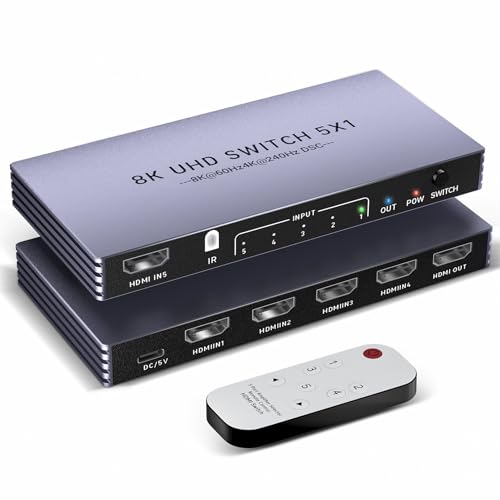
The Arleedyn switch is built for the refresh-rate obsessed. It supports 4K@240Hz and 8K@60Hz through five HDMI 2.1 inputs, making it one of the few switches that matches the maximum output of high-end gaming monitors. The 48Gbps bandwidth is complemented by VRR, HDR10+, and Dolby Atmos pass-through, so competitive gamers get the fluid motion and low latency they demand.
Users report seamless auto-switching between devices without needing the remote — the switch detects active sources and jumps to them instantly when a console powers on. The box includes a power adapter, which is mandatory for stable operation at high refresh rates. The remote has a 33-foot range and physical buttons for each input, reducing the guesswork of cycling through five ports.
The build uses a lightweight plastic housing, and some units have exhibited reliability issues after several months of use, including random source switching and brief blackouts. The manufacturer provides a two-year warranty and exchanges defective units, but the inconsistency makes this pick better suited for users comfortable with potentially needing a replacement. If you get a good unit, the 4K@240Hz performance is unmatched at this price point.
Why it’s great
- Rare 4K@240Hz support for high-refresh monitors
- Seamless auto-switching with most consoles
- Five ports and included power adapter
Good to know
- Plastic build with some reported long-term reliability issues
- Requires HDMI 2.1 cables under 2 meters for 4K@240Hz
6. OREI HDMI Switch 3 in 1 Out
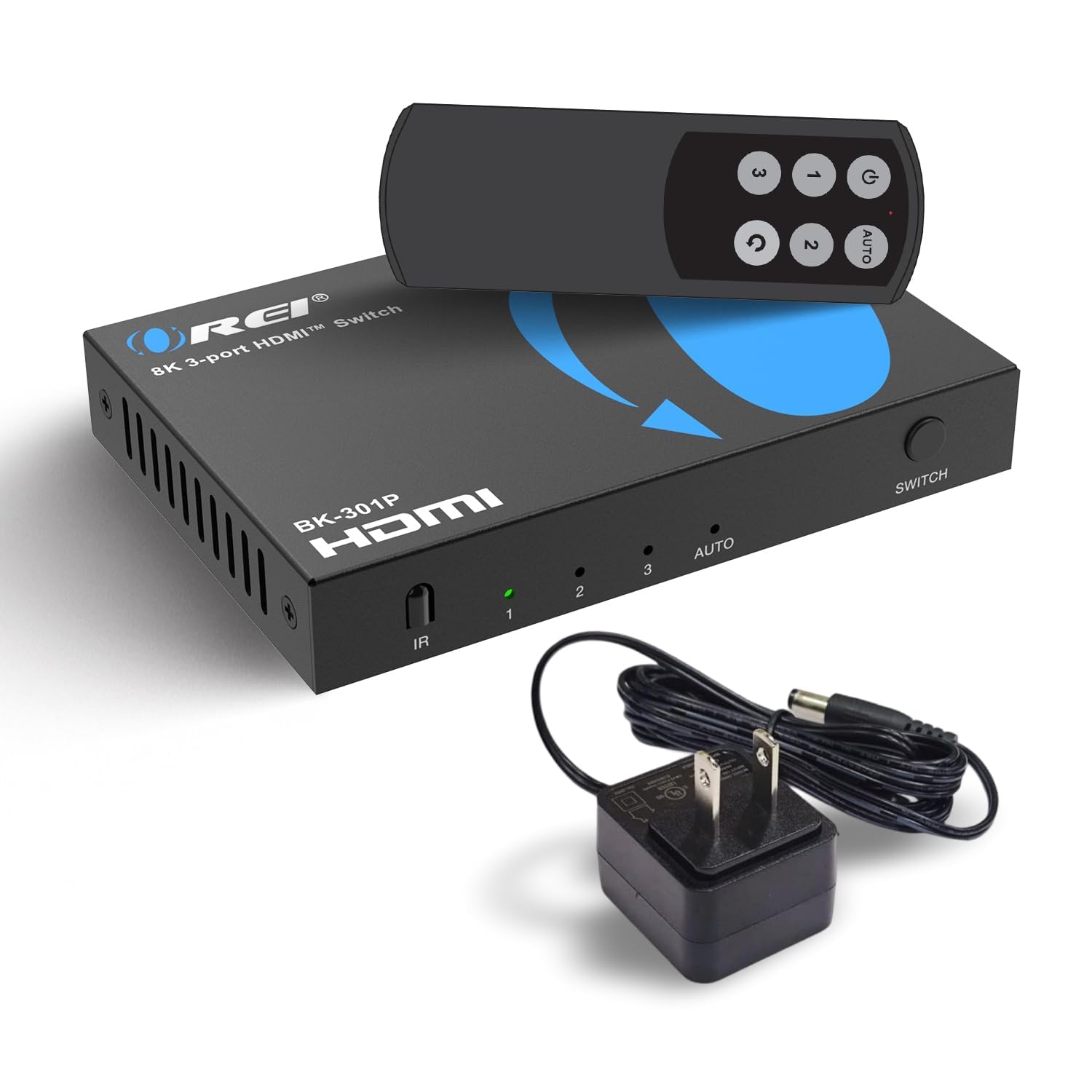
The OREI BK-301P is a compact 3-in-1 switch that brings full HDMI 2.1 certification and 48Gbps bandwidth to buyers who only need to consolidate a few devices. It supports 4K@120Hz, 8K@60Hz, VRR, ALLM, and QFT, matching the feature set of switches with more ports. The unit handles high-bitrate audio including Dolby TrueHD and DTS-HD Master Audio, making it a strong fit for a streamlined gaming or home theater setup.
Setup is true plug-and-play: connect your sources, plug in the included power adapter, and the switch is ready. The IR remote allows direct input selection, and the switch passes HDR10+ and Dolby Vision without visible banding or color shift. Users running a PS5 report smooth 4K@120Hz with no dropped frames or screen tearing.
The limitation is the three-port count — you cannot connect every console and streaming device simultaneously. Also, auto-switching requires a full power cycle on the connected device; devices in standby may not trigger a clean transition. OREI offers a one-year warranty. For a compact, affordable HDMI 2.1 switch that covers all the essential gaming features, the OREI delivers excellent value if three inputs are enough.
Why it’s great
- Full HDMI 2.1 at a budget-friendly price point
- Supports VRR, ALLM, QFT, and high-bitrate audio
- Includes power adapter and works out of the box
Good to know
- Only three inputs — limited for multi-device setups
- Auto-switching may need manual intervention with older consoles
7. Acer HDMI Switch 5 in 1 Out
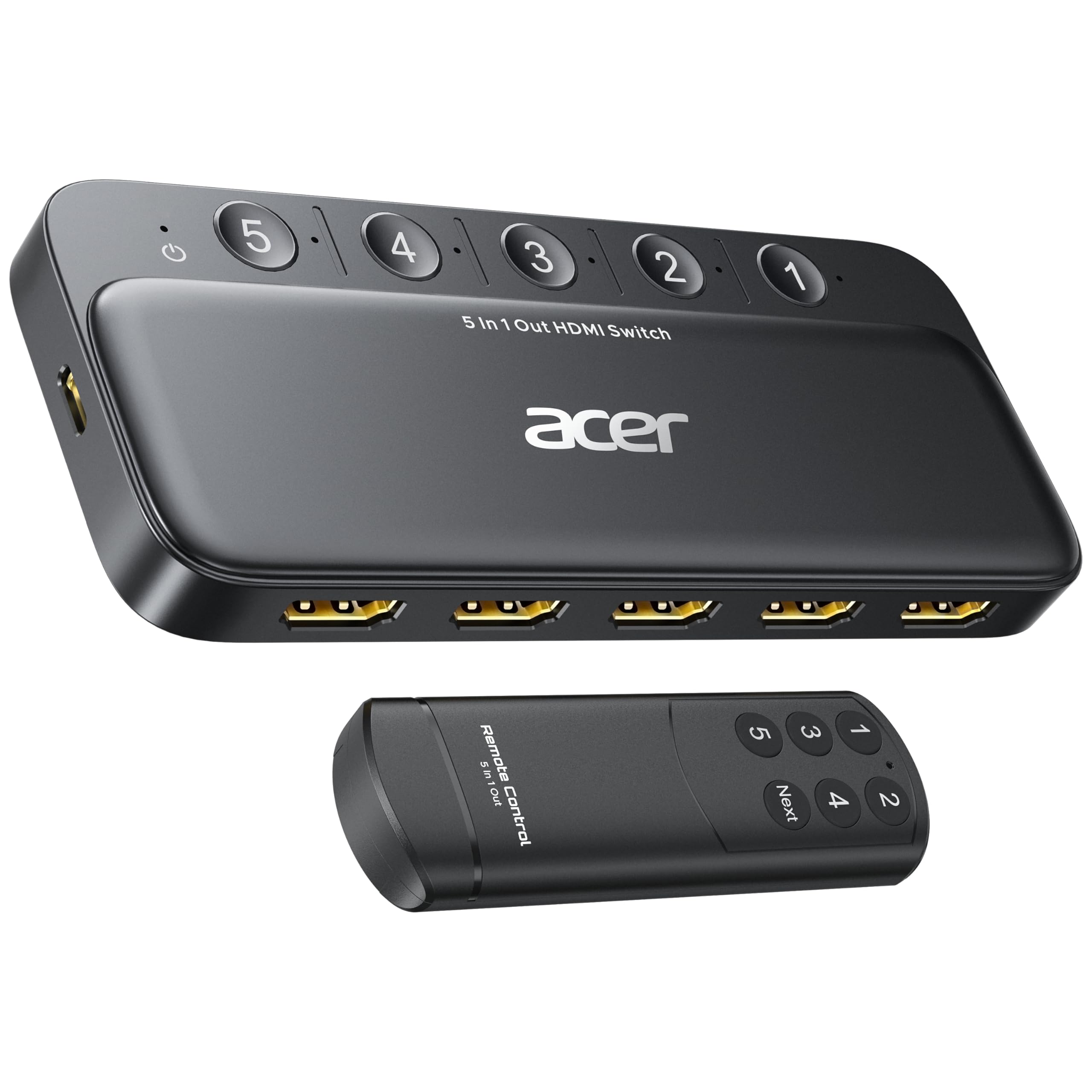
The Acer 5-in-1 switch is the entry-level workhorse of this list. It operates at 18Gbps with HDMI 2.0 compliance, supporting 4K@60Hz, HDR10, and 3D pass-through. With five inputs and a single output, it solves the port shortage problem for users running a DVD player, streaming stick, and older game consoles without demanding 4K@120Hz.
The switch includes a wide-range IR remote with numeric and next buttons, and five LED indicators clearly show which input is active. The body has a metallic-like finish with gold-plated connectors and bottom ventilation for heat management. It requires external USB-C power — the USB-A power adapter is not included, so you need to supply your own 5V/1A wall plug or use a TV USB port (though a wall plug is recommended for stability).
Some units have arrived defective out of the box, and the build leans plastic rather than metal. The switch does not support automatic switching — you must use the remote or the manual button. For a simple, low-cost way to consolidate five 4K@60Hz sources, the Acer gets the job done. Just budget for a separate power adapter and keep your HDMI cables under 10 feet total length.
Why it’s great
- Five inputs for maximum source consolidation
- Gold-plated connectors and heat-dissipating vents
- Inexpensive entry point for 4K@60Hz setups
Good to know
- Power adapter not included; requires separate USB-A wall plug
- No auto-switching and some units arrive defective
FAQ
Can I use an HDMI switch with a 4K projector?
Why does my HDMI switch cause flickering or black screens?
Does an HDMI switch add input lag for gaming?
Final Thoughts: The Verdict
For most users, the 4k hdmi switch winner is the UGREEN 8K 5-in-1 because it combines five HDMI 2.1 ports, a cooling aluminum body, and stable 40Gbps signal pass-through without reliability concerns. If you want full 48Gbps bandwidth and auto-switching flexibility at a lower price, grab the ROOFULL 4-port. And for a pure 4K@60Hz setup where proven longevity matters most, nothing beats the Kinivo 550BN.

Mo Maruf
I created WellFizz to bridge the gap between vague wellness advice and actionable solutions. My mission is simple: to decode the research and give you practical tools you can actually use.
Beyond the data, I am a passionate traveler. I believe that stepping away from the screen to explore new environments is essential for mental clarity and physical vitality.