Our readers keep the lights on and my smoothie glass nicely filled. As an Amazon Associate, I earn from qualifying purchases.
Choosing a 34-inch ultrawide monitor is an exercise in navigating a sea of remarkably similar specifications. Behind those numbers—3440×1440, 175Hz, 1800R—lies a world of nuanced differences that genuinely impact your workflow, gaming immersion, and long-term satisfaction.
I’m Mohammad Maruf — the founder and writer behind WellFizz. My focus is dissecting the performance data and feature sets of hundreds of tech products to identify where specifications translate to real-world benefit, not just marketing claims.
After synthesizing the market data, this guide will show you how to match your specific needs to the right panel technology and feature set, ensuring your new monitor fits your space perfectly for best 34 inch ultrawide monitor performance that lasts for years.
How To Choose The Best 34 Inch Ultrawide Monitor
The 34-inch ultrawide category has matured, splitting into two distinct paths: stunning visual fidelity for creators and gamers, and seamless productivity for professionals. Your choice hinges on identifying which camp you belong to.
Panel Type: OLED Brilliance vs. IPS Reliability
This is the most significant decision. OLED (and QD-OLED) panels offer infinite contrast, perfect blacks, and lightning-fast pixel response, making games and movies breathtaking. They require some awareness of built-in burn-in protections. IPS panels provide excellent color accuracy, consistent brightness, and zero risk of image retention, making them a steadfast choice for long work sessions and color-critical creative tasks.
Refresh Rate: Speed for More Than Gaming
A high refresh rate (120Hz, 175Hz, 240Hz) creates buttery-smooth motion, crucial for competitive gaming. However, even for general desktop use, a higher refresh rate makes scrolling and cursor movement feel noticeably more fluid and responsive, reducing eye strain over time.
Connectivity & Ergonomics: The Daily Comfort Factors
Look for a USB-C port with high power delivery (90W-100W) to charge your laptop with one cable. A built-in KVM switch lets you control two computers with one set of peripherals. A fully adjustable stand (height, tilt, swivel) is non-negotiable for long-term comfort, allowing you to position the large screen perfectly.
Quick Comparison
On smaller screens, swipe sideways to see the full table.
| Model | Type | Best For | Key Feature | Amazon |
|---|---|---|---|---|
| LG 34GS95QE | OLED | Elite Competitive Gaming | 240Hz, 800R Curve | Amazon |
| msi MPG 341CQPX | QD-OLED | High-Refresh OLED Enthusiasts | 240Hz, OLED Care 2.0 | Amazon |
| Alienware AW3425DW | QD-OLED | Immersive OLED Gaming | 240Hz, Infinite Contrast | Amazon |
| Samsung Odyssey G8 | QD-OLED | Smart Feature Gamers | Glare-Free, Smart TV OS | Amazon |
| LG 34GX90SA-W | OLED | Streaming & Console Gaming | webOS, 800R Curve | Amazon |
| Dell UltraSharp U3425WE | IPS | Professional Productivity | 5K QHD, USB-C Hub | Amazon |
| msi MAG 341CQP | QD-OLED | Entry OLED Gaming | 175Hz, True Black HDR | Amazon |
| Alienware AW3423DW | QD-OLED | Cinematic HDR Gaming | Creator Mode, G-Sync Ultimate | Amazon |
| ViewSonic VP3456A | IPS | Color-Accurate Design Work | Pantone Validated, 100W USB-C | Amazon |
| Samsung Odyssey G85SB (Renewed) | QD-OLED | Budget OLED Performance | 175Hz, Refurbished Value | Amazon |
| Dell U3419w Ultrasharp | IPS | Business & Multi-PC Setup | Integrated KVM, PBP/PIP | Amazon |
In‑Depth Reviews
1. LG 34GS95QE Ultragear OLED

The LG 34GS95QE represents the peak of ultrawide gaming performance, combining the fastest available refresh rate with a uniquely immersive curvature. Its 240Hz OLED panel isn’t just about speed; it delivers near-instantaneous pixel response that eliminates motion blur entirely, creating a clarity in fast-paced games that feels almost three-dimensional.
Beyond the raw specs, LG’s execution stands out. The aggressive 800R curve draws you into the action more intensely than the common 1800R curve, making it feel like the screen wraps around your periphery. This is paired with robust G-Sync and FreeSync Premium Pro support, ensuring that blistering speed never comes at the cost of screen tearing or stutter, even when frame rates fluctuate.
While it’s an uncompromising gaming monitor, it’s also a phenomenal media consumption device. The matte anti-glare coating is effective without heavily diffusing the OLED’s inherent pop, and the DisplayHDR True Black 400 certification guarantees that dark scenes in movies and games are rendered with stunning depth and detail.
Why it’s great
- Unmatched 240Hz refresh rate for ultra-smooth competitive gaming.
- Deep 800R curvature creates a uniquely immersive viewing experience.
- Exceptional motion clarity with true 0.03ms GtG response time.
Good to know
- The steep curve may feel too aggressive for some productivity tasks.
- As with all OLEDs, using built-in burn-in protections is recommended.
2. msi MPG 341CQPX QD-OLED

The MSI MPG 341CQPX is a top-tier contender that matches the elite speed of the best while adding thoughtful software enhancements. Its QD-OLED panel delivers the iconic infinite contrast and vibrant color that define the technology, but it’s the 240Hz refresh rate that places it in the upper echelon for serious gamers who demand every possible advantage.
MSI differentiates itself with its Gaming Intelligence App and OLED Care 2.0 suite. The app allows you to tweak monitor settings directly from your desktop, a convenience that’s often overlooked. More importantly, OLED Care 2.0 provides a transparent and robust set of tools to manage pixel refresh cycles and screen aging, giving you proactive control over the panel’s longevity.
The build quality and design are premium, with a fully adjustable stand that provides solid stability for the large screen. Connectivity is comprehensive, including a USB-C port, making it a versatile centerpiece for a high-end gaming setup that doesn’t sacrifice functionality for raw performance.
Why it’s great
- Combines elite 240Hz QD-OLED performance with smart software management.
- OLED Care 2.0 suite offers advanced, user-friendly panel protection.
- Excellent build quality with a full range of ergonomic adjustments.
Good to know
- Like other high-end OLEDs, it represents a significant investment.
- The desktop software, while useful, is an additional component to install.
3. Alienware AW3425DW QD-OLED

Alienware’s AW3425DW is a benchmark in the QD-OLED space, offering a stunning visual experience wrapped in the brand’s distinctive, gamer-centric design. The 34.2-inch panel with a 1800R curve strikes a fantastic balance, providing immersion without the extreme wrap-around effect, making it suitable for both gaming and general desktop use.
The monitor’s key strength is its incredible picture quality. With 99.3% DCI-P3 coverage and Delta E <2 factory calibration, colors are not just vibrant but accurate. Paired with the infinite contrast ratio of QD-OLED, HDR content truly shines, offering bright highlights right next to perfect blacks. The 240Hz refresh rate ensures this visual feast is delivered with impeccable smoothness.
Alienware also includes a comprehensive 3-year warranty that specifically covers burn-in, which is a major point of confidence for buyers investing in OLED technology. This peace of mind, combined with the stellar performance, makes it a compelling all-around package for the discerning gamer.
Why it’s great
- Outstanding factory color accuracy and infinite QD-OLED contrast.
- Strong 3-year warranty that includes coverage for burn-in.
- 1800R curve is immersive yet comfortable for multi-purpose use.
Good to know
- The design aesthetics are distinctly gaming-oriented.
- Text clarity may require minor ClearType tuning in Windows.
4. Samsung Odyssey OLED G8 (G85SD)

The Samsung Odyssey G8 modernizes the ultrawide with a “smart monitor” approach, integrating a full Tizen-based smart TV platform directly into the display. This means you can stream Netflix, use cloud gaming services, or watch YouTube without ever turning on your PC, making it a incredibly versatile entertainment hub.
Beyond the smart features, it’s a formidable QD-OLED gaming monitor. The 175Hz refresh rate is buttery-smooth, and Samsung’s “Glare-Free” matte coating is exceptionally good at diffusing ambient light without washing out the deep blacks and vibrant colors QD-OLED is known for. It also includes a robust suite of OLED protection features like logo detection and a screen saver.
The design is sleek and minimalist, with a core lighting feature on the back that adds ambiance. For someone who wants their monitor to serve as both a high-performance PC display and a standalone media center, the G8 delivers a unique and feature-rich experience.
Why it’s great
- Built-in smart TV platform for standalone streaming and cloud gaming.
- Excellent glare-free coating maintains image quality in bright rooms.
- Sleek, minimalist design with integrated ambient lighting.
Good to know
- The smart interface may feel superfluous to users who only need a PC display.
- Navigating inputs can require using the included remote control.
5. LG 34GX90SA-W Ultragear OLED

This unique model from LG blends the world of high-end gaming monitors with the convenience of a smart TV. Featuring the same 240Hz, 800R-curved OLED panel as its sibling, it adds LG’s webOS platform, complete with built-in apps like Netflix, Disney+, and GeForce NOW. It’s a perfect fit for a bedroom or living room setup where you game and stream from the couch.
The inclusion of a remote control and a full smart interface means you can effortlessly switch between your gaming PC and streaming movies without changing inputs on a separate device. The 65W USB-C power delivery also allows you to connect and charge a laptop neatly, adding to its versatility as a central entertainment and productivity station.
For console gamers or those with a multi-purpose media room, this monitor eliminates the need for a separate streaming box or smart TV. You get elite gaming performance and a comprehensive entertainment system in one elegant, white-finished package.
Why it’s great
- Integrated webOS turns the monitor into a complete smart TV.
- Ideal for console gaming and couch-based PC gaming setups.
- Includes USB-C with power delivery for neat laptop connectivity.
Good to know
- The smart TV interface may include promotional content on the home screen.
- The white color scheme may not fit all desk aesthetics.
6. Dell UltraSharp U3425WE
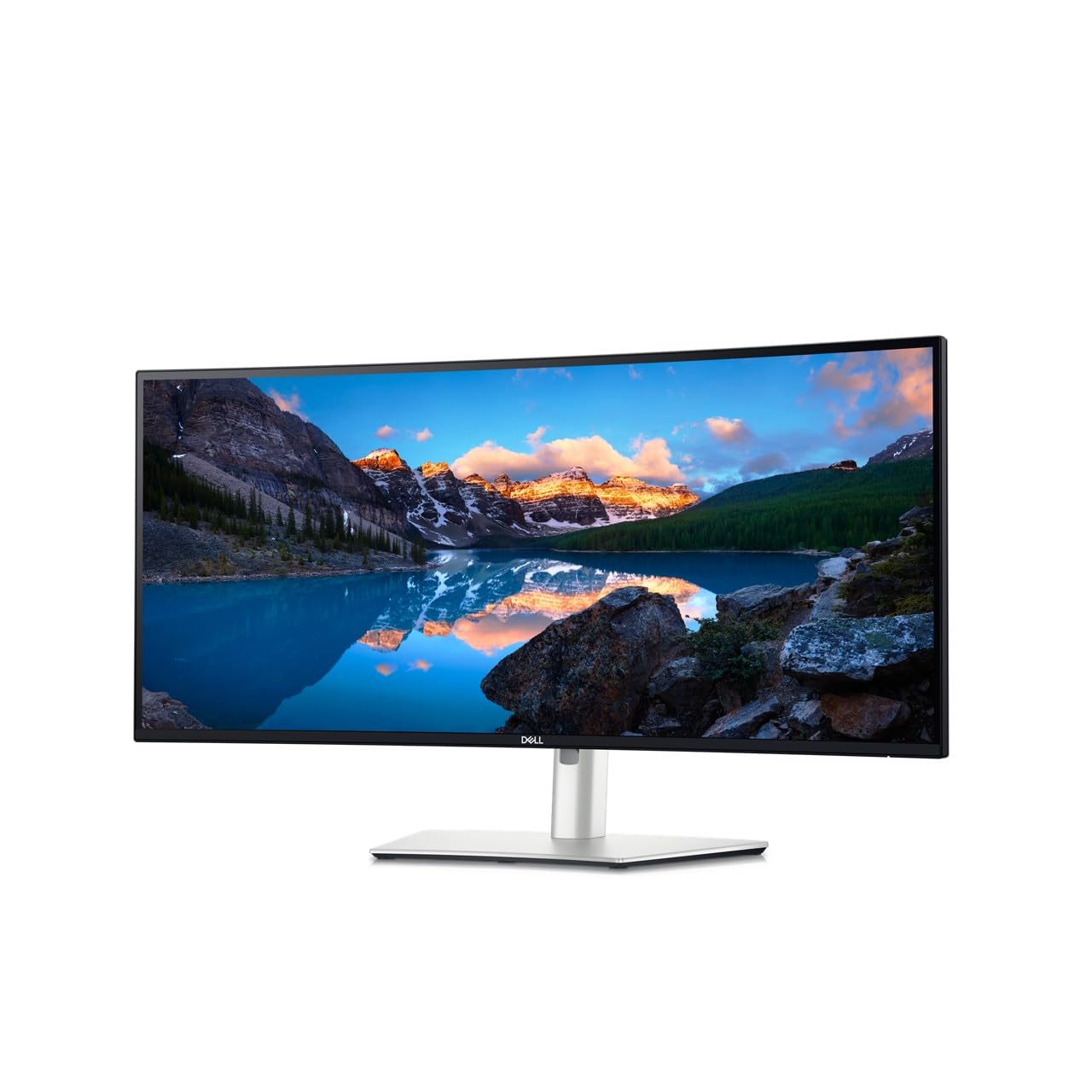
The Dell UltraSharp U3425WE is engineered for the professional who demands clarity, color accuracy, and seamless connectivity. Its standout feature is the 5K QHD (5120×1440) resolution, which essentially provides the pixel density of two sharp 27-inch QHD monitors side-by-side without a bezel in the middle, offering unparalleled desktop real estate.
This monitor is a connectivity powerhouse. The USB-C hub delivers data, video, and up to 90W of power to your laptop, while the integrated KVM switch allows you to control two computers with one keyboard and mouse. Features like an ambient light sensor that adjusts screen brightness and a ComfortView Plus blue light reduction filter are tailored for all-day comfort.
While its 120Hz refresh rate is a nice boost over standard 60Hz office monitors, its true calling is productivity. The IPS Black panel technology enhances contrast over traditional IPS, making text and spreadsheets exceptionally crisp and easy on the eyes during marathon work sessions.
Why it’s great
- 5K QHD resolution offers incredible pixel density for multitasking.
- Comprehensive USB-C hub with high-wattage charging and KVM switch.
- Professional features like ambient light sensor and IPS Black panel.
Good to know
- Primarily focused on productivity, not high-refresh gaming.
- The stand is substantial and requires deep desk space.
7. msi MAG 341CQP QD-OLED

The MSI MAG 341CQP is your entry point into the world of OLED ultrawides without significant compromise. It delivers the core OLED experience—infinite contrast, perfect blacks, and vibrant color—at a refresh rate that is more than sufficient for immersive single-player gaming and a hugely responsive desktop experience.
With a 175Hz refresh rate and a 0.03ms response time, motion handling is excellent, eliminating ghosting and blur in fast-paced games. The 1800R curvature is gentle enough for productivity but still adds a layer of immersion that a flat screen can’t match. It also carries the VESA DisplayHDR True Black 400 certification, ensuring a quality HDR experience in supported games and videos.
For users making the jump from a standard LCD panel, this monitor represents a transformative upgrade. You get the breathtaking picture quality of OLED and a high refresh rate in a well-rounded package that balances performance and value effectively.
Why it’s great
- Brings the transformative OLED viewing experience to a more accessible level.
- 175Hz is a sweet spot for high-performance gaming and fluid desktop use.
- Solid build quality with thin bezels for a modern, immersive look.
Good to know
- Lacks some of the advanced software features of the more premium MPG series.
- Glossy screen finish can be reflective in brightly lit rooms.
8. Alienware AW3423DW QD-OLED

The original Alienware QD-OLED remains a stellar choice, particularly for users who value both gaming and content creation. Its 175Hz refresh rate is backed by NVIDIA G-Sync Ultimate certification, guaranteeing a perfectly smooth, variable refresh rate experience with supported graphics cards, from high frame rates down to very low ones.
A unique feature is its dedicated Creator Mode, which allows you to switch between native DCI-P3 and sRGB color spaces with adjustable gamma. This makes it a compelling hybrid monitor for gamers who also edit photos or videos, as you can quickly switch to an accurate color profile for creative work. The industrial design, with its signature Legend 2.0 aesthetic and rear lighting, makes a bold statement.
While it has been succeeded by a 240Hz model, this monitor’s combination of validated G-Sync performance, creator-friendly features, and that iconic QD-OLED picture quality continues to make it a relevant and desirable option.
Why it’s great
- G-Sync Ultimate certification ensures flawless variable refresh rate performance.
- Dedicated Creator Mode with accurate sRGB and DCI-P3 emulation.
- Distinctive, premium design with customizable AlienFX lighting.
Good to know
- Uses HDMI 2.0, which limits high-refresh capabilities over HDMI.
- The fan-cooled G-Sync module may produce faint audible noise for some.
9. ViewSonic VP3456A ColorPro

The ViewSonic VP3456A is built from the ground up for color-critical work. Its Pantone Validation is a significant credential, meaning it has been certified to accurately reproduce colors from the Pantone Matching System, a global standard for designers. This, combined with 99% sRGB coverage and Delta E <2 accuracy, makes it a trustworthy tool for graphic design, photo editing, and pre-press work.
It doesn’t skimp on connectivity or ergonomics. The 100W USB-C port can power and connect even high-wattage laptops, while the built-in Ethernet port allows for a wired network connection through the monitor, drastically reducing cable clutter on your desk. The stand offers a full range of adjustments, including height, tilt, and swivel, to achieve the perfect ergonomic posture.
With a 75Hz refresh rate, it offers a slight bump in smoothness over standard 60Hz monitors, which is a welcome benefit for scrolling through timelines or large canvases. This is a focused, professional tool that prioritizes accuracy and workflow efficiency above all else.
Why it’s great
- Pantone Validation provides confidence for professional color work.
- High-wattage 100W USB-C and built-in Ethernet simplify connectivity.
- Excellent ergonomic stand with full adjustability for all-day comfort.
Good to know
- 75Hz refresh rate is modest compared to gaming-focused models.
- The matte coating, while good for anti-glare, can slightly diffuse fine details.
10. Samsung Odyssey G85SB (Renewed)

This renewed model offers a pathway to premium QD-OLED technology for budget-conscious buyers. It features the same core panel as the newer G8 series, with a 175Hz refresh rate, 0.03ms response time, and the stunning color and contrast of Samsung’s Quantum Dot-OLED. Purchasing a certified renewed product can provide significant savings while still delivering a top-tier visualexperience. The renewed status means it has been inspected and tested to work like new, often representing a very smart value proposition for a technology that is otherwise premium.
Performance-wise, it’s identical to the original: a 175Hz refresh rate for smooth gameplay, ultra-fast response time, and the breathtaking contrast of QD-OLED. It includes AMD FreeSync Premium Pro for tear-free gaming and supports HDR content. For someone who wants the OLED advantage but is comfortable with a renewed purchase, this can be an excellent way to access that performance tier.
It’s important to purchase from a reputable renewed program that offers a warranty. This provides a safety net and ensures the monitor has been properly refurbished. If your priority is the panel technology itself and you’re seeking a more budget-friendly avenue, this renewed option is worth serious consideration.
Why it’s great
- Provides flagship QD-OLED image quality at a reduced cost.
- 175Hz and FreeSync Premium Pro deliver excellent gaming performance.
- Certified renewed products often come with a warranty for peace of mind.
Good to know
- Being a renewed unit, cosmetic condition may not be pristine.
- Availability and specific warranty terms can vary by seller.
11. Dell U3419w Ultrasharp

The Dell U3419w is a proven workhorse in the business and professional space, designed explicitly for users who need to manage multiple computers seamlessly. Its standout feature is the integrated KVM (Keyboard, Video, Mouse) switch, which, combined with Picture-by-Picture (PBP) mode, allows you to display inputs from two different computers simultaneously and control both with a single set of peripherals.
This functionality is a game-changer for developers, analysts, or anyone using a personal and work laptop side-by-side. The 3440×1440 IPS panel delivers consistent, accurate colors and wide viewing angles, while the 60Hz refresh rate is perfectly adequate for all productivity tasks. The USB-C connectivity with up to 90W of power delivery keeps your laptop charged and connected with one cable.
While it lacks the high refresh rates and blistering contrast of newer OLED models, the U3419w excels in reliability, ergonomics, and smart workflow features. Its sturdy, fully adjustable stand and comprehensive port selection make it a dependable centerpiece for a clean, efficient, and multi-device workspace that prioritizes function over flash.
Why it’s great
- Built-in KVM switch and PBP mode for effortless multi-computer control.
- Reliable IPS panel with accurate color and USB-C connectivity.
- Sturdy, professional build quality with full ergonomic adjustments.
Good to know
- 60Hz refresh rate is standard, not geared for high-refresh gaming.
- An older model that lacks the latest HDR and contrast advancements.
Understanding the Specs
Panel Technology: OLED vs. IPS
OLED panels offer self-lit pixels, enabling perfect blacks, infinite contrast, and ultra-fast response times (0.03ms). This creates breathtaking image quality ideal for media and gaming but requires awareness of burn-in protection features. IPS panels use a backlight, providing excellent color accuracy and consistency with no risk of burn-in, making them the reliable choice for color-critical work and long productivity sessions.
Refresh Rate & Response Time
Refresh Rate (Hz) is how many times the image updates per second. 60Hz is standard, 120Hz+ is smooth for gaming and desktop use. Response Time (ms) is how quickly a pixel can change color. A fast response (1ms or lower) prevents motion blur. For gaming, prioritize high refresh and low response. For general use, anything above 75Hz provides a noticeably smoother experience than 60Hz.
FAQ
Is OLED safe for productivity and static images?
What is the ideal curvature for a 34-inch monitor?
Do I need a powerful graphics card for an ultrawide?
Final Thoughts: The Verdict
For most people, the best 34 inch ultrawide monitor winner is the LG 34GS95QE because it delivers the ultimate combination of speed, immersion, and OLED brilliance for gamers. If you want flawless productivity and connectivity, grab the Dell UltraSharp U3425WE. And for the most accessible entry into stunning OLED quality, nothing beats the value of the msi MAG 341CQP.

Mo Maruf
I created WellFizz to bridge the gap between vague wellness advice and actionable solutions. My mission is simple: to decode the research and give you practical tools you can actually use.
Beyond the data, I am a passionate traveler. I believe that stepping away from the screen to explore new environments is essential for mental clarity and physical vitality.