Our readers keep the lights on and my smoothie glass nicely filled. As an Amazon Associate, I earn from qualifying purchases.
The right 3 monitor stand can be the difference between a clean, productive command center and a sagging, wobbling mess that steals desk space. Beneath the sleek product photos lies a world of different gas spring ratings, steel gauges, and VESA compatibility limits that define real-world performance. The cheap options often fail within months, while premium builds hold three heavy ultrawides steady for years.
I’m Mohammad Maruf — the founder and writer behind WellFizz. I spent weeks analyzing weight capacities, lift cycle test data, and material compositions across 20+ models to determine which stands actually deliver stability, adjustability, and long-term reliability for three-monitor setups.
After evaluating hundreds of user reports on sag, wobble, and installation difficulty, these are the only models earning a spot on my list of the best 3 monitor stand for any desk configuration.
How To Choose The Best 3 Monitor Stand
Selecting the correct triple monitor mount means matching three core factors: the physical weight of your monitors, the thickness of your desk, and the range of motion you need for ergonomic viewing. Lighter aluminum stands with 9 kg gas springs simply cannot hold heavy 32-inch ultrawides level over time.
Weight Capacity Per Arm (The Sag Barrier)
Look for 19.8 lbs (9 kg) as the absolute minimum for standard 27-inch monitors. For ultrawide or 32-inch panels, you need 26 lbs (12 kg) or higher per arm to avoid slow drooping after a few months. Stands that advertise “20,000 lift cycle tested” gas springs generally maintain that rating longer than unbranded mechanisms.
Mounting System: Clamp vs. Grommet
C-clamps distribute force across the lip of your desk but require 0.4 to 3.5 inches of solid edge. Grommet mounts go through a pre-drilled hole (ideal for hollow-core desks) and often feel more secure under heavy loads. Both are delivered in the box by the premium models; budget stands may skip the grommet plate.
Independent vs. Fixed Arms
Arms bolted to a shared pole restrict your ability to slide the center monitor forward independently. Fully independent gas spring arms let you tilt, swivel, and rotate each screen separately — a requirement if you pair a 35-inch ultrawide with two smaller side monitors.
Quick Comparison
On smaller screens, swipe sideways to see the full table.
| Model | Category | Best For | Key Spec | Amazon |
|---|---|---|---|---|
| PUTORSEN Triple Mount | Premium | 35″ Ultrawide Setups | 12 kg per arm (26.4 lbs) | Amazon |
| UPGRAVITY Triple Mount | Premium | Heavy 32″ Displays | 30.9 lbs per arm | Amazon |
| MOUNTUP MU8004 | Mid-Range | Mixed Monitor Configs | 19.8 lbs per arm | Amazon |
| MOUNT PRO Triple | Mid-Range | 32″ Curved Monitors | 19.8 lbs per arm | Amazon |
| MOUNTUP MU0006A | Mid-Range | General 27″ Workstations | 19.8 lbs per arm | Amazon |
| HUANUO HNTS6B | Budget | Streaming Builds | 19.8 lbs per arm | Amazon |
| ErGear EGTS5B | Budget | Small Desk Spaces | 17.6 lbs per arm | Amazon |
In‑Depth Reviews
1. PUTORSEN Triple Monitor Mount
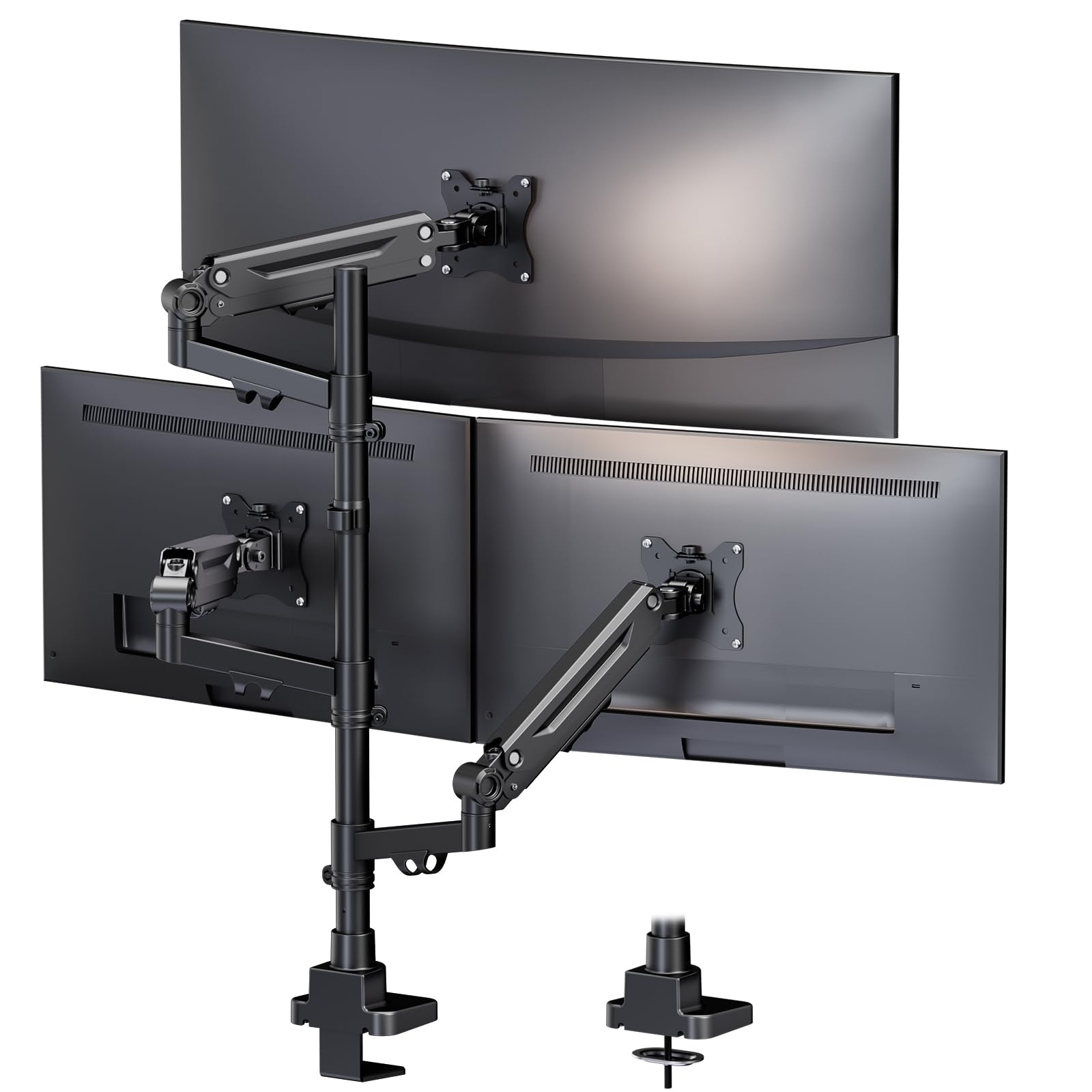
This stand dominates because each of the three independent arms is rated for 12 kg (26.4 lbs), enough to hold a 35-inch ultrawide paired with two 32-inch side monitors without sinking. The Acrylonitrile Butadiene Styrene (ABS) and alloy steel frame feel dense and overbuilt compared to the hollow aluminum arms on budget contenders. Integrated cable management runs along each arm to prevent tangles, and the included grommet adapter gives you flexibility on hollow-core desks.
Testing reports from users running triple ultrawide setups confirm zero sag after months of daily use, while the 10-year warranty signals the manufacturer’s confidence in its gas spring longevity. The independent arms allow fine height and depth separation — critical when your center monitor is significantly wider than the sides. Setup takes about 20 minutes with clear instructions and labeled hardware bags.
If you own one 35-inch curved plus two 27-32 inch side monitors, this is the only stand in this roundup built specifically for that asymmetric load. The clamp fits desks from 0.39 to 3.54 inches thick, though very thin desktops may benefit from an optional reinforcement plate to prevent crushing.
Why it’s great
- True 12 kg independent gas spring arms handle asymmetric loads
- 10-year warranty far exceeds industry standard
- Smooth tilt, swivel, and 360-degree rotation on each arm
Good to know
- Side arm extensions may be tight for triple 35″ in landscape orientation
- Premium price tier compared to basic 27″ stands
2. UPGRAVITY Triple Monitor Stand

UPGRAVITY uses a dual C-clamp base design that distributes the weight of three monitors across a larger footprint, reducing lever-arm wobble that plagues single-post stands. Each arm carries up to 30.9 lbs — the highest per-arm rating in this list — making it genuinely capable of holding three 32-inch gaming monitors simultaneously. The high-grade steel frame and premium gas spring system survived 25,000 exercise tests before shipping.
Real-world users report that the side arms can feel slightly wobbly on standing desks during heavy typing sessions, though the tension adjustment screws help mitigate this. The center pole height adjustment and independent arm tilt/rotation allow easy landscape-to-portrait switching. Allen wrench storage slots built into the frame are a small but welcome detail for future adjustments.
Cable management runs through the arms and down the pole, keeping the desk surface clear even with thick DisplayPort and power cables. The 3-year warranty feels shorter than the PUTORSEN, but the 30.9 lb capacity is unmatched if you run heavy, non-ultrawide 32-inch panels.
Why it’s great
- Highest per-arm capacity (30.9 lbs) in this comparison
- Dual C-clamp base reduces desk-edge wobble
- 25,000-cycle tested gas springs for long-term reliability
Good to know
- Side arms can wobble on standing desks without tension tuning
- VESA adapters needed for monitors without standard 75/100 mm holes
3. MOUNTUP Triple Monitor Mount MU8004

The MU8004 hits the sweet spot between price and capability by supporting up to 32-inch screens (19.8 lbs each) while offering a detachable VESA plate system that makes attaching monitors much faster than competitors that require holding the arm while threading screws. The full-motion arms provide 360-degree rotation, ±90-degree swivel, and ±45-degree tilt, all controlled via gas spring tension.
User feedback highlights that the tilt mechanism can be jerky — too loose and the monitor slumps, tighten it and movement feels fragile — but once locked in position, the arm holds steady. The cable management uses detachable covers that snap over the arm channels, which is cleaner than the exposed clip systems on cheaper stands. C-clamp and grommet options cover desks from 0.39 to 3.15 inches thick.
Over 20,000 exercise tests on the heavy-gauge steel frame back its durability claims. The center monitor is fixed to the pole, so only the outer arms offer independent depth adjustment — a limitation if you need to push the middle screen forward independently, but acceptable at this price tier.
Why it’s great
- Detachable VESA plates simplify monitor attachment
- Supports up to 32″ monitors at 19.8 lbs each
- 3-year support warranty at a mid-range price point
Good to know
- Tilt adjustment can feel jerky during initial setup
- Center monitor lacks independent forward extension
4. MOUNT PRO Triple Monitor Mount

MOUNT PRO uses aluminum arms with an iron base to reduce overall weight (12.35 pounds) while maintaining rigidity, making it a strong contender for glass or thin wooden desktops where a full-steel stand might cause stress. The two side arms are gas spring-assisted for dynamic height adjustment, while the center arm remains fixed on the pole but offers ±90-degree tilt and 360-degree rotation.
Users running three curved 27-inch monitors report that alignment requires patience — the arms allow fine tuning but the gas spring tension screws need iterative adjustments to balance the weight of heavy curved panels. Once dialed in, the stand feels rock solid with minimal wobble from desk vibrations. The cable management clips are easily detachable, though the routing channels are narrow for thick power bricks.
This stand fits 13 to 32-inch screens, but the key advantage is its corrosion-resistant aluminum construction in humid environments. The 2-year warranty is shorter than the MOUNTUP’s, but MOUNT PRO’s customer support is noted as responsive in user reports. A reinforcement plate (sold separately) is recommended for thin desktops.
Why it’s great
- Lightweight aluminum arms with iron base reduce desk stress
- Good motion range for curved 27″ monitors
- Detachable cable management covers for easy wire routing
Good to know
- Tension adjustments can be tedious with heavy ultrawides
- Center monitor height instructions could be clearer
5. MOUNTUP Triple Monitor Mount MU0006A

This MOUNTUP variant caps screen size at 27 inches, making it a more affordable choice for standard office or gaming setups without ultrawide ambitions. The two spring arms handle extension, retraction, and height changes dynamically, while the center screen stays on the pole. Quick-release VESA plates snap off for easy monitor attachment without having to hold the full arm weight.
Customer reports note that fine positioning adjustments are harder than with premium gas spring arms because the tension feels stiffer at the extremes. The tilt range spans ±90 degrees (twice the ±45 degrees found on the ErGear stand), giving more flexibility for vertical monitor configurations. Cable management tucks wires into the arm channels with detachable covers, keeping the desk clear.
The heavy-gauge steel construction feels dense despite the lower price tier. Users have successfully mounted it over beds for home office setups by adding custom wooden reinforcement. The 3-year support warranty adds peace of mind for a stand expected to last through multiple monitor upgrades.
Why it’s great
- Quick-release VESA plates make monitor swaps fast
- Smooth gas spring movement on the two outer arms
- Clear instructions enable sub-20-minute installation
Good to know
- Fine motion adjustments feel stiffer than premium options
- Not recommended for 32″ or ultrawide monitors
6. HUANUO Triple Monitor Mount HNTS6B
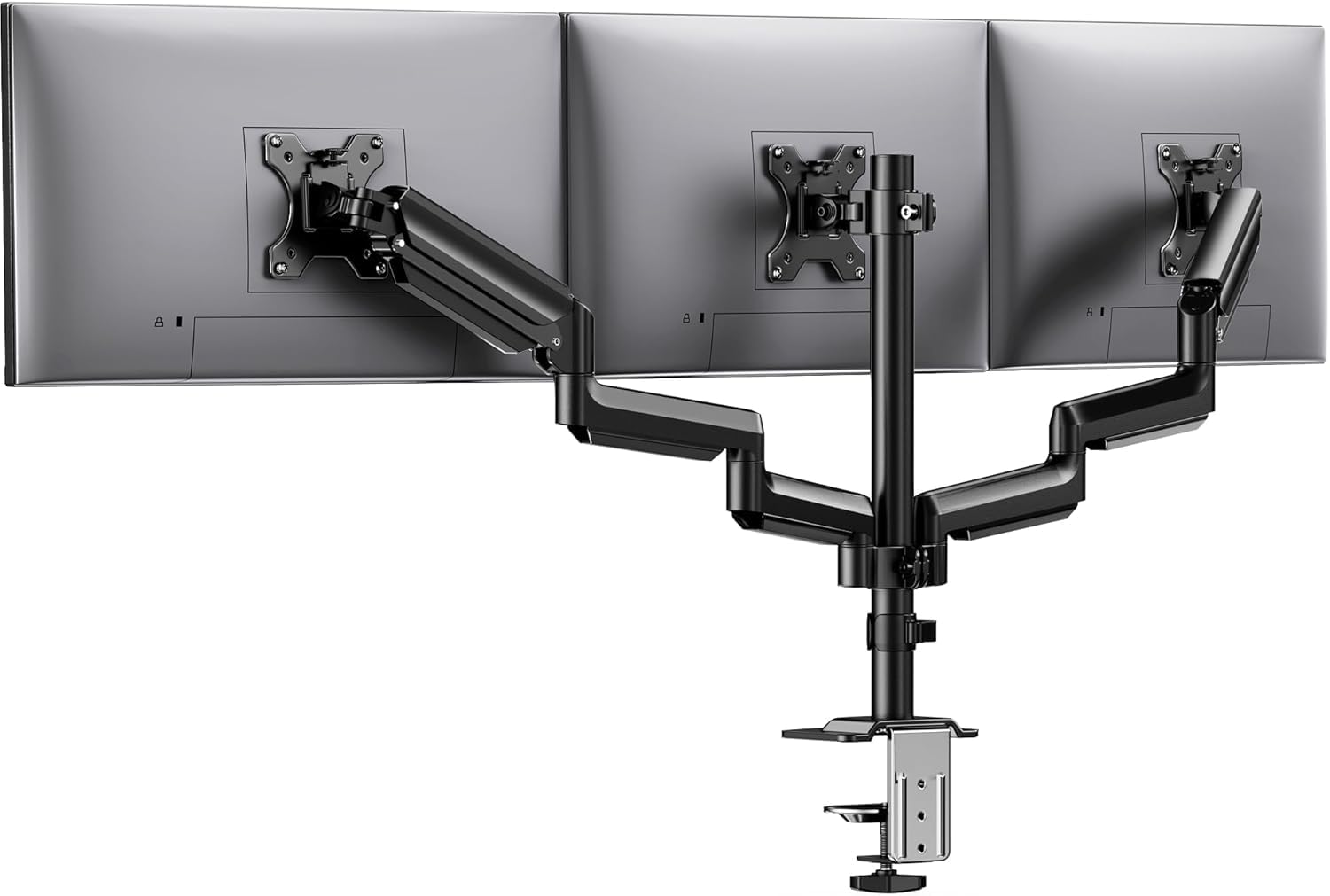
HUANUO markets this stand as “aerospace-grade aluminum,” and the 12.2 inches of height adjustment range is the most generous in the budget tier, accommodating tall users or standing desk transitions without needing additional risers. Each arm carries 19.8 lbs and has been tested to 20,000 lift cycles. The tilt-lock bolt allows you to set the angle precisely and lock it in place to prevent drift.
Setup can be frustrating for some users — aligning the arms to sit perfectly flush across three screens often requires loosening and retightening multiple bolts several times. Once aligned, however, the stand holds position without slow sag, even with 27-inch monitors in portrait orientation. The cable management clips are plastic snap-ons that do a decent job of routing wires but feel less premium than the metal channels on higher-end stands.
At its price point, the HNTS6B is ideal for streamers or multitaskers who need the extra height range for camera positioning or secondary screen stacking. The support is compatible with 13-27 inch monitors, making it a solid entry-level triple stand for lighter setups.
Why it’s great
- Generous 12.2 inch height adjustment range
- 20,000-cycle tested gas springs resist sag over time
- Aerospace-grade aluminum construction reduces weight
Good to know
- Side arm alignment requires iterative retightening
- Plastic cable clips feel less robust than steel alternatives
7. ErGear Triple Monitor Mount EGTS5B
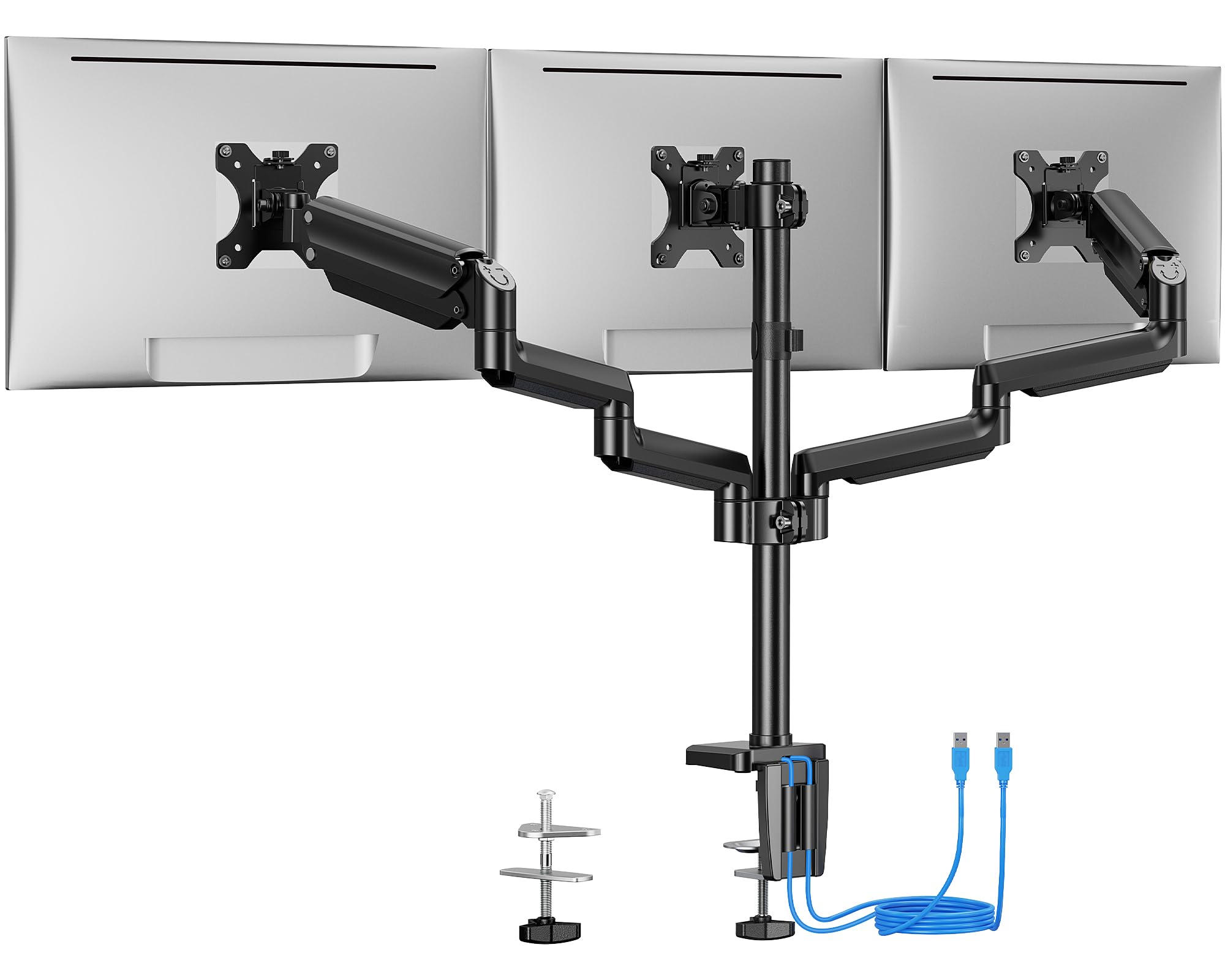
ErGear’s EGTS5B is the lightest capacity stand in the group, with each arm rated for 17.6 lbs, and it caps screen size at 27 inches. What sets it apart is the integrated USB 3.0 hub on the central pole — two ports let you charge devices or transfer data directly on your desktop without reaching around to the back of your PC. The steel frame passed 20,000 lift cycles and uses a solid C-clamp or grommet mount.
Real-world feedback confirms that the middle bracket lacks forward adjustment independent of the pole, which limits configuration flexibility when using 27-inch side monitors. Some users found the side arms cannot push the monitors far enough forward for an ideal curve alignment. The cable management runs through the arms and pole, keeping wires hidden but requiring careful threading during initial setup.
This stand works best for 24-inch or smaller side monitors in a straight, flat arrangement where the center screen doesn’t need to sit closer to the user than the sides. The USB ports are convenient but positioned on the back of the pole — you may need a right-angle cable for easy access. The 20-minute assembly time is accurate for experienced builders.
Why it’s great
- Integrated USB 3.0 hub simplifies peripheral connectivity
- 20,000 lift cycle tested steel construction
- Works well with small desks due to compact arm design
Good to know
- 17.6 lb capacity limits monitor size to ≤24″ side panels
- Middle bracket lacks forward depth adjustment
FAQ
Will a 3 monitor stand hold three 32-inch ultrawide monitors side by side?
Can I mix a 35-inch curved center monitor with two 27-inch flat side monitors on the same stand?
Why does my monitor sag after a few months of use on a budget stand?
Final Thoughts: The Verdict
For most users, the best 3 monitor stand winner is the PUTORSEN Triple Monitor Mount because its 12 kg independent gas spring arms handle asymmetric ultrawide setups without sagging. If you want the highest raw weight capacity for three 32-inch gaming monitors, grab the UPGRAVITY Triple Monitor Stand. And for a balanced value pick that supports 32-inch screens at a lower investment, nothing beats the MOUNTUP MU8004.

Mo Maruf
I created WellFizz to bridge the gap between vague wellness advice and actionable solutions. My mission is simple: to decode the research and give you practical tools you can actually use.
Beyond the data, I am a passionate traveler. I believe that stepping away from the screen to explore new environments is essential for mental clarity and physical vitality.