Our readers keep the lights on and my smoothie glass nicely filled. As an Amazon Associate, I earn from qualifying purchases.
Finding a monitor that balances sharp pixel density with fluid motion without forcing you into a budget corner can feel like chasing a ghost. The 1440P 144Hz category hits a sweet spot for gamers and professionals who want clarity without the heavy GPU tax of 4K, but the range in panel quality, response times, and color accuracy across the market is massive — you need to know exactly which specs actually translate to better performance on your desk.
I’m Mohammad Maruf — the founder and writer behind WellFizz. I’ve spent years analyzing monitor hardware specifications, from panel types and luminance output to color gamut coverage and adaptive sync performance, to cut through the marketing noise and identify what genuinely matters for your setup.
After digging through hours of technical data and real-world feedback on dozens of models, we’ve filtered the market down to the models that deliver real value. This is your guide to the absolute best 1440p 144hz monitor picks across multiple panel technologies and price tiers, designed to match your specific gaming or productivity needs.
How To Choose The Best 1440P 144Hz Monitor
Buying a monitor in this category means finding the right intersection of panel technology, refresh rate, and color performance. Your choice depends heavily on whether you’re prioritizing competitive frame rates, color-critical creative work, or immersive single-player visuals.
Panel Technology: The Foundation of Your Image
IPS panels offer strong color accuracy and wide viewing angles, making them versatile for mixed use. OLED and QD-OLED panels provide infinite contrast with perfect blacks and vibrant colors, but come with burn-in considerations and generally lower brightness in well-lit rooms. Mini-LED (like the KTC M27T6S) uses local dimming zones to get closer to OLED black levels while maintaining high peak brightness for HDR content. VA panels deliver good contrast but can suffer from slower pixel transitions and narrower viewing angles.
Refresh Rate vs. Response Time
A 144Hz baseline is solid for smooth daily gaming, but going higher to 175Hz, 180Hz, or even 240Hz provides diminishing returns outside of competitive esports. Response time ratings are equally critical: look for 1ms GtG on IPS and Mini-LED panels, or 0.03ms GtG on OLED panels — anything slower may result in visible ghosting during fast motion. MPRT (Moving Picture Response Time) figures can be misleading, so prioritize GtG numbers for real-world gaming clarity.
Color Accuracy and HDR Capability
For creative work, target a monitor with 95% or higher DCI-P3 coverage and factory Delta E < 2 certification. HDR performance varies drastically: DisplayHDR 400 offers a basic HDR experience, while HDR 600 and True Black 400 (common on OLED panels) deliver much better dynamic range and highlight detail. Brightness also matters — IPS panels typically hit 300-400 nits, while Mini-LED and high-end OLED models can push past 1000 nits peak for impactful highlights.
Quick Comparison
On smaller screens, swipe sideways to see the full table.
| Model | Category | Best For | Key Spec | Amazon |
|---|---|---|---|---|
| MSI MAG 271QPX QD-OLED | QD-OLED | Competitive esports & vibrant HDR | 360Hz, 0.03ms GtG | Amazon |
| ASUS ROG Strix XG27AQDMG | WOLED | Glossy screen lovers & high fps | 240Hz, 0.03ms GtG | Amazon |
| AOC Agon PRO AG346UCD | QD-OLED | Ultrawide immersive gaming | 175Hz, 0.03ms GtG | Amazon |
| Alienware AW3425DW | QD-OLED | Premium ultrawide & multitasking | 240Hz, 0.03ms GtG | Amazon |
| KTC M27T6S | Mini-LED | HDR content & high brightness | 210Hz OC, 1152 zones | Amazon |
| Acer Predator X27U | QD-OLED | Budget OLED entry point | 240Hz, 0.03ms GtG | Amazon |
| LG 27GR83Q-B | IPS | All-around solid performer | 240Hz, 1ms GtG | Amazon |
| Samsung Odyssey OLED G5 | QD-OLED | OLED for tight budgets | 180Hz, 0.03ms GtG | Amazon |
| INNOCN 40C1R | IPS | Ultrawide productivity & gaming | 144Hz, 40-inch | Amazon |
| ViewSonic VX3418C-2K | VA | Budget ultrawide curved | 180Hz, 1ms MPRT | Amazon |
| ASUS ROG Strix XG49VQ | VA | Super ultrawide multitasking | 144Hz, 32:9 ratio | Amazon |
In‑Depth Reviews
1. MSI MAG 271QPX QD-OLED

The MSI MAG 271QPX QD-OLED represents a new benchmark in the 1440P category, pairing a third-generation QD-OLED panel with a blistering 360Hz refresh rate and 0.03ms GtG response time. This combination delivers buttery-smooth motion with zero perceptible ghosting, making it an ideal choice for competitive esports players who also want rich color saturation and true black levels during single-player titles.
The panel achieves VESA DisplayHDR True Black 400 certification, meaning dark scenes retain depth while highlights pop without blooming. MSI’s OLED Care 2.0 actively mitigates burn-in risk, and the inclusion of HDMI 2.1 with full 48 Gbps bandwidth ensures compatibility with next-gen consoles and high-bitrate PC gaming. The stand offers solid adjustability, though the build is predominantly plastic.
Color accuracy is excellent with factory Delta E ≤ 2 and a wide 98% DCI-P3 gamut. Users report that the 360Hz mode requires Display Stream Compression (DSC) over DisplayPort, leading to slightly longer alt-tab transitions — a minor compromise for such high-frequency performance. With a three-year burn-in warranty included, peace of mind is built into the purchase.
Why it’s great
- 360Hz refresh with instant 0.03ms response time
- True Black 400 HDR with deep, inky blacks
- Three-year burn-in warranty included
Good to know
- DSC required for 360Hz causes slower alt-tab switching
- VRR flicker can appear in loading screens
2. ASUS ROG Strix XG27AQDMG

The ASUS ROG Strix XG27AQDMG stands out with its glossy WOLED panel — a design choice that enhances perceived contrast and color vibrancy significantly more than matte OLED screens. This 26.5-inch QHD monitor runs at 240Hz with 0.03ms response times, and the custom heatsink and advanced airflow design help manage thermals to reduce burn-in risk over long sessions.
ASUS includes proprietary OLED Anti-flicker technology that minimizes flicker during frame rate fluctuations, a common pain point for OLED displays. The third-generation WOLED panel improves full-screen brightness and text clarity compared to earlier OLED generations, though the glossy finish can reflect ambient light in bright rooms. Uniform brightness mode is available for users who want consistent luminance across the screen during productivity tasks.
With 99% DCI-P3 coverage, this monitor is a strong candidate for creative professionals who also game. The stand is sturdy with full ergonomic adjustability, though some users report that VESA mount attachment is a bit tighter than expected. A three-year warranty with burn-in coverage provides good long-term assurance.
Why it’s great
- Glossy WOLED panel delivers punchy, vivid colors
- 240Hz with 0.03ms response for ultra-fluid motion
- 3-year warranty including burn-in coverage
Good to know
- Glossy screen reflects bright ambient light
- No built-in speakers
3. AOC Agon PRO AG346UCD

The AOC Agon PRO AG346UCD delivers a 34-inch 21:9 QD-OLED experience at 3440×1440 resolution with 175Hz refresh and 0.03ms response time. This ultrawide format provides a cinematic field of view that is especially immersive for racing, flight sims, and open-world RPGs. The 1500R curve wraps around your vision without over-distorting desktop geometry.
Color reproduction is exceptional thanks to the QD-OLED panel, with HDR400 True Black certification ensuring deep blacks and bright highlights simultaneously. The monitor supports G-Sync Compatible adaptive sync, and the stand provides 150mm height adjustment, tilt, and swivel. Built-in speakers are present but adequate only for casual use.
Text clarity is generally good for an OLED ultrawide, though some users noted the factory screen protector can be challenging to remove — it sits under the bezel and may leave residue if not handled carefully. The RGB backlighting is a welcome aesthetic touch for gamers who want desk ambiance without dedicated lighting.
Why it’s great
- Immersive 34-inch QD-OLED with vibrant colors
- 175Hz refresh ensures smooth ultrawide gaming
- Full ergonomic stand with wide adjustment range
Good to know
- Screen protector removal is tricky and can leave adhesive
- Out-of-box colors may appear slightly warm
4. Alienware AW3425DW

The Alienware AW3425DW is a 34.2-inch QD-OLED monitor that pushes the ultrawide format to 240Hz, combining a 3440×1440 resolution with 0.03ms response times and a gentle 1800R curve. It supports AMD FreeSync Premium Pro, NVIDIA G-Sync Compatible, and VESA AdaptiveSync, making it one of the most flexible adaptive sync implementations available in an OLED panel.
With DCI-P3 99.3% coverage and Delta E < 2 accuracy, colors are reference-grade right out of the box. HDR performance is driven by DisplayHDR TrueBlack 400 certification, delivering a 1,500,000:1 contrast ratio that makes dark scenes feel genuinely infinite. The glossy QD-OLED surface ensures colors look punchy and saturated, though it can show reflections in direct light.
Build quality is premium with a solid metallic stand, integrated cable management, and an Alienware sticker pack for personalization. Some users note that while the 240Hz refresh is fantastic for gaming, professional users may want to calibrate brightness downwards for prolonged office use to avoid eye strain.
Why it’s great
- 240Hz on a 34-inch QD-OLED panel
- Supports FreeSync Premium Pro and G-Sync Compatible
- Reference-grade DCI-P3 99.3% color coverage
Good to know
- Glossy screen reflects ambient light
- Text clarity is slightly softer than IPS at this resolution
5. KTC M27T6S
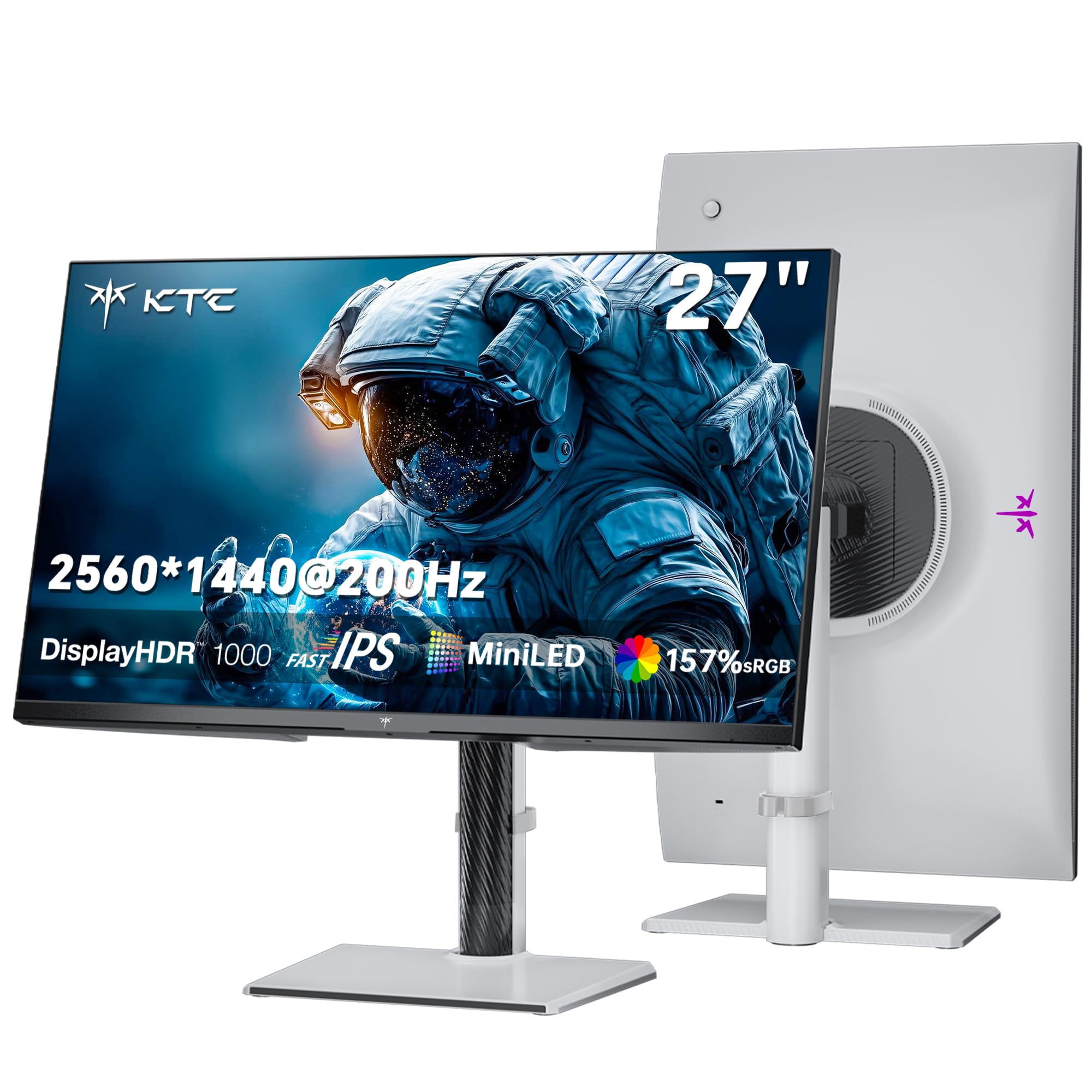
The KTC M27T6S brings Mini-LED technology to the 1440P category at an accessible price point. It features 1152 local dimming zones and a Fast IPS panel that overclocks to 210Hz. Peak brightness hits 1000 nits, making this monitor exceptionally capable for HDR content where specular highlights need to punch through without washing out the scene.
Color coverage reaches 157% sRGB and 130% DCI-P3 gamut area, which translates to vivid, saturated visuals that can appear oversaturated in standard content if left uncalibrated. The 1ms MPRT response time keeps motion blur minimal, and Adaptive Sync supports both FreeSync and G-Sync. The stand offers full ergonomic adjustment including pivot, which is rare at this price point.
Some users report that out-of-box color settings look washed out and require manual calibration to achieve accurate tones. The monitor also has a slower wake-up time compared to competitors. However, for users who prioritize HDR brightness and high refresh in a Mini-LED package, the price-to-feature ratio is hard to beat.
Why it’s great
- 1152-zone Mini-LED with 1000-nit peak brightness
- Overclocks to 210Hz for smoother gameplay
- Full ergonomic stand with height and pivot adjustment
Good to know
- Out-of-box colors require manual calibration
- Slower wake-up time from standby
6. Acer Predator X27U

The Acer Predator X27U is a 26.5-inch QD-OLED monitor that offers a true 10-bit panel with 99% DCI-P3 coverage at a price that undercuts most OLED alternatives. It operates at 240Hz with a 0.03ms response time, delivering the same ultra-fluid motion and infinite contrast as far more expensive counterparts. AMD FreeSync Premium is standard, and G-Sync Compatible certification ensures smooth tear-free gameplay.
The ZeroFrame design makes the screen feel almost borderless, and the typical brightness is lower than premium OLEDs — meaning HDR content doesn’t get as bright as the KTC or the MSI. However, for a dimmer room or evening sessions, the color saturation and black depth are transformative. The menu system is overly complex, and there is no sharpness or overdrive adjustment available.
Build quality is standard for the price range; the stand feels a bit wobbly and the joystick control has a cheap tactile feel. Some units arrived with a cracked stand, indicating QC inconsistency. Despite these caveats, the core display performance — vivid colors, flawless blacks, and fast refresh — makes it an incredible value for those wanting to enter the OLED ecosystem without a premium tax.
Why it’s great
- True 10-bit QD-OLED at a budget-friendly price
- 240Hz refresh with 0.03ms response time
- 99% DCI-P3 coverage for vibrant colors
Good to know
- Lower brightness than premium OLED competitors
- Menu system is complex with limited settings
7. LG 27GR83Q-B

The LG 27GR83Q-B is a 27-inch IPS monitor that hits 240Hz via both DisplayPort 1.4 and HDMI 2.1, making it one of the most versatile high-refresh IPS options for multi-platform gamers. The 1ms GtG response time ensures minimal ghosting, and both G-Sync Compatible and AMD FreeSync Premium are supported. The 400-nit brightness and 95% DCI-P3 coverage provide punchy, accurate colors suitable for most gaming and content consumption scenarios.
The stand is heavy and sturdy with full tilt, height, and pivot adjustment. The inclusion of HDMI 2.1 means console gamers can run 1440P at 120Hz with VRR, a feature lacking in many competitors. The monitor also features a 4-pole headphone jack with DTS Headphone:X support for spatial audio, plus Black Stabilizer and Dynamic Action Sync for competitive gaming tweaks.
Some users report stuck pixel issues out of the box, and the matte finish on the display can soften the image slightly compared to glossy panels. The cable clip on the stand is poorly designed and may fall off. However, for anyone wanting a straightforward, high-refresh IPS monitor with no OLED concerns, this LG is a reliable mid-range champion.
Why it’s great
- 240Hz with HDMI 2.1 for console compatibility
- Solid build with fully adjustable stand
- 95% DCI-P3 coverage with HDR400
Good to know
- Some units have stuck pixel issues
- Matte finish reduces perceived image sharpness
8. Samsung Odyssey OLED G5

The Samsung Odyssey OLED G5 brings Samsung’s QD-OLED technology to a more accessible price bracket, offering a 27-inch 1440P panel with 180Hz refresh and 0.03ms GtG response. The panel features Samsung’s Glare Free technology, which significantly reduces reflections compared to typical glossy OLEDs. Pantone Validation for over 2100 colors ensures accurate reproduction across a wide range of content.
HDR10 support provides brighter highlights and deeper shadows, though peak brightness is lower than premium OLED models at around 280 nits typical. OLED Safeguard uses a thermal modulation system to actively prevent burn-in. Connectivity is limited to one HDMI and one DisplayPort, with no built-in speakers. The stand is tilt-only and lacks height adjustment, so a VESA arm is recommended for ergonomic setups.
Users praise the picture quality as a massive step up from IPS, with deep blacks and saturated colors that make games and movies look stunning. The lower refresh rate compared to other OLEDs may be a concern for extreme competitive players. The console experience is limited by HDMI 2.0, capping bandwidth at 1440P 120Hz without full VRR support in all scenarios.
Why it’s great
- Pantone Validated QD-OLED with excellent color accuracy
- Glare Free technology minimizes reflections
- Aggressive pricing for OLED performance
Good to know
- Tilt-only stand — VESA arm recommended
- HDMI 2.0 limits console bandwidth
9. INNOCN 40C1R

The INNOCN 40C1R is a 40-inch ultrawide IPS monitor with a 3440×1440 resolution and 144Hz refresh rate — offering an 18% larger viewing area than standard 34-inch ultrawides. The 500-nit brightness and 95% DCI-P3 coverage ensure excellent color performance for both productivity tasks and gaming. HDMI 2.0 caps 1440P at 100Hz, but DisplayPort 1.4 delivers the full 144Hz refresh rate.
USB-C connectivity supports video, data, and 65W power delivery, making this an excellent hub for a single-cable laptop setup. The stand is heavy-duty with tilt, swivel, and height adjustment. TÜV Rheinland certification for blue light reduction helps reduce eye strain during long sessions. The monitor also includes PBP/PIP functionality for multitasking across two input sources simultaneously.
Some users report that the menu interface feels dated and that the stand is too low for taller desks. The HDR performance is passable but not transformative, and the 93 PPI is less sharp than a 27-inch 1440P panel. However, for users who want a massive workspace without moving to 4K, this monitor is one of the best-value ultrawide IPS options on the market.
Why it’s great
- Massive 40-inch IPS screen with bright 500-nit output
- USB-C with 65W power delivery for streamlined setups
- Great color accuracy with 95% DCI-P3
Good to know
- HDMI ports limited to 100Hz at 1440P
- Warranty support has been inconsistent
10. ViewSonic VX3418C-2K
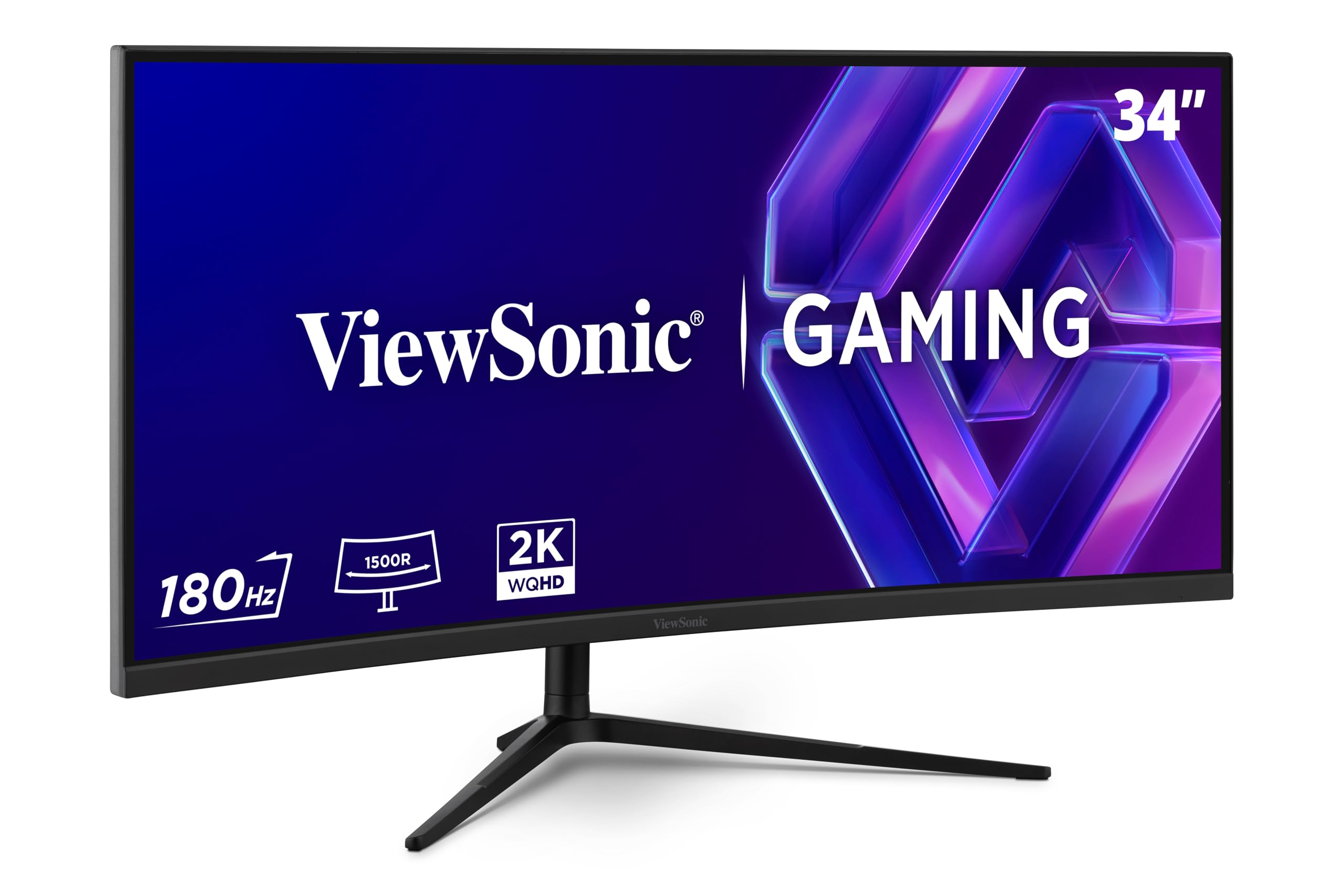
The ViewSonic VX3418C-2K is a 34-inch curved ultrawide VA monitor with WQHD resolution and 180Hz refresh rate. The VA panel delivers a 4000:1 contrast ratio, which is significantly higher than typical IPS monitors, resulting in deeper blacks and better HDR-like shadow detail in dark scenes. The 1500R curvature creates a comfortable viewing arc for immersive gaming and wide productivity workspaces.
FreeSync Premium is supported for tear-free gameplay, and the monitor includes flicker-free technology and a blue light filter to reduce eye fatigue during extended sessions. Color gamut is measured at 72% NTSC, which is lower than IPS competitors but acceptable for the price point. Built-in speakers are very weak and nearly unusable for gaming or media consumption.
The stand is basic with limited adjustability — most users will want to mount this on a VESA arm or aftermarket stand. The 3440×1440 resolution offers increased horizontal space but maintains the same pixel density as a standard 27-inch 1440P monitor. This is a great entry-level ultrawide for users who want the 21:9 format without a premium price tag.
Why it’s great
- 34-inch ultrawide VA with high 4000:1 contrast
- 180Hz refresh rate for smooth gaming
- Very competitive price for 21:9 format
Good to know
- Build-in speakers are nearly useless
- Stand has limited ergonomic adjustment
11. ASUS ROG Strix XG49VQ

The ASUS ROG Strix XG49VQ is a 49-inch super ultrawide monitor with a 32:9 aspect ratio and 3840×1080 resolution — effectively combining two 27-inch 1080P monitors into a single curved panel. The VA panel delivers good contrast with 1800R curvature, and the 144Hz refresh rate ensures smooth scrolling and gameplay. DisplayHDR 400 certification and 90% DCI-P3 coverage provide decent color quality for this wide format.
FreeSync 2 HDR support works best with AMD GPUs, and the monitor includes extensive ergonomic adjustability with swivel, tilt, and height options. ASUS Eye Care technology with flicker-free backlighting and blue light filters helps with long marathon sessions. The 3840×1080 resolution is lower than more expensive 5120×1440 super ultrawides, meaning lower GPU demand at the cost of less vertical screen real estate.
Users love the immersive workspace for multitasking — Discord on one side, browser on the other — and the 1080P vertical resolution runs well on mid-range GPUs. The downsampled HDR implementation can look harsh, and G-Sync compatibility is limited with reported ghosting and flickering issues. This monitor is best suited for AMD GPU users who want maximum horizontal screen space without upgrading their graphics card.
Why it’s great
- Massive 49-inch super ultrawide for extreme multitasking
- 144Hz FreeSync 2 HDR with VA contrast
- Lower resolution demands less GPU power
Good to know
- HDR implementation is mediocre with dull lows
- G-Sync compatibility causes ghosting and flickering
FAQ
What is the ideal refresh rate for a 1440P gaming monitor?
Should I worry about OLED burn-in on a monitor used for productivity?
Why does my 1440P monitor need HDMI 2.1 or DisplayPort 1.4?
Final Thoughts: The Verdict
For most users, the best 1440p 144hz monitor winner is the MSI MAG 271QPX QD-OLED because it delivers a 360Hz QD-OLED experience with True Black HDR and a full burn-in warranty at a price that competes with premium IPS monitors. If you want the glossy OLED look with 240Hz speed and exceptional color accuracy for creative work, grab the ASUS ROG Strix XG27AQDMG. And for the best ultrawide immersion that still handles competitive gaming frames, nothing beats the Alienware AW3425DW.

Mo Maruf
I created WellFizz to bridge the gap between vague wellness advice and actionable solutions. My mission is simple: to decode the research and give you practical tools you can actually use.
Beyond the data, I am a passionate traveler. I believe that stepping away from the screen to explore new environments is essential for mental clarity and physical vitality.