Our readers keep the lights on and my smoothie glass nicely filled. As an Amazon Associate, I earn from qualifying purchases.
Choosing a 1-sided ID card printer isn’t just about finding a machine that prints—it’s about investing in a reliable system for security, professionalism, and daily workflow. The wrong choice can lead to endless jams, poor image quality, and software headaches that waste more than just time.
I’m Mohammad Maruf — the founder and writer behind WellFizz. My process involves deep market research, analyzing technical specifications, and cross-referencing thousands of data points from real user experiences to identify which products deliver on their promises and which fall short.
This guide cuts through the marketing to show you the machines that work, based on a detailed analysis of print technology, software reliability, and long-term supply costs. I spent hours sifting through specs and user feedback to help you find a dependable best 1 sided id card printer that fits your specific needs without overspending or compromising on quality.
How To Choose The Best 1 Sided Id Card Printer
Selecting the right printer is about matching its core capabilities to your organization’s rhythm. You need to look beyond the sticker price and consider the total cost of operation, ease of use, and the quality of the final product.
Assess Your Printing Volume
Are you printing a handful of new hire badges each month or running hundreds of cards for a conference? Manual-feed printers are perfect for low-volume, on-demand printing where control is key. For small batches, a printer with a 50-card input hopper can save time. High-volume needs demand a more robust, automated system, but for most offices and schools, a reliable mid-range manual feed model strikes the perfect balance.
Decode the Software
The printer is only as good as the software that drives it. Bundled software ranges from extremely basic, template-driven systems to more advanced suites that can import data from spreadsheets. Check compatibility with your operating system (Windows, Mac, Linux) and consider whether you need features like photo capture integration or barcode generation. A user-friendly interface is crucial for staff who aren’t graphic designers.
Plan for Supplies & Longevity
The initial kit often includes a starter ribbon and blank cards. Your real investment is in the ongoing supplies. Verify the availability and cost of replacement YMCKO (color) or monochrome ribbons. Check that the printer uses standard CR80 PVC cards, as some may be picky about card thickness or coating. A longer warranty and accessible technical support are strong indicators of a manufacturer that stands behind their product.
Quick Comparison
On smaller screens, swipe sideways to see the full table.
| Model | Type | Best For | Key Feature | Amazon |
|---|---|---|---|---|
| Bodno Seaory S25 | Printer Kit | Overall Value & Support | Lifetime Software, 2-Year Warranty | Amazon |
| Bodno Magicard Pronto | Printer Kit | Proven Reliability | Edge-to-Edge Printing | Amazon |
| IDP SMART-31S | Printer Kit | Larger Starter Supplies | 250-Print Ribbon, 3-Year Warranty | Amazon |
| Magicard Pronto 100 | Printer Kit | Small-Batch Efficiency | 50-Card Input Hopper | Amazon |
| Bodno Seaory S25 with Camera | Printer Bundle | Complete Photo ID Setup | Includes Camera, All Supplies | Amazon |
| Magicard Pronto Silver Edition | Printer Bundle | High-Volume Starter Kits | 300 Cards & Ribbon, Excel Import | Amazon |
| Badgy100 Color Printer | Printer | Entry-Level Professional Use | Near-Edge Printing | Amazon |
| Zone 31S Badge Express | Printer | Manual Double-Side Option | Bypass Slot for Dual-Sided Printing | Amazon |
| Badgy100 with Badge Studio | Printer Kit | Portability & Simplicity | Compact Design, Template Library | Amazon |
| IDP SMART-21S | Printer Kit | Budget-Conscious Startups | Complete Starter Kit | Amazon |
| CAETOUNG Blank PVC Cards | Supplies | Replacement Card Stock | 50-Pack, 30 Mil, Graphic Quality | Amazon |
In‑Depth Reviews
1. Bodno Seaory S25 Single Sided ID Card Printer

The Bodno Seaory S25 stands out as a remarkably complete package for organizations that value long-term support and ease of use. It arrives ready to print, bundling a reliable manual-feed printer with a 100-print color ribbon, high-quality PVC cards, and Bodno’s Bronze Edition software with a lifetime license. This holistic approach means you won’t face unexpected software subscription fees, which is a significant advantage over some competitors.
Analysis of user feedback reveals consistent praise for its print quality, with users noting sharp images, vibrant colors, and excellent barcode scannability. The 300 x 300 dpi resolution, combined with Bodno’s optimized software, produces professional-grade badges that enhance your organization’s image. The manual feed system, while designed for low-volume work, offers precise control, making it ideal for printing badges one at a time for new hires or visitors.
What truly elevates the S25 is its support structure. The included 2-year hardware warranty and lifetime software support are backed by numerous positive reports of responsive and effective technical assistance. For a mid-range investment, you get a system that feels designed for real-world office use, reducing the friction often associated with specialty printing equipment.
Why it’s great
- Outstanding value with lifetime software license and long warranty.
- Consistently praised for sharp, professional print quality and color accuracy.
- Responsive technical support noted in multiple user experiences.
- Complete all-in-one kit gets you started immediately.
Good to know
- Manual feed only, not suitable for large batch printing.
- Some users report that certain pre-printed blank cards can cause jams.
2. Bodno Magicard Pronto ID Card Printer

The Magicard Pronto is a workhorse in the ID printing world, known for its durable construction and reliable dye-sublimation technology. This kit includes everything needed to start, focusing on core functionality with the Bodno Bronze software, a 100-print ribbon, and 100 quality PVC cards. It’s designed for users who need a no-nonsense, professional tool for creating employee badges, membership cards, and access passes.
One of its key technical advantages is support for edge-to-edge printing, allowing designs to fully cover the card surface for a polished, commercial look. Users report that once properly configured, the Pronto delivers crisp text and vibrant, long-lasting colors. The printer’s design is relatively compact and straightforward, making it a permanent, dependable fixture on an office desk.
Feedback highlights that the included Bodno software, while basic, is generally user-friendly for creating standard ID cards. As with many systems, the experience is heavily influenced by the quality of support, and there are strong reports of helpful technical assistance from Bodno’s team to resolve setup or printing issues, ensuring the hardware performs as intended.
Why it’s great
- Built on the proven, reliable Magicard Pronto hardware platform.
- Capable of true edge-to-edge printing for a premium finish.
- Sturdy construction suitable for consistent office use.
- Comprehensive starter kit with cards and ribbon included.
Good to know
- Software is the basic Bronze edition; advanced features require an upgrade.
- Mixed user reports on software stability and ribbon/card jamming issues.
3. IDP SMART-31S ID Card Simplex Printer Kit

For organizations that anticipate a higher initial print volume, the IDP SMART-31S offers a compelling package with its larger-capacity 250-print YMCKO ribbon and 100 PVC cards. This means you can produce more badges before needing to source replacements, which is convenient for rolling out a new ID program or handling a larger onboarding class. The inclusion of a 3-year manufacturer warranty also provides significant peace of mind.
This printer utilizes what IDP calls “FINE image technology” aimed at delivering professional, life-like color replication. It’s a step up from the SMART-21S model, with a faster quoted print speed for both color and monochrome cards. The build is compact but designed for durability, aiming to match the reliability of established professional brands, as noted by some users who have used it as a replacement for older systems.
User experiences indicate good print quality and straightforward setup for the hardware itself. However, a common theme in the analysis is that the bundled “Smart ID” software is often described as basic or frustrating, suggesting that users may need to be prepared to use alternative design software or contact support for optimal results.
Why it’s great
- Excellent value with a high-capacity 250-print starter ribbon.
- Strong 3-year warranty provides long-term security.
- Reported print quality is good and hardware is reliable.
- Compact footprint suitable for desktop use.
Good to know
- Bundled software is frequently criticized as limited or difficult.
- A mid-range option that requires careful software consideration.
4. Bodno Magicard Pronto 100 ID Card Printer

The Magicard Pronto 100 represents a step up in convenience for small to medium-sized operations. Its defining feature is the integrated 50-card input hopper, which allows you to load a stack of blanks and print a series of cards without manually feeding each one. This is a significant time-saver for printing batches of badges for an event, a new department, or a group of students.
Beyond the hopper, it offers enhanced connectivity options, including Ethernet, making it network-ready for office environments where multiple users may need to send print jobs. It maintains the high print quality and edge-to-edge capability of the Pronto series, with a reported fast print speed for full-color cards. The kit includes a 100-print ribbon and the Bodno Bronze software, backed by a 3-year warranty.
Analysis shows that users who need to print more than just occasional single cards appreciate the hopper functionality. As with other Bodno products, the customer support receives positive mentions for helping users overcome initial setup hurdles. This model is for those who have graduated from pure manual feed and want a more efficient workflow.
Why it’s great
- 50-card input hopper enables efficient batch printing.
- Network connectivity via Ethernet for shared office use.
- Includes a 3-year warranty for added protection.
- Maintains high-quality edge-to-edge print output.
Good to know
- A premium option reflecting its added features.
- Some users note software activation or card feed issues that may require support.
5. Bodno Seaory S25 with Camera
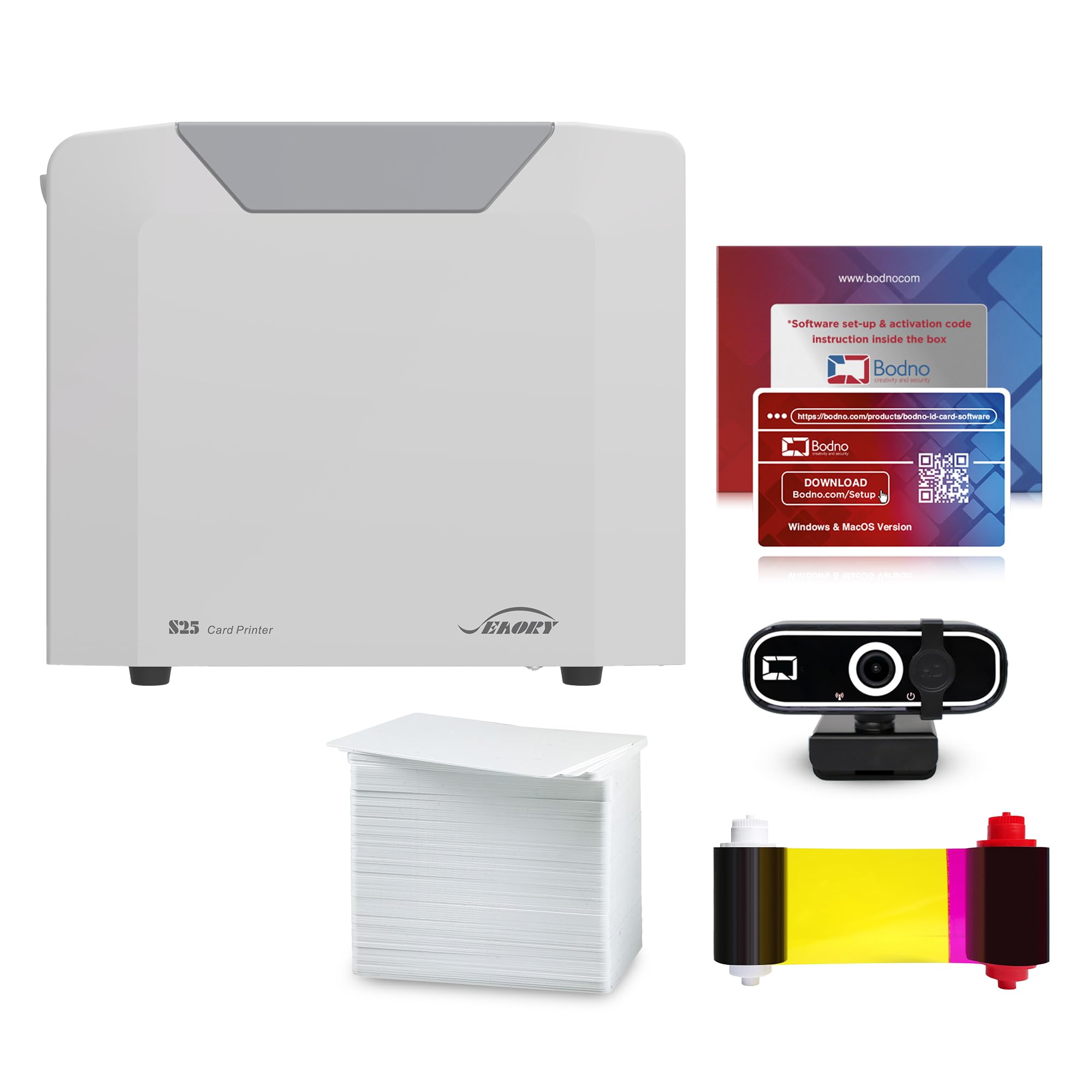
This bundle takes the excellent foundation of the Seaory S25 printer and adds a crucial tool for photo ID creation: a dedicated camera. It’s the ultimate out-of-the-box solution for settings like schools, small businesses, or clubs where you need to capture and print employee or member photos directly onto badges without relying on external image files.
The inclusion of the camera streamlines the entire ID creation process. You can capture a consistent, well-lit photo, crop it within the Bodno software, and place it directly into your badge template. This eliminates the variability and quality issues that can come from using smartphone pictures or existing digital files. All other benefits of the S25—the lifetime software, 2-year warranty, and starter supplies—remain intact.
User feedback for this specific bundle is positive, with particular appreciation for the simplicity of having a complete system. It’s an ideal choice for anyone whose primary use case involves creating photo identification cards from scratch, as it removes the guesswork and additional equipment purchases.
Why it’s great
- Truly all-inclusive; no need to source a separate camera.
- Simplifies and standardizes the photo capture process for IDs.
- Retains all the strengths of the standard S25 package.
- Perfect for front-desk or HR onboarding scenarios.
Good to know
- A higher initial investment for the added camera hardware.
- Ensure you have desk space for both the printer and camera setup.
6. Magicard Pronto Silver Edition Bundle

Designed for organizations with substantial upfront printing needs, the Silver Edition bundle is a powerhouse starter kit. It includes a massive supply of 300 high-quality PVC cards and a matching 300-print color ribbon, allowing you to produce a large batch of IDs without immediately worrying about reordering supplies. This is ideal for companies issuing badges to a large workforce or institutions like schools.
Beyond the supplies, this package features the Bodno Silver Edition software. This upgrade is significant because it adds data import functionality, allowing you to auto-create cards from Excel or CSV files. This feature is a massive time-saver and reduces errors when printing dozens or hundreds of badges with unique names, IDs, and barcodes. The bundle also includes a camera for photo capture.
While the printer is the manual-feed Magicard Pronto, the combination of bulk supplies and productivity-focused software makes this a highly efficient solution for project-based or large-scale initial rollouts. Users appreciate the professional results and the efficiency of the data import feature once configured.
Why it’s great
- Unmatched supply volume for large initial print runs.
- Silver software with Excel/CSV import saves immense time on batch jobs.
- Includes camera for a complete photo ID system.
- Eliminates supply anxiety for major projects.
Good to know
- Premium bundle reflecting the high supply count and advanced software.
- Software has a learning curve, and some users report platform-specific bugs.
7. Badgy100 Color Plastic Card Printer

The Badgy100 is a well-known name in the entry-level professional printer space, offering a balance of decent print quality and relative simplicity. It features “near-to-edge” printing, which allows graphics to get very close to the card’s border, resulting in a more polished look than printers with a large white margin. It’s a compact, straightforward device aimed at small businesses, schools, or departments.
User experiences suggest the setup can be relatively plug-and-play, especially when printing from standard applications like Adobe PDF by using the printer driver. The print quality is generally considered good for basic ID badges, membership cards, and simple designs. However, the analysis reveals that it may struggle with highly detailed backgrounds or very fine text due to its 300 dpi resolution.
A notable point from feedback is the variability in out-of-the-box performance. Some units work flawlessly, while others may require driver updates or technical support intervention to correct color or margin issues. It represents a solid entry point, but buyers should be prepared for potential initial tweaking.
Why it’s great
- Established, recognizable brand in the space.
- Near-edge printing improves visual appeal of badges.
- Often described as easy to set up and use for basic tasks.
- Compact design fits easily on a desk.
Good to know
- Print quality may not satisfy needs for complex, detailed card designs.
- Some reports of units requiring immediate tech support or software updates.
8. Zone 31S Badge Express ID Card Printer

The Zone 31S offers a unique and valuable feature in the single-sided printer category: a manual bypass slot that enables dual-sided printing. While marketed as a simplex (one-sided) printer, users have successfully printed on one side, manually flipped the card, fed it through the bypass slot, and printed on the reverse. This provides excellent flexibility for cards that need information on both sides without the cost of a true duplex printer.
As a dye-sublimation printer, it aims to deliver good color quality and resolution for standard ID card needs. It’s positioned as a cost-effective solution, providing core printing functionality. The compact size makes it suitable for environments where space is at a premium.
Feedback analysis indicates that when it works, users are very pleased with the value and the dual-side capability. However, there are consistent notes about the bundled software being limited or problematic, leading some users to resort to third-party design software. Success with this printer often depends on your comfort level with software workarounds.
Why it’s great
- Unique ability to manually print on both sides of a card.
- Cost-effective path to dual-sided ID cards.
- Compact and simple hardware design.
- Good print quality reported when configured correctly.
Good to know
- Bundled software is frequently cited as a weak point.
- Requires manual card flipping and precise alignment for dual-sided jobs.
9. Badgy100 with Badge Studio Software

This version of the Badgy100 is bundled with the proprietary Badge Studio design software and is often highlighted for its portability. Its relatively light weight and compact form factor make it a candidate for mobile operations, such as printing badges on-site at events, conferences, or temporary locations. The included software offers a library of templates to jumpstart the design process.
The printer uses a combination of dye-sublimation and thermal printing to produce full-color cards. User reports confirm that it can produce good quality badges quickly when everything is functioning properly. The promise is an all-in-one system that lets you design and print professional IDs without subcontracting or long waits.
Digging into user experiences reveals a pattern of potential early-adoption hurdles. Some units may arrive needing immediate firmware or software updates, and there are reports of ribbons being wasted if these steps aren’t followed. Support experiences are mixed. It’s a system that can work well but may require more initial patience and technical troubleshooting than some alternatives.
Why it’s great
- Portable design is useful for off-site or event-based printing.
- Includes template-driven software for easier design.
- Can produce a color badge in under a minute.
- Established product with a long market history.
Good to know
- Higher likelihood of needing immediate updates or support out of the box.
- Some users report issues with color consistency and ribbon waste.
10. IDP SMART-21S ID Card Printer Kit

The IDP SMART-21S is positioned as an entry-level, budget-conscious starter kit for small businesses or organizations taking their first step into in-house ID printing. The kit is undeniably comprehensive, including the printer, PC software, a 100-print YMCKO ribbon, 100 PVC cards, a cleaning card, and even a trial for a photo capture tool. This makes the initial barrier to entry very low.
As a basic dye-sublimation printer, it’s capable of producing full-color and monochrome cards with a resolution of 300 dpi. The compact size is a plus for tight workspaces. For users with simple needs and a straightforward design process, it can serve as a functional tool for creating basic badges.
However, a deep analysis of user feedback reveals significant and consistent pain points. The bundled software is frequently described as limited, unintuitive, or even “garbage,” which can render the printer frustrating to use. Furthermore, several users report difficulty sourcing the correct replacement ribbons specifically for the SMART-21 model, leading to supply chain concerns. It’s a classic case of getting what you pay for in terms of user experience and ongoing support.
Why it’s great
- Extremely budget-friendly complete starter kit.
- Includes a trial of photo capture software.
- Compact and simple hardware footprint.
- Can produce acceptable cards if software hurdles are overcome.
Good to know
- Bundled software receives overwhelmingly negative feedback.
- Potential challenges finding the correct replacement ribbons.
- Higher risk of frustration and lower print volume capacity.
11. CAETOUNG Premium Blank PVC Cards
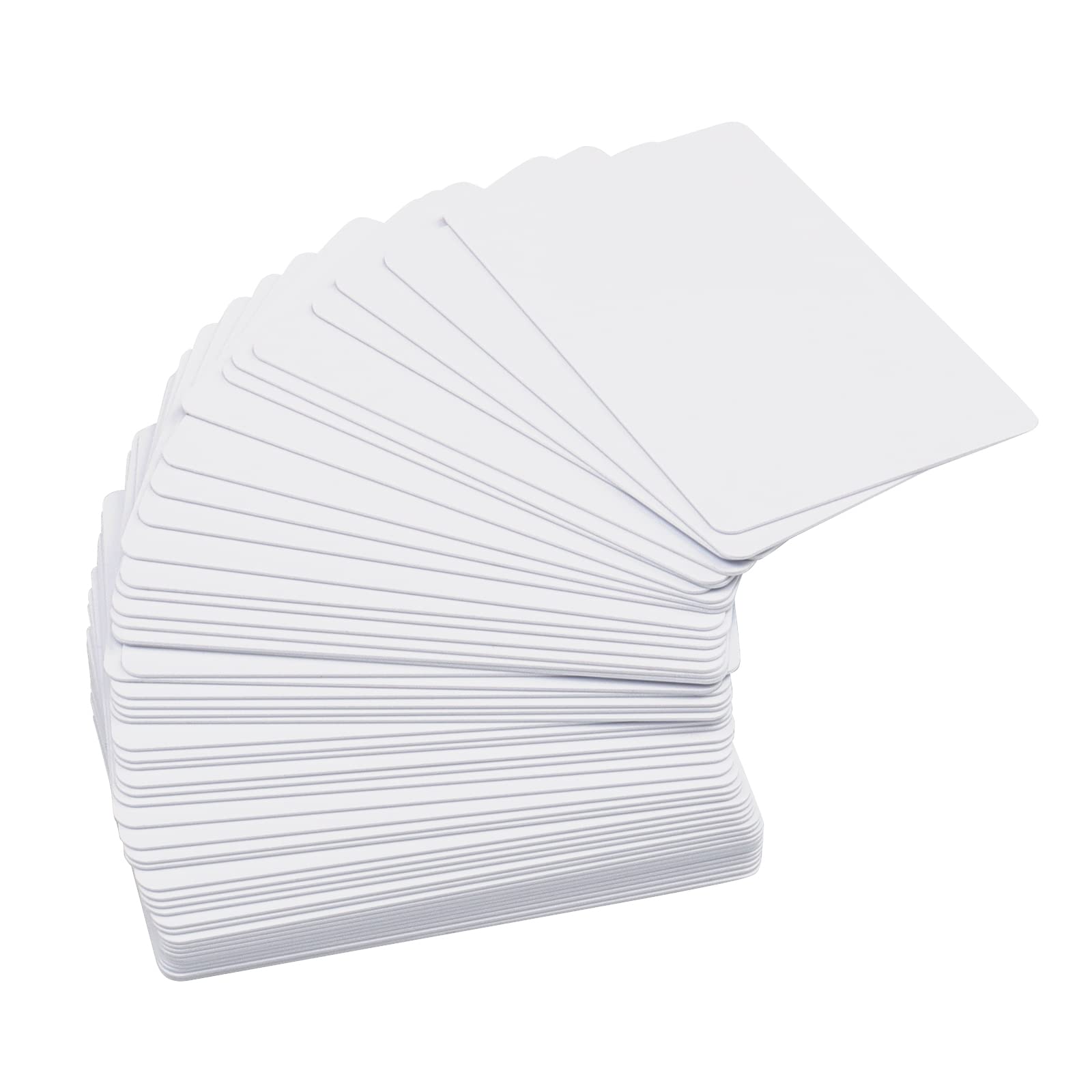
No ID card printer system is complete without a reliable supply of blank cards. The CAETOUNG 50-pack represents a highly-rated, budget-friendly option for standard CR80 PVC card stock. These cards are 30 mil thick—the same as a credit card—and feature a smooth, graphic-quality white surface designed for compatibility with most dye-sublimation and direct-to-card ID printers.
Analyzing the technical specs and user reviews confirms these are a solid, no-frills consumable. They are widely compatible, though the manufacturer explicitly notes they are not for inkjet printers. The cards are smooth on both sides and free of chips, magnetic strips, or holes, making them ideal for standard photo ID badges, loyalty cards, and access passes.
Users consistently praise the value, noting the cards feed smoothly through printers without jamming and produce clean, professional results. For any organization that has moved beyond its starter kit supplies, this pack offers a cost-effective way to maintain operations with quality materials. It’s a simple, essential component that underpins the entire printing process.
Why it’s great
- Exceptional value for high-quality blank card stock.
- Standard 30 mil CR80 size ensures wide printer compatibility.
- Consistently positive reviews for smooth feeding and print quality.
- Essential, affordable supply for any ID printing operation.
Good to know
- Not suitable for inkjet printers, only for dedicated ID card printers.
- Basic white cards; no pre-printed designs or colors.
Understanding the Specs
Print Technology: Dye-Sublimation
This is the most common technology for professional ID card printing. It uses a heated print head to transfer solid dye from a YMCKO (Yellow, Magenta, Cyan, Black, Overcoat) ribbon onto the PVC card. The dye turns to gas and permeates the card’s surface, creating vibrant, durable, and scratch-resistant images that won’t peel or fade easily. The overcoat layer adds extra protection.
Resolution (DPI)
Dots Per Inch measures the printer’s output detail. 300 x 300 dpi is the standard for most entry and mid-level ID printers, providing clear text and good photo reproduction for badge-sized images. Some models offer 600 dpi or higher for exceptional detail, but for most organizational IDs, member cards, and access badges, 300 dpi is perfectly adequate and professional.
Ribbon Yield & Type
The ribbon is a recurring consumable cost. Yield is listed as a number of prints (e.g., 100-print, 250-print). YMCKO ribbons produce full color, while K (monochrome) ribbons print only black. The overcoat (O) in a YMCKO ribbon is crucial for durability. Always verify the specific ribbon model number for your printer, as compatibility is not universal across brands.
Card Specifications (CR80, 30 Mil)
CR80 is the international standard size (85.6mm x 54mm), identical to a credit card. “Mil” refers to thickness; 1 mil = 1/1000 inch. A 30 mil card is the standard, durable thickness for daily-use ID badges. Ensure any blank cards you purchase are CR80, 30 mil, and rated for “graphic quality” or “dye-sublimation” printing to ensure proper ink bonding.
FAQ
Can a single-sided printer print on both sides of a card?
What is the most important factor besides the printer itself?
How long do printed ID cards typically last?
Are these printers compatible with Mac or Linux computers?
Final Thoughts: The Verdict
For most people, the best 1 sided id card printer winner is the Bodno Seaory S25 because it delivers exceptional overall value, reliable print quality, and outstanding long-term support with its lifetime software and warranty. If you want proven hardware and edge-to-edge printing, grab the Bodno Magicard Pronto. And for organizations needing to print large batches from a spreadsheet, nothing beats the supply volume and data import features of the Magicard Pronto Silver Edition.

Mo Maruf
I created WellFizz to bridge the gap between vague wellness advice and actionable solutions. My mission is simple: to decode the research and give you practical tools you can actually use.
Beyond the data, I am a passionate traveler. I believe that stepping away from the screen to explore new environments is essential for mental clarity and physical vitality.