Our readers keep the lights on and my smoothie glass nicely filled. As an Amazon Associate, I earn from qualifying purchases.
Specs are compiled from manufacturer listings and verified buyer reviews and can change over time — please confirm the key details on the product page before buying.
The difference between a hobby that stays in a drawer and one that produces heirloom gifts, personalized gear, and maybe even a side business often depends on one machine. The struggle is real: a hoop too small for a shirt back, a machine that fights you on every thread change, or a price tag that sends you back to window shopping. This guide cuts through the specs to find the embroidery machines that actually deliver for the money you are willing to spend.
I’m Mohammad Maruf — the founder and writer behind WellFizz. This guide is built by comparing the manufacturers’ published specifications and the patterns across verified customer reviews, so you get each pick’s real strengths and trade-offs instead of marketing spin.
These recommendations focus on the models that earn their keep at home, balancing stitch quality, hoop size, and ease of use. You will find the most trusted options for the embroidery machine under $1000 based on what owners actually experience after the box is open.
Our Picks at a Glance

How To Choose The Best Embroidery Machine Under $1000
Picking an embroidery machine is more about your projects than the brand name. The single biggest decision is the hoop size — that is the area the machine can stitch in one go. A 4″ x 4″ hoop is perfect for small patches, monograms, and pocket logos. A 5″ x 7″ hoop opens up full shirt backs, large tote bags, and quilt blocks. Deciding which you need first will narrow your options by half.
Dedicated vs. Combo Machine
A dedicated embroidery machine is simpler to learn because it only does one thing. You set the hoop, choose the design, and press start. A sewing-and-embroidery combo machine saves space in a small craft room but usually requires switching the base and the foot every time you go from sewing to embroidering. If you only want to embroider, a dedicated machine is often the smoother path. If you also sew garments or quilts, a combo is the practical choice.
Built-in Designs and Fonts
Every machine in this list comes with a library of pre-loaded designs and fonts, ranging from 80 to 138 or more. You can always buy or download more designs online, but having a strong built-in collection means you can start stitching right from the start without hunting for files. The number of fonts also matters for monogramming — more fonts give you more style options for names and initials.
How You Get Designs Onto the Machine
Older machines rely on a USB drive or a direct computer connection. Many newer models include Wi-Fi, allowing you to send designs wirelessly from a phone or PC. This convenience is a real time-saver, but it requires a stable network. Some machines also work with a companion app (like Brother’s Artspira) for drawing custom designs on a tablet. The free version of some apps have limits on how many designs you can store, so check that before you rely on it.
Stitch Speed and Build Quality
Stitch speed is measured in stitches per minute (spm). Most home machines run at 400 to 800 spm. Faster speeds are great for large, dense designs, but a slower machine often produces more reliable stitches on tricky fabrics. Look for a machine with a metal internal frame for durability — plastic exteriors are fine, but the internal structure should be metal to handle the constant up-and-down motion of the needle.
Quick Comparison
| Model | Best For | Hoop Size | Built-in Designs | Connectivity | Amazon |
|---|---|---|---|---|---|
| Brother Skitch PP1★ Best Overall | Tech-savvy beginners on a budget | 4 x 4 in | App-based (20 free) | Bluetooth | Amazon |
| EverSewn Sparrow X2 | Buyers who need a combo sewing/embroidery machine | 4 x 4 in | 100+ | App (no Wi-Fi needed) | Amazon |
| PooLin EOC03 | Beginners wanting two hoop sizes and a starter kit | 4 x 4 & 4 x 9.25 in | 130 | Wi-Fi + USB | Amazon |
| SINGER SE9180 | Fans of the Singer brand wanting Wi-Fi and a huge design library | 170 x 100 mm | 150 | Wi-Fi + USB | Amazon |
In‑Depth Reviews
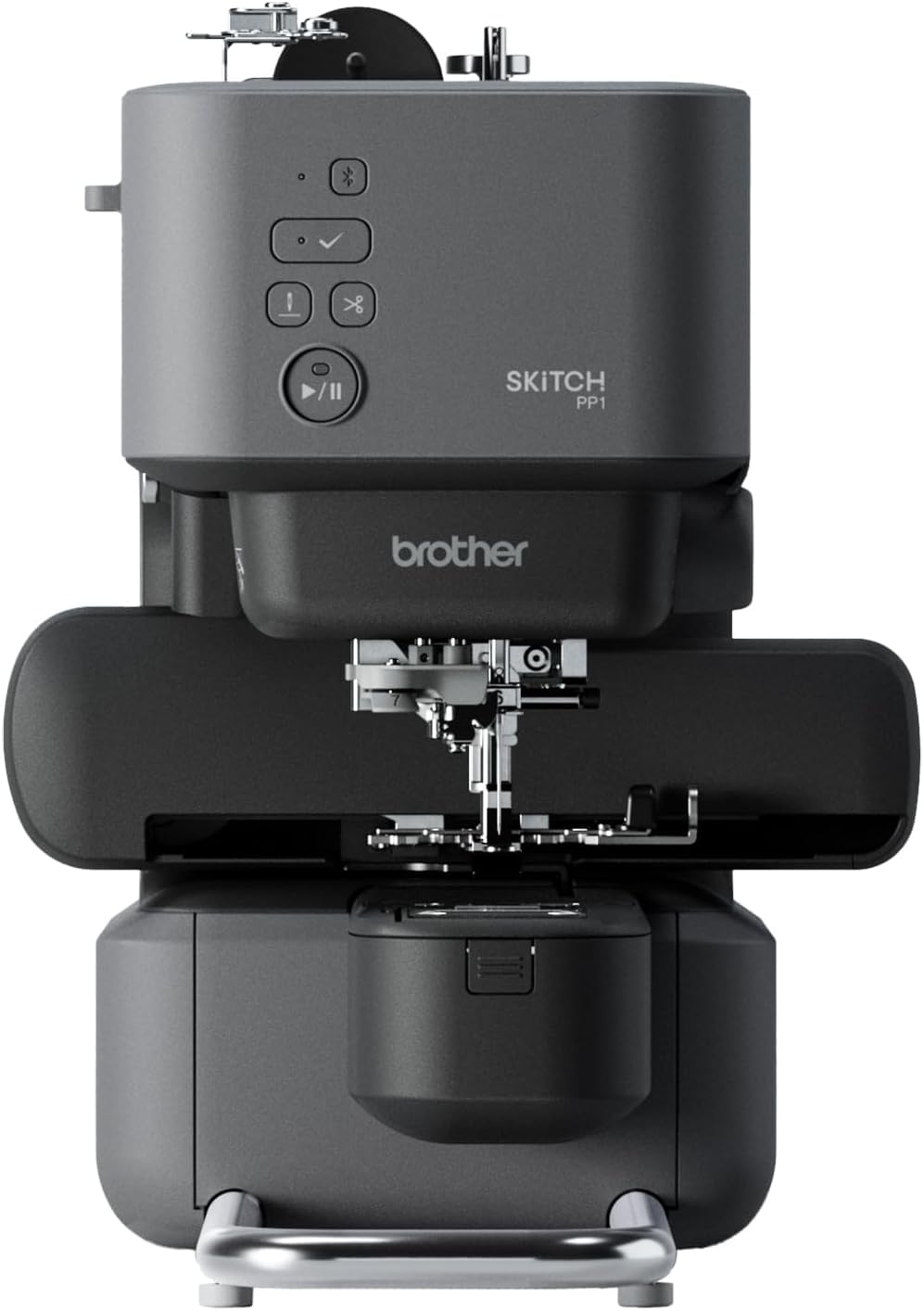
1. Brother Skitch PP1 Single-Needle Embroidery Machine
The most affordable entry into Brother embroidery, drawing designs from an app and stitching them on a compact metal frame.
The Skitch is Brother’s attempt to lower the barrier to entry. It is a compact, single-needle machine with a 4×4 hoop and Bluetooth connectivity to the free Artspira app. You design on your phone or tablet, send it via Bluetooth, and the machine stitches at up to 400 spm. The machine itself is small enough to fit in a makeshift craft room — 11.89 inches wide, 20.01 inches deep, and 17.95 inches tall. It is made of metal, which gives it a solid feel despite the lower price.
The app stores up to 20 designs in its free version, and you can import common file types like PES, PHC, PHX, and DST. The magnetic frame makes hooping easier than traditional screw-type frames. Owners praise the quality of the machine and its ease of use, with 23 owners calling out quality specifically. The narrow stitch arm is great for embroidering on shirts and sleeves without bunching. The machine comes with a comprehensive accessory set including scissors, a cleaning brush, seam ripper, needle set, and pre-wound bobbins.
The reliability data is the weakest in this list. Some shoppers say the machine arriving with operational issues, broken needles denting the top plate, and thread catching in the bobbin area. The reliance on the Artspira app — which has a paid subscription for advanced features — is a common frustration. At 3.3 stars across 194 ratings, the Skitch is a mixed bag. It is the cheapest option, but the savings come with real risk. It is best for someone who wants to test the waters for the absolute minimum investment and is comfortable with app-based design.
What It Offers
- Lowest price of any new Brother embroidery machine
- Bluetooth connectivity and magnetic hoop for easy setup
- Compact design with narrow stitch arm for sleeves
The Trade-off
- Reliability concerns are more common here than in any other Brother model
- Requires constant app connection — free version limited to 20 designs
Buy for: the absolute lowest-cost way to start embroidering, and if you are comfortable using a phone app as the primary interface.
Skip if: reliability and long-term durability matter more than upfront savings — a used higher-end model may be a better value.
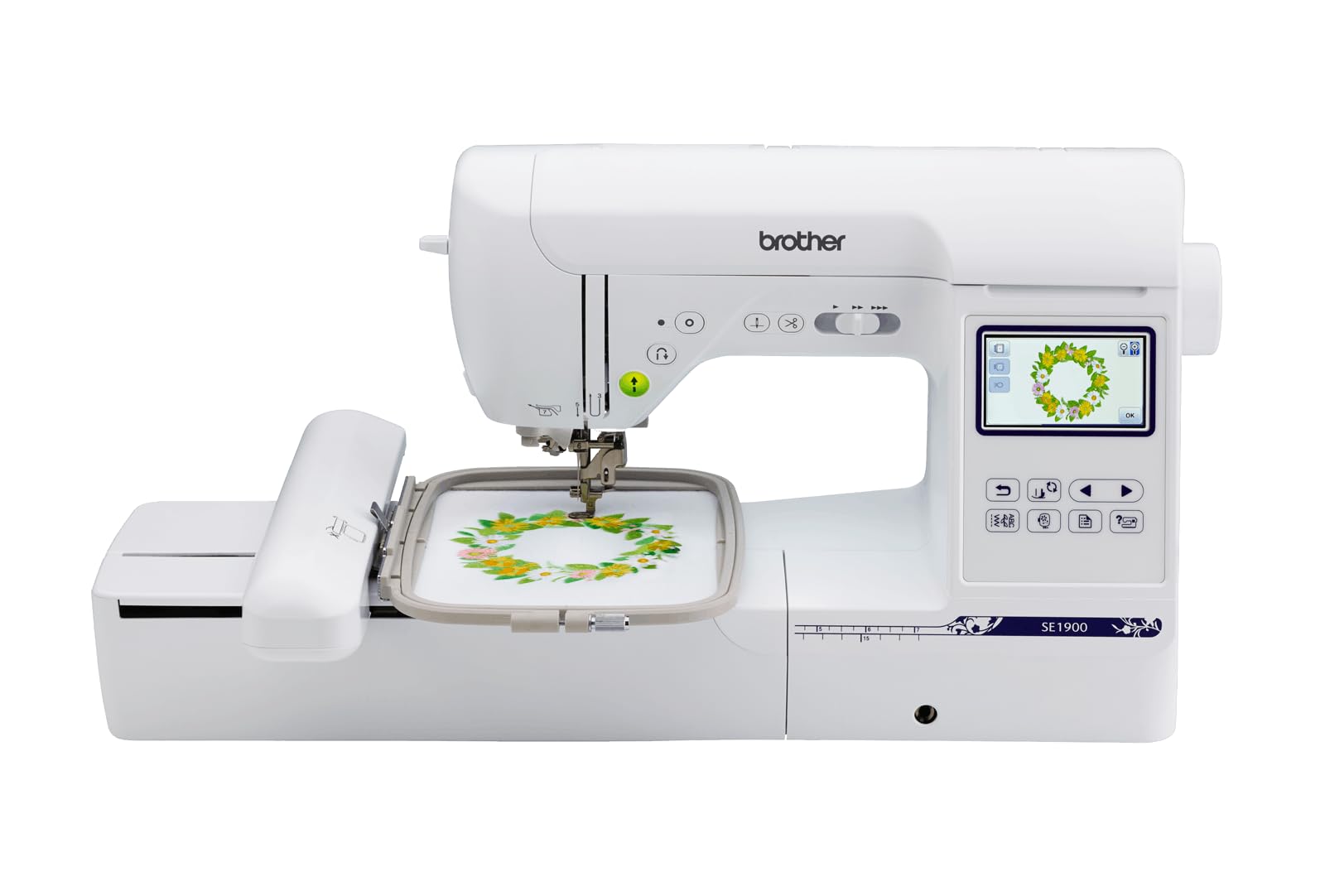
2. Brother SE1900 Sewing and Embroidery Machine
The 5×7 hoop that makes quilts and shirt backs possible without a second machine.
The SE1900 is the machine that keeps appearing at the top of crafters’ lists for one reason: performance. It has a 5″ x 7″ embroidery field, which is the balance for projects that feel bigger than a patch — think full back-of-shirt logos, large quilt blocks, and substantial tote bags. It is a combo machine, meaning you also get 240 built-in sewing stitches for everyday mending and garment construction. The crowd favorite here is performance, with 118 owners specifically praising how reliably it handles dense designs and multiple layersge margin — 230 owners single it out. The automatic needle threader and drop-in top bobbin make setup frustration-free, even for absolute beginners. The import feature via USB means you are not stuck with the built-in designs. You can buy files online or create your own and transfer them directly. The machine also handles thicker fabrics like denim and cotton without struggling, as long as you use a quality thread.
What Owners Love
- Exceptionally easy to learn — many owners were stitching within an hour
- Imports custom designs via USB for unlimited options
- Handles denim, cotton, and polyester smoothly
The Real Trade-off
- Some owners find the auto threader unreliable over time
Best for: anyone who is completely new to embroidery and wants a reliable, low-stress starting point.
Not for: someone who already knows they want to embroider large designs — that buyer should look at the 5×7 machines above.
3. Brother PE545 Wireless Embroidery Machine
A dedicated embroidery machine with a 4×4 hoop, 135 built-in designs, and wireless LAN connectivity.
The PE545 features a 4″ x 4″ embroidery field and a 3.7-inch LCD color touchscreen. It comes with 135 built-in designs and 10 fonts. Wireless LAN allows you to transfer designs from your PC, and the Artspira app lets you draw and send designs wirelessly. The automatic thread cutter and drop-in bobbin simplify workflow.
What Makes It Special
- 135 built-in designs and 10 fonts for personalization
- Wireless LAN and Artspira app for easy design transfer
- Automatic thread cutter saves time
Honest Note
- Mixed feedback on ease of use
- 4×4 hoop limits larger projects
Best For: beginners who want a dedicated embroidery machine with a 4×4 hoop for small personalized projects.
Think Twice If: you need a larger hoop for big projects — consider a 5×7 machine like the Brother SE1900 instead.
4. PooLin EOC03 Embroidery Machine

An entry-level machine that gives you two hoop sizes and a full starter kit so you can stitch immediately.
The EOC03 is PooLin’s more affordable option, and it shares the same beginner-first philosophy as the EOC05. It comes with both a 4×4 and a 4×9.25 hoop, which is a rare combination at this price point. The machine has a straightforward interface powered by the Institch system, and it includes 130 built-in designs and 8 fonts. The Wi-Fi transfer and USB connectivity give you flexibility in how you load designs.
The included starter kit is generous: 6 PooLin embroidery threads, 20 stabilizers, and 25 pre-wound bobbins. Owners who had a good experience praised the setup time (under one hour) and the proactive customer service. The Facebook community of over 12,000 members is mentioned as a supportive resource. A small business owner noted that the machine exceeded expectations for personal projects and gifts.
Reliability is the main concern in the review data. Some customers note jamming within the first few prints and false re-thread errors that interrupt workflow. The hoops can also be difficult to secure material tightly. These issues are not universal — many owners love the machine — but they are mentioned often enough that a patient, troubleshooting mindset is helpful here. If you are willing to work through minor hiccups, the value per dollar is high.
Value Play: Getting two hoop sizes and a full starter kit at this price is rare — owners who got a good unit describe it as “well packaged” and “easy setup under one hour.”
Best For: the casual user who wants room to try small and medium projects without a huge upfront cost.
5. SINGER SE9180 Sewing and Embroidery Machine

A feature-packed combo with a massive 7-inch touchscreen and 150 embroidery designs at your fingertips.
The SE9180 is Singer’s bid to compete with the Brother dominance in this space. It is a sewing and embroidery combo machine with a 170 x 100 mm hoop (roughly 6.7 x 3.9 inches) and a 7-inch color touchscreen — the largest display in this roundup. It has 250 sewing stitches that deliver 401 stitch applications, plus 150 embroidery designs and 10 fonts. The mySewnet Wi-Fi connectivity lets you transfer designs wirelessly and even track your project progress from your phone.
The sewing speed reaches 800 stitches per minute, and the embroidery speed maxes out at 450 spm. The machine includes an automatic needle threader, a built-in thread cutter, and a start/stop button so you can sew without the foot pedal. Owners running a small business have found it a useful backup machine that makes their workflow easier. The large screen makes it easy to navigate stitch settings and see design previews clearly.
The reliability feedback is mixed. Some reviewers point out thread breaks, needle breaks, and bobbin tangles severe enough to return the machine. Notably, one owner mentioned that no user manual was included in the box and that Singer’s website lacked a manual for this model. Others love it and call it a great value. The risk here is higher than with the proven Brother models, but the feature set is compelling for Singer loyalists.
Why It Attracts Buyers
- Very large 7-inch touchscreen for design editing
- 150 built-in embroidery designs plus 250 sewing stitches
- mySewnet app for wireless design transfer and project tracking
What To Be Aware Of
- Reliability reports are mixed — some owners experienced significant thread/needle issues
- Singer does not make larger hoops for this machine
Go for this if: you are a Singer fan who wants a large screen and extensive design libraries, and you are comfortable troubleshooting initial setup.
Hesitate if: reliability is your top priority — the Brother options in this list have a stronger long-term track record.
6. EverSewn Sparrow X2 Sewing & Embroidery Machine

A modern combo controlled by your phone or tablet — no Wi-Fi needed, just Bluetooth between you and the machine.
The Sparrow X2 takes a different approach. Instead of a built-in touchscreen, it uses an app on your phone or tablet to control the embroidery functions. No Wi-Fi is needed — the connection is direct between your device and the machine. This keeps the machine itself simpler and potentially less expensive to repair. It is a metal-framed machine that includes two hoops (large and small), over 100 embroidery designs, and over 120 sewing stitches. It reads common embroidery file formats including PES, DST, and EXP.
Owners who upgraded from a 2013 Brother report being happy after a month of use. The machine works with Brother and Janome design formats, so existing files are not wasted. It has an advanced automatic needle threader, electronic tension adjustment, and a straight-stitch plate for precise work. The presser foot pressure adjustment is a nice touch for different fabric thicknesses. The 1-year electrical and 1-year labor warranty covers the essentials.
The biggest caveat is the reliability split. Some owners experienced persistent app connectivity issues that required a replacement unit, and others report it is the most finicky machine they have used, with constant tension adjustments needed. The needle threader is described as difficult to use. The app-control approach is innovative but less proven than the direct touchscreen interface. If you enjoy tinkering and want a modern workflow, the Sparrow X2 is worth considering, but it may not suit someone who wants a no-fuss experience.
Innovative Angle: Using your phone as the screen keeps the hardware simpler and gives you a more familiar interface for editing designs.
Best For: the tech-savvy sewist who is comfortable with app-based controls and troubleshooting occasional connectivity hiccups.
Understanding the Specs
Hoop Size (4×4 vs. 5×7)
The hoop size is the maximum area the machine can embroider in one go without re-hooping the fabric. A 4″ x 4″ hoop is the standard for patches, monograms on towels, shirt pockets, and small logos. A 5″ x 7″ hoop lets you stitch full shirt backs, large tote bags, and quilt blocks in a single pass. If you mainly make small personalized gifts, a 4×4 machine is fine. If you ever plan to embroider larger items, the 5×7 is worth the upgrade because re-hooping and aligning a larger design in a 4×4 hoop is tedious.
Built-in Designs and Fonts
Every machine comes with a library of pre-loaded patterns and embroidery fonts. A higher number means you can start stitching immediately without searching for digital files online. For example, the Brother PE900 has 193 built-in designs, while the PE535 has 80. Fonts matter for monogramming — more fonts give you more style options for names and initials. If you plan to create entirely custom designs, you will use free or paid designs from the internet anyway, so the built-in count matters less.
Connectivity: USB vs. Wi-Fi vs. Bluetooth
USB is the universal standard — you load designs onto a flash drive, plug it into the machine, and select the file. It is reliable and works with every computer. Wi-Fi lets you send designs wirelessly from your PC or phone, which is convenient but can be unreliable depending on your home network. Bluetooth is a short-range alternative used by the Brother Skitch to connect to a phone app. Wi-Fi and Bluetooth are nice conveniences but not essential — USB has never let anyone down.
Stitch Speed (spm)
Stitches per minute (spm) tells you how fast the machine can embroider. A 400 spm machine is on the slower side but tends to be more reliable on tricky fabrics. A 450–800 spm machine finishes large designs faster. For home use, speed is less critical than stitch quality and reliability. A machine that runs at 400 spm without ever jamming is better than a faster machine that you have to stop and fix every five minutes.
FAQ
Can I use a sewing machine for embroidery?
What is the difference between a 4×4 and a 5×7 hoop?
Do I need a separate sewing machine if I buy an embroidery machine?
How do I transfer my own designs to an embroidery machine?
Can I embroider on any fabric?
How long does an embroidery machine last?
Is the Artspira app subscription required for Brother machines?
What is a jump stitch and why does auto-trimming matter?
Can I embroider hats with a home embroidery machine?
What is the best thread to use for embroidery?
Final Thoughts: The Verdict
For most buyers, the embroidery machine under $1000 winner is the Brother SE1900 because it delivers the largest hoop size available in this price range, a sturdy sewing function, and a proven reputation from thousands of owners. If you want a dedicated 5×7 machine without sewing, the Brother PE900 gives you a simpler workflow with jump stitch trimming. For someone on a tighter budget who still wants a quality 4×4 machine, the Brother SE600 is the most popular and reliable starting point in the entire category.
How We Picked
We do not accept paid placement. Every pick is matched to a real buyer and a real use-case; we do not hands-on test units.
Sources & Methodology
Specifications: manufacturer listings and product documentation. Review insights: verified customer reviews, as of July 2026. Pricing: not shown on this page (it changes often); check the current price via the retailer link.
As an Amazon Associate, WellFizz earns from qualifying purchases. This does not affect which products we feature.
Related Guides

Mo Maruf
I created WellFizz to bridge the gap between vague wellness advice and actionable solutions. My mission is simple: to decode the research and give you practical tools you can actually use.
Beyond the data, I am a passionate traveler. I believe that stepping away from the screen to explore new environments is essential for mental clarity and physical vitality.