Our readers keep the lights on and my smoothie glass nicely filled. As an Amazon Associate, I earn from qualifying purchases.
Specs are compiled from manufacturer listings and verified buyer reviews and can change over time — please confirm the key details on the product page before buying.
Reading a PDF on a standard 6-inch e-reader is a frustrating exercise in zooming, panning, and losing your place. The text is too small, the formatting breaks, and the whole experience feels like you are reading a legal document through a keyhole. This guide cuts straight to the real question: which ereader for PDF is actually worth your money, focusing on the large screens, high resolution, and annotation tools that make a PDF readable without the headache.
I’m Mohammad Maruf — the founder and writer behind WellFizz. This guide is built by comparing the manufacturers’ published specifications and the patterns across verified customer reviews, so you get each pick’s real strengths and trade-offs instead of marketing spin.
The best way to find your match is to focus on screen size (10 inches or more is best for full-page viewing), pixel density (300 ppi keeps text crisp), and how well the device handles annotation and markup. After diving deep into the options, these are the top contenders for the best ereader for pdf.
Our Picks at a Glance


How To Choose The Best Ereader For PDF
Choosing a device for PDFs means shifting your focus from the typical e-reader specs of portability to the hard requirements of readability and note-taking. A standard paperback-sized reader simply will not cut it for academic papers, technical manuals, or graphic-heavy documents.
Screen Size and Resolution: The First Filter
A 10.3-inch display is the balance for viewing a full PDF page without needing to zoom in and out. This size closely mirrors the dimensions of a printed A4 or US Letter document. Pair that with a resolution of at least 227 ppi (pixels per inch) — though 300 ppi is noticeably sharper — and you get text that is crisp and readable without eye strain.
Open vs. Closed Ecosystems: What You Can Actually Do
Some e-readers, like the Kindle Scribe, have a curated app store that works smoothly but limits which third-party apps you can install. Others run a version of Android, giving you access to the Google Play Store. This open approach lets you download specialized PDF readers (like KOReader or Moon+ Reader), cloud storage apps, or note-taking software that might handle your files better than the native app.
Annotation and Note-Taking: More Than Just Reading
If you plan to mark up PDFs, highlight text, or take handwritten notes directly on the page, you need a device with a capable stylus and low-latency writing. Look for a pen that does not require charging and a screen that feels natural to write on. Also check whether the device lets you export those annotated files while keeping your notes embedded in the PDF.
Quick Comparison
| Model | Best For | Screen Size | Storage | Pen Included | Amazon |
|---|---|---|---|---|---|
| Ocean C 7”★ Best Overall | Color + Android apps | 7 inches | 64 GB | No (sold separately) | Amazon |
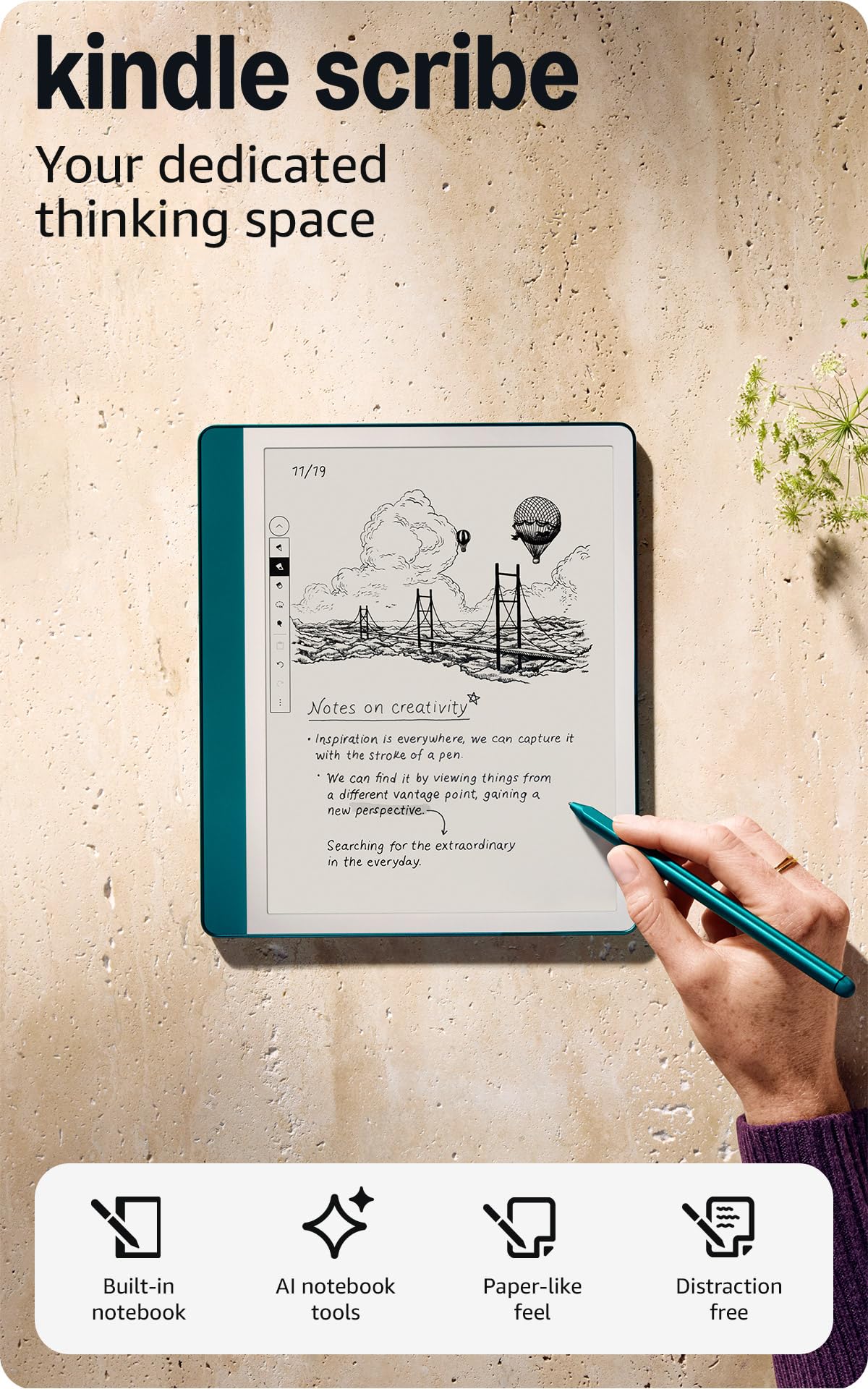
| Kindle Scribe ColorsoftAlso Great | Premium color + notes | 11 inches | 64 GB | Yes (Premium Pen) | Amazon |
| Kindle Scribe (64GB)Best Value Pro | Amazon ecosystem + storage | 10.2 inches | 64 GB | Yes (Premium Pen) | Amazon |
| Geniatech Kloudnote Slim | Budget 10.3” note-taking | 10.3 inches | 64 GB | Yes | Amazon |
| Kindle Scribe (16GB) | Refurbished value | 10.2 inches | 16 GB | Yes (Premium Pen) | Amazon |
| PocketBook InkPad Color 3 | Waterproof color reader | 7.8 inches | 32 GB | No | Amazon |
| Kobo Elipsa 2E | Eco-friendly build + PDFs | 10.3 inches | 32 GB | Yes (Kobo Stylus 2) | Amazon |
| Penstar eNote2 | Massive storage + battery | 10.3 inches | 128 GB | Yes (B5 Pen + Folio) | Amazon |
| BOOX Note Air 5 C | Power user / Android flexibility | 10.3 inches | 64 GB | Yes | Amazon |
In‑Depth Reviews
1. Ocean C 7” Color EReader
Our pick — over 4.5★ from 100+ verified ratings; the strongest balance of quality and price.
A color 7-inch reader with fast performance and an Android OS, ideal for comics and magazines.
The Ocean C is a 7-inch color E Ink reader designed for speed and portability. It runs on an octa-core 2.2 GHz processor with 4 GB of RAM and 64 GB of storage. It has a glare-free touchscreen with adjustable brightness and color temperature, making it a good option for reading comics, manga, and color-rich PDFs. The device runs on a custom Android system, giving you access to the Google Play Store for installing apps like KOReader or Kindle.
What makes the Ocean C particularly interesting for PDF enthusiasts is its raw speed. Owners mention that the e-ink display is fast, with pages turning almost instantly and minimal ghosting after a simple anti-ghosting configuration. The 7-inch screen is smaller than the 10-inch models above, so you will still need to zoom on full-page A4 PDFs, but for text-heavy documents in a pinch, the high speed and light weight make up for it. It weighs just 15 ounces and is only 0.27 inches thick.
The biggest hurdle is that the stylus pen is sold separately. If you plan to annotate PDFs, you will need to buy the Musnap Stylus Pen on its own. Also, the battery life is a mixed bag — while some owners find it good, others report it is terrible when using Wi-Fi or high brightness for extended periods.
Why It Wins
- Blazing fast e-ink performance with an octa-core processor and 4 GB RAM.
- 64 GB storage provides plenty of room for color comics and PDFs.
- Custom Android OS gives access to the Google Play Store.
The Fine Print
- Pen sold separately, adding to the total cost.
- Battery life is inconsistent; heavy use with Wi-Fi drains it fast.
Best For: Travelers and comic readers who value speed and portability over the ability to view full-page PDFs without zooming.
pass on it if: You read mostly full-page A4/letter PDFs and need a 10-inch screen; or you want the stylus included in the box.
2. Amazon Kindle Scribe Colorsoft (64GB)
The flagship color Scribe that makes every PDF feel like a premium notebook.
This is Amazon’s most advanced Scribe, and for PDF lovers, the 11-inch Colorsoft display is the headline act. It delivers high-contrast, paper-like color without the distracting flashes that older color E Ink screens had when writing. The screen is a custom-built oxide-based panel that is both soft on the eyes and readable in direct sunlight. You get 64 GB of storage, which is plenty for massive document libraries, and the device is remarkably thin at just 5.4 mm and light at 400 grams.
The included Premium Pen needs no charging and feels responsive on the textured surface. You can annotate PDFs directly, and the built-in AI tools help summarize notes or convert handwriting to text. Integration with Google Drive and OneDrive means you can pull documents from the cloud and export notebooks to OneNote without a cable.
Owners consistently praise the feel of the pen on the screen, and the battery life is genuinely phenomenal — you can go weeks between charges with normal use. The main trade-off is the price; it sits at the premium end of the market. Also, a few owners who love paper journals found the 11-inch size awkward in hand, feeling like a small laptop rather than a notebook. But for anyone who wants the best possible color display for reading and marking up PDFs, this is the crowd favorite.
Standout Strengths
- 11-inch high-contrast color display that is easy on the eyes and glare-free.
- Excellent pen feel with no charging needed, making annotation feel natural.
- Long battery life measured in weeks, not days.
Trade-Offs
- Premium price tag that demands a serious commitment.
- The large size may feel like a tablet more than a notebook for some users.
The Definitive Pick For: Anyone who wants the best color reading and annotation experience available, with the full power of the Kindle ecosystem.
Think Twice If: You prefer a paper-journal feel and want a device that fits in a small bag — this one is a big investment in both money and pocket space.
3. Like-New Kindle Scribe (64GB)
The 64GB Scribe gives you the same great screen and pen at a lower entry point.
This is the Like-New refurbished version of the Kindle Scribe with 64 GB of storage. It comes tested and certified to work like new, and it includes the same limited warranty as a new device. The core experience is identical to the brand-new model: a 10.2-inch, 300 ppi, glare-free Paperwhite display with a front light that makes reading comfortable in any lighting condition. Unlike the Colorsoft, this is a black-and-white screen, but the resolution is exceptionally sharp for text-heavy PDFs and technical documents.
The included Premium Pen writes and erases naturally, and the AI note-taking tools can convert messy handwriting into readable text, summarize your notes, or change their length and tone. You can import PDFs via the Send to Kindle feature, mark them up directly on the page, and then export your notebooks to OneNote. Owners highlight the wonderful battery life, with some reporting charging only every two weeks with heavy use.
The real strength here is the 64 GB of storage. It is 64 GB, while the entry-level Scribe has 16 GB, so you can carry extensive research libraries or dense textbooks without worry.
Why It Stands Out
- Large 10.2-inch 300 ppi screen provides sharp, clear text for PDFs.
- Refurbished price makes this more accessible than the premium color model.
- AI tools for note summarization and handwriting conversion are genuinely useful.
Limitations to Note
- Only front-lit black-and-white display — no color for charts or diagrams.
- Some owners find the user interface for non-linear reading (like reference books) a bit clumsy.
Ideal For: Students and professionals who need massive storage for PDFs and a great writing experience without paying for color.
Not The Best If: You need to see color graphs, maps, or images in your PDFs; for that, step up to the Colorsoft.
4. Like-New Amazon Kindle Scribe (16 GB)

The cheapest way into a 10.2-inch Kindle Scribe, perfect for text-only PDFs.
If your budget is tight but you still want a large-screen PDF reader, this refurbished 16 GB Scribe is the entry point. It has the same 10.2-inch, 300 ppi Paperwhite display and the same Premium Pen as the more expensive model. The only difference is the storage — 16 GB versus 64 GB — which is still enough for thousands of text-based PDFs, though you will feel the squeeze if you load up on high-resolution scans or complex textbooks. This model also lacks the AI notebook tools of the newer Scribes, but it still supports Active Canvas, allowing you to write directly in the margins of books and documents.
Owners consistently call this a “standout” for note-taking., and some note that the large screen has made them switch from using a traditional paper notebook to digital. The battery is outstanding, with many owners reporting weeks of battery life. It does feel slightly heavier than a standard Kindle Paperwhite, but the larger screen is a worthy trade-off for PDF readers. One owner mentioned an occasional notebook page freeze that requires a workaround, but this is a rare bug rather than a common complaint.
Pros
- Very affordable way to get the same excellent 10.2-inch, 300 ppi display as the higher-end model.
- Distraction-free reading and note-taking with a satisfying pen feel.
- Long battery life measured in weeks, not hours.
Cons
- 16 GB storage can fill up quickly with large, image-heavy PDFs.
- Does not include the newer AI notebook tools found on the latest models.
Best For: Budget-conscious buyers who prioritize a large, sharp screen for text-based PDFs and casual note-taking.
Look Elsewhere: If you need to store hundreds of large PDF files or want the latest AI features, the 64 GB version is worth the extra spend.
5. BOOX Note Air 5 C

An Android-powered color E Ink tablet that open up thousands of apps for PDF work.
The BOOX Note Air 5 C runs Android 15, which means you can install apps like Microsoft Office, Adobe Acrobat, and any PDF reader from the Google Play Store. This makes it the most versatile option for handling PDFs from diverse sources. The 10.3-inch Kaleido 3 color screen offers 4,096 colors, giving you 300 ppi in black and white and 150 ppi in color. It is the sharpest color display available from BOOX, and it comes with 6 GB of RAM and 64 GB of storage.
Included in the box is a stylus that supports 4,096 levels of pressure sensitivity. The device also has a microSD card slot for expanding storage, dual speakers, a fingerprint sensor for security, and a USB-C port that supports OTG (On-The-Go) connections. However, the color display is inherently dimmer than an LCD or OLED screen, and it relies heavily on the built-in front light. Buyers report that the native writing app has no lag, but third-party apps can struggle with performance.
The catch is that the color and screen quality receive mixed feedback from owners. The display can look gray or dull without the front light on, and performance with 99% of mobile apps — which are designed for fast LCD screens — can be a letdown. This device is for someone who understands the limits of E Ink and needs the customization power of Android.
The Case For It
- Open Android 15 OS lets you install any PDF or note-taking app from the Play Store.
- Color display is excellent for documents with charts, maps, or annotations.
- class-leading customization for power users who want to tweak every setting.
The Honest Trade-Offs
- Color screen is noticeably dim and relies on front light in most conditions.
- Third-party app performance can be laggy; it is not a replacement for an iPad.
Perfect For: Power users who need a color screen for annotated PDFs and want the flexibility to install any Android app.
skip it if: You want a simple, lag-free reading experience and do not need the complexity of an open operating system.
6. Kobo Elipsa 2E

A focused, eco-friendly 10.3-inch reader that handles PDFs without the clutter of an app store.
The Kobo Elipsa 2E is a dedicated reading and note-taking device that does not try to be a tablet. It ships with the Kobo Stylus 2, which is ergonomically redesigned and rechargeable. The 10.3-inch E Ink Carta 1200 touchscreen has ComfortLight PRO, giving you adjustable brightness and color temperature to reduce blue light at night. The glare-free display is excellent for reading PDFs in direct sunlight or in bed.
You can write directly on PDFs, make highlights, underline, and jot notes in the margins. Kobo’s patented markup technology ensures your annotations stay in place even if you change the font size. The device has 32 GB of storage, enough for up to 24,000 eBooks, and the battery lasts for several weeks on a single charge. The exterior is made from recycled plastic and ocean-bound plastic, making it an eco-conscious choice.
Owners praise the 10.3-inch screen for PDF reading, noting it is “excellent for PDFs and bedtime reading.” A few users found the stylus confusing with palm input, as there is no option to disable touch while writing. Others noted that the expensive sleep cover lacks a built-in stand and back protection. But for a focused, ad-free reading and annotation experience, the Elipsa 2E is a solid mid-range contender.
Reasons to Choose
- Large 10.3-inch Carta 1200 screen with adjustable warm light, ideal for PDFs.
- Eco-friendly build with recycled materials and a solid warranty.
- Excellent battery life that lasts through weeks of reading.
Things to Consider
- Stylus can be confused by palm contact when writing; no disable-touch option.
- Official sleep cover is expensive and lacks a stand or back protection.
Best Suited For: Readers who want a large screen for PDFs, a free stylus, and a device that keeps things simple and focused on reading.
Not Ideal If: You need a wide app ecosystem or want to disable touch input while writing to avoid accidental page turns.
7. Penstar eNote2

A 10.3-inch paper tablet with a massive battery and 128 GB of storage for your whole library.
The Penstar eNote2 is built for people who want the clearest possible E Ink screen. It removes the capacitive touch layer found on most tablets, which minimizes the haze and refraction that can make E Ink displays look dull. The result is a screen with noticeably whiter whites and punchier blacks, making text-on-PDF reading look closer to a finely printed book page. It also has a built-in camera for scanning physical documents, which is a unique feature for this category.
With 128 GB of storage, a 6,500 mAh battery, and a weight of just 409 grams, this device is built for portability and endurance. It supports 8,192 levels of pressure sensitivity on the included B5 stylus, offering incredibly precise control. The eNote2 supports PDF annotation, split-screen note-taking, and includes a leather folio cover. The bundle comes with two B5 pens, each with four spare nibs, plus a kit of 10 extra nibs.
Feedback from owners is overwhelmingly positive about the paper-like writing experience and build quality. The lack of a touchscreen means you interact with the device exclusively through the pen, which takes a moment to get used to but eliminates accidental touches. However, the device is fragile; some owners have reported cracks in the case from a 3-4 foot drop. It is a specialized tool for serious note-takers and students, not a rugged daily carry.
Strengths
- Exceptional 128 GB storage for massive PDF libraries.
- 6,500 mAh battery provides weeks of use on a single charge.
- Purely pen-only interface means no accidental touch inputs.
Weaknesses
- No touchscreen can feel limiting; you cannot swipe or tap with fingers.
- Fragile build; a drop from waist height can crack the case.
Ideal For: Students and researchers who need vast storage and a long-lasting battery for a semester’s worth of PDF textbooks and notes.
Reconsider If: You want a rugged device or prefer the convenience of a touchscreen interface.
8. PocketBook InkPad Color 3

A waterproof 7.8-inch reader with excellent color reproduction for magazines and comics.
The PocketBook InkPad Color 3 is the best choice for reading PDFs by the pool, in the bath, or on a rainy commute. It has an IPX8 water resistance rating, meaning it can survive being submerged in 2 meters of fresh water for up to 60 minutes. The 7.8-inch Kaleido 3 color display is praised by owners as the best among its peers, with a sharper, more vibrant image and a whiter background than competitor screens. It has generous 32 GB of storage and supports external memory for expansion.
The device also has built-in speakers and Bluetooth for audiobooks and text-to-speech. It supports a wide range of formats, including PDF, EPUB, DJVU, DOC, DOCX, and MOBI. The SMARTlight front light offers adjustable brightness and color temperature. The screen is recessed, which some owners say gives better clarity and contrast than the black-and-white version, making text appear darker at the same brightness setting.
However, a recurring issue is quality control. Several owners reported receiving units with problems like light gradient, screen freezing, bezel separation, and even pinhole defects in the screen. The 7.8-inch size is also a bit of a no-man’s-land: too big for easy one-handed reading of standard ebooks, and too small for full-page reading of comics or PDFs without zooming. It lands in an awkward middle ground.
Pros
- Excellent color quality among Kaleido 3 screens, sharp and vibrant.
- IPX8 waterproof rating makes it perfect for reading near water.
- Supports external memory for extra storage flexibility.
Cons
- Inconsistent quality control; some units arrive with screen defects.
- The 7.8-inch screen is an awkward size for both ebooks and full-page PDFs.
Ideal For: Commuters and outdoor readers who want color and waterproofing, and who read mostly magazines or comics rather than academic PDFs.
Think Again If: You need a reliable, one-time purchase with a flawless screen and you read standard full-page PDFs that demand a 10-inch display.
9. Geniatech Kloudnote Slim 10.3”

A very thin 10.3-inch E Ink tablet at a budget price, but with significant software risks.
The Geniatech Kloudnote Slim offers a 10.3-inch screen, 64 GB storage, and a price that undercuts most competitors. It is exceptionally thin at just 5.3 mm and light, making it easy to carry. The 227 ppi E Ink display is paired with a 1.8 GHz quad-core processor and 2 GB of RAM. It includes a pen and offers features like OCR (Optical Character Recognition), ASR (Automatic Speech Recognition), document encryption, and one-click screen projection. The manufacturer’s own AppStore allows you to download apps, and you can even sideload apps that are not in the store.
For a brief time, early owners praised the device for its intuitive setup, smooth pen with good pressure sensitivity, and premium feel at a lower price than the Remarkable. However, long-term reviews paint a starkly different picture. Customers note that after a year of use, “PDFs stop opening, can’t export full PDF notes, no tech support, requires factory resets, writing/typing lag, erasing burns holes, pen makes giant lines, no software updates.” These are severe software stability issues that make the device unreliable for long-term use.
Other negatives include pointy corners on the thin body, a cheap plastic pen with no attachment method, limited app compatibility (OneNote and Chrome glitch), no zoom, difficult page turning, and no backlight. It is a budget device that reflects its price in the long run.
Initial Appeal
- Attractive price for a 10.3-inch E Ink tablet with included pen.
- Ultra-thin and lightweight design makes it highly portable.
Long-Term Reality
- Significant software glitches emerge after a year, including PDF failure.
- No software updates or tech support reported by long-term owners.
- Poor build accessories: no case, cheap pen, no backlight.
An Option If: You have a very tight budget and need a 10.3-inch screen today, accepting that it may not last a year.
Definitely Not If: You need a reliable device for important documents or long-term study — the stability issues are too frequent.
Understanding the Specs
Screen Size and PPI (Pixels Per Inch)
A larger screen is the single most important factor for a good PDF experience. A 10.3-inch display can show a full A4 page at a readable size. The second factor is PPI, the measure of how sharp the text looks. A 300 PPI screen is the industry standard for crisp, newspaper-quality text, while 227 PPI is still acceptable but noticeably less sharp. A 150 PPI screen (common in color E Ink) will show some jaggedness on small text.
E Ink vs. LCD/OLED
E Ink displays use tiny particles that move to form images, which is why they look like real paper. They use no power to hold a static image — only to change it — giving them weeks of battery life. They also cause far less eye strain than LCD or OLED screens. The trade-off is a slower refresh rate, which means you cannot smoothly scroll or watch video. Color E Ink technology is still maturing; it is dimmer and has lower resolution than black-and-white E Ink.
FAQ
What is the best screen size for reading PDFs on an e-reader?
Can I mark up and annotate PDFs on these e-readers?
Is a color E Ink screen worth it for PDFs?
Will a Kindle Scribe handle academic PDFs well?
What does PPI mean and why does it matter?
Is an Android-based e-reader better than a locked-down one?
How long do the batteries on these large e-readers last?
Do I need to buy a stylus separately?
Are refurbished e-readers safe to buy?
Can I read PDFs on a standard Kindle or Kobo?
Final Thoughts: The Verdict
Across the board, the ereader for pdf winner is the Ocean C 7” Color EReader for its fast performance and color E Ink display. If you want the same great experience without the color screen, grab the Like-New Kindle Scribe (64GB). For the best open-platform flexibility and color at a lower price, the BOOX Note Air 5 C is the one to reach for.
How We Picked
We do not accept paid placement. Every pick is matched to a real buyer and a real use-case; we do not hands-on test units.
Sources & Methodology
Specifications: manufacturer listings and product documentation. Review insights: verified customer reviews, as of July 2026. Pricing: not shown on this page (it changes often); check the current price via the retailer link.
As an Amazon Associate, WellFizz earns from qualifying purchases. This does not affect which products we feature.
Related Guides

Mo Maruf
I created WellFizz to bridge the gap between vague wellness advice and actionable solutions. My mission is simple: to decode the research and give you practical tools you can actually use.
Beyond the data, I am a passionate traveler. I believe that stepping away from the screen to explore new environments is essential for mental clarity and physical vitality.