Our readers keep the lights on and my smoothie glass nicely filled. As an Amazon Associate, I earn from qualifying purchases.
Specs are compiled from manufacturer listings and verified buyer reviews and can change over time — please confirm the key details on the product page before buying.
Getting paid accurately depends on a clean record of when you walk in and when you leave. But for a small business owner, a low-tech paper sign-in sheet invites mistakes and an occasional buddy-punch. This guide cuts straight through the noise on eleven different clock in and out systems — from basic punch-and-stamp machines to cloud-connected fingerprint readers — to help you find the one that actually fits your crew size, your budget, and your tolerance for monthly fees.
I’m Mohammad Maruf — the founder and writer behind WellFizz. This guide is built by comparing the manufacturers’ published specifications and the patterns across verified customer reviews, so you get each pick’s real strengths and trade-offs instead of marketing spin.
Whether you run a fifteen-person repair shop or a growing office with multiple departments, the right clock in and out system saves you payroll headaches and keeps everyone honest without forcing you to learn complicated software.
Our Picks at a Glance


How To Choose The Best Clock In And Out System
The best system depends on your team’s workflow, not the price tag. A cloud fingerprint clock is overkill for three office staff, while a basic punch card machine will frustrate a 24-hour warehouse crew. Focus on these three factors before you buy.
Manual Punch vs. Auto-Calculating vs. Cloud
A manual punch clock stamps the time on a card and leaves the hour math for you. An auto-calculating clock does that math on the card itself, printing totals for regular and overtime hours. A cloud-based system sends everything to a web dashboard and can even push data to payroll services. Choose manual if you trust a spreadsheet; choose auto-calc if you want the card to show the bottom line at a glance; choose cloud if you have multiple locations or need real-time remote access.
Fingerprint, RFID, PIN, or Plain Card
Fingerprint scanners prevent buddy-punching but some models struggle with dirty or dry fingers, which shows up in the reliability chatter of several devices here. RFID cards are fast and durable but add a recurring supply cost. PIN codes are simple but can be shared. A plain punch card is the lowest-tech and cheapest, though it can’t prevent a coworker from clocking in for someone else. Choose authentication based on your team’s trust level and consumable budget.
Monthly Fees and Hidden Costs
Many cloud time clocks require a monthly subscription to access the software, store data, or generate reports. Others (several in this list) offer free software and zero monthly fees, with the only ongoing cost being time cards and ink ribbons. Check the fine print: a clock with a monthly subscription costs over the first year. An upfront premium clock with no subscription can be far cheaper in the long run.
Quick Comparison
| Model | Best For | Authentication | Auto-Calc | Connectivity | Amazon |
|---|---|---|---|---|---|
| uPunch CR1000★ Best Overall | Simple 2-in-1 stamp & time | Punch Card | No | None | Amazon |
| Pyramid 2500K1Best Value Bundle | Quick setup bundle | Punch Card | No | None | Amazon |
| Lathem 1600eStamp & Save | Document stamping + time | Punch Card | No | None | Amazon |
| uAttend JR2000 | Cloud-based fingerprint | Fingerprint / RFID / PIN | Cloud | WiFi, Ethernet | Amazon |
| NGTeco TR-TC2-NG | Low-fee cloud fingerprint | Fingerprint / Card | Cloud | 2.4G/5G WiFi | Amazon |
| uPunch HN4500 | Auto-calculating bundle | Punch Card | Yes | None | Amazon |
| NGTeco TR-TC1-NG | Free cloud + RFID cards | RFID Card | Cloud | 2.4G WiFi | Amazon |
| Allied Time AT-4500 | Touch-free auto-calc | Punch Card | Yes | None | Amazon |
| Lathem 2100HD | Thermal print (no ribbons) | Punch Card | No | None | Amazon |
| AMANO TCX-35 | Made in USA reliability | Punch Card | No | None | Amazon |
| Pyramid 5000 | Auto-totaling for up to 100 | Punch Card | Yes | None | Amazon |
In‑Depth Reviews
1. uPunch CR1000 Digital Time Clock and Date Stamp for Small Business
Our pick — 4.5★ from 600+ verified ratings; the strongest balance of quality and price.
A 15-employee shop got this running in minutes and never looked back.
The uPunch CR1000 earns the top spot because it does two jobs in one box — tracking employee time and stamping the date on documents — without any software, subscription, or Wi-Fi. It includes 50 time cards, one ribbon, and two keys right from the start. The cover has a clear window that makes loading cards and paperwork straightforward, so you are not fumbling with trays.
Owners consistently call out how dark and legible the print comes out on the time card — a small detail that matters when you are reading a card weeks later. The setup is genuinely simple: plug in, set the time, and employees start punching. It works best for small teams that want a physical record and do not need automatic hour totals. Unlike the Allied Time AT-4500 (which auto-calculates and weighs 2.45 kg), this one weighs 4.4 pounds.
The crowd consensus: The print quality and ease of use win people over. The main trade-off is there is no automatic hour calculation or cloud access — you add up the cards manually.
Reach for this if: you run a small business with fewer than 20 employees, want a reliable punch-and-date-stamp combo, and prefer zero ongoing fees.
Look elsewhere if: you need the machine to total regular and overtime hours for you or you manage multiple locations remotely.
2. Pyramid Time Systems 2500 Auto-Aligning Employee Time Clock (2500K1)
Construction crews ditched fingerprint scanners for this simple punch clock.
The Pyramid 2500 is a favorite for its auto-aligning punch — the machine shifts the card position so each punch lands on the correct line without the employee having to line anything up. The bundle includes 100 time cards, 2 ink ribbons, a 10-slot rack, and 2 security keys, so you are ready to track from day one. It supports double-sided printing, which stretches one card to cover 31 days.
It weighs 3.2 pounds (the uPunch CR1000 weighs 4.4 pounds), making it easier to wall-mount. The backlit display shows time, date, and day of the week. While it does not calculate hours automatically, the reliability and simple drop-in design keep employees happy. It automatically adjusts for daylight saving time and short months, which removes two common headaches.
What wins people over
- Auto-align keeps time cards clean and error-free
- Complete bundle with cards, ribbons, and rack — no extra purchases
- Light enough at 3.2 lb to mount on any wall
The honest trade-off
- No automatic hour or overtime calculation — you add totals manually
- Some find the time cards only last one month before needing replacement
Best pick for: small offices, retail stores, and construction sites where employees just want to drop a card and go.
skip it if: you want the clock to print the total hours worked on the card at the end of the pay period.
3. Lathem 1600e Time Clock Punch Machine & Document Stamp
A tool that tracks employee time and stamps PAID or FILED on documents with one drop-in.
What makes the Lathem 1600e different is the document-stamping side. It can print 13 preset messages like SENT, PAID, FILED, and VOID on papers, making it as useful for mailroom and invoice processing as it is for time tracking. It comes with 25 Tru-Align time cards that the machine positions perfectly for each punch. The internal calendar runs until the year 2099 and never needs resetting.
There is no internet connection or software here — this is a pure mechanical-electronic hybrid. A grocery store with 13 employees found it simple enough that staff use the back of the card for break tracking. The machine tracks project time to the minute for job-costing accuracy. Unlike the uPunch CR1000 which also stamps, this Lathem offers far more preset message options for document management.
The honest read: The accuracy feedback is mixed — some buyers report the clock drifts over time, so periodic checks are wise. For a basic no-subscription machine that also handles document processing, it remains a solid workhorse.
Perfect for: businesses that need a time clock and a document date-stamper in one unit, especially mailrooms, law offices, and shops with paper invoicing.
Think twice if: timekeeping precision is critical and you do not want to verify the clock’s accuracy regularly.
4. uAttend JR2000 Biometric Fingerprint, RFID, PIN Time Clock

Biometric tracking that sends attendance data straight to the cloud for real-time access.
The uAttend JR2000 gives you three ways to clock in — fingerprint scan, RFID card, or PIN code — making it hard for anyone to punch in for a buddy. It connects via WiFi or Ethernet, and the cloud dashboard lets you view and manage attendance from any device. The system includes automatic cloud backups, so lost data is not a worry. It also pulls in payroll features if you choose to integrate.
The device is designed for growing teams with its in-depth reporting on attendance trends and labor costs. However, the subscription is where the cost adds up — unlike the free-software models from NGTeco, this one requires a monthly fee for the cloud service. Reliability chatter in the reviews flags fingerprint recognition issues and connectivity drops that can frustrate daily use.
What it brings
- Multiple clock-in methods eliminate buddy-punching
- Real-time data access from any device
- Auto cloud backups protect attendance records
Know before you buy
- Monthly subscription required for cloud features
- Fingerprint sensor can be unreliable for some users
- Wi-Fi connectivity issues reported with periodic disconnections
Best suited for: growing businesses that want biometric security plus remote management capabilities.
Be aware: the fingerprint reader and Wi-Fi stability have drawn mixed feedback — if those are must-haves, test the unit quickly or consider a more proven alternative.
5. NGTeco Cloud Employee Time Clock (TR-TC2-NG) Fingerprint & Card

A cloud-powered fingerprint clock that promises zero monthly fees and a built-in emergency battery.
The NGTeco TC2 is one of the newer entries aiming to give small businesses a modern cloud system without the recurring subscription. It uses dual-band WiFi (2.4GHz and 5GHz) for a stable connection and includes a 2000mAh backup battery that keeps the unit running during power cuts. Data is stored on AWS servers in the US with end-to-end encryption, so compliance and security are handled.
The fingerprint scanner is the main clock-in method, though it also supports RFID cards — notably it does not have numeric buttons for PIN entry, which a few owners note as a limitation. The free management app covers basic attendance needs, while a premium subscription open up features like GPS check-ins and advanced reports. The compact size (4 by 3 inches) saves desk space compared to bulkier models like the Allied Time AT-4500.
What owners say: Setup is straightforward, and customer support gets repeated praise for guiding users through configuration. The big upside is the low ongoing cost.
Choose this if: you want cloud features without a monthly fee and need a backup battery that protects data during outages.
Consider alternatives if: you need PIN code entry or prefer a more established brand with a larger review base.
6. uPunch HN4500 Advanced Calculating Time Clock Bundle

The auto-calc clock that prints regular and overtime totals right on the card.
This uPunch HN4500 bundle solves the biggest gripe about basic time clocks — the manual math. It automatically computes regular and overtime hours for up to 50 employees and prints the totals directly on the time card. The box is loaded: 200 time cards, two 10-slot card racks, three ribbons, and two keys. The AutoAlign technology prevents misaligned punches across pay periods.
It includes a two-year warranty and unlimited US-based customer support. While it handles daylight saving time automatically, some owners mention that card recognition can be finicky and that the machine may lose time accuracy over months of use. The alarm feature reminds employees who forget to punch.
The big wins
- Prints regular and overtime totals automatically — saves payroll math time
- Complete bundle with 200 cards, 2 racks, and 3 ribbons
- Two-year warranty with US-based support
Worth noting
- Weighs 8.8 lb — not ideal for frequent wall relocation
- Card recognition errors reported; some owners still verify totals manually
- Timekeeping accuracy can drift over long stretches
Best for: small businesses with 10–50 employees who want printed totals and minimal manual calculation.
Skip if: you need pinpoint time accuracy over months without periodic checks, or if desk space is tight.
7. NGTeco Cloud-Based Time Clock (TR-TC1-NG) with RFID Cards
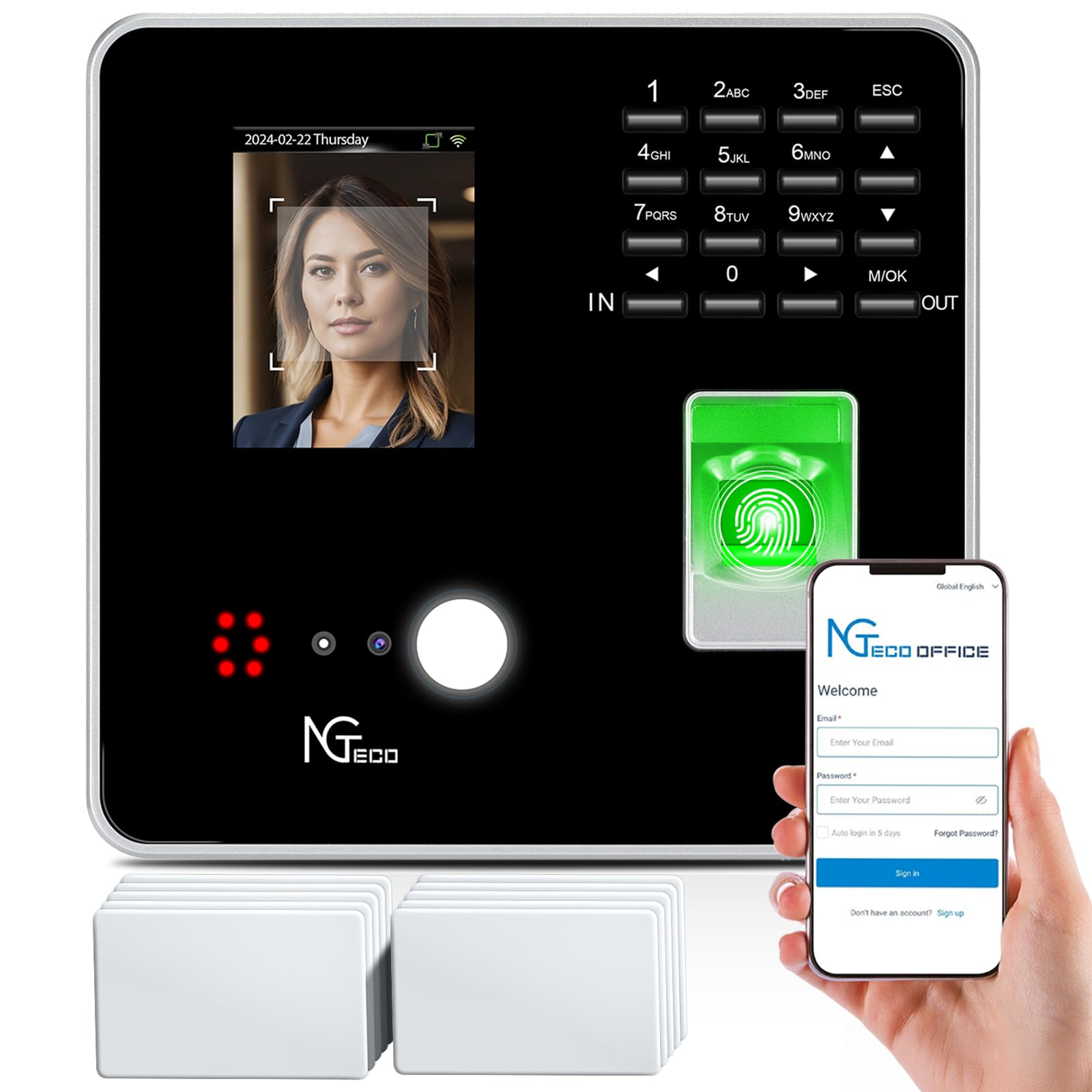
A cloud clock that stores data on AWS and gives you free software with no subscription.
The NGTeco TC1 is the RFID-card sibling of the TC2 — no fingerprint scanner here, just a simple tap-in with employee cards. It supports up to 200 users and can hold 30,000 logs, which covers most small to mid-size teams. The free NGTeco Office software and app let you view punches, run reports, and manage scheduling from any browser. Data lives on AWS servers in the US with encryption.
Shift configuration is fully flexible: fixed, rotating, split, and flexible schedules are all supported. The unit connects via 2.4GHz WiFi or wired LAN, and offline punches sync to the cloud once the connection returns — no data loss. Unlike the uPunch HN4500, this is a purely digital system with no paper cards or ribbons to buy.
Buyers call the setup professional and straightforward when support is available, though a few report bugs in the timecard interface and note that editing punches from the dashboard is not as intuitive as expected.
The verdict from owners: Functionality and setup are the most-praised aspects. The reliability and user-friendliness get mixed marks — some find the software easy while others struggle.
Ideal for: teams of up to 200 who want cloud access and free software but prefer tap-card entry over fingerprint scanning.
Look elsewhere if: you need biometric authentication or a established track record — the product is newer with fewer reviews than top picks.
8. Allied Time USA Calculating AT-4500

No buttons to press — employees just drop the card in and walk away.
The Allied Time AT-4500 stands out for its touch-free operation. There are no buttons or keypads — the employee simply drops the time card into the slot and the machine auto-aligns, punches, and prints. It then calculates daily and weekly regular and overtime hours, printing the totals right on the card. The menu-guided setup takes just a few minutes, and the manufacturer provides lifetime support from the US.
This is a favorite for small businesses that want to reduce surface contamination (no shared buttons) and eliminate the complexity of apps and subscriptions. It auto-resets after a power outage without losing the correct time, which owners appreciate. The print pin can be a wear point after a few years of heavy use, but the lifetime support helps offset that risk.
It weighs 2.45 kilograms (the uPunch HN4500 weighs 8.8 pounds), but the wall-mountable design keeps it off the desk.
What 400+ owners agree on: the ease of setup and perfect accuracy in calculating hours are the top reasons to buy. Some teams report saving up to five hours a week in payroll processing.
Pick this if: you want a sanitarily clean, touch-free punch clock that auto-calculates hours and has zero ongoing fees.
pass on it if: you need cloud access, biometric security, or you are on a tight budget — the upfront cost is higher than simpler models.
9. Lathem 2100HD Employee Time Clock with Thermal Print

A whisper-quiet thermal clock that eliminates ink ribbon replacements forever.
The Lathem 2100HD uses patented direct thermal “Whisper Print” technology — no ink, no ribbons, no toner. The Tru-Align system ensures every punch lands exactly where it should on the card, and the EZSet rotary knob makes changing settings simple without digging through a menu. You can pick from six different print formats, including 12-hour or 24-hour time and day-of-week printing.
The big catch is that it requires Lathem E8 thermal time cards. A prominent note in the box warns you about this, and standard punch cards will not work. Replacement E8 cards can be harder to find than common card stock. The package includes 25 E8 cards and a power adapter to get you started. The unit is 9.8 inches tall — taller than most here.
What owners love
- No ink ribbons to buy or replace — zero consumable mess
- Multiple print formats fit different record-keeping needs
- Durable build with easy knob-based setup
Be aware
- Special E8 time cards are required and may be hard to source
- Some units have reported alignment issues over time
- Alignment issues reported by some owners
Great for: offices that want a clean, silent print process and do not mind buying proprietary time cards.
it’s not for you if: you want to use any standard time card, or if a bad experience with alignment issues would derail your operation.
10. AMANO TCX-35 Time Clock for Employees
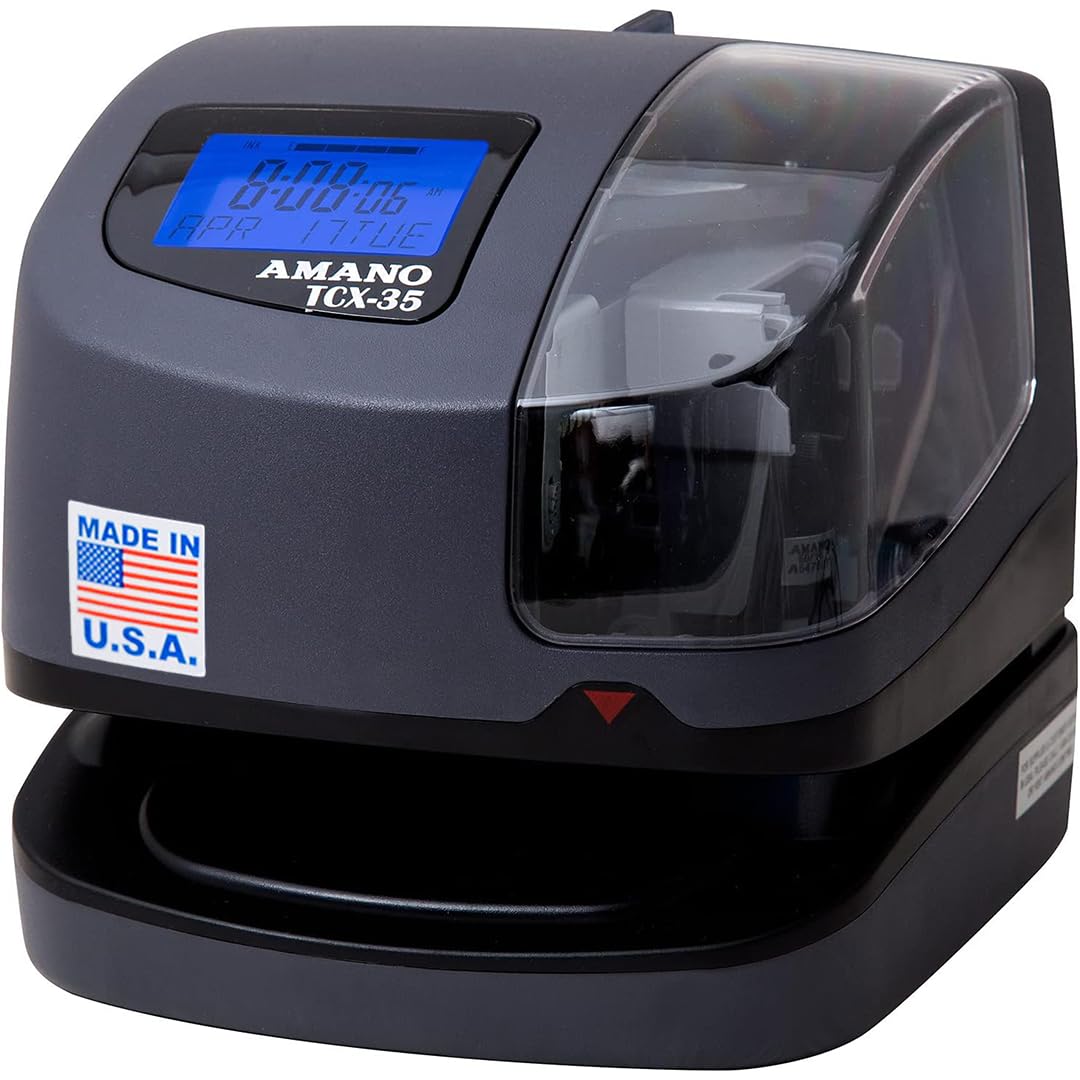
A no-surprises time clock built in America with a one-year factory warranty.
The AMANO TCX-35 is the straightforward choice for businesses that just want reliable time and date stamping without any cloud, WiFi, or subscription. It automatically adjusts for year, month, date, leap year, and daylight saving time, so you never have to correct it. It can print custom messages like REC’D, PAID, and FILE in multiple languages — handy for document control.
An internal light and clear window help employees line up the card, and a film guide prevents double printing on the same line. The LCD shows the remaining ink ribbon life, so you know when a change is coming. Made in the USA, it comes with a one-year factory warranty. At a higher upfront cost than the uPunch CR1000, the trade-off is build quality and domestic manufacturing.
Owners note it handles dirty, dusty environments well — one repair shop reports trouble-free operation despite heavy grime. The pre-installed ribbon is a welcome touch.
What customers note: Ease of use and functionality are the standout qualities. Employees find it much simpler than older models, with the clear print and film guide preventing common errors.
Choose this if: you want a Made-in-USA workhorse with automatic calendar adjustments and no software to manage.
Consider something else if: you are on a tight budget or want a machine that calculates total hours for you — this one only stamps the time.
11. Pyramid Time Systems Model 5000 Auto Totaling Time Clock
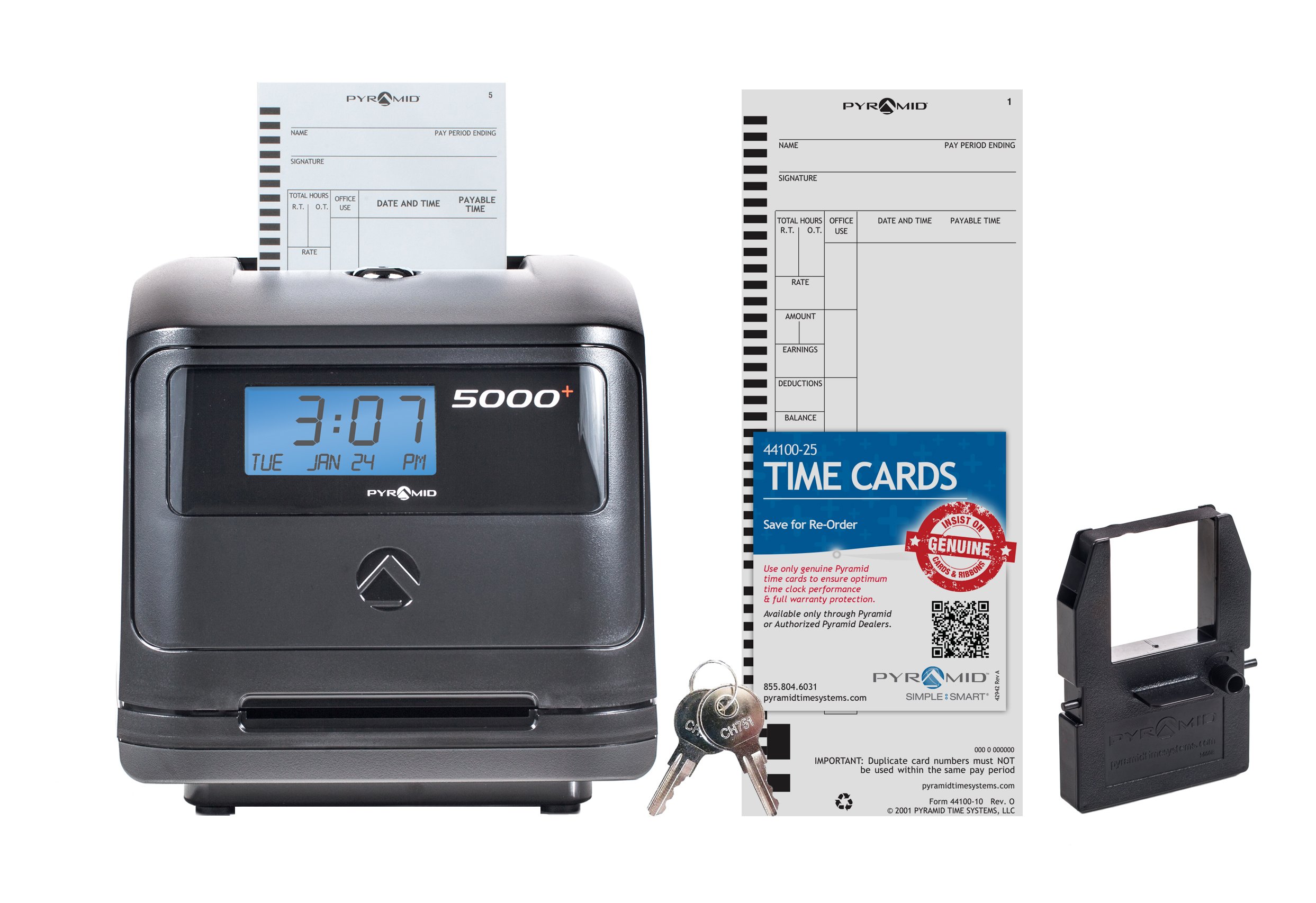
A premium auto-totaling clock that handles up to 100 employees with a backlit display.
The Pyramid Model 5000 is the top-tier auto-calculator in this roundup. It tracks up to 100 employees and prints daily and pay-period totals on the card automatically. The backlit LCD shows the time, date, and day. The auto-align feature keeps punches clean, and the unit supports actual or rounded time plus 12- or 24-hour formats. It can also connect with Pyramid bell systems for scheduled alerts.
The all-in-one bundle includes the clock, 25 time cards, one ink ribbon, 2 security keys, and a user guide — no subscriptions or software. It weighs 5 pounds and works on a desk or wall-mounted. The punch sound is loud (a quick clack), which some owners note but consider a small trade-off for the reliability.
Compared to the uPunch HN4500, the Pyramid 5000 manages twice the employee count (100 vs. 50) but comes with fewer cards and ribbons in the box.
Owner consensus: Reliability and quality are the top praise points. It works as a solid replacement for earlier Pyramid models and ships ready to run.
Best for: small-to-mid-size businesses with up to 100 employees who want printed totals and zero monthly fees.
Not for: teams that need cloud access, biometric security, or a silent punch — the mechanism is audibly mechanical.
Understanding the Specs
Auto-Calculating vs. Manual Punch
An auto-calculating time clock prints the total regular and overtime hours directly on the time card after each punch. That means you glance at the card and see “40:00 regular / 2:30 overtime” without reaching for a calculator. A manual punch clock stamps only the time in and time out — you still have to add up every column by hand. For teams with more than five employees, auto-calc often pays for itself within months.
Cloud vs. Offline Systems
A cloud-based time clock sends every punch to an online dashboard in real time. You can approve timecards, run reports, and export payroll from any phone or laptop. The trade-off is that most cloud clocks require a monthly subscription to keep the service running. Offline systems (punch card or standalone digital) have zero recurring fees but require you to manually collect data from the machine. Choose cloud if you manage people across locations; choose offline if you want to pay once and be done.
FAQ
Can a clock in and out system prevent buddy punching?
Do these time clocks work with regular time cards?
Will I need to reset the clock for Daylight Saving Time?
How long do ink ribbons last before I need to replace them?
Can I mount these clocks on a wall?
Is a cloud-based time clock worth the extra cost?
How many employees can these time clocks handle?
Do fingerprint time clocks work with dry or dirty hands?
What happens if the power goes out while employees are clocking in?
Can I export payroll data directly from these clocks?
Final Thoughts: The Verdict
For most buyers, the clock in and out system winner is the uPunch CR1000 because it combines a reliable time punch with a date stamp in one machine, has no subscription fees, and earns consistently high marks from small business owners. If you want automatic hour totals printed on the card, grab the Allied Time AT-4500 — the touch-free drop-in design and lifetime support make it a long-term value. And for a cloud-connected system without a monthly fee, the NGTeco TR-TC1-NG is the one to reach for, especially if you manage a team that prefers to tap a card rather than scan a finger.
How We Picked
We do not accept paid placement. Every pick is matched to a real buyer and a real use-case; we do not hands-on test units.
Sources & Methodology
Specifications: manufacturer listings and product documentation. Review insights: verified customer reviews, as of July 2026. Pricing: not shown on this page (it changes often); check the current price via the retailer link.
As an Amazon Associate, WellFizz earns from qualifying purchases. This does not affect which products we feature.
Related Guides

Mo Maruf
I created WellFizz to bridge the gap between vague wellness advice and actionable solutions. My mission is simple: to decode the research and give you practical tools you can actually use.
Beyond the data, I am a passionate traveler. I believe that stepping away from the screen to explore new environments is essential for mental clarity and physical vitality.