Our readers keep the lights on and my smoothie glass nicely filled. As an Amazon Associate, I earn from qualifying purchases.
Specs are compiled from manufacturer listings and verified buyer reviews and can change over time — please confirm the key details on the product page before buying.
Finding a gaming monitor that delivers fast, smooth gameplay without demanding a big chunk of your paycheck used to mean accepting serious trade-offs in color and sharpness. That has changed — today’s budget-friendly screens pack high refresh rates (how many times the screen updates per second), solid image quality, and responsive panels into builds that leave your wallet intact.
I’m Mohammad Maruf — the founder and writer behind WellFizz. This guide is built by comparing the manufacturers’ published specifications and the patterns across verified customer reviews, so you get each pick’s real strengths and trade-offs instead of marketing spin.
Whether you are building your first rig or just want a solid secondary screen for competitive titles, the right cheap pc gaming monitor should deliver buttery-smooth motion and clear visuals without forcing you to overspend on features you do not actually need.
Quick Picks
- KOORUI 25 Inch Curved Gaming Monitor (G2511XC) — Best Overall
- KTC 27 Inch 240Hz Gaming Monitor (H27F7) — Top Performer
- ASUS TUF Gaming 24” (VG249Q3A) — Best Display
- LG 24G411A-B 24-inch Ultragear — Best Value
- AOC 27 Inch QHD Gaming Monitor (Q27G41ZE) — Best Display
- Samsung 27” Odyssey G5 G53F — Premium Pick
- Acer Nitro 27″ WQHD (XV272U W2bmiiprx) — Top Performer
- Alienware 27 Gaming Monitor (AW2725DM) — Budget Champion
How To Choose The Best Cheap PC Gaming Monitor
Buying a monitor on a tight budget forces you to pick your priorities. You will not get the absolute best of everything, so you need to know which spec actually impacts your gaming experience and which is just a marketing number.
Refresh Rate and Response Time
This is the heartbeat of a gaming monitor. The refresh rate, measured in Hertz (Hz), tells you how many times the screen updates per second. At 60Hz, motion looks choppy — even basic mouse movement feels laggy. At 144Hz and above, movement becomes fluid and your aim in fast shooters feels more connected. Response time, measured in milliseconds (ms), is how fast a pixel changes color. Lower numbers mean less blur. For competitive gaming, aim for at least 120Hz with a 1ms response time — every pick here meets that bar.
Panel Type: IPS vs VA vs Fast IPS
The panel type determines how colors look and how the screen behaves when you are not sitting dead center. IPS (In-Plane Switching) panels give you the best color accuracy and wide viewing angles, so the image stays vibrant even when you lean sideways. VA (Vertical Alignment) panels deliver deeper blacks and higher contrast, which looks great in dark scenes, but they can suffer from motion blur on fast transitions. Fast IPS is a newer variant that keeps the color benefits of IPS while cutting response time down to 1ms — ideal for budget gamers who want both speed and image quality.
Resolution: 1080p vs 1440p on a Budget
1080p (Full HD) is the balance for cheap gaming monitors because it does not require a powerful graphics card to drive high frame rates. A 240Hz 1080p monitor will look buttery-smooth on a mid-range GPU like an RTX 3060, while a 1440p (QHD) monitor will push that same card much harder. If your PC has a strong GPU (RTX 3070 or better), stepping up to 1440p gives noticeably sharper detail. On a strict budget, stick with 1080p and prioritize refresh rate.
Adaptive Sync: FreeSync and G-Sync Compatible
Screen tearing happens when your graphics card sends frames at a different rate than the monitor’s refresh. Adaptive Sync technologies match the monitor’s refresh rate to your GPU’s output in real time, eliminating that horizontal split. AMD FreeSync is widely supported, and many monitors also work with NVIDIA G-Sync Compatible mode. If your GPU supports it — and most modern ones do — this feature alone makes gameplay feel drastically smoother for zero extra cost.
Quick Comparison
| Model | Best For | Refresh Rate | Resolution | Panel Type | Amazon |
|---|---|---|---|---|---|
| KOORUI G2511XC | Ultra-fast curved gaming | 240Hz | 1920 x 1080 | LCD (VA) | Amazon |
| KTC H27F7 | Fast IPS with ergonomic stand | 240Hz | 1920 x 1080 | Fast IPS | Amazon |
| ASUS TUF VG249Q3A | Pro-grade motion blur reduction | 180Hz | 1920 x 1080 | Fast IPS | Amazon |
| LG 24G411A-B | Console and dual-screen setups | 144Hz (O/C) | 1920 x 1080 | IPS | Amazon |
| AOC Q27G41ZE | 240Hz QHD on a budget | 260Hz (O/C) | 2560 x 1440 | IPS | Amazon |
| Samsung Odyssey G5 G53F | Vibrant QHD with FreeSync Premium | 200Hz | 2560 x 1440 | IPS | Amazon |
| Acer Nitro XV272U W2 | QHD speed with versatile stand | 240Hz | 2560 x 1440 | IPS | Amazon |
| Alienware AW2725DM | Premium build and console mode | 180Hz | 2560 x 1440 | IPS | Amazon |
In‑Depth Reviews
1. KOORUI 25 Inch Curved Gaming Monitor (G2511XC)
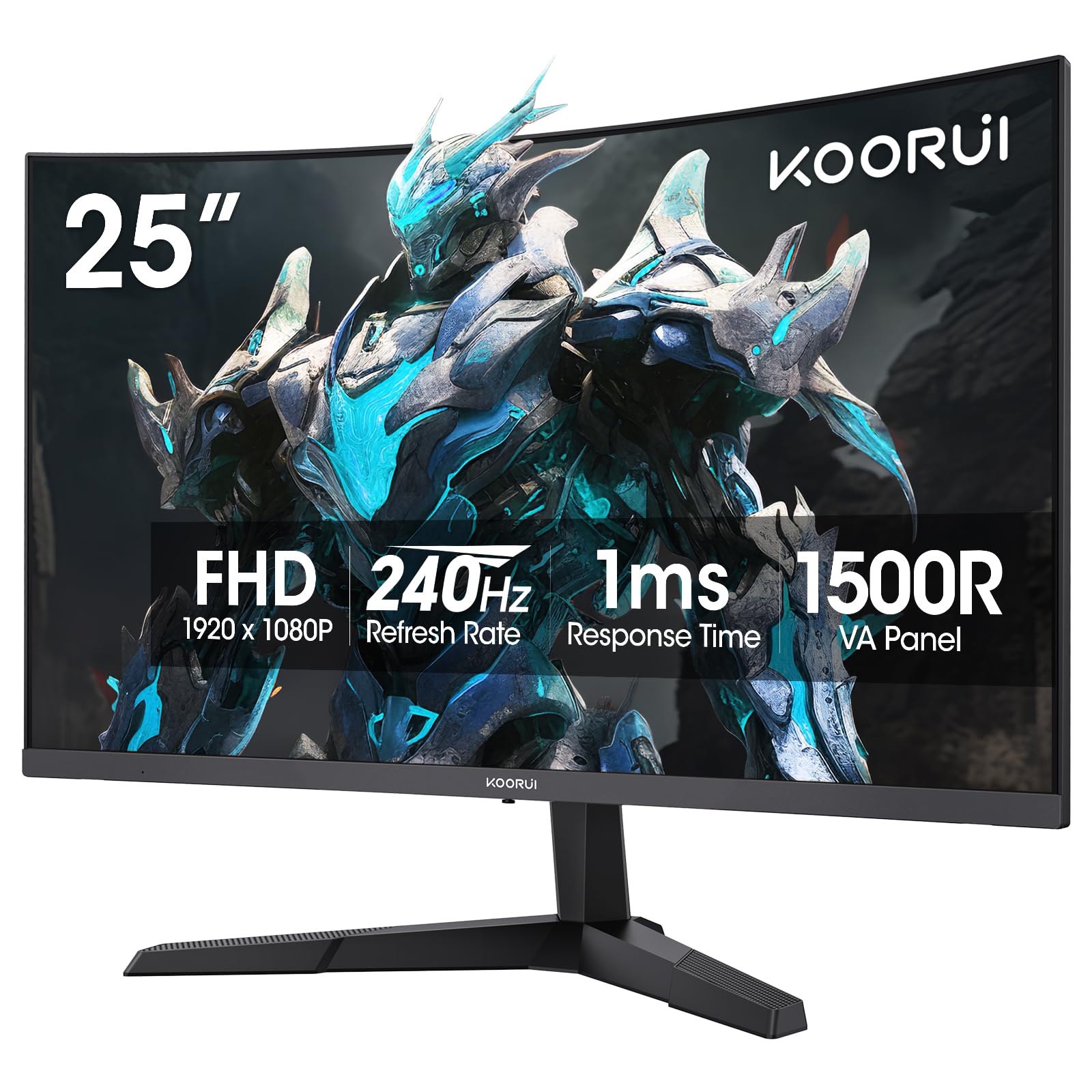
The curved speedster that wraps you in the action without emptying your wallet.
The KOORUI G2511XC gives you a 240Hz refresh rate (240 screen updates per second) and a 1ms MPRT response time (a measure of motion blur reduction, measured in milliseconds) — that means every fast split-second movement in a shooter or racer stays crisp with almost no blur. The 1500R curve (the curvature radius, where 1800R is a gentler curve and 1000R is more aggressive) wraps around your field of view, making the 25-inch screen feel more rich than a flat panel. With a 3000:1 contrast ratio (the ratio of brightest white to darkest black), it delivers noticeably deeper blacks than typical budget monitors — at 3000:1 versus the KTC H27F7’s 1000:1, so dark scenes in games and movies have real depth instead of a flat gray look.
Colors are vivid thanks to 90% DCI-P3 wide color gamut (a color space used in digital cinema, covering more saturated colors) and HDR10 support (a high-dynamic-range format that expands brightness and color). The brightness sits at 250 cd/㎡ (candelas per square meter, a measure of luminance), which is fine for indoor play but not as punchy as the KTC’s 350 cd/㎡. Buyers report that they have “had this for three years, works great,” which points to solid long-term reliability at this price. The tilt-adjustable stand and 75x75mm VESA mount (a standard hole pattern for mounting to an arm or wall) give you flexible desk setup options. One real-world trade-off: the stand only tilts, with no height or swivel adjustment, so you may need a separate monitor arm for the perfect eye level.
Why it leads the pack
- 240Hz at this price is exceptional value for smooth motion
- 3000:1 contrast ratio gives deeper blacks than most in this price bracket
- 1500R curve adds immersion without a premium price tag
- FreeSync Adaptive Sync eliminates screen tearing
A few honest limits
- 250 cd/㎡ brightness can feel dim in a bright room
- Stand is tilt-only with no height or swivel adjustment
- Panel is VA-based, so viewing angles are narrower than IPS
Best all-rounder for: Gamers who want the highest refresh rate they can get on a tight budget and enjoy the rich feel of a curved screen.
Second thought for: Anyone who needs a height-adjustable stand or plays in a very bright room where higher brightness matters.
2. KTC 27 Inch 240Hz Gaming Monitor (H27F7)
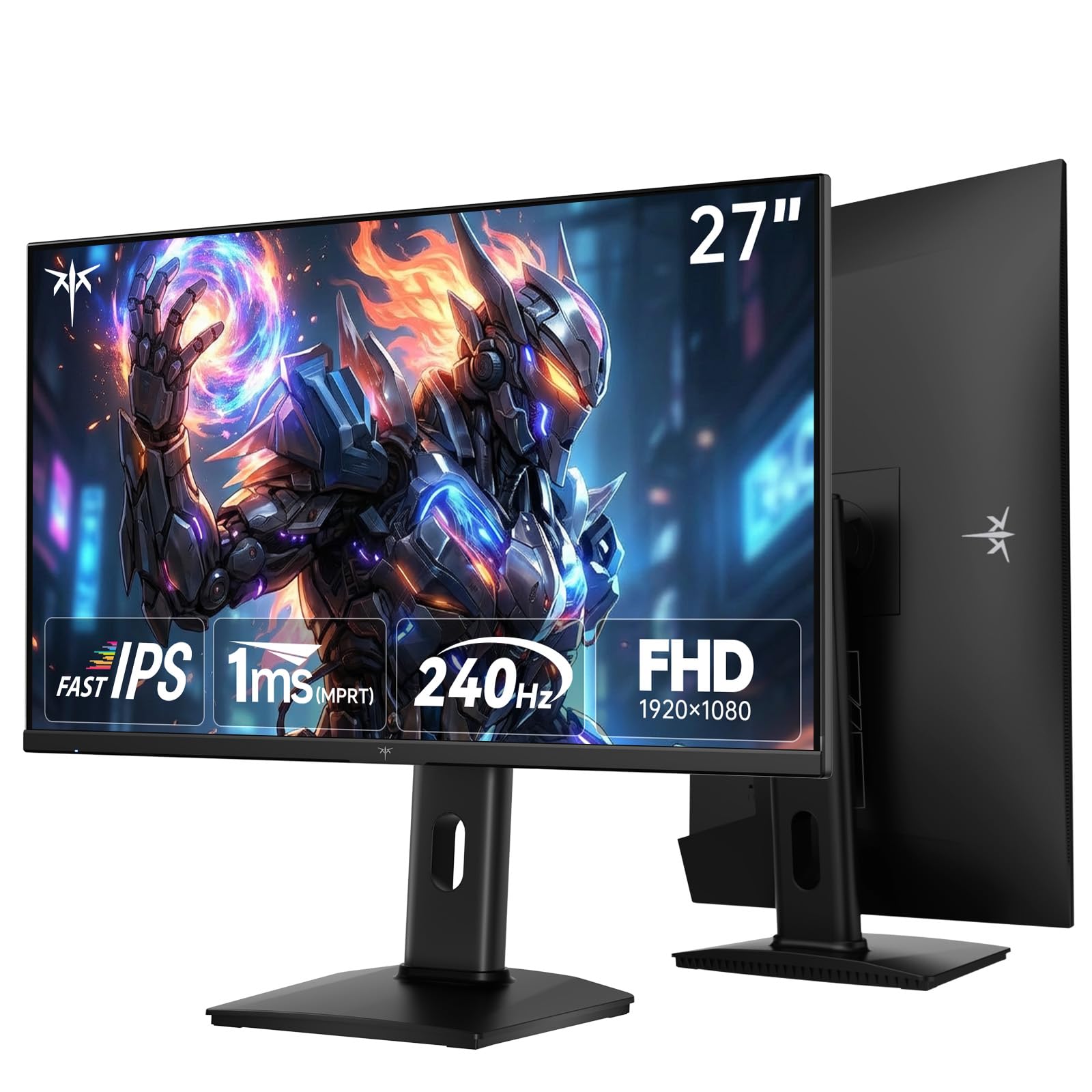
The Fast IPS panel that keeps colors accurate while delivering a silky 240Hz.
The KTC H27F7 matches the KOORUI’s 240Hz refresh rate and 1ms MPRT response time, but uses a Fast IPS panel instead of VA. This means you get wider viewing angles and more consistent color — the image does not wash out when you shift in your chair.
At 27 inches, this monitor gives you a noticeably larger picture than the KOORUI’s 25-inch screen — a 13% size increase that matters for rich gaming and daily viewing. The 131% sRGB color gamut area (a color space used for web and display standards) produces vibrant, punchy colors right from the start. Owners mention that the monitor has “excellent color accuracy” and works well with FreeSync. Unlike many budget monitors, the stand offers tilt, pivot, and 130mm height adjustment, so you can dial in perfect ergonomics without buying a separate arm. The main drawback buyers mention is “poor height adjustment” quality over time, and the menu system has a learning curve.
Bright and versatile choice: 350 cd/㎡ brightness and a fully adjustable stand make this the most comfortable pick for long sessions. If the KOORUI’s curved VA panel is not your style, the KTC’s Fast IPS gives you better viewing angles and a bigger screen for the same money.
One real caveat: A few customers note quality-control issues with dead pixels on early units, so inspect yours quickly after arrival and use the three-year warranty if needed.
Reach for this if: You prefer a larger flat screen with wide viewing angles, better brightness, and a fully ergonomic stand.
Think twice if: You want the deeper contrast of a curved VA panel or are wary of brand quality control based on mixed reviews.
3. ASUS TUF Gaming 24” (VG249Q3A)

The 180Hz Fast IPS that banishes ghosting for competitive gamers on a budget.
The ASUS TUF VG249Q3A does not hit the highest refresh rate in this list, but its Fast IPS panel and Extreme Low Motion Blur (ELMB) technology deliver exceptionally clean motion for competitive titles. At 180Hz, compared to the KTC and KOORUI’s 240Hz, but one reviewer who tried both said after owning a “180 Hz VA monitor and it ghosted bad and then finally the tuff fast ips 180 hz its like a whole different experience.” The 1ms GTG response time (gray-to-gray, a standard pixel change measurement) keeps fast transitions crisp.
This monitor uses a 23.8-inch screen, which is noticeably smaller than the 27-inch KTC . But that compact size means sharper pixel density at 1080p — text and fine details look tight. The 350 cd/㎡ brightness matches the KTC, so it performs well in bright rooms. Shadow Boost lifts dark areas without overexposing highlights, which is useful for spotting enemies hiding in corners. FreeSync Premium delivers tear-free gameplay with VRR (variable refresh rate) by default. The stand only tilts, and one reviewer noted the back is slightly curved for VESA mounting, but “you do not need any spacers as it is flat enough.” It also includes built-in speakers — a small but welcome bonus for desk space.
Motion clarity king
- ELMB technology virtually eliminates ghosting and motion blur
- 350 cd/㎡ brightness handles bright rooms well
- FreeSync Premium for smooth, tear-free gameplay
- Built-in speakers save desk clutter
Space and speed trade-offs
- 180Hz is lower than the 240Hz competitors here
- 23.8-inch screen feels small if you are used to 27-inch monitors
- Stand is tilt-only with limited ergonomics
Grab it for: Competitive FPS players who value motion clarity above all else and want a compact, high-quality Fast IPS panel with useful gaming features.
Look past it if: You need a larger screen or want the highest possible refresh rate for the money.
4. LG 24G411A-B 24-inch Ultragear

The 24-inch IPS that keeps console and PC gamers happy without breaking a sweat.
The LG 24G411A-B is a versatile IPS monitor that runs at 120Hz natively and overclocks to 144Hz (overclocking meaning you can increase it beyond the standard spec), which makes it a natural fit for both PC and console gaming. It also supports both NVIDIA G-Sync Compatible and AMD FreeSync — so no matter which GPU brand your rig uses, you get tear-free gameplay. One buyer called it an “excellent 120Hz gaming monitor for PS5, smooth gameplay, great resolution for price.” The 1ms Motion Blur Reduction keeps fast action clear.
With HDR10 support and up to 99% sRGB coverage, colors look rich for the price. The contrast ratio is 1500:1, which is better than most IPS panels at this level and gives dark scenes more depth. Black Stabilizer helps you see into shadowy corners, while Dynamic Action Sync reduces input lag so your clicks feel instant. The slim bezel design looks clean on a desk. The main weak point buyers flag is the stand: “Stand is terrible, causes jiggling; recommend replacing with aftermarket stand.” If you plan to use the included stand, be prepared for some wobble. It also ships with an HDMI cable but not a DisplayPort cable if you need that for higher refresh rates.
Console-friendly value
- 120Hz native with 144Hz overclock suits both PC and PS5/Xbox
- G-Sync Compatible and FreeSync support on one monitor
- 1500:1 contrast ratio is above average for IPS
- Ultra-slim bezel for a clean multi-monitor setup
Watch out for
- Included stand is wobbly and poorly built
- No DisplayPort cable in the box
- Brightness and color benefit from manual calibration
A solid pick if: You play on both PC and console and want a monitor that supports both G-Sync and FreeSync without paying extra.
Not ideal if: A stable, wobble-free stand matters to you from the start, or you need the highest possible refresh rate.
5. AOC 27 Inch QHD Gaming Monitor (Q27G41ZE)

The QHD overclocker that pushes 260Hz for a sharp, blisteringly fast experience.
The AOC Q27G41ZE steps up the resolution game with a 2560×1440 QHD (Quad High Definition, four times the pixels of 720p) IPS display while keeping a competitive 240Hz refresh rate (overclockable to 260Hz). This combination gives you far more detail than 1080p — text looks sharper, game worlds feel more defined — but it also demands more from your graphics card. The 0.3ms MPRT response time (Moving Picture Response Time, a measure of perceptible motion blur) is among the fastest in this roundup, making motion incredibly clean during fast-paced gameplay.
With 300 cd/㎡ brightness and a 1000:1 contrast ratio, the image quality is solid for an IPS panel. It supports Adaptive-Sync (both FreeSync and G-Sync Compatible) to eliminate tearing. The stand offers tilt adjustment from -3° to +21° and a 100x100mm VESA mount. Reviewers point out it is a “great size, resolution, and refresh rate” and note that the 260Hz overclock is “noticeable from 180Hz.” One honest trade-off: “slightly cheap build; wobbles if desk moves” and “wish it could be brighter” at max brightness compared to other monitors.
Sharp and fast for the price: A 240Hz QHD IPS at this price point is rare. The overclock to 260Hz gives you a tangible edge in competitive play without sacrificing resolution. If you have a GPU that can push 1440p at high frames, this is a compelling buy.
Small compromises: The stand and build feel slightly cheaper than the premium specs suggest, and the brightness caps out lower than some alternatives.
Best for: Gamers with a mid-to-high-end GPU who want the sharpness of QHD combined with a refresh rate that rivals 1080p monitors.
skip it if: You need the brightest possible screen or a rock-solid stand without any wobble.
6. Samsung 27” Odyssey G5 G53F

The Samsung that balances QHD clarity with a smooth 200Hz for rich gaming.
The Samsung Odyssey G5 G53F brings QHD resolution (2560×1440) to a 27-inch IPS panel with a 200Hz refresh rate and 1ms MPRT response time. That is a slightly lower refresh rate than the AOC’s 240Hz, but the Samsung IP delivers excellent color vibrancy and a wide 178° viewing angle. Shoppers say “the colors are so clean and so clear” and that it is “very fast, very sleek & looks good.” HDR10 support adds brightness and depth to highlights and shadows.
AMD FreeSync Premium keeps gameplay tear-free and smooth. Black Equalizer lifts dark areas so you can see opponents hiding in shadows, and Virtual Aim Point overlays a crosshair for games that lack one. Auto Source Switch+ automatically detects and switches to the active device — convenient if you jump between a PC and a console. The standout limitation is the stand: “the stand is pretty cheap” and “the small loop in the back for cable management arrived broken.” It offers tilt only, with no height or swivel adjustment. At 300 cd/㎡, brightness is adequate for most rooms but not class-leading.
Samsung color magic
- QHD resolution on a 27-inch IPS panel delivers sharp, vibrant images
- 200Hz is smooth for competitive and casual gaming
- FreeSync Premium ensures tear-free motion
- Auto Source Switch+ is handy for multi-device setups
The cheap stand
- Stand is flimsy, tilt-only, and the cable management loop is fragile
- 200Hz is lower than the 240Hz competition at similar prices
- Brightness sticks at 300 cd/㎡ — fine but not impressive
Choose this for: Samsung’s reputation for vibrant colors and a clean QHD gaming experience at a reasonable price.
Consider another if: You need a sturdy stand with height adjustment or want the absolute fastest refresh rate your money can buy.
7. Acer Nitro 27″ WQHD (XV272U W2bmiiprx)

The 240Hz QHD Nitro with a fully adjustable stand that bends to your will.
The Acer Nitro XV272U W2 packs a 27-inch WQHD (2560×1440) IPS panel with a 240Hz refresh rate over DisplayPort and a response time as low as 0.5ms GTG (gray-to-gray, a standard pixel change measurement). This is the same resolution and refresh rate tier as the AOC, but the Acer’s stand is far more capable: it offers tilt, a 4.7-inch height adjustment range, 360° swivel, and ±90° pivot. That kind of ergonomic flexibility is rare at this price, letting you rotate the screen to portrait mode for coding or browsing.
It supports AMD FreeSync Premium and comes with DisplayHDR 400 certification (a standard for high-dynamic-range brightness and color, requiring 400 cd/㎡ peak brightness), which means it hits a peak brightness of 400 cd/㎡ — noticeably brighter than the 300 cd/㎡ on the Samsung and AOC. The sRGB coverage is 99%, delivering accurate colors from the start. Built-in 2-watt speakers save you from buying separate desktop speakers for basic audio. Buyers call it “excellent color/picture quality, fast/smooth frames” and “amazing monitor for the price, or period.” One notable downside: “HDMI 2.0 limits performance” for console players, so you need to use DisplayPort for the full 240Hz.
Ergonomics and speed
- Fully adjustable stand with height, swivel, tilt, and pivot
- DisplayHDR 400 with 400 cd/㎡ brightness for punchy highlights
- 240Hz with 0.5ms response for ultra-smooth competitive play
- Built-in speakers for basic audio
Quality concerns
- Some units suffer from backlight bleed in the corners
- HDMI 2.0 caps console performance; use DisplayPort for full 240Hz
- RMA process requires you to pay shipping for replacements
Ideal for: Gamers who need a fully ergonomic stand for long, comfortable sessions and want 240Hz QHD speed at a competitive price.
Pass on it if: You are wary of Acer’s quality control based on backlight bleed reports or primarily game on HDMI-based consoles.
8. Alienware 27 Gaming Monitor (AW2725DM)

The premium-feeling Alienware that brings console-ready QHD to a friendly price.
The Alienware AW2725DM is the most affordable entry into this list that carries Alienware’s build quality and aesthetic. It is a 27-inch QHD IPS monitor with a 180Hz refresh rate and 1ms GTG response time. While its refresh rate is lower than the 240Hz QHD picks from Acer and AOC, the Alienware compensates with a console mode that adapts the refresh rate for PS5, making it “gta 6 ready” according to one buyer. DCI-P3 95% color coverage (a color space used in digital cinema) and VESA DisplayHDR 400 certification deliver vibrant colors and 400 cd/㎡ peak brightness — matching the Acer’s brightness output.
The stand is fully adjustable with height, swivel, tilt, and pivot, so you can find the perfect viewing angle. It supports both NVIDIA G-Sync and AMD FreeSync for tear-free play on any modern GPU. Buyers describe the “display quality as amazing” and say “colors look vibrant, motion is very smooth.” The one catch: you only get 144Hz over HDMI — you need a DisplayPort connection to hit the full 180Hz. It also lacks USB-C connectivity, so if you use a laptop with only USB-C output, you will need an adapter.
Alienware quality at a lower price
- Console mode adapts 180Hz for PS5 and future titles
- Fully adjustable stand with height, swivel, tilt, and pivot
- DisplayHDR 400 with 400 cd/㎡ brightness and 95% DCI-P3 color
- G-Sync and FreeSync support for tear-free gaming
A few limitations
- 180Hz is capped at 144Hz over HDMI; needs DisplayPort for full speed
- No USB-C port for modern laptop connections
- Higher price than some 240Hz competitors
Go for it if: You want Alienware’s premium design and build, a great ergonomic stand, and intend to use both PC and PS5 with a single monitor.
Look elsewhere if: You need the absolute highest refresh rate for competitive PC gaming or must have USB-C connectivity.
Understanding the Specs
Refresh Rate and Response Time
The refresh rate (in Hertz, or Hz) tells you how many times per second the monitor redraws the entire image. A standard office monitor runs at 60Hz, which looks fine for spreadsheets but feels sluggish in games. At 144Hz, motion becomes smooth and fluid — you can track fast-moving enemies without the image turning into a blur. At 240Hz, the difference is subtle but real for competitive players who play at high frame rates. Response time (in milliseconds, or ms) measures how quickly a pixel can change from one color to another. Lower is better: 1ms is excellent for fast-paced shooters, while 5ms may show noticeable blur.
Panel Types: IPS, VA, Fast IPS
The panel type affects how the image looks from different angles and how motion appears. IPS (In-Plane Switching) is the most common choice for gamers because it offers wide viewing angles (typically 178°) and good color accuracy — the image stays vibrant even when you are not sitting dead center. VA (Vertical Alignment) panels offer deeper blacks and higher contrast ratios (like 3000:1) but can suffer from dark-level smearing during fast motion. Fast IPS is a newer variant that keeps the wide viewing angles and accurate colors of standard IPS while cutting response times down to 1ms, making it ideal for budget gaming monitors.
Adaptive Sync: FreeSync and G-Sync
Screen tearing happens when your graphics card sends a new frame while the monitor is still drawing the old one, causing a visible horizontal split. Adaptive Sync technologies fix this by having the monitor wait for the GPU to finish sending the frame before refreshing. AMD FreeSync is the most widely supported standard and works with most modern AMD and some NVIDIA GPUs. G-Sync Compatible is NVIDIA’s certification that a monitor meets their tear-free standards over DisplayPort. Some monitors here support both, giving you flexibility regardless of your GPU brand.
Resolution: 1080p vs QHD on a Budget
Resolution determines how sharp the image looks. 1920 x 1080 (Full HD or 1080p) is the standard for budget gaming because it is easy on your graphics card — even a mid-range card can push high frame rates at this resolution. 2560 x 1440 (QHD or 1440p) packs 3,686,400 pixels compared to 1920 x 1080’s 2,073,600 pixels, making text and game worlds look noticeably sharper. The catch: driving a QHD monitor at high refresh rates requires a more powerful GPU. If your PC has an RTX 3070 or better, QHD is worth the step up. For an older or budget GPU, stick with 1080p and prioritize refresh rate.
FAQ
Is a 240Hz monitor worth it for gaming on a budget?
Will a 1080p monitor look bad at 27 inches?
Can I use a cheap gaming monitor for work and productivity?
What is the difference between FreeSync and FreeSync Premium?
Do I need a DisplayPort cable for high refresh rates?
What is VESA mounting and why does it matter?
Can I use a cheap PC gaming monitor with my PS5 or Xbox Series X?
How important is color gamut for a gaming monitor?
Why do some monitors have better contrast ratios than others?
Is it worth buying a budget monitor with built-in speakers?
Final Thoughts: The Verdict
Across the board, the cheap pc gaming monitor winner is the KOORUI G2511XC because it delivers a 240Hz curved experience at a price that undercuts almost every competitor while still offering strong contrast and FreeSync support. If you want a larger flat screen with better brightness and a fully adjustable ergonomic stand, grab the KTC H27F7. And for gamers who need QHD sharpness combined with 240Hz speed, the Acer Nitro XV272U W2 offers the best all-around package with its versatile stand and bright display.
How We Picked
We do not accept paid placement. Every pick is matched to a real buyer and a real use-case; we do not hands-on test units.
Sources & Methodology
Specifications: manufacturer listings and product documentation. Review insights: verified customer reviews, as of July 2026. Pricing: not shown on this page (it changes often); check the current price via the retailer link.
As an Amazon Associate, WellFizz earns from qualifying purchases. This does not affect which products we feature.
Related Guides

Mo Maruf
I created WellFizz to bridge the gap between vague wellness advice and actionable solutions. My mission is simple: to decode the research and give you practical tools you can actually use.
Beyond the data, I am a passionate traveler. I believe that stepping away from the screen to explore new environments is essential for mental clarity and physical vitality.