Our readers keep the lights on and my smoothie glass nicely filled. As an Amazon Associate, I earn from qualifying purchases.
Specs are compiled from manufacturer listings and verified buyer reviews and can change over time — please confirm the key details on the product page before buying.
A conference room camera that misses half the table or makes distant faces fuzzy defeats its purpose. You need a lens wide enough to capture everyone, sharp enough to read expressions, and smart enough to follow the person talking — without turning setup into a separate IT project. This guide compares the top options across different room sizes and budgets so you pick one that just works.
I’m Mohammad Maruf — the founder and writer behind WellFizz. This guide is built by comparing the manufacturers’ published specifications and the patterns across verified customer reviews, so you get each pick’s real strengths and trade-offs instead of marketing spin.
You need a conference room camera that shows everyone clearly, follows whoever is talking, and picks up voices without echo. The three specs that decide that are the lens field of view (how wide a scene the camera sees), auto-tracking (whether the camera follows a speaker automatically), and audio handling (how well it captures voices and cuts out background noise). These picks deliver on all three.
Quick Picks
- Jabra PanaCast — Premium Panoramic
- Innex C831 180° Panoramic 4K Webcam — Panoramic Value
- WYRESTORM 4K Conference Room Camera System — All-in-One Value
- TONGVEO 4K PTZ Camera AI Auto Tracking — Budget PTZ
How To Choose The Best Conference Room Camera
Three specs separate a camera that impresses your remote colleagues from one that frustrates everyone. First, the field of view — a 90° lens fits four to six people around a small table, while a 120° or wider lens covers the whole room and avoids cutting people off at the edges. Second, decide if you need tracking: PTZ (pan-tilt-zoom) cameras with AI auto-tracking follow a presenter as they move, and auto-framing cameras adjust the shot to keep all participants visible without a manual touch. Third, audio — many cameras bundle a built-in mic array and speaker, saving you from buying a separate conference speakerphone for a small to medium room.
Field of View and Room Size
A 92° lens (like the TONGVEO PTZ) works for a narrow conference table, but a 120° lens (WYRESTORM) or the 180° panoramic lenses (Innex C831, Jabra PanaCast) capture a far wider area. Buyers report the 180° cameras eliminate the “pinhead” problem where remote people see tiny distant faces.
Quick Comparison
| Model | Best For | Field of View | Zoom Type | Audio | Amazon |
|---|---|---|---|---|---|
| Jabra PanaCast | Premium 180° panoramic | 180° | 3X Digital Zoom | Built-in mic (good) | Amazon |
| Innex C831 | 180° panoramic / value | 180° | 5 presets (digital) | Built-in mic | Amazon |
| WYRESTORM 4K | All-in-one mid-size room | 120° | 5X Optical / 8X Digital | 4-mic array + dual speakers | Amazon |
| TONGVEO PTZ | Budget PTZ with tracking | 92° | 3X Optical Zoom | No built-in mic (optional speakerphone) | Amazon |
In‑Depth Reviews
1. Jabra PanaCast

This camera gives you a 180° panoramic view (a half-circle field of view) so you see every person around the table in a single, smooth image — no one is cut off at the edges.
You get a full field of view without anyone cut off — the Jabra uses three 13 MP cameras and real-time video stitching to create a single wide image. Plug it into your laptop via USB-C and it works straight away with Microsoft Teams (certified) and Zoom. The intelligent zoom adjusts automatically to include everyone in the conversation, though owners mention the zoom response has a slight delay.
Compared to the Innex C831 below, the Jabra costs more but is built for consistent professional use — one reviewer bought 12 units for a classroom setup and praised the 180° view for beating Logitech’s wide-angle options. A few owners noted the camera runs warm and that the resolution drops from 4K when you zoom with a single camera, but the three-camera mode keeps things sharp. Customers note the built-in microphone is good for its size, but in larger rooms you may still want a separate speakerphone.
what separates it
- Three 13 MP cameras deliver a true 180° smooth panoramic view
- Plug-and-play USB-C with Microsoft Teams certification
- Compact, unobtrusive design mounts easily on a monitor or tripod
What to keep in mind
- Premium price — significantly more than many 90° cameras
- Intelligent zoom feature has noticeable delay
- Runs warm during extended use; no built-in speaker for large rooms
Your best bet for: A boardroom or huddle space where seeing every face matters more than saving money.
Consider a different pick if: Your room is small enough that a 120° or 92° lens covers everyone without the panoramic premium.
2. Innex C831 180° Panoramic 4K Webcam

A 180° panoramic webcam that gives you that wide-room coverage without the premium price tag.
The Innex C831 uses three 12 MP cameras and a stitching algorithm to capture a full 180° panorama — matching the Jabra’s width at a noticeably lower price. You can tap a button to cycle through five preset view angles from 180° down to 75°, letting you narrow the shot for smaller groups without physically moving the camera. Reviewers point out the video quality is very clear and easy to set up, plugged straight into Zoom meetings.
Unlike the WYRESTORM below, the Innex does not include dual speakers or a 4-mic array — you rely on the built-in mic, which is fine for a small huddle room but not a large conference table. One critical buyer noted the companion Studio software has hidden settings that reset each session, so if you want granular, permanent control this may frustrate. For most plug-and-play needs, however, the 180° view and sharp 4K picture win praise.
Why buyers like it
- True 180° panoramic view with three 12 MP cameras
- Five preset angles (180° to 75°) for flexible room coverage
- Plug-and-play USB with Zoom, Teams, and Google Meet
Where it falls short
- Proprietary software resets settings per session (reviewer complaint)
- No dual speakers or advanced mic array for larger rooms
- Field of view button resets each use — not a permanent setting
Reach for this if: You want the rich 180° room coverage but your budget doesn’t stretch to the Jabra. skip it if you need a camera that zooms in on a whiteboard — this model has a fixed wide view, not a zoom lens.
Look elsewhere if: You need reliable, permanent camera settings and a rich audio system built-in.
3. WYRESTORM 4K Conference Room Camera System
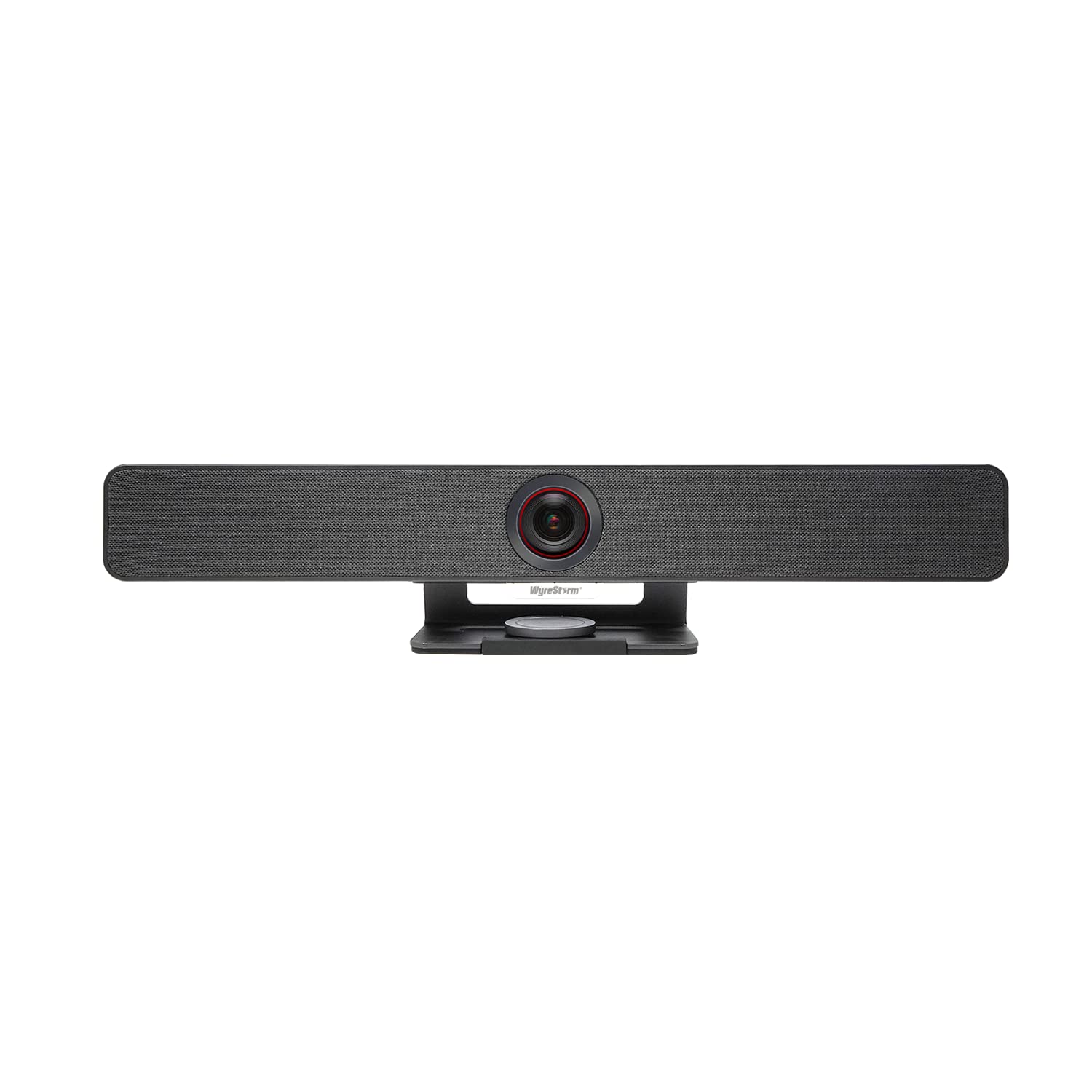
An all-in-one video bar that packs camera, four microphones, and dual speakers into a single tidy unit.
The WYRESTORM targets medium to large conference rooms with a 120° wide-angle lens, 5X zoom, and both AI auto-framing and speaker tracking. This means the camera automatically detects everyone in the room and keeps them centered, then switches to follow whoever is talking — no remote control needed. Shoppers say the wide-angle covers a 15’x30′ office easily, and the picture is sharp with smooth focus and zoom transitions.
Unlike the TONGVEO below, the WYRESTORM includes a 4-mic array with noise reduction and built-in dual speakers, so you do not need a separate speakerphone for a typical meeting room. Buyers report the all-plastic body feels durable and the image is clear, though the color temperature runs slightly cold. One critical detail: the firmware update process requires admin permissions — if someone tries to update without them, the camera can soft-brick until fixed.
What makes it a great pick
- 120° wide-angle covers a 15’x30′ meeting room — verified by buyers
- AI auto-framing and speaker tracking work smoothly without manual tweaks
- Includes 4-mic array and dual speakers — all-in-one convenience
Watch out for
- Firmware update can soft-brick the device if done without admin rights
- Colors may appear slightly cool (adjustable via app)
- No 180° rotation option; may suit only landscape setups
Grab this for: A meeting room where you want one clean device to handle both camera and audio.
pass on it if: You need the widest possible 180° panorama — the Innex or Jabra cover more space.
4. TONGVEO 4K PTZ Camera AI Auto Tracking
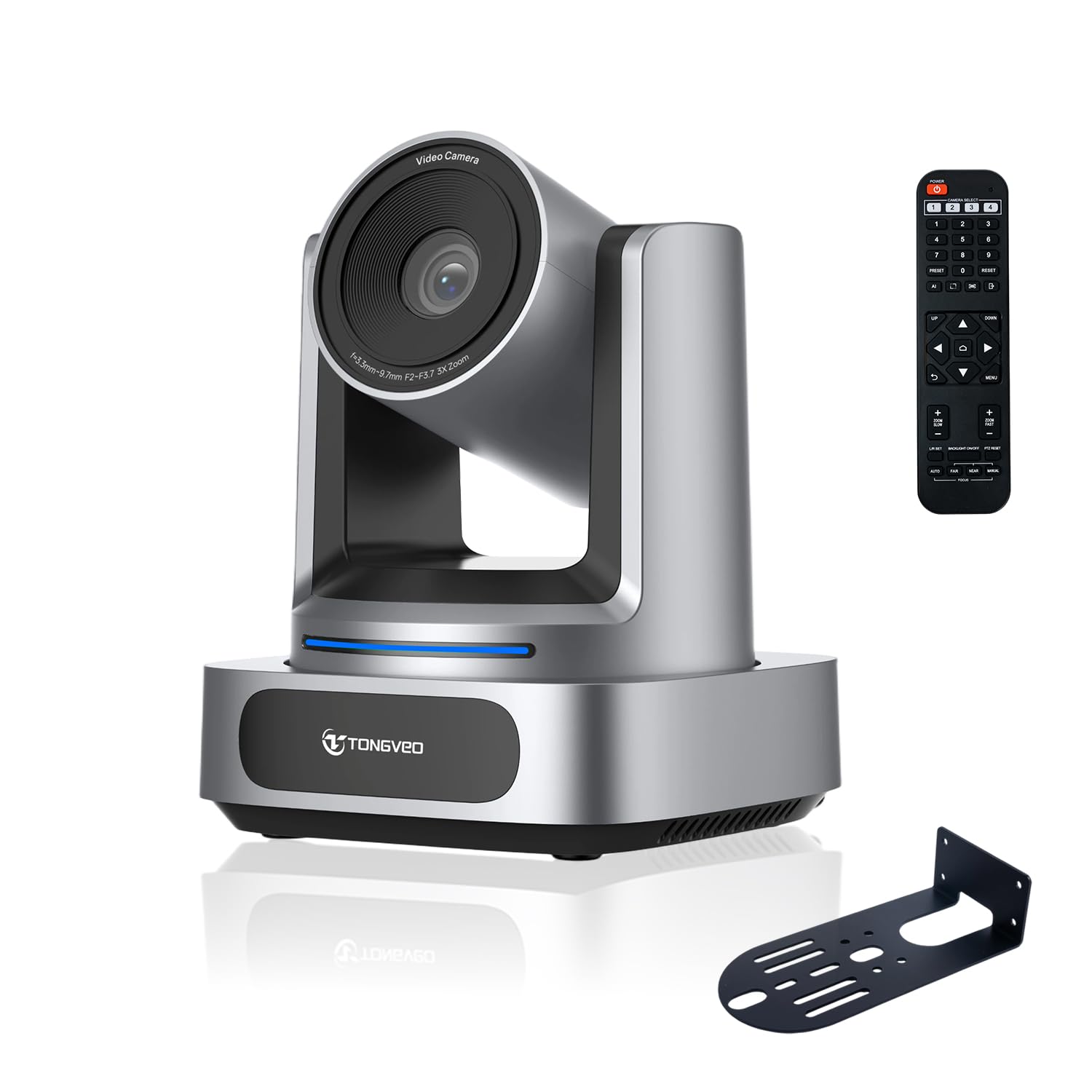
An entry-level PTZ camera with 3x optical zoom and AI tracking that punches above its price.
The TONGVEO is the only pick here with true optical zoom — 3X optical means you can zoom in on a distant presenter without losing image quality, unlike digital zoom that crops and pixelates. Its 92° wide-angle lens is narrower than the 120° WYRESTORM or 180° panoramic options, so it fits a small conference table or a lecture podium. Owners mention the AI auto-tracking works best for one presenter and is smooth enough to reduce the need for a second camera operator.
Compared to the all-in-one WYRESTORM, the TONGVEO has no built-in mic or speaker — you will need to add a separate conference speakerphone. The 4K resolution is only available through HDMI; the USB output maxes out at 1080p. Reviewers praise the included IR remote for quick preset control and the quiet PTZ motor. The budget price makes it an easy entry point for churches, classrooms, or startup offices that need PTZ motion without the premium cost.
Where it shines
- True 3X optical zoom preserves image detail when zooming in
- AI auto-tracking locks onto a presenter and follows them smoothly
- Includes 340° pan, 90° tilt, and remote presets for flexible angles
Where it compromises
- 92° field of view is narrower than the 120° or 180° competitors
- No built-in microphone — you must buy a separate speakerphone
- 4K output is HDMI-only; USB delivers 1080p maximum
Stick with this if: You need PTZ movement and optical zoom on a tight budget and already own a separate speakerphone.
Consider something else if: You want a single, cable-free unit with both camera and audio, or you need to cover more than six people comfortably.
Understanding the Specs
Field of View
Measured in degrees, field of view (FOV) tells you how wide the camera sees. A 92° lens captures a typical six-person table. A 120° lens fits a medium-sized conference room. A 180° panoramic camera covers the entire room end-to-end — ideal for huddle spaces and boardrooms where everyone sits side-to-side.
Optical vs Digital Zoom
Optical zoom (like the TONGVEO’s 3X) physically moves the lens to magnify the image — no quality loss. Digital zoom (common in all-in-one bars) crops the image and magnifies it, which can make things blurry. If you regularly zoom in on whiteboards or distant speakers, optical zoom is worth the trade-off.
FAQ
What field of view do I need for a conference room?
Does a conference room camera need built-in microphones?
What is the difference between auto-tracking and auto-framing?
Will a 4K conference camera work with Zoom or Teams?
Can I mount a conference camera on the wall or ceiling?
What is the ideal zoom for a large conference room?
Is the Jabra PanaCast worth the higher price?
How long does a typical conference camera last?
Final Thoughts: The Verdict
Across the board, the conference room camera winner is the WYRESTORM 4K All-in-One because it combines a wide 120° lens, AI auto-framing, and a complete audio system in a single cable-friendly device — no extra speakerphone needed. If you want true 180° panoramic coverage, grab the Jabra PanaCast or the more affordable Innex C831. And for a budget-friendly PTZ camera with optical zoom that can track a presenter, the TONGVEO is a solid pick.
How We Picked
We do not accept paid placement. Every pick is matched to a real buyer and a real use-case; we do not hands-on test units.
Sources & Methodology
Specifications: manufacturer listings and product documentation. Review insights: verified customer reviews, as of July 2026. Pricing: not shown on this page (it changes often); check the current price via the retailer link.
As an Amazon Associate, WellFizz earns from qualifying purchases. This does not affect which products we feature.

Mo Maruf
I created WellFizz to bridge the gap between vague wellness advice and actionable solutions. My mission is simple: to decode the research and give you practical tools you can actually use.
Beyond the data, I am a passionate traveler. I believe that stepping away from the screen to explore new environments is essential for mental clarity and physical vitality.