Our readers keep the lights on and my smoothie glass nicely filled. As an Amazon Associate, I earn from qualifying purchases.
Specs are compiled from manufacturer listings and verified buyer reviews and can change over time — please confirm the key details on the product page before buying.
You want a new monitor, but your budget stops at 100 dollars. At this price, every feature involves a trade-off—a higher refresh rate for smoother gaming, or a larger screen for multitasking, or built-in speakers for a clean desk. This guide shows you the seven best monitors that actually deliver on refresh rate, color accuracy, and connectivity, so you know exactly which one fits your desk and your daily grind.
I’m Mohammad Maruf — the founder and writer behind WellFizz. This guide is built by comparing the manufacturers’ published specifications and the patterns across verified customer reviews, so you get each pick’s real strengths and trade-offs instead of marketing spin.
You will find a reliable option among these computer monitors under 100 that balances price with real-world performance, if you need a second screen for work or a primary display for light gaming.
Quick Picks
- MSI PRO MP251W E2 — Best Overall
- LG 24U411A-B — Premium Pick
- ViewSonic VS2447M — Deep Contrast
- AOC 24B35H3 — Large & Smooth
- Amazon Basics 24 Inch Monitor — Office Workhorse
- Sceptre E225W-FW144 — Budget Gaming
- Acer KB220Q H2bi — Entry-Level
How To Choose The Best Computer Monitor Under 100
At this price point, every feature is a trade-off. You will have to decide what matters most—a higher refresh rate for smoother gaming, a larger screen for multitasking, or built-in speakers to keep your desk clean. Here are the specs to focus on.
Refresh Rate: 60Hz vs 100Hz vs 120Hz
Refresh rate is how many times per second your screen redraws the image. A standard 60Hz monitor is fine for email and spreadsheets, but a 100Hz or 120Hz display makes every mouse movement feel snappier and reduces eye strain during long sessions. For casual gaming, 120Hz is a noticeable upgrade over 60Hz.
Panel Type: IPS vs VA vs LED
IPS panels give you the best viewing angles and color consistency, meaning the image stays accurate even if you are not sitting dead-center. VA panels offer deeper blacks and higher contrast ratios (3000:1 vs 1000:1) but viewing angles are narrower. Most budget monitors labeled “LED” are actually VA or TN panels underneath—check the fine print.
Connectivity: HDMI, DisplayPort, and VGA
HDMI is the standard for modern laptops and consoles. DisplayPort is common on desktop GPUs and supports higher bandwidth. VGA is an older analog port—useful for legacy equipment but avoid if you can. Make sure the monitor has at least one HDMI port that matches your device.
Built-in Speakers: A Nice Bonus or a Trap
Many budget monitors include speakers, but the audio quality is often weak (around 40-50dB volume). They are fine for system notifications or YouTube, but you will want external speakers or headphones for music or gaming. If a monitor has no built-in speakers, plan for a separate audio setup.
Quick Comparison
| Model | Best For | Refresh Rate | Panel Type | Contrast Ratio | Amazon |
|---|---|---|---|---|---|
| MSI PRO MP251W E2 | Best Overall Value | 120Hz | IPS LCD | 2000:1 | Amazon |
| LG 24U411A-B | Premium Features | 120Hz | IPS | 1500:1 | Amazon |
| ViewSonic VS2447M | Deep Contrast | 100Hz | LED | 3000:1 | Amazon |
| AOC 24B35H3 | Large Screen | 120Hz | IPS | — | Amazon |
| Amazon Basics 24 Inch | Office Workhorse | 100Hz | LCD | 2000:1 | Amazon |
| Sceptre E225W-FW144 | Gaming on a Budget | 144Hz | LED | 2000:1 | Amazon |
| Acer KB220Q H2bi | Entry-Level Price | 100Hz | VA | 1000:1 | Amazon |
In‑Depth Reviews
1. MSI PRO MP251W E2
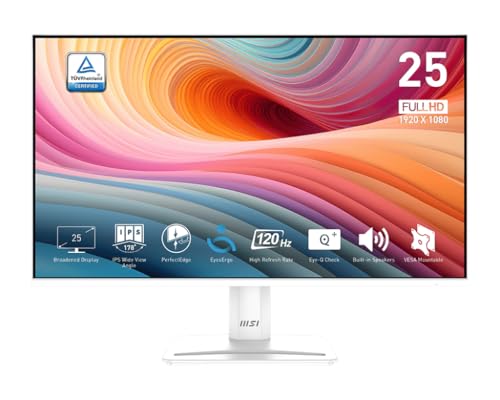
A white 24.5-inch monitor that balances smooth motion and sharp colors for both work and play.
The 120Hz refresh rate on this MSI gives you noticeably smoother scrolling through documents and web pages, and it handles casual gaming without the stutter you get from a standard 60Hz screen. The IPS LCD panel (a backlit display with wide viewing angles) means colors stay consistent even when you lean sideways to show a coworker your screen. At a 2000:1 contrast ratio, blacks are deeper than the Acer KB220Q’s 1000:1, so dark scenes in movies look richer without washing out.
Reviewers mention the colors are vibrant and the 120Hz motion feels very smooth for the price, though the stand is fixed with no height adjustment. It comes with HDMI, VGA, and DisplayPort inputs (three common cable types), so you can connect almost any laptop or desktop. Buyers report it is “lightweight, easy to assemble, and has phenomenal clarity” — one reviewer even replaced a monitor with this one and liked it better in every way.
Smooth & Colorful
- 120Hz refresh rate makes motion feel fluid and reduces eye strain during long sessions.
- IPS panel delivers wide 178° viewing angles so the image looks correct from any seat.
- TÜV certified display (a German safety certification) for reduced eye fatigue.
Fixed Stand Limits
- Stand is not height-adjustable; you may need a monitor arm or riser for ergonomic positioning.
- No built-in FreeSync support for smooth variable refresh rate gaming on AMD GPUs.
Reach for this if: You want the best all-around screen under — 120Hz smoothness, great color, and solid build quality in a clean white design.
Watch out for: The fixed stand means you cannot adjust the height, so plan your desk setup accordingly.
2. LG 24U411A-B

An LG that brings HDR10 and a 1ms motion blur reduction mode to the budget conversation.
This 24-inch IPS monitor hits 120Hz for smooth everyday motion and adds HDR10 support, which means compatible video content gets a wider range of brightness and color compared to standard dynamic range. The 1ms Motion Blur Reduction (a feature that sharpens fast-moving objects) keeps racing games and action scenes from looking smeary. The contrast ratio sits at 1500:1, which is solid for an IPS panel and beats the 1000:1 on the Acer KB220Q.
Owners mention the display quality is surprisingly good for Photoshop work, and the colors look vibrant after a quick adjustment in the on-screen menu. One reviewer noted the 120Hz works perfectly on Windows 11. The down side: there are no built-in speakers, so you need a separate audio solution for sound. It also uses a single HDMI port, limiting how many devices you can plug in at once.
Feature-packed for the price: HDR10 and 1ms MBR (Motion Blur Reduction) give you a smoother, more vibrant image than most monitors at this level.
Missing speakers: No built-in audio means you must budget for external speakers or headphones.
Perfect for: A student or creative who wants the best color and motion quality under and already has speakers or headphones.
Not ideal if: You want a simple all-in-one desk solution with built-in sound.
3. ViewSonic VS2447M

A 24-inch monitor that delivers a 3000:1 contrast ratio for noticeably deeper blacks than most peers.
A 3000:1 contrast ratio means dark scenes and text on black backgrounds look deeper and more defined compared to the 1000:1 on the Acer KB220Q — a 3.0x gap. This is a strong advantage if you watch movies or work in low-light environments. The 100Hz refresh rate is a step up from standard 60Hz, making everyday scrolling feel smoother. It also includes Variable Refresh Rate (FreeSync compatible), which syncs the display with your graphics card to reduce screen tearing during gaming.
The monitor comes with HDMI and VGA inputs and includes Flicker-Free technology plus a Blue Light Filter (both reduce eye strain). Thin bezels make it a good candidate for a dual-monitor setup. The trade-off: refresh rate maxes out at 100Hz, so it falls short of the 120Hz on the MSI or LG for motion-sensitive tasks.
Rich Blacks
- 3000:1 contrast ratio makes dark content look deeper and more rich than typical budget monitors.
- Variable Refresh Rate (FreeSync) keeps gameplay smooth without tearing or stuttering.
Not the Fastest
- 100Hz refresh rate is good, but the MSI and Sceptre offer higher 120Hz/144Hz for smoother gaming.
- No DisplayPort input, limiting compatibility with some modern GPUs.
Choose this for: The best black levels in this price range — ideal for movie watching and dimly lit rooms.
Pass if: You need the maximum possible refresh rate for competitive gaming.
4. AOC 24B35H3
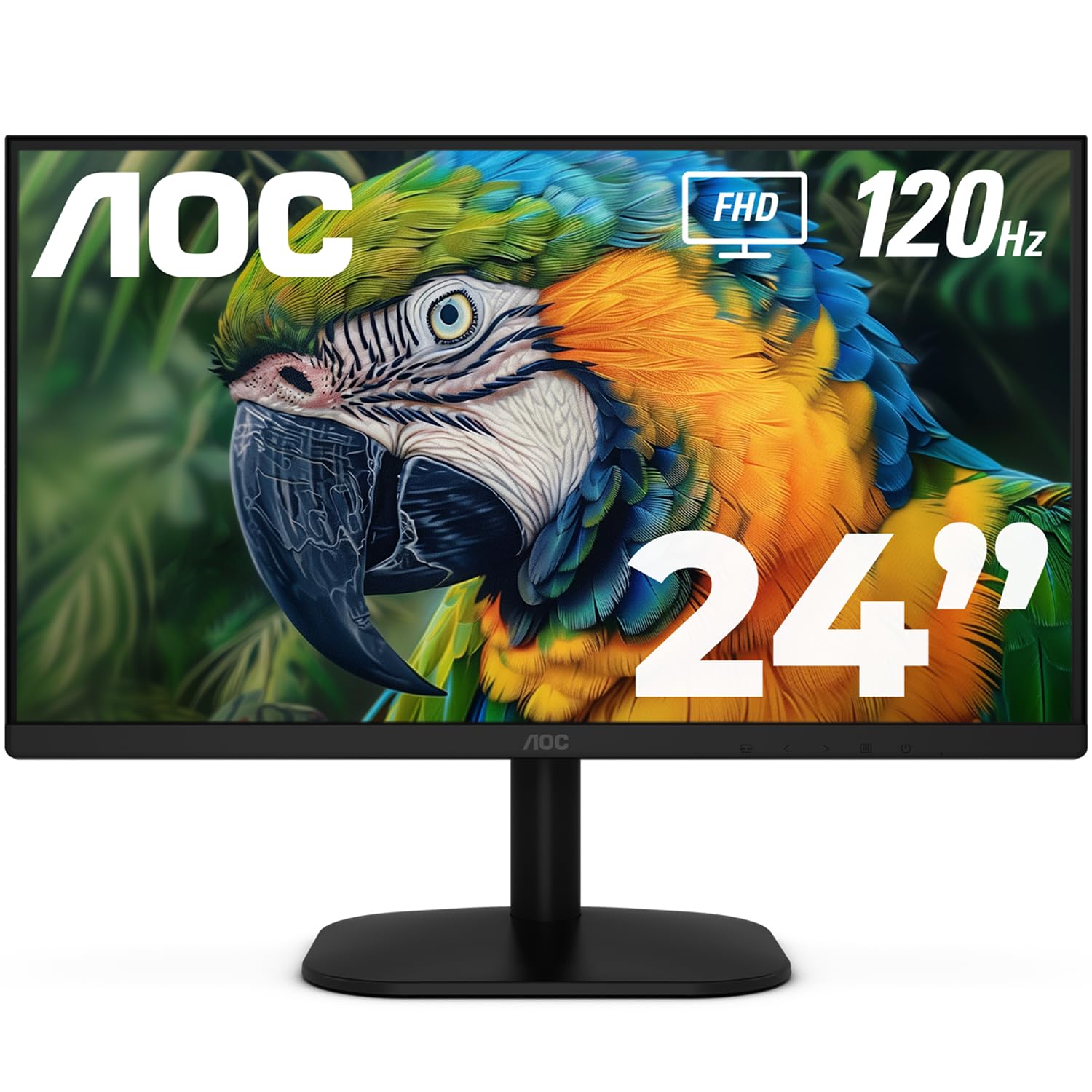
A 24-inch IPS display with 120Hz that pairs well with a dual-monitor workflow.
The AOC 24B35H3 gives you a roomy 24-inch Full HD IPS panel with a 120Hz refresh rate, making it a solid step up from the 100Hz Acer KB220Q for motion clarity. It covers 100% sRGB and 84% NTSC (two common color-space standards), so colors appear vivid and accurate for photo editing or media consumption. The Flicker-Free and Low Blue Light features help reduce eye fatigue during long work sessions.
Customers note the thin bezels make it ideal for a smooth dual-monitor setup, and one reviewer specifically mentioned using it as a secondary display alongside a 2K Dell Ultrasharp with great results. It comes with both HDMI and VGA inputs. The catch: no built-in speakers, so you will need an external sound source for any audio.
Dual-monitor ready: Near-bezel-less design and 24-inch size make this a favorite for pairing side by side with another screen.
No audio onboard: No built-in speakers, so plan for separate headphones or desktop speakers.
Ideal for: A home office or creative desk where you need a crisp, smooth second monitor that matches an existing setup.
Skip if: You want a single-box solution with integrated sound for basic use.
5. Amazon Basics 24 Inch Monitor

A solid 24-inch office monitor with built-in speakers and a 2000:1 contrast ratio for clear text.
This Amazon Basics monitor is built for productivity: it runs at 100Hz for smooth everyday scrolling and packs built-in speakers so you do not need a separate audio device for Zoom calls or system sounds. The 2000:1 contrast ratio is double the 1000:1 you get on the Acer KB220Q, which makes text on white backgrounds pop and dark mode easier on your eyes. It also includes HDMI, VGA, and DisplayPort inputs, making it among the most flexible connectivity options in this list.
Buyers consistently praise its value as a work monitor — one reviewer called it “great for hybrid work/student use” and noted the matte screen reduces glare significantly. It weighs 6.6 pounds, so it is light enough to mount on a VESA arm (a standard bracket for attaching monitors to arms or walls). The big caveat: the built-in speakers are usable but not loud — fine for notifications, disappointing for music.
Everyday Productivity
- Built-in speakers and multiple ports (HDMI, VGA, DisplayPort) make it a self-contained office solution.
- 2000:1 contrast ratio provides good text clarity and decent black levels for the price.
- 6.6 pounds and VESA compatible for easy mounting.
Speakers Are Basic
- Built-in audio is sufficient for alerts but lacks volume and bass for media consumption.
- 100Hz is good for office work but lags behind 120Hz monitors for gaming motion.
Best for: An office or student setup where convenience (built-in speakers, multiple inputs) matters more than top gaming speed.
Not for: Gaming enthusiasts who need 144Hz or better color gamut coverage.
6. Sceptre E225W-FW144
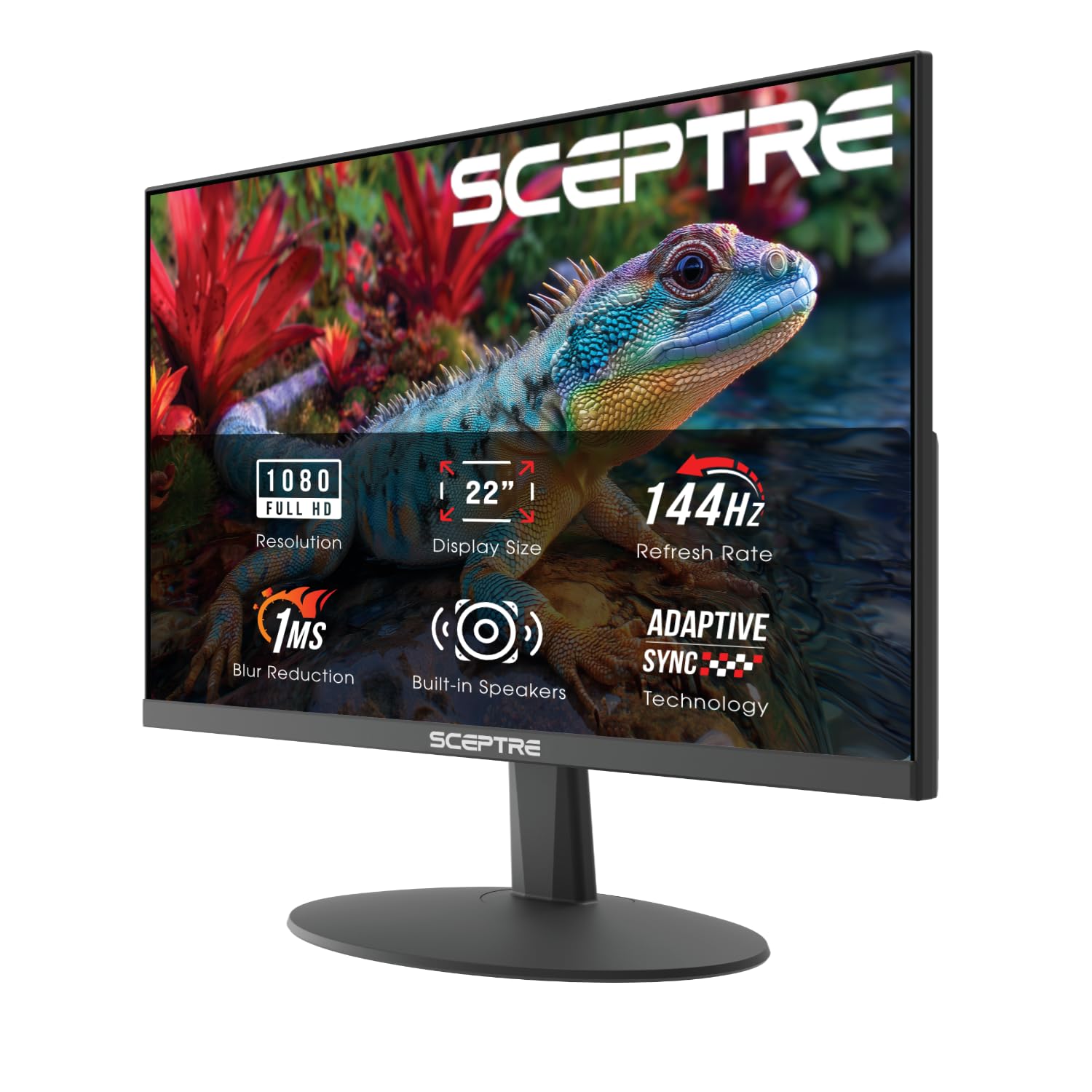
A 22-inch gaming monitor hitting 144Hz with FreeSync for under 70 dollars — a rare find.
The 144Hz refresh rate on this Sceptre is 44% higher than the Acer’s 100Hz, meaning it displays 144 frames per second for significantly smoother motion in fast-paced games. It uses FreeSync (adaptive sync technology that matches the monitor’s refresh rate to your graphics card’s output) to eliminate screen tearing. The 2000:1 contrast ratio provides decent black levels, and the built-in speakers, while weak (around 40-50dB), save desk space.
Reviewers point out excellent results with console gaming — one buyer mentioned, “It can also run 120 FPS on Fortnite,” and another praised its performance with the Xbox Series X at 120Hz with VRR (Variable Refresh Rate). The trade-offs are clear: the built-in speakers are underpowered, and the 22-inch screen is smaller than the 24-inch options from MSI or AOC. The machine black finish is simple, but the nearly bezel-free design helps in a dual-monitor arrangement.
Fast Panel
- 144Hz refresh rate is the highest in this list, ideal for competitive gaming.
- FreeSync support keeps gameplay tear-free with compatible AMD GPUs and consoles.
- Nearly bezel-free design works well in a dual-monitor setup.
Smaller & Quieter
- 22-inch screen is noticeably smaller than the 24-24.5 inch options — less rich for movies.
- Built-in speakers are very weak; reviewers describe them as “underpowered” at 40-50dB.
Grab this for: The absolute best gaming performance under — 144Hz and FreeSync at a killer price.
Look elsewhere if: You need a larger screen or decent built-in audio for a general-purpose desk setup.
7. Acer KB220Q H2bi

A 21.5-inch VA monitor that keeps the price low and the core features functional for basic tasks.
This Acer uses a VA (Vertical Alignment) panel, which naturally offers deeper blacks than the IPS screens on the AOC or LG — the 1000:1 contrast ratio is standard for this panel type, though it falls short of the 3000:1 on the ViewSonic. The 100Hz refresh rate is a clear upgrade over an old 60Hz monitor, making cursor movement and window dragging feel snappier. It includes Adaptive-Sync (FreeSync compatible) for smoother video playback and gaming.
Buyers describe it as a great business monitor with “good clear quality” and “sharp picture,” and one owner reported it was worth buying twice. It comes with both HDMI and VGA ports. The main compromises: the 21.5-inch screen is the smallest in this roundup, and the 1ms VRB (Visual Response Boost) mode can cause some artifacts in fast scenes. It is best for office work, spreadsheets, and light browsing.
Budget Basics Done Right
- 100Hz refresh rate makes everyday computing feel smoother than a standard 60Hz monitor.
- FreeSync compatibility reduces screen tearing during casual gaming or video playback.
- ZeroFrame design with slim bezels works well in a multi-monitor office setup.
Smallest Screen
- 21.5-inch diagonal is noticeably smaller than the 24-inch competition — less rich for media.
- VA panel has narrower viewing angles than IPS, so colors shift if you view from the side.
Pick this if: You need the cheapest functional 1080p monitor with a modern 100Hz panel for office tasks.
Consider alternatives if: Screen size matters for gaming or you plan to watch movies on this display.
Understanding the Specs
Refresh Rate (Hz)
Measured in hertz (Hz), this number tells you how many times per second your screen refreshes the image. A 60Hz monitor is the old standard — fine for email but you will notice a blur trail when you drag a window. A 100Hz or 120Hz monitor shows 100 to 120 frames per second, making everything from mouse movement to video playback feel noticeably smoother and less fatiguing on the eyes. For gaming, 144Hz is a major step up that competitive players value for rapid reaction times.
Contrast Ratio (e.g., 1000:1)
This measures the difference between the brightest white and the darkest black your monitor can show. A 1000:1 ratio is standard for budget monitors and looks fine in a well-lit room. A 2000:1 or 3000:1 ratio makes blacks look deeper and shadows more defined, which helps in dark games or movies. Higher contrast also makes text on white backgrounds appear sharper and easier to read.
Panel Types: IPS vs VA vs LED
IPS (In-Plane Switching) panels give you the widest viewing angles and most accurate colors — the image stays correct even if you sit off to the side. VA (Vertical Alignment) panels offer higher contrast ratios for deeper blacks but lose color accuracy when viewed from an angle. Many budget monitors are labeled simply as “LED” or “LCD,” which usually means they use an older TN (Twisted Nematic) or a basic VA panel — always check the detailed specs for the panel type.
Adaptive Sync (FreeSync / G-Sync)
Adaptive sync technology matches your monitor’s refresh rate to the frame rate your graphics card is outputting. This eliminates screen tearing (where the image looks split horizontally) and stuttering during gaming. FreeSync is AMD’s standard and works over HDMI and DisplayPort. G-Sync is Nvidia’s proprietary standard, though many modern FreeSync monitors are also compatible with G-Sync.
FAQ
Is 100Hz good enough for gaming on a budget monitor?
Can I use a 120Hz monitor with my laptop?
What is the difference between IPS and VA panels for work?
Do I need built-in speakers in my monitor?
What does FreeSync do for my gaming experience?
Can I mount these monitors on a VESA arm?
Is a 22-inch monitor too small for office work?
How important is the color gamut (sRGB percentage) for non-photo work?
Will a 100Hz monitor work with my Xbox or PlayStation?
What should I do if my monitor arrives with a protective film on the screen?
Final Thoughts: The Verdict
If you want one dependable pick, the computer monitors under 100 winner is the MSI PRO MP251W E2 because it combines a 120Hz refresh rate, an IPS panel with wide viewing angles, and a 24.5-inch screen that fits any desk without sacrificing quality. If you want the deepest blacks and best contrast for movie watching, grab the ViewSonic VS2447M. And for the absolute lowest price on a functional 100Hz office monitor, the Acer KB220Q H2bi gets the job done without fuss.
How We Picked
We do not accept paid placement. Every pick is matched to a real buyer and a real use-case; we do not hands-on test units.
Sources & Methodology
Specifications: manufacturer listings and product documentation. Review insights: verified customer reviews, as of July 2026. Pricing: not shown on this page (it changes often); check the current price via the retailer link.
As an Amazon Associate, WellFizz earns from qualifying purchases. This does not affect which products we feature.

Mo Maruf
I created WellFizz to bridge the gap between vague wellness advice and actionable solutions. My mission is simple: to decode the research and give you practical tools you can actually use.
Beyond the data, I am a passionate traveler. I believe that stepping away from the screen to explore new environments is essential for mental clarity and physical vitality.