Our readers keep the lights on and my smoothie glass nicely filled. As an Amazon Associate, I earn from qualifying purchases.
A color monitor is not just a screen. For anyone working in photo editing, video production, or graphic design, it is the single most critical tool between your creative intent and the final output. The wrong monitor introduces a permanent, silent error into every asset you produce, forcing endless corrections and eroding trust with clients. The difference between a display that shows true red and one that guesses is the difference between a deliverable that lands and one that gets rejected. This guide cuts through the specs to find the monitors that deliver repeatable, verifiable color accuracy without demanding a studio budget.
I’m Mohammad Maruf — the founder and writer behind WellFizz. I’ve spent hundreds of hours analyzing display specifications, comparing factory calibration reports, and cross-referencing panel technologies across dozens of color-accurate monitors to identify which models actually deliver on their color gamut and Delta E claims.
Whether you are upgrading from a generic office display or building a professional color workflow for the first time, finding the best color monitor means understanding how panel type, factory calibration, and color space coverage interact in real-world creative use.
How To Choose The Best Color Monitor
Selecting a color-accurate monitor requires looking beyond resolution and refresh rate. The three pillars that determine real-world performance for creative professionals are panel type, factory calibration rigor, and the color spaces a monitor can reproduce accurately out of the box.
Panel Technology and Its Effect on Color Uniformity
IPS panels remain the standard for color-critical work because they maintain consistent brightness and color across wide viewing angles. VA panels offer higher contrast ratios and deeper blacks but can shift color when viewed off-center. The newer IPS Black technology from LG and its licensees attempts to bridge this gap by delivering higher contrast while preserving IPS viewing angles, making it a strong candidate for editors who need both color fidelity and shadow depth.
Factory Calibration and Delta E
Delta E measures the difference between the intended color and what the monitor displays. A Delta E of less than 2 is considered excellent for professional work. Factory calibration ensures the monitor arrives tuned to this standard without requiring additional hardware. Monitors that include a printed calibration report provide a verifiable baseline, which is critical for users who do not own a spectrophotometer. For collaborative workflows, Pantone Validation guarantees the monitor can reproduce the Pantone Matching System, a common requirement in print and packaging design.
Color Gamut Coverage for Specific Workflows
sRGB is the baseline for web and general digital content. DCI-P3 covers a wider gamut and is standard for video production, especially for Rec. 2020 and HDR grading. Adobe RGB is essential for print photography because it maps to the CMYK process more accurately. A monitor that covers 99% or more of both sRGB and DCI-P3 offers the greatest flexibility across stills, motion, and digital design, while a monitor that covers 100% Adobe RGB is a specialized tool for print-heavy workflows.
Quick Comparison
On smaller screens, swipe sideways to see the full table.
| Model | Category | Best For | Key Spec | Amazon |
|---|---|---|---|---|
| ASUS ProArt PA279CRV | Premium | 4K video & photo editing | 99% DCI-P3, ΔE < 2 | Amazon |
| Dell UltraSharp U2725QE | Premium | High-end design & macOS workflows | IPS Black, 99% DCI-P3, ΔE < 1.5 | Amazon |
| BenQ PD3225U | Premium | MacBook color-matching & design | IPS Black, 98% P3, ΔE ≤ 2 | Amazon |
| ViewSonic VP3276T-4K | Premium | Photography & Pantone work | 100% Adobe RGB, 98% DCI-P3 | Amazon |
| ASUS ProArt PA279CV | Mid-Range | Budget 4K color-critical work | 100% sRGB/Rec.709, ΔE < 2 | Amazon |
| BenQ MA320U | Mid-Range | MacBook ecosystem integration | P3 wide gamut, 90W USB-C | Amazon |
| ViewSonic VP2468A | Mid-Range | 1080p photo editing on a budget | 100% sRGB, Pantone Validated | Amazon |
| Dell S3425DW | Mid-Range | Ultrawide creative multitasking | 99% sRGB, 95% DCI-P3, VA 3000:1 | Amazon |
| LG 34SR60QC-W | Entry-Level | Mixed productivity & streaming | 99% sRGB, 3440×1440, 21:9 | Amazon |
| KOORUI S2721PM | Entry-Level | Gaming & media with wide gamut | 97% DCI-P3, 1440p, 200Hz | Amazon |
| Samsung M7 M70F | Entry-Level | 4K smart TV & workspace hybrid | 4K UHD, 99% sRGB, built-in apps | Amazon |
In‑Depth Reviews
1. ASUS ProArt Display PA279CRV

The ASUS ProArt PA279CRV delivers a rare combination for a 27-inch 4K monitor: it covers 99% of both DCI-P3 and Adobe RGB, comes Calman Verified with a Delta E of less than 2 from the factory, and includes a 96-watt USB-C Power Delivery port. This means you can run a MacBook Pro or high-end PC over a single cable while maintaining full color accuracy. The IPS panel provides consistent color across the entire viewing angle, which is critical when reviewing edits with a second person or moving around the workspace.
Brightness reaches up to 400 nits in HDR mode, and the matte screen finish reduces glare without introducing the oily sparkle common on cheaper anti-glare coatings. The stand offers full tilt, swivel, pivot, and height adjustments, and the bezels are thin enough for multi-monitor setups. A five-year warranty with online registration backs the purchase, matching or exceeding the coverage of pricier competitors.
At 60Hz, this is not a gaming monitor, but the color accuracy makes it the strongest all-around choice for photographers, video editors, and designers who need a single professional display that works out of the box without external calibration hardware. For anyone who demands both wide color gamut coverage and verified factory calibration at a reasonable investment, this is the monitor to beat.
Why it’s great
- Factory calibrated with Delta E < 2, Calman Verified
- Covers 99% of both DCI-P3 and Adobe RGB
- USB-C with 96W Power Delivery for single-cable setup
Good to know
- Limited to 60Hz refresh rate
- Brightness drops in uniform sRGB mode
2. Dell UltraSharp U2725QE

The Dell UltraSharp U2725QE uses IPS Black panel technology to deliver a 2000:1 contrast ratio while preserving the wide viewing angles of traditional IPS. This makes it one of the most color-accurate LCD monitors available for dark video grading and photo editing, where shadow detail matters. Factory calibration achieves a Delta E of less than 1.5, exceeding the professional standard and ensuring consistency across the panel.
The 4K resolution at 27 inches provides 163 pixels per inch, delivering sharp text and fine image detail. Thunderbolt 4 connectivity supports up to 140 watts of power delivery and enables daisy-chaining two additional 4K monitors, making this an excellent hub for a multi-display creative setup. The anti-glare coating is well-regarded for being diffuse without introducing graininess, a common complaint on competing monitors.
The 120Hz refresh rate is a welcome addition for smoother scrolling and timeline navigation, though it is not marketed as a gaming feature. The ergonomic stand covers height, tilt, swivel, and pivot, and the built-in ambient light sensor automatically adjusts brightness to match room conditions. For a professional who prioritizes color uniformity, deep contrast, and single-cable Thunderbolt 4 integration, this is a premium investment that delivers measurable results.
Why it’s great
- IPS Black panel with 2000:1 contrast ratio
- Factory calibrated to Delta E < 1.5
- Thunderbolt 4 with 140W PD and daisy chain
Good to know
- Mac users may need to verify macOS compatibility
- Higher price point limits it to professional budgets
3. BenQ PD3225U

The BenQ PD3225U is built specifically for MacBook users who need color-matched output without manual calibration. Its M-Book mode reproduces the color temperature and gamma curve of Apple displays, meaning the monitor image matches a MacBook Pro or iMac screen closely out of the box. The 32-inch 4K IPS Black panel delivers a 2000:1 contrast ratio with 98% P3 and 100% sRGB coverage, creating a large, uniform canvas for design and grading.
Thunderbolt 3 connectivity provides 40 Gbps bandwidth, 85 watts of power delivery, and daisy-chain support for a multi-monitor setup. The accompanying Display Pilot 2 software and Hotkey Puck G3 allow quick access to color modes, brightness control, and input switching without navigating the on-screen display menu. The anodized metal stand offers height, tilt, swivel, and pivot adjustments with a premium tactile feel.
The built-in KVM switch is particularly useful for users who work across both a Mac and a PC, allowing keyboard and mouse to follow the active input. While the brightness is lower than some competitors at 250 nits, the IPS Black contrast compensates in dimmer studio environments. For a designer or video editor who wants a large, Mac-optimized display with professional color accreditation, this is a refined, ecosystem-specific tool.
Why it’s great
- M-Book mode matches MacBook color output
- IPS Black 2000:1 contrast ratio
- Thunderbolt 3 with 85W PD and daisy chain
Good to know
- 250 nits peak brightness is modest
- Built-in speakers are weaker than most laptops
4. ViewSonic VP3276T-4K
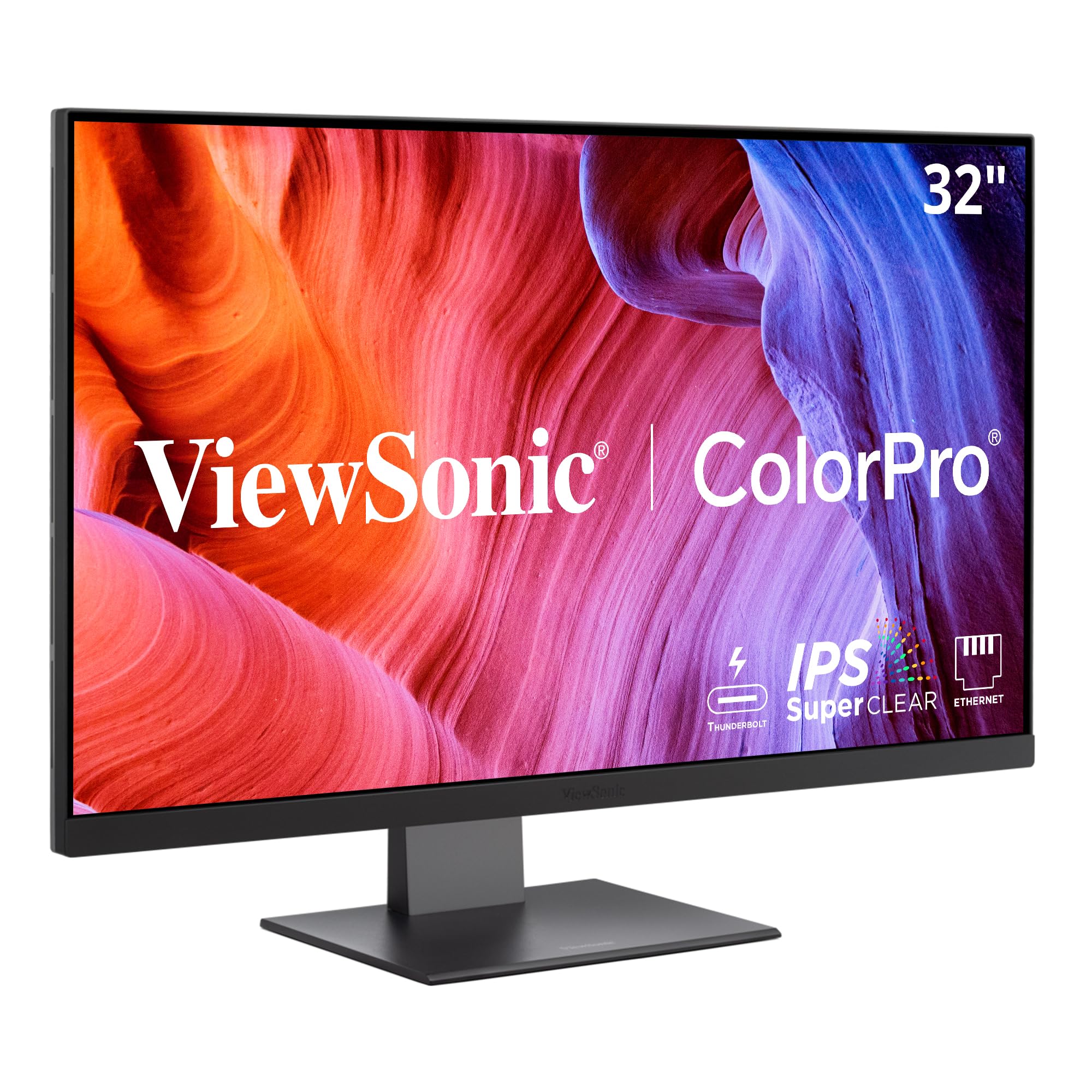
The ViewSonic VP3276T-4K is a 32-inch 4K monitor that targets photographers and print designers who need full Adobe RGB coverage. It delivers 100% Adobe RGB and 98% DCI-P3, making it one of the few monitors at this price point to cover the entire Adobe RGB space used for high-end photo printing. Pantone Validation and factory calibration to Delta E < 2 provide confidence that the colors match the Pantone Matching System standard.
Thunderbolt 4 connectivity delivers 40 Gbps data transfer speeds and up to 100 watts of power delivery, allowing the monitor to serve as a hub for peripherals and a second display. The ergonomic stand includes tilt, swivel, rotate, and height adjustments, and the built-in USB hub adds three downstream ports for connecting storage drives or calibration instruments.
The main drawbacks are the menu navigation, which some users find unintuitive despite the joystick control, and the lack of a Display Manager application for macOS. The cool default color temperature also requires adjustment out of the box. For a photographer who needs Adobe RGB coverage and Thunderbolt 4 speed in a large format, this monitor provides the color space bandwidth at a lower investment than competing pro-grade 32-inch options.
Why it’s great
- 100% Adobe RGB coverage for print work
- Pantone Validated and factory calibrated
- Thunderbolt 4 with 100W power delivery
Good to know
- Menu navigation is less intuitive than rivals
- Lacks dedicated macOS display manager
5. ASUS ProArt Display PA279CV

The ASUS ProArt PA279CV offers many of the same professional color features as the PA279CRV at a lower entry point. It covers 100% sRGB and 100% Rec. 709, is Calman Verified, and ships with a Delta E of less than 2. This makes it a strong choice for video editors working in Rec. 709 and designers who primarily output for web and broadcast rather than wide-gamut print.
The 27-inch 4K IPS panel delivers consistent color across the viewing angle, and USB-C with 65 watts of Power Delivery connects a laptop over a single cable while driving the display. The stand includes full ergonomic adjustments, and the four USB 3.2 ports on the back function as a hub for peripherals. An included calibration report confirms the factory measurements.
The main trade-off is the narrower color gamut compared to the PA279CRV — it covers sRGB and Rec. 709 but does not reach DCI-P3 or Adobe RGB. Users who need to grade video for HDR or print from Adobe RGB will need a wider-gamut model. For anyone working strictly in the sRGB and Rec. 709 color spaces, this monitor delivers verified accuracy without paying for unused coverage.
Why it’s great
- Factory calibrated with Delta E < 2
- 100% sRGB and Rec. 709 coverage
- USB-C with 65W power delivery
Good to know
- No DCI-P3 or Adobe RGB coverage
- 60Hz refresh rate limits gaming use
6. BenQ MA320U

The BenQ MA320U is a 32-inch 4K monitor designed specifically for MacBook integration. Its dual USB-C ports deliver up to 90 watts of power to a MacBook and 15 watts to charge an iPad or iPhone simultaneously. The brightness and volume can be controlled directly from the MacBook keyboard, reducing the need to reach for the monitor controls.
The IPS panel covers a P3 wide color gamut, matching the color space used by modern MacBooks and iMacs. The factory calibration aims to produce consistent color with Apple’s display output, though it is not as rigorously certified as BenQ’s PD-series monitors. The stand offers height, tilt, swivel, and pivot adjustments, and the bezels are minimal for a clean multi-monitor layout.
The monitor lacks a built-in camera and microphone, which the LG Ultra series includes. The HDR performance is adequate for streaming but not suitable for professional grading. For a creative professional who works primarily from a MacBook and wants a large, color-matched display with integrated charging and ecosystem control, this is a strong, cost-effective choice in the 32-inch class.
Why it’s great
- Dual USB-C with 90W + 15W charging
- P3 wide color gamut for Mac ecosystem
- Brightness and volume control from Mac keyboard
Good to know
- No built-in camera or microphone
- HDR performance is not professional-grade
7. ViewSonic VP2468A

The ViewSonic VP2468A is a 24-inch 1080p monitor that brings Pantone Validation and factory calibration to a budget-friendly form factor. It covers 100% sRGB and supports EBU, SMPTE-C, Rec. 709, and DICOM-SIM color spaces, making it suitable not only for photo editors but also for medical imaging review. Delta E is factory-calibrated to less than 2, and a printed calibration report is included in the box.
Connectivity includes USB-C with 65 watts of power delivery, an Ethernet RJ45 port for wired network access, HDMI, and DisplayPort with daisy-chain support. The ergonomic stand offers tilt, swivel, pivot, and height adjustments, and the monitor includes a blue light filter and flicker-free backlight for reduced eye strain during long editing sessions.
The 1080p resolution at 24 inches results in a lower pixel density than 4K options, which some designers will find limiting when working with fine detail. The USB-C port placement on the back can be difficult to access when the monitor is mounted. For a photographer or designer on a tight budget who needs Pantone Validated color accuracy and doesn’t require 4K resolution, this monitor delivers professional calibration at a significantly lower investment.
Why it’s great
- Pantone Validated with factory calibration
- USB-C with 65W PD and Ethernet port
- Full ergonomic stand with height adjust
Good to know
- 1080p resolution limits fine detail work
- Port placement on back is hard to access
8. Dell S3425DW

The Dell S3425DW is a 34-inch ultrawide curved monitor that combines a 21:9 aspect ratio with 99% sRGB and 95% DCI-P3 color coverage. The VA panel delivers a 3000:1 contrast ratio, providing deep blacks that benefit video preview and dark-themed UI design work. The 3440×1440 resolution offers significantly more horizontal workspace than a standard 16:9 display, which is useful for timeline editing, code with documentation, and side-by-side reference images.
The monitor runs at up to 120Hz with AMD FreeSync Premium, which smooths out timeline scrubbing and casual gaming. The built-in speakers have been redesigned with greater output power and deeper frequency response compared to the previous generation. A single USB-C cable delivers up to 65 watts of power to a connected laptop and handles video and data simultaneously, keeping the desk clean.
Connectivity is limited to HDMI and USB-C — there is no DisplayPort input, which may be a dealbreaker for some desktop PC users with older GPUs. The VESA mount is recessed, requiring a longer bracket assembly for standard arms. For a creative professional who prefers an ultrawide form factor for productivity and needs strong sRGB and DCI-P3 coverage, this Dell delivers solid color performance at a mid-range investment.
Why it’s great
- 95% DCI-P3 and 99% sRGB on a 21:9 panel
- VA 3000:1 contrast ratio for deep blacks
- 120Hz refresh rate for smooth scrolling
Good to know
- No DisplayPort input
- VESA mount requires longer bracket
9. LG 34SR60QC-W

The LG 34SR60QC-W is a 34-inch ultrawide monitor with integrated webOS, allowing it to function as a smart TV without a computer. The 3440×1440 VA panel covers 99% sRGB and includes HDR10 support, delivering vibrant color for streaming content and general productivity. The 1800R curve helps maintain consistent viewing distance across the wide 21:9 screen.
The built-in webOS provides access to Netflix, Prime Video, Apple TV, Disney+, and over 300 free LG Channels, making this a practical choice for a home office where the monitor doubles as an entertainment display. AirPlay 2 and HomeKit support allow wireless casting from iOS and macOS devices. The 100Hz refresh rate provides smoother motion than standard 60Hz office monitors.
The 99% sRGB coverage is adequate for web design and office color work, but the panel is not factory-calibrated to a specific Delta E target, and the VA viewing angle shifts color more noticeably than IPS. Users who need precise color for print or video grading will want a calibrated IPS panel. For a user who needs one display for both productivity and streaming, this LG offers a unique dual-purpose capability.
Why it’s great
- Built-in webOS for streaming without a PC
- 99% sRGB on a 34-inch 21:9 panel
- 100Hz refresh rate and AirPlay 2 support
Good to know
- No factory calibration report
- VA panel color shifts at wide viewing angles
10. KOORUI S2721PM
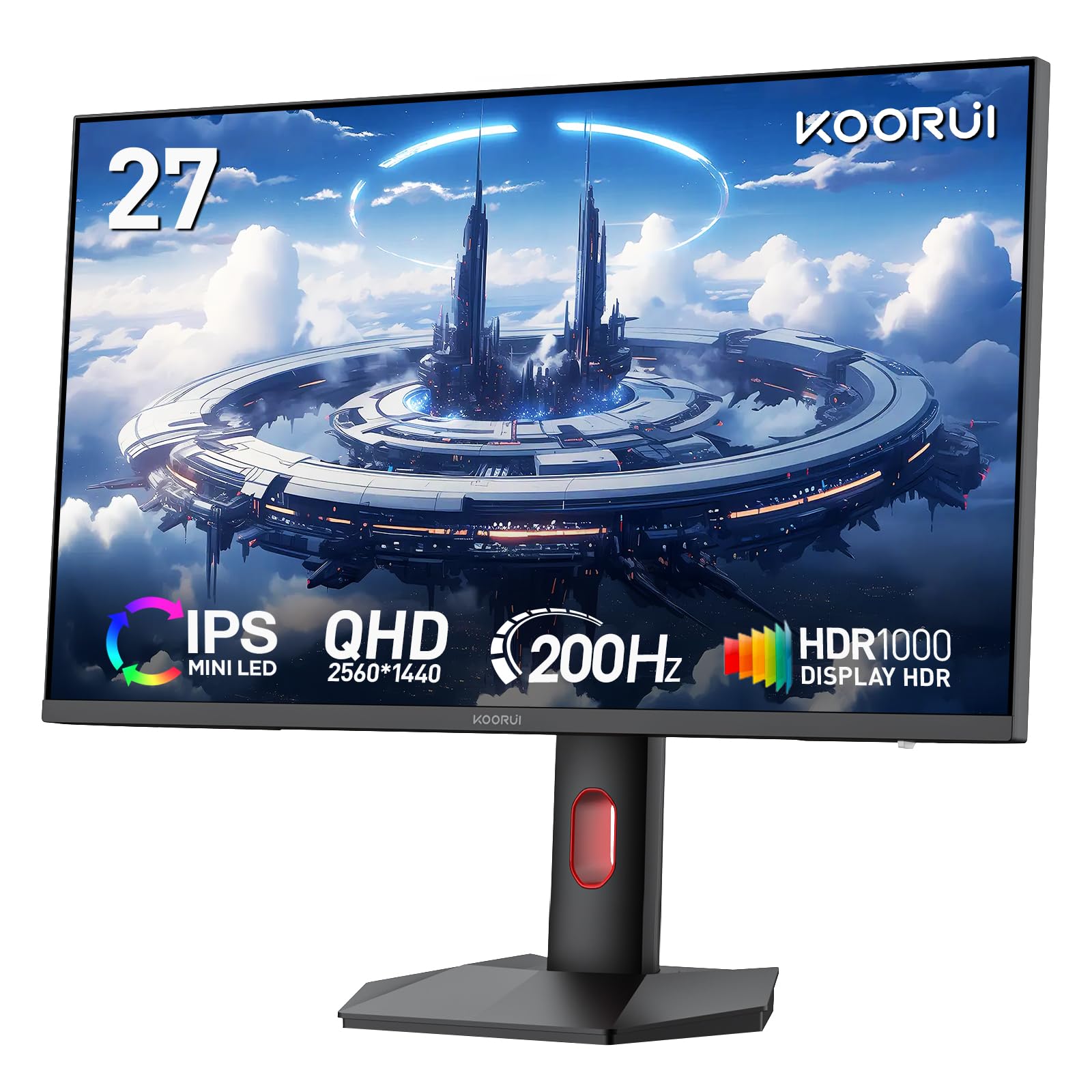
The KOORUI S2721PM uses a Mini-LED backlight to achieve a 300,000:1 static contrast ratio with QHD resolution. The 27-inch panel covers 97% DCI-P3 and 99% Adobe RGB, which is an unusually wide gamut for a monitor in its tier. The 200Hz refresh rate and 1ms response time with FreeSync and G-Sync compatibility make this equally capable for fast-paced gaming and wide-gamut media consumption.
The monitor supports Picture-in-Picture and Picture-by-Picture modes, allowing two input sources to be displayed simultaneously without software. The ergonomic stand offers height, tilt, swivel, and rotation adjustments, and the bezels are edge-less for a clean multi-monitor look. VESA 75x75mm mounting is supported for arm setups.
The Mini-LED backlight produces strong HDR highlights, but the local dimming zone count is limited, resulting in some blooming in high-contrast scenes. The factory color settings are generally good, but there is no included calibration report or accredited certification like Pantone Validation. For a user who wants both a high-refresh gaming monitor and a wide-gamut display for creative software and video, this KOORUI delivers an unusual combination of specs at a competitive investment.
Why it’s great
- 97% DCI-P3 and 99% Adobe RGB coverage
- 200Hz refresh rate with 1ms response
- Mini-LED backlight for high contrast
Good to know
- No factory calibration certification
- Limited local dimming zones cause blooming
11. Samsung M7 M70F

The Samsung M7 M70F is a 43-inch 4K smart monitor that functions as a standalone TV with Samsung Vision AI and built-in streaming apps. The VA panel offers a 5000:1 contrast ratio and 99% sRGB coverage, producing deep blacks and vibrant images for media. The large 43-inch size at 4K resolution provides ample screen real estate for document editing and timeline work without needing a multi-monitor setup.
The Samsung TV Plus service provides live channels without a subscription, and the monitor supports Samsung Gaming Hub for cloud gaming. The USB-C, HDMI, and USB-A ports allow connection to a laptop, game console, and peripherals simultaneously. The included solar-charging remote reduces battery waste.
The color accuracy is not factory-calibrated, and some users report inconsistency in color reproduction when switching between the smart TV interface and computer input. The 60Hz refresh rate is standard for video but slow for gaming. For a user who wants a large 4K display that works as a computer monitor during the day and a television at night, this Samsung provides a versatile all-in-one solution.
Why it’s great
- 43-inch 4K panel with 5000:1 contrast ratio
- Built-in smart TV with Samsung Vision AI
- USB-C hub for single-cable laptop connection
Good to know
- Not factory calibrated for color accuracy
- Some color inconsistency between TV and PC modes
FAQ
What does factory calibrated to Delta E under 2 mean for a color monitor?
Is a 4K resolution necessary for accurate color editing on a 27-inch monitor?
Why do some monitors cost three times more even though they have the same resolution?
Can I use a gaming monitor with wide color gamut for professional photo editing?
Final Thoughts: The Verdict
For most users, the best color monitor winner is the ASUS ProArt PA279CRV because it combines 99% DCI-P3 and Adobe RGB coverage with verified factory calibration and 96W USB-C power delivery in a 27-inch 4K format at a mid-range investment. If you want IPS Black contrast and Thunderbolt 4 integration, grab the Dell UltraSharp U2725QE. And for a Mac-optimized 32-inch workspace with deep contrast and M-Book mode, nothing beats the BenQ PD3225U.

Mo Maruf
I created WellFizz to bridge the gap between vague wellness advice and actionable solutions. My mission is simple: to decode the research and give you practical tools you can actually use.
Beyond the data, I am a passionate traveler. I believe that stepping away from the screen to explore new environments is essential for mental clarity and physical vitality.