Our readers keep the lights on and my smoothie glass nicely filled. As an Amazon Associate, I earn from qualifying purchases.
A student laptop needs to survive three things: a full day of classes, a cramped backpack, and constant multitasking between research tabs, document editors, and streaming. Finding a machine that balances reliable performance, durable build quality, and a screen that won’t leave your eyes strained after a long study session is the real challenge. The market is flooded with options that either cost too much for what they deliver or cut corners on specs that matter most for student workloads.
I’m Mohammad Maruf — the founder and writer behind WellFizz. My process for this guide involved analyzing over a hundred spec sheets and poring through user experiences to isolate the machines that deliver consistent value for academic use without sacrificing essential features.
After comparing battery life, display quality, RAM configurations, and real-world processing power across this price range, I settled on a diverse list of machines suited for different academic budgets and needs. Here is my curated selection of the best computers for students available right now.
How To Choose The Best Computers For Students
Selecting a laptop for academic use requires matching the hardware to your specific course load. A computer science major needs more processing power than an English major, but both benefit from a screen that reduces eye fatigue and a battery that lasts through back-to-back lectures.
RAM and Storage: The Multitasking Foundation
For student workloads involving multiple browser tabs, a word processor, and a reference PDF running simultaneously, 8GB of RAM is the realistic minimum. Machines with 16GB provide noticeably smoother performance when juggling research databases, citation managers, and spreadsheet analysis. Storage type matters just as much as capacity — a solid-state drive (SSD) delivers boot times under ten seconds and instant application launches, while eMMC storage, though cheaper, causes noticeable lag when the system is under load.
Display Quality and Ergonomics
A 1080p resolution should be considered the baseline for any student laptop. Lower-resolution screens make reading dense text blocks tiring over extended periods. IPS panel technology offers superior viewing angles, which is useful when collaborating with classmates or watching lecture recordings from an off-angle position. Anti-glare coatings help reduce reflections in brightly lit classrooms or libraries. Screen brightness above 250 nits ensures the display remains usable near windows or outdoors between buildings.
Battery Life: The Real-World Test
Manufacturer battery life claims are measured under ideal conditions that rarely reflect actual student usage. A laptop that advertises ten hours of battery life often delivers six to seven hours when running a Wi-Fi connection at moderate brightness with multiple applications open. Look for machines that offer at least eight hours of real-world battery life to comfortably get through a full day of classes without hunting for an outlet. Fast charging capability is a valuable bonus for students who have limited time between lectures to top up.
Portability and Build Durability
A student laptop should weigh under four pounds to avoid adding unnecessary strain to a backpack already loaded with textbooks and supplies. Build construction matters — laptops with aluminum chassis or reinforced hinges survive the daily commute better than all-plastic designs. A 360-degree hinge offers flexibility for note-taking in tablet mode, but adds complexity that can become a failure point over time. Consider whether a touchscreen is genuinely useful for your coursework or if it simply adds cost and battery drain.
Quick Comparison
On smaller screens, swipe sideways to see the full table.
| Model | Category | Best For | Key Spec | Amazon |
|---|---|---|---|---|
| Microsoft Surface Laptop 2024 | Premium | All-day productivity | 16GB LPDDR5x RAM | Amazon |
| HP 15.6″ FHD 2026 Edition | Premium | Massive storage needs | 32GB DDR4 RAM | Amazon |
| Apple MacBook Neo 13-inch | Premium | Ecosystem integration | 16-hour battery life | Amazon |
| Dell Inspiron Touchscreen | Mid-Range | Touchscreen + Windows 11 Pro | 1TB PCIe SSD | Amazon |
| Acer Aspire Go 15 | Mid-Range | Light gaming + studies | AMD Ryzen 7 7730U | Amazon |
| Dell 15 DC15250 | Mid-Range | 120Hz display | 120Hz FHD display | Amazon |
| Lenovo IdeaPad 1 | Mid-Range | Budget-friendly performance | 12GB DDR4 RAM | Amazon |
| ASUS Vivobook Go 15 | Mid-Range | Portable daily driver | 512GB PCIe SSD | Amazon |
| HP 14 Student 2025 Flagship | Budget | Best value bundle | 16GB DDR4 RAM | Amazon |
| Acer Chromebook Plus 515 | Budget | Chromebook simplicity | 13th Gen Intel Core i3 | Amazon |
| Samsung 12.2″ Chromebook Plus | Budget | 2-in-1 flexibility | 2.98 lbs weight | Amazon |
In‑Depth Reviews
1. Microsoft Surface Laptop 2024

The Microsoft Surface Laptop 2024 redefines what a student flagship should deliver. Powered by the Snapdragon X Elite processor and 16GB of RAM, this Copilot+ PC handles heavy research multitasking, video editing, and data analysis without stuttering. The 13.8-inch touchscreen display runs at a smooth 120Hz refresh rate, making scrolling through long PDFs and websites feel fluid and responsive.
Battery life hits up to 20 hours under ideal conditions, translating to roughly 10 to 12 hours of real-world use across a full day of classes, study sessions, and streaming. The magnesium-alloy chassis feels premium in hand while keeping weight down for easy portability between campus buildings. Windows Hello facial recognition unlocks the laptop instantly, saving precious seconds between lectures.
The ARM architecture means some legacy Windows applications may not run natively or require emulation, which can cause compatibility hiccups with certain exam proctoring software or older academic programs. Students should verify software compatibility before committing, but for most modern academic workloads, the performance and build quality justify the premium positioning.
Why it’s great
- Exceptional battery life that easily outlasts a full school day
- 120Hz touchscreen display with accurate colors and high brightness
- Premium magnesium build with excellent keyboard feel
Good to know
- ARM architecture may cause compatibility issues with niche academic software
- Higher price point places it firmly in the premium tier
2. HP 15.6″ FHD Laptop 2026 Edition

The HP 15.6″ FHD 2026 Edition aims directly at students who refuse to compromise on storage and memory. With 32GB of RAM and a 1TB SSD, this machine can handle dozens of open browser tabs, virtual machine environments for coding classes, and large media files without breaking a sweat. The Intel N100 processor, while not the fastest in this lineup, delivers adequate performance for office applications, web research, and streaming.
Weighing just 3.64 pounds, this HP is surprisingly portable for a 15.6-inch machine. The anti-glare display reduces reflections in brightly lit lecture halls, and the full-size keyboard with numeric keypad makes data entry for statistics or accounting classes more comfortable. Wi-Fi 6 ensures stable connections on crowded campus networks where older Wi-Fi standards often struggle.
The Intel N100 processor is a budget-tier chip that can feel strained when running demanding applications like video editing software or compiling large code projects. This laptop is best suited for students whose primary tasks revolve around document creation, research, and web-based learning platforms rather than intensive computational work.
Why it’s great
- Generous 32GB RAM handles extreme multitasking without slowdown
- 1TB SSD provides ample storage for years of coursework and media
- Lightweight design for a full-size 15.6-inch laptop
Good to know
- Intel N100 processor limits performance in CPU-intensive tasks
- Lacks a touchscreen display option
3. Apple 2026 MacBook Neo 13-inch

The MacBook Neo brings Apple’s legendary build quality and ecosystem integration to a student-friendly price point. The A18 Pro chip delivers performance that rivals older M-series processors, handling everything from note-taking in Pages to light video editing for multimedia projects. The 13-inch Liquid Retina display pushes 500 nits of brightness and supports a billion colors, making reading and media consumption a genuine pleasure.
Battery life is the standout feature here, with up to 16 hours of rated runtime that translates to comfortable all-day use between early classes and late library sessions. The fanless design means silent operation during lectures and study groups. Students already invested in the Apple ecosystem will appreciate seamless integration with iPhone for tasks like copying text across devices and answering calls directly from the laptop.
The 8GB of unified memory is soldered and non-upgradeable, which may feel restrictive for students running virtual machines or large development environments. The base model also lacks a backlit keyboard and Touch ID, concessions made to hit a more accessible price point that some students may find disappointing.
Why it’s great
- Excellent battery life that easily covers a full day of classes
- Brilliant Liquid Retina display with high brightness and color accuracy
- Silent, fanless operation and premium aluminum build
Good to know
- 8GB of non-upgradeable RAM limits long-term multitasking headroom
- Base configuration lacks backlit keyboard and Touch ID
4. Dell Inspiron Touchscreen Laptop

The Dell Inspiron Touchscreen offers a compelling package for students who want the versatility of touch input combined with a spacious 1TB SSD. The Intel i5-1155G7 processor, while a generation older, still provides snappy performance for everyday academic tasks like research, document editing, and presentation creation. The 15.6-inch Full HD IPS touchscreen makes annotating lecture slides and navigating web content more intuitive.
Windows 11 Professional comes pre-installed, offering advanced security features and management capabilities that are useful for students in technical or business programs. The inclusion of a numeric keypad is a practical addition for students taking data-heavy courses. The carbon black finish resists fingerprints better than glossy alternatives, keeping the machine looking clean between classes.
Several user reports highlight hinge failure after extended use, a structural concern with the plastic mounting points that potential buyers should weigh carefully. The 220-nit brightness level is adequate for indoor use but struggles in brightly lit environments or near windows. The older Wi-Fi 5 standard may cause slower network performance on modern campus infrastructure.
Why it’s great
- Touchscreen display with intuitive input for note-taking and navigation
- Large 1TB SSD provides generous storage for media and projects
- Windows 11 Pro includes advanced features for technical students
Good to know
- Hinge durability concerns reported after prolonged use
- Display brightness limited to 220 nits, weak for bright environments
5. Acer Aspire Go 15

The Acer Aspire Go 15 packs serious processing power into a mid-range chassis with its AMD Ryzen 7 7730U processor and 16GB of DDR4 RAM. This combination easily handles multitasking across research databases, video editing software, and even moderate gaming during downtime. The integrated AMD Radeon Graphics provide enough muscle for casual titles and creative applications without requiring a dedicated GPU.
The 15.6-inch Full HD IPS display with narrow bezels creates an immersive viewing experience for lecture recordings and streaming educational content. Acer BluelightShield helps reduce eye strain during extended study sessions by filtering harmful blue light wavelengths. The Copilot key provides quick access to AI assistance for summarizing research or drafting essays, a genuinely useful tool for students.
Some users report that the fan can become audible under sustained load, which may be distracting in silent library environments. The 1080p display, while adequate, lacks the color accuracy and brightness of higher-end panels used in premium machines. The plastic chassis feels sturdy enough for daily carry but lacks the premium touch of metal alternatives.
Why it’s great
- AMD Ryzen 7 processor delivers excellent performance for the price
- 16GB RAM handles demanding multitasking with ease
- Copilot AI key adds productivity value for research and writing
Good to know
- Fan noise becomes noticeable under heavier workloads
- Display lacks the color vibrancy of more expensive panels
6. Dell 15 Laptop DC15250

The Dell 15 stands out in the mid-range crowd with its 120Hz FHD display, a feature typically reserved for gaming laptops that makes scrolling through documents and web pages noticeably smoother. The Intel Core 3 processor 100U delivers competent performance for typical student workloads including word processing, spreadsheet analysis, and web research. Express Charge support means the battery can be topped up quickly between classes.
The lifted hinge design creates an ergonomic typing angle that reduces wrist strain during long writing sessions. Dell ComfortView software reduces blue light emissions to help maintain eye comfort during extended screen time. The inclusion of a numeric keypad and calculator hotkey adds practical value for students in math, science, and business programs.
The webcam quality is below average, producing grainy images in anything less than perfect lighting, which matters for remote classes and video presentations. Battery life runs shorter than many competitors in this category, often requiring a mid-day charge for students with back-to-back schedules. The pre-installed bloatware requires time to clean out for optimal performance.
Why it’s great
- 120Hz refresh rate provides exceptionally smooth scrolling and navigation
- Ergonomic hinge design improves typing comfort for long sessions
- Includes numeric keypad for data entry and calculations
Good to know
- Below-average webcam quality for video classes
- Battery life is shorter than many competing models
7. Lenovo IdeaPad 1 Student Laptop
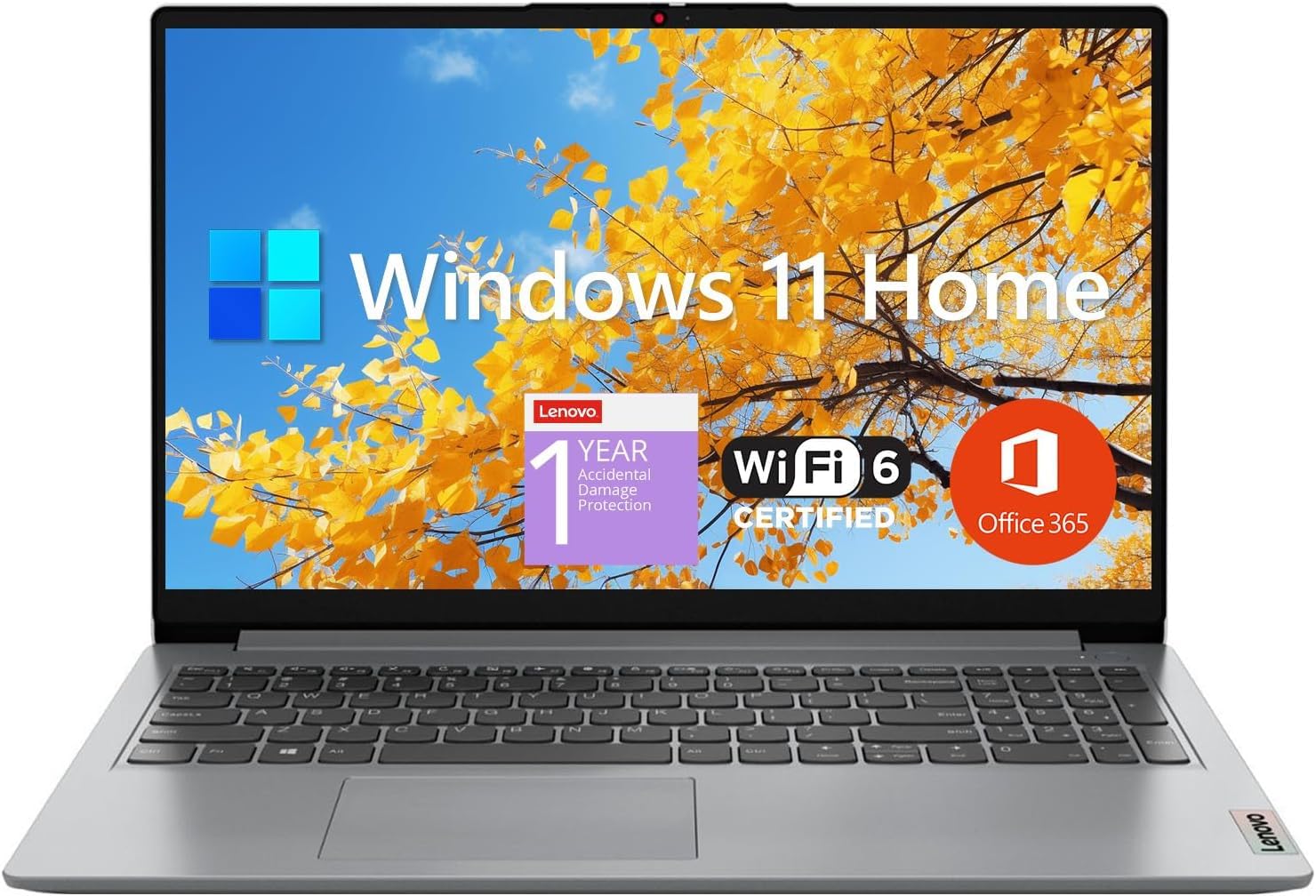
The Lenovo IdeaPad 1 strikes a careful balance between capability and affordability with its 12GB RAM configuration and dual-storage approach combining a 512GB SSD with an additional 128GB of eMMC storage. The 15.6-inch Full HD IPS display with anti-glare coating provides clear visuals for research and streaming without causing eye fatigue. The Intel Celeron N4500 processor handles basic office tasks and web browsing competently.
The inclusion of a one-year Microsoft Office 365 subscription adds immediate value for students who need Word, Excel, and PowerPoint for coursework. Wi-Fi 6 support ensures reliable connectivity on modern campus networks where older standards frequently drop connections. The lightweight chassis makes it easy to carry between classes without adding noticeable bulk to a loaded backpack.
The eMMC storage portion operates slower than the primary SSD, potentially causing hiccups when accessing files stored on that partition. The plastic build lacks the rigidity of more expensive alternatives and may flex under pressure.
Why it’s great
- 12GB RAM provides solid multitasking headroom for student workloads
- Includes one-year Office 365 subscription at no extra cost
- Full HD IPS display with anti-glare coating reduces eye strain
Good to know
- Dual-core Celeron processor limits performance in demanding tasks
- Plastic chassis lacks premium feel and rigidity
8. ASUS Vivobook Go 15

The ASUS Vivobook Go 15 combines an AMD Ryzen 5 7520U processor with a slim 15.6-inch NanoEdge display to create a portable powerhouse for student productivity. The four-core, eight-thread Ryzen processor handles multitasking across research databases, document editors, and streaming services without the lag typical of budget Windows laptops. The 512GB PCIe SSD provides fast storage for quick boot times and application loading.
The military-grade durability certification means this laptop can handle the bumps and jostles of daily campus commutes better than most competitors. SonicMaster audio delivers clear, multidimensional sound that improves video lectures and media consumption. The webcam privacy shield provides physical assurance against unauthorized camera access during remote classes or personal use.
The 8GB of RAM is soldered to the motherboard with no upgrade path, which limits future-proofing as software requirements grow over a four-year degree program. The 45% NTSC color gamut produces muted colors that are adequate for document work but disappointing for photo editing or design courses. The plastic construction, while durable, lacks the aesthetic appeal of metallic alternatives.
Why it’s great
- AMD Ryzen 5 processor delivers solid performance for the price tier
- Military-grade durability rating for daily campus carry
- Privacy webcam shield and clear SonicMaster audio
Good to know
- Soldered 8GB RAM cannot be upgraded later
- Display color accuracy is limited for creative coursework
9. HP 14 Laptop Student Business 2025 Flagship
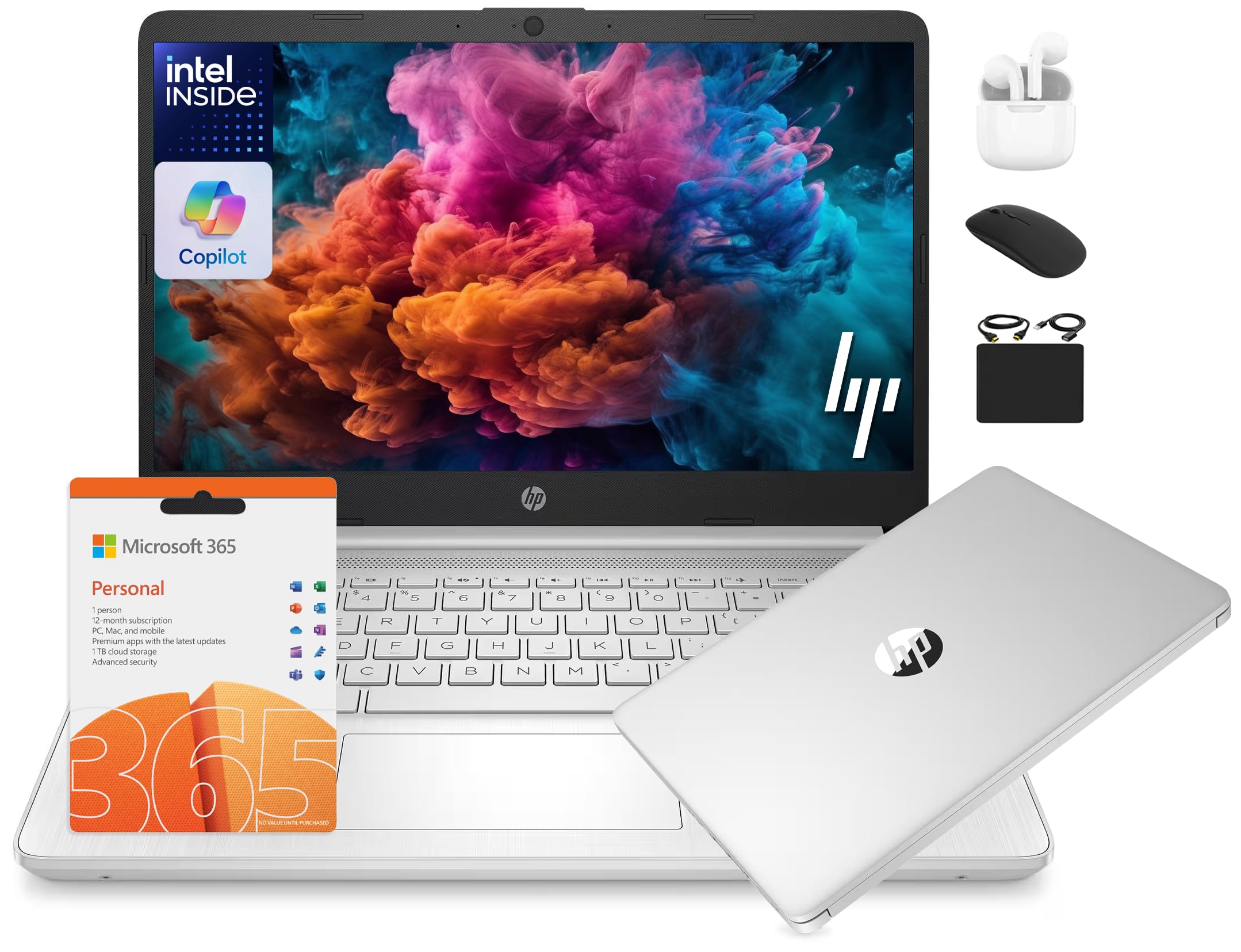
The HP 14 Flagship delivers exceptional value through its robust accessory bundle and generous memory configuration. The 16GB of DDR4 RAM provides smooth multitasking for students who frequently run multiple applications simultaneously, from reference managers to spreadsheet software to video streaming. The 13th Gen Intel N150 processor handles everyday academic tasks with competent efficiency.
The included accessory package adds significant practical value with wireless earbuds, a 500GB external drive for backup storage, a wireless mouse, and an HDMI cable. The one-year Microsoft Office 365 subscription means students can start writing papers and building presentations immediately without additional software costs. The lightweight 14-inch form factor is ideal for students who prioritize portability.
The 1366×768 display resolution falls below the Full HD standard that should be considered the minimum for comfortable extended reading sessions. The Intel N150 processor, while adequate for basic tasks, lacks the performance headroom for video editing, programming, or data analysis workloads. Several reliability concerns appear in user feedback, with some units experiencing boot failures within months of purchase.
Why it’s great
- 16GB RAM provides excellent multitasking capacity for the price
- Comprehensive accessory bundle adds significant practical value
- Includes one-year Office 365 subscription for immediate productivity
Good to know
- 1366×768 display resolution is below modern standards
- Reliability concerns reported by some long-term users
10. Acer Chromebook Plus 515

The Acer Chromebook Plus 515 elevates the Chromebook experience with a 13th Gen Intel Core i3 processor and 8GB of LPDDR5X RAM, delivering performance that rivals budget Windows laptops while maintaining Chrome OS simplicity and security. The 15.6-inch Full HD IPS touchscreen provides responsive input for navigating Google Workspace and annotating lecture materials directly on screen. Google AI features like Gemini integration offer smart assistance for summarizing research and improving writing.
Battery life reaches up to 10 hours under typical use, enough to cover a full day of classes and study sessions. Chrome OS boots in seconds and maintains smooth performance over time without the gradual slowdown common with Windows machines. The included protective sleeve provides basic protection during daily transport between classes and libraries.
The lack of a backlit keyboard is a notable omission that makes typing in dim lecture halls or late-night study sessions more difficult. Chrome OS has limitations for students who need specific Windows-only applications for engineering, design, or advanced data analysis coursework. The 256GB SSD provides adequate storage for cloud-centric workflows but may feel cramped for students who prefer keeping large files locally.
Why it’s great
- Intel Core i3 processor provides smooth Chrome OS performance
- Touchscreen display adds versatility for note-taking and navigation
- Excellent battery life and fast boot times
Good to know
- No backlit keyboard for low-light typing situations
- Chrome OS limitations with Windows-exclusive software
11. Samsung 12.2″ Chromebook Plus

The Samsung 12.2-inch Chromebook Plus offers the most flexible form factor in this lineup with its 360-degree hinge that converts from laptop to tablet mode for handwritten note-taking and presentation delivery. The included stylus pen enables natural handwriting on the touchscreen display, making it practical for students who prefer annotating lecture slides directly rather than typing separate notes. The compact 2.98-pound weight makes it one of the most portable options for students walking between buildings.
The accessory package adds substantial value with a 7-in-1 docking station that includes a 128GB SSD, a 32GB MicroSD card, a wireless mouse, and various cables for expanding connectivity. The Intel Celeron processor provides adequate performance for web-based research, Google Workspace applications, and streaming educational content. The 720p HD camera handles video calls for remote classes and group project meetings.
The Intel Celeron 3965Y is a low-power processor from an older generation that will struggle with multitasking beyond a few browser tabs and may feel sluggish when running multiple applications. Several user reports indicate reliability issues within the first year of ownership, including complete system failures. The 4GB of RAM is the minimum viable configuration for Chrome OS and will limit how many tabs and extensions can run simultaneously.
Why it’s great
- 2-in-1 design with included stylus for handwritten note-taking
- Lightweight at just 2.98 pounds for easy campus portability
- Comprehensive accessory bundle with docking station and storage
Good to know
- Aging Celeron processor limits multitasking performance
- Only 4GB RAM restricts browser tab capacity
FAQ
How much RAM does a typical college student actually need?
Is a Chromebook sufficient for a four-year university program?
What display resolution should I look for in a student laptop?
How important is battery life for a student laptop?
Final Thoughts: The Verdict
For most students, the best computers for students winner is the Microsoft Surface Laptop 2024 because it combines exceptional battery life, a premium build, and enough processing power to handle four years of demanding coursework without compromise. If you need maximum storage and RAM at a mid-range price, grab the HP 15.6″ FHD 2026 Edition. And for students invested in the Apple ecosystem who value silent operation and a brilliant display, nothing beats the Apple MacBook Neo 13-inch.

Mo Maruf
I created WellFizz to bridge the gap between vague wellness advice and actionable solutions. My mission is simple: to decode the research and give you practical tools you can actually use.
Beyond the data, I am a passionate traveler. I believe that stepping away from the screen to explore new environments is essential for mental clarity and physical vitality.