Our readers keep the lights on and my smoothie glass nicely filled. As an Amazon Associate, I earn from qualifying purchases.
The search for a home desktop often ends in frustration: a tower that is too loud, too slow, or too big for the desk. What most buyers actually need is a machine that boots instantly, runs the browser and Office without hesitation, stays silent, and occupies minimal space — a genuine daily workhorse rather than a gaming rig or a server.
I’m Mohammad Maruf — the founder and writer behind WellFizz. Over many hours of market research and spec analysis, I have examined the current generation of desktops to isolate which ones actually deliver on the promise of quiet, reliable, everyday computing without hidden compromises.
Whether you are equipping a home office or setting up a family computer station, this guide cuts through the noise to help you identify the right desktop pc for home use.
How To Choose The Best Desktop PC For Home Use
A home desktop must balance three things: enough processing power for daily apps, a quiet cooling system, and a footprint that fits your space. The wrong choice means a noisy fan under light load or a machine that struggles with ten browser tabs. Here are the factors that separate a true home workhorse from a compromise.
Processor Tiers: U-series vs HX-series vs Desktop Chips
Home desktops now span three processor architectures. U-series chips (like the Intel N100 or AMD 7430U) sip power and run fanless or near-silent — ideal for basic browsing and documents. HX-series chips (Intel 14450HX or AMD 7640HS) deliver desktop-class multi-threaded performance in a compact chassis but require active cooling that can produce audible noise. Full desktop CPUs (Intel Core i5-12500, Core Ultra 5) fit inside tower cases and offer the best raw speed for heavy multitasking, yet they demand larger enclosures and more airflow. Match the tier to your workload: light office work needs U-series, while heavy spreadsheet work or light coding benefits from HX or desktop chips.
RAM and Storage Capacity
8GB of RAM is the absolute floor for Windows 11, but 16GB is the practical minimum for a household with multiple user profiles and background apps. 32GB ensures the machine stays relevant for years. On storage, a 256GB SSD fills fast once family photos and software installs accumulate — 512GB or 1TB gives comfortable headroom. Always check whether the RAM is soldered or socketed; upgradeable DDR4 or DDR5 chips extend the usable life of the desktop significantly.
Form Factor and Connectivity
Mini PCs (under one liter) mount behind a monitor via VESA and consume almost no desk space. All-in-one desktops integrate the display but limit future upgrades. Traditional tower desktops offer the most connectivity (multiple USB ports, expansion slots, and internal drive bays) and are easier to service. For home use, check for at least four USB-A ports, a USB-C port, HDMI or DisplayPort for a second monitor, and Wi-Fi 6 for modern home networks. Bluetooth 5.2 ensures clean wireless peripherals without dongles.
Quick Comparison
On smaller screens, swipe sideways to see the full table.
| Model | Category | Best For | Key Spec | Amazon |
|---|---|---|---|---|
| ACEMAGIC M5 Mini PC | Mini PC | Power users & light coding | Intel Core i5-14450HX, 32GB DDR4, 1TB NVMe | Amazon |
| Dell Pro Tower Plus | Tower | Business multitasking | Intel Core Ultra 5 235, 32GB DDR5, 1TB PCIe | Amazon |
| MSI Codex Z2 | Gaming PC | AAA gaming & VR | AMD R7-8700F, RTX 5070, 32GB DDR5, 2TB NVMe | Amazon |
| CyberPowerPC Gamer Master | Gaming PC | Mid-range gaming | AMD R7 8700F, RTX 5060 Ti 8GB, 1TB PCIe 4.0 | Amazon |
| suevery Prebuilt Gaming PC | Gaming PC | High-FPS gaming & streaming | Core i9 13900HX, RTX 5060 8GB, 32GB DDR5, 1TB | Amazon |
| HP Pro Tower 290 G9 | Tower | Professional home office | Intel i5-12500, 16GB RAM, 512GB PCIe SSD | Amazon |
| Dell Slim Desktop ECS1250 | Slim Tower | Basic home & office tasks | Intel Core Ultra 5-225, 16GB DDR5, 512GB SSD | Amazon |
| GMKtec M6 Ultra Mini PC | Mini PC | Light gaming & home office | AMD Ryzen 5 7640HS, 16GB DDR5, 1TB SSD | Amazon |
| GEEKOM A5 Pro Mini PC | Mini PC | Business IT deployment | AMD Ryzen5 7430U, 16GB DDR4, 512GB SSD | Amazon |
| HP Desktop Tower i3-13100 | Tower | Budget office computing | 13th Gen Intel i3-13100, 8GB DDR4, 256GB SSD | Amazon |
| Lenovo V100 AIO | All-in-One | Student & senior computing | Intel N100, 8GB RAM, 128GB SSD, 23.8” IPS | Amazon |
In‑Depth Reviews
1. ACEMAGIC M5 Mini PC
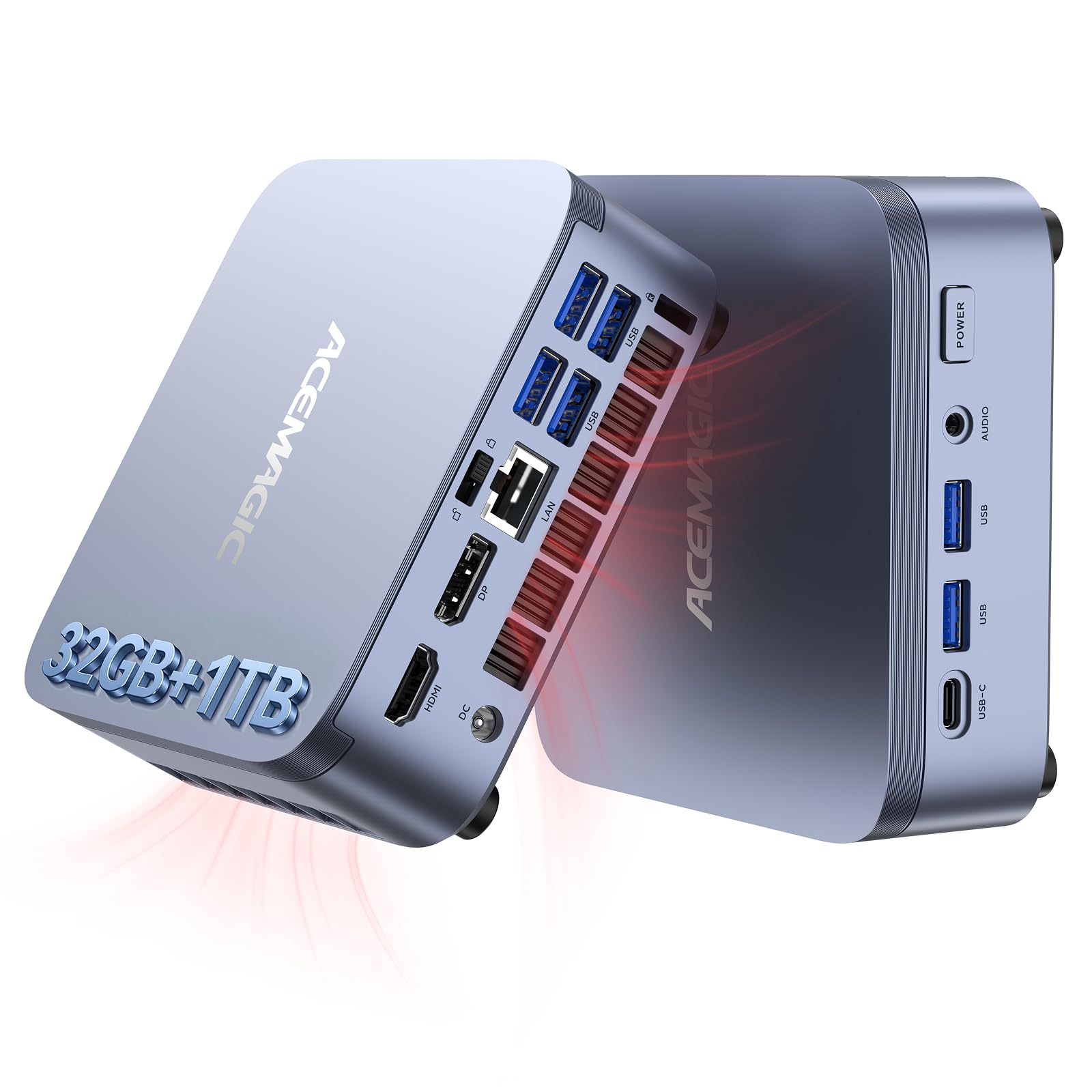
The ACEMAGIC M5 packs a 14th Gen Intel Core i5-14450HX processor — a 10-core, 16-thread HX-series chip that beats desktop i9-11900H in single-threaded tasks — into a chassis smaller than a paperback. With 32GB of dual-channel DDR4 RAM and a 1TB NVMe PCIe 4.0 SSD, this mini PC handles local AI models, virtual machines, and heavy coding workflows without breaking a sweat. The vapor chamber cooling keeps the fan at 35 dB during daily use, which is quieter than most tower coolers under idle.
Connectivity covers every home office need: six USB 3.2 Type-A ports, a USB-C port with DP 1.4 and 15W PD output, HDMI 2.0, and DisplayPort 1.4b. Triple 4K display output at 60Hz is practical for traders, developers, or anyone managing multiple dashboards. The unit runs Windows 11 Pro out of the box and supports Ubuntu or Linux dual-boot setups.
Real-world user feedback confirms the machine stays cool and snappy under Photoshop, 4K streaming, and compilation tasks. The only caution: integrated Intel UHD Graphics cannot drive modern games at high settings, so this is a productivity-focused rig. For a home user who needs desktop-class CPU power in a zero-footprint form factor, the M5 is the smartest investment.
Why it’s great
- HX-series processor outperforms many desktop i7 and Ryzen 9 chips in multi-threaded tasks
- 32GB RAM and 1TB PCIe 4.0 SSD at this price tier is exceptional value
- Triple 4K display output with Type-C, HDMI, and DisplayPort
Good to know
- Integrated UHD graphics are not suitable for AAA gaming
- No official support app; troubleshooting may require contacting support directly
2. Dell Pro Tower Plus Desktop

Dell’s Pro Tower Plus represents the latest generation of business-class desktop hardware. The 14-core Intel Core Ultra 5 235 processor includes an integrated NPU for on-device AI acceleration, making it future-ready for Windows AI features like Copilot and live captioning. The 32GB of DDR5 RAM runs at higher frequencies than DDR4, reducing latency in memory-heavy tasks like large spreadsheet models or database queries.
The internal layout is tool-less: a removable side panel grants instant access to RAM slots, the M.2 SSD, and the 3.5-inch drive bay. This tower ships with Windows 11 Pro and includes a DVD-RW drive — a rare inclusion that still matters for legacy media libraries. Users who added an 8TB HDD for media storage reported smooth integration.
Connectivity includes multiple USB-A ports, a USB-C port (data-only, not video), HDMI, and DisplayPort. The system drove three displays from the integrated Intel Graphics without stutter. The trade-off is the tower size: it occupies more desk space than a mini PC, and the USB-C port cannot pass video. For a family or home office that wants upgradeability and the latest Intel silicon, this Dell is hard to beat.
Why it’s great
- NPU-equipped Core Ultra 5 for on-device AI workloads
- Tool-less chassis allows easy RAM, SSD, and HDD upgrades
- 32GB DDR5 memory is well above the home computing baseline
Good to know
- USB-C is data-only — cannot drive a monitor via that port
- Tower footprint is larger than mini PC or slim desktop alternatives
3. MSI Codex Z2 Gaming Desktop

The MSI Codex Z2 is built for demanding home users who game at high refresh rates and run creative applications simultaneously. The AMD Ryzen 7 8700F (8 cores, 16 threads, up to 5.0 GHz) paired with the NVIDIA GeForce RTX 5070 — a Blackwell-architecture GPU with 12GB of VRAM — delivers 160 Hz gaming on modern titles without dropping frames. The 32GB of DDR5 RAM and 2TB NVMe SSD provide the memory bandwidth and storage headroom for AAA game libraries and 4K video projects.
MSI equips the Codex Z2 with four system cooling fans — three front intakes and one rear exhaust — plus an ARGB fan air cooler for the CPU. Users report the chassis runs cool under sustained loads, though fans become audible during extended gaming sessions. The built-in RGB lighting is controlled via the MSI Center software or a physical LED button on the top panel.
Connectivity includes multiple USB ports, HDMI, DisplayPort, and Ethernet. Some users upgraded the Bluetooth module to a TP-Link BE9300 PCIe card to resolve intermittent connectivity — a common workaround for this generation. For a family that wants a single desktop capable of both productivity and VR-ready gaming, the Codex Z2 offers the highest ceiling of performance in this guide.
Why it’s great
- RTX 5070 with 12GB VRAM delivers smooth 160Hz gaming at high settings
- 2TB NVMe SSD eliminates storage anxiety for game libraries
- Easy upgrade path with standard form-factor components
Good to know
- Bluetooth module may require upgrade for reliable long-range connectivity
- Fans are audible under heavy gaming load
4. CyberPowerPC Gamer Master

The CyberPowerPC Gamer Master strikes a careful balance between price and gaming performance. The AMD Ryzen 7 8700F CPU pairs with an NVIDIA GeForce RTX 5060 Ti 8GB GPU — a combination that runs Call of Duty on ultra settings at roughly 60 FPS and handles BeamNG.drive with AI traffic smoothly. The 16GB of DDR5 RAM is sufficient for current game titles, and the 1TB PCIe 4.0 SSD loads maps in seconds.
The chassis uses non-proprietary parts, meaning the motherboard, PSU, and GPU are standard sizes that can be upgraded later. The tempered glass side panel and customizable RGB fans give the build a clean aesthetic. Users note the cooling is whisper-quiet under normal load, and the included keyboard and mouse are functional enough to start gaming immediately.
Some early units required a BIOS adjustment (disabling Deep Sleep) to fix random restarts, and one user reported a fan wire breaking after nine months — CyberPowerPC sent replacements. These are minor hiccups on a machine that otherwise delivers reliable mid-range gaming for the price. If you want desktop-class gaming performance without stepping into territory, this is the sweet spot.
Why it’s great
- RTX 5060 Ti delivers strong 1080p and 1440p gaming at high settings
- Non-proprietary components simplify future GPU and RAM upgrades
- Quiet RGB cooling system with tempered glass side panel
Good to know
- Some units may require BIOS tweaks for stability out of the box
- Only 16GB RAM may need an upgrade for memory-heavy sim titles
5. suevery Prebuilt Gaming PC White

The suevery Prebuilt Gaming PC uses a mobile-derived Intel Core i9 13900HX processor (24 cores, 32 threads up to 5.4 GHz) and an RTX 5060 8GB GPU to deliver high-FPS gaming at a competitive price point. In real-world tests, the machine runs Apex Legends above 150 FPS and handles No Man’s Sky and Red Dead Redemption 2 on high to ultra settings without stutter. The 32GB of DDR5 RAM and 1TB NVMe SSD provide fast load times and multitasking headroom.
The white chassis features a curved tempered glass side panel with color-changing RGB fans, offering a distinctive look that blends into living spaces rather than hiding in a corner. Top-mounted ports make it easy to plug in peripherals. The cooling system keeps noise low during peak performance, though the included motherboard (Galax 510 series) may require manual driver downloads for audio and chipset functions after a clean Windows install.
Users report the system is smaller than expected for an i9-class machine, and it ships with Wi-Fi and Bluetooth antennas for wireless setup. The main drawbacks: the GPU color and style are random per unit, and the audio driver may need sourcing from a third-party website. For a household that wants a visually appealing high-FPS gaming rig, the suevery delivers strong value.
Why it’s great
- 24-core i9 13900HX rivals desktop i7-14700F in multi-threaded performance
- White RGB chassis fits cleanly in a modern living room or office
- Strong 1440p gaming performance on current AAA titles
Good to know
- Motherboard drivers may need manual downloading after reinstallation
- GPU color and style are random per unit
6. HP Pro Tower 290 G9

The HP Pro Tower 290 G9 is a traditional SFF (Small Form Factor) tower designed for professional home offices and small businesses. The 12th Gen Intel Core i5-12500 processor (6 cores, 12 threads, up to 4.6 GHz) with 18MB cache provides enough headroom for heavy Excel work, Zoom calls with screen sharing, and multiple open applications. The 16GB of DDR4 RAM and 512GB PCIe NVMe SSD ensure quick boot times and responsive app switching.
Front I/O includes four USB 3.0 ports at 5Gbps, and the rear offers four USB 2.0 ports, HDMI, VGA, and RJ-45 Ethernet. The Intel UHD Graphics 770 drives dual monitors — running three displays is possible but requires careful port selection. Users praise the build quality and quiet operation, with many replacing older PCs that had become sluggish with age.
The machine ships with Windows 11 Home, a wired keyboard and mouse, and TPM 2.0 security chip. Some users reported needing to adjust HP printer drivers and disable hardware acceleration in Edge to fix video lag. The 80 Plus Gold 180W power supply is efficient for a system that will stay on for a full workday. For a reliable, no-fuss desktop that handles professional workloads, the HP Pro Tower is a proven choice.
Why it’s great
- i5-12500 with 6 P-cores handles demanding office and creative tasks
- 16GB RAM and 512GB SSD strike a good balance for professional use
- Compact tower design with multiple USB and display ports
Good to know
- May require driver tweaks for HP peripherals and Edge acceleration
- No built-in Wi-Fi on some configurations; USB adapter may be needed
7. Dell Slim Desktop ECS1250

The Dell Slim Desktop ECS1250 is built around the Intel Core Ultra 5-225 processor, which integrates AI acceleration via a dedicated NPU for Windows Copilot and background productivity tools. The 16GB of DDR5 RAM and 512GB M.2 SSD provide enough speed for daily browsing, document editing, and streaming without fan noise — users report the machine is virtually silent, with no audible fan during office work.
The slim tower design is crafted from recycled materials and features refined corners that fit easily on a small desk or under a monitor riser. Dell includes a 3.0 SD card reader on the front panel, a welcome inclusion for photographers and content creators. The system supports up to four FHD monitors via DisplayPort daisy chaining, or two 4K displays via HDMI 2.1 and DisplayPort 1.4a.
Dell provides 1 Year Onsite Service and 6 Months Dell Migrate to transfer files from an old PC. Users who replaced older Windows 10 machines report the upgrade is smooth and the performance jump is significant. The limitation is that this slim chassis has limited internal expansion slots — two RAM slots and one M.2 slot are available, so choose the configuration carefully.
Why it’s great
- Core Ultra 5 with integrated NPU for AI-powered Windows features
- Near-silent operation under everyday workloads
- Compact, sustainable design with SD card reader
Good to know
- Limited internal expansion — plan RAM and storage at purchase
- Not suitable for gaming or GPU-intensive tasks
8. GMKtec M6 Ultra Mini PC
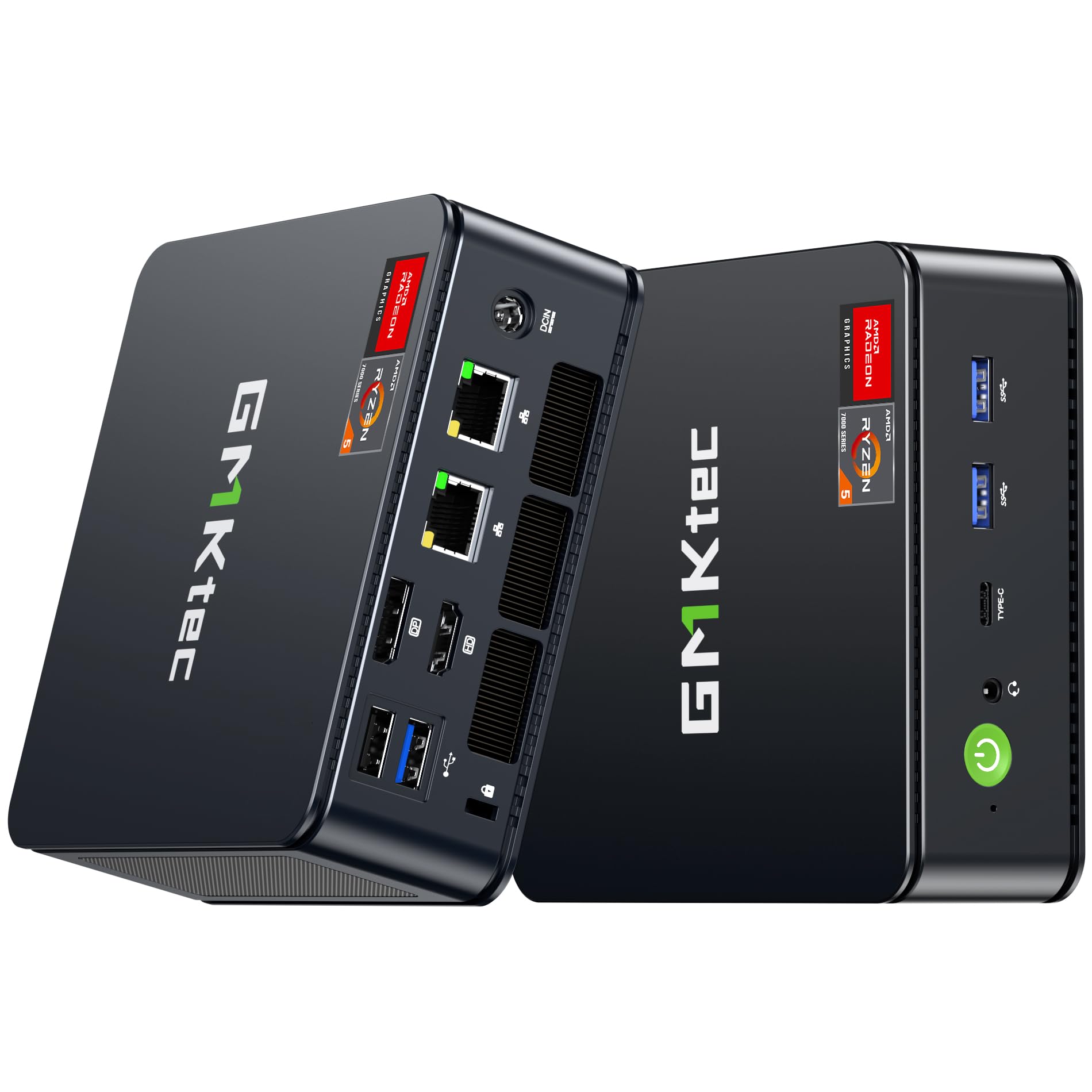
The GMKtec M6 Ultra uses an AMD Ryzen 5 7640HS processor — a 6-core, 12-thread chip with a boost clock of 5.0 GHz — paired with Radeon 760M graphics based on RDNA 3 architecture. This combination allows light gaming (Fallout 76 runs without issues) while remaining compact enough to mount behind a monitor via the included VESA bracket. The 16GB of DDR5 RAM and 1TB M.2 SSD support smooth multitasking for home office and streaming.
Triple display output via HDMI, DisplayPort, and USB4 supports up to 8K resolution on a single display, giving it the highest video output capability in this mini PC group. Dual 2.5G LAN ports make it useful for NAS setups, soft routing, or just future-proofing a home network. The dual-fan cooling system keeps temperatures steady without being intrusive.
Users highlight the number of ports and the compact form factor as major advantages, with some noting the machine is comparable to a mid-tower PC for everyday tasks. The main limitation: the Radeon 760M integrated graphics cannot challenge dedicated GPUs for AAA gaming, and some buyers felt the DDR5 memory upgrade should have been standard at this price. For a balanced home office machine that can handle occasional gaming, the M6 Ultra is a strong mini PC.
Why it’s great
- Radeon 760M RDNA 3 graphics handle light gaming smoothly
- Triple display support with up to 8K output
- Dual 2.5G LAN + WiFi 6E for exceptional networking
Good to know
- Not powerful enough for heavy AAA gaming titles
- Some buyers consider DDR5 standard at this price point
9. GEEKOM A5 Pro Mini PC
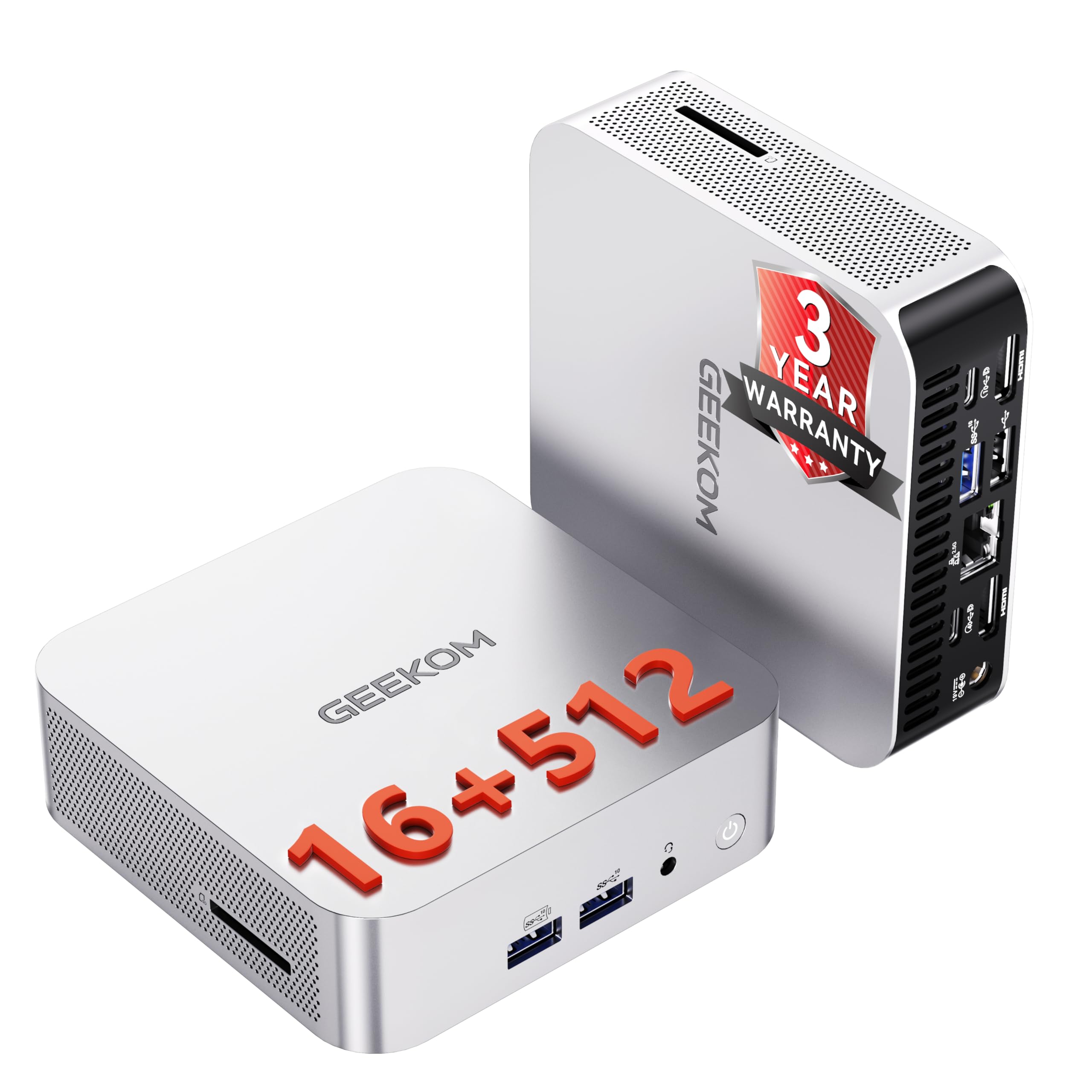
The GEEKOM A5 Pro is designed for IT deployments and business environments where reliability and manageability matter more than raw power. The AMD Ryzen 5 7430U is a power-efficient U-series chip (6 cores, 12 threads, up to 4.3 GHz) that runs cool and quiet — users confirm it stays cool even after 13 hours of continuous Photoshop work. The 16GB of DDR4 RAM is upgradeable to 96GB, a rare feature in mini PCs that significantly extends the device’s usable lifespan.
Quad display support via two HDMI and two USB-C ports enables a four-monitor setup for financial dashboards, monitoring tools, or coding environments. The system ships with Windows 11 Pro, which includes BitLocker encryption and Remote Desktop for managed IT environments. GEEKOM uses IceBlast cooling technology to keep the fan whisper-quiet during office use.
Some users noted the lack of an official support app — support is handled through the website. The unit does not have a built-in speaker, so an external speaker or monitor speakers are required for audio. For a home office that needs a compact, upgradeable, business-grade machine, the A5 Pro is a solid investment.
Why it’s great
- Upgradeable RAM (up to 96GB) dramatically extends usable life
- Quad display output with 8K support for multi-monitor work
- Windows 11 Pro includes BitLocker and Remote Desktop
Good to know
- No built-in speaker — requires external audio
- Support is website-based; no dedicated desktop app
10. HP Desktop Tower i3-13100
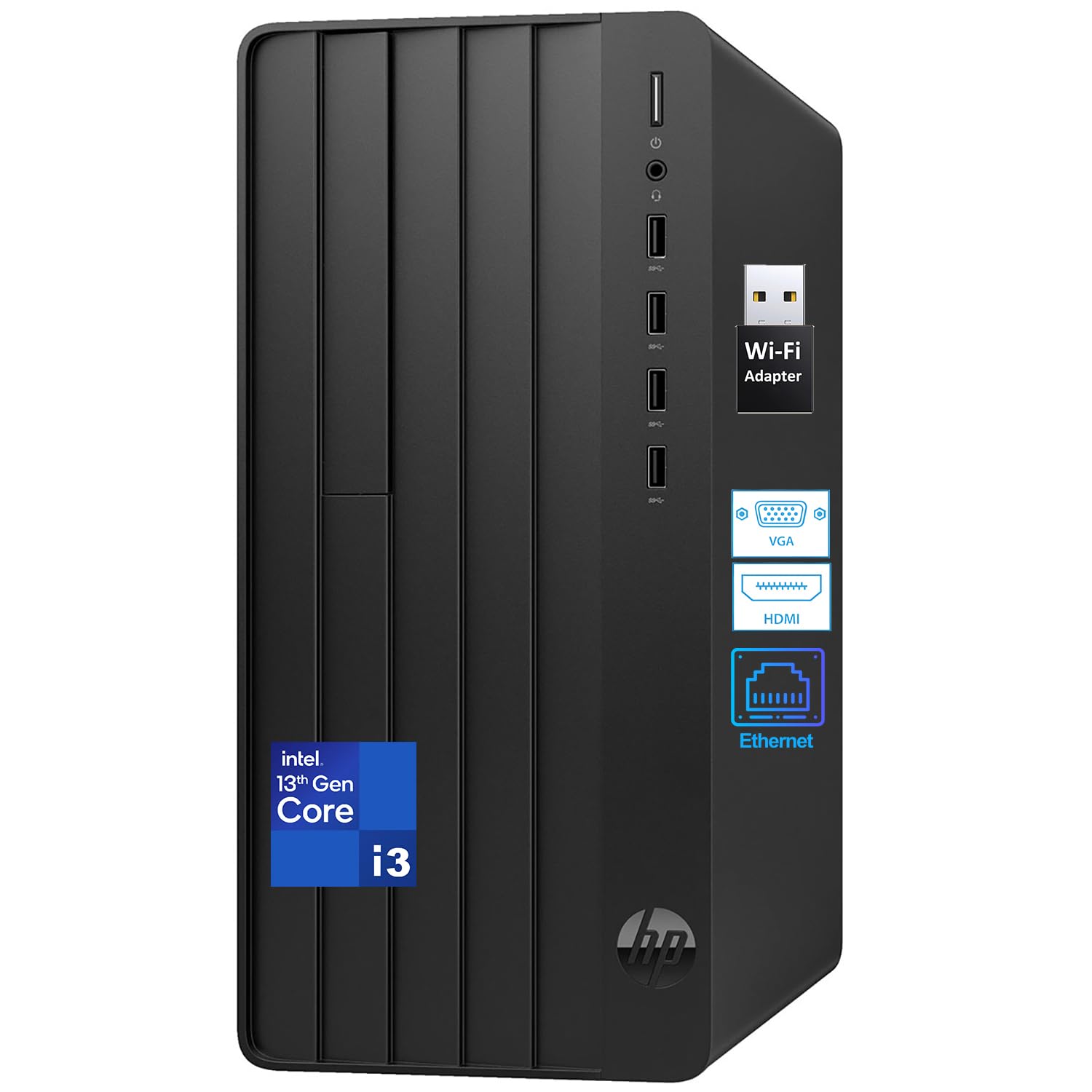
The HP Pro Tower 290 G9 with the 13th Gen Intel Core i3-13100 processor is an entry-level desktop that focuses on cost efficiency. The i3-13100 (4 cores, 8 threads, up to 4.5 GHz) with Intel UHD Graphics 730 handles basic office applications, video conferencing, and 1080p streaming without lag. The 8GB of DDR4 RAM and 256GB PCIe SSD are minimal by modern standards but sufficient for single-tasking workflows.
The port selection is generous: four USB-A 5Gbps ports on the front, four USB 2.0 on the rear, HDMI, VGA, and RJ-45 Ethernet. A USB Wi-Fi adapter is included since the system does not have built-in wireless. The tower is compact and quiet — users upgrading from older Windows 7 machines praise the speed difference and ease of setup.
The main concern is the 8GB RAM ceiling for multitasking; users who open many browser tabs may notice slowdowns. Some customers reported issues with HP warranty coverage on units built in 2022 but sold later. The bundled keyboard and mouse are basic but functional. For a strictly budget-conscious buyer who needs a simple email-and-browser machine, this HP delivers the basics without waste.
Why it’s great
- 13th Gen i3 processor offers modern instruction set support
- Compact tower with multiple USB and display ports
- Extremely quiet operation under typical workloads
Good to know
- 8GB RAM is tight for Windows 11 multitasking
- No built-in Wi-Fi; USB adapter provided instead
11. Lenovo V100 AIO

The Lenovo V100 is an all-in-one desktop built for simplicity. The 23.8-inch Full HD IPS display with anti-glare coating and 99% sRGB coverage provides a sharp, low-glare viewing experience ideal for long study sessions or family browsing. The Intel N100 processor (4 cores, 4 threads, up to 3.4 GHz) is a power-sipping chip that uses passive cooling to stay silent in a living room setting.
The V100 includes 8GB of DDR4 RAM and a 128GB PCIe SSD — enough for Windows 11, a few browsers, and document storage. The 1080p webcam and dual 2W speakers support video calls, and the HDMI-out port allows connection to a second display. Connectivity includes Intel Wi-Fi 6, Bluetooth 5.2, and a mix of USB-C and USB-A ports. A wired keyboard and mouse are included.
Users love the clean all-in-one design, especially seniors and students who want a single-cable setup. The 8GB RAM is the bottleneck for multitasking, and the 128GB SSD fills up quickly with family photos and updates. For a dedicated station for a child, an older adult, or as a secondary kitchen computer, the Lenovo V100 keeps things simple and reliable.
Why it’s great
- 23.8″ FHD IPS display with anti-glare and wide color coverage
- Single-cable design with integrated webcam and speakers
- Wi-Fi 6 and Bluetooth 5.2 for modern wireless connectivity
Good to know
- 8GB RAM limits multitasking; 128GB SSD fills quickly
- N100 processor is not suitable for video editing or heavy apps
FAQ
Can a mini PC really replace a full tower for home use?
How much RAM do I need for a family desktop running Windows 11?
Is an all-in-one desktop a good choice for home computing?
Final Thoughts: The Verdict
For most users, the desktop pc for home use winner is the ACEMAGIC M5 Mini PC because it packs a desktop-class HX-series processor, 32GB of RAM, a 1TB PCIe 4.0 SSD, and triple 4K display support into a silent mini chassis — all at a price that undercuts similarly specced towers. If you want a traditional tower with upgradeability and an NPU for future AI features, grab the Dell Pro Tower Plus. And for a household that needs a single machine for both productivity and AAA gaming, nothing beats the MSI Codex Z2 with its RTX 5070 and 2TB of storage.

Mo Maruf
I created WellFizz to bridge the gap between vague wellness advice and actionable solutions. My mission is simple: to decode the research and give you practical tools you can actually use.
Beyond the data, I am a passionate traveler. I believe that stepping away from the screen to explore new environments is essential for mental clarity and physical vitality.