Our readers keep the lights on and my smoothie glass nicely filled. As an Amazon Associate, I earn from qualifying purchases.
Day trading is a visual sport where every tick, candlestick, and volume bar demands instant recognition. A sluggish or cramped monitor introduces lag into your decision loop, turning milliseconds into missed exits. The right screen gives you the spatial room to stack charts, watch Level 2 data, and monitor a news feed simultaneously without window-swapping chaos.
I’m Mohammad Maruf — the founder and writer behind WellFizz. My research process for this guide involved cross-referencing datasheets, parsing a deep pool of verified owner experiences, and comparing critical specs like refresh rate, color gamut accuracy, and connectivity bandwidth to find the displays that truly serve the high-stakes workflow of a professional trader.
Traders need a setup that eliminates distractions and delivers instant visual feedback. This guide breaks down the specs and real-world performance of the best day trading monitors to help you pick the one that matches your platform, desk setup, and risk tolerance.
How To Choose The Best Day Trading Monitors
Choosing a monitor for active trading goes beyond raw resolution or brand loyalty. You need to prioritize panel consistency, input lag, and the physical ability to tile multiple data-heavy applications without scaling artifacts. Here are the critical factors that define a trader-ready display.
Panel Technology: IPS vs. VA
IPS panels deliver wide viewing angles and consistent color, making them ideal for side-by-side multi-monitor setups where off-axis viewing is common. VA panels, especially modern IPS Black variations, offer superior contrast ratios (3000:1 and higher), which helps read white text on dark backgrounds for hours without eye fatigue. For pure text and data density, IPS remains the safer bet for accuracy, but high-end VA or IPS Black panels are excellent for traders who prefer dark-mode platforms.
Resolution and Aspect Ratio: UltraWide vs. Standard 16:9
A 34-inch UltraWide (21:9, 3440×1440) effectively replaces a dual 24-inch monitor setup, letting you stack a price chart, a DOM, and a scanner side by side without bezels breaking your flow. Standard 16:9 4K (3840×2160) monitors pack more vertical pixels, which helps when reading dense Level 2 order books or long timeframes. The choice depends on whether you prefer horizontal width (UltraWide) or vertical depth (4K 16:9).
Refresh Rate and Motion Handling
Trading platforms with real-time tick charts and high-speed scrolling benefit from a refresh rate of 100Hz or higher. While 60Hz is functional, moving to 120Hz or 180Hz reduces motion blur during rapid chart shifts. Adaptive Sync technologies like FreeSync or G-Sync keep frames smooth even when your platform stutters during high-volume data dumps. A 1ms MPRT response time further eliminates ghosting on fast-moving candlestick transitions.
Connectivity and Desk Integration
Single-cable solutions via USB-C with power delivery (65W-140W) keep your trading desk tidy by powering your laptop and sending display data through one cable. Built-in USB hubs eliminate the need for a separate KVM switch if you run multiple computers. For multi-monitor towers, a DisplayPort-out daisy-chain feature reduces cable clutter significantly.
Eye Comfort for Long Sessions
Trading sessions often last 8-12 hours, making flicker-free backlighting and low-blue-light modes essential. Look for monitors with TÜV Rheinland certification or ComfortView Plus (Dell) that reduces harmful blue light emissions below 35% without shifting the screen to a yellow tint. An ambient light sensor that auto-adjusts brightness helps maintain consistency as room lighting changes throughout the day.
Quick Comparison
On smaller screens, swipe sideways to see the full table.
| Model | Category | Best For | Key Spec | Amazon |
|---|---|---|---|---|
| LG 34U650A-B | Mid-Range | Single-cable desk with laptop charging | USB-C PD 96W & 100Hz IPS | Amazon |
| Dell UltraSharp U2725QE | Premium | Color-accurate trading with Thunderbolt 4 | Thunderbolt 4 & IPS Black 120Hz | Amazon |
| Alienware AW3425DW | Premium | High-refresh immersive UltraWide trading | QD-OLED 240Hz & 3440×1440 | Amazon |
| ASUS ProArt PA279CRV | Mid-Range | Professional color grading for trade journaling | 99% DCI-P3 & USB-C PD 96W | Amazon |
| BenQ MA320U | Premium | MacBook-centric trading workspace | Dual USB-C 90W & 4K P3 | Amazon |
| Dell 34 Plus S3425DW | Mid-Range | All-day comfort UltraWide trading | VA 120Hz & 3000:1 Contrast | Amazon |
| Dell 27 Plus S2725QS | Mid-Range | Affordable 4K 120Hz standalone trader | 4K 120Hz & 99% sRGB | Amazon |
| Alienware AW3425DWM | Mid-Range | Budget UltraWide with fast refresh | 180Hz VA & 3440×1440 | Amazon |
| Samsung ViewFinity S50GC | Value | Entry-level UltraWide with PIP/PBP | 100Hz VA & 21:9 3440×1440 | Amazon |
| LG 34WR55QK-B | Value | Budget-friendly curved UltraWide | 100Hz VA & USB-C 65W | Amazon |
| Philips 346E2CUAE | Value | Ultra-fast 1ms MPRT for quick scalping | 100Hz VA & 1ms MPRT | Amazon |
In‑Depth Reviews
1. LG 34U650A-B
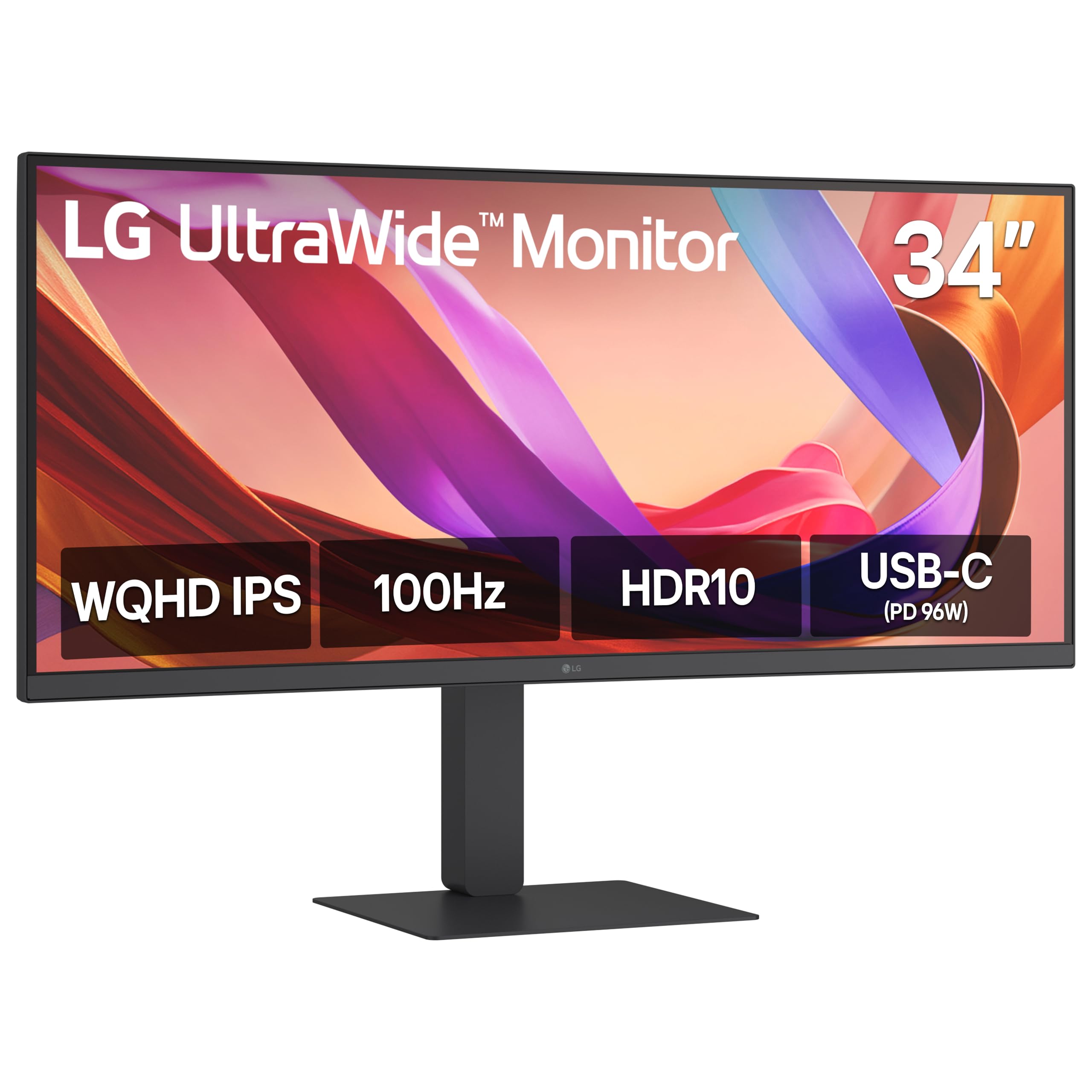
The LG 34U650A-B strikes the ideal balance for a day trader who wants a single UltraWide solution with premium connectivity. Its IPS panel delivers consistent color and brightness across the entire 34-inch curve, which is critical when your eyes dart between a DOM on the left edge and a news stream on the right. The 3800R curve is subtle enough to avoid distortion on grid lines but present enough to reduce glare from overhead office lighting.
Connectivity is the star here: a single USB-C cable pushes 96W of power delivery to keep a workstation laptop charged while handling display and data duties. This simplifies a cluttered desk where every port counts. OnScreen Control software lets you split the screen into custom grid zones (up to 6 sections), so you can lock a chart window to a specific tile and never accidentally resize it during a fast trade.
The built-in DepthSound speakers are a welcome addition for traders who listen to news feeds or earnings calls without external speakers. At 100Hz with FreeSync, scrolling through tick charts feels fluid without the penalty of OLED burn-in that some high-end monitors carry. For a mid-range investment, this monitor delivers the most trader-friendly package of panel quality, ports, and ergonomics.
Why it’s great
- USB-C PD 96W simplifies single-cable desk setup
- IPS panel maintains color consistency at wide viewing angles
- OnScreen Control creates custom multi-window trading layouts
Good to know
- Contrast ratio is standard IPS (1000:1), not deep black
- 5ms response time is fine for data, not competitive gaming
2. Dell UltraSharp U2725QE

The Dell UltraSharp U2725QE is the gold standard for a trader who demands color-critical accuracy and uncompromised connectivity. Its IPS Black panel delivers a 2000:1 contrast ratio—double that of standard IPS—making dark-mode trading platforms look deeply inky while keeping white text razor-sharp. Factory calibration to Delta E less than 1.5 ensures that if you trade visual patterns or rely on color-coded indicators, you see exactly what the data intends.
Thunderbolt 4 is the headline feature for multi-device traders. A single cable transmits video, data, and up to 140W of power, and you can daisy-chain two additional 4K monitors without introducing lag. For a trader running a dedicated charting PC alongside a trade execution laptop, this hub capability eliminates the need for a separate KVM switch. The 120Hz refresh rate keeps the cursor and scrolling prices silky smooth across multiple screens.
ComfortView Plus drops harmful blue light to ≤35% without the yellow tint that distorts color perception—essential for a trader who stares at charts for 12-hour sessions. The ambient light sensor automatically adjusts brightness as your room lighting changes from morning sun to evening desk lamp. This is a premium investment, but for a professional who relies on visual accuracy and desk efficiency, the U2725QE is hard to beat.
Why it’s great
- Thunderbolt 4 delivers 140W PD and daisy-chaining
- IPS Black panel offers deep contrast for dark-mode trading
- Factory color calibration ensures indicator color accuracy
Good to know
- Premium price point may be overkill for casual traders
- 16:9 aspect ratio means less horizontal space than an UltraWide
3. Alienware AW3425DW

The Alienware AW3425DW is for the trader who also games at a high level—or simply wants the most visually captivating UltraWide for data consumption. Its QD-OLED panel delivers infinite contrast ratio, meaning black backgrounds on trading platforms appear truly black while text and candlesticks pop with HDR-level brightness. The 1800R curve wraps the 34-inch display around your peripheral vision, making it feel like a cockpit rather than a monitor.
At 240Hz with a 0.03ms response time, motion clarity is unmatched. Technical traders who use Renko charts or tick charts with rapid bar formation will see each new bar appear without any perceptible smear. The 99.3% DCI-P3 color gamut ensures that any color-coded volume profiles or heat maps display with maximum saturation and differentiation. FreeSync Premium Pro and G-Sync Compatible certification keep frame timing perfect even during data-intensive chart refreshes.
Traders should note that text clarity on QD-OLED can appear slightly less sharp than a high-PPI IPS panel due to the subpixel layout, though it’s still very readable. The glossy screen coating delivers deeper blacks but can reflect overhead lights if your desk is poorly positioned. For a trader who wants the absolute best visual experience and pairs it with occasional gaming sessions, the AW3425DW is a top-tier choice.
Why it’s great
- QD-OLED infinite contrast makes dark-mode data pop
- 240Hz refresh rate eliminates motion blur on fast charts
- Immersive 1800R curve fills peripheral vision
Good to know
- Text clarity can be slightly softer than high-PPI IPS panels
- Glossy screen may cause reflections in bright rooms
4. ASUS ProArt PA279CRV

The ASUS ProArt PA279CRV is purpose-built for professionals who demand factory-level color precision, making it a strong choice for traders who also produce trade recap videos or manage social media content. Its 27-inch 4K IPS panel covers 99% of both DCI-P3 and Adobe RGB, with Calman Verification and Delta E < 2 straight out of the box. This accuracy ensures that every indicator color and trendline remains consistent across your workflow and exported media.
Connectivity is robust with USB-C delivering 96W power delivery, two HDMI ports, DisplayPort in and out—the out port enables daisy-chaining for a second 4K monitor without adding a splitter. The included 3-month Adobe Creative Cloud subscription adds value for traders who edit chart screenshots or build visual trading plans. The matte screen coating is excellent for reducing glare in brightly lit home offices.
At 60Hz, this monitor is not designed for high-speed tick scrolling, but for static chart analysis, Level 2 order book reading, and multi-window productivity, the refresh rate is adequate. The ergonomic stand offers full tilt, swivel, pivot, and height adjustment, letting you dial in the perfect angle for a long session. For a trader who values color integrity above raw speed, this is a mid-range gem.
Why it’s great
- Factory-calibrated Delta E < 2 for indicator color accuracy
- USB-C PD 96W powers a laptop via single cable
- Matte anti-glare coating works well in bright rooms
Good to know
- 60Hz refresh rate feels slower for fast tick chart scrolling
- 27-inch 4K requires scaling for comfortable reading
5. BenQ MA320U

The BenQ MA320U is engineered specifically for MacBook users, making it the perfect companion for a trader who runs macOS. Its exclusive color tuning matches the P3 wide color gamut of Mac displays, so your charts look identical to the MacBook’s built-in screen. The larger 32-inch 4K panel provides plenty of vertical space for a multi-timeframe layout without needing an external scaling utility.
Dual USB-C ports deliver 90W to charge your MacBook and 15W for an iPhone or iPad, keeping your desk tidy. Integrated Mac keyboard controls for brightness and volume work seamlessly, eliminating the need to reach for monitor buttons mid-trade. The adjustable stand offers height, tilt, swivel, and pivot, allowing you to rotate into portrait mode for a vertical chart view—ideal for longer timeframes or Level 2 data.
Traders should be aware that this monitor lacks a built-in camera and microphone, which means video calls for trade discussions require a separate webcam. The 60Hz refresh rate is standard for productivity but won’t satisfy traders who rely on ultra-smooth tick scrolling. For a Mac-focused trader who wants plug-and-play simplicity with accurate color, the MA320U is a premium choice.
Why it’s great
- Native Mac color matching for consistent chart hues
- Dual USB-C with 90W PD simplifies desk setup
- 32-inch 4K provides ample vertical space for multi-timeframe views
Good to know
- 60Hz refresh rate not ideal for fast tick chart scrolling
- No built-in camera or microphone for video calls
6. Dell 34 Plus S3425DW

The Dell 34 Plus S3425DW is a comfort-first UltraWide designed for traders who spend 10+ hours at their desk without blowing their budget. Its VA panel delivers a 3000:1 contrast ratio, producing deep blacks that reduce eye strain when using dark-mode trading platforms. The 120Hz refresh rate ensures smooth scrolling through tick charts, and the 0.03ms response time virtually eliminates ghosting.
ComfortView Plus is the standout feature here—it reduces harmful blue light emissions to ≤35% of the spectrum without a visible yellow shift, so your color-coded charts remain accurate while your eyes stay comfortable. The single USB-C cable delivers up to 65W power delivery, which is enough to charge most ultraportable trading laptops. The built-in speakers are improved over previous Dell generations, with better frequency response for conference calls or news audio.
Traders should note that the port selection is limited to HDMI and USB-C; there is no DisplayPort input, which might matter if you prefer DP connections for daisy-chaining. The VA panel also introduces slight gamma shift at extreme viewing angles, but for a centered single-monitor setup, this is negligible. For a durable, comfortable trading companion, this Dell is a strong mid-range pick.
Why it’s great
- ComfortView Plus reduces blue light without yellow tint
- VA panel with 3000:1 contrast for comfortable dark-mode viewing
- 120Hz refresh rate keeps tick chart scrolling smooth
Good to know
- No DisplayPort input for daisy-chaining setups
- VA gamma shift noticeable at extreme side angles
7. Dell 27 Plus S2725QS

The Dell 27 Plus S2725QS is an entry-level 4K monitor that punches well above its price tier for trading. Its 27-inch 4K IPS panel offers sharp text clarity that makes reading order books and dense data tables a pleasure. The 120Hz refresh rate with FreeSync Premium delivers tear-free scrolling, a significant upgrade over standard 60Hz office monitors.
Color performance is solid with 99% sRGB coverage and a 1500:1 contrast ratio that provides decent depth for an IPS panel. The improved speakers offer more audio headroom than previous Dell models, making them usable for quick video calls. ComfortView Plus technology reduces blue light without sacrificing color accuracy, which is critical for maintaining chart indicator integrity over long sessions.
Traders should be aware that some users report a slight vignetting effect on the edges and a matte coating grain that can make fine text appear slightly textured. The IPS glow is minimal but present on all-black screens. For a trader on a tighter budget who wants 4K resolution with smooth scrolling, this Dell delivers excellent value.
Why it’s great
- 4K resolution delivers crisp text for order books
- 120Hz refresh rate with FreeSync Premium for smooth scrolling
- ComfortView Plus reduces blue light without yellow shift
Good to know
- Matte coating adds a slight grain to text in some units
- Minor IPS glow on dark backgrounds
8. Alienware AW3425DWM

The Alienware AW3425DWM is a budget-friendly 34-inch UltraWide that brings high refresh rate to the trading desk without the OLED price tag. Its VA panel with a 3000:1 contrast ratio delivers deep blacks that make dark-mode platforms comfortable for extended use. The 180Hz refresh rate and 1ms response time ensure that tick charts update instantly with zero perceptible lag.
The 1500R curvature is more aggressive than the LG 34U650A-B, which some traders prefer for immersive focus. The ergonomic stand offers height and tilt adjustment, and the inclusion of both DisplayPort 1.4 and HDMI 2.1 cables in the box means you can hit full 180Hz without additional purchases. The DCI-P3 95% color coverage ensures that your volume profile heat maps are vivid and differentiated.
Traders should note that this monitor lacks built-in speakers, so you will need external ones for news audio or video calls. The VA panel also exhibits some black crush in very dark scenes, though for trading data this is rarely an issue. For a trader who prioritizes smooth motion at a lower entry point, the AW3425DWM is a strategic choice.
Why it’s great
- 180Hz refresh rate delivers ultra-smooth chart scrolling
- VA panel with 3000:1 contrast for comfortable dark-mode use
- Includes DisplayPort 1.4 and HDMI 2.1 cables
Good to know
- No built-in speakers require external audio
- VA black crush noticeable in dark content
9. Samsung ViewFinity S50GC

The Samsung ViewFinity S50GC is a budget UltraWide that packs serious versatility through its Picture-in-Picture and Picture-by-Picture modes. You can connect two different computers (like your trading rig and a market news PC) and view both sources simultaneously on one screen—a huge advantage for traders who manage multiple accounts. The 34-inch VA panel offers a 3000:1 contrast ratio, making it easy on the eyes during long sessions.
The ambient light sensor automatically adjusts the screen brightness to match your room lighting, reducing the need to fiddle with settings as the sun shifts. The 100Hz refresh rate is a solid upgrade from 60Hz, keeping scrolling data smooth without costing a premium. The 21:9 aspect ratio allows you to stack three windows comfortably: a charting platform, a scanner, and a browser.
Traders should be aware that the built-in speakers are notably weak, barely adequate for system sounds. The stand also has some wobble on uneven desks, so a third-party VESA mount may be a worthwhile upgrade. For a trader on a strict budget who needs multi-PC workflow support, the Samsung ViewFinity offers strong functionality at an entry-level price.
Why it’s great
- PIP/PBP mode supports dual-computer trading setups
- Ambient light sensor auto-adjusts brightness for all-day comfort
- VA panel with 3000:1 contrast reduces eye strain
Good to know
- Built-in speakers are very weak
- Stand feels wobbly on some desks
10. LG 34WR55QK-B

The LG 34WR55QK-B is a budget UltraWide that covers the essentials for a trader without wasting money on unnecessary gaming flash. Its 34-inch VA panel with a 3000:1 contrast ratio provides deep blacks for dark-mode platforms, and the 100Hz refresh rate keeps tick charts feeling responsive. The 21:9 aspect ratio gives you comfortable room for a charting window plus a separate news feed or scanner side by side.
USB-C with 65W power delivery keeps a trading laptop charged through a single cable—a feature that would have been considered premium just a few years ago at this price point. Reader Mode reduces blue light by warming the color temperature, which is useful for traders who primarily read text-based data or Level 2 order books. The ergonomic stand offers height and tilt adjustment, letting you dial in a neutral neck position.
Traders should note that this monitor lacks built-in speakers and has no adaptive sync features beyond basic FreeSync. The 5ms response time is adequate for data but not for fast-paced gaming. For a trader who wants a large, curved workspace at the lowest possible entry cost, the LG 34WR55QK-B is a smart and reliable choice.
Why it’s great
- USB-C 65W PD simplifies single-cable trading desk
- VA panel with 3000:1 contrast for comfortable long sessions
- Reader Mode reduces blue light for extended reading
Good to know
- No built-in speakers require external audio
- No advanced adaptive sync beyond basic FreeSync
11. Philips 346E2CUAE

The Philips 346E2CUAE is a budget UltraWide that prioritizes motion clarity through its 1ms MPRT response time, a rarity at this price point. For a scalper who watches tick-by-tick moves on a fast chart, this monitor ensures that each new bar appears without smearing. The VA panel delivers a 3000:1 contrast ratio, making dark-mode platforms comfortable for extended sessions.
USB-C with power delivery handles both display and laptop charging through a single cable, keeping the desk tidy. The 121% sRGB color gamut means your charts look vibrant, with indicators clearly distinguishable. The 4-year advance replacement warranty adds peace of mind for a business-critical tool—if it fails, Philips sends a replacement before you return the defective unit.
Traders should note that the VGA connectivity port is outdated and likely irrelevant for modern setups, and the included cables lack USB-C, so you may need to purchase one separately. The built-in speakers are functional but lack bass. For a trader who values speed and warranty reliability at a budget-friendly price, the 346E2CUAE is a strong contender.
Why it’s great
- 1ms MPRT ensures zero smear on fast tick charts
- USB-C PD keeps laptop charging simple
- 4-year advance replacement warranty covers business-critical use
Good to know
- No USB-C cable included in the box
- VGA port is outdated for modern trading desks
FAQ
Is a curved UltraWide better for trading than dual 27-inch monitors?
Does a 60Hz monitor work for active day trading?
Should I avoid OLED monitors for trading because of burn-in?
Final Thoughts: The Verdict
For most users, the best day trading monitors winner is the LG 34U650A-B because it delivers a clean IPS panel, USB-C 96W power delivery, and flexible OnScreen Control software at a mid-range price. If you want superior color accuracy and Thunderbolt 4 daisy-chaining for a multi-screen trading tower, grab the Dell UltraSharp U2725QE. And for the most immersive visual experience with infinite contrast and cinematic refresh rates, nothing beats the Alienware AW3425DW QD-OLED.

Mo Maruf
I created WellFizz to bridge the gap between vague wellness advice and actionable solutions. My mission is simple: to decode the research and give you practical tools you can actually use.
Beyond the data, I am a passionate traveler. I believe that stepping away from the screen to explore new environments is essential for mental clarity and physical vitality.