Our readers keep the lights on and my smoothie glass nicely filled. As an Amazon Associate, I earn from qualifying purchases.
A curved TV isn’t a gimmick—it’s a deliberate engineering choice that alters your visual perception. Unlike a flat panel, where the edges of the screen project light away from your line of sight, a curved display angles every pixel toward your eyes. The result is a consistent viewing distance across the entire scene, which enhances peripheral engagement and reduces the need for your eyes to refocus as they travel from edge to edge. This shift in geometry fundamentally changes how your brain processes on-screen depth, making landscapes in open-world games and cinematic panoramas feel more dimensional, not just wider.
I’m Mohammad Maruf — the founder and writer behind WellFizz. This guide is built from hundreds of hours of analyzing panel technologies, curve radii, backlight configurations, and real user feedback across the entire curved television and monitor landscape, from mid-range productivity beasts to high-end cinematic displays.
Whether you need pure black levels for a dark-room home theater or an ultra-wide canvas for multitasking, the right decision starts with understanding your specific use case — and finding the best curved tv for your space and eyes.
How To Choose The Best Curved TV
Not all curved screens are built with the same panel technology. The curve is just the shape—the underlying display engine determines whether blacks look deep, motion stays clean, and colors remain accurate. Understanding the interplay between curve radius, panel type, and resolution is the fastest way to find a display that actually improves your viewing experience rather than just looking different.
Panel Technology: OLED vs Quantum Mini-LED vs VA LCD
OLED panels deliver the deepest blacks on a curved screen because each pixel emits its own light and can turn off completely. This eliminates the backlight bloom that flatens contrast on curved LCD panels. Mini-LED, like Samsung’s Quantum Matrix, uses thousands of local dimming zones to approach OLED-level contrast while maintaining higher peak brightness — ideal for HDR in bright rooms. Standard VA LCD panels are more budget-friendly and offer decent contrast, but they can suffer from off-angle color shift on a steep curve.
Curve Radius: 800R, 1000R, 1500R, and 1800R Explained
The number (like 1000R) measures the radius of the circle the curve would form. A lower number means a more aggressive curve. For desk use (under 3 feet), 800R to 1000R wraps around your peripheral vision effectively. For living room setups (6-10 feet), a gentler 1500R to 1800R curve is better — it won’t distort the image when viewed from off-center seating. Matching the radius to your viewing distance is critical; too tight a curve from far away can actually compress the image.
Resolution and Aspect Ratio: 16:9, 21:9, and 32:9
Standard 16:9 curved TVs (like the Sony BRAVIA 8 II) are ideal for movies and console gaming. The 21:9 ultrawide aspect ratio is the sweet spot for PC gaming and immersive cinema, filling your horizontal field of view without black bars. The 32:9 super-ultrawide format (Dual QHD or Dual 4K) is essentially two monitors side by side, perfect for flight sims, racing games, and heavy multitasking. Ensure your GPU can drive the pixel count — 7680 x 2160 requires a high-end card like an RTX 4080 or above.
Quick Comparison
On smaller screens, swipe sideways to see the full table.
| Model | Category | Best For | Key Spec | Amazon |
|---|---|---|---|---|
| Sony BRAVIA 8 II 65″ | Premium OLED TV | Cinema & PS5 Gaming | QD-OLED, 120Hz, XR Processor | Amazon |
| Sony BRAVIA XR8B 65″ | Premium OLED TV | PS5 Gaming & Streaming | OLED, 120Hz, XR Processor | Amazon |
| Samsung Odyssey Neo G9 57″ | Premium Gaming | Elite Gaming & Productivity | Dual 4K (7680×2160), 240Hz | Amazon |
| LG Ultragear evo 5K2K | Premium Gaming | High-Resolution Gaming & Work | 5K2K (5120×2160), 165Hz | Amazon |
| Hisense CanvasTV 85″ | Mid-Range TV | Living Room Art & Viewing | 4K QLED, 144Hz, Matte Display | Amazon |
| Samsung Odyssey OLED G9 49″ | Premium Gaming | Immersive QD-OLED Gaming | Dual QHD (5120×1440), 144Hz | Amazon |
| LG Ultragear 39GX900A-B | Mid-Range Gaming | Competitive PC Gaming | WQHD OLED, 240Hz, 800R | Amazon |
| LG Ultragear 34GS95QE | Mid-Range Gaming | OLED Gaming & Media | WQHD OLED, 240Hz, 0.03ms | Amazon |
| Samsung ViewFinity S65TC 34″ | Mid-Range Work | Productivity & Creative Work | Ultra-WQHD (3440×1440), 100Hz | Amazon |
| INNOCN 49C1G 49″ | Budget Ultrawide | Entry-Level Productivity | 32:9 (3840×1080), 144Hz | Amazon |
| Samsung Odyssey Neo G9 57″ Bundle | Premium Gaming | Highest-End Sim Racing | Dual 4K (7680×2160), 240Hz | Amazon |
In-Depth Reviews
1. Sony BRAVIA 8 II 65″ QD-OLED

The Sony BRAVIA 8 II uses a QD-OLED panel to push peak brightness beyond standard OLED while maintaining the perfect blacks that make HDR shine. The XR Processor with AI upscaling is the best in the business at taking 1080p content and making it look native 4K — important if you watch older movies or stream compressed video. On a curve designed for living-room viewing, the screen maintains color accuracy even when someone is sitting at an angle, which is rare for any panel technology.
For PlayStation 5 owners, the exclusive Auto HDR Tone Mapping and Auto Genre Picture Mode mean the TV automatically adjusts its settings when you boot up a game. The Acoustic Surface Audio+ technology vibrates the screen itself to produce sound, which creates a surprisingly convincing center channel effect without external speakers. Motion handling at 120Hz is free of the soap-opera effect when properly configured, making both movies and fast-paced console gaming look fluid.
Built-in Google TV is responsive and clutter-free, with access to the Sony Pictures Core app that includes a library of free IMAX Enhanced movies. The ultra-slim design looks premium on a wall, though the included stand is robust and heavy. For buyers who prioritize cinematic immersion and processing excellence over raw gaming refresh rates, this is the most complete package in the home theater curved TV segment.
Why it’s great
- Best-in-class XR AI upscaling for non-4K content.
- QD-OLED delivers higher brightness than standard WOLED.
- Acoustic Surface Audio creates room-filling sound without a bar.
Good to know
- Premium pricing places it well above mid-range OLEDs.
- Some units have reported audio distortion that requires service.
- Requires a 65-inch space — measure your stand or mount first.
2. Sony BRAVIA XR8B 65″ OLED

The Sony BRAVIA XR8B is a pure OLED panel without the Quantum Dot layer, offering the same per-pixel black levels and infinite contrast that define the OLED standard. The XR Processor is slightly less aggressive than the 8 II’s chipset, but it still delivers excellent real-time scene correction for color, contrast, and clarity. This is a flat-curve OLED TV meant for a dedicated viewing arrangement where the primary seat is directly centered.
Dolby Vision and Atmos support are both present, making it a proper partner for a soundbar setup. The two HDMI 2.1 ports support 4K at 120Hz, and VRR works reliably with both PlayStation 5 and Xbox Series X. Studio-calibrated modes for Netflix and Prime Video adjust gamma and color temperature automatically when you launch content from those apps, removing the need to manually switch picture presets between movies.
Reflectivity on the screen is minimal when the TV is on, but the panel surface is glassy when turned off — something to note if the TV is in a bright, window-filled room. The remote is functional but not premium, with a slightly plasticky feel. Build quality is otherwise excellent, and the thin bezel keeps attention on the image. For a pure OLED home cinema experience at a lower price point than the 8 II, this is a strong choice.
Why it’s great
- Pure OLED blacks with excellent real-time processing.
- Dolby Vision and Atmos for a full cinematic experience.
- Two HDMI 2.1 ports with reliable VRR for gaming.
Good to know
- Glassy screen is reflective when not in use.
- Built-in audio is okay but a soundbar is recommended.
- No Quantum Dot layer — slightly less bright than QD-OLED.
3. Samsung Odyssey Neo G9 57″ Dual 4K

The Samsung Odyssey Neo G9 57″ is currently the widest and most pixel-dense curved monitor on the market, with a Dual 4K resolution of 7680 x 2160. The 1000R curve is aggressive enough to wrap the entire display into your peripheral vision, making sim racing or flight simulators feel genuinely inside the cockpit. The Quantum Mini-LED backlight delivers HDR1000 certification, meaning highlights punch through at 1,000 nits while the 2,392 local dimming zones keep blacks deep enough to satisfy even picky users.
DisplayPort 2.1 support is the key here — it’s the only connection capable of driving the full 7680×2160 resolution at 240Hz without compression. Older GPUs or those using HDMI 2.1 will be limited to 120Hz. The 32:9 aspect ratio eliminates the bezel gap of a dual-monitor setup, making it ideal for productivity where you can snap four windows side by side at a usable width. The 1000R curve ensures the far edges are still readable without turning your head.
Build quality is sturdy but the monitor is large and heavy at around 40 pounds, requiring a desk at least 30 inches deep. The included stand has a smaller footprint than you’d expect, but it’s still a big presence. Some users report firmware quirks with wake-from-sleep and auto-input switching, though these are not universal and often resolved with updates. If you have the desk space and GPU power, this is the most immersive single-panel experience available.
Why it’s great
- Dual 4K 57-inch display with no bezel gap.
- DisplayHDR 1000 with 2,392 local dimming zones.
- DisplayPort 2.1 for uncompressed 240Hz at full resolution.
Good to know
- Requires a powerful GPU (RTX 4080 or above) for gaming.
- Firmware bugs with auto-input switching reported.
- Large physical footprint — measure your desk depth.
4. LG Ultragear evo 5K2K 39″ OLED
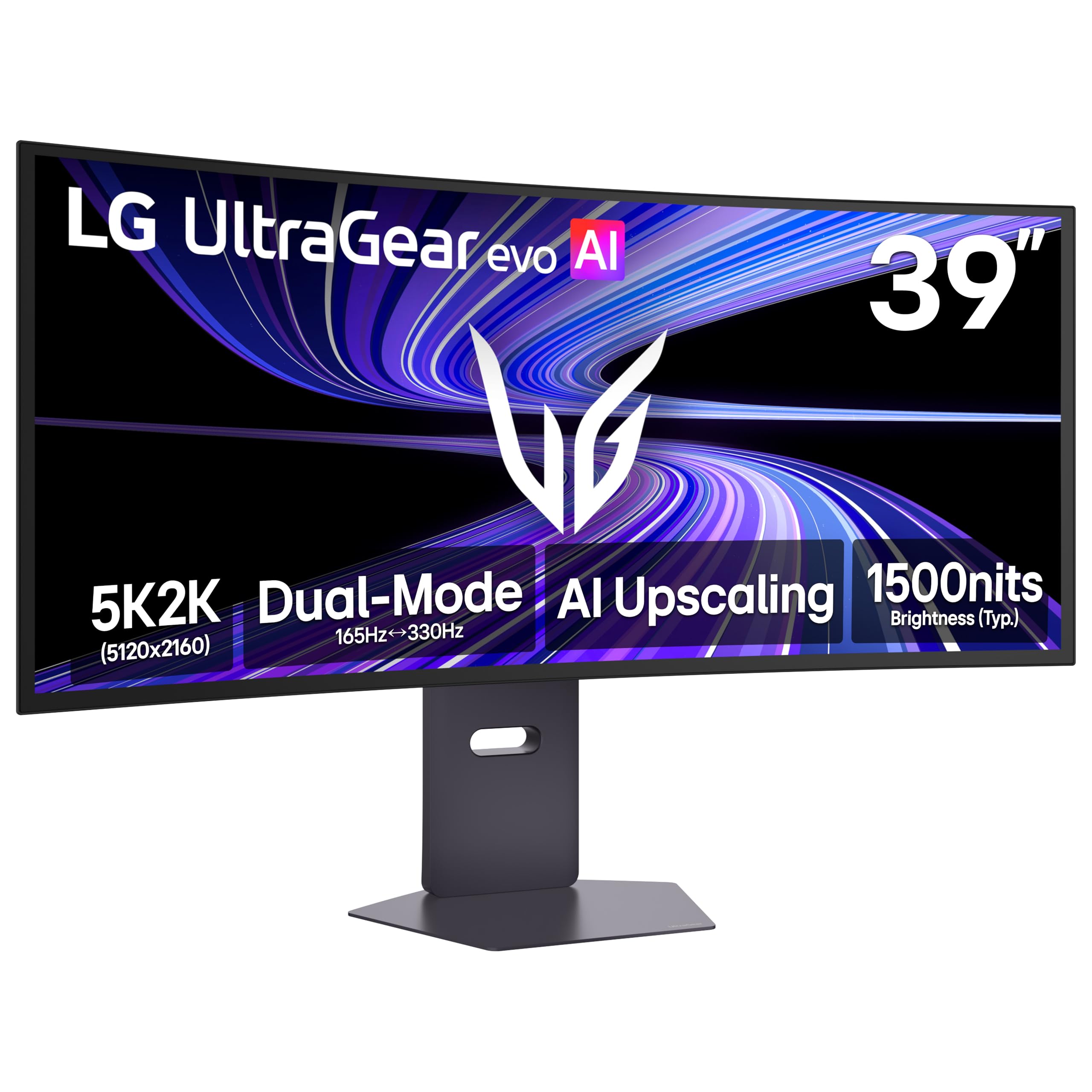
The LG Ultragear evo 5K2K is the world’s first 39-inch 5120 x 2160 OLED monitor, hitting a pixel density of 143 PPI that makes text razor-sharp and game textures incredibly detailed. The 1500R curve is gentler than the gaming-oriented 800R panels, making it suitable for both creative work and immersive play without distorting straight lines in design software. The 4th Gen Primary RGB Tandem OLED structure boosts typical brightness to 335 nits while improving power efficiency.
The Dual-Mode feature is genuinely useful: run at 5K2K 165Hz for single-player RPGs and detailed world exploration, then switch to Wide Full HD at 330Hz for competitive shooters where frame rate matters more than resolution. VESA DisplayHDR True Black 500 ensures shadow detail is preserved in dark scenes without crushing blacks. The AI Upscaling is subtle but effective, cleaning up 1440p content without introducing artifacts.
Connectivity includes DisplayPort, HDMI 2.1, and USB-C with power delivery, making it a single-cable hub for a laptop. The anti-glare coating is a light matte that reduces reflections without washing out the OLED’s natural contrast. For creative professionals who also game competitively, this is the most versatile high-resolution curved OLED option.
Why it’s great
- Sharp 143 PPI for excellent text and detail clarity.
- Dual-Mode: 5K2K 165Hz or WFHD 330Hz.
- DisplayHDR True Black 500 with deep shadow detail.
Good to know
- 165Hz is lower than some competing 240Hz OLEDs.
- 1500R curve is subtle — not as immersive as 800R.
- Premium pricing puts it at the top of the mid-range.
5. Hisense CanvasTV 85″ QLED

The Hisense CanvasTV 85″ is a QLED television designed to disappear into your room when not in use. The Hi-Matte display coating diffuses ambient light, so the screen reads like a painted canvas rather than a glossy black mirror when displaying artwork. The included magnetic teak frame snaps onto the bezel, and the ultra-slim wall mount keeps the TV flush against the wall — no gap, no visible cables. Google TV handles streaming smoothly, and the built-in Art Mode cycles through paintings with a customizable timer.
At 144Hz with 4K resolution, this television is perfectly capable for casual and mid-level gaming on console or PC. The QLED panel delivers vibrant colors with Quantum Dot technology, covering over a billion color combinations. However, the peak brightness and contrast are not at OLED levels, so deep blacks will show some backlight glow in a fully dark room. The included sound system is thin and lacks bass — a soundbar with a subwoofer is nearly mandatory for movie watching.
The wall mounting system is clever but requires stud spacing to align with the included bracket plates, which may not work with all wall layouts. The TV is best suited for a living room where it doubles as decor, rather than a dedicated dark home theater room. At 85 inches, the sheer size makes it a statement piece, and the art mode fills that massive canvas beautifully. For a blend of aesthetics, size, and respectable performance, this is a niche pick that fills a real gap.
Why it’s great
- Hi-Matte display mimics real canvas for art mode.
- Included magnetic frame and ultra-slim wall mount.
- 85-inch QLED with 144Hz for gaming.
Good to know
- Built-in speakers are poor — budget for a soundbar.
- Brightness and contrast are below OLED standards.
- Wall mount may not align with all stud spacing.
6. Samsung Odyssey OLED G9 49″

The Samsung Odyssey OLED G9 uses a QD-OLED panel to combine the wide color gamut of quantum dots with the infinite contrast of OLED. The Dual QHD resolution (5120 x 1440) gives you the equivalent of two 27-inch 1440p monitors side by side without a bezel, making it excellent for both immersive gaming and productivity. The 1800R curve is moderate enough for desktop use while still providing a noticeable wraparound effect in supported games.
The 144Hz refresh rate is sufficient for most gaming, though competitive players might wish for 240Hz. G-Sync Compatible and AMD FreeSync Premium Pro both work to eliminate tearing, and the 0.03ms response time means no perceptible ghosting. Samsung’s Thermal Modulation System monitors panel temperature and adjusts brightness to prevent burn-in, while the Logo and Taskbar Detection feature dims static elements automatically.
Owners report that the monitor is stunning right out of the box with minimal calibration needed, though pixel shifting (a standard OLED burn-in prevention technique) can be slightly noticeable on solid backgrounds. The single DisplayPort input can be limiting, and the included power cable is shorter than ideal. For a premium 49-inch ultrawide that delivers true OLED blacks with Samsung’s QD color volume, this is a top-tier choice.
Why it’s great
- QD-OLED delivers vibrant colors and true black levels.
- Dual QHD resolution without a bezel gap.
- Automatic burn-in prevention features (Logo Detection).
Good to know
- Refresh rate is 144Hz, not 240Hz like some competitors.
- Only one DisplayPort input — HDMI may limit resolution.
- Pixel shifting can be noticeable on static desktop screens.
7. LG Ultragear 39GX900A-B 39″ OLED
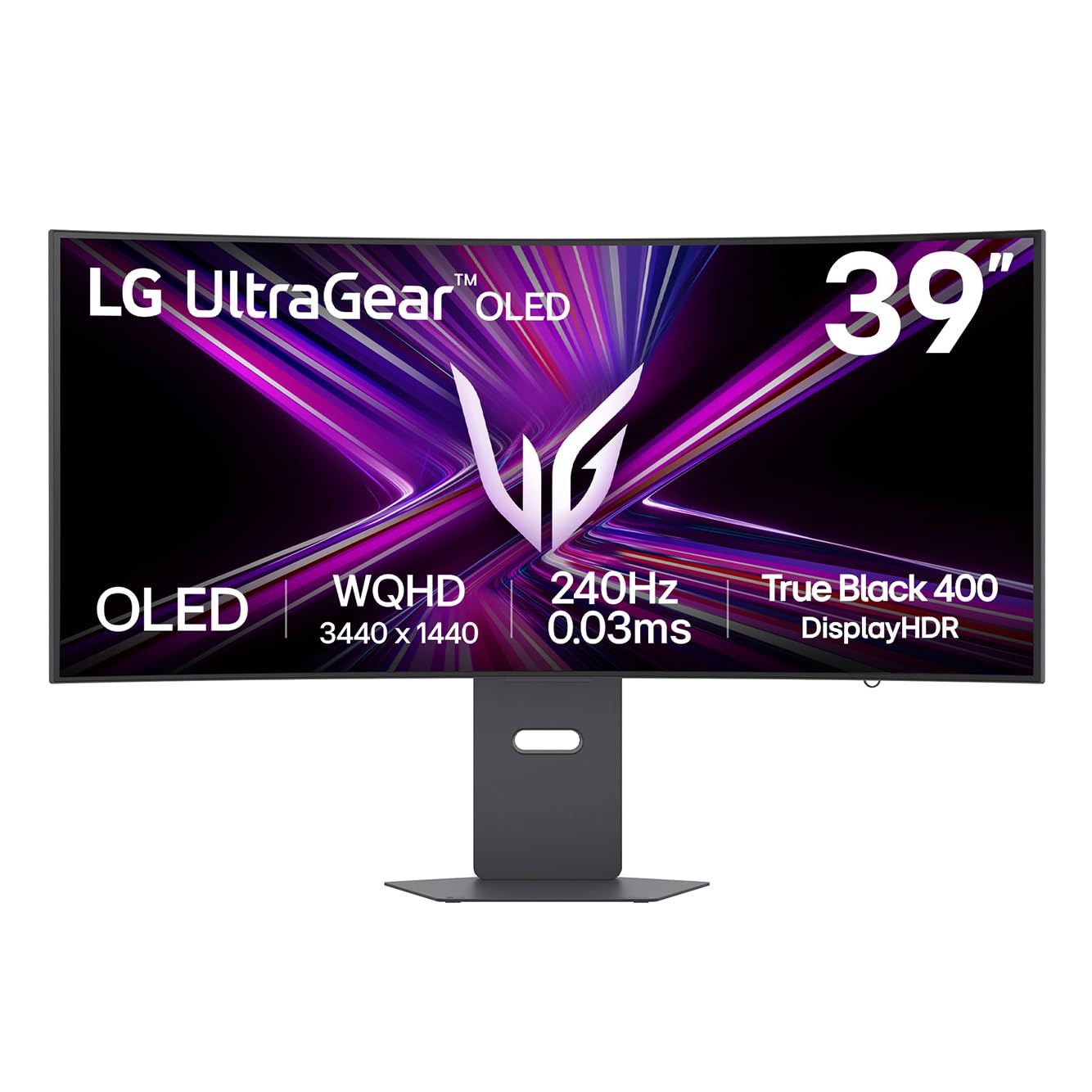
The LG Ultragear 39GX900A-B is built for speed, with a 240Hz refresh rate and 0.03ms response time that makes motion look almost impossibly smooth. The 800R curve is dramatic — it’s meant to wrap around your face like a cockpit window, and at 39 inches it achieves full peripheral immersion for racing and flight sims. The WQHD (3440 x 1440) resolution is a great balance: sharp enough for detailed textures but not so demanding that you need a flagship GPU to hit 240 frames per second.
OLED HDR True Black 400 ensures that dark scenes in games like Alan Wake 2 show deep, inky blacks with fine shadow detail. The anti-glare surface is better than most OLEDs at handling overhead lights, making it easier to play during the day without closing the blinds. Connectivity includes HDMI 2.1, DisplayPort 1.4, and USB-C with 65W power delivery for single-cable laptop setups.
The included stand offers height, tilt, and swivel adjustments, and the RGB hexagonal backlight adds a subtle gaming aesthetic. Built-in speakers are surprisingly usable for a gaming monitor, with better depth than most. The 2-year limited warranty covers the OLED panel, which is a long-term confidence boost. For competitive gamers who want the fastest curved OLED available, this is the monitor to beat.
Why it’s great
- Aggressive 800R curve for full peripheral immersion.
- 240Hz with near-instant 0.03ms response time.
- USB-C with 65W power delivery for clean desk setups.
Good to know
- WQHD, not 4K — lower pixel density than some picks.
- 800R curve may be too tight for productivity work.
- Some early units have reported OLED panel defects.
8. LG Ultragear 34GS95QE 34″ OLED

The LG Ultragear 34GS95QE is a 34-inch WQHD OLED gaming monitor that strikes a compact balance between size and performance. The 800R curve is identical to its larger sibling, but at 34 inches it’s more manageable on a standard-depth desk. The 240Hz refresh rate and 0.03ms response time deliver the same buttery-smooth motion as the 39-inch model, making it equally well-suited for fast-paced competitive shooters and racing games.
The contrast ratio of 1.5M:1 ensures that blacks are truly black, with no haloing around bright objects. Viewers have described the experience as transformative — when the desktop loads for the first time, the black background can make it look like the monitor is turned off. The anti-glare coating is a light matte that preserves the OLED’s contrast better than a glossy finish would.
Text clarity on this OLED panel is a common point of feedback — the subpixel layout is different from traditional LCDs, so ClearType tuning is recommended for Windows users. The included stand is high quality and offers height, tilt, and swivel adjustments, though it takes up a fair amount of desk space. For gamers who want a pure OLED experience at 34 inches without paying for 5K2K or Dual 4K resolution, this is an excellent value.
Why it’s great
- True OLED blacks with 1.5M:1 contrast ratio.
- 240Hz refresh rate for ultra-smooth gaming.
- 34-inch size fits easily on most desks.
Good to know
- Text clarity is not LCD-sharp — requires ClearType tuning.
- 800R curve is aggressive for productivity use.
- Stand is large and heavy for a 34-inch monitor.
9. Samsung ViewFinity S65TC 34″

The Samsung ViewFinity S65TC is a 34-inch curved monitor designed primarily for productivity. The 1000R curve matches the human field of view, reducing eye strain during long work sessions by minimizing the need for your eyes to refocus across the screen. The Ultra-WQHD (3440 x 1440) resolution provides ample horizontal space for side-by-side windows without feeling cramped. HDR10 support adds some depth to video content, though the 300-nit brightness means it’s not a true HDR experience.
The standout feature is Thunderbolt 4 connectivity, which provides 90W of power delivery — enough to charge a high-end laptop while transmitting video, data, and networking over a single cable. The built-in KVM switch lets you control two connected devices with one keyboard and mouse, making it easy to switch between a work laptop and a personal PC. The 100Hz refresh rate is an upgrade over standard 60Hz office monitors, making window dragging and scrolling feel noticeably smoother.
Built-in speakers are echo-y and lack bass, but they free up desk space by eliminating external speakers. The height-adjustable stand with swivel and tilt functions is a genuine ergonomic feature, not a cheap plastic afterthought. Some users have reported quality control issues like flickering lines within the first week, but the majority find the monitor reliable for daily work. For a premium productivity-focused curved display with future-proof connectivity, this is a solid investment.
Why it’s great
- Thunderbolt 4 with 90W charging for single-cable setups.
- 1000R curve designed to reduce eye strain.
- Built-in KVM switch for multi-device control.
Good to know
- 300-nit brightness is low for HDR content.
- Poor built-in speakers — plan for external audio.
- Some reports of early panel failures and flickering.
10. INNOCN 49C1G 49″

The INNOCN 49C1G is a 49-inch ultrawide monitor that delivers the largest possible screen real estate at the lowest entry price for a curved display. The 32:9 aspect ratio with 3840 x 1080 resolution is effectively two 27-inch monitors side by side, but the pixel density is low — at 49 inches, individual pixels can be visible if you sit close. The VA panel provides decent contrast at 3000:1 with 400-nit brightness, and the 1800R curve is gentle enough for comfortable productivity use.
The 144Hz refresh rate is a surprising bonus at this price point, making desktop navigation and casual gaming feel fluid. Connectivity is generous: HDMI 2.1, DisplayPort 1.4, USB-C with 65W power delivery, and multiple USB-A ports with a LAN port. The PIP/PBP (Picture-in-Picture / Picture-by-Picture) feature works well, allowing you to view two input sources simultaneously — ideal for running a PC and a console on the same screen.
Color accuracy is good at 99% sRGB, making it suitable for photo editing work. However, the 1080p vertical resolution means you lose half the vertical pixels compared to a Dual QHD panel, which makes reading dense documents or coding less comfortable. The built-in speakers are passable for conference calls but not for media. For buyers who want a massive ultrawide for multitasking without breaking the budget, this is an honest value proposition.
Why it’s great
- Massive 49-inch ultrawide at a budget-friendly price.
- 144Hz refresh rate is smooth for its price tier.
- PIP/PBP support and USB-C with 65W charging.
Good to know
- 1080p vertical resolution is low for detailed work.
- Pixels are visible at close viewing distances.
- Color gamut is limited to 99% sRGB — no DCI-P3.
11. Samsung Odyssey Neo G9 57″ Bundle

This bundle pairs the Samsung 57″ Odyssey Neo G9 — the same world-first Dual UHD monitor as product 3 — with a Tech Smart USA software suite (Office Suite Pro, Movavi Photo Editor, Movavi PDF Editor, and Laplink PCmover Pro) and a 2-year CPS Enhanced Protection Pack. The monitor itself is the same Quantum Mini-LED beast with a 1000R curve, 240Hz refresh rate, 1ms response time, and VESA DisplayHDR 1000 certification. The inclusion of DisplayPort 2.1 is essential for driving the full 7680×2160 resolution at 240Hz without compression.
The extra warranty coverage is the key differentiator here — the 2-year protection plan adds peace of mind for a premium electronic purchase. The software bundle adds marginal value; the included programs are useful for document editing and basic photo management, but they are not professional-grade tools. For users who would buy the extended warranty separately anyway, the bundle effectively includes the software for free.
As with the standalone version, this monitor demands significant desk space and a high-end GPU to utilize its full potential. The same firmware quirks apply — some users report issues with wake-from-sleep and auto-input switching. The reseller for this specific bundle has drawn negative feedback regarding software delivery and pricing transparency, so verify the seller’s reputation before purchasing. For those who want the monitor plus extended coverage in a single transaction, this is a convenient if slightly premium option.
Why it’s great
- World’s first Dual UHD monitor with 7680×2160.
- 2-year extended protection plan included.
- DisplayPort 2.1 for uncompressed 240Hz.
Good to know
- Third-party reseller with mixed customer service reviews.
- Bundled software is entry-level, not professional.
- Premium price is higher than buying the monitor alone.
FAQ
Does a curved TV work for a living room with multiple viewers?
Is OLED burn-in still a real concern on curved monitors?
Can I use a 32:9 super-ultrawide for work and gaming?
What GPU do I need to drive a Dual 4K 240Hz curved monitor?
Final Thoughts: The Verdict
For most users, the best curved tv winner is the LG Ultragear 39GX900A-B because it strikes the ideal balance between immersive 800R wrap, fast 240Hz OLED performance, and a manageable 39-inch size that fits on a standard desk. If you want the highest resolution and pixel density for creative work and gaming both, grab the LG Ultragear evo 5K2K. And for a living room cinematic experience that doubles as wall art, nothing beats the Hisense CanvasTV 85″.

Mo Maruf
I created WellFizz to bridge the gap between vague wellness advice and actionable solutions. My mission is simple: to decode the research and give you practical tools you can actually use.
Beyond the data, I am a passionate traveler. I believe that stepping away from the screen to explore new environments is essential for mental clarity and physical vitality.