Our readers keep the lights on and my smoothie glass nicely filled. As an Amazon Associate, I earn from qualifying purchases.
A journaling device should feel natural under your hand, not like another glowing screen demanding your attention. The wrong pick leads to laggy stylus feedback, short battery life, or a display so bright it strains your eyes after a single entry. Finding the right tool means matching your writing habits to the right screen technology and pen responsiveness.
I’m Mohammad Maruf — the founder and writer behind WellFizz. I’ve spent hundreds of hours analyzing spec sheets, reading user workflows, and cross-referencing real-world battery tests and display quality across dozens of note-taking devices.
From distraction-free E Ink notebooks to full-featured digital tablets for the serious diarist, this guide breaks down the top options available today. Whether you value portability, handwriting conversion, or cloud sync, you’ll find the best device for journaling that fits your routine.
How To Choose The Best Device For Journaling
The best journaling device varies by person, but a few core specs separate a frustrating tool from a daily writing companion. Focus on screen technology, pen responsiveness, battery life, and how the device handles your notes once they’re written.
Screen Type: E Ink vs. LCD
E Ink screens mimic paper — no backlight glare, no blue light wash, and excellent battery life measured in weeks. They shine in bright sunlight and reduce eye fatigue during long writing sessions. LCD tablets offer color, higher refresh rates, and access to full app ecosystems, but drain battery faster and feel less like paper under the stylus. If journaling is your primary use, E Ink usually wins for comfort.
Pen Feel and Pressure Sensitivity
A good stylus tracks every nuance of your handwriting. Look for at least 4,096 levels of pressure sensitivity for natural line variation. Battery-free pens (EMR technology) save you the hassle of charging a stylus. Latency — the delay between your stroke and the ink appearing — should be under 30 milliseconds for a non-distracting writing rhythm.
Battery Life and Storage Capacity
Journaling happens daily, often in short bursts. A device that lasts two weeks on a single charge eliminates the anxiety of a dead screen when inspiration strikes. Storage space matters less if you sync to the cloud, but local storage of 32GB or more holds thousands of handwritten pages. Look for support for automatic cloud backup via Google Drive, OneDrive, or a proprietary app.
Quick Comparison
On smaller screens, swipe sideways to see the full table.
| Model | Category | Best For | Key Spec | Amazon |
|---|---|---|---|---|
| Like-New Kindle Scribe | Premium E Ink Notebook | Long-form journaling & document markup | 10.2″ 300 ppi paperwhite display | Amazon |
| reMarkable Paper Pro Move | Ultraportable E Ink Tablet | On-the-go journaling in a pocketable size | 7.3″ color E Ink display | Amazon |
| iFLYTEK AINOTE Air 2 | AI-Powered E Ink Notebook | Voice-to-text transcription & multi-language journaling | 8.2″ E Ink with 4096 pressure levels | Amazon |
| Penstar eNote 2 | Pen-First E Ink Tablet | Distraction-free paper-like journaling | 10.3″ 300 ppi pen-only display | Amazon |
| XPPen Magic Note Pad | Color Android Notebook | Color annotation & full Android app support | 10.95″ AG etched LCD with pen | Amazon |
| Kobo Libra Colour | Color E Reader | Reading and light handwritten marginalia | 7″ Käleido 3 color E Ink screen | Amazon |
| Comulytic Note Pro | AI Voice Recorder | Voice journaling & meeting notes with transcription | 64GB storage + unlimited cloud backup | Amazon |
| BOOX Go Color 7 Gen II | Android E Ink Tablet | Journaling with third-party apps like OneNote or Day One | 7″ Kaleido 3 with 4GB RAM | Amazon |
| Huion Note | 2-in-1 Paper Notebook | Writing on real paper while getting a digital copy | Battery-free pen, 18hr battery life | Amazon |
In‑Depth Reviews
1. Like-New Amazon Kindle Scribe (16 GB)

The Kindle Scribe combines a massive 10.2-inch Paperwhite display with a dedicated notebook app and active canvas for in-book writing. The glare-free screen and adjustable front light make it comfortable for late-night journaling, while the battery delivers months of reading or weeks of active writing on a single charge. The Premium Pen offers a natural nib-to-screen friction that feels close to a fine-point gel pen on paper.
Active Canvas creates space for notes directly inside Kindle books, which is unique among E Ink devices. You can also import PDFs for annotation, convert handwriting to text, and share notes with the built-in AI notebook tools. Refurbished units like this one are tested and backed by the same warranty as new, making this the most accessible premium option for serious journalers.
The stylus never needs charging, and the 300 ppi resolution delivers sharp text for both reading and note-taking. The large screen gives you room to spread out your thoughts without constant page turns, making it ideal for long journal entries or daily planning combined with focused reading.
Why it’s great
- Superb 300 ppi paperwhite display that feels like real paper
- Active Canvas allows writing directly inside books without overlap
- Battery lasts for weeks of writing and months of reading
- Premium Pen included with eraser and shortcut button
Good to know
- Note export is clunky — no native Evernote or OneNote sync
- Large size is less portable than smaller E Ink tablets
- Refurbished unit may arrive in generic packaging
2. reMarkable Paper Pro Move

The reMarkable Paper Pro Move is built for journalers who want to leave glowing screens behind entirely. The 7.3-inch Canvas Color display delivers a paper-like writing surface with low latency and a slight tactile texture that mimics a fine notebook. It fits in a jacket pocket, making it the most portable dedicated journaling device among premium E Ink tablets.
Handwriting conversion to typed text works reliably across multiple languages, and the search function lets you locate specific handwritten notes even without a Connect subscription. The Marker Plus stylus features a soft nib and an integrated eraser on the back — no batteries required. Cloud sync with the reMarkable app means your journal is always backed up and accessible from your phone or laptop.
The color display is muted compared to LCD tablets, but for journaling, that means no distracting vibrancy — just clean lines and readable marginalia. The smaller screen size encourages concise daily entries, and the distraction-free OS ensures you never see notifications while writing. A Connect subscription unlocks handwriting search and extended cloud storage.
Why it’s great
- Pocketable size that fits in a jacket or small bag
- Paper-like writing feel with low latency and textured screen
- Marker Plus eraser and nib offer a natural writing toolset
- Cloud sync across devices via reMarkable app
Good to know
- Subscription needed for handwriting search
- Colors are muted and not suitable for vibrant artwork
- Battery life is shorter than larger E Ink tablets with Wi-Fi on
3. iFLYTEK AINOTE Air 2

The iFLYTEK AINOTE Air 2 is a dedicated journaling tablet that prioritizes voice-to-text transcription alongside handwriting. The 8.2-inch E Ink screen provides a paper-like surface with 4,096 pressure levels for natural stroke variation. The real differentiator is the transcription engine — it converts spoken words into editable text across 17 languages and then generates meeting summaries or journal entries on the fly.
Handwriting conversion works across 83 languages, so you can write in your native language and export clean text. The tablet also supports star, triangle, and circle gestures to create tags and to-dos automatically. The dual-color front light with 24 brightness levels makes reading and writing comfortable in any lighting condition.
The device runs a locked-down Android 11, which limits app flexibility compared to a full Android tablet. But for a focused journaling workflow — voice memo, handwritten entry, conversion, export — the AINOTE Air 2 delivers an all-in-one solution that few competitors match. The slim 5mm profile and lightweight design make it easy to carry everywhere.
Why it’s great
- Industry-standard voice-to-text with 17 language support
- Handwriting conversion to text across 83 languages
- Paper-like writing feel with 4096 pressure levels
- Extremely slim and lightweight for daily carry
Good to know
- Locked-down Android 11 limits third-party app installation
- Screen colors are somewhat washed out compared to LCD
- Voice transcription and handwriting conversion cannot run simultaneously
4. Penstar eNote 2

The Penstar eNote 2 is built exclusively for handwriting, with a pen-only E Ink screen that ignores accidental palm or finger touches. The 10.3-inch PureView display runs at 300 ppi, producing the whitest background among E Ink tablets reviewed here. No front light means zero glare — the screen relies on ambient light, just like real paper.
MyScript technology converts handwritten notes into searchable text with impressive accuracy, even with cursive or mixed handwriting styles. The tablet supports real-time voice-to-text conversion in 52 languages under a network connection, making it a strong companion for voice journaling during meetings or lectures. Nine reprogrammable shortcut keys let you jump between tools without navigating menus.
The bundle includes two B5 styluses and a folio cover, plus 18 spare nibs. Cloud sync to Google Drive, OneDrive, or Dropbox keeps your journals backed up. The offline mode requires no account sign-in, which is a major privacy advantage for sensitive journaling. The non-touch screen requires a slight adjustment period but eliminates accidental marks entirely.
Why it’s great
- Pen-only input prevents accidental palm touches
- Whiter screen than most E Ink tablets for better contrast
- Nine reprogrammable shortcut keys for fast navigation
- Full offline functionality without mandatory sign-in
Good to know
- Non-touch screen requires using stylus for all interactions
- No front light limits use in very dim environments
- Very thin design — needs a padded case for protection
5. XPPen Magic Note Pad

The XPPen Magic Note Pad is a full Android tablet (not E Ink) with an AG nano-etched LCD that mimics a paper-like writing surface. The 10.95-inch display runs at 90Hz for smooth scrolling and supports 16.7 million colors with 400 nits of brightness. This is the best choice for journalers who want vibrant color, split-screen multitasking, and access to the full Google Play Store for journaling apps like Day One or Notion.
The X3 Pro Pencil 2 delivers 16,384 levels of pressure sensitivity, making it one of the most responsive styli available. The native XPPen Notes app includes AI assistants, handwriting-to-text conversion, audio recording, and PDF editing with permanent free membership. The device also ships with MyScript Notes and MyScript Math for handwritten recognition.
The 8,000 mAh battery recharges quickly via 20W USB-C, though it lasts days rather than weeks like an E Ink device. The AG etched glass effectively reduces 95% of ambient light interference, and TÜV SÜD certification confirms low blue light emission. For journalers who need a device that also web browses and runs productivity apps, this is the most versatile option in the mid-range tier.
Why it’s great
- Full Android 14 with Google Play Store access
- Industry-leading 16,384 pressure sensitivity levels
- AG etched glass reduces glare and feels paper-like
- Native app with AI, audio recording, and PDF editing
Good to know
- Battery life is measured in days, not weeks
- Stylus lacks an integrated eraser and angle shading
- Narrow viewing angle due to etched glass design
6. Kobo Libra Colour

The Kobo Libra Colour is primarily an e-reader, but its Kobo Stylus 2 support (sold separately) allows you to annotate and highlight in color directly on book pages. The 7-inch Kaleido 3 color display is glare-free and readable in direct sunlight, with full font and margin customization. The ergonomic design with page-turn buttons makes one-handed reading easy.
For journaling, the built-in notebook feature lets you create notes and daily planners with colorful markups. The waterproof IPX8 rating means you can journal by the pool or in the bath without worry. OverDrive integration lets you borrow library books and annotate them directly, then sync back to the library.
The color screen is less vibrant than an LCD, but for marginalia, highlighting, and simple journaling, it provides enough saturation to organize your thoughts visually. The 32GB storage holds up to 24,000 eBooks, and the battery lasts for weeks. This is a niche pick for journalers who read heavily and want color annotations without leaving an E Ink screen.
Why it’s great
- Waterproof IPX8 for worry-free reading anywhere
- Color E Ink for vibrant annotations and planners
- Page-turn buttons for comfortable one-handed use
- Built-in OverDrive for borrowing and annotating library books
Good to know
- Kobo Stylus 2 is sold separately and adds to the cost
- Color screen is less sharp than monochrome E Ink
- No memory card slot for expanded storage
7. Comulytic Note Pro AI Voice Recorder
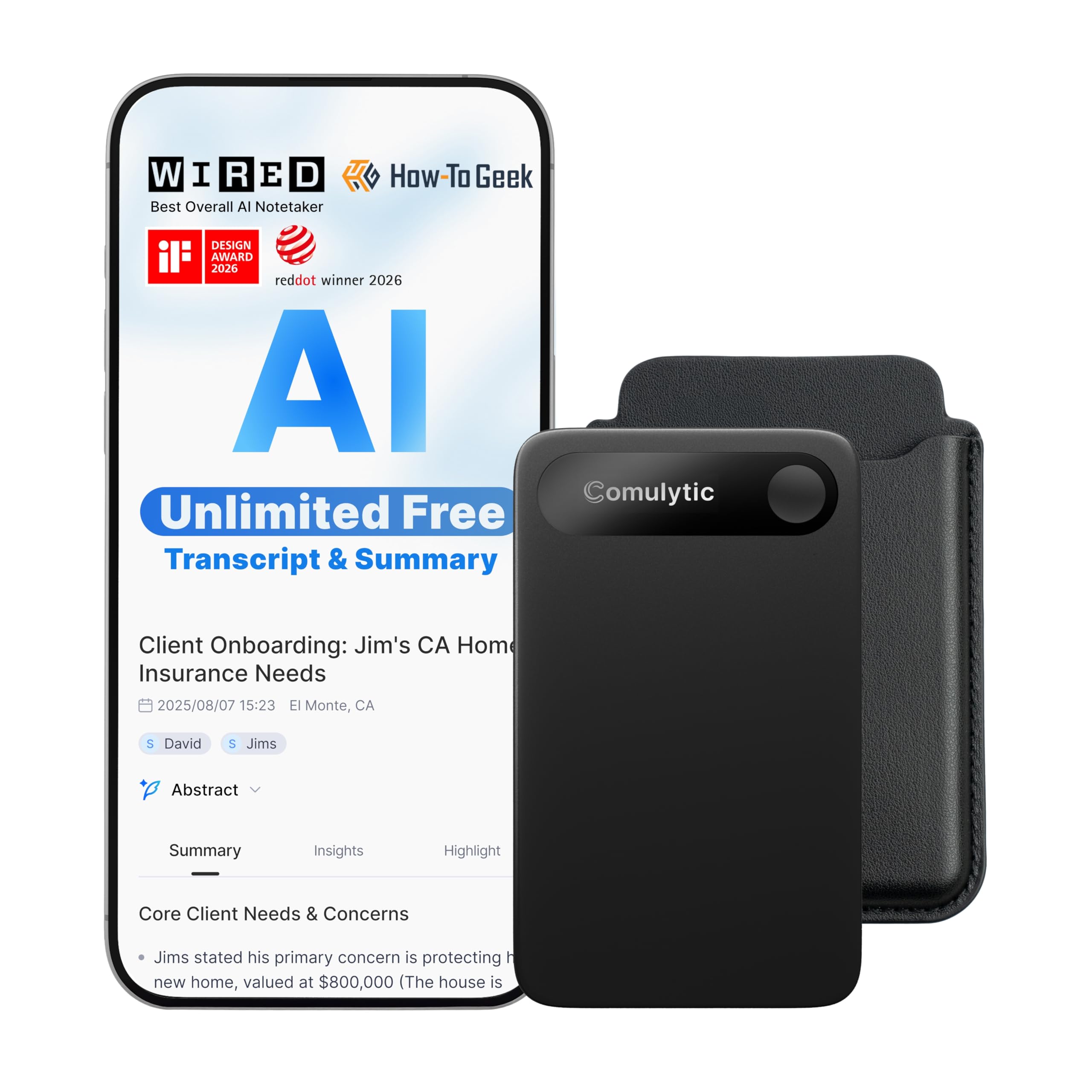
The Comulytic Note Pro is a dedicated voice recording device optimized for journaling through speech. It is not a traditional writing tablet — it captures audio and transcribes it with up to 98% accuracy across 113 languages. The slim 3mm aluminum body includes a 0.78-inch Gorilla Glass display and one-touch recording. This is the best option for journalers who prefer to speak their entries rather than write them.
The triple-mic array with AI noise reduction captures clear audio within 5 meters, even in noisy environments. The free Starter Plan includes unlimited transcription and basic summaries, while the Premium Plan (/mo) adds deep analysis and an AI assistant. Dual connectivity via Wi-Fi and Bluetooth allows real-time sync to the app without interrupting recording.
Battery life reaches 45 hours of continuous recording with 107 days of standby time. The 64GB local storage and unlimited cloud backup ensure no entry is ever lost. If your journaling routine involves long verbal entries, meeting reflections, or lecture capture, this device offers a frictionless transcription pipeline that no pen-based tablet can match.
Why it’s great
- Unlimited free transcription with the Starter Plan
- Up to 98% transcription accuracy across many languages
- 45-hour battery life with 107-day standby
- Slim, credit-card form factor fits in a wallet pocket
Good to know
- No headphones jack for private review of recordings
- Manual can be hard to find online
- Premium features require a paid subscription
8. BOOX Go Color 7 Gen II

The BOOX Go Color 7 Gen II is a full Android 13 E Ink tablet that runs third-party apps like Kindle, Libby, OneNote, and Day One directly on its 7-inch Kaleido 3 screen. The 4GB of RAM and octa-core processor handle app switching better than most E Ink devices, though it is still not a replacement for an LCD tablet for video or web browsing. This device is for journalers who want the eye comfort of E Ink with the flexibility of the Android app ecosystem.
The screen supports active stylus input (InkSense stylus sold separately), with 300 ppi in black-and-white mode and 150 ppi in color mode. Page-turn buttons, auto-rotation, and dual front lights (warm and cold) make reading and writing comfortable in any environment. The microSD card slot supports up to 1TB of extra storage for notebooks and eBooks.
Battery life ranges from one to three weeks depending on usage and app behavior. Ghosting can be managed via the E Ink Center settings with selectable refresh modes. The Android foundation means you can sync notes across platforms using your existing tools, but it also means more complexity than a locked-down notebook. Users comfortable with tweaking settings will find this the most capable journaling platform in a compact size.
Why it’s great
- Full Android 13 allows any journaling app from Google Play
- Page-turn buttons and auto-rotation for flexible use
- Expandable storage up to 1TB via microSD
- Dual front lights for warm/cold temperature control
Good to know
- Active stylus sold separately — not included in box
- Color screen is darker and more muted than LCD tablets
- Battery life is shorter than dedicated E Ink notebooks due to Android apps
9. Huion Note 2-in-1 Digital Notebook

The Huion Note bridges the gap between analog and digital journaling by using a standard A5 paper pad with a digital pen that captures your strokes via Bluetooth 5.0. You write on real paper with real ink, while the app simultaneously builds a vector replica of every page. The pen uses a battery-free EMR nib that never needs charging, and the pen sleeve magnetically secures to the notebook cover.
The mobile app (iOS and Android) organizes notes into folders, supports merging and splitting pages, and offers editing tools like a highlighter for later review. Audio recording syncs with your strokes, so tapping a written word plays back the conversation from that exact moment. You can export pages as images, PDFs, or MP4 files with a single tap.
Battery life reaches 18 hours of active use with 30 days of standby. The included graphics tablet cover lets you convert the device into a standard drawing tablet when connected to a PC via USB. This is the most affordable way to keep a physical paper journal while building a searchable digital archive. The only catch is that pen refills are specific to Huion and can occasionally be hard to find in stock.
Why it’s great
- Write on real paper with real ink while getting a digital copy
- Audio sync links recorded sound to individual written strokes
- Battery-free pen means no charging interruptions
- Also functions as a PC drawing tablet in graphics mode
Good to know
- Only the included pen works with the device — refills are proprietary
- Pen tips have a limited lifespan (around 400 meters of writing)
- Paper quality can be affected by humidity and needs careful storage
FAQ
Is an E Ink device better for journaling than an LCD tablet?
Can the Kindle Scribe export my handwritten journal entries to a computer?
What is the difference between a voice recorder and a paper tablet for journaling?
Do I need a subscription for handwriting search or cloud sync?
Final Thoughts: The Verdict
For most users, the best device for journaling winner is the Like-New Amazon Kindle Scribe because it offers the most writing real estate, a superb 300 ppi display, and the best battery life for extended journaling and reading sessions. If you want an ultraportable device that fits in your pocket, grab the reMarkable Paper Pro Move. And for voice journaling with automatic transcription, nothing beats the Comulytic Note Pro for turning spoken thoughts into searchable text without ever picking up a pen.

Mo Maruf
I created WellFizz to bridge the gap between vague wellness advice and actionable solutions. My mission is simple: to decode the research and give you practical tools you can actually use.
Beyond the data, I am a passionate traveler. I believe that stepping away from the screen to explore new environments is essential for mental clarity and physical vitality.