Our readers keep the lights on and my smoothie glass nicely filled. As an Amazon Associate, I earn from qualifying purchases.
The promise of a centralized family command center collapses the moment the trial ends and the credit card gets charged again. Most smart displays bury their true value behind recurring fees, turning a simple scheduling tool into an ongoing expense. A true digital calendar without subscription delivers real-time sync, chore tracking, and meal planning without asking for a monthly cut — the hardware is the only cost you ever pay.
I’m Mohammad Maruf — the founder and writer behind WellFizz. I’ve spent hundreds of hours comparing smart displays, dissecting their app ecosystems, and verifying which brands lock essential features behind paywalls so you know exactly where your money goes.
For this guide, I evaluated each model based on screen clarity, calendar sync reliability, family-sharing depth, and — most critically — the permanence of its free feature set. The final list covers only devices that keep core scheduling, chores, and meal planning completely free forever.
How To Choose The Best Digital Calendar Without Subscription
Choosing a digital calendar that stays free requires looking past the sticker price. The main trap is that some manufacturers offer a basic free tier but charge for advanced features like multi-user sync, shared grocery lists, or chore reward systems. The guides below focus on the specifications that reveal whether a device locks essential family functions behind a paywall.
Screen Size and Placement
The 10.1-inch models are compact enough for nightstands, desks, or narrow kitchen counters. The 15.6-inch versions offer more readable month-at-a-glance views and double as digital photo frames with greater presence. Consider wall-mount compatibility if you want it to replace a paper wall calendar permanently.
Calendar Sync Depth
Not all sync is equal. Some devices only pull events from one calendar service, while others support Google Calendar, Apple iCloud, and Outlook simultaneously. The best models allow each family member to color-code their own schedule and push changes from the phone app to the display instantly without any fee.
Chore and Reward Systems
If you want to assign tasks to children and track rewards, check whether the app lets you set point totals and redemption rules. Many free-tier calendars offer basic task lists, but the ability to assign tasks to specific people, set recurring chores, and let kids claim rewards is often gated. The products in this guide keep that feature free.
Quick Comparison
On smaller screens, swipe sideways to see the full table.
| Model | Category | Best For | Key Spec | Amazon |
|---|---|---|---|---|
| ApoloSign FA15 | Premium | Full Android ecosystem with voice assistant | 15.6-inch anti-glare display | Amazon |
| Westsee X200 | Premium | Family hub with photo storage | 15.6-inch with 32GB memory | Amazon |
| Herncptar LX-DC10.1 | Mid-Range | Budget-friendly hybrid family calendar | 10.1-inch touchscreen | Amazon |
| Dragon Touch TM10 | Mid-Range | Interactive chores with star rewards | 10.1-inch with color-coded tasks | Amazon |
| YPI 10.1 | Mid-Range | Quick setup family organizer | 10.1-inch IPS HD display | Amazon |
| TIKVITO S101 | Budget | Multi-user scheduling entry level | 10.1-inch Wi-Fi touchscreen | Amazon |
| Mitoart AA | Budget | Simple desk clock with calendar view | 10.1-inch wall or desk mount | Amazon |
In‑Depth Reviews
1. ApoloSign FA15
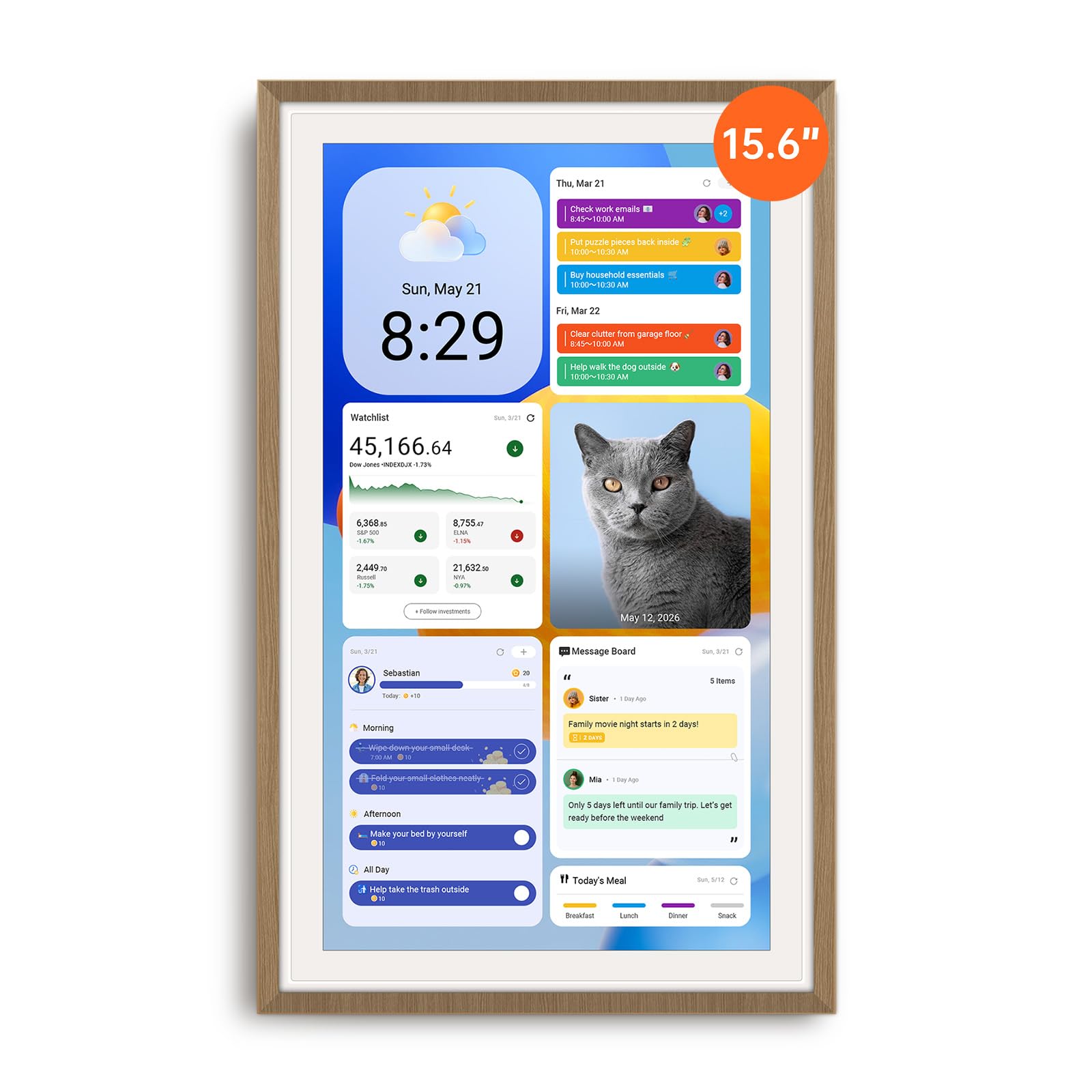
The ApoloSign FA15 is the only device on this list that runs a full Android interface alongside a dedicated calendar mode. You can switch between a clean family calendar view and a fully customizable Android dashboard that supports widgets, apps from Google Play, and the built-in Google Gemini voice assistant. The 15.6-inch anti-glare HD display with auto-brightness adjustment makes it readable from across the room, and the ABS plastic build is surprisingly sturdy — one reviewer reported it survived a 4-foot drop without issue.
Calendar sync covers Google, iCloud, and Outlook out of the box, with color-coded schedules for each family member. The built-in chore chart uses a point-based reward system with a prize wheel feature that kids find motivating. Beyond scheduling, the Android mode opens up apps like Netflix, YouTube, and even live security camera feeds, effectively making this a dedicated family tablet that never asks for a subscription.
The only real constraint is power dependency — it must stay plugged in, and the cable exit limits orientation options when wall-mounted. The Google Gemini integration feels underdeveloped compared to the rest of the feature set, but the core calendar and task functions are rock solid. For families wanting a single screen that does everything without recurring costs, this is the most complete solution available.
Why it’s great
- Full Android mode with Google Play access
- Chore reward system with prize wheel
- Anti-glare 15.6-inch screen
Good to know
- Must stay plugged in at all times
- Cable exit limits rotation options
2. Westsee X200
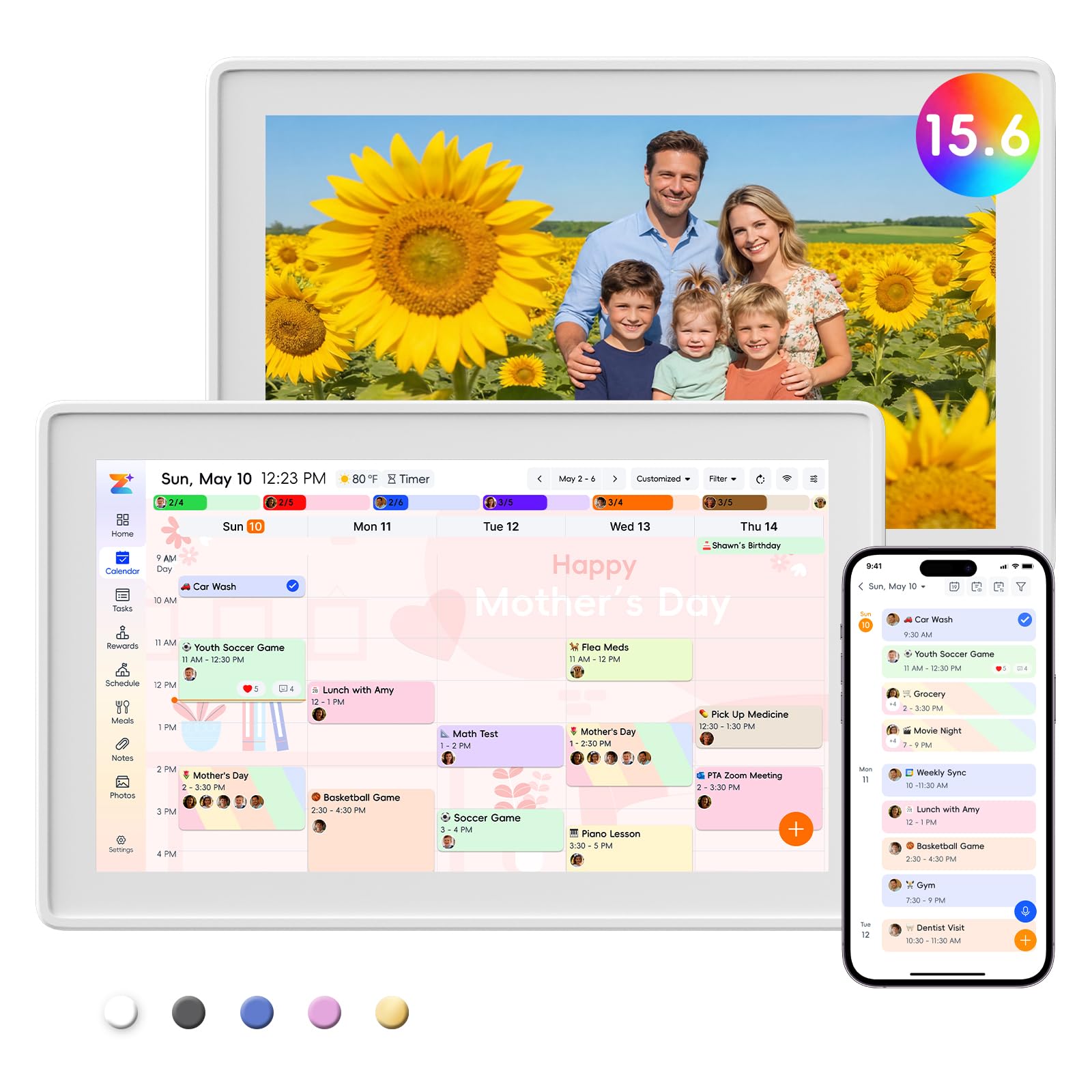
The Westsee X200 brings a generous 15.6-inch display and 32GB of built-in memory for storing thousands of photos and videos without any cloud subscription. The screen is crisp and color-coded entries help everyone see who is responsible for what at a glance. The included wall-mount kit and table stand give you flexible placement options, and the smart sleep mode conserves energy at night without requiring manual intervention.
Calendar sync works with Google, iCloud, and Outlook through the Zical App, and edits made on the device or phone reflect instantly across all platforms. The meal planning and grocery list features are fully functional without any paid upgrades, and the task planner with rewards system lets children earn points for completing chores. Reviewers consistently note that it replaces the need for paper calendars entirely, and many compare it favorably to Hearth and Skylight — but without the subscription fees those brands demand.
The frame does separate slightly when lifted, which can feel less premium than the ApoloSign, and the default sleep mode (10 PM to 6 AM) hides appointments until you tap the calendar icon again. For families who prioritize photo sharing and meal planning over app flexibility, the Westsee offers exceptional value with zero recurring costs attached.
Why it’s great
- 32GB built-in memory for photos
- Works without any subscription
- Wall and desk mount included
Good to know
- Frame separates slightly when lifted
- Sleep mode can hide appointments
3. Herncptar LX-DC10.1
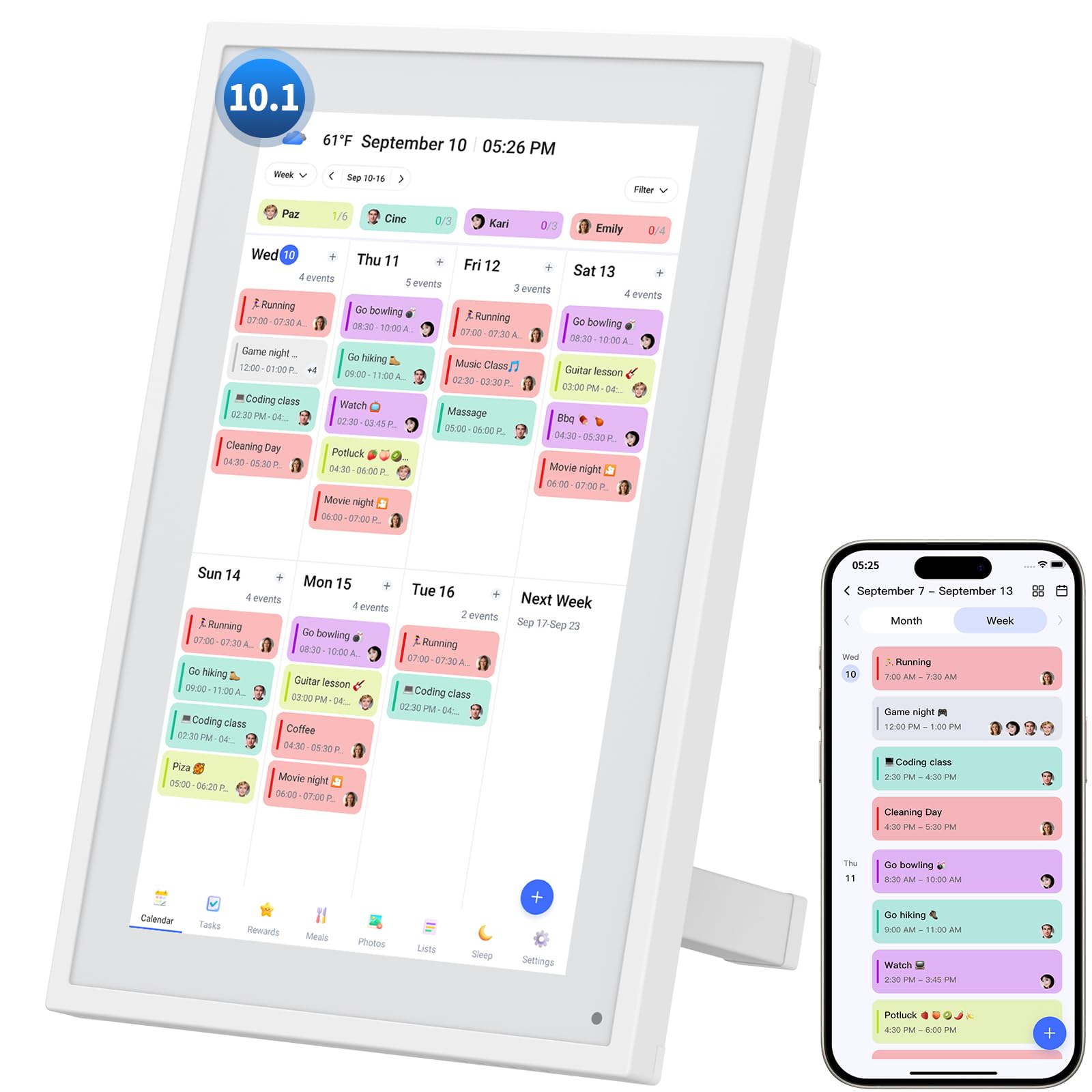
The Herncptar LX-DC10.1 balances a compact 10.1-inch touchscreen with no-cost core features that rival more expensive units. Set up through the free Android app takes minutes, and it syncs seamlessly with Google Calendar, Apple Calendar, and Outlook. The color-coded schedule system supports multiple family members, and the interactive chore chart with reward points turns daily tasks into a game for children — at no extra charge.
Beyond scheduling, the device doubles as a digital photo frame with slideshow mode, and the smart sleep function lets you set automatic on and off times to match your family’s routine. The grocery list and meal planner are fully functional without any premium upgrade, and the responsive touchscreen makes manual event entry straightforward. Reviewers specifically highlight that there is no subscription fee and that the device works great for elderly family members who need medication reminders and photo sharing.
One limitation is that task assignment must be done through the phone app rather than directly on the device, and there is no factory reset option if you need to wipe it clean. The stand is stable but the unit cannot be wall-mounted. For a mid-range device that keeps every important family function free, this is a strong contender.
Why it’s great
- Works with Google, iCloud, and Outlook
- Chore chart with reward points for kids
- Completely free app with no subscription
Good to know
- No wall-mount option
- Tasks assigned only through phone app
4. Dragon Touch TM10

The Dragon Touch TM10 stands out for its interactive chore chart that uses star rewards and an audible chime to celebrate completed tasks. The 10.1-inch touchscreen is responsive, and the eCalendar App allows you to assign different task colors to each family member. The ability to set up a reward system — for example, 10 stars equal a small prize — keeps children engaged without requiring any payment beyond the initial hardware purchase.
Calendar sync works with iOS and Google calendars through the free app, and the device also supports meal planning, grocery lists, and a digital photo frame mode that displays family pictures when idle. The two-year manufacturer warranty provides extra peace of mind compared to most competitors. Reviewers with ADHD and homeschooling families report that the centralized schedule and chore tracking bring noticeable order to chaotic daily routines.
Sync speed can be slower than expected, and assigning tasks to multiple people requires manual edits rather than a batch process. The app does not send automated phone reminders, so you still need to check the display to see upcoming events. For families looking to motivate kids with a visual reward system in a proven, warranty-backed package, the Dragon Touch is a reliable pick.
Why it’s great
- Star reward system with sound effects
- Two-year manufacturer warranty
- Color-coded family member schedules
Good to know
- Syncs slower than some competitors
- No automated phone reminders
5. YPI 10.1
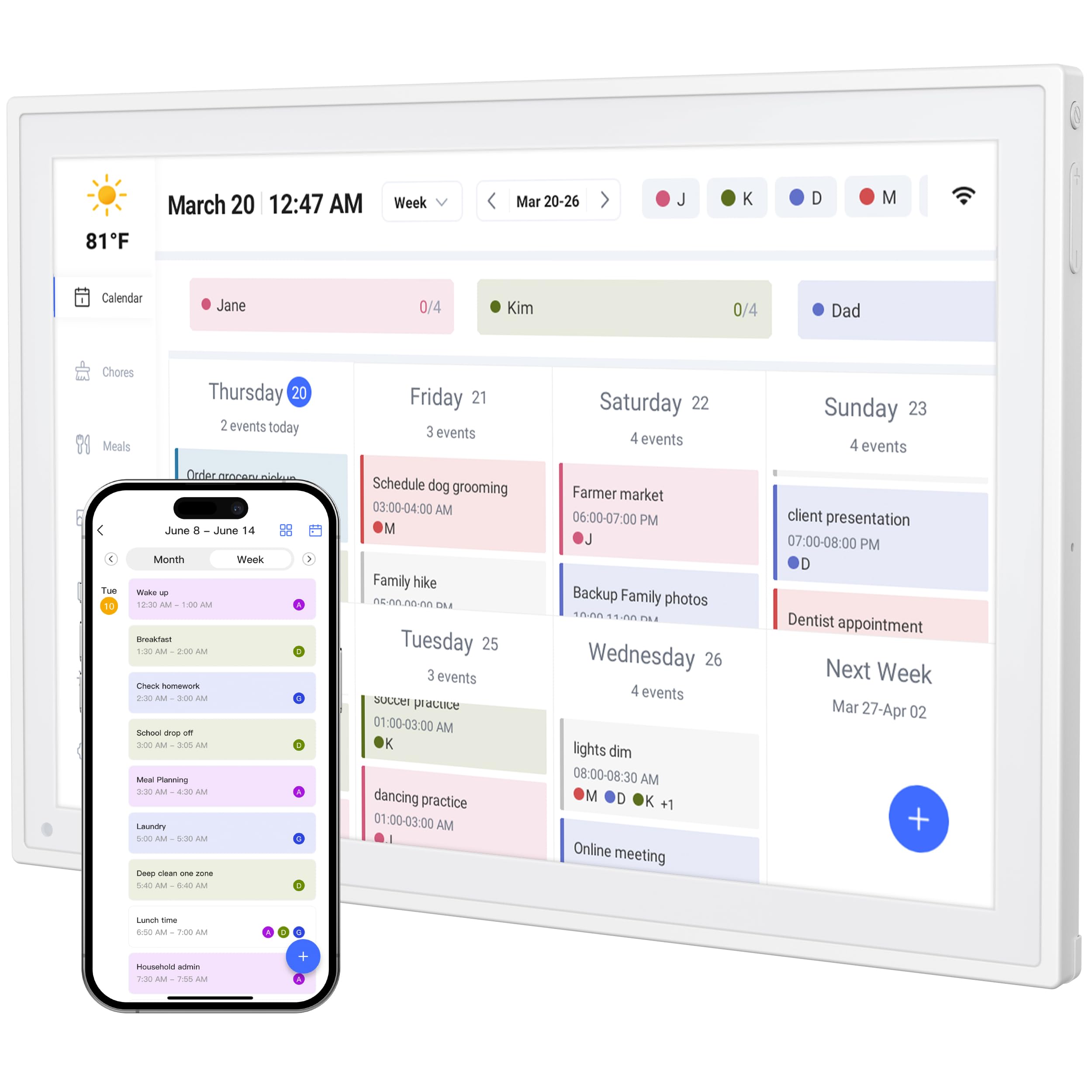
The YPI 10.1 boasts a one-minute setup process — connect to power and Wi-Fi, and the automatic calendar sync begins immediately. The 10.1-inch full HD IPS screen with a 178-degree viewing angle and auto-brightness works well in both direct sunlight and dim kitchens. A built-in silent vibration motor provides discreet reminders for important events, which is a rare feature at this tier and ideal for office or quiet spaces where audible alarms are disruptive.
Multi-device real-time sync keeps schedules updated across phones, tablets, and the display simultaneously. Up to 20 family members can be added with color-coded personal schedules, and the chore chart with points supports both daily and weekly repeat cycles. The adjustable stand supports both landscape and portrait orientation, giving you flexibility for different counter spaces. The free app handles all calendar, task, and list functions without any paid upgrades.
Early software reliability was inconsistent — some buyers initially experienced sync failures and app crashes, though subsequent updates seem to have resolved the issues. The 10-inch screen is adequate but won’t replace a full view of the month. For buyers who want the fastest possible unboxing-to-use experience and a vibration alert feature, the YPI delivers.
Why it’s great
- Vibration alert for quiet reminders
- Setup in under one minute
- Supports up to 20 family members
Good to know
- Early units had sync reliability issues
- 10-inch screen shows limited month view
6. TIKVITO S101
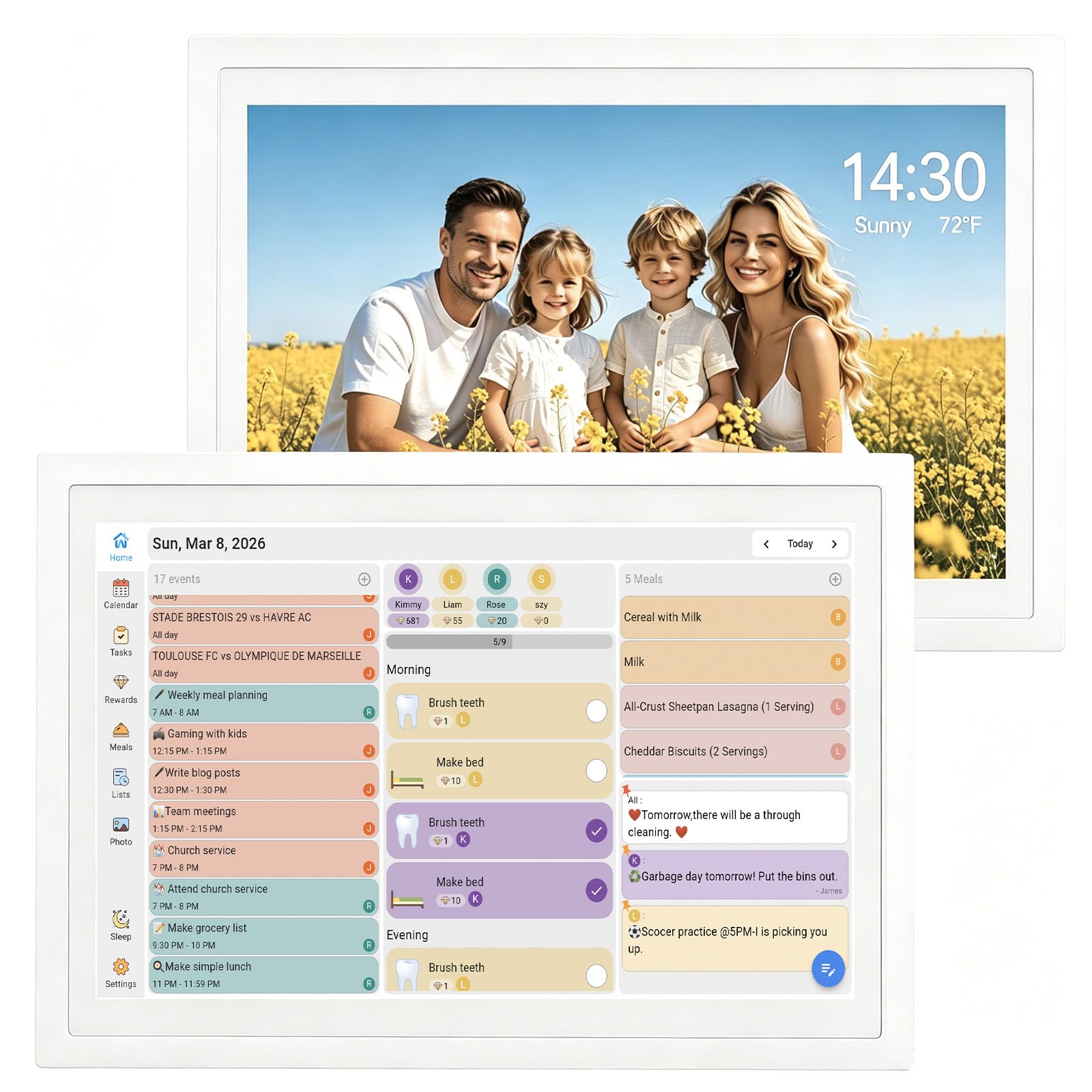
The TIKVITO S101 is the most affordable true digital calendar on this list that still supports multi-user scheduling and photo uploads without a subscription. The 10.1-inch touchscreen syncs with Google, iCloud, and Outlook, and the built-in chore tracker lets parents assign tasks and monitor progress from their phone. Kids earn points for completing chores, which can be redeemed for small rewards — a feature that usually requires premium access on other platforms.
Meal planning and grocery lists sync automatically across the whole family, and the device automatically enters a photo slideshow screensaver mode when idle. The real-time local weather display and auto-sleep energy-saving mode add convenience without complexity. The plastic build keeps weight down to 1.44 pounds, making it easy to move between rooms, and setup is straightforward enough that a teenager can handle it.
The screen is noticeably smaller than the 15.6-inch premium units, measuring roughly the size of an iPad Mini. Some users may find the text density difficult to read from across a room. The one-year warranty is shorter than the two-year coverage offered by Dragon Touch. For budget-conscious buyers who need core family calendar functions and photo sharing without any monthly fee, the TIKVITO is the entry point.
Why it’s great
- Synced chore chart with reward points
- Photo slideshow when idle
- Real-time local weather display
Good to know
- Screen smaller than expected (iPad Mini size)
- One-year warranty
7. Mitoart AA
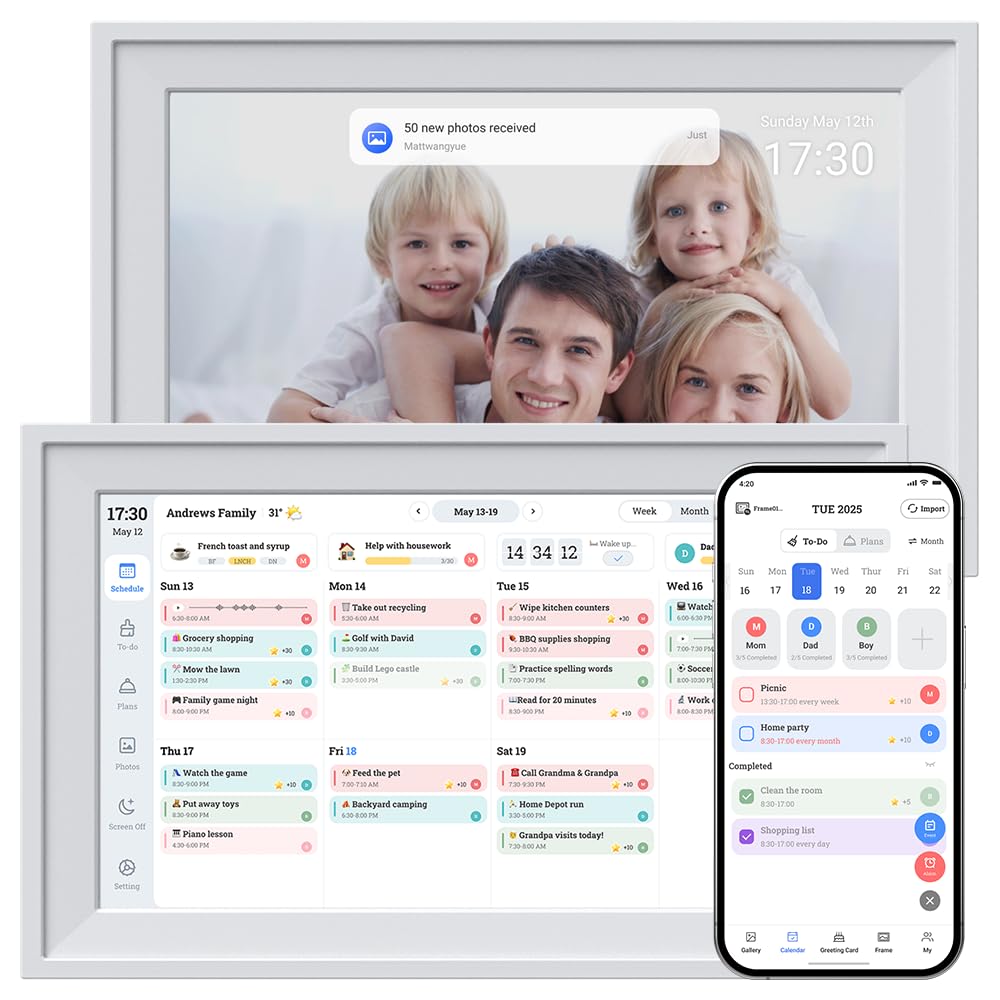
The Mitoart AA is a different kind of device than the others in this guide — it functions primarily as a large digital clock with calendar readout rather than a full interactive family planner. The 10.1-inch IPS display shows the date, day of the week, time, and AM/PM indicator in large, high-contrast text that is exceptionally readable from across the room. The plug-and-play setup connects to Wi-Fi and automatically syncs your calendar in minutes through the FotoCube app, with no ongoing fees.
This model is particularly well-suited for seniors or individuals with dementia who need a clear, simple display that reduces confusion. The adjustable brightness and auto-dimming prevent it from being disruptive at night, and the wall-mount option allows for permanent placement in a hallway or kitchen. The lightweight 0.58-pound build makes it the easiest to install among all the options listed. Multiple display modes include a large time-only view and a calendar-integrated layout.
The remote control only works within 2 to 4 feet, which limits the usefulness of the alarm feature for remote caretaker scenarios. Font color options are limited to white and yellow, and the menu system is small enough that initial setup may require patience. This device excels as a simple, subscription-free visual aid for remembering the date and day, but it will not replace a full chore chart or meal planner.
Why it’s great
- Large, high-contrast text for visual impairment
- Plug-and-play setup with no subscription
- Lightweight wall-mountable design
Good to know
- Remote control range only 2-4 feet
- No chore or meal planning features
FAQ
Do any of these digital calendars require a subscription later?
Can I use a digital calendar without a smartphone?
Which screen size is better for a busy family kitchen?
Can these devices replace a paper wall calendar completely?
Final Thoughts: The Verdict
For most users, the digital calendar without subscription winner is the ApoloSign FA15 because it combines a large 15.6-inch anti-glare display with a full Android interface that gives you access to any app, all while keeping its scheduling and chore features permanently free. If you want a dedicated family hub with 32GB of photo storage and no app distractions, grab the Westsee X200. And for a simple, clear calendar display that helps elderly relatives remember the day and date without any complexity, nothing beats the Mitoart AA.

Mo Maruf
I created WellFizz to bridge the gap between vague wellness advice and actionable solutions. My mission is simple: to decode the research and give you practical tools you can actually use.
Beyond the data, I am a passionate traveler. I believe that stepping away from the screen to explore new environments is essential for mental clarity and physical vitality.