Our readers keep the lights on and my smoothie glass nicely filled. As an Amazon Associate, I earn from qualifying purchases.
A digital art tablet is the single most personal tool a visual creator buys — the feel of the surface, the lag of the cursor, the resistance of the nib all directly shape the quality of every line you lay down. Whether you are a professional illustrator switching between Photoshop and Clip Studio Paint or a student drawing in ibisPaint X for the first time, the decision comes down to one question: do you need a standalone tablet with an integrated screen, or do you prefer a lightweight pen tablet that connects to your existing computer?
I’m Mohammad Maruf — the founder and writer behind WellFizz. I’ve spent hundreds of hours cross-referencing pressure sensitivity levels, laminated display specs, color gamut coverage, driver compatibility with Windows, macOS, Android, and Linux, and real-user reviews to build this guide around what matters most for actual drawing performance.
This guide distills thousands of customer experiences into a clear, category-specific breakdown of the very best digital art tablet models available right now, organized by value tier and use case so you can match the hardware to your workflow without getting lost in marketing claims.
How To Choose The Best Digital Art Tablet
Buying a digital art tablet means weighing your drawing style, your computer setup, and your tolerance for setup complexity. The wrong choice leads to frustration — either weak pressure response that makes lines feel stiff, or a display too small to see detail. Here are the critical factors to evaluate.
Pen Display vs Pen Tablet
A pen display lets you draw directly on a screen, giving you an intuitive eye-hand connection that feels more like traditional media. A pen tablet is a touch-sensitive pad without a screen — you draw on the pad while looking at your computer monitor. Pen tablets are lighter, cheaper, and better for ergonomics because you can sit upright, but they require a period of hand-eye coordination adjustment. Beginners often find pen displays more natural, while professionals sometimes prefer pen tablets for reduced neck strain during long sessions.
Pressure Sensitivity and Initial Activation Force
The industry standard was 8192 levels for years, but newer pens now reach 16384 levels — a difference most noticeable in very light feathering strokes and smooth tapering. Just as important is the initial activation force (IAF), measured in grams. A lower IAF (2g or less) means the pen registers the faintest touch, critical for delicate shading. High IAF (5g or more) can make line starts feel jumpy or require intentional pressure before anything appears.
Screen Quality: Lamination, Color Gamut, and Resolution
Full lamination eliminates the air gap between the glass and the LCD panel, reducing parallax so the cursor sits directly under the nib — essential for precision line work. Anti-glare etched glass cuts reflections and adds a paper-like drag. For color-critical work, look for 99% sRGB as a baseline and Delta E under 2 for accuracy. Resolution on pen displays should be at least 1920×1080 at 13 inches; at larger sizes (21.5 inches and up), QHD (2560×1440) makes a visible difference in detail clarity.
Standalone vs Tethered Operation
A tethered tablet (pen display or pen tablet) must connect to a computer or smartphone via USB-C or HDMI to function — it has no internal processor or battery. The advantage is lower cost and no worry about obsolescence. A standalone Android tablet has its own operating system, processor, storage, and battery. You can draw anywhere without a computer, run apps like Clip Studio Paint or SketchBook directly on the device, and use it as a general-purpose Android tablet for browsing, email, and media. The trade-off is higher cost, lower long-term upgrade flexibility, and sometimes weaker performance with very complex brush engines compared to a desktop-class computer.
Quick Comparison
On smaller screens, swipe sideways to see the full table.
| Model | Category | Best For | Key Spec | Amazon |
|---|---|---|---|---|
| XP-Pen Artist Pro 22 Gen2 | Pen Display | Studio professionals needing large QHD color-accurate workspace | 21.5″ 2560×1440, 99% Adobe RGB, Delta E<1 | Amazon |
| Wacom MovinkPad 11 | Standalone Android | Mobile artists who want a battery-free stylus and no computer needed | 11.45″ anti-glare etched glass, 8192 levels, Android 14 | Amazon |
| Wacom Intuos Pro Medium (2025) | Pen Tablet | Professionals wanting premium pen feel on a durable pad | Active area 8.7×5.8″, 8192 levels, Bluetooth 5.3 | Amazon |
| XP-PEN Artist 13.3 Pro V2 | Pen Display | Artists wanting 16K pressure at a mid-range price | 13.3″ FHD, 16384 levels, 95% P3 color | Amazon |
| XPPen Artist13.3 Pro V2 (Upgraded) | Pen Display | Users wanting dual-mode (display/tablet) with red dial shortcuts | 13.3″ FHD, 16384 levels, full lamination with AG film | Amazon |
| HUION Kamvas 13 (Gen 3) | Pen Display | Budget-conscious artists wanting a screened tablet with dual dials | 13.3″ FHD, 16384 levels, 99% sRGB, 2g IAF | Amazon |
| PicassoTab A10 | Standalone Android | Beginners and students wanting a pre-loaded, all-in-one kit | 10″ 2000×1200, 4096 levels, Android 14, 6GB RAM | Amazon |
| Frunsi T8 | Standalone Android | Beginners wanting a simple standalone tablet with detachable keyboard | 8″ 1200×800, 2048 levels, Android 13, 4GB RAM | Amazon |
| HUION Inspiroy 2 Large | Pen Tablet | Budget buyers wanting a large active area and scroll wheel | 10.5×6.56″ active area, 8192 levels, battery-free pen | Amazon |
In‑Depth Reviews
1. XP-Pen Artist Pro 22 Gen2

The Artist Pro 22 Gen2 is a large-format pen display built for color-critical production work. The 21.5-inch ADS-IPS panel delivers 2560×1440 resolution (137 PPI), which gives you noticeably sharper text and finer detail than a standard 1080p display at the same size — useful when working with complex layered files without constant zooming.
Color performance is Calman Verified with Delta E under 1 across 99% Adobe RGB, 99% sRGB, and 94% DCI-P3 coverage. The full-laminated AG Nano Etched Glass eliminates parallax and cuts glare, while the included ACS02 stand adjusts from 15 to 88 degrees with one hand. The X3 Pro stylus delivers 16384 pressure levels, 60-degree tilt, and felt nibs that add paper-like drag.
The wireless ACK05 Keydial adds 40 programmable keys plus a physical dial, which streamlines shortcuts for programs like Blender and Photoshop without taking up desk space. A few early units reported USB-C connectivity issues, though later driver updates have resolved most cases. For professionals who need a large, accurate canvas with expandable shortcut control, this is the strongest package at this size.
Why it’s great
- Calman-verified Delta E<1 color accuracy across Adobe RGB and sRGB
- Wireless Keydial with 40 customizable keys and a tactile dial
- AG Nano Etched Glass reduces glare and provides a paper-like surface feel
Good to know
- Some users reported USB-C display connection issues out of the box
- Heavy at over 12 pounds — not a portable option
- Color accuracy may require manual calibration on some Mac systems
2. Wacom MovinkPad 11

The MovinkPad 11 is Wacom’s first standalone Android drawing tablet, and it solves a long-standing problem: you get Wacom’s industry-leading pen tech without needing a computer. The 11.45-inch anti-glare etched glass screen mimics traditional paper texture, and the battery-free slim Pro Pen 3 delivers 8192 pressure levels with three customizable buttons and replacement nibs stored in the pen barrel.
Under the hood, it runs Android 14 with 8GB RAM and 128GB of storage, plus 2 years of Clip Studio Paint Debut and the Wacom Canvas app pre-installed. The Quick Draw feature lets you tap the pen to the screen and instantly start sketching in Wacom Canvas — no app hunting or file management needed. The tablet is lightweight at 1.3 pounds and fits easily in a bag.
The matte screen reduces reflections significantly outdoors or under bright studio lights, and palm rejection works reliably across all major drawing apps. The processor handles standard drawing and sketching smoothly, but heavy filter effects and large watercolor brush engines in Clip Studio can cause slowdown. For artists who want a true sketchbook experience with premium pen feel and no computer tether, the MovinkPad 11 delivers in a compact, portable form.
Why it’s great
- Battery-free Pro Pen 3 with 8192 levels and felt nibs for paper feel
- Quick Draw lets you start sketching instantly from sleep with a single pen tap
- Lightweight (1.3 lbs) and portable with an anti-glare etched glass display
Good to know
- Processor can lag with heavy brush effects and large file filters
- No headphone jack — audio requires Bluetooth or USB-C
- Limited third-party case options currently available
3. Wacom Intuos Pro Medium (2025)

The Intuos Pro Medium (2025 edition) refines Wacom’s pen tablet formula with a magnesium-alloy body that is only 4mm thick at its thinnest point, yet feels substantially more durable than plastic alternatives. The active area measures 8.7 by 5.8 inches in a 16:9 aspect ratio that matches modern multi-monitor setups, and the tablet sits with a small footprint of 11.5 by 8.1 inches.
The Pro Pen 3 offers 8192 pressure levels, tilt support, and a customisable grip and button layout — you can swap the straight barrel for a slim or flared grip and adjust the weight balance. Ten ExpressKeys and two mechanical dials at the top of the tablet give you tactile control over brush size, zoom, canvas rotation, and layer navigation without reaching for the keyboard. Bluetooth 5.3 connects wirelessly to multiple computers with a simple switch, and the battery lasts all day on a single charge.
Surface texture provides a smooth, low-friction glide that feels close to pen on high-quality paper. Users on macOS report flawless Bluetooth performance and seamless driver integration, while some Windows 11 users have experienced intermittent connection drops. The lack of touch sensitivity on this generation may disappoint some who relied on gestures, but for pure pen performance and build quality, this remains the professional pen tablet benchmark.
Why it’s great
- Magnesium-alloy chassis is thin, light (14.56 oz), and highly durable
- Pro Pen 3 with customizable grip, weight balance, and interchangeable button layouts
- Dual mechanical dials plus 10 ExpressKeys for efficient shortcut workflow
Good to know
- No touch gesture support on this generation
- Some Windows 11 users report Bluetooth disconnection issues
- Premium pricing compared to similar-sized pen tablets from competitors
4. XP-PEN Artist 13.3 Pro V2
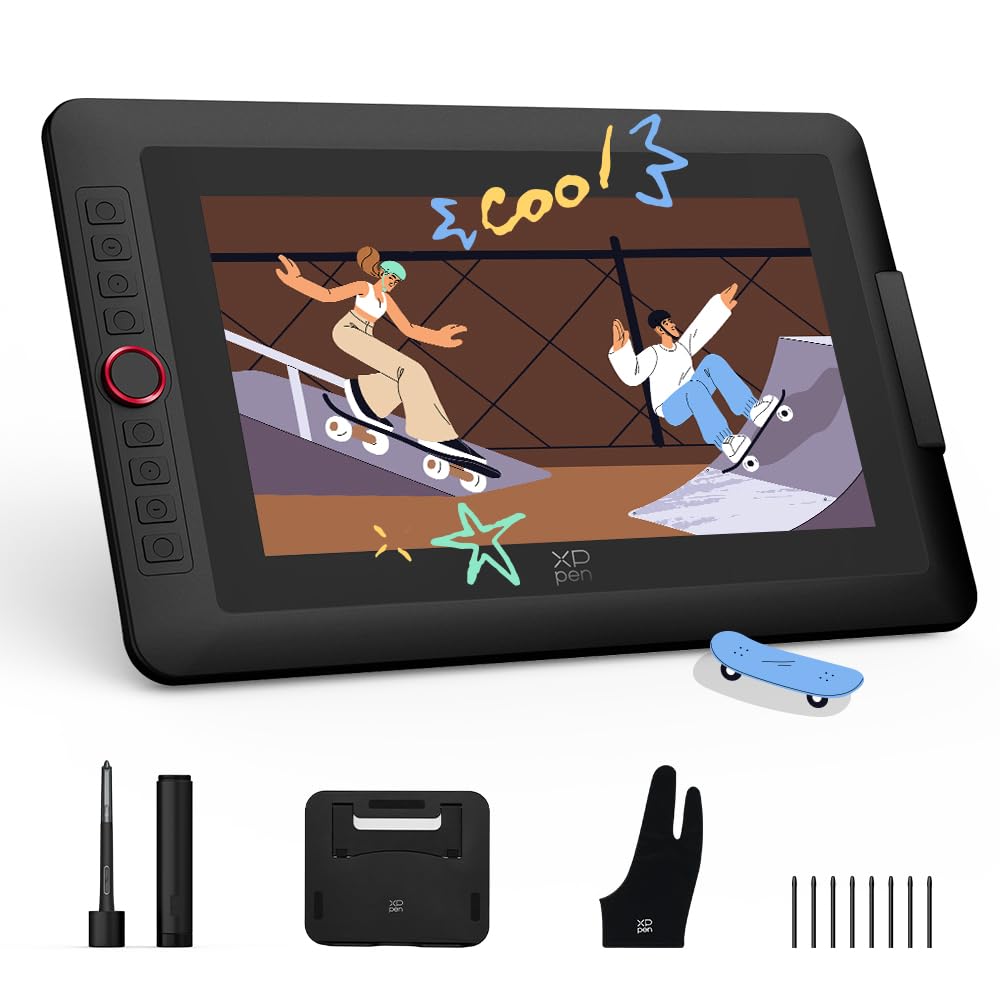
The Artist 13.3 Pro V2 brings the world-first 16384-level X3 Pro smart chip stylus to a 13.3-inch pen display at a mid-range price point. The fully laminated 1920×1080 IPS screen eliminates parallax, and the included anti-glare film provides a textured drawing surface that reduces glare. Color coverage reaches 95% DCI-P3, 99% sRGB, and 89% Adobe RGB — strong numbers for a display at this tier.
The pen features an ultra-low initial activation force of roughly 2g, which means the faintest brush stroke registers immediately. A digital eraser on the pen tail lets you flip to erase naturally, and the 60-degree tilt support enables shading and angled line variation. The red dial roller and 8 customizable express keys provide quick access to brush size, zoom, undo, and other frequent actions without breaking your workflow.
A metal back panel helps dissipate heat during long sessions, keeping the screen cool. The tablet supports dual-mode operation — you can toggle between pen display mode and pen tablet mode (screen off), which saves laptop battery when traveling. Setup requires a firmware update on Windows or Mac before full functionality works on Chromebooks and Android devices, which is an extra step that may frustrate less technical users. Once configured, the pen feel and color accuracy rival displays costing significantly more.
Why it’s great
- Industry-first 16384 pressure levels with ultra-low 2g IAF for delicate control
- Full lamination with anti-glare film eliminates parallax and reduces reflections
- Dual-mode operation (pen display or pen tablet) extends laptop battery life
Good to know
- Firmware update required before Chromebook and Android buttons function
- 3-in-1 cable needed for non-USB-C DP1.2 devices (sold separately)
- Screen brightness rated at 250 cd/m² may feel dim in brightly lit rooms
5. XPPen Artist13.3 Pro V2 (Upgraded)

This upgraded variant of the Artist 13.3 Pro V2 refines the formula with a full-laminated AG (anti-glare) film that cuts reflections more aggressively than standard matte coatings, making it a strong choice for artists working in rooms with overhead lighting or windows. The 13.3-inch IPS panel delivers 1920×1080 resolution with 99% sRGB, 89% Adobe RGB, and 95% DCI-P3 coverage — essentially identical to the standard V2 but with better surface treatment.
The X3 Pro smart chip stylus again offers 16384 pressure levels, 60-degree tilt, and a 90ms initial response rate, which feels snappier than earlier generations. The red dial Quick Key simplifies zoom, brush size, and canvas navigation, while 8 customizable express keys sit within easy reach. Both the dial and keys are fully programmable through the updated driver interface, which includes preset profiles for Photoshop, Clip Studio Paint, Blender, Krita, and more.
The included S01 foldable stand offers solid stability and 90-degree angle adjustment, promoting better posture during long drawing sessions. The tablet is compatible with Windows, macOS, ChromeOS, Android (USB3.1 DP1.2), and Linux with driver support. Some users report that the pen can scratch the screen over time, so an additional screen protector is a worthwhile investment. For artists who prioritize shortcut control and a glare-free display in a compact 13-inch pen display, this is a refined and well-rounded option.
Why it’s great
- AG film provides superior anti-glare performance compared to standard matte coatings
- Red dial and 8 keys offer extensive shortcut control with driver presets for major apps
- Includes S01 foldable stand with 90-degree angle range for ergonomic positioning
Good to know
- Pen nibs may scratch the screen over time — a screen protector is recommended
- Lacks touchscreen functionality for gesture-based navigation
- Some users report pen misalignment when using dual monitors at different resolutions
6. HUION Kamvas 13 (Gen 3)

The Kamvas 13 Gen 3 is HUION’s most competitive entry-level pen display, combining a fully laminated 13.3-inch screen with the new anti-sparkle Canvas Glass 2.0 that reduces glare and provides a subtle paper-like texture. The 1920×1080 IPS panel covers 99% sRGB with an average Delta E under 1.5, and each unit ships with a factory calibration report — a level of quality assurance uncommon at this price tier.
PenTech 4.0 delivers 16384 pressure levels with a 2-gram initial activation force, which means the pen responds to the lightest touch. The PW600L stylus has three customizable side buttons and includes a pen holder with 10 replacement nibs. Two physical dials, similar to a scroll wheel, sit on either side of the tablet, and five programmable press keys sit between them. This dual-dial setup gives you fast access to brush size and zoom on one hand while leaving the other hand free for keyboard shortcuts.
The ST300 adjustable stand is included in the box and offers a solid base with multiple viewing angles. The tablet connects via a 3-in-1 cable (HDMI, USB-A, power) or a single USB-C cable if your device supports USB3.1 GEN1 with DP1.2. The screen brightness is rated at only 200 nits, which is noticeably dimmer than the 250-nit average of competing models — working near a bright window or in direct overhead light may wash out the display. For artists on a tight budget who still want a full laminated pen display with dual-dial controls, this is the best value option available.
Why it’s great
- Factory-calibrated color with Delta E<1.5 and 99% sRGB coverage
- Two physical dials and 5 programmable keys for efficient workflow control
- Included ST300 adjustable stand and full lamination at a competitive price point
Good to know
- Screen brightness is 200 nits — dimmer than most competitors
- 3-in-1 cable connection is bulkier than single USB-C on rival models
- No touch functionality and the tablet can get warm on the port side after extended use
7. PicassoTab A10
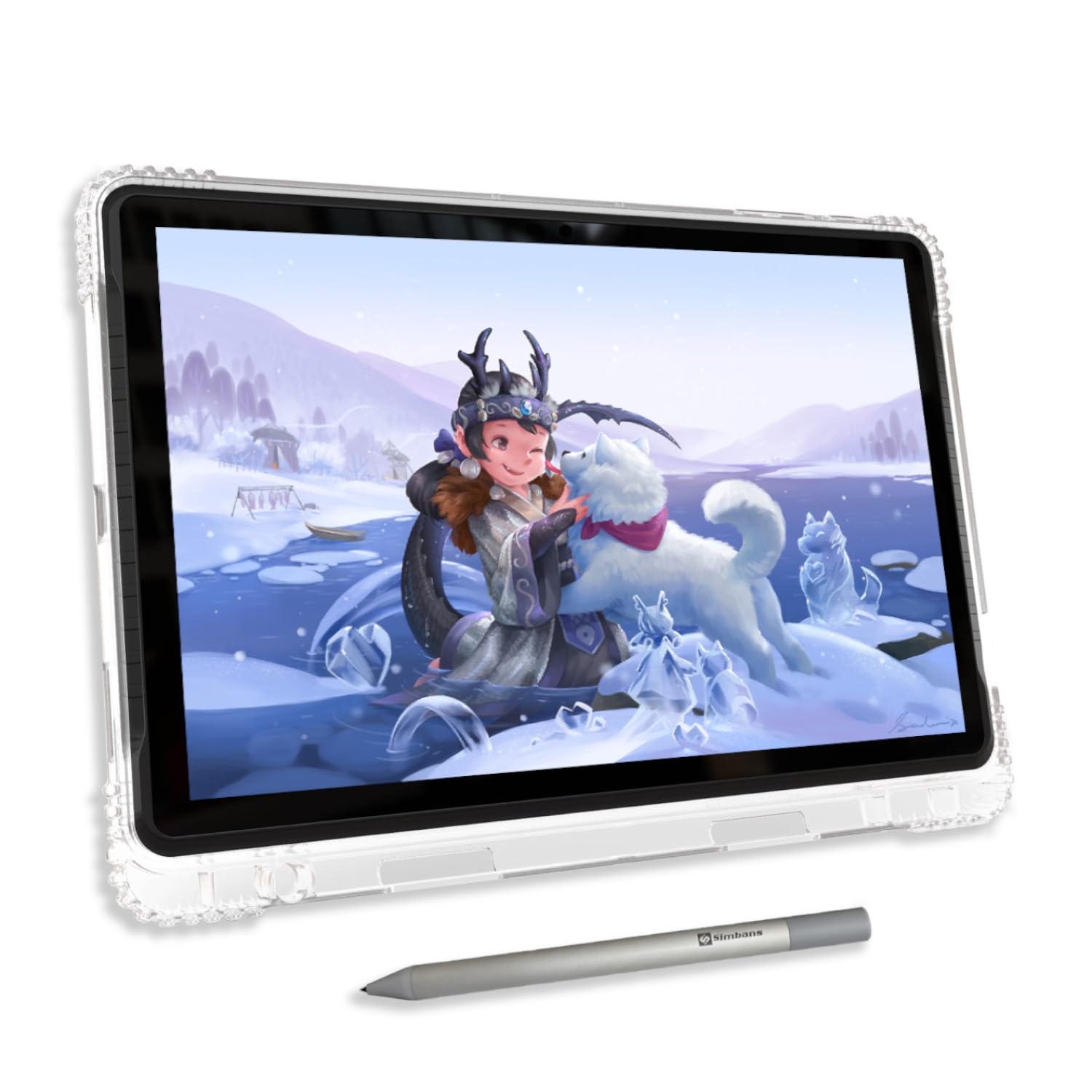
The PicassoTab A10 is a standalone Android drawing tablet designed specifically for beginners, students, and young artists. The 10-inch fully laminated IPS HD display runs at 2000×1200 resolution, which offers noticeably sharper text and interface elements than the 1200×800 panels found on cheaper standalone tablets. The full lamination reduces parallax significantly, making cursor placement feel more natural than on non-laminated Android tablets.
The Picasso Pen 3 provides 4096 pressure levels with palm rejection, and the screen’s anti-glare finish improves visibility in varied lighting. Out of the box, the tablet comes pre-installed with Concepts (Lifetime PRO upgrade), Infinite Painter, and FlipaClip — three serious creative apps that cover sketching, painting, and 2D animation. The Artixo Lifetime VIP tutorials provide structured step-by-step lessons, which is a genuine help for absolute beginners who don’t know where to start.
Performance comes from an octa-core CPU with 6GB RAM and 128GB storage, expandable to 1TB via microSD. The included accessory kit is comprehensive: a case, screen protector, stylus with AAAA battery, charger, USB cable, and cleaning cloth. The default nib is somewhat hard and may leave micro-scratches on the screen over time, so using the included screen protector from day one is wise. For a young artist or complete beginner who wants everything in one box with no separate computer required, the A10 is the most complete package at this price.
Why it’s great
- Fully laminated 2000×1200 IPS display with anti-glare finish reduces parallax
- Lifetime PRO upgrade for Concepts, plus Infinite Painter and FlipaClip included
- Comprehensive accessory kit includes case, screen protector, pen, and charger
Good to know
- Default pen nib is hard and may scratch the screen without a protector
- Third-party case options are very limited
- Storage includes a single AAAA battery for the pen — plan for replacements
8. Frunsi T8

The Frunsi T8 is a small 8-inch standalone Android drawing tablet aimed at beginners and younger artists who want a portable, all-in-one device without spending heavily. The 1200×800 IPS display is smaller than most dedicated drawing tablets, but its compact size makes it easy to carry in a small bag or backpack. The removable keyboard adds versatility for note-taking and typing tasks, though the drawing experience relies entirely on the included stylus and the tablet’s touchscreen.
Powered by an octa-core CPU, 4GB RAM, and 64GB storage (expandable to 256GB), the T8 runs Android 13 and handles apps like SketchBook, ArtFlow, and ibis Paint X at a basic level. The 4000mAh battery delivers roughly 3.5 hours of active drawing in SketchBook — enough for a study session but short of the all-day endurance some standalone tablets promise. The stylus offers 2048 pressure levels, which is sufficient for casual sketching and note-taking but noticeably less responsive than the 4096-level pens on the PicassoTab A10 or the premium Wacom models.
Users report slight drawing lag and diagonal line jitter visible with slow, deliberate strokes, though smoothing settings in most drawing apps help mitigate this. The tablet includes a screen protector, cleaning cloth, and a magnetic stand in the box, and customer service from Frunsi has been noted as responsive and helpful with warranty replacements. For the absolute lowest entry price into standalone Android drawing, the T8 works — but serious artists will quickly outgrow its pressure range and performance ceiling.
Why it’s great
- Standalone Android tablet with detachable keyboard — no computer needed
- Compact 8-inch form factor is highly portable and easy to pack
- Customer service is responsive and helpful with warranty issues
Good to know
- Only 2048 pressure levels — low by modern standards
- Battery life is around 3.5 hours during active drawing
- Noticeable diagonal jitter and lag with slow strokes in drawing apps
9. HUION Inspiroy 2 Large

The Inspiroy 2 Large is a pen tablet — no screen — designed for artists who already have a monitor and want a large active area without spending on a display. The 10.5 by 6.56-inch drawing surface provides generous room for sweeping arm movements and detailed work, while the tablet itself remains slim and lightweight at 1.2 pounds for easy transport in a laptop bag.
The PW110 battery-free stylus uses PenTech 3.0, offering 8192 pressure levels with no noticeable lag or wobble during normal drawing speeds. The pen body is slimmer than previous HUION models, with a soft silicone grip and easily accessible side buttons. An integrated scroll wheel and 3 sets of 8 programmable press keys give you extensive shortcut control — you can map different shortcuts for Photoshop, Clip Studio Paint, and Krita, and switch between sets with a single button.
Setup is straightforward via USB-C, with driver support for Windows, macOS, Linux, and Android devices (OS 6.0 or later). Some users note that the Huion driver software on Linux only maps tablet buttons to the left third of the screen, and the pen sensitivity has a dead zone in the first 1-40% of pressure that requires software compensation. For a budget-friendly pen tablet with a large active area and extensive shortcut customization, the Inspiroy 2 Large is a solid performer that scales well as your skills grow.
Why it’s great
- Large 10.5×6.56-inch active area for broad, fluid strokes
- Battery-free stylus with 8192 pressure levels and silicone grip
- Scroll wheel and 3 sets of 8 programmable keys for app-specific shortcuts
Good to know
- Pen has a noticeable pressure dead zone in the lowest 1-40% range
- Linux driver maps tablet buttons only to the left third of the screen
- Uses Micro-B connection instead of USB-C on some units
FAQ
What pressure sensitivity level do I need for professional illustration?
Can I use a digital art tablet with an Android phone or tablet?
Is a battery-free stylus better than a rechargeable one?
Final Thoughts: The Verdict
For most users, the digital art tablet winner is the XP-PEN Artist 13.3 Pro V2 because it combines 16384 pressure levels, full lamination, strong color accuracy, and intuitive dual-mode functionality at a mid-range price that outperforms many more expensive competitors. If you want a standalone tablet that frees you from the computer entirely, grab the Wacom MovinkPad 11 — its battery-free Pro Pen 3 and anti-glare etched glass provide the most premium portable drawing experience available. And for a professional studio setup with color-critical accuracy, nothing beats the XP-Pen Artist Pro 22 Gen2, whose Calman-verified Delta E under 1 and wireless Keydial make it the definitive choice for serious production work.

Mo Maruf
I created WellFizz to bridge the gap between vague wellness advice and actionable solutions. My mission is simple: to decode the research and give you practical tools you can actually use.
Beyond the data, I am a passionate traveler. I believe that stepping away from the screen to explore new environments is essential for mental clarity and physical vitality.