Our readers keep the lights on and my smoothie glass nicely filled. As an Amazon Associate, I earn from qualifying purchases.
The challenge is real: you have a phone full of candid grandkid moments, but your parents or grandparents live hours away, don’t use social media, and miss seeing those everyday faces. A static frame holding one dusty photo from a decade ago doesn’t bridge that gap. The right device changes that — it becomes a daily window to your life, updating in real time without any technical effort on their part.
I’m Mohammad Maruf — the founder and writer behind WellFizz. I’ve spent hundreds of hours analyzing the technical specifications, app ecosystems, and real-world usability of digital frames, specifically focusing on what makes a frame genuinely accessible and reliable for an older user.
Finding the right best digital picture frame for seniors means looking beyond screen size to focus on setup simplicity, a responsive touch interface, and a seamless sharing ecosystem that doesn’t require a tech manual to operate.
How To Choose The Best Digital Picture Frame For Seniors
Not every frame marketed as “easy setup” actually delivers a simple experience for someone who isn’t comfortable with smartphones. The frames in this guide were selected based on two critical criteria: the recipient should never need to handle WiFi passwords after the initial setup, and the sender should be able to add photos without asking for permission codes every time.
App Ecosystem and Remote Sharing
The Frameo app is the gold standard in this category because it generates a permanent one-time connection code. You input it once, and every photo you send from your phone appears on the frame instantly. No logins, no cloud accounts, no subscription fees. Nixplay-based frames offer a more feature-rich cloud storage system but often push a subscription for advanced playlists. For a senior user, the simpler the sender’s workflow, the more photos they’ll actually receive.
Touchscreen and Display Responsiveness
A resistive touchscreen that requires hard pressing is frustrating for aging fingers with reduced dexterity. The capacitive touchscreens on modern Frameo frames register a light tap, making it easy to scroll, zoom, or pause a slideshow. Screen size is a trade-off: 10.1-inch models fit neatly on a nightstand, while a 15.6-inch frame functions more like a living room artwork that catches attention from across the room.
Auto-Rotate and Orientation Handling
Seniors often place frames on different surfaces — a kitchen counter one day, a shelf the next. Frames with a built-in accelerometer automatically switch between portrait and landscape, ensuring photos never appear cropped or sideways. This matters more than resolution because a tilted or misaligned image ruins the viewing experience regardless of how sharp the screen is.
Quick Comparison
On smaller screens, swipe sideways to see the full table.
| Model | Category | Best For | Key Spec | Amazon |
|---|---|---|---|---|
| BIGASUO 15.6″ Frameo | Premium | Living room centerpiece | 1920×1080 FHD, 64GB storage | Amazon |
| Skylight 10″ Frame | Premium | Gift-ready out of the box | Email-based sharing, 1280×800 | Amazon |
| ApoloSign Nixplay 10.1″ | Mid-Range | Multi-user cloud sharing | Nixplay cloud, SenseMe sensor | Amazon |
| PiPivision 10.1″ Frameo | Mid-Range | Budget-friendly family sharing | 32GB storage, 1280×800 display | Amazon |
| FLYRUIT 10.1″ Frameo | Mid-Range | Non-WiFi photo transfer | USB-C & SD card support | Amazon |
| Dragon Touch 10.1″ Frameo | Mid-Range | Customizable slideshows | 1080p resolution, 32GB storage | Amazon |
| Dromart 10.1″ Frameo | Budget | Entry-level value | 1280×800 IPS, 32GB internal | Amazon |
In‑Depth Reviews
1. BIGASUO 15.6″ Frameo Digital Picture Frame

The BIGASUO earns the top spot because it delivers a Full HD 1920×1080 IPS panel that makes every photo look like a printed print, not a pixelated slideshow. At 15.6 inches, the screen is large enough to replace a wall painting or sit as a living room focal point. The Frameo app integration is the same seamless experience found on smaller frames — you send photos from your phone, they appear instantly — but here the viewing canvas is dramatically bigger, which matters when you want the frame to be seen from across the room.
The built-in 64GB memory stores well over 100,000 photos, so storage anxiety never enters the picture. The auto-rotate sensor handles both portrait and landscape orientations perfectly, and the touchscreen is responsive to light taps. Reviewers consistently praise how the screen has no extra border around the image, letting the photo fill the entire panel edge to edge. The included sleep timer automatically shuts off the display at night, which is a thoughtful energy-saving feature for seniors who don’t want to fiddle with power settings.
Setup is straightforward via the Frameo app, and multiple family members can connect to the same frame using their own phones. The one caveat is that the SD card or USB drive must be formatted to FAT32 before use, and the manufacturer recommends using a 32GB card rather than larger capacities for reliable playback. For anyone wanting the best visual experience with the most generous storage, this frame is the clear winner.
Why it’s great
- Full HD 1920×1080 resolution delivers sharp, vibrant images
- 64GB storage holds over 100,000 photos without upgrades
- Edge-to-edge screen design eliminates distracting borders
Good to know
- Large size requires adequate table or wall space
- SD/USB support limited to FAT32 format only
2. Skylight 10″ WiFi Digital Picture Frame
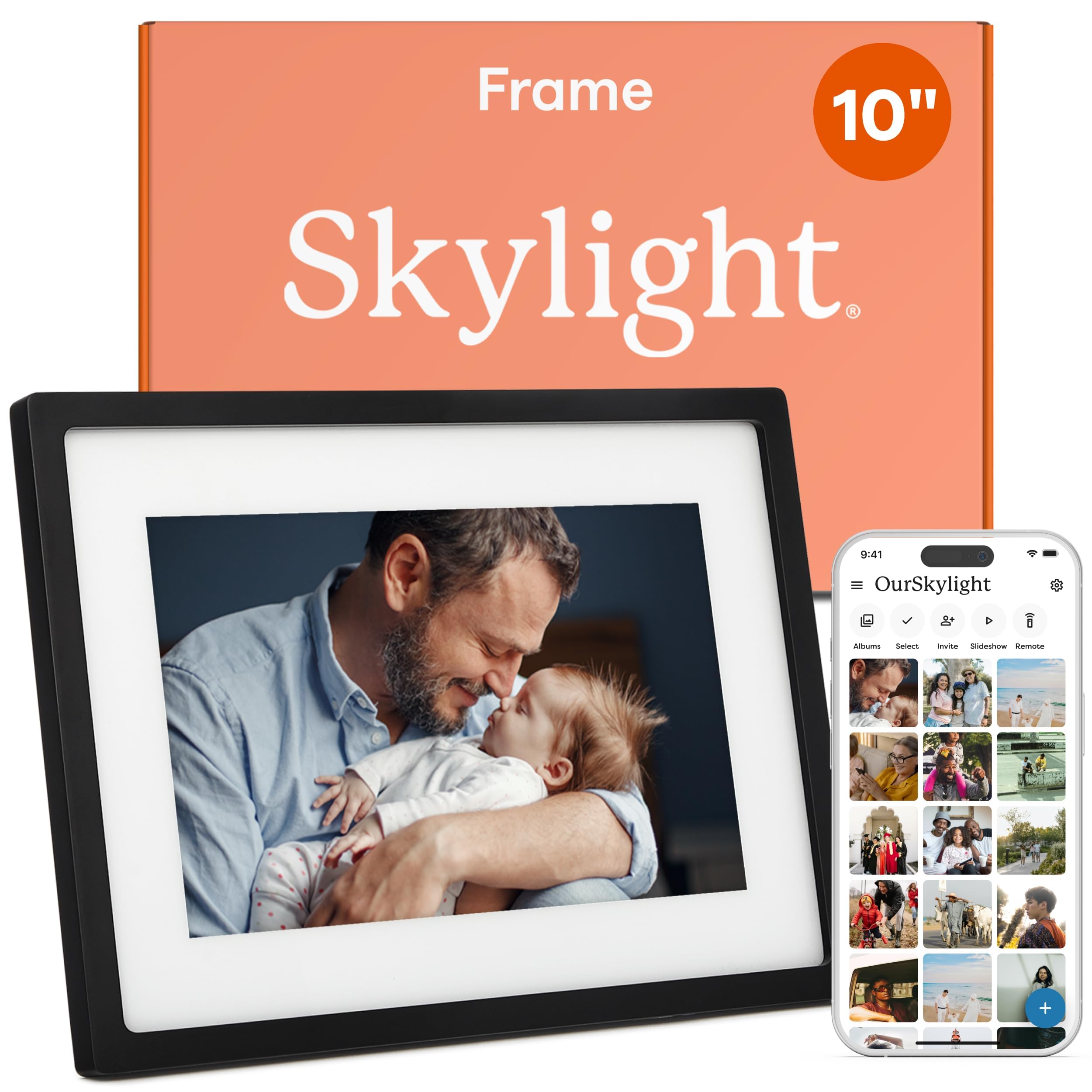
The Skylight Frame differentiates itself with a unique sharing approach: instead of requiring everyone to download an app, each frame gets a dedicated email address. Family members email photos directly to the frame, and they appear automatically. For seniors who have family members spread across different tech comfort levels, this eliminates the friction of app installation entirely. The 10-inch 1280×800 touchscreen is crisp and responsive, with a clean interface that doesn’t overwhelm the user with menus.
The Gift Mode feature is a standout for anyone buying this as a surprise. You can preload the frame with your favorite photos before gifting it, so the recipient opens the box and immediately sees family faces rather than a blank screen. The frame also supports offline mode — once photos are loaded, they continue cycling even without an active WiFi connection. Reviewers consistently note how easy it is to set up and how the shareable link lets extended family add photos without needing separate accounts.
The onboard storage is 8GB, which is lower than competitors, and the frame relies on cloud storage for the full photo library. This means a stable WiFi connection is necessary to receive new photos. The price point reflects the brand’s premium positioning and the convenience of the email-based sending method. For families where the senior user is not comfortable with smartphones at all, the Skylight’s zero-app requirement is a meaningful advantage.
Why it’s great
- Email-based sharing means no app required for senders
- Gift Mode lets you preload photos before giving the frame
- Offline mode keeps photos cycling without WiFi
Good to know
- 8GB internal storage is limited compared to competitors
- Requires stable WiFi connection to receive new photos
3. ApoloSign Nixplay 10.1″ Digital Picture Frame

The ApoloSign frame runs on the Nixplay platform, which offers a more feature-rich cloud experience than the basic Frameo app. The Nixplay app allows you to create curated playlists, manage multiple frames from one account, and even send photos via email directly to the frame. The SenseMe motion sensor automatically wakes the screen when someone enters the room and puts it to sleep when the room is empty — a smart power-saving feature that also prevents screen burn-in over long idle periods.
The 10.1-inch 1280×800 IPS touchscreen delivers accurate colors and wide viewing angles. Auto-rotation is built in, so the frame adjusts whether it’s wall-mounted or sitting on a desk. The frame also supports Amazon Alexa integration, allowing voice commands to pull up specific playlists. Reviewers mention that the app uploads photos and videos instantly, and the setup process is straightforward even for non-tech-savvy users.
The trade-off is that full access to advanced Nixplay features like curated playlists and longer cloud storage retention requires a subscription after the initial free period. The frame does not support SD cards, so all photo management flows through the cloud. For families who want granular control over what photos appear and when, the Nixplay ecosystem is powerful, but it does introduce a potential recurring cost down the line.
Why it’s great
- SenseMe motion sensor conserves power and prevents burn-in
- Nixplay cloud supports multiple frames and curated playlists
- Alexa integration adds voice control convenience
Good to know
- No SD card slot — all photos go through cloud storage
- Advanced features require a Nixplay subscription
4. PiPivision 10.1″ Frameo Digital Picture Frame
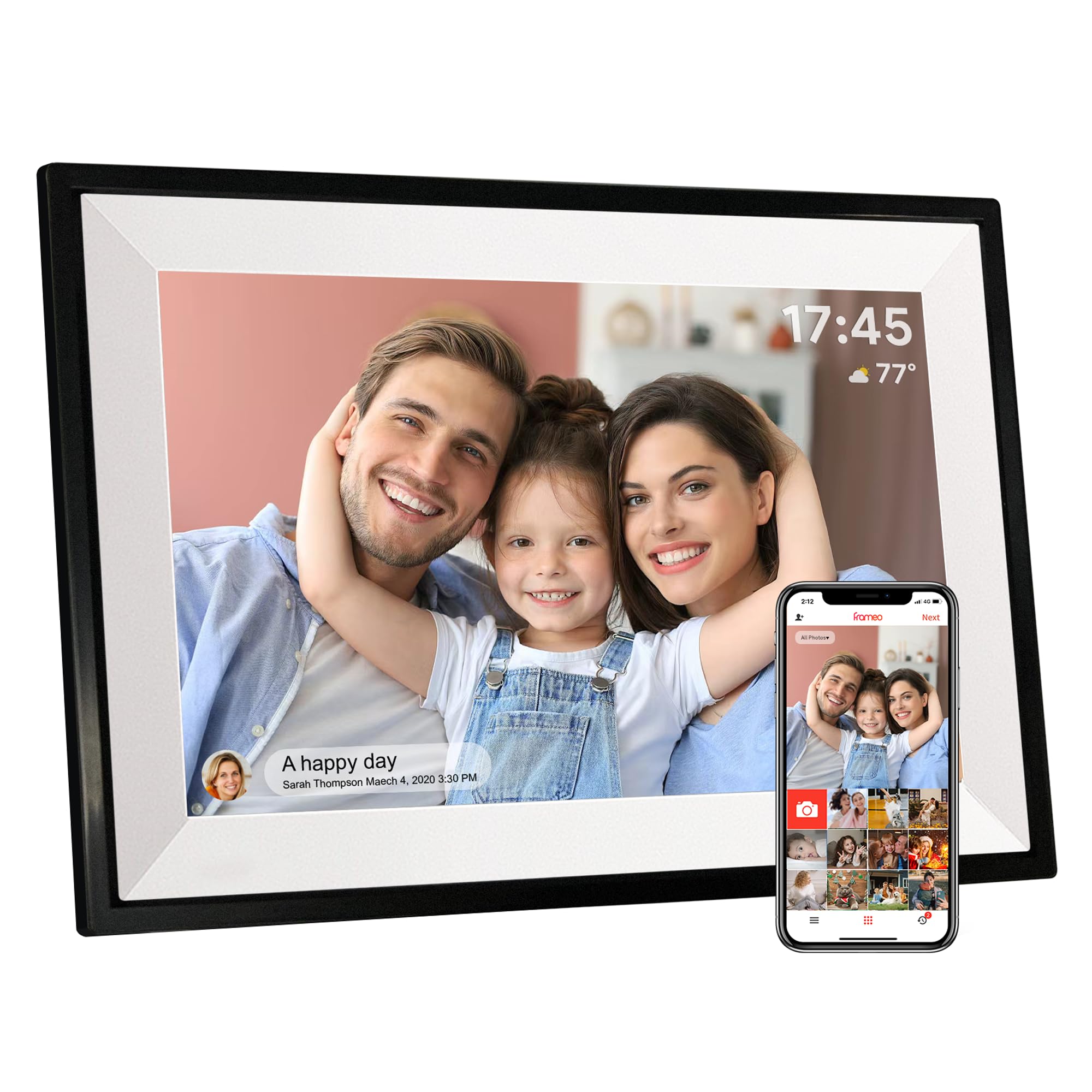
The PiPivision frame delivers the core Frameo experience at a price point that undercuts many competitors without sacrificing image quality. The 10.1-inch 1280×800 IPS display is bright and clear, and the touchscreen registers taps reliably. The Frameo app connection uses a one-time code system: you plug the frame in, connect to WiFi, and the frame generates a code that you enter in the app. After that, any photos or 15-second videos you send appear on the screen within seconds.
Multiple family members can connect to the same frame using their own Frameo accounts, and the frame supports a “heart” reaction feature that sends a tap notification back to the sender — a delightful way for seniors to acknowledge photos without typing a response. The 32GB internal storage holds over 80,000 photos, and photos remain on the frame even if the WiFi connection drops. Reviewers consistently mention how easy the setup is and how the frame has become a daily source of connection for their parents and grandparents.
The Frameo app is free and does not require any subscription. The one limitation is that the free version restricts you to sending up to 10 photos per upload batch, though multiple batches can be sent consecutively. For families who want a reliable, no-strings-attached sharing experience at a friendly price, this frame is the smartest choice.
Why it’s great
- Frameo app is completely free with no subscription needed
- 32GB storage keeps photos playing even without WiFi
- Heart reaction feature lets seniors acknowledge photos easily
Good to know
- Free app limits uploads to 10 photos per batch
- Videos play audio which may include unexpected sounds
5. FLYRUIT 10.1″ Frameo Digital Picture Frame

The FLYRUIT frame addresses a specific pain point: what if the senior’s home has unreliable WiFi or they prefer not to use a smartphone app at all? This frame supports three methods for transferring photos — standard WiFi via the Frameo app, direct USB-C cable connection to a computer, and micro SD card insertion. This hybrid approach means a family member can load photos onto an SD card during a visit, and the frame will display them immediately without any WiFi configuration.
The 10.1-inch 1280×800 IPS display is vibrant and the touchscreen is responsive. The frame supports auto-rotation and includes a sleep mode for energy conservation. The Greeting feature lets you send themed birthday messages to the frame, and the React feature allows seniors to respond with cute emojis on received photos. Reviewers praise how easy it was to set up for elderly relatives and how the frame automatically displays grandkids’ photos without any ongoing maintenance.
The frame runs on Frameo for WiFi-based sharing, so it retains all the benefits of that ecosystem. The additional USB-C and SD card support makes it the most versatile option for families dealing with WiFi reliability issues. The trade-off is that the frame must stay plugged into power at all times — there is no battery backup. For families who want the Frameo app experience with a fallback offline option, this is the ideal middle ground.
Why it’s great
- Supports USB-C, SD card, and WiFi photo transfer methods
- Greeting feature sends themed messages to the frame
- Motion sensor wakes display when someone enters the room
Good to know
- Frame must be plugged into power at all times
- Original power adapter is required for reliable operation
6. Dragon Touch 10.1″ Frameo Digital Picture Frame
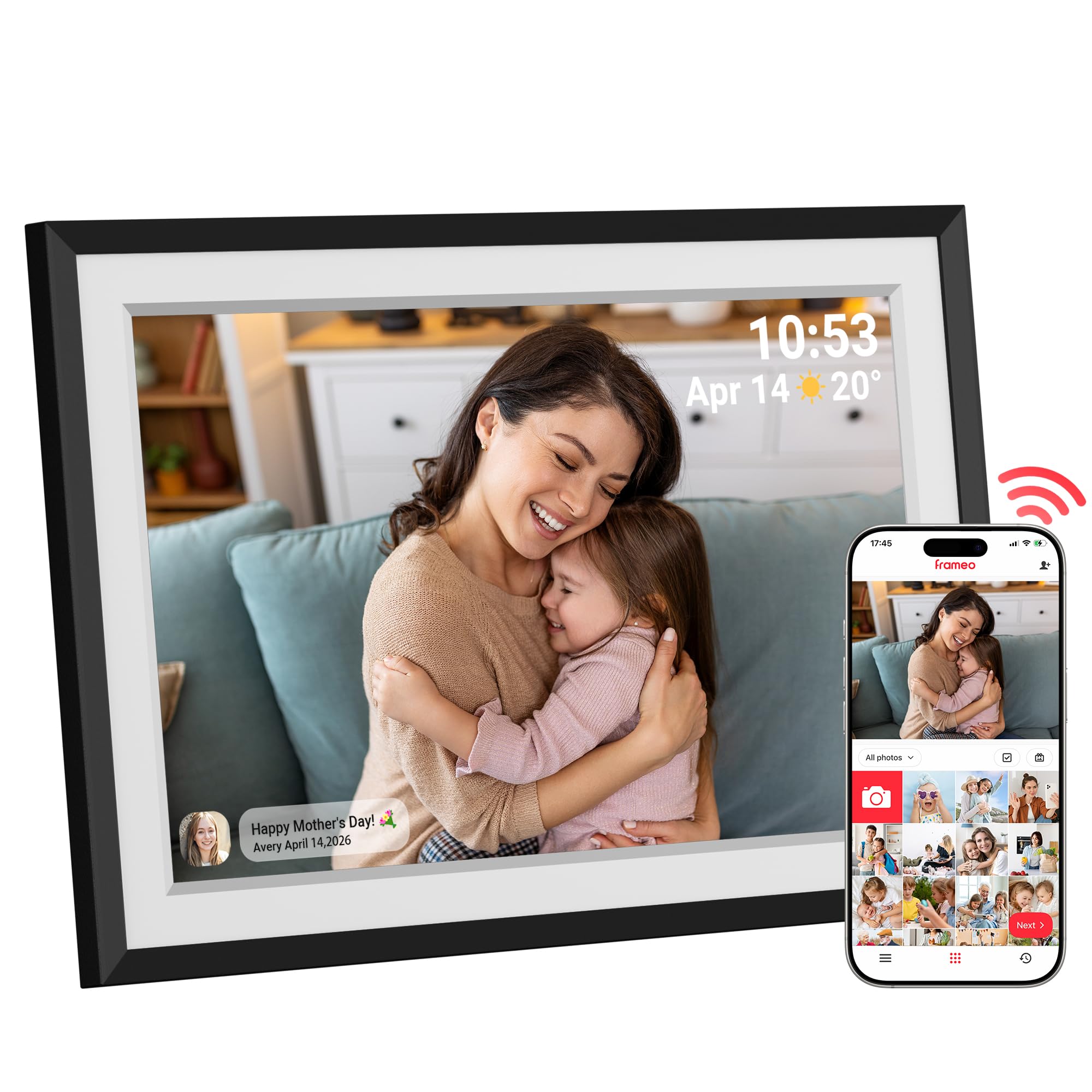
The Dragon Touch frame offers a 1080p resolution display, which is a step up in sharpness compared to the standard 1280×800 panels found on most entry-level frames. The higher pixel density makes text captions and fine details in photos noticeably clearer. The frame uses the Frameo app for photo sharing, so it benefits from the same one-time code setup and multi-user sharing that makes the Frameo ecosystem so popular.
What sets this frame apart is the level of slideshow customization available. Users can adjust transition effects, slideshow speed, and even enable background music through the app. The 32GB expandable storage (up to 32GB via microSD) provides ample room for thousands of photos. The built-in auto-rotate sensor ensures every photo displays in the correct orientation, and the frame also shows the time, weather, and calendar when idle, adding utility beyond just photo display.
Reviewers consistently praise the display quality, calling the images “crisp” and “vibrant” with accurate colors. The setup is straightforward, and the white mat border around the screen gives it a more traditional framed look that blends into home decor. For seniors who enjoy a dynamic slideshow experience with music and smooth transitions, this frame offers the best customization options in its class.
Why it’s great
- 1080p resolution delivers sharper image detail
- Customizable slideshow with adjustable speed and effects
- Built-in weather, clock, and calendar display modes
Good to know
- Some settings require app navigation to adjust
- Background music feature may need audio file preparation
7. Dromart 10.1″ Frameo Digital Picture Frame

The Dromart frame proves that you don’t need to spend heavily to get a reliable Frameo-based sharing experience. The 10.1-inch 1280×800 IPS display handles the basics well, with decent color reproduction and responsive touch input. The 32GB internal storage is generous for this price tier and holds tens of thousands of photos, so the frame won’t run out of room even with years of family snapshots.
The Frameo app integration works exactly as expected: you connect the frame to WiFi, generate a code, share it with family members, and photos start appearing. The frame supports auto-rotation and can be wall-mounted using the built-in slot. Reviewers specifically mention buying this for elderly parents in care homes and hearing that it has become a daily source of joy. The schedule feature that automatically turns the frame off at night and back on in the morning is a thoughtful addition that requires no user intervention.
The main trade-offs at this price point are the plastic build quality, which feels lighter than premium competitors, and the 16:10 aspect ratio that may show small black bars on some photos. For families on a tight budget who still want the full Frameo app experience with 32GB of storage, this frame delivers the essential functionality without forcing you to compromise on the sharing features that matter most.
Why it’s great
- Full Frameo app integration at a very accessible price
- 32GB internal storage with no need for memory cards
- Automatic on/off schedule saves energy without user effort
Good to know
- Plastic frame feels lighter and less premium than metal options
- 16:10 aspect ratio may show small black bars on some photos
FAQ
Can I set up the frame before giving it as a gift?
Do I need a subscription to share photos with a Frameo frame?
What happens to the photos if the WiFi goes out?
Final Thoughts: The Verdict
For most users, the best digital picture frame for seniors winner is the BIGASUO 15.6″ Frameo because it combines the largest Full HD display with 64GB of local storage and the user-friendly Frameo app that requires zero technical skill from the recipient. If you want a frame that works without any app downloads at all, grab the Skylight 10″ Frame with its email-based sharing and Gift Mode. And for a budget-friendly option that still delivers the full Frameo experience, nothing beats the PiPivision 10.1″ Frameo at a price that makes it easy to gift to multiple family members.

Mo Maruf
I created WellFizz to bridge the gap between vague wellness advice and actionable solutions. My mission is simple: to decode the research and give you practical tools you can actually use.
Beyond the data, I am a passionate traveler. I believe that stepping away from the screen to explore new environments is essential for mental clarity and physical vitality.