Our readers keep the lights on and my smoothie glass nicely filled. As an Amazon Associate, I earn from qualifying purchases.
Nothing drags down a productive workflow like a microphone that mangles your words. Whether you are dictating medical notes, composing a novel, or commanding voice-to-text software, a dedicated dictation microphone must capture every syllable with precision and reject the hum of your computer fan, the clatter of a keyboard, and the echo of an untreated room.
I’m Mohammad Maruf — the founder and writer behind WellFizz. After spending dozens of hours analyzing diaphragm types, polar patterns, frequency response curves, and signal-to-noise ratios across the current market, this guide distills exactly what separates a reliable speech-to-text tool from a frustrating experience that forces you to edit every sentence.
This buying guide evaluates seven carefully selected models to help you find the best dictation microphone for your specific workflow, budget, and environment.
How To Choose The Best Dictation Microphone
Selecting the right dictation microphone is about matching the hardware to the acoustic reality of your workspace and the specific quirks of your speech recognition software. A mic that sounds great for a podcast may perform poorly for Dragon NaturallySpeaking or Windows Speech Recognition if it picks up too much ambient noise or has a frequency response that emphasizes sibilance.
Polar Pattern: Cardioid Is Your Dictation Ally
A microphone’s polar pattern defines where it picks up sound. For dictation, a cardioid or super-cardioid pattern is the only sensible choice. These patterns capture audio from the front while rejecting sound from the sides and rear — which means your keyboard clicks, AC hum, and neighbor’s TV stay out of the transcription. An omnidirectional pattern will pick up everything in the room, forcing your speech-to-text engine to guess which sounds are your voice. Stick with cardioid.
Connectivity: USB Plug-and-Play vs. XLR Expandability
USB microphones offer the simplest path to better dictation: connect the cable, select the mic in your operating system’s audio settings, and start speaking. No audio interface, no mixer, no extra gear. XLR microphones demand a separate audio interface but can deliver cleaner signal paths and lower noise floors. For most dictation users — especially those using a laptop at home or in an office — a USB microphone with a high-quality analog-to-digital converter is the most practical and cost-effective solution.
Frequency Response and Signal-to-Noise Ratio
The human voice occupies roughly 85 Hz to 255 Hz for fundamental frequencies, but consonants and clarity live in the 2 kHz to 8 kHz range. A dictation microphone should have a frequency response that captures these upper mids with fidelity. The signal-to-noise ratio (SNR), measured in decibels, tells you how much louder the signal is than the microphone’s own self-noise. An SNR of 75 dB or higher is desirable — anything below 70 dB may introduce audible hiss, which degrades transcription accuracy.
Physical Features: Mute, Gain, and Ergonomic Design
Touch-to-mute or push-button mute is a non-negotiable feature for dictation. You need a quick, silent way to stop the microphone from transmitting when you cough, take a phone call, or shuffle papers. Gain control on the mic body lets you adjust sensitivity without diving into software menus. Handheld dictation microphones (like the Philips SpeechMike) also include integrated trackball or navigation controls, allowing you to edit and move through text without touching your keyboard — a major productivity boost for high-volume medical or legal transcribers.
Quick Comparison
On smaller screens, swipe sideways to see the full table.
| Model | Category | Best For | Key Spec | Amazon |
|---|---|---|---|---|
| Sennheiser Profile | USB Condenser | Natural voice reproduction | 125 dB max SPL, metal housing | Amazon |
| Philips LFH3500 SpeechMike | USB Handheld | Professional medical/legal dictation | Built-in motion sensor, trackball | Amazon |
| Sennheiser MKE 200 | On-Camera Shotgun | Videographers needing clear voice | Super-cardioid, integrated shock mount | Amazon |
| Samson Go Mic | Portable USB | Compact travel dictation and VoIP | Dual polar patterns, clips to laptop | Amazon |
| FIFINE AmpliGame AM8 | Dynamic USB/XLR | Gamers needing voice isolation | 50Hz-16KHz frequency response | Amazon |
| FIFINE Amplitank K688 | Dynamic USB/XLR | Clean vocals without distortion | 130 dB SPL handling, metal build | Amazon |
| HyperX SoloCast | USB Condenser | Streamers and podcast beginners | 24-bit/96 kHz, tap-to-mute sensor | Amazon |
In‑Depth Reviews
1. Sennheiser Profile

The Sennheiser Profile represents a rare intersection of German engineering and plug-and-play simplicity. Its cardioid condenser capsule is tuned specifically for the human voice, delivering a warm and natural tonal balance that requires almost no post-processing. For dictation users, this means your voice-to-text software receives a clean, articulate signal that minimizes misinterpretation of homophones and sibilant consonants. The built-in headphone jack provides zero-latency monitoring, which is invaluable when you need to confirm your mic position and gain before a long recording session.
The metal housing and compact table stand feel reassuringly solid, yet the Profile occupies minimal desk space. The controls — a large mute button, gain dial, and volume dial — are all tactile and easy to locate by touch, so you never break your flow fumbling for settings. Unlike many competitors, the Profile does not rely on proprietary software for EQ or noise gating; it uses the universal USB audio class standard, making it truly compatible with Windows, macOS, and Linux without driver installation.
Where the Profile truly excels is its consistent, fatigue-free sound. You can dictate for hours without the mic exaggerating sibilance or adding a brittle edge to your voice. The included USB-C cable is generous in length, and the stand is stable enough for desktop use without a boom arm. It is the closest you can get to a professional broadcast sound without an audio interface or mixer.
Why it’s great
- Exceptional vocal clarity with natural warmth
- Zero-latency headphone monitoring jack
- No software required, works on all OS platforms
Good to know
- Stand is low; may require a boom arm for optimal position
- No XLR connection for future studio expansion
2. Philips LFH3500 SpeechMike Premium

The Philips LFH3500 SpeechMike is purpose-built for high-volume transcription in medical, legal, and professional environments where accuracy and workflow speed are paramount. Its free-floating, decoupled microphone capsule is designed to reject handling noise, and the built-in pop filter ensures plosives do not interfere with transcription. The motion sensor automatically mutes the mic when you set it down — a small detail that saves significant editing time over the course of a day.
The integrated trackball and programmable function buttons give you complete control over your dictation software without reaching for a mouse or keyboard. This ergonomic advantage cannot be overstated: for users who transcribe for hours, eliminating the hand movement between mic and peripheral reduces strain and increases throughput. The SpeechMike’s frequency response is optimized for speech recognition, with a slight emphasis on the upper midrange that helps Dragon NaturallySpeaking and Windows Speech Recognition lock onto consonants more reliably.
Construction is robust, with a thick plastic body that withstands drops and daily wear. The USB cable is replaceable, which is a practical consideration for a device that may see years of heavy use. The proprietary Philips Device Control software does add a layer of configuration, and some users report it can be buggy, but the core hardware performance is outstanding. For pure dictation productivity, this is the reference standard.
Why it’s great
- Exceptional speech recognition accuracy with Dragon
- Integrated trackball and programmable buttons
- Motion sensor mute and replaceable USB cable
Good to know
- Philips Device Control software can be unstable
- Plastic enclosure feels less premium than price suggests
3. Sennheiser MKE 200
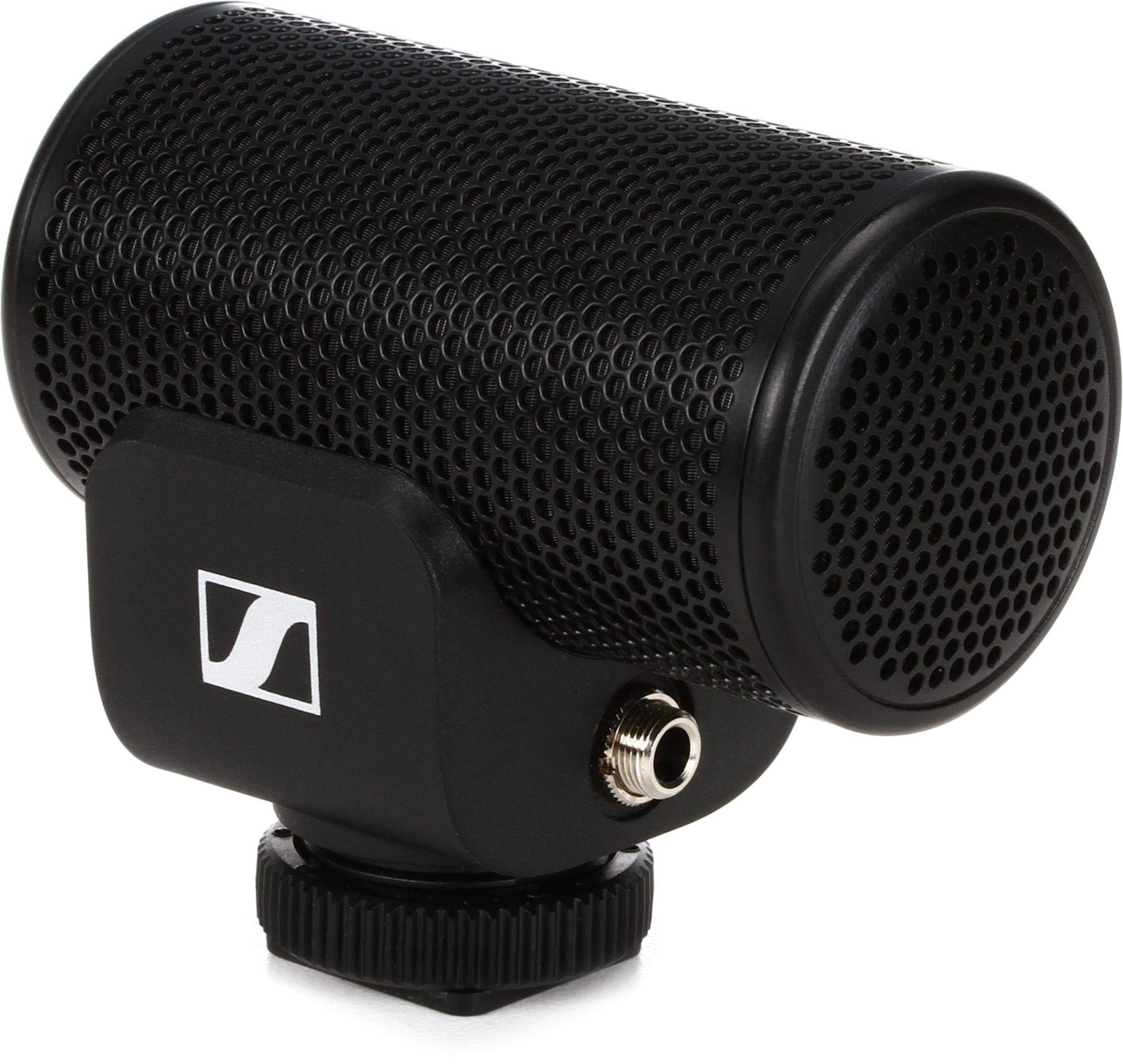
The Sennheiser MKE 200 serves a specific niche: videographers and content creators who need clear voice pickup while recording with a DSLR or mirrorless camera. Its super-cardioid polar pattern focuses tightly on the sound source directly in front of the mic, rejecting side and rear noise more aggressively than a standard cardioid. This makes it effective for on-location dictation or voiceover work where wind, traffic, or crowd noise would otherwise contaminate the audio track.
The built-in integrated shock mount and wind protection are housed inside the cylindrical body, an elegant design that avoids the bulk of external suspension systems. The MKE 200 includes both 3.5mm TRS and TRRS cables, so it works with traditional cameras and modern smartphones (with a separate adapter for Lightning or USB-C phones). Its compact size means it fits easily into a camera bag without adding noticeable weight or bulk.
For dictation purposes, the MKE 200 performs best when you are speaking directly into the front of the mic at a consistent distance. The audio out of the box can sound slightly thin, requiring a gentle EQ boost in the 150 Hz to 300 Hz range to restore body, but the clarity and noise rejection are excellent. It is a tool for a specific workflow, but within that workflow, it is hard to beat.
Why it’s great
- Excellent directional pickup for noisy outdoor environments
- Integrated shock mount and wind protection
- Interchangeable TRS and TRRS cables for dual use
Good to know
- Audio can sound thin without EQ tweaking
- Requires separate adapter for modern smartphones
4. Samson Go Mic

The Samson Go Mic is an enduring classic in portable USB microphones, and for good reason. Its compact design clips directly onto a laptop screen or sits on a desk, making it an ideal travel companion for business travelers, remote workers, and students who need reliable dictation on the go. The Go Mic offers two polar patterns: cardioid for focused voice pickup and omnidirectional for conference calls or group recordings, selected via a simple switch on the rear of the unit.
In cardioid mode, the Go Mic delivers surprisingly clear voice reproduction for its size and price. Dictation accuracy with Dragon NaturallySpeaking and Windows Speech Recognition is high, especially if you position the mic about 8 inches from your mouth. The included carry case and mounting clip mean you can toss it in a laptop bag without worrying about damage, and the USB connection works instantly on Windows and macOS without driver installation.
There are trade-offs at this price point. The plastic enclosure feels functional rather than premium, and the Go Mic is sensitive to keyboard noise and desk vibrations if not carefully positioned. The cable is permanently attached and relatively long, which can create cable management challenges on a cluttered desk. For its intended use case — portable, casual dictation — the Go Mic remains a reliable and well-tested choice that punches above its weight in vocal clarity.
Why it’s great
- Ultra-portable design with carry case included
- Dual polar patterns for dictation and meetings
- Plug-and-play on Windows and macOS
Good to know
- Picks up keyboard and desk vibrations easily
- Plastic build feels less durable than metal alternatives
5. HyperX SoloCast

The HyperX SoloCast brings studio-level audio specs — 24-bit/96 kHz recording — to a budget-friendly USB microphone designed for gamers and streamers, but its attributes translate well to dictation. The cardioid polar pattern effectively rejects ambient noise, and the tap-to-mute sensor on the top of the mic is intuitive and satisfying to use. The LED indicator changes color when muted, providing clear visual feedback that is especially useful during long dictation sessions.
The SoloCast’s stand is adjustable and stable, swiveling to fit under a monitor or to angle toward your mouth. It includes threading for 3/8-inch and 5/8-inch boom arms, so upgrading your setup later is straightforward. The metal body feels substantial for its price class, and the USB-C connection ensures compatibility with modern computers without needing a USB-A adapter.
For dictation, the SoloCast delivers clear articulation in the 2 kHz to 8 kHz range, which is where consonants live. The main drawback is the lack of a built-in pop filter or shock mount. Without a pop filter, plosives like “p” and “b” can produce audible bursts that may confuse speech recognition software. Pairing the SoloCast with a separate pop filter and a boom arm solves both issues, elevating it into a capable dictation tool.
Why it’s great
- High-resolution 24-bit/96 kHz audio
- Satisfying tap-to-mute sensor with LED indicator
- Metal body and adjustable stand
Good to know
- No pop filter or shock mount included
- Sensitive mute button can be triggered accidentally
6. FIFINE Amplitank K688

The FIFINE Amplitank K688 is a dynamic microphone that offers both USB and XLR connectivity, giving you upgrade flexibility without requiring a new mic later. Dynamic microphones are naturally less sensitive than condensers, which works in your favor for dictation if you have a noisy environment. The K688’s cardioid pattern, combined with its dynamic capsule, does an excellent job of rejecting background noise like computer fans, air conditioning, and distant conversations before they ever reach the recording.
The metal build inspires confidence, and the included shock mount isolates the mic from desk vibrations that can muddy transcription clarity. The touch-to-mute function on the front panel is quiet and responsive, and the gain knob lets you dial in the ideal sensitivity for your voice and distance. In USB mode, the K688 operates as a plug-and-play device with no additional software needed, making it accessible for users who want professional sound without technical hassle.
Where the K688 falls slightly short for dictation purists is its frequency response. The 50Hz to 16KHz range is adequate for speech, but the dynamic capsule lacks the crisp high-end detail that condenser microphones provide for consonants. If your voice-to-text software struggles with accuracy, upgrading to a condenser mic may yield better results. For users who prioritize noise rejection over absolute clarity, the K688 is an outstanding value.
Why it’s great
- Excellent ambient noise rejection due to dynamic capsule
- Dual USB/XLR connectivity for future upgrades
- Sturdy metal construction with shock mount
Good to know
- Less high-frequency detail than condenser mics
- XLR cable and boom arm not included
7. FIFINE AmpliGame AM8
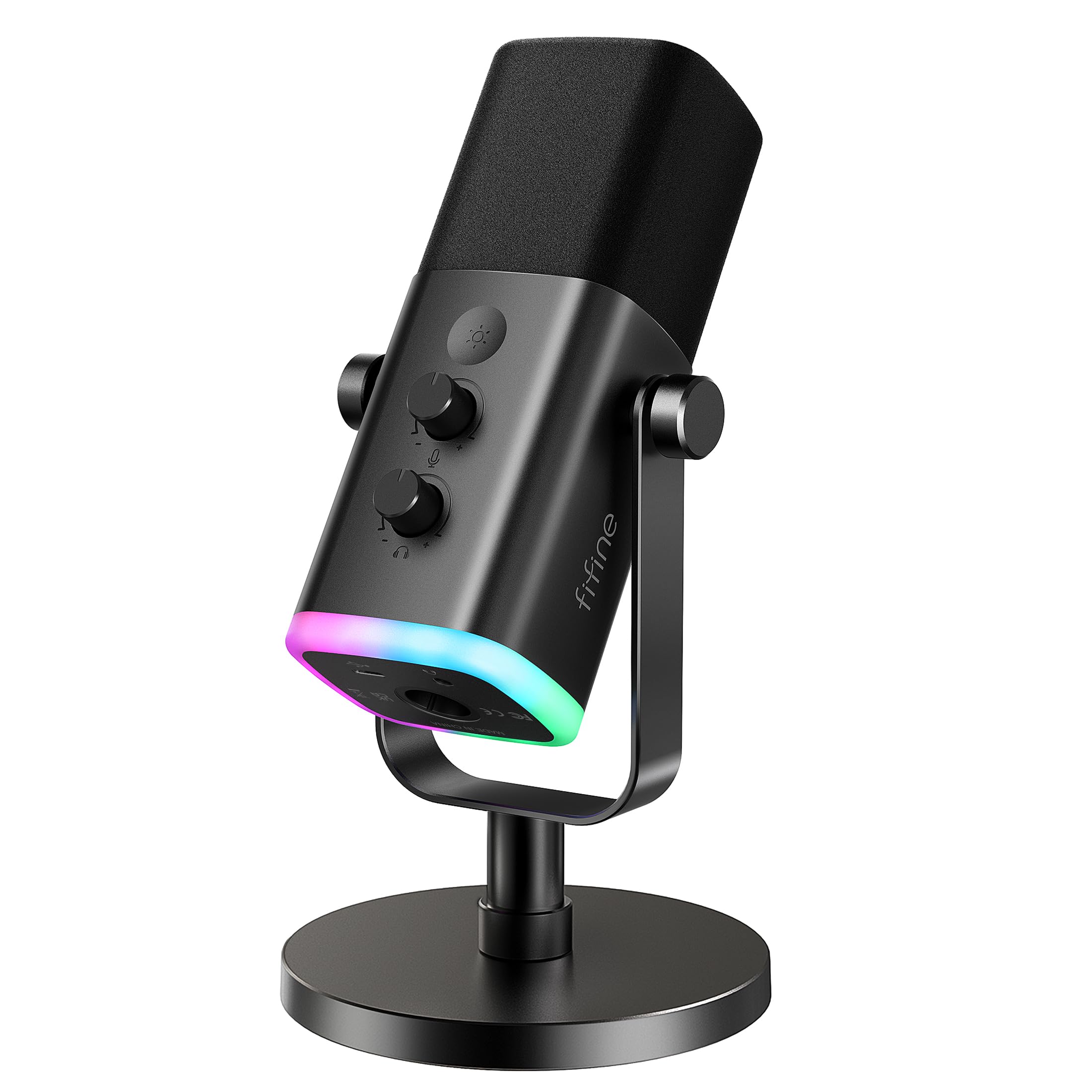
The FIFINE AmpliGame AM8 is a dynamic microphone with a dual connectivity scheme similar to the K688, but at a lower price point. Its 50Hz to 16KHz frequency response and cardioid polar pattern deliver reliable voice isolation for dictation, especially in untreated rooms or shared living spaces. The RGB lighting is a superfluous addition for dictation users, but it can be turned off, and the mute button with LED indicator is genuinely useful for privacy during remote transcription work.
The AM8 includes a foam windscreen that reduces plosives, which helps speech recognition software process your words more accurately. The included desktop stand is functional and stable, though the mic’s overall build leans more toward plastic than metal, which makes it lighter but less durable than the K688. In USB mode, the gain knob and monitoring volume control give you real-time adjustment without needing to dive into software settings.
For dictation, the AM8 requires close positioning — within 2 to 6 inches — to deliver its best performance. The dynamic capsule is less sensitive than a condenser, meaning you need to speak directly into the top of the mic for consistent volume. Background noise rejection is good, but the AM8 can introduce a slight low-end hum when used with certain USB ports. A powered USB hub often eliminates this issue. For budget-conscious users making their first upgrade from a headset mic, the AM8 represents a significant leap in audio quality.
Why it’s great
- Very affordable entry into dynamic mic quality
- USB and XLR connectivity for flexible use
- Included foam windscreen reduces plosives
Good to know
- Plastic construction feels less premium
- Requires close mic placement (2–6 inches)
FAQ
Can I use a gaming microphone for dictation?
What microphone does Dragon NaturallySpeaking recommend?
Is a dynamic or condenser mic better for voice recognition?
Do I need an audio interface for a dictation microphone?
How far should I position a dictation microphone from my mouth?
Final Thoughts: The Verdict
For most users, the best dictation microphone winner is the Sennheiser Profile because it combines natural vocal warmth, zero-latency monitoring, and truly universal plug-and-play compatibility in a metal-bodied package that outclasses every competitor in its tier. If you need professional-grade ergonomics and integrated navigation controls for high-volume transcription, grab the Philips LFH3500 SpeechMike. And for a portable, budget-friendly option that travels well and handles dictation admirably, nothing beats the Samson Go Mic.

Mo Maruf
I created WellFizz to bridge the gap between vague wellness advice and actionable solutions. My mission is simple: to decode the research and give you practical tools you can actually use.
Beyond the data, I am a passionate traveler. I believe that stepping away from the screen to explore new environments is essential for mental clarity and physical vitality.